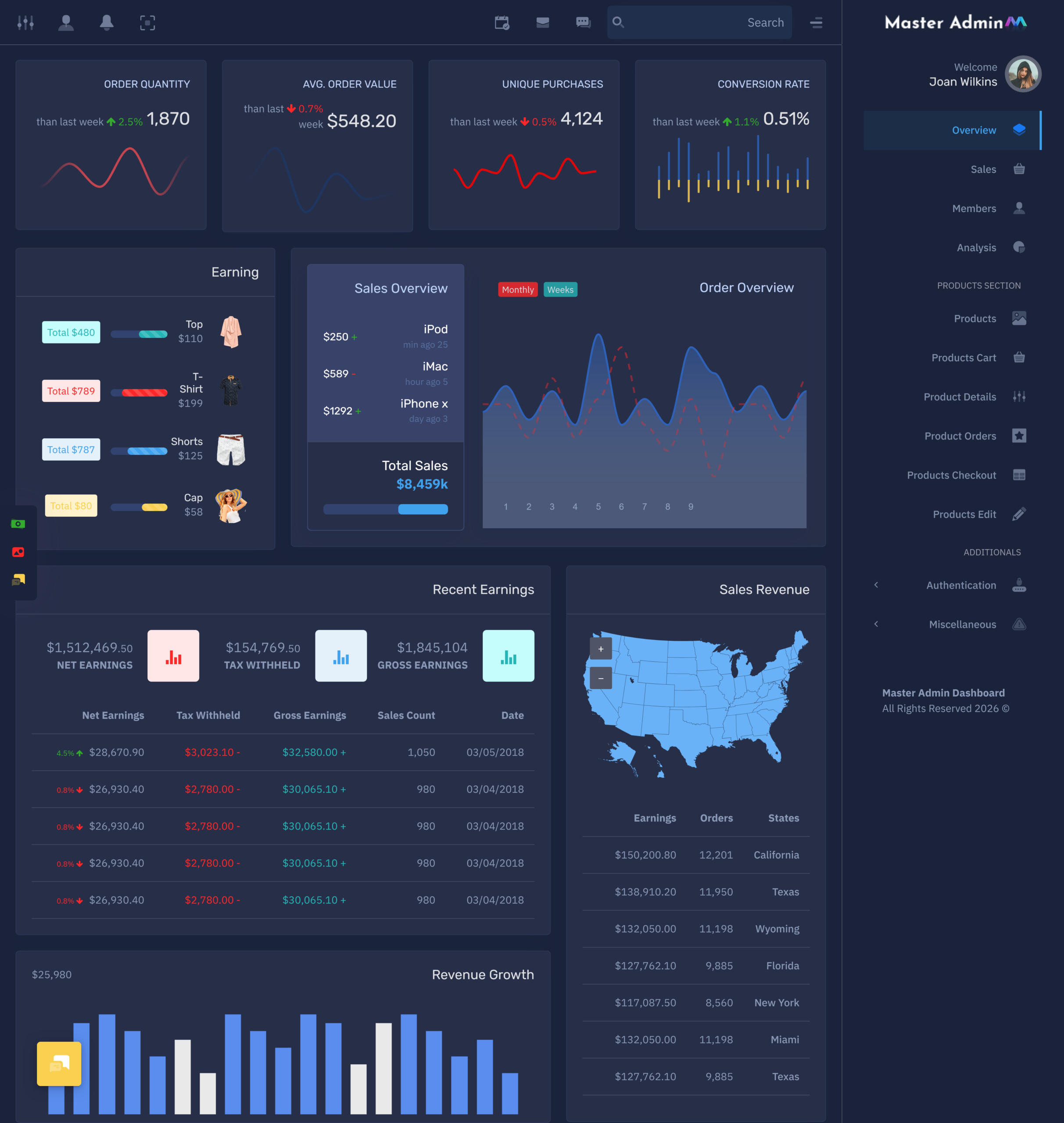
Understanding the E-commerce Dashboard For an expanding company, the management of such operations may become…
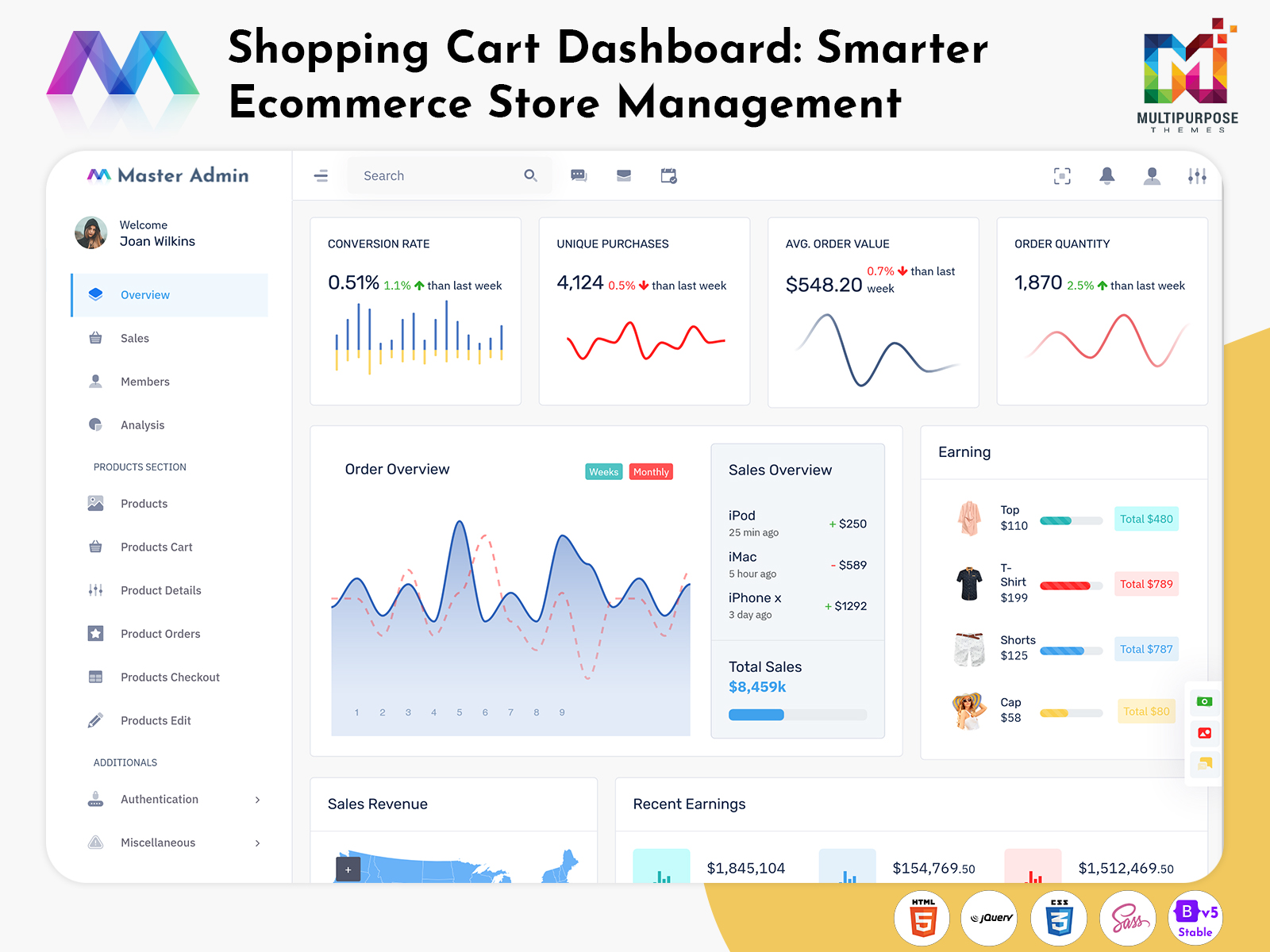
Shopping Cart Dashboard: A Smarter Way to Manage eCommerce Store Operations
Reading Time: 9 minutes
What is an eCommerce Dashboard?
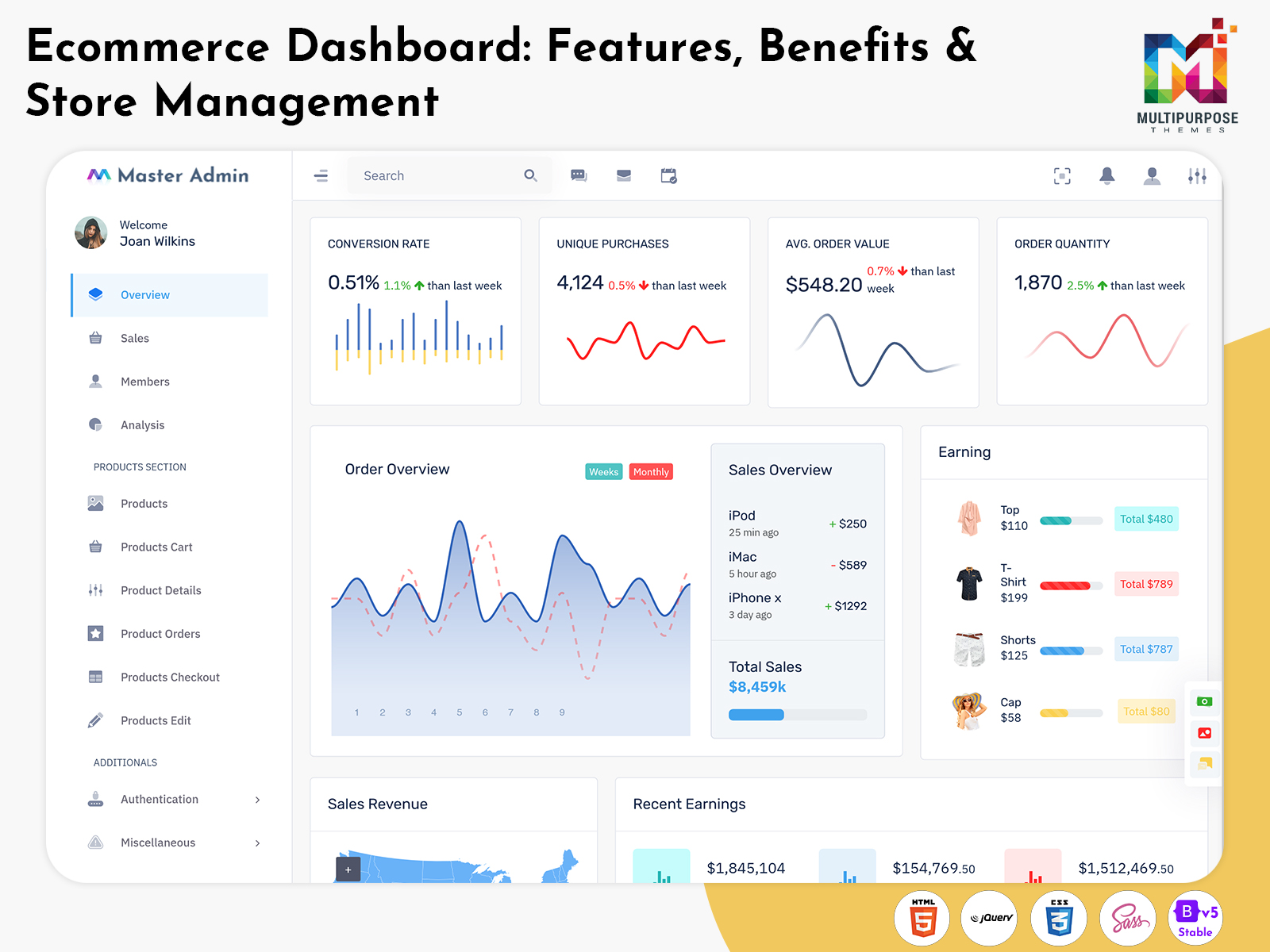
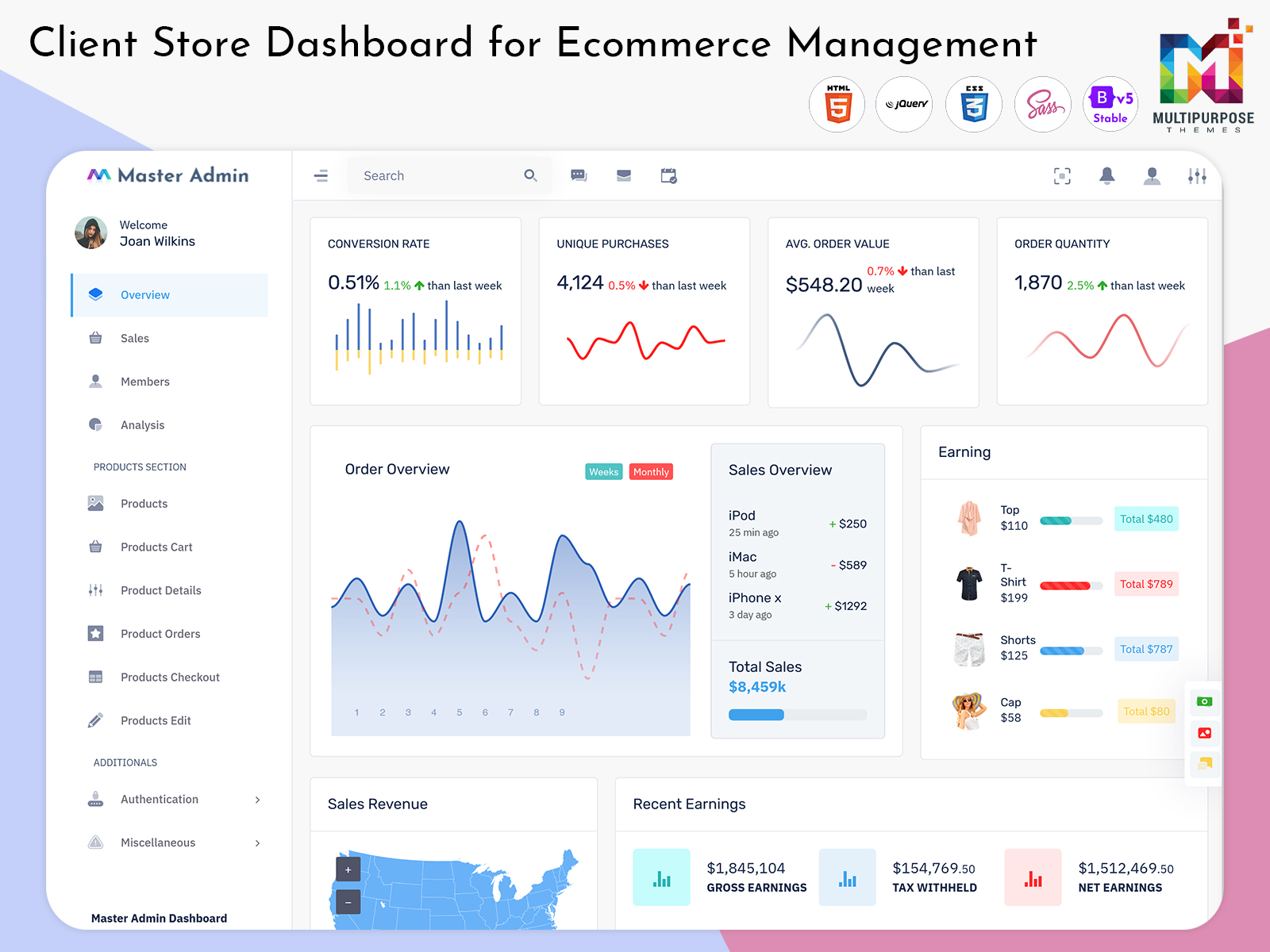
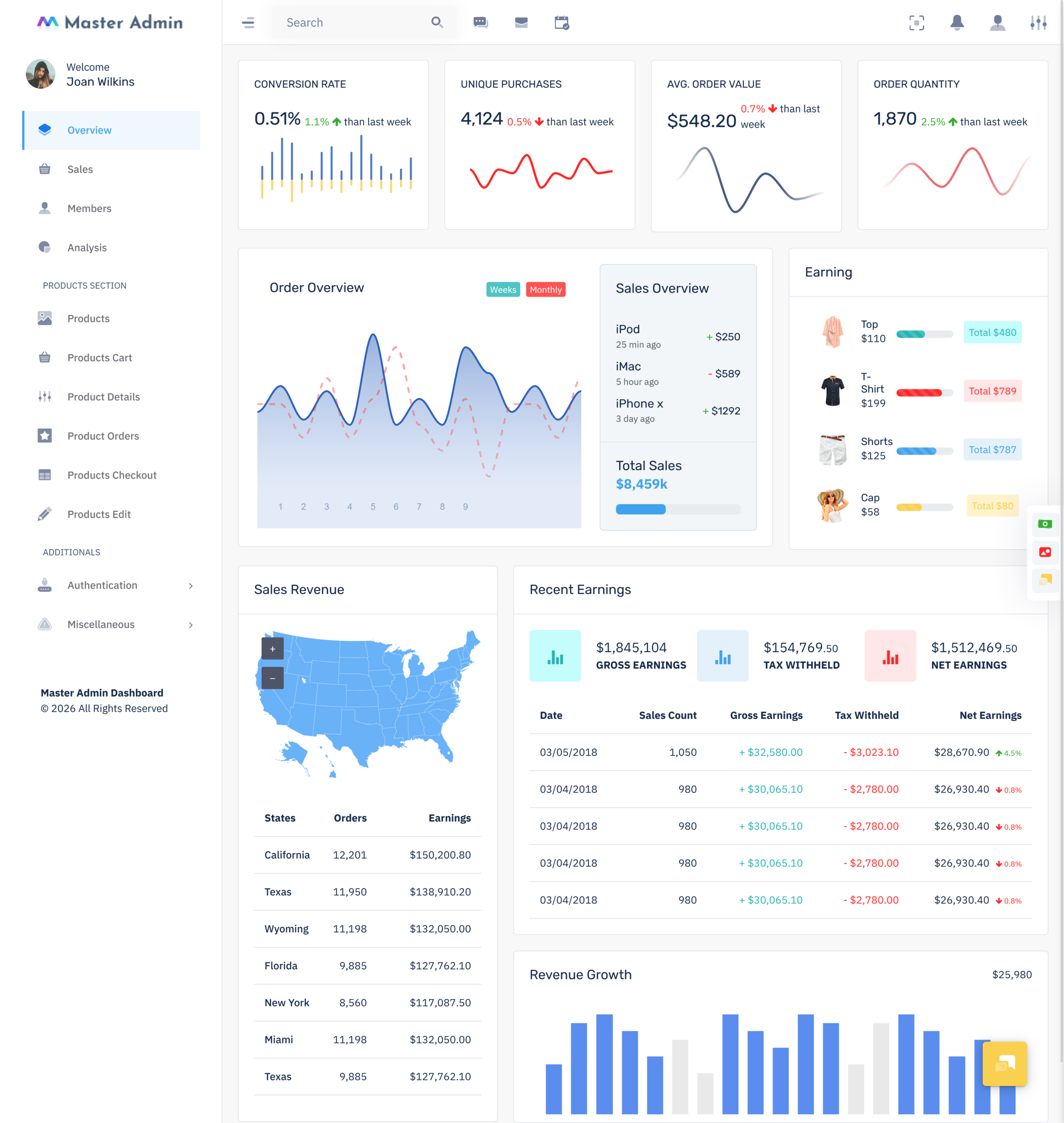
An ecommerce dashboard is a web-based management interface that helps online businesses view and organize important store information from a central place. Instead of depending on multiple pages or separate tools, administrators can use one structured workspace to understand what is happening across their ecommerce operation and handle their regular management responsibilities.
Watch Full Video
Running an online store involves many activities at the same time. Products need to be managed, customer activity has to be reviewed, orders must be monitored, and business information needs to remain organized. As the store grows, handling these responsibilities manually can become difficult. A dashboard creates a clearer connection between these different areas.
An ecommerce Admin Dashboard works as the management side of an online store. It is designed for authorized users who need to work with store information and administrative processes. The interface can bring important information into an understandable format, helping users move through their daily work without depending on unrelated systems.
For developers, an ecommerce Admin Template can be a useful starting point for building this type of interface. Instead of creating every screen and layout from the beginning, developers can customize an existing dashboard structure according to the project’s requirements. Branding, navigation, user access, and business-specific workflows can all be considered during customization.
Why Do Online Businesses Need an eCommerce Dashboard?
An online business can begin with a simple setup, but its management requirements usually become more complicated as it develops. More products, customers, orders, employees, and business activities create additional information that needs to be organized. Without a suitable management interface, administrators may spend unnecessary time moving between different systems.
An ecommerce dashboard gives businesses a dedicated space for reviewing important operational information. Instead of treating every activity as a separate process, the dashboard can create a connected management experience. This makes it easier for users to understand the wider condition of the store before working on individual responsibilities.
For an Ecommerce Admin, having a consistent workspace can make regular administration more manageable. The user can work within a familiar interface rather than learning different systems for every task. This can be especially useful for businesses where several administrative activities need to be handled during the same working session.
VIEW DEMO BUY NOW
How an eCommerce Dashboard Brings Store Information Together
An ecommerce business produces different types of information throughout the day. Customer activity can change, orders can arrive at different times, product information may be updated, and business performance can move in different directions. Looking at these areas separately can make it difficult to understand how they relate to one another.
This makes the dashboard more than a visual reporting screen. It becomes a working interface where information can support practical administration. Users can review what requires attention and then move toward the appropriate area of the system.
A carefully planned ecommerce dashboard should therefore balance information and simplicity. Too little information can make the system less useful, while too much information can be difficult to understand. The goal is to provide enough context without creating unnecessary visual or operational complexity.
Features of eCommerce Dashboard
1. Unified Store Information
An ecommerce dashboard brings essential store information into a single working environment, allowing administrators to understand business activity without repeatedly checking unrelated systems. A unified interface creates a more organized experience for daily management and helps users move between important areas of the store with less confusion, especially when operations become more complex.
2. Sales Activity Visibility
An ecommerce Admin Dashboard can present sales information in a clear and accessible manner, giving users a better view of the store’s commercial activity. Instead of relying only on individual records, administrators can review business movement from the management interface and use the available information to understand changes that may influence future store decisions.
3. Product Management Workspace
An ecommerce Admin Template can provide a structured area for working with product information within the store’s administration system. This creates a convenient environment for businesses with changing catalogs and different product requirements. Developers can adapt the workspace to suit the store’s processes, helping administrators manage product-related information through a consistent interface.
4. Order Administration
Order-related activity is an important part of ecommerce operations, and the dashboard can provide an organized place for administrators to work with it. An Ecommerce Admin can use the management interface to understand current order activity and follow the store’s operational flow without depending on several disconnected administrative screens.
5. Customer Information Access
An ecommerce dashboard can provide administrators with a practical environment for reviewing relevant customer information alongside other store activities. Keeping customer-related information within the broader management system creates better context for administrative work. It also helps users understand customer activity as part of the wider ecommerce operation rather than as an isolated business area.
6. Responsive User Experience
An ecommerce Admin Dashboard can be developed with a responsive interface so that administrators can work comfortably across different screen sizes. A flexible layout makes the management environment more accessible when users switch between desktops, laptops, and tablets. This is useful for ecommerce teams that need convenient access to their administrative workspace.
7. Customizable Interface Structure
An ecommerce Admin Template offers a foundation that developers can modify according to the individual requirements of an online business. The structure can be adapted to different workflows, branding styles, and user responsibilities. This flexibility allows businesses to create an administration experience that feels relevant to their operations instead of using an identical interface for every store.
VIEW DEMO BUY NOW
Building a Practical eCommerce Management Experience
The usefulness of an ecommerce dashboard depends heavily on how well it fits into the daily working process of a business. A dashboard should not force administrators to change established workflows simply to accommodate the software. Instead, its structure should make common responsibilities easier to understand and manage.
An ecommerce Admin Dashboard can be planned around the actions users perform most often. This may include checking business activity, reviewing store information, handling administrative responsibilities, or moving between different areas of the platform. When these actions are arranged logically, users can work through them with fewer unnecessary steps.
Another important consideration is information hierarchy. Not every piece of information deserves the same level of attention. A practical dashboard should help users distinguish between information that requires immediate review and details that can be accessed when needed.
This approach can make the interface feel less crowded while still keeping useful information available. It also gives the Ecommerce Admin a clearer working environment where the most relevant areas can be reached without searching through excessive content.
The goal is to create an administrative workspace that supports real ecommerce operations. Good dashboard design is therefore not about filling the screen with visual elements; it is about arranging useful information in a way that makes sense to the people using it.
Benefits of eCommerce Dashboard
1. Faster Access to Store Information
An ecommerce dashboard places important business information within one organized workspace. This can reduce the time administrators spend searching across different systems or pages. With frequently needed information easier to reach, users can focus more attention on managing the store and less on locating the details required for routine work.
2. Better Operational Visibility
An ecommerce Admin Dashboard can give teams a broader understanding of what is happening across the online store. Having related information available through one interface makes it easier to review the overall situation. This wider visibility can help administrators recognize changes and decide which areas require closer attention.
3. More Consistent Administration
An Ecommerce Admin can use a centralized dashboard as a common workspace for regular responsibilities. This creates a consistent way of accessing and reviewing store information. When team members follow the same management environment, businesses can reduce dependence on separate working methods and create a more organized approach to daily administration.
4. Easier Business Monitoring
An ecommerce dashboard can simplify the process of keeping track of changing store activity. Administrators can review relevant information through the management interface rather than manually collecting details from multiple sources. This can make regular monitoring more convenient and give users a clearer understanding of developments within the ecommerce operation.
5. Supports Team Productivity
An ecommerce Admin Dashboard can help employees spend less time navigating disconnected administrative systems. A logical interface gives users a familiar place to perform their responsibilities and access relevant information. By reducing unnecessary movement between tools, the dashboard can create a smoother working experience for teams managing an active online store.
6. Adapts to Business Growth
An ecommerce Admin Template can provide a flexible foundation that businesses can adapt as their operations expand. Growing stores may add products, employees, customers, and new processes over time. A customizable administration environment can accommodate these changes, helping the business avoid rebuilding its entire management interface whenever requirements become more advanced.
7. Improves Overall Workflow
An Ecommerce Admin benefits from having a structured environment where related responsibilities can be handled through a logical process. A well-planned ecommerce dashboard can reduce unnecessary navigation and make regular activities easier to follow. This creates a smoother workflow and helps administrators maintain greater consistency while managing different areas of the store.
How an eCommerce Dashboard Supports Business Growth
A growing online store often brings new management challenges. More customers, larger product catalogs, increased order activity, and expanding teams can make simple administrative methods harder to maintain. What once worked for a small business may become inefficient when the volume of daily activity increases.
An ecommerce dashboard can provide a structured environment for handling this additional complexity. By bringing important management information into a common workspace, businesses can create a more organized process for dealing with their expanding responsibilities.
An ecommerce Admin Dashboard can also support the changing needs of internal teams. As a business grows, different employees may take responsibility for different areas. A flexible administrative environment can help organize these responsibilities while maintaining a consistent overall system.
The ability to customize the interface is particularly valuable here. An ecommerce Admin Template can be adapted as the business introduces new workflows, changes its internal structure, or requires additional administrative areas.
Growth should not mean that the dashboard becomes increasingly difficult to use. A scalable interface should make room for additional requirements while maintaining a clear and understandable user experience.
Creating a More Efficient Ecommerce Workflow
Efficiency is not only about completing tasks faster. It also involves reducing unnecessary steps and creating a working environment where users can understand what they need to do without constant searching or confusion.
An ecommerce Admin Dashboard can contribute to this by keeping related information within a connected management environment. Administrators can move between relevant areas more naturally, which can reduce the effort required to complete routine responsibilities.
For an Ecommerce Admin, this can be especially useful when several activities need attention during the same working session. A clear interface can help users maintain their focus rather than repeatedly switching between unrelated tools.
An ecommerce dashboard can also encourage greater consistency across the organization. When employees use a shared system, businesses can establish common ways of reviewing information and handling administrative work.
However, efficiency depends on thoughtful design. Adding too many elements can make a dashboard harder to understand. The interface should therefore focus on information that supports actual business activities and avoid unnecessary complexity.
Conclusion
An ecommerce dashboard can give online businesses a practical way to organize store information and manage everyday administrative responsibilities through a centralized environment. Rather than relying on disconnected systems, teams can work through a common interface designed around their operational requirements.
An ecommerce Admin Dashboard can improve visibility, support consistent workflows, and make important information easier to access. For developers, an ecommerce Admin Template can provide a useful foundation that can be customized according to the store’s branding, user roles, business model, and future requirements.
The success of a dashboard depends on more than its appearance. It should be easy to understand, relevant to its users, flexible enough to support business changes, and focused on practical ecommerce management.
When these elements are considered during development, an ecommerce dashboard can become a valuable part of an online store’s administrative environment. It can support businesses as they move from simple operations toward more organized and scalable ecommerce management.
Frequently Asked Questions
1. What is an eCommerce Dashboard?
An ecommerce dashboard is a centralized management interface used to organize and review information related to an online store. It can give authorized users a convenient workspace for handling administrative responsibilities and understanding current store activity without depending entirely on separate systems.
2. What is the purpose of an eCommerce Admin Dashboard?
The purpose of a MultiPurpose Themes ecommerce Admin Dashboard is to create an organized environment for managing an online business. It can bring relevant information together, simplify navigation, support regular administration, and provide users with a clearer view of store operations according to their responsibilities.
3. Can an ecommerce dashboard be customized for different businesses?
Yes. An MultiPurpose Themes ecommerce dashboard can be customized according to the business model, workflow, branding, user roles, and operational requirements. An ecommerce Admin Template can provide a starting structure, while developers can modify the interface so that it better matches the specific needs of the online store.
4. Is an ecommerce dashboard suitable for small online stores?
Yes. Small businesses can also benefit from a centralized administrative workspace. A MultiPurpose Themes dashboard can help organize store information from an early stage, while a flexible structure can accommodate additional requirements as the business gains more products, customers, orders, employees, and operational responsibilities.
5. Who normally uses an Ecommerce Admin interface?
An Ecommerce Admin interface may be used by store owners, administrators, managers, and authorized members of an ecommerce team. The exact access can depend on the organization’s structure. Businesses can assign appropriate permissions so users can work with information relevant to their specific responsibilities.
6. What should I look for in an ecommerce Admin Template?
When selecting an ecommerce Admin Template, consider its flexibility, responsive design, ease of customization, navigation structure, scalability, and suitability for your project. It should provide a useful foundation without making the business change its entire workflow. The template should also allow developers to adapt the interface as requirements evolve.
7. Can MultiPurpose Themes help with ecommerce dashboard development?
Yes. MultiPurpose Themes offers dashboard and admin template solutions that can serve as a starting point for ecommerce-related projects. Developers can customize the chosen template according to the store’s design, workflow, user access requirements, and functionality. The final implementation should always be adapted to the specific needs of the ecommerce application.

Related Posts