

What is a Real Estate Dashboard? A Real Estate Dashboard is a digital interface created…
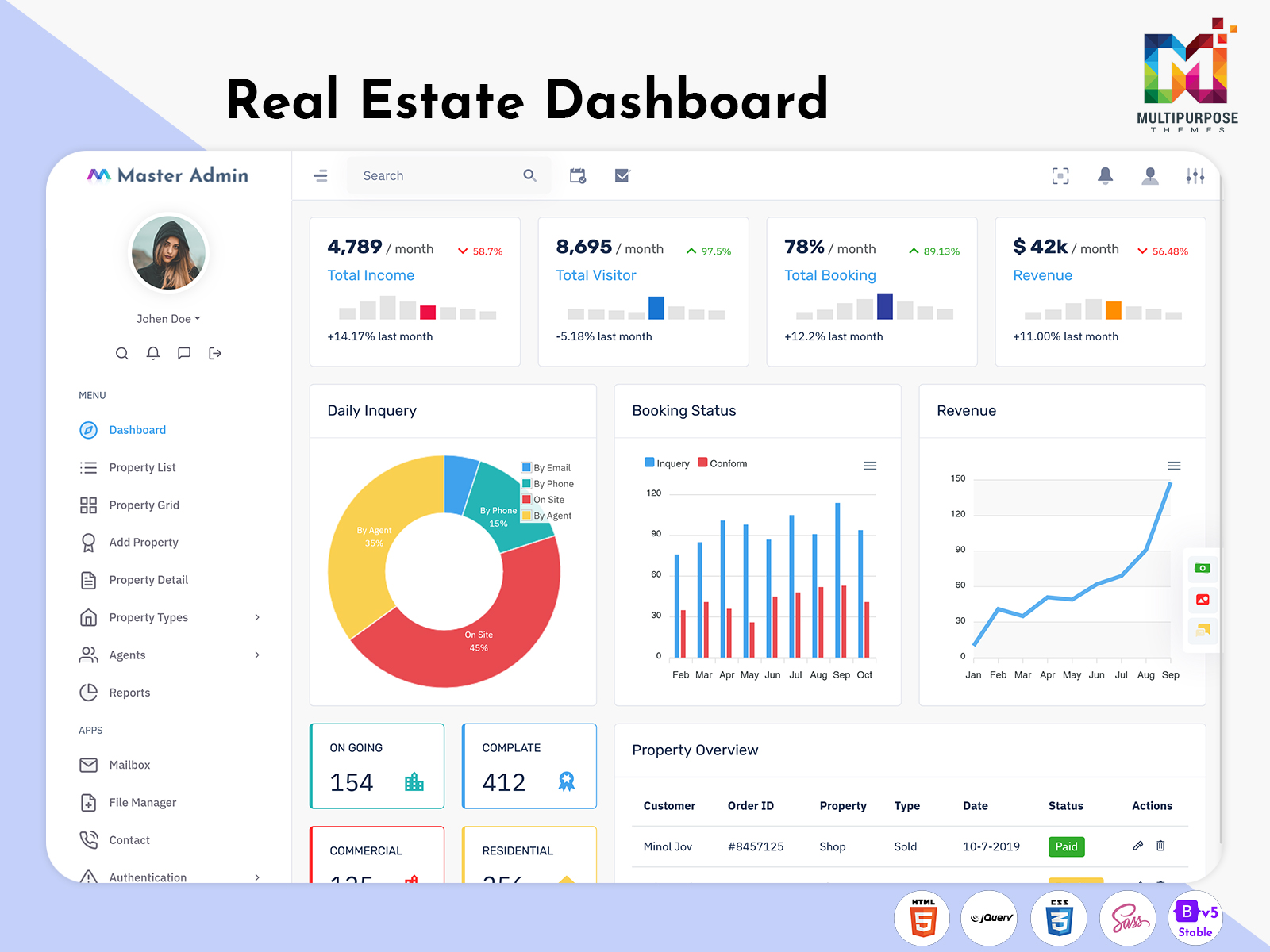
Real Estate Sales Dashboard – Features, Benefits & Examples
Reading Time: 8 minutes
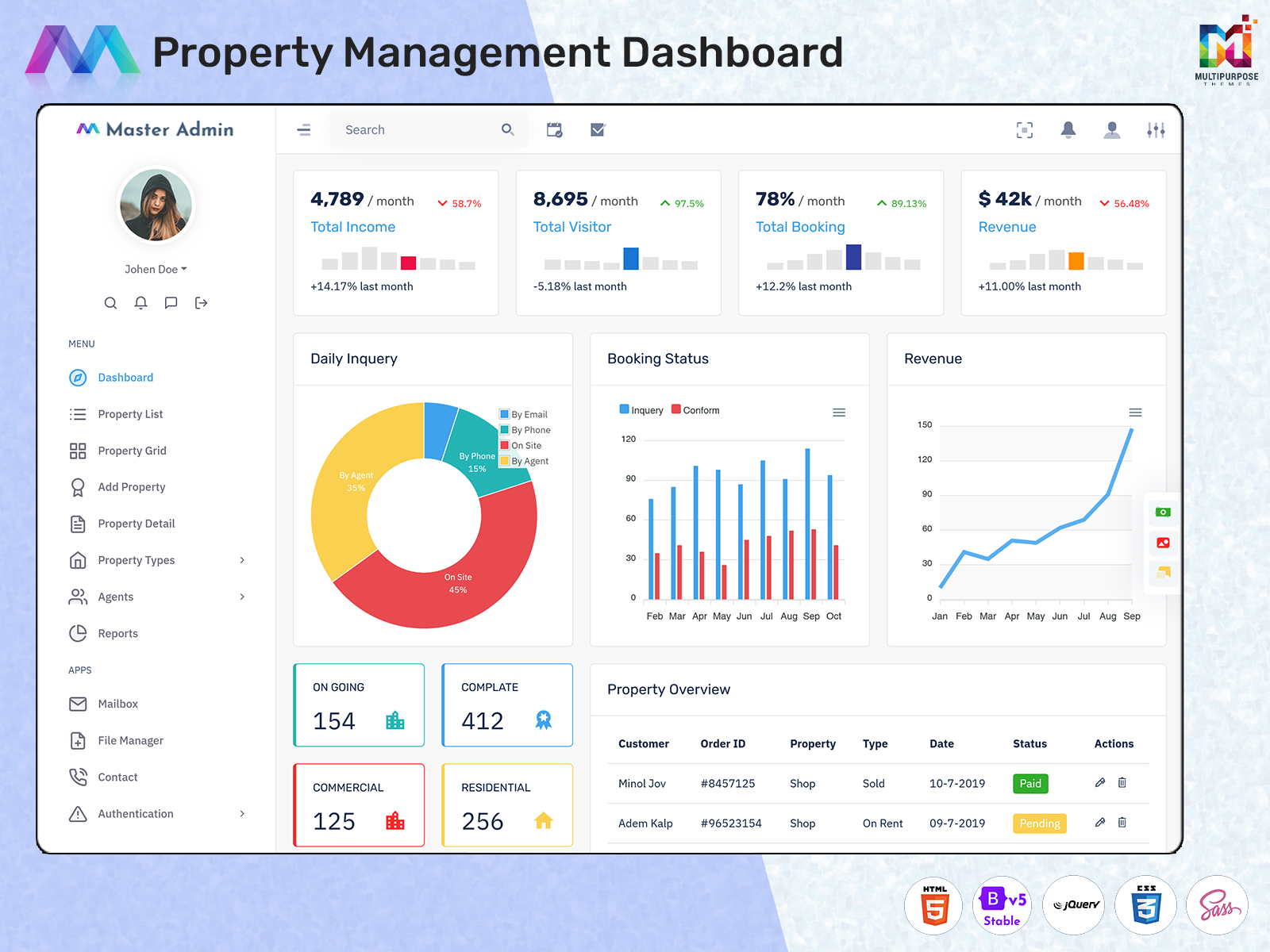
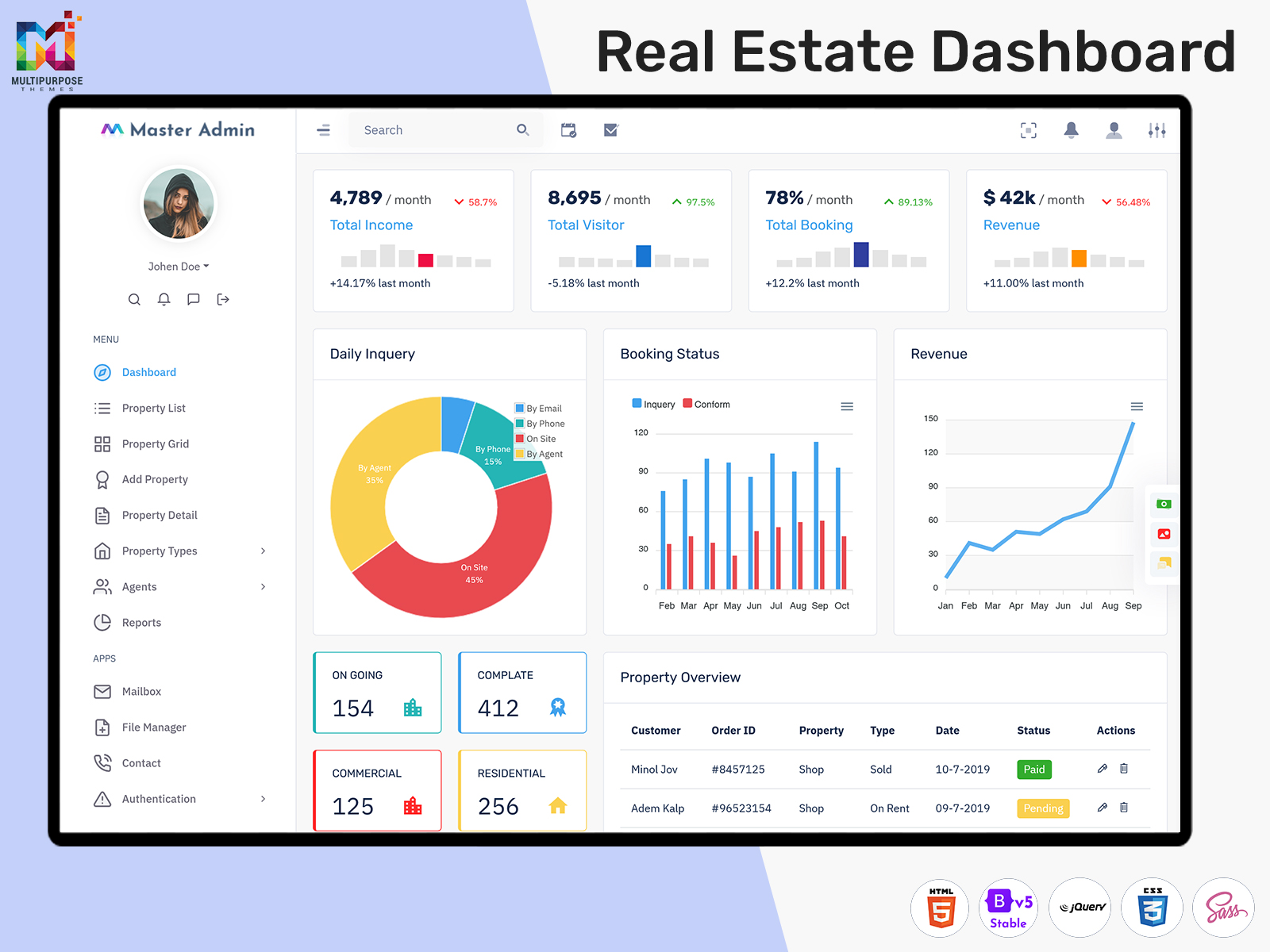
Managing real estate sales can be a tricky task. A Real Estate Sales Dashboard is a great way to manage property sales and inquiries.
Save time creating a property management platform, real estate CRM or managing property sales.
Watch Full Video
Easily manage property details, leads and property sales team.
Below are some features of a Real Estate Sales Dashboard. The benefits, uses, and things to consider in the selection of dashboard user interface templates.
What is a Real Estate Sales Dashboard?
A Property Sales Dashboard enables users to control property information.
All details can be managed in one place to easily manage property listings, buyers and inquiries.
You can manage:
- Property Listings
- Sales Leads & Inquiries
- Customer & Buyer Details
- Property Viewings
- Sales Pipeline
- Agent Performance
- Revenue & Transactions
- Graphs & Updates
Depending on the design of your Real Estate Sales Dashboard, you can choose what features to include. Using a UI dashboard template will give a framework to build your interface. You may have to upgrade your application with capabilities for database connectivity.
VIEW DEMO BUY NOW
Key Features of a Real Estate Sales Dashboard
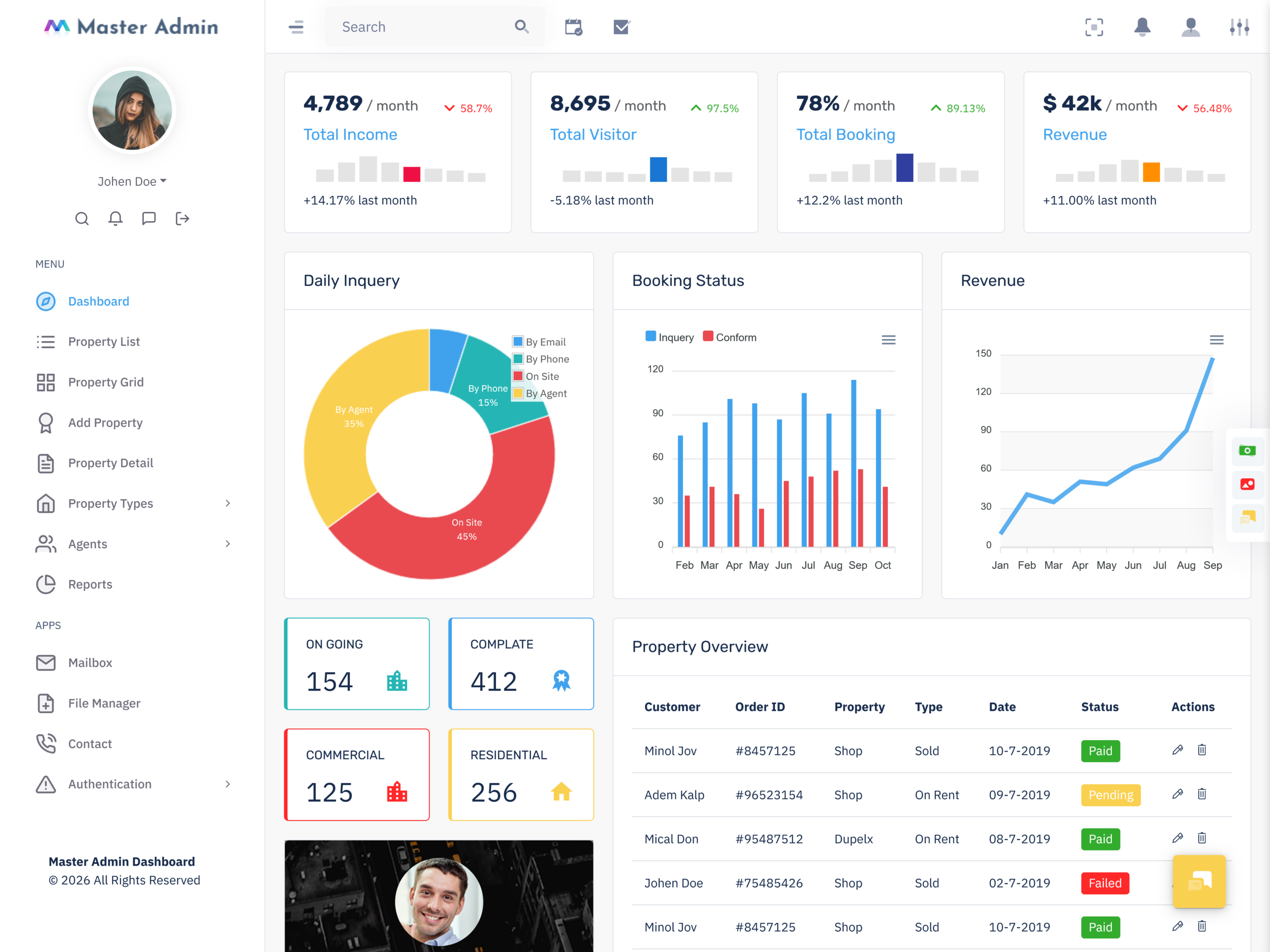
The Real Estate Sales Dashboard ensures the ease of managing real estate data. Consider including the following features.
1. Property Listings
Most real estate applications will include property listings. A Real Estate Sales Dashboard can help manage your property listings. View property for sale, for rent or by category.
Include:
- Property Name
- Property Type
- Location
- Price
- Status
- Agent
- Date Listed
- Images
Use a clear table to make it easy to view property details. Add filters and search options to filter listings.
2. Sales Leads
Real estate sales teams often receive sales leads from property portals, websites, phone calls and referrals. A section to manage sales leads will help.
Include:
- Lead Name & Contact
- Preferred Property Type
- Budget
- Preferred Location
- Date Of Inquiry
- Lead Source
- Sales Agent
- Lead Status
Organising the information will help agents know what to follow up.
3. Real Estate Analytics Dashboard
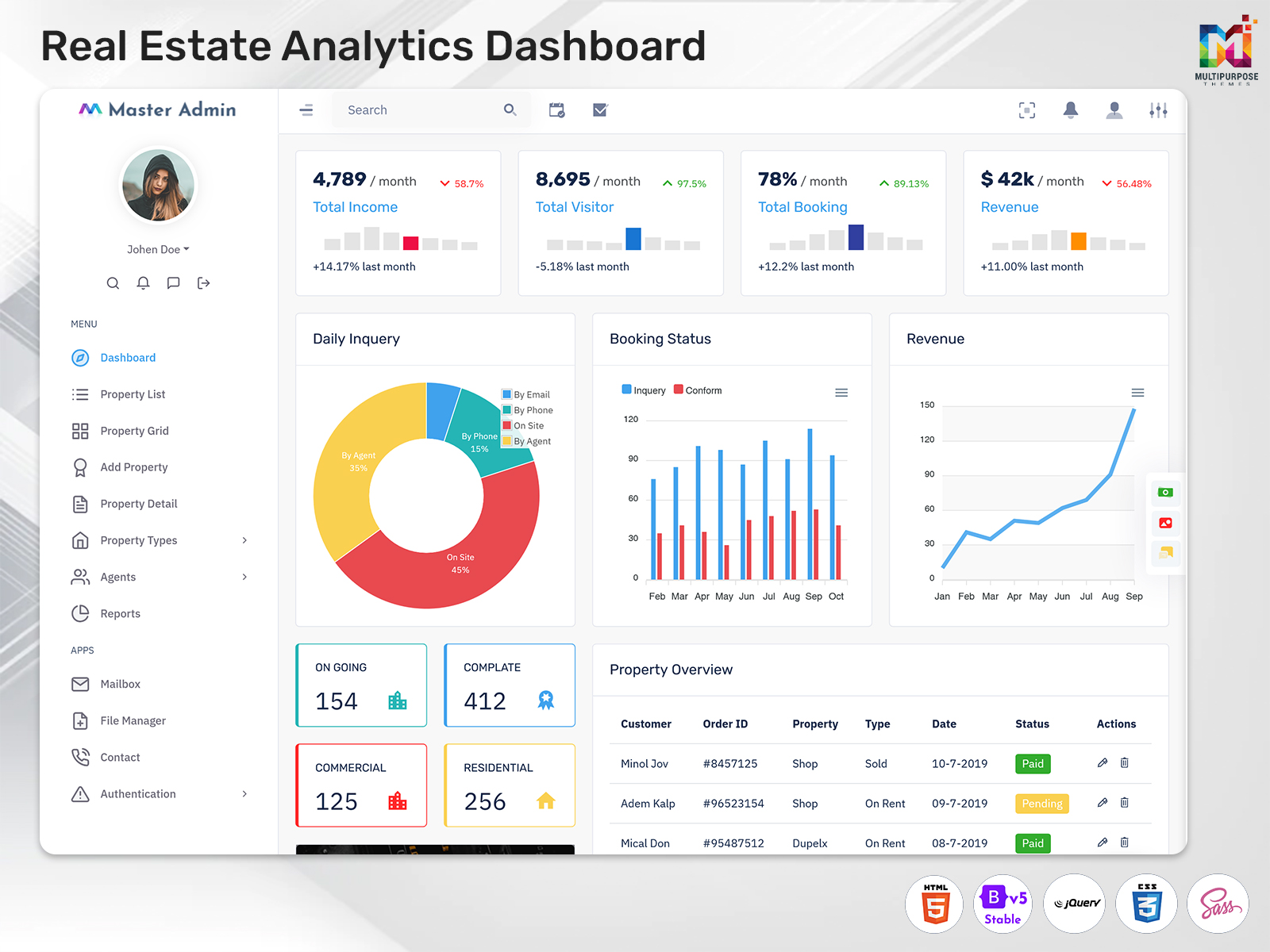
A Real Estate Analytics Dashboard will help manage sales by showing graphs, cards, tables and reports.
Quickly view sales by scrolling through properties & leads.
Include:
- Property Listings
- Sales Opportunities
- New Inquiries
- Property Viewings
- Sold Properties (Within Timeframe)
- Sales Pipeline Value
- Agent Activity
- Transaction Revenue
Depending on what is included in your application, you won’t include any data.
4. Sales Pipeline
Sales pipelines will help agents know where they are within the sales process for deals. It shows the stage of sales leads or deals.
Include:
- New Inquiry
- Initial Contact
- Property Requirements Identified
- Property Viewings Scheduled
- Negotiations
- Deal / Lost
Depending on your sales process, the steps might change. Having a visual sales pipeline helps agents know what to do next.
5. Customer & Buyer Management
Real estate businesses will need to manage customer details. A Real Estate Sales Dashboard can help.
Include:
- Customer Name & Contact Details
- Property Preferences
- Budget & Location Preferences
- Previous Inquiries
- Scheduled Meetings
- Agent
- Follow Up Details
Organizing the information would be beneficial for the sales team in knowing the customer’s needs.
The information can only be viewed by authorized personnel.
6. Property Viewings / Appointments
You may need to schedule property viewings, customer meetings and sales. An appointment / calendar section will help agents manage appointments.
Include:
- Appointment Calendar
- Property Viewings
- Customer Meetings
- Agent
- Appointment Status
- Follow Up Reminders
Having a calendar will help agents view their appointments. If the application includes this feature, the sales team will see if there are any conflicts.
7. Sales Agent Management
Real estate companies may have agents that manage properties, locations & customers. A section to manage agents will help managers know what the agents are responsible for.
Include:
- Agent Profiles
- Properties Assigned
- Active Leads
- Scheduled Viewings
- Follow Ups
- Closed Deals
- Summary Of Agent Activity
A dashboard will help managers see how the workload is distributed between agents. When comparing agent performance, a dashboard will need to include set metrics and accurate data.
8. Revenue & Transactions
Sales managers and business owners may want to know how much sales the sales team have had and how much revenue they have made. A dashboard can help.
Depending on your application, include:
- Completed Property Transactions
- Sales Value (Within Timeframe)
- Deal Status
- Transaction Dates
- Sales Summary Per Agent
- Revenue Trends
A dashboard will help show metrics such as property value, sales revenue, commission & profit. A dashboard will need to include labels for each metric.
Based on transactions.
9. Search & Filters
A real estate dashboard may include property, customer & sales details. Adding search and filters will help the dashboard help users find information.
Include:
- Location
- Property Type
- Price Range
- Listing Status
- Lead Status
- Agent
- Date Range
- Transaction Status
A dashboard will help make your dashboard easy to use if there is lots of information.
10. Reports
Reports can help real estate businesses know what activity has been within a timeframe. A dashboard can help plan and have sales conversations.
Include:
- New Property Listings
- Inquiries
- Lead Conversion Stages
- Property Viewings Completed
- Closed Deals
- Sales Per Property Type
- Sales Per Location
- Agent Activity Summary
Depending on the quality of your data.
VIEW DEMO BUY NOW
Benefits of a Real Estate Software Dashboard
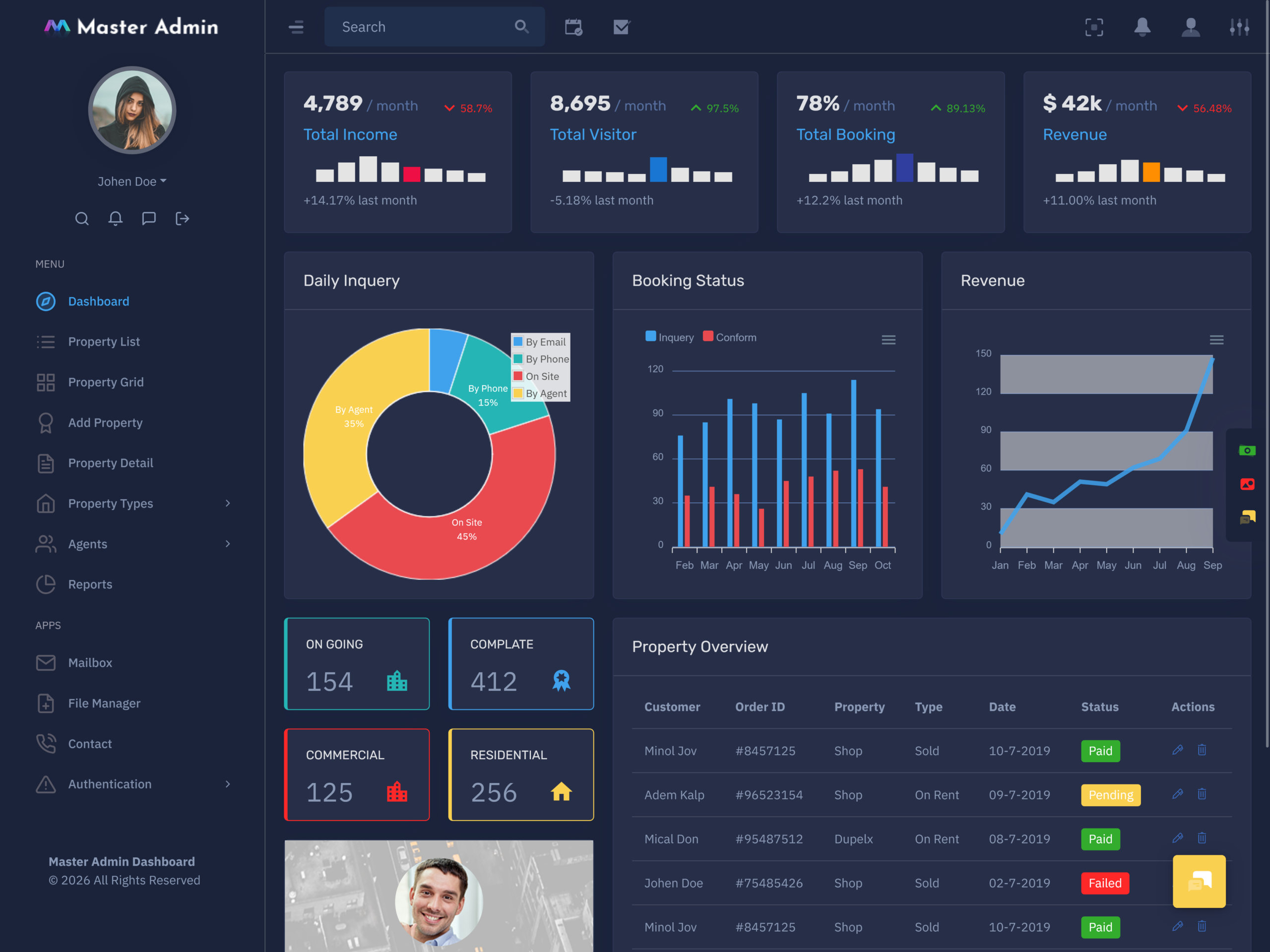
A Real Estate Software Dashboard will help organise information and understand sales activity. Benefits will depend on your business requirements and how you implement the dashboard.
1. Property Details Organised
Having property, customer & sales details in one place will help the dashboard help users find information.
2. Sales Leads
Having a section to manage sales leads will help agents know what inquiries they have. Agents can update the status and know what to do next. A dashboard can help have a process for buyers.
3. Sales Overview
A dashboard can help see how many leads, viewings and deals are currently happening. A dashboard can help sales managers know what is happening within the sales pipeline.
4. Team Collaboration
Having property listings, leads and appointments organised will help agents and managers know what they should be doing.
Depending on what collaboration features you have (shared records, user permissions & updates), this will affect how the dashboard will work.
5. Easy Sales Reporting
Having charts and reports will help the dashboard help users see how property sales have been happening within different timeframes, locations and categories. A dashboard can help save time creating summaries.
6. Customer Follow Up
Having information on customers and appointments will help agents know what communication they have had with the customer. Having reminders will help the dashboard help users stay on top of follow ups.
7. Easy User Experience
Having easy to read navigation, tables & organised sections will help the dashboard help users know where property & sales details are. This can be useful if many users are using the application.
Who Can Use a Real Estate Sales Dashboard?
1. Real Estate Agencies
The real estate agency can leverage the dashboard in managing their listings, customers’ queries, agents, and sales.
2. Property Developers
Property Developers may need to know what inquiries, sales and available units they have. A dashboard can help provide this information.
3. Independent Property Agents
The Independent Property Agents will be able to use the dashboard for managing their clients, viewing properties, inquiries, and sales.
4. Commercial Real Estate Teams
The CRE teams could work on office spaces, retail spaces, storage facilities, and other commercial properties. A dashboard will be useful for managing real estate listings and sales.
5. Property Investment Businesses
Property Investment Businesses may need to view the details they need. A dashboard can help.
6. Real Estate Software Developers
Real Estate Software developers can use a dashboard design.
Real Estate Software Developers can use a dashboard UI template.
Important UI Components for a Real Estate Dashboard
Line Charts
Line Charts – See sales activity.
Donut Charts
Donut Charts – See lead & property statuses.
Make sure data is labelled and not misleading.
Property Cards
Property cards can help show property details for property listings. This can be useful for an overview. Include images, location, price & current status.
Calendars
Calendar systems could be utilized to display the scheduling of property viewing appointments and customer appointments. Ensure that the dates and appointments are readable.
Navigation Menus
Navigation menus can help organise your dashboard. Include properties, leads, customers, agents, appointments, transactions & reports. This will help users navigate through your application.
How to Choose the Right Real Estate Dashboard UI Template
1. Know What You Need
Decide on what you need your software to perform. This could include management of property listings, leads management, customer information management, appointment scheduling, and sales reporting/agent management. Make sure the template can do this.
2. Check Components
Make sure the template has everything you need. Check it has cards, tables, charts, forms, calendars & profile designs. This will save you time.
3. Customisable
Real estate businesses will have processes and design preferences. Make sure the template can be customised to fit your project. This could be changing the layout, colours, navigation & components.
4. Responsive
Make sure the dashboard is responsive across desktop, tablet & mobile. Tables, charts, menus & Property Cards should look good on all screens.
5. Easy to Navigate
Make sure property details, customer details & sales reports are easy to find. Avoid having many sections for everyday use.
6. Technical
A dashboard UI template will generally have interface elements & layout. You may need to develop features such as login, database integration, property search, lead updates, notifications & reports. Check the documentation to see what you get.
Common Mistakes to Avoid
1. Too Much Information
Having too many metrics on your homepage can be confusing. Only include key data and put key data into the relevant sections.
2. Labelling
Having labels such as sales, revenue, deals & commissions can be confusing. Give each value a name.
3. Not Considering Data Quality
If the data isn’t correct or up to date, the charts & cards won’t be useful. Property status & duplicate leads will cause issues.
4. Not Easy to Navigate
Users should be able to navigate between property, leads, customers & reports. Group similar items together.
5. Not Considering Permissions
Real estate applications will have customer contact & financial data. Make sure you have authentication, permissions & data management.
6. Assuming it will do everything
A designed interface won’t include any business logic. Decide what features are already available.
Conclusion
A Real Estate Sales Dashboard can help manage property listings, sales leads, appointments & transaction data. Having property records and sales summaries in one place can help agents and managers know what is currently happening.
A Real Estate Software Dashboard can help property agencies, developers & sales teams. A Real Estate Analytics Dashboard can help identify trends & performance metrics.
If you’re creating a real estate CRM, property portal or sales management system, a dashboard UI template can help. Consider layout, components, design, customisation & technical.
See our dashboard UI solutions.
https://multipurposethemes.com/
VIEW DEMO BUY NOW
Frequently Asked Questions (FAQs)
1. What is a Real Estate Sales Dashboard?
A Multipurpose Themes Real Estate Sales Dashboard is a user interface that helps real estate professionals manage property listings, sales leads, customer details, appointments, and sales performance from one place.
2. What are the key features of a Real Estate Sales Dashboard?
Key features include property listings, lead management, sales pipeline tracking, customer management, appointment scheduling, sales reports, analytics charts, and search filters.
3. How does a Real Estate Analytics Dashboard help businesses?
A Multipurpose Themes Real Estate Analytics Dashboard helps businesses review sales trends, monitor lead conversion, track property performance, and understand sales activity through visual reports and charts.
4. Who can use a Real Estate Software Dashboard?
Real estate agencies, property developers, independent property agents, commercial real estate teams, and property investment businesses can use a Real Estate Software Dashboard to organise their work.
5. What are the benefits of using a Real Estate Sales Dashboard?
It helps keep property information organised, simplifies lead tracking, improves team coordination, supports customer follow-ups, and makes sales reporting easier.
6. What charts are useful in a Real Estate Sales Dashboard?
Line charts, bar charts, and donut charts can help display sales trends, lead status, revenue figures, and property performance. The best charts depend on the information users need to monitor.
7. How do I choose the right Real Estate Dashboard UI template?
Choose a template based on your business requirements, available UI components, customisation options, responsive design, navigation, and compatibility with your preferred technology.
8. Can a Real Estate Dashboard UI template be customised?
Yes. Many Multipurpose Themes dashboard UI templates can be customised to match a project’s branding, layout, colours, and required interface components. Specific functionality may require additional development.
9. Is a Real Estate Sales Dashboard suitable for mobile devices?
A responsive Real Estate Sales Dashboard can adapt its layout to different screen sizes, helping users access important property and sales information on desktops, tablets, and mobile devices.

Related Posts


This Post Has 0 Comments