

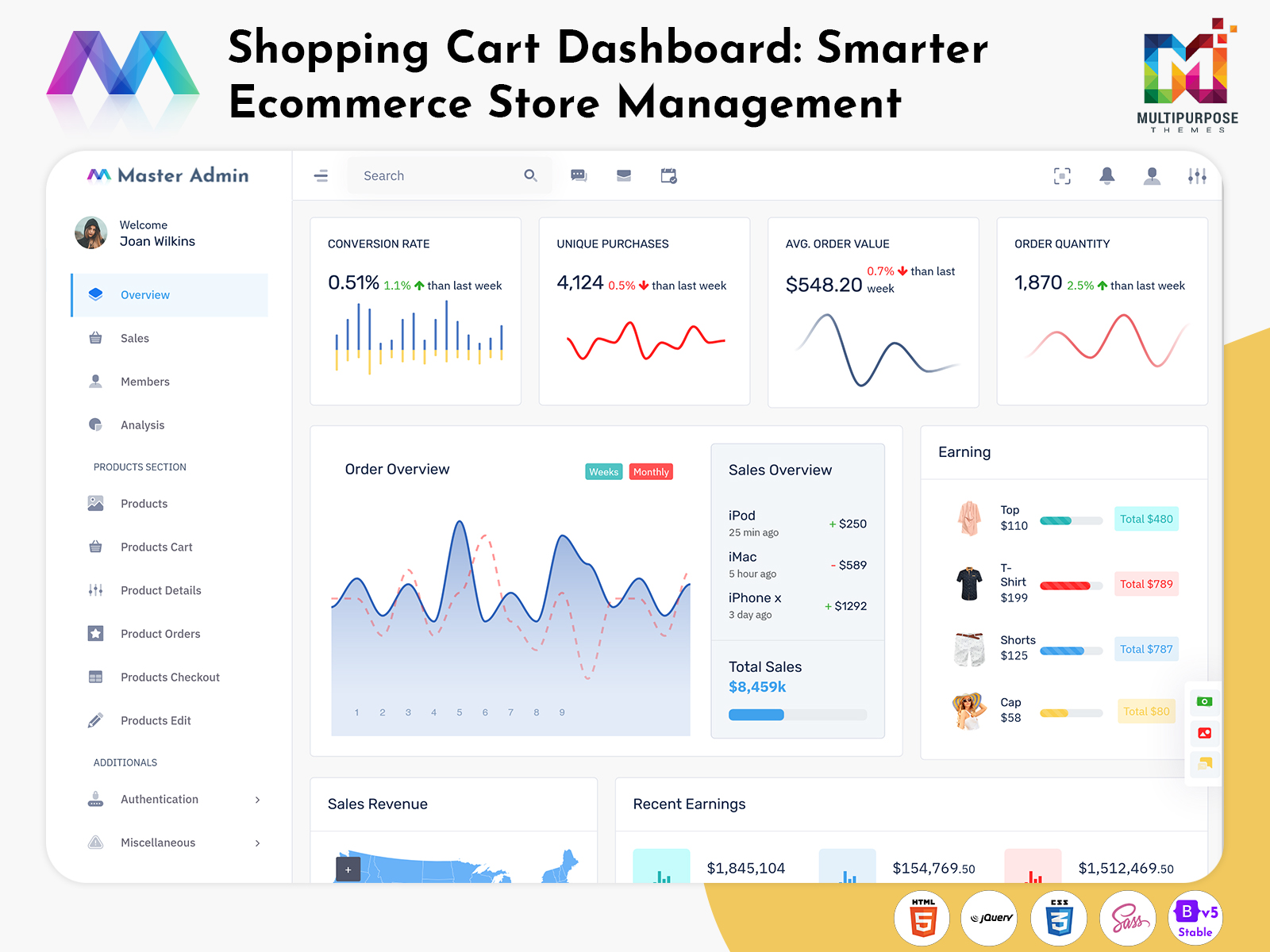
What is an E-commerce Dashboard? An E-commerce Dashboard is a digital management interface designed to…
E-commerce Dashboard: Navigating Behind the Storefront of a Modern Online Store
Reading Time: 11 minutes
Understanding the E-commerce Dashboard
For an expanding company, the management of such operations may become challenging even with digital tools at one’s disposal. An e-commerce dashboard can help in such cases, streamlining the operations and providing an overview of the ongoing activities.
Watch Full Video
While often associated with visualizing revenue, a dashboard can provide a workspace where products, orders, and customers, as well as the store’s catalog, settings, and employee roles, can be managed. Such an interface is particularly beneficial for organizations with expanded sales functions or those that operate multiple stores.
Understanding the E-commerce Dashboard
An e-commerce dashboard is the screen that shows tools, for managing and analyzing the parts of an online shop. With an e-commerce dashboard an administrator can. I will keep track of sales because I love seeing numbers grow. I will keep track of marketing because I want customers. I will monitor the shop’s operations since I really do care about the running of the shop.
The term may also imply the dashboard used for handling products, clients, orders, keeping the catalog, etc. There exist various types of dashboards used in e-commerce. They usually depend on the requirements of the company.
The online store of smaller scale will only need a basic work space for maintaining the catalog and order processing, while the application created for different clients will allow different permissions as well. In essence, the management interface for e-commerce is what the merchant utilizes to manage the online store.
While end-users engage with the front-end of the online store, the dashboard serves as the back-end, enabling the manager to maintain the information and operations involved. For example, the admin dashboard on e-commerce is the one that is used to make changes to the product, process the order, or answer the query. In other words, there is collaboration between different processes in running a store, and the admin dashboard helps to combine them.
An online store typically comprises several processes, namely, product management, order lifecycle, and customer relations, among others. The need for effective management and control of these operations is the foundation of an e-commerce dashboard. For instance, a dashboard can help organize the information associated with a product.
When a product is no longer available in stock, the information needs to be updated across several sections, namely, catalog, store front, inventory, and fulfillment, among others. Additionally, with a dashboard, administrators can easily navigate through the lifecycle of an order.
An order involves a series of steps, namely, confirmation, picking, packing, shipping, delivery, cancellation, and return. In general, an e-commerce admin dashboard can help identify the stage where an order is, and its subsequent steps, facilitating effective management. Similarly, a shopping cart dashboard, the name for an e-commerce dashboard in some contexts, helps visualize the actions taken by customers.
The shopping cart dashboard gives the administrator the opportunity to analyze how the cart performs and spot any issues that the customer might have before concluding the purchase. On the other hand, the client store dashboard can be quite helpful in differentiating between data from the client because there may be multiple stores handled by the agency/company.
In simple terms, a web commerce dashboard is used in bringing together the functions within a store through the provision of an interface that makes management easy.
VIEW DEMO BUY NOW
The E-commerce Dashboard: Unified Management of the Storefront
E-commerce Dashboard: The Place Where Everything is Managed. However, there are additional functions that unite the various components of an online store. The following are some of the common features of an e-commerce dashboard:
1. Workspace for Managing Catalog Data
A dashboard provides a space that allows the administrator to navigate and manage the product catalog. Such a feature is important in an online store, as it provides easy access to the data associated with a product.
Essentially an e-commerce dashboard keeps an e-commerce dashboard ready. Product information such, as name, category, price, stock, description, image and other details can be found quickly. In addition to direct access, catalog management tools can also allow the manager to edit the attributes of a product.
2. Viewing the Lifecycle of an Order
An order management system is essential in an online store, and an e-commerce dashboard can help organize the associated data. The administrator needs to be informed of the progress of an order, and the status labels on a dashboard can be crucial in that aspect.
Through the status tags an administrator can see if an order is new picked, packed, shipped delivered, cancelled or returned. These tags help track each step. It’s simple to follow what stage each order is at. The tags make it easy to know where things stand. No guesswork needed. Just check the tag. You know the order’s status. This saves time. Keeps things clear, for everyone. In general, the order lifecycle on an e-commerce dashboard depends on the system requirements. The status tags can also be used to identify the next step of processing an order.
3. Maintaining Product Catalog
An online catalog needs care and an e-commerce dashboard lets the administrator easily reach the necessary tools. The administrator must update product attributes such as price, description, images and other details.
4. Managing Multiple Storefronts
An e-commerce dashboard can also be utilized to manage multiple stores, particularly for organizations that operate several storefronts. The dashboard can have panels, for each company letting the manager move through the operations as if only one store existed. For agencies that handle client stores a client store dashboard is also crucial.
5. Managing the Shopping Cart
A shopping cart dashboard also falls under the umbrella of e-commerce dashboards. In general, the application helps facilitate the viewing process of cart activity, helping to identify where a user may need assistance. The administrator can manage the issues at hand and ensure the customer completes an order.
6. Managing Users and Permissions
An e-commerce dashboard gives the admin the ability to manage user permissions and this feature is very important when running stores. In terms the permissions decide which tools each user can use, making sure that every person only sees the tools they need.
7. Searching and Filtering Options
An e-commerce dashboard is most likely to involve a wide range of data, and an effective dashboard should have search and filter options. The data can be sorted according to category, status, date, and other attributes. In essence, the options ease the navigation process of a dashboard.
8. Tracking of Activity and Changes
The information on a dashboard is dynamic, and the tracking option is essential in such cases. In essence, the option allows the admin to follow the history of changes and access the relevant operations. Also the tracking option can identify the user who made changes helping to reduce mistakes in operations.
VIEW DEMO BUY NOW
E-Commerce Dashboard: Streamlining Store Processes
A storefront is the part of a shop. The storefront is where customers meet the business look at products and place orders. The storefront is the face of the store. Generally, the majority of activities in a store take place elsewhere, namely, in the back-end, where the e-commerce dashboard resides.
Various teams are responsible for managing the operations of an online store. For instance, whereas a product team manages the catalog, an administrator handles the administrative functions. At the same time, the customer service team responds to inquiries, including those that originate from the dashboard. Moreover, an operations team manages the fulfillment process.
The various functions of an e-commerce dashboard are connected, and the tools can facilitate the management process. One of the primary concerns of an online store involves the maintenance of a catalog. When I look at a catalog I notice that a catalog can contain hundreds or even thousands of products. The information that belongs to each product can differ a lot. Because of this a catalog and an e-commerce dashboard give me a workspace where the data can be accessed and updated.
A catalog may contain multiple attributes, including price, description, image, and others. An organized backend ensures that the administrator can easily navigate the relevant sections and complete the update process. In some instances, a catalog may require extensive restructuring, and an organized catalog management system can be significant. In general, an e-commerce dashboard should provide easy access to these tools.
It is particularly important for multi-vertical stores to have an organized dashboard. In essence, the different categories of products have varied attributes, and the admin dashboard should allow separate management of the data.
Another crucial aspect of an e-commerce dashboard involves managing the customer segment. An e-commerce dashboard can act as a facilitator of the customer experience, and the tools involved can be vital to that process. For example, an administrator may receive an inquiry through an e-commerce dashboard about the status of an order. In that case, the dashboard can help facilitate the search process, enabling the admin to access the appropriate information. In that way, the tools on a dashboard can aid the management process of an online store.
As mentioned above, managing multiple companies is a crucial aspect of several e-commerce operations. In such cases, the involvement of a client store dashboard can be useful. As a general concept, such a dashboard can help facilitate the management process for different entities while allowing the same interface for every company.
Moreover, an e-commerce dashboard can minimize confusion, particularly when it comes to permissions. In essence, the dashboard can ensure that every user has access to only the relevant tools, eliminating unnecessary complexity.
As an e-commerce store grows, the need for effective catalog management becomes even more important. An e-commerce dashboard can facilitate that process, and the tools involved can be crucial in that regard. For instance, a catalog management dashboard can be important for organizing the different tools associated with maintaining the data.
An e-commerce dashboard is essential in an online store, as it plays a role in almost every aspect of the operations. While primarily a tool for organizing the processes, an e-commerce dashboard can also provide analytic insights that are fundamental to understanding the performance of a store.
E-Commerce Dashboard: Advantages of Using an Unified Management Interface
1. Improved Organization of a Store
An E-commerce Dashboard can facilitate the organization of a store, enabling the manager to navigate the different operations and achieve greater control of the data. An administrator can easily access the tools for managing products, orders, and customers from a dashboard interface.
2. Exception Analysis in E-Commerce
An E-Commerce Dashboard can also facilitate exception analysis. In essence, the management of such occurrences can be vital to the smooth operations of an online store. With the statuses and searching and filtering options, an administrator can identify problematic entries, including orders, products, and customers, and address the issues.
3. Enhanced Control of E-Commerce Functions
An E-Commerce Dashboard provides greater control over the functions associated with an online store operation. The control is enhanced through the management of user permissions, and that aspect of a dashboard is particularly vital for organizations with multiple stores.
4. Effective Maintenance of the Catalog in an E-Commerce Dashboard
The maintenance of the catalog is a crucial aspect of an e-commerce store, and an organized catalog management system is vital for effective product management. As a result, an e-commerce dashboard can serve as an effective tool for ensuring that the data can be updated and maintained with relative ease.
5. Better Management of Multiple Stores with a Client Dashboard
An E-Commerce Dashboard can facilitate the better management of multiple stores, particularly through a client store dashboard. The management of client data requires specialized tools since the administrator should be able to access the relevant data without cross-mixing of information from different stores.
6. Enhanced Visibility of Operations with a Dashboard
An E-Commerce Dashboard provides a visibility of operations, an essential consideration for effective management. In essence, by utilizing the tools of a dashboard, the administrator can get a clear view of the operations and determine the areas that might require further attention.
7. Facilitated Expansion of an Online Store Business
An organized E-commerce Dashboard can facilitate the expansion of an online store business. For instance, an administrator can utilize the features and the extensibility of an E-Commerce Dashboard to add additional functions as the needs of the business grow.
Multipurpose Themes and E-Commerce Dashboards
Multipurpose Themes offer a variety of Dashboard UI Kits and Web App templates designed for E-Commerce and other business types. The E-Commerce category includes multiple Dashboard UI elements developed for online store management. Developers can utilize the provided templates and adjust them according to the requirements of their application. The E-Commerce Dashboard UI kits contain various dashboard interface options, helping developers choose the best fit for their application. In addition, Multipurpose Themes offers E-Commerce-specific applications such as Cartiy and other admin dashboard options, providing developers with multiple starting points for their E-Commerce-based application development projects. The final E-Commerce application design would still require additional back-end development, including databases, business logic, permissions, various API connections, and other features, which are required for every project.
ECommerce Dashboard: E-Commerce Dashboards Can be More Than a Tool to Observe Sales Performance
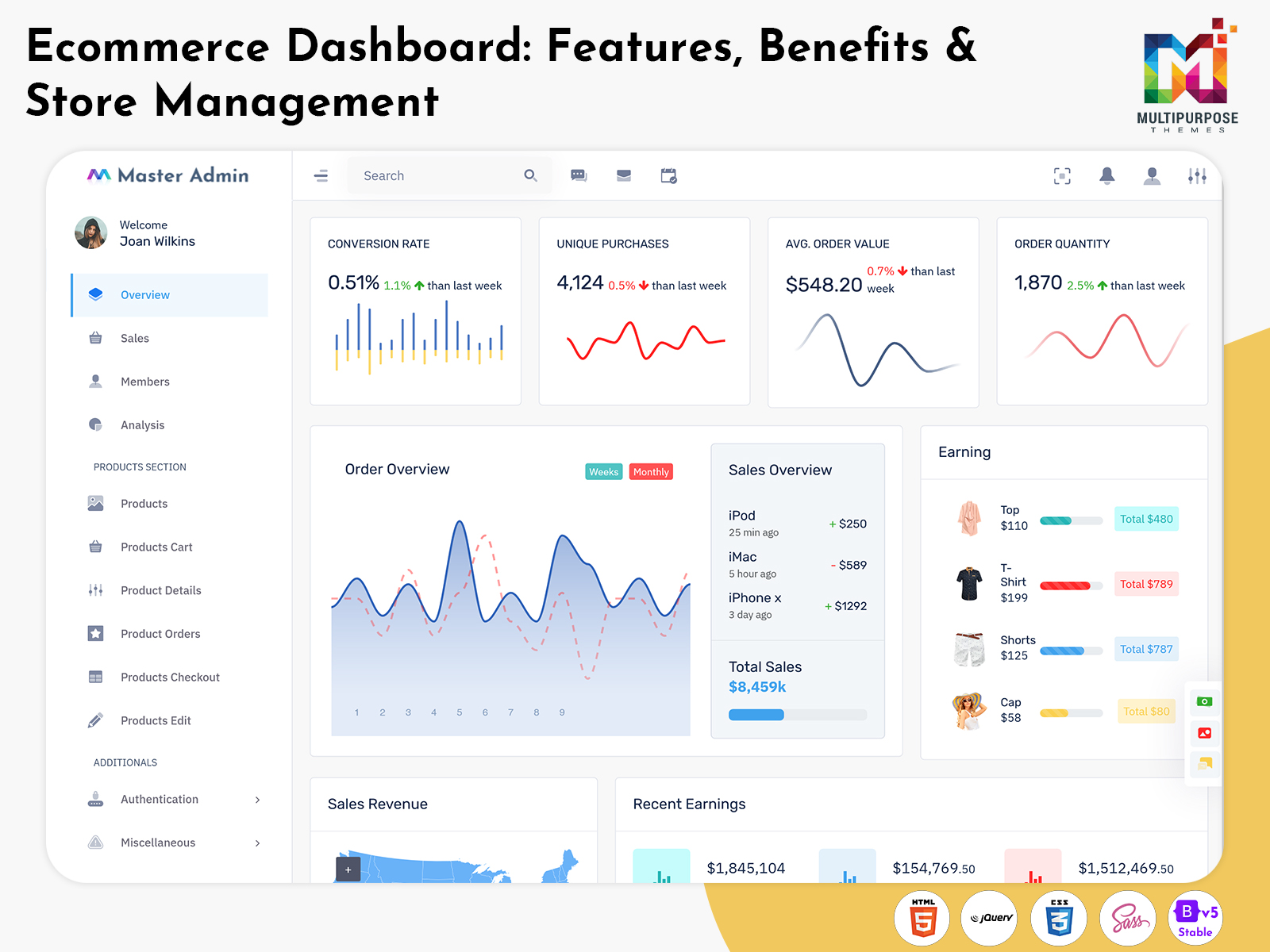
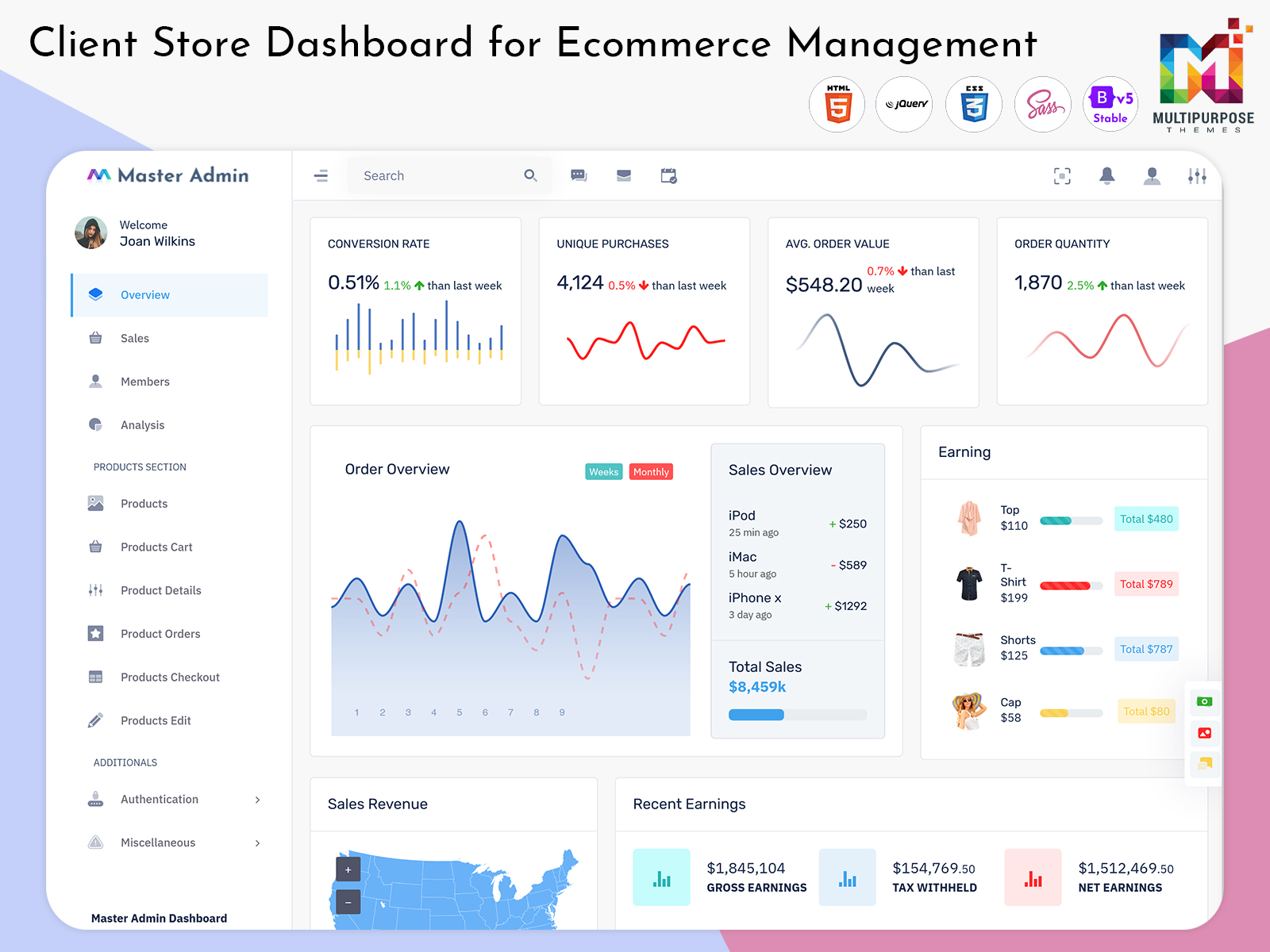
An E-Commerce Dashboard does not merely offer a convenient way to observe the performance of a store; instead, it can unite the various tools available in a storefront. An E-Commerce Admin Dashboard can help organize the management of products, orders, and customers, while a Shopping Cart dashboard serves to facilitate the buying process. In addition, a Client Store dashboard can help organize the management of different clients, including maintaining separate information. In essence, the value of an E-Commerce Dashboard is not defined by the presence of widgets but rather by the ability to unite the functions that can prove valuable for managing an online store.
When considering an off-the-shelf E-Commerce Dashboard for one’s application, it is vital to analyze the structure, extensibility, and ease of use, as well as the responsiveness and customization options, offered by the chosen solution. These factors are arguably more important than the visual appearance of the dashboard, as such features would enable the end-user to accomplish more.
Conclusion
A Warehouse Dashboard can become an important operational layer for businesses that need to coordinate storage, procurement, performance, and daily warehouse tasks. Instead of treating every activity as an isolated process, the dashboard can help show how different responsibilities influence one another.
A Storage Dashboard can organize location-related information, while a Procurement Dashboard can provide context around purchasing activity. A Kpi Dashboard can help management review selected performance indicators, and a Work Flow Dashboard can connect those observations with actual tasks and responsibilities.
The real value comes from how these areas work together. A dashboard should not simply collect large amounts of information. It should organize information in a way that helps users understand what is happening, identify exceptions, and move toward the appropriate action.
For businesses and developers selecting a ready-made warehouse dashboard template, the focus should therefore be on structure, flexibility, usability, responsive design, customization options, and compatibility with the intended application.
VIEW DEMO BUY NOW
Frequently Asked Questions About E-Commerce Dashboard
1. What is the primary function of an E-Commerce Dashboard?
An Multipurpose Themes E-Commerce Dashboard offers an admin view of an online store, providing the management tools for a variety of functions. Depending on the application, an E-Commerce Dashboard can serve to manage products, orders, and customers, facilitate catalog management, provide order lifecycle visualization, offer user permission options, and other tools.
2. What is the purpose of a Shopping cart dashboard?
A Shopping cart dashboard serves as a tool for observing the buying behavior of the customers. A Shopping cart dashboard can help view the activity of a cart, including the actions taken by the users before an order is completed. As a result, the information observed on a Shopping cart dashboard can be vital for understanding the behavior of the customers.
3. Can a Client store dashboard be utilized for multiple businesses?
A Multipurpose Themes Client store dashboard can be utilized for multiple businesses, as the tool serves to facilitate separate management of different companies. When utilizing an E-Commerce Dashboard to manage different storefronts, the application can provide separate panels for the information associated with every business.
4. What are the essential features of an E-Commerce Admin Dashboard?
The features of an E-Commerce Admin Dashboard vary depending on the requirements of a storefront or company. In general, an E-Commerce Admin Dashboard should offer tools for organizing the management of products, orders, and customers, as well as provide catalog maintenance tools, search and filtering options, permission management, and display analytics or activity dashboards.
5. Is an E-commerce Dashboard suitable for an expanding online store?
An E-Commerce Dashboard can be particularly valuable for an expanding online store, as a dashboard interface can help organize the management of a growing number of products, customers, orders, and other operations. In general, the greater the complexity of the storefront, the more important it is to utilize an E-commerce Dashboard.
6. Can an E-Commerce Dashboard be customized for a company?
An Multipurpose Themes E-Commerce Dashboard can be customized for a company, as the primary purpose of an E-Commerce Admin Dashboard would typically be to organize the management of an online store. As a result, an E-Commerce Dashboard should allow the customization of panels, tools, and options according to the requirements of the company. The customization options may include changes to the interface, user permissions, and other elements.
7. What factors should I consider when choosing an E-Commerce Dashboard?
When choosing an E-Commerce Dashboard, it is important to analyze the responsive design of the interface, the variety of components and tools, and the customization and extensibility options. In addition, it is important to consider if the features of an E-Commerce Dashboard would effectively serve the requirements of one’s online store. In essence, a visually appealing interface is not as important as an organized interface that would enable one to effectively manage an online storefront.

Related Posts


This Post Has 0 Comments