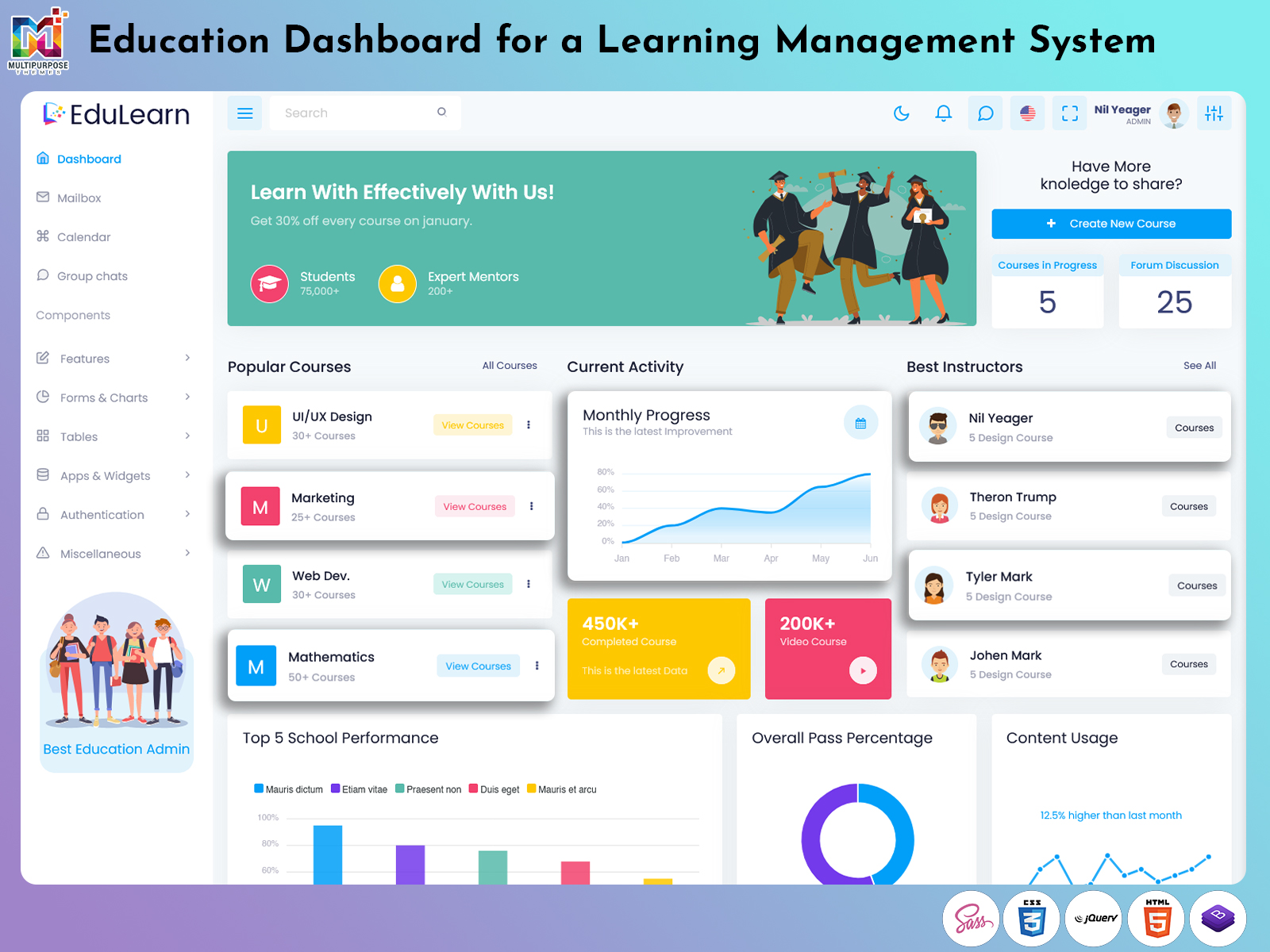
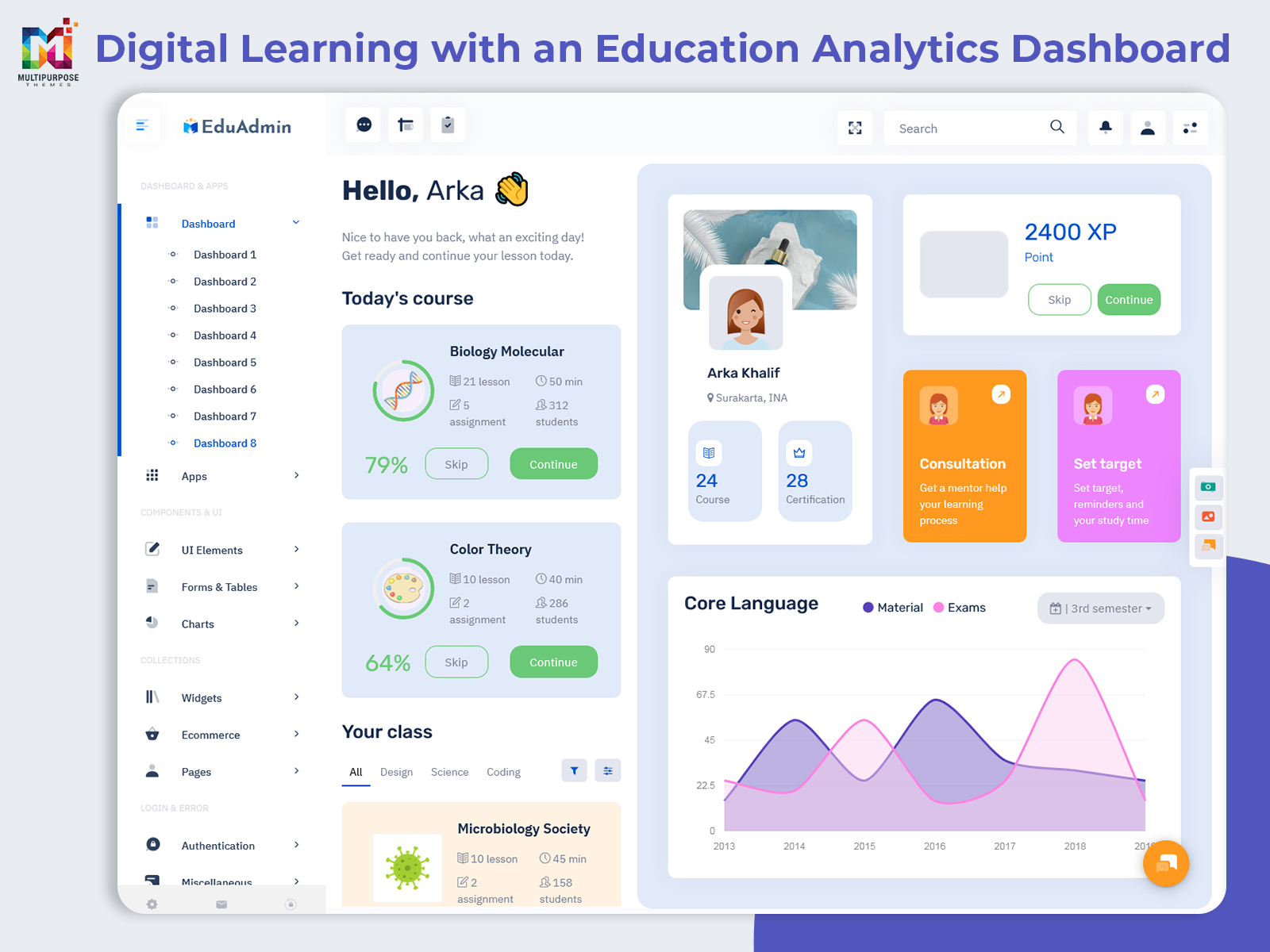
What is an Education Dashboard? The Education Dashboard is an electronic interface that enables educational…
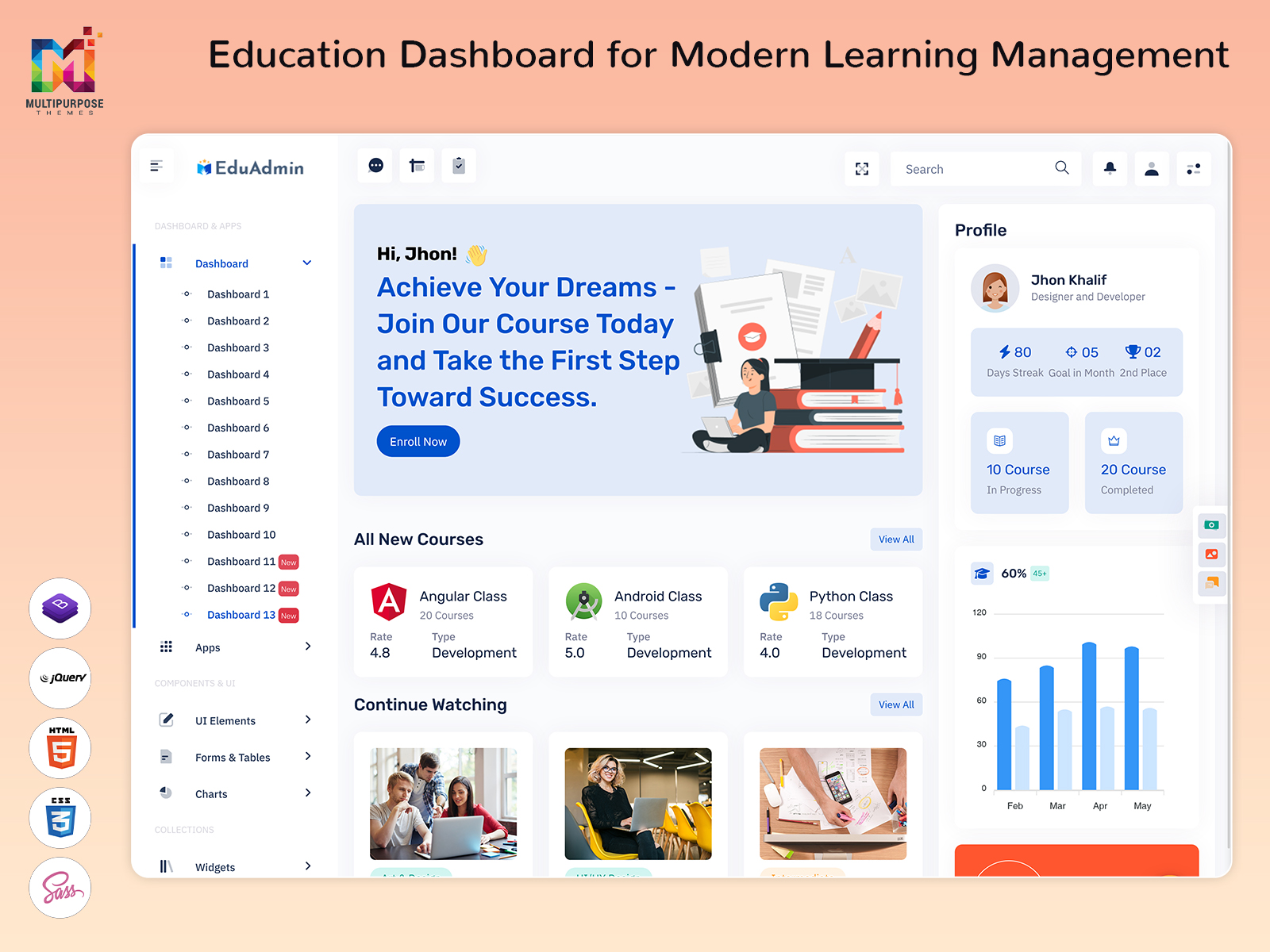
Education Dashboard: Organizing Operations of Learning Activities
Reading Time: 9 minutes
Education is no longer inside a school or a college. Schools, coaching institutes, universities, training companies and online education services now run learning activities in ways. Each one teaches in its style. Some use classrooms, others use videos or live sessions. Some focus on exams, others, on skills. Students can learn anytime, anywhere. It’s not about going to a building anymore. It’s about how you get knowledge. The way we learn has changed.. It’s happening fast. These places use parts, like courses, resources, assessments, users, communication tools and administrative functions. Education also uses these parts to support learning.
Watch Full Video
As the number of these activities grow it becomes increasingly important to ensure that they remain organized. An Education Dashboard can address this need by acting as the structural frame that connects different operations and enables authorized users to navigate them.
It can be particularly beneficial for an Online Learning Platform where users may access courses at different times, consume content at various paces and interact with an array of communication tools. Likewise administrators may have to manage a range of activities and functions pertaining to content, users or other educational operations.
A dashboard needs to provide clarity beyond simple data display. It should enable users to perform and complete actions pertaining to their responsibilities.
What Is an Education Dashboard?
An Education Dashboard is an interface for organizing and administering different activities related to education and learning services. It can host a range of learning-related operations and serve as a workspace for different users who need to manage an educational entity or learning platform.
The organization and features will vary depending on the educational business in question. A University setting may have to include administrative departments, whereas a coaching center may focus more on batches, courses and learning resources.
An EdTech company which operates an Online Learning Platform may need to organize content, users, course access or other learning-related operations. A dashboard can provide a navigation system which will connect these areas of operation, enabling users to understand their responsibilities.
A Learning Management System typically deals with learning operations and administration. An Education Dashboard can provide the interface which enables administrators to complete relevant actions pertaining to their responsibilities. A Course Management System, on the other hand, may integrate dashboard screens for organizing courses, instructors, learning resources, categories and publishing activities.
A Student Management System can be connected to an Education Dashboard as well. Instead of being an isolated segment, student data can be accessible through the same interface which allows administrators and authorized users to navigate between student accounts, communications, course enrollments or other relevant operations.
This way an Education Dashboard is not a collection of statistics. It provides a working environment which allows users to complete actions pertaining to their role or responsibility.

VIEW DEMO BUY NOW
Connecting the Different Parts of a Digital Education Business
A common challenge in digital education is the need to organize activities which take place simultaneously. New courses may be prepared while learners complete another course, an instructor reviews content, an administrator manages platform access or support teams address learner queries.
An Education Dashboard can provide a working environment which enables these operations to take place simultaneously. Administrators who are responsible for course publishing can have access to content-related operations, whereas support teams can complete learner-related actions to their responsibilities.
This way a dashboard is beneficial to education operations and platform management, as users can navigate between different types of activities which take place on the same system.
Similar principles can be applied to the publishing of educational content. A course may involve multiple stages, ranging from creation to publishing. Administrators may need to update, edit or schedule courses which require additional stages.
A dashboard can display the progress of a course or content item through these stages, informing users as to its current status. It can be particularly beneficial for organizations which manage courses rather than simply hosting them within an external system.
Communication operations can be integrated in a similar manner. Learners, instructors and administrators might have to talk about things related to education. Messages might need to be sent out. Course changes might need to be received. Instructions might need to be given.
Instead of being a separate application or tool, communication features can be embedded within the Education Dashboard.
Features of an Education Dashboard
1. Centralized Workspace
A dashboard provides a central workspace which allows authorized users to begin their operations. Navigation can be organized to display relevant segments, ranging from users, courses, content, communication and administrative functions.
2. Course Lifecycle Management
A Course Management System may involve stages in the life of a Course Management System. An Education Dashboard can bring these stages together giving administrators the tools to create, update, schedule, publish, archive restrict or manage courses, in other ways.
3. Learner Account Organization
A Student Management System can be integrated into a dashboard by utilizing profile screens. Instead of displaying all data at once, a dashboard can organize learner data into manageable segments, pertaining to their identification, enrollment, access or other administrative segments.
4. Content Organization
Digital learning involves a variety of content types which can be hosted by an Online Learning Platform. An Education Dashboard can provide tools for organizing this content, enabling administrators to provide consistency in the delivery of their courses.
5. Role-Based Access
Various users will need to access the Education Dashboard, each with their own set of responsibilities. An administrator may have to manage users, whereas instructors only need to access course-related tools. Role-based access and navigation can be provided by an Education Dashboard.
6. Workflow Status Indicators
Users will need to understand the status of an item or operation they are responsible for. An Education Dashboard can provide status indicators for courses, content items or administrative tasks which need to be addressed. This way users can understand the progress of an item without having to view all of its properties.
7. Search, Filters and Sorting
As the data grows, users will need to access it in a more organized manner. An Education Dashboard can provide search fields, filters and sorting options which enable users to identify data of interest. This can apply to users, courses, content items, communication segments or other data sets.
VIEW DEMO BUY NOW
Designing an Education Dashboard Around the Learner Journey
A Education Dashboard should be designed with the journey of a learner in mind. It will influence the way certain operations are organized and presented. A learner journey typically involves the perspective before, during and after a learner enrolls for a course.
Prior to enrolling for a course, a learner may browse through available options. Once a course is enrolled, the learner may need to access relevant data, learning resources, communication tools and administrative functions. After completing a course, a learner may have to enroll for another course, complete a program, receive a certificate or otherwise continue their learning journey.
An Education Dashboard which administrators use, can provide the tools to address all of these segments. For instance, an administrator may need to identify whether a particular course is available for enrollment.
A support team may need to verify the enrollment and access status of a user prior to addressing their query. An instructor may need to access the course content and users who have enrolled for the course.
These are all operations which can be addressed by a dashboard but they are not necessarily independent. A structured interface can provide the connections between them. Instead of offering separate segments, a dashboard environment can provide navigation which allows users to access one segment from another. For instance, a course page can provide access to the relevant instructor, learners who have enrolled, learning resources for the course and its publishing status based on their permissions.
Content maintenance operations can be addressed as well. Education content typically evolves over time, requiring new lessons to be added, old resources to be replaced or removed or other updates to be provided. An Education Dashboard can provide the tools to organize these updates, enabling administrators to update their content without disrupting the flow of operations.
For an Online Learning Platform this will become increasingly important as content will be accessed by learners continuously. Status indicators and consistent publishing tools can enable teams to provide updates while ensuring they understand what is currently available for learners.
Learner journeys will also dictate the way exceptions are addressed. Not all learners will follow the same path, some may need to pause their course, update their personal information, request support or otherwise change their enrollment. An Education Dashboard can provide the necessary navigation and tools to address these exceptions based on the user permissions.
This is where a Learning Management System will have to be more than a repository for courses. It can become an organized environment which revolves around users, content, permissions, communication and other administrative functions.
Benefits of Education Dashboard
1. Better Workflow Visibility
An Education Dashboard provides the tools which enable teams to address their responsibilities. Instead of using external tools or applications for different segments, users can navigate between them through the dashboard.
2. Easier Content Administration
Learning resources typically require continuous improvement which can be challenging when attempting to organize these resources within the same environment. An Education Dashboard can provide tools for managing content to help organize learning activities for instructors and administrators.
3. More Organized User Management
User data will typically need to be organized in accordance with their learning or administrative purposes. A Student Management System will need to be accessible through an Education Dashboard to ensure that it can be navigated and managed effectively.
4. Improved Team Coordination
Education teams will be able to operate from a shared interface while having to manage their own set of responsibilities. An Education Dashboard can help establish clearer distinctions between the responsibilities of instructors, administrators, support teams and other users.
5. Flexible Platform Growth
As an education business grows, new courses, users, departments or operations may need to be introduced. An Education Dashboard can provide the tools to ensure this growth is addressed without disrupting the interface.
6. Simpler Digital Administration
An Education Dashboard can simplify digital administration by providing consolidated tools for related operations. This will reduce the number of applications which users have to access.
7. Consistent User Experience
A consistent dashboard experience will allow for clearer navigation between different segments. It will also allow for the introduction of new segments and components without disrupting the overall interface.
How Multipurpose Themes Supports Education Dashboard Projects
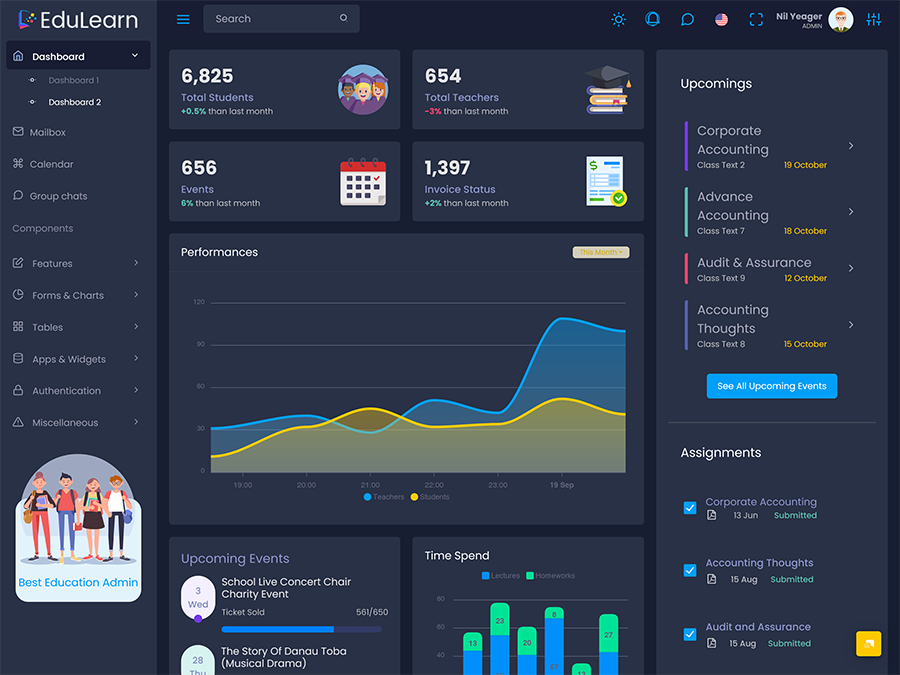
Multipurpose Themes offers ready admin dashboard and template solutions for a variety of industries, including education. Education themes focus on the needs of a Learning Management System as well as other educational operations which involve students, teachers and management functions. The available templates can provide developers with a visual foundation and components which help them build a custom Education Dashboard, as opposed to designing each dashboard screen independently.
Other industries are also covered by the Multipurpose Themes collection, providing developers with a wider selection of template solutions. The application of any theme will depend on the requirements of the intended project, including the functions, tools and user interactions which need to be facilitated.
Conclusion
An Education Dashboard can address the need to organize the operations of a digital or online education business. It is not simply a tool for displaying statistics, it can facilitate a range of activities pertaining to different learning functions. Course administration, user management, content maintenance, permissions, communication and other operations can be organized in a single interface.
For a Learning Management System it can provide the workspace which allows administrators to manage the learning environment. An Online Learning Platform can utilize the principles to organize courses, users, resources and access. A Course Management System and Student Management System can utilize an Education Dashboard to simplify their operations by providing appropriate navigation and relationship between different functions.
The most appropriate Education Dashboard is not necessarily the interface with the most screens or components. It is the interface which allows essential operations to be accessed and completed easily, while maintaining the connections between them. It will also allow each user to perform their responsibilities efficiently by providing the relevant tools and removing the need to navigate external interfaces.
VIEW DEMO BUY NOW
Frequently Asked Questions
1. Can an Education Dashboard be used for both schools and learning businesses?
A Multipurpose Themes Education Dashboard can be utilized in a variety of educational settings, including schools, colleges, coaching institutes, training companies or online learning businesses. The most important principle is customization. The navigation, permission levels, segments and operations should be adapted to the needs of each organization.
2. What is the difference between an Education Dashboard and a Learning Management System?
An Education Dashboard focuses on providing a clear interface which connects different learning operations. A Learning Management System is the application which manages learning activities and functions. An Education Dashboard can be the interface which allows users to interact with a Learning Management System.
3. Can an Online Learning Platform use an Education Dashboard for course administration?
An Multipurpose Themes Education Dashboard can be used to organize course administration activities for an Online Learning Platform. It can provide tools for course creation, content management, publishing, user access, instructor responsibilities or other course-related operations. The specific tools will depend on the application which utilizes the dashboard.
4. Is a Course Management System to manage an entire education platform?
A Course Management System is primarily designed to organize and manage courses. An education platform may require additional tools for users, communication, access management, payments, support, reports or other operations. An Education Dashboard can provide a clearer interface which connects different segments.
5. How can a Student Management System work with an Education Dashboard?
A Student Management System can provide data which an Education Dashboard can utilize. This way, administrators can navigate between student data, course management functions or other operations. The integration will depend on the specific tools and data which need to be transferred between the two applications.
6. What should I check before choosing an Education Dashboard Template?
Firstly, inspect the template to ensure its structure aligns with the needs of your project. Confirm that the desired screens are available and that they can be customized accordingly. Navigation and relationship between segments also matter. You should also review documentation, browser compatibility, quality of components and if the interface can be integrated with your planned application.
7. Can an Education Dashboard be customized for a learning business?
An Multipurpose Themes Education Dashboard can be customized to meet the requirements of a learning business. It will typically involve developing the appropriate tools and functions, but the template will provide the initial interface which developers can adjust. A coaching platform, university, corporate training or an online academy would all require structures which can be adapted according to their needs.

Related Posts