

Online retail management has become more advanced as businesses now require faster systems for handling…
Ecommerce Admin Template for Modern Online Store Management in 2026
Reading Time: 7 minutes
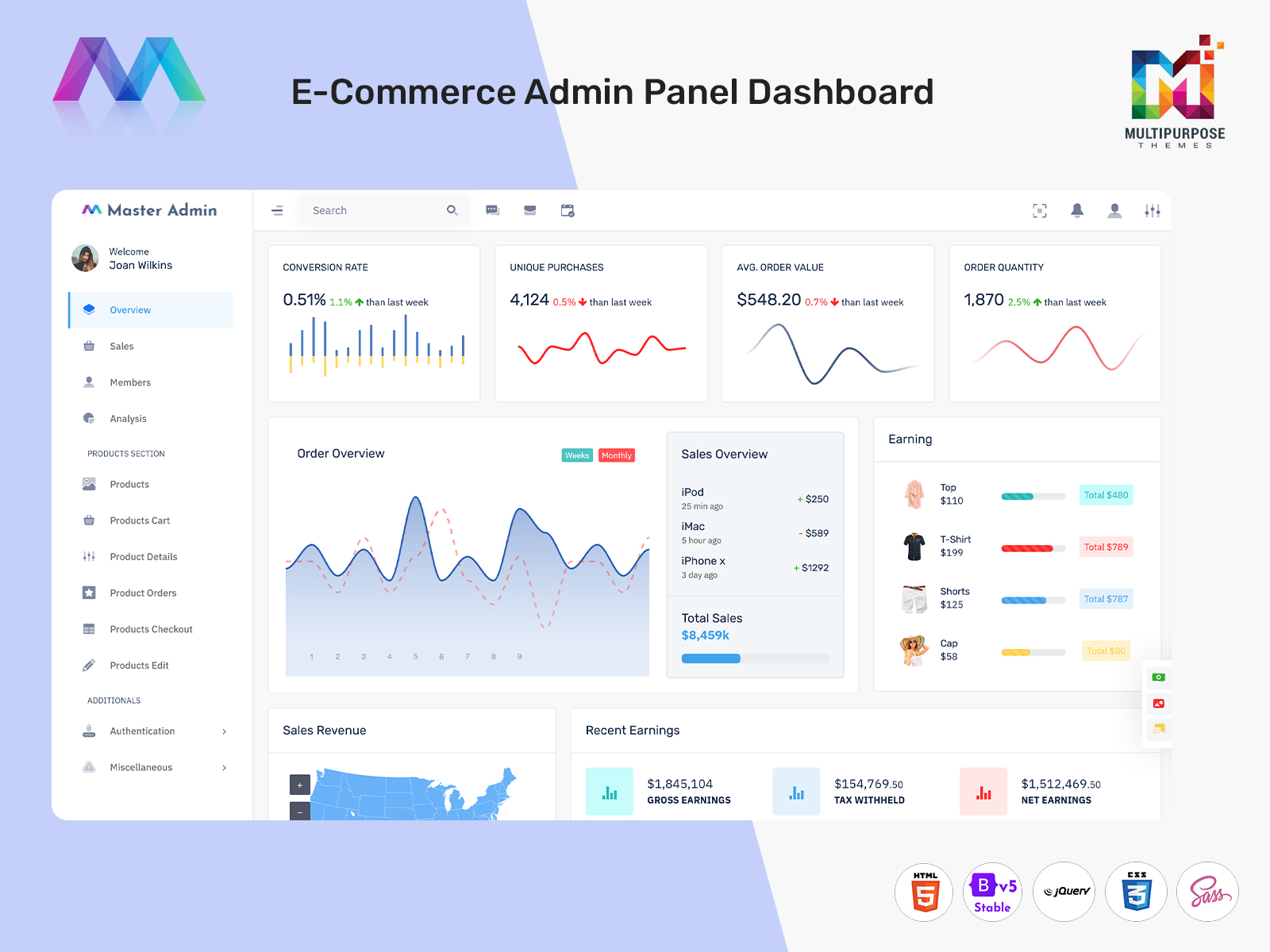
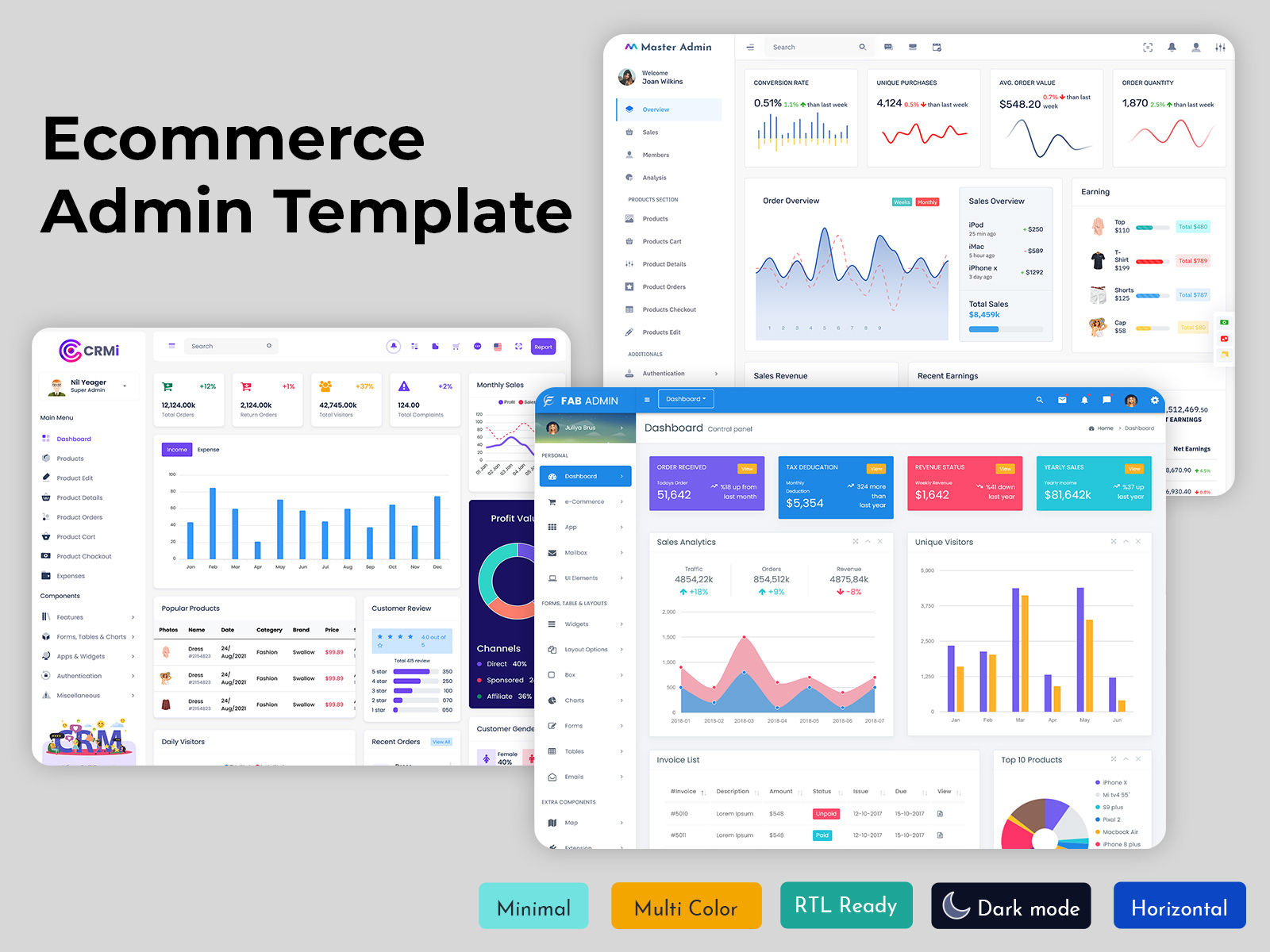
An ecommerce Admin Template plays an important role in building a smooth and organized online store management system. It provides a structured interface where store owners and administrators can monitor products, track orders, analyze sales, and manage customers in one place. With a clean dashboard layout, it becomes easier to understand business performance without switching between multiple tools or systems.
Watch Full Video
Modern solutions such as ecommerce Admin Dashboard, eCommerce Web Application, and eCommerce Software Dashboard help businesses improve efficiency and control daily operations. These platforms support better decision-making through real-time data, visual reports, and organized workflows. With features like eCommerce Dashboard Design, eCommerce WebApp Dashboard, and eCommerce Bootstrap 5 Dashboard, businesses can manage everything from inventory to revenue in a simplified and effective way, improving overall productivity and user experience.
Understand ecommerce Admin Template
An ecommerce Admin Template is a structured framework that helps businesses manage online store operations through a single unified dashboard. It provides a clear view of important business activities such as product listings, order processing, customer details, and sales performance. This makes it easier for administrators to handle daily tasks without relying on multiple disconnected systems.
Modern tools like eCommerce Admin Dashboard, eCommerce Web Application, and eCommerce Software Dashboard are designed to improve workflow efficiency and reduce manual effort. With support from eCommerce Dashboard Design, eCommerce Admin Panel Features, and eCommerce Bootstrap 5 Admin Dashboard, users can manage operations in a more organized way. These systems also enhance decision-making by presenting data in a structured and easy-to-understand format, helping businesses maintain better control over their online store performance.
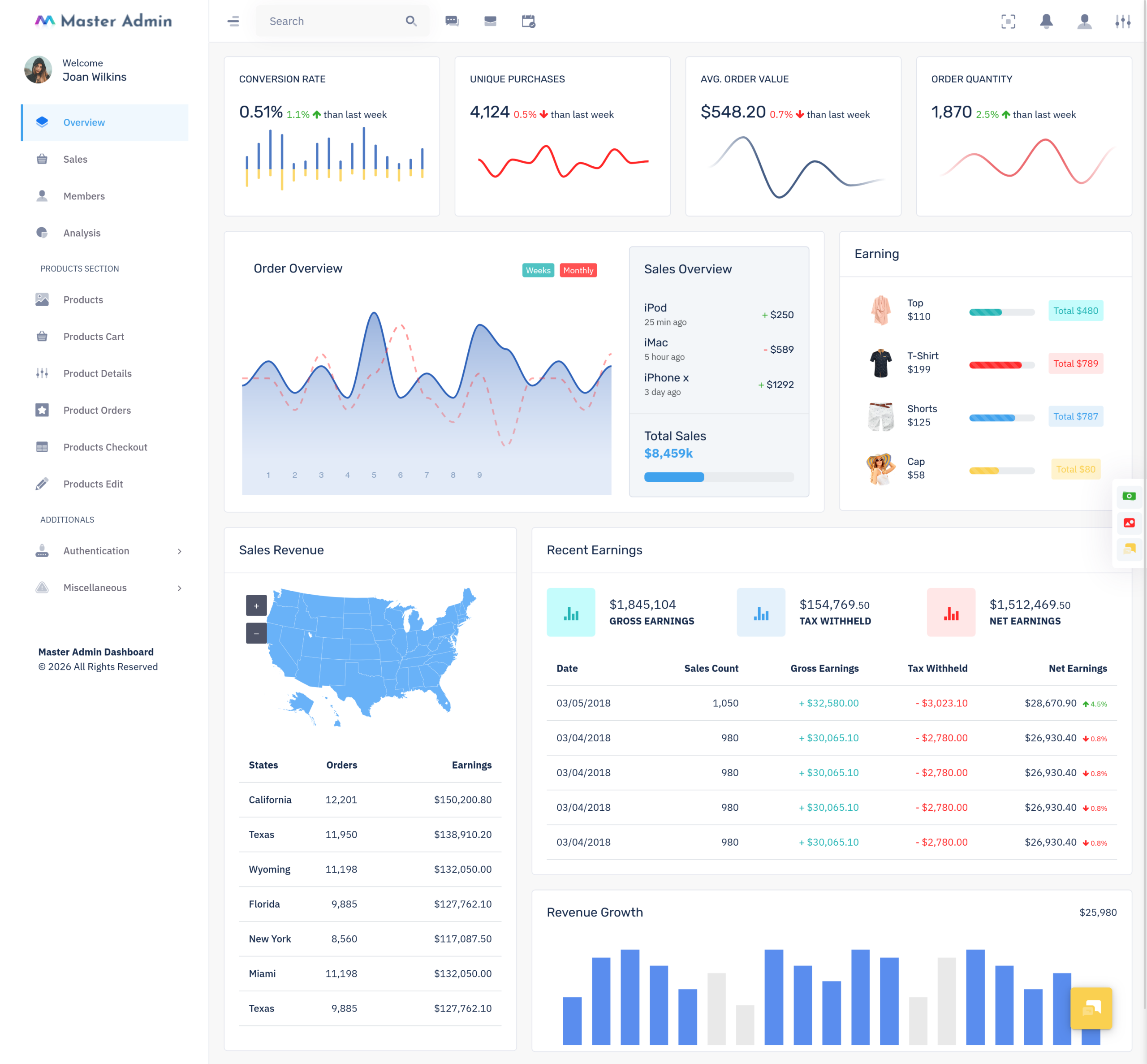
Conversion Rate and Unique Purchase Analytics
Conversion Rate and Unique Purchase Analytics help online businesses understand how visitors turn into actual customers. These insights show how many users are completing purchases and how many are making repeat or single-time orders. With this data, store owners can identify customer behavior patterns and improve marketing strategies to increase sales performance.
Modern systems like eCommerce Admin Dashboard, eCommerce Web Application, and eCommerce Software Dashboard provide real-time tracking of conversion metrics. Using eCommerce Dashboard Design and eCommerce Admin Panel Features, businesses can analyze traffic sources, purchase frequency, and user engagement. This helps in improving store performance and optimizing the overall buying experience for better revenue growth.
VIEW DEMO BUY NOW
Order Overview with Average Order Value Tracking
Order Overview with Average Order Value Tracking helps businesses understand how customers are placing orders and how much they are spending on each purchase. It provides a clear summary of total orders, order quantity, and average spending patterns, making it easier for store owners to evaluate overall sales performance.
Modern platforms like ecommerce Admin Dashboard, eCommerce Web Application, and eCommerce Software Dashboard offer real-time order tracking with structured insights. Using eCommerce Dashboard Design and eCommerce Bootstrap 5 Dashboard, businesses can monitor order trends, improve pricing strategies, and optimize customer experience. These tools help in better decision-making by presenting clear and actionable sales data.
Advantages of eCommerce Admin Dashboard Solutions
Modern online business operations become easier when managed through an ecommerce Admin Dashboard that brings all store activities into one place. It helps business owners control orders, customers, and performance without switching between multiple systems. Ecommerce Templates and Ecommerce Website Template solutions make it simple to build structured systems that support daily operations. An eCommerce Dashboard improves visibility and gives a clear picture of how the store is performing in real time.
1. Revenue Growth and Recent Earnings Monitoring
A strong ecommerce Admin system helps track sales performance on a daily and monthly basis. With an eCommerce Software Dashboard, business owners can easily understand which products are generating the most income and which areas need improvement. This helps in planning better strategies for growth. The ecommerce Admin Template structure also supports organized financial reporting that reduces confusion and improves clarity in earnings tracking.
2. Better Decision Making Through Live Insights
An advanced eCommerce Dashboard Design allows users to view real time data in a simple visual format. This makes it easier to understand customer behavior, product demand, and seasonal trends. A well structured eCommerce Software Dashboard Design supports quick analysis, while eCommerce WebApp Dashboard systems help access important insights from any device, improving overall decision making speed.
3. Improved Product and Inventory Handling
Managing products becomes more efficient with Ecommerce Templates and a strong eCommerce Web Design system. Businesses can update stock levels, product details, and pricing instantly without delays. An eCommerce Admin Panel helps keep everything organized and reduces the chances of errors. With modern eCommerce Bootstrap 5 Dashboard systems, inventory control becomes smoother even during high traffic sales periods.
4. Strong Customer Understanding and Engagement
An eCommerce Web Application provides detailed insights into customer preferences and buying patterns. This helps businesses create better marketing strategies and improve customer satisfaction. Integration with Ecommerce WordPress Themes and eCommerce Opencart Themes also enhances the overall shopping experience, making it more user friendly and engaging for visitors.
5. Scalable and High Performance System Support
A well developed eCommerce Bootstrap Dashboards setup ensures that the platform performs smoothly even as the business grows. It supports fast loading, multi device access, and stable performance under heavy usage. With eCommerce Bootstrap 5 Admin Dashboard and eCommerce Bootstrap Ui Kit, developers can build flexible systems that easily scale with increasing business demands.
VIEW DEMO BUY NOW
Revenue Growth and Recent Earnings Monitoring
An ecommerce Admin Dashboard helps businesses track revenue performance in a clear and organized way. It provides real time visibility into earnings, helping store owners understand which products and campaigns are generating the most profit. With Ecommerce Templates and Ecommerce Website Template systems, financial tracking becomes more structured and easy to manage.
A well designed eCommerce Dashboard allows continuous monitoring of sales flow, helping businesses react quickly to market changes. Through an eCommerce Web Application, users can access updated financial data anytime, improving decision making and long term growth planning.
Features
1. Real Time Revenue Tracking
An ecommerce Admin system provides instant updates on earnings and sales performance. This helps businesses understand daily income trends without delays and improves financial planning accuracy.
2. Automated Sales Reporting
An eCommerce Software Dashboard generates automated reports for revenue, orders, and transactions. This reduces manual work and ensures data accuracy for business analysis.
3. Multi Channel Performance Insights
With eCommerce Admin Panel Features, businesses can track sales from multiple channels in one place. This helps compare performance across platforms and improve marketing strategies.
4. Visual Data Analytics Interface
An eCommerce Dashboard Design presents complex data in charts and graphs. This makes it easier for users to understand performance patterns and business growth trends.
5. Scalable Data Management System
An ecommerce Admin Template supports growing business data without performance issues. It ensures smooth handling of large-scale transactions and customer records.
Product Management Through eCommerce Admin Panel
An eCommerce Web Application simplifies product handling by allowing easy updates to product listings, pricing, and availability. Businesses can organize their catalog efficiently using Ecommerce Templates and maintain consistency across all product pages.
The eCommerce Web Design structure ensures smooth navigation while managing large inventories. With eCommerce Opencart Themes and eCommerce WordPress Themes, businesses can customize product displays and improve user experience across different platforms.
Product Management Through eCommerce Admin Panel
An eCommerce Web Application makes product management more structured by giving businesses full control over their online catalog. It allows users to easily add new products, update descriptions, manage pricing changes, and control stock availability in real time. This reduces manual effort and ensures that product information stays accurate across all platforms. Ecommerce Templates help maintain a consistent layout, so every product page looks uniform and professional, which improves customer trust and browsing experience.
The eCommerce Web Design framework also plays an important role in handling large inventories by offering smooth navigation and organized categories. Businesses can group products based on type, popularity, or season, making it easier for customers to find what they need quickly. With eCommerce Opencart Themes and eCommerce WordPress Themes, product pages can be customized with better visuals, filters, and search options. This improves usability and helps increase conversions by guiding customers toward the right products efficiently.
Sales Overview, Revenue, and Retention Analytics
An eCommerce Software Dashboard provides a complete and detailed view of business performance by combining sales data, revenue tracking, and customer behavior insights in one place. It helps businesses understand which products are performing well, which time periods generate the highest sales, and how customers interact with the store. This level of clarity supports better forecasting and more accurate business planning.
Using an eCommerce Bootstrap 5 Dashboard, companies can visualize data through charts, graphs, and performance indicators that make complex information easy to understand. It also helps track customer retention by identifying repeat buyers and analyzing loyalty patterns. With these insights, businesses can adjust marketing strategies, improve customer engagement, and increase lifetime value. The system also supports faster decision making by highlighting underperforming areas and opportunities for growth, leading to stronger overall business performance.
Conclusion
An ecommerce Admin Dashboard plays a crucial role in managing modern online stores with ease and efficiency. It brings together product management, sales tracking, customer insights, and performance analytics into one unified system. With tools like Ecommerce Templates and Ecommerce Website Template solutions, businesses can maintain consistency, improve workflow, and reduce operational complexity.
A well structured eCommerce Dashboard helps in making faster decisions by offering real time data and clear reporting. From inventory control to revenue monitoring, every function becomes more organized and accessible. With advanced eCommerce Web Application systems and flexible design frameworks, businesses can scale smoothly, improve customer experience, and achieve sustainable growth in a competitive digital market.
VIEW DEMO BUY NOW
FAQs
1. What is an eCommerce dashboard?
An eCommerce dashboard is a tool that helps online store owners track sales, orders, customers, inventory, and business performance from a single interface. MultiPurpose Themes provides dashboard templates designed for modern eCommerce management.
2. What are the key features of an eCommerce dashboard?
An eCommerce dashboard typically includes sales analytics, order management, inventory tracking, customer data, revenue reports, and performance metrics. MultiPurpose Themes offers templates with these essential eCommerce features.
3. How do I track sales in an online store?
Online store sales can be tracked through an eCommerce dashboard that displays revenue, orders, top-selling products, and customer activity. MultiPurpose Themes provides dashboards that simplify sales monitoring.
4. What is the best eCommerce management software?
The best eCommerce management software includes inventory control, order processing, customer management, reporting, and analytics. Many businesses use solutions built with MultiPurpose Themes dashboard templates.
5. How can I manage inventory for an online store?
Inventory can be managed using an eCommerce dashboard that tracks stock levels, product availability, and reorder alerts. MultiPurpose Themes offers dashboard solutions that help businesses manage inventory efficiently.
6. Why is analytics important in eCommerce?
Analytics helps businesses understand customer behavior, sales trends, conversion rates, and product performance. MultiPurpose Themes dashboards provide visual analytics to support better business decisions.
7. How do eCommerce dashboards improve business performance?
eCommerce dashboards provide real-time insights into store operations, helping businesses identify opportunities, improve efficiency, and increase revenue. MultiPurpose Themes dashboard templates are designed to support these goals.
8. What metrics should be tracked in an eCommerce dashboard?
Important metrics include revenue, conversion rate, average order value, customer retention, product performance, and inventory status. MultiPurpose Themes dashboards help visualize these key metrics.
9. Can small businesses use eCommerce dashboard software?
Yes, eCommerce dashboard software is useful for businesses of all sizes. MultiPurpose Themes offers scalable dashboard templates suitable for startups, small businesses, and large online stores.
10. What should I look for in an eCommerce dashboard template?
Look for responsive design, analytics tools, inventory management, order tracking, reporting features, and easy customization. MultiPurpose Themes provides eCommerce dashboard templates with these capabilities.

Related Posts



This Post Has 0 Comments