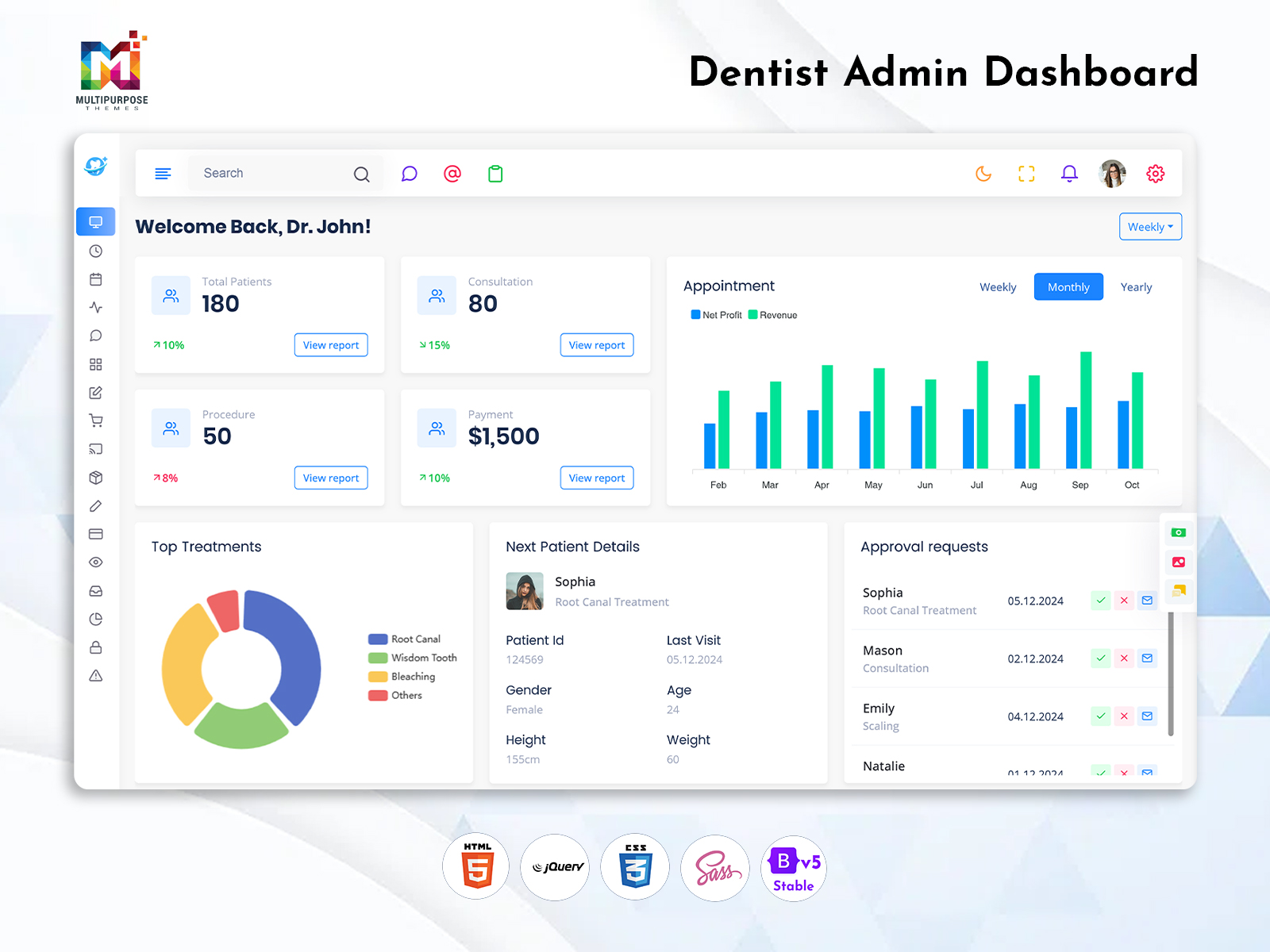
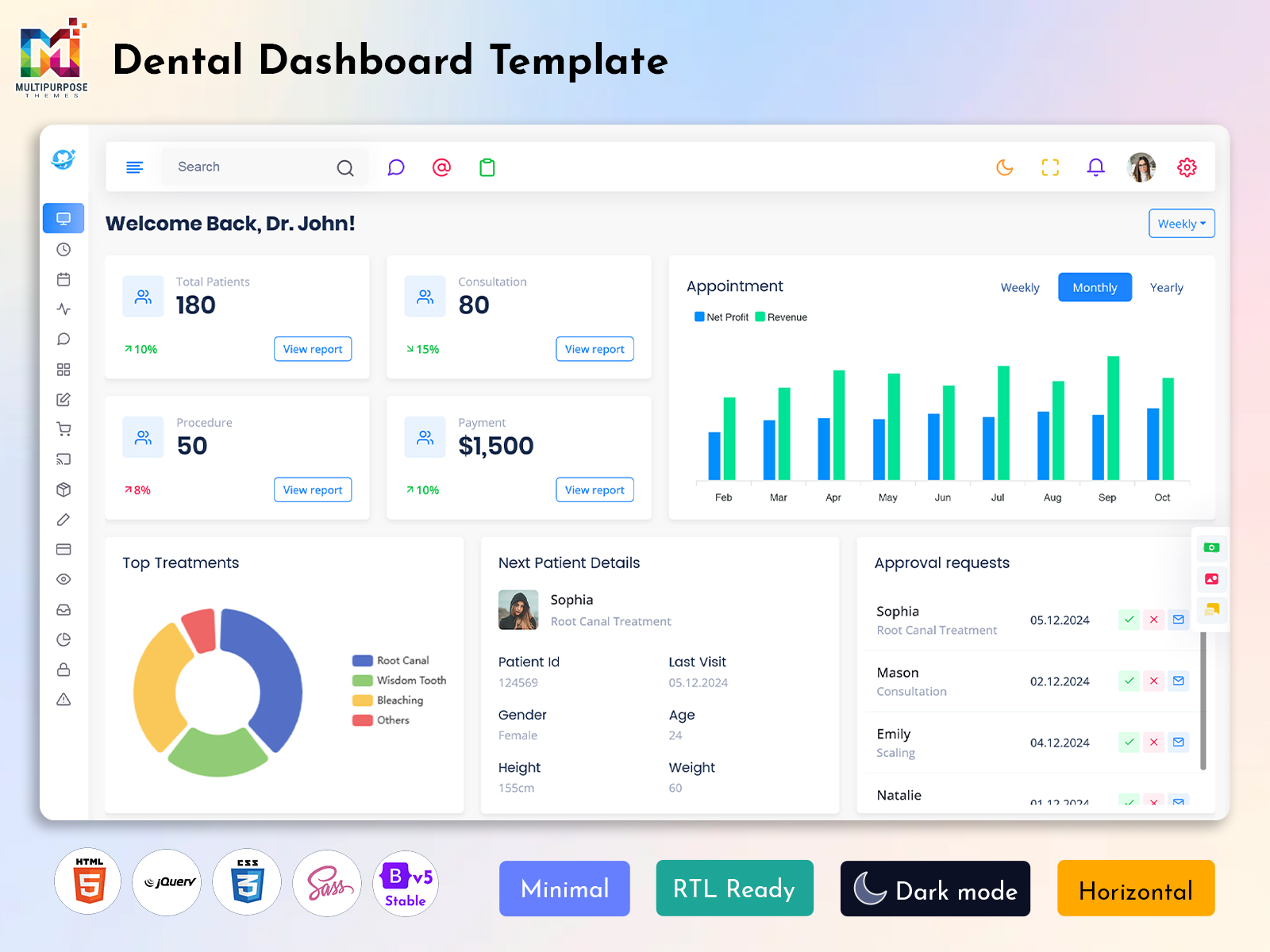
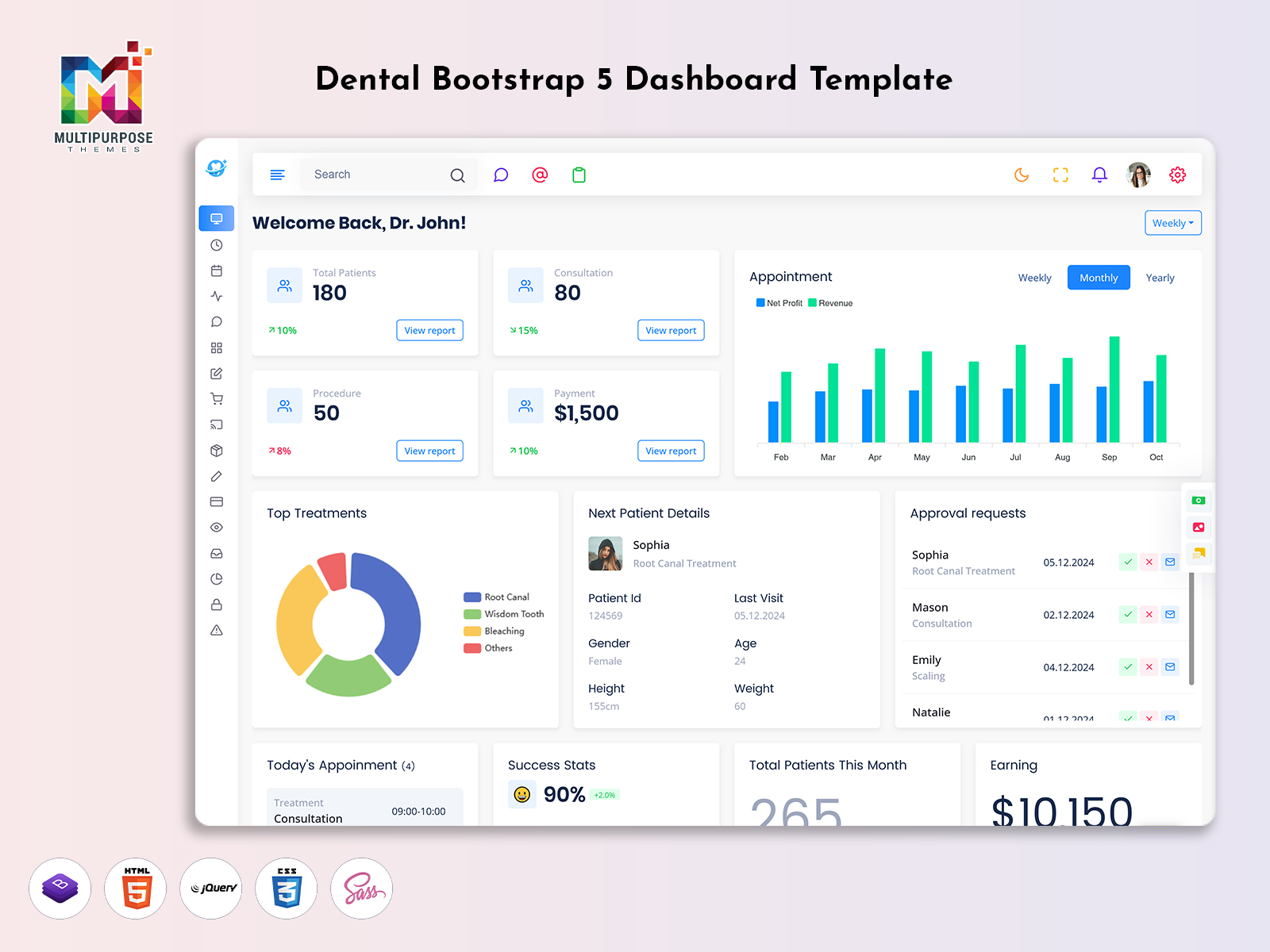
Introduction A Dental Dashboard is a digital workspace that is designed to bring together the…

Dental Dashboard for Better Dental Clinic Management and Care
Reading Time: 5 minutes
A Dental Dashboard can help manage appointments, patient information and treatment. This helps keep your clinic on track and helps to monitor how well they are doing. It can be easily created using templates.
Watch Full Video
What is a Dental Dashboard?
A Dental Dashboard can help manage tasks. This can help to monitor information, manage appointments, track treatment and view information about staff. It is easy to use with a simple design to allow dentists and clinic managers to quickly view real time data to help make decisions.
Key Features of a Dental Admin Dashboard
Appointment Management
- Manage appointments, cancel appointments and view appointments. This helps to avoid any conflicts.
Patient Management
- Manage patient information including their name, contact details and medical history. Track their treatment.
Treatment Management
- Track treatment and mark as booked for follow up. Team members can see how treatment is going.
Dentist & Staff Management
- Manage dentists. Manage staff information including roles, availability and hours. This can help manage your team.
Billing
- Manage payments and track payments. Makes it easy for staff.
Reporting
- View trends using charts and graphs.
Easy to use
- Should be easy to use across desktops, tablets and mobiles. Has a design.
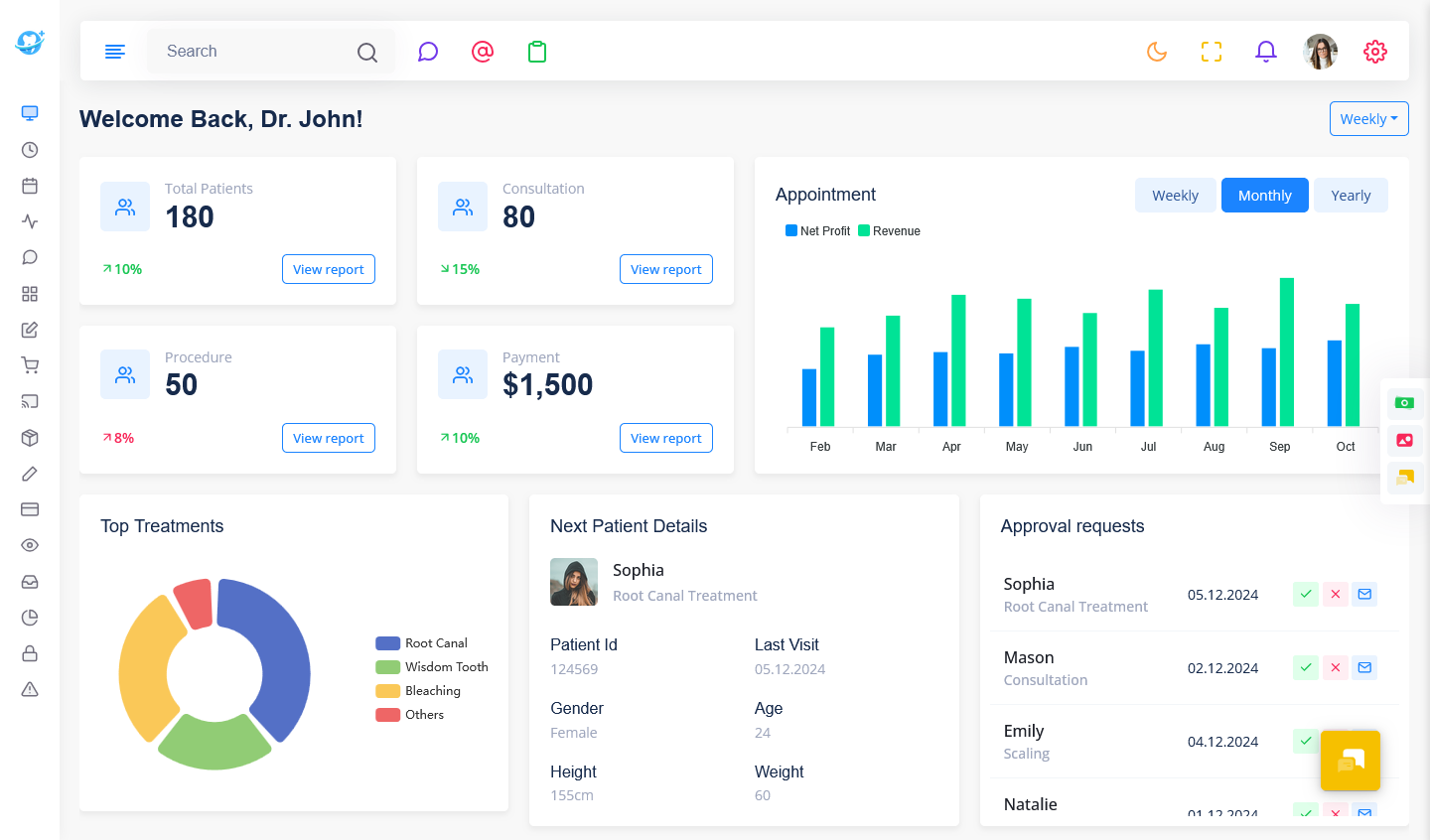
Dental Dashboard vs. Traditional Clinic Management
Traditional clinic management may rely on separate spreadsheets, paper records and disconnected tools. A Dental Dashboard brings key operational information into a centralized interface.
| Traditional Management | Dental Dashboard |
| Information may be stored in separate places | Information can be organized in one interface |
| Appointment tracking may require manual updates | Appointments can be viewed through a scheduling interface |
| Reports may need to be prepared manually | Charts and reports can help present clinic activity |
| Staff may need to search across different records | Relevant information can be easier to locate |
The actual benefits depend on the features, integrations and workflows of the dental application.
Benefits of a Dental Dashboard
All in one
- Manage all patient information, appointments, treatment and admin.
Easy to Book
- Easily view appointments to plan your clinic.
Easy to Manage
- Easy to manage information for staff.
Improved Communication
- Dentists, assistants and admins can share information.
Easy to View
- All information can be easily viewed.
How a Dental Dashboard Improves Clinic Workflow
A Dental Dashboard can help clinics organize daily tasks and reduce the need to switch between different systems. Staff can view appointment schedules, patient details, treatment updates and billing information from one place. This can make routine administrative work easier to manage and help the team stay informed throughout the day.
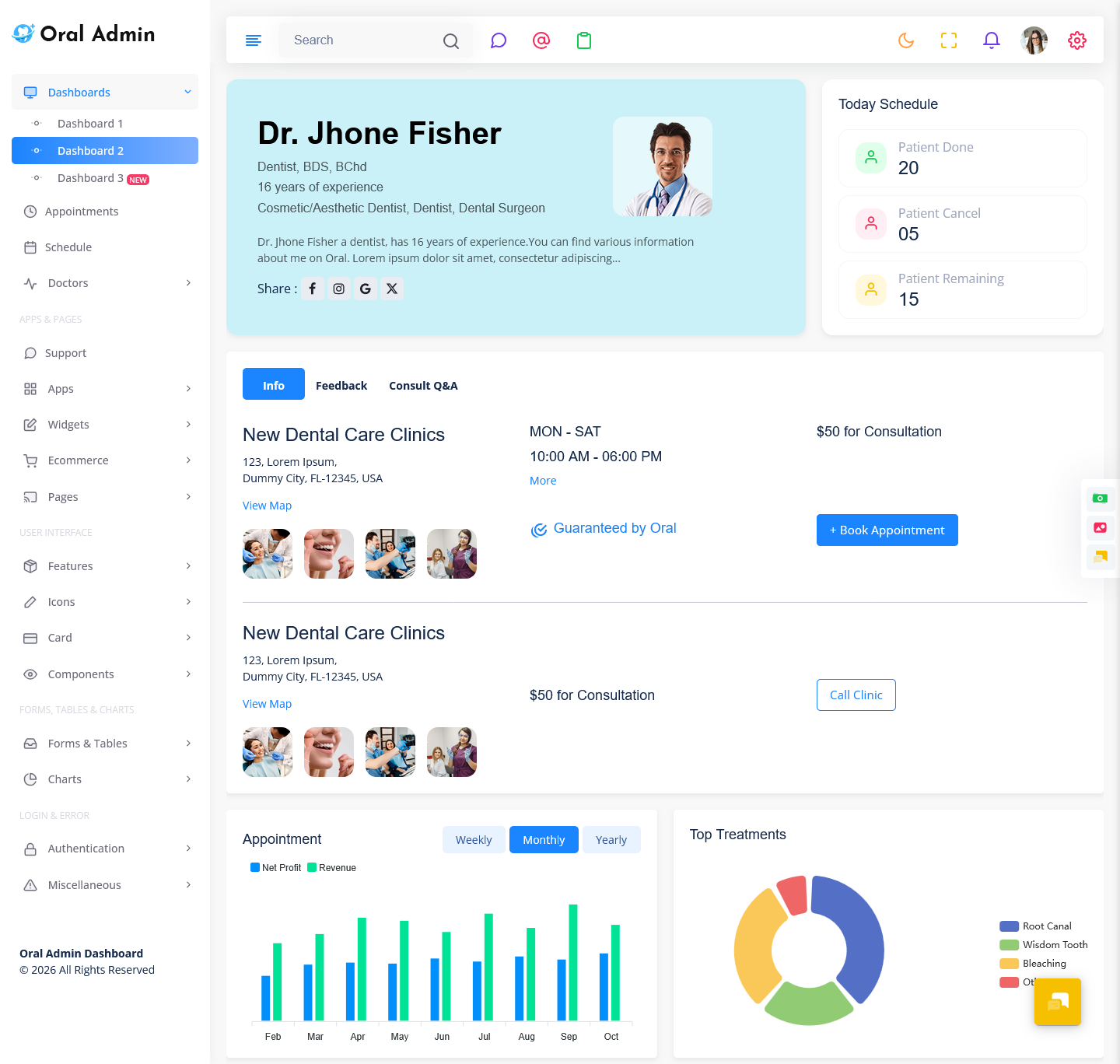
VIEW DEMO BUY NOW
Who can use a Dentist Dashboard?
A Dental Dashboard can be used by:
- Single Practice – Clinics with one or two dentists.
- Multi Dentist – Clinics with dentists and staff.
- Dental Hospitals – Practices with multiple departments and complex processes.
- Dental Service Providers – Companies providing care.
- Developers – Creating management apps.
The Role of a Dental Dashboard in Patient Experience
A Dental Dashboard can support a smoother patient experience by helping clinic teams coordinate appointments, treatment information and follow-up care. When staff can access relevant information efficiently, they can spend less time searching for records and more time assisting patients.
A clear appointment schedule can also help the clinic manage patient flow, while organized treatment records can support communication between dentists and other team members.
Sections to include
- Dashboard – View appointments, patients and daily activity.
- Booking – View appointments, appointment information and future appointments.
- Patients – Store patient information including history and contact details.
- Treatments – Track treatment plans, treatment and follow up appointments.
- Staff – Store staff information including roles and hours.
- Billing – Manage invoices, payments and track payments.
- Reporting – View reports.
Top Tips for creating a Dental Dashboard
Ensure the Dental Admin Dashboard is easy to use and secure.
- Navigation – Use labels and organise your menus.
- Important Information – Place important information at the top of your dashboard, such as appointments.
- Reports – Use charts, graphs and labels to make reports easy to understand.
- Responsive – Ensure your dashboard is responsive.
- Consider Users – Consider what dentists, assistants and admins will need.
- Security – Use security features to keep information safe.
Dental Dashboard Security and Patient Privacy
Dental dashboards may contain sensitive patient and clinic information. A well-planned application should include appropriate safeguards to protect this data.
- User Authentication – Require authorized users to sign in securely.
- Access Permissions – Limit access to information according to each user’s role.
- Data Protection – Use appropriate measures to protect patient records and other sensitive information.
- Secure Backups – Maintain suitable backups to support data recovery.
- Activity Monitoring – Keep track of important account and record activities where appropriate.
Important Dental Dashboard Metrics to Track
A Dental Dashboard can display useful metrics that help clinic managers understand daily operations and identify areas for improvement.
- Appointment Rate – Monitor scheduled appointments and completed visits.
- Cancellation Rate – Track cancelled appointments and identify scheduling patterns.
- Patient Attendance – Review missed appointments and patient attendance trends.
- Treatment Progress – Monitor ongoing treatments and follow-up visits.
- Revenue and Payments – Review billing activity, outstanding payments and collected revenue.
- Patient Retention – Track returning patients and ongoing care activity.
How to Choose the Right Dental Dashboard Template
Choosing a suitable Dental Dashboard Template can help developers build dental management applications with an organized interface. Consider the following points before selecting a template:
- User-Friendly Layout – Choose a clear layout that helps users find information quickly.
- Responsive Design – Ensure the dashboard works across desktops, tablets and mobile devices.
- Reusable Components – Look for tables, charts, forms and calendar components that can be adapted.
- Customization Options – Select a template that supports changes to colors, layouts and interface elements.
- Role-Based Access – Consider whether different users need different levels of access.
- Data Visualization – Choose charts and reports that present clinic information clearly.
Why use a Dental Dashboard Template?
A dental dashboard template will help developers create management apps quicker. The dashboard will have a designed interface with clear layout. This will save time as you will have a foundation to build on.
Look for a layout, reusable components and easy to customise.
Conclusion
A Dental Dashboard can help dental clinics organize appointments, patient records, treatments, staff, and administrative activities through one interface. With clear navigation, responsive design, and useful management features, a Dental Admin Dashboard can provide a practical foundation for dental clinic software. For developers, choosing a flexible dashboard template can simplify the process of creating an organized and user-friendly dental management application.
VIEW DEMO BUY NOW
FAQs
1. What is a Dental Dashboard?
A Multipurpose Themes Dental Dashboard can help manage appointments, patient information, treatment information, staff information and clinic admin.
2. What are the key features of a Dental Admin Dashboard?
Appointment Management, Patient Management, Treatment Management, Staff Management, Billing, Reporting and Responsive Navigation.
3. Who can use a Dentist dashboard?
Dentists, Assistants Clinic Admins, Multipurpose Themes Dental Hospitals and Developers.
4. Can a Dental Dashboard manage appointments?
Yes there is Appointment Management and a booking calendar.
5. How can a Dental Dashboard help manage information?
There is an organised system to store profiles, treatments and appointments.

Related Posts