A school runs with lots of activities. The teachers plan their classes for the students…
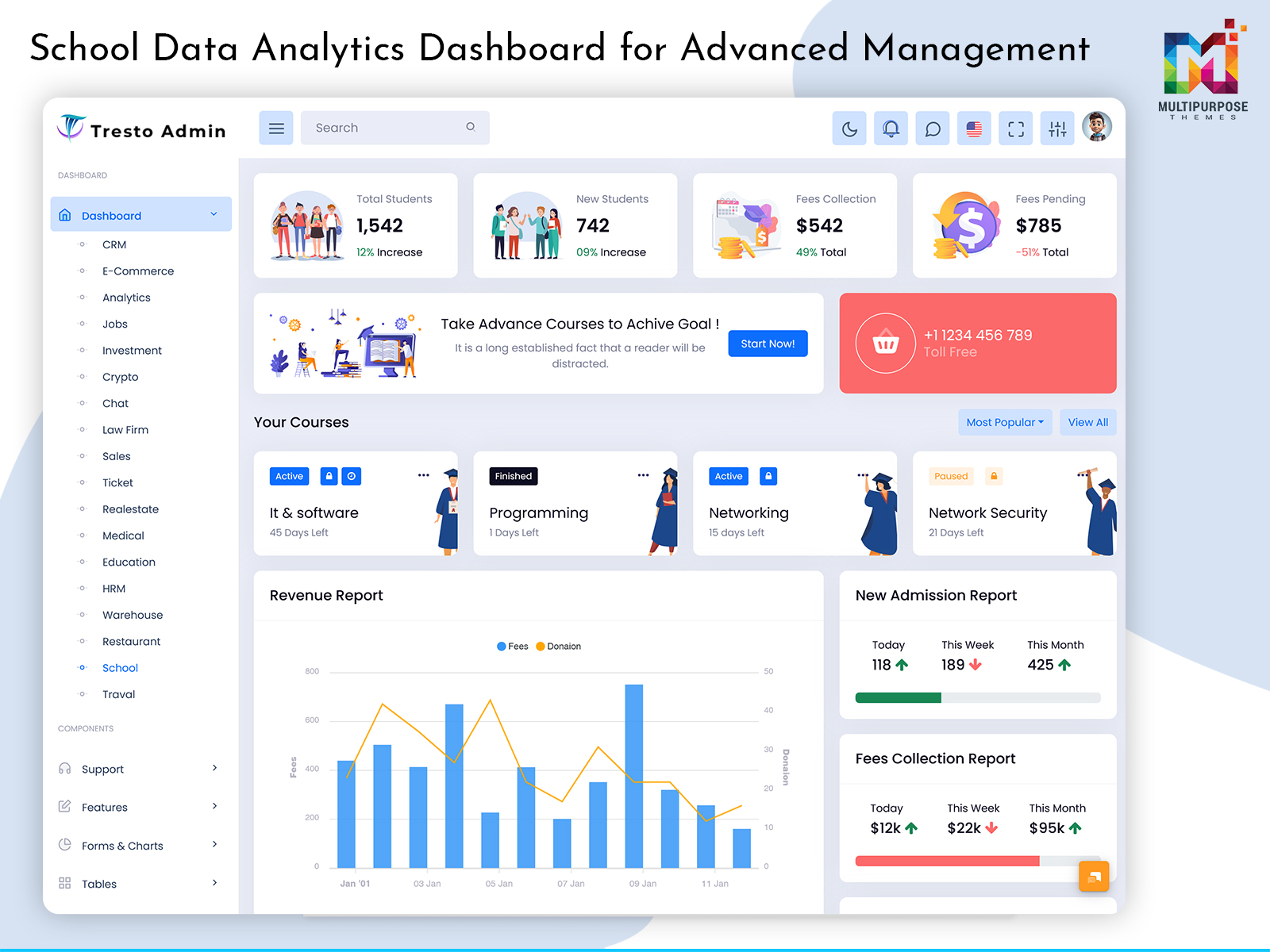
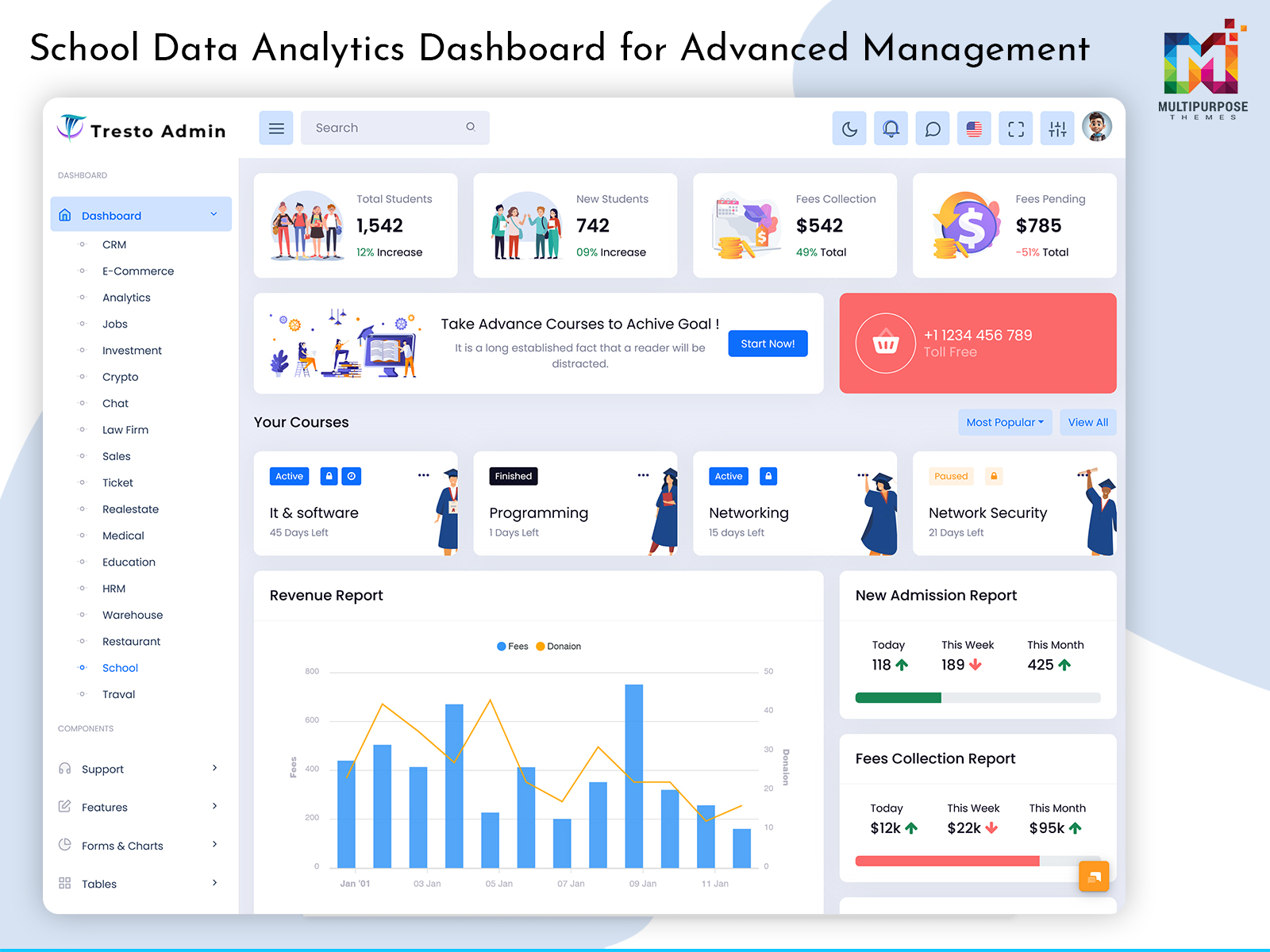
School Data Analytics Dashboard for Advanced Management
Reading Time: 7 minutes
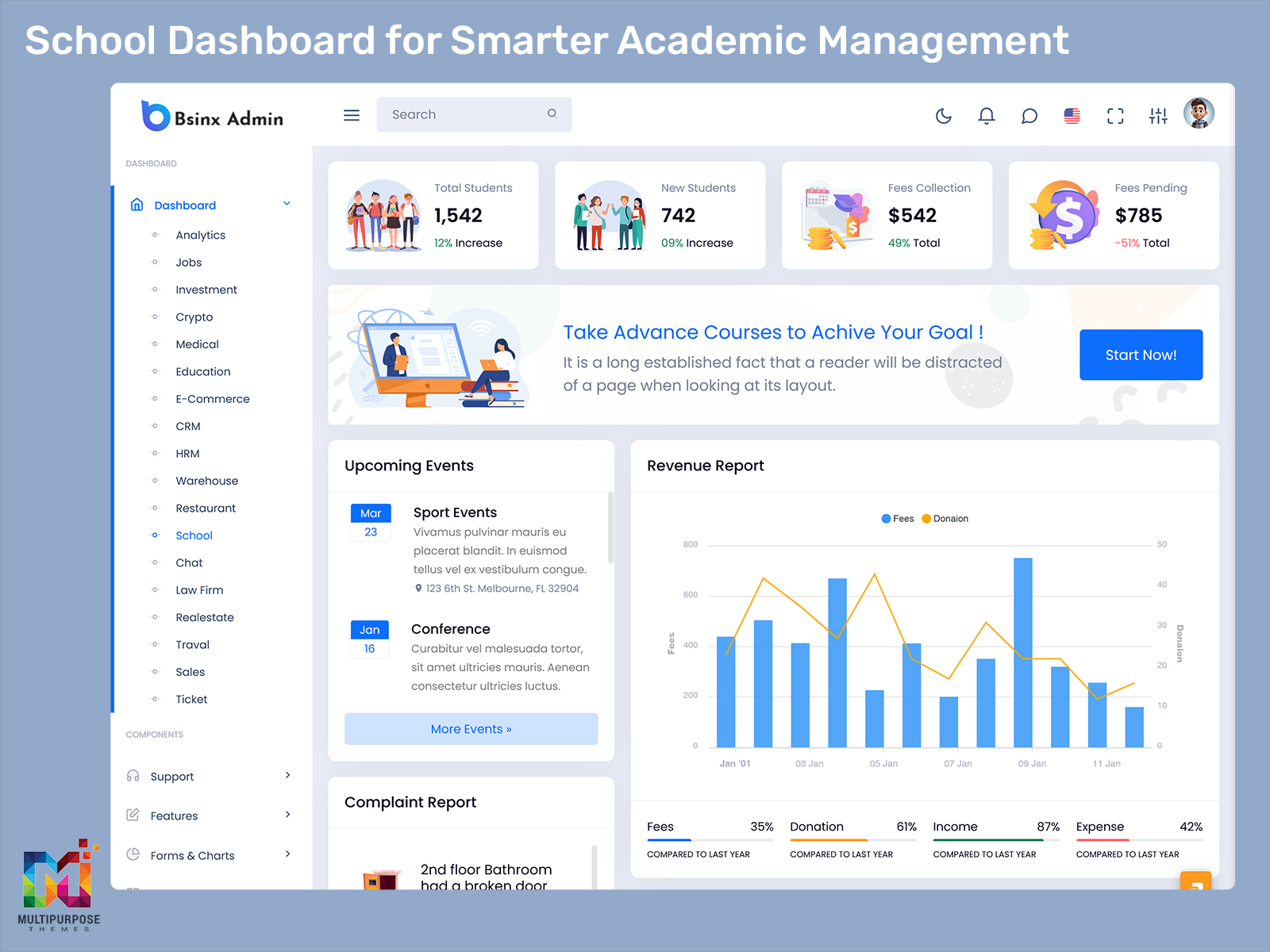
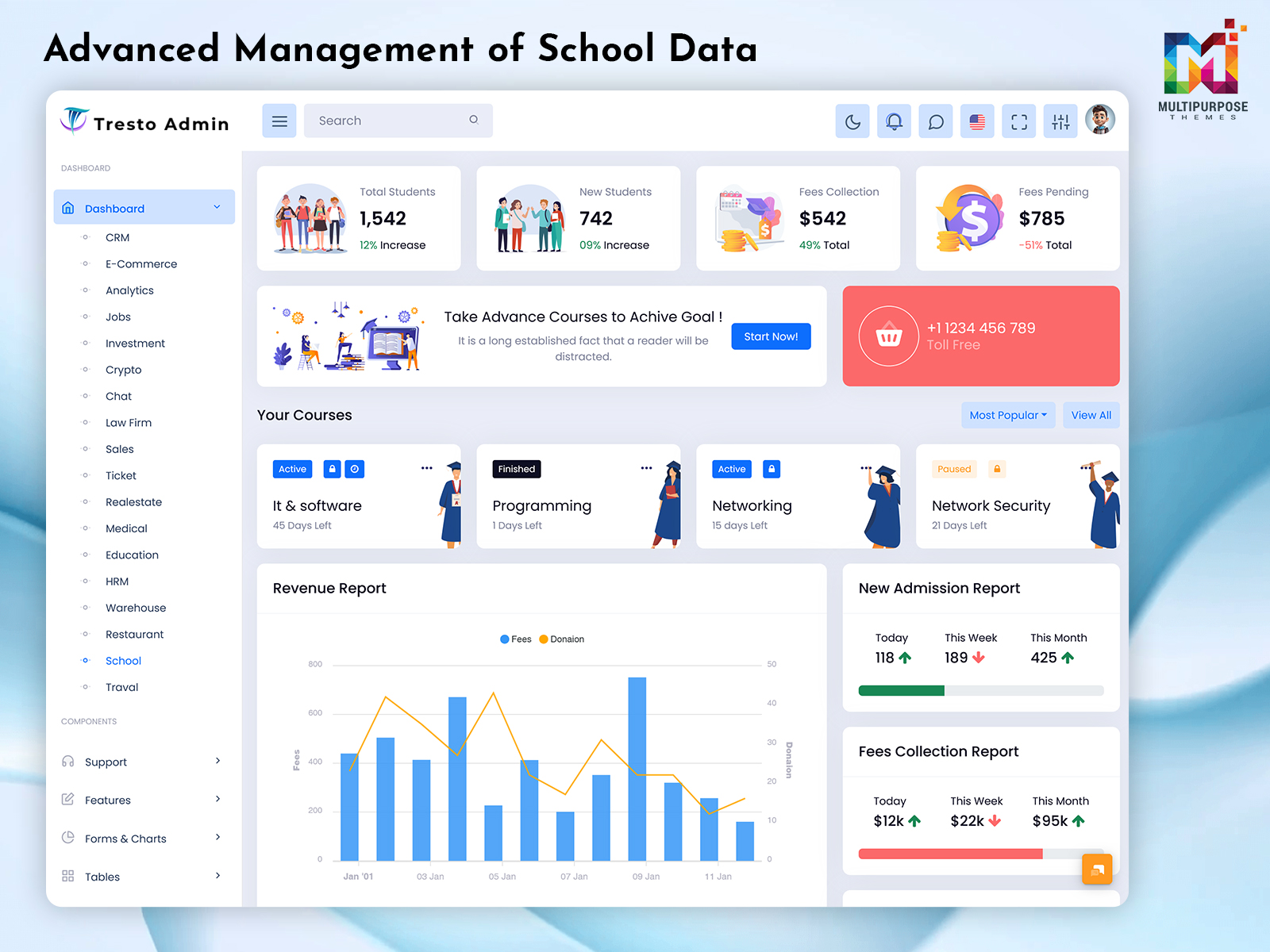
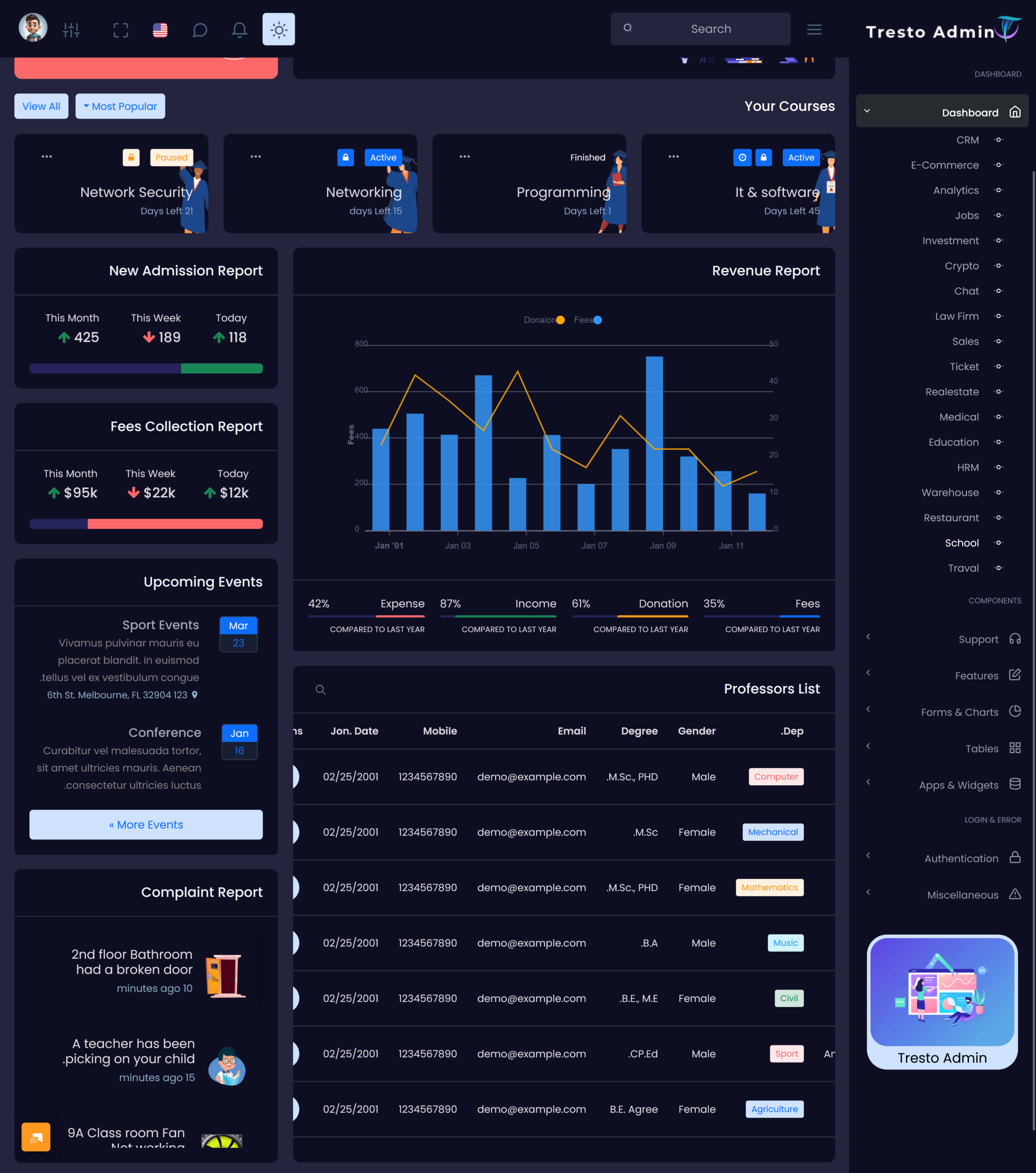
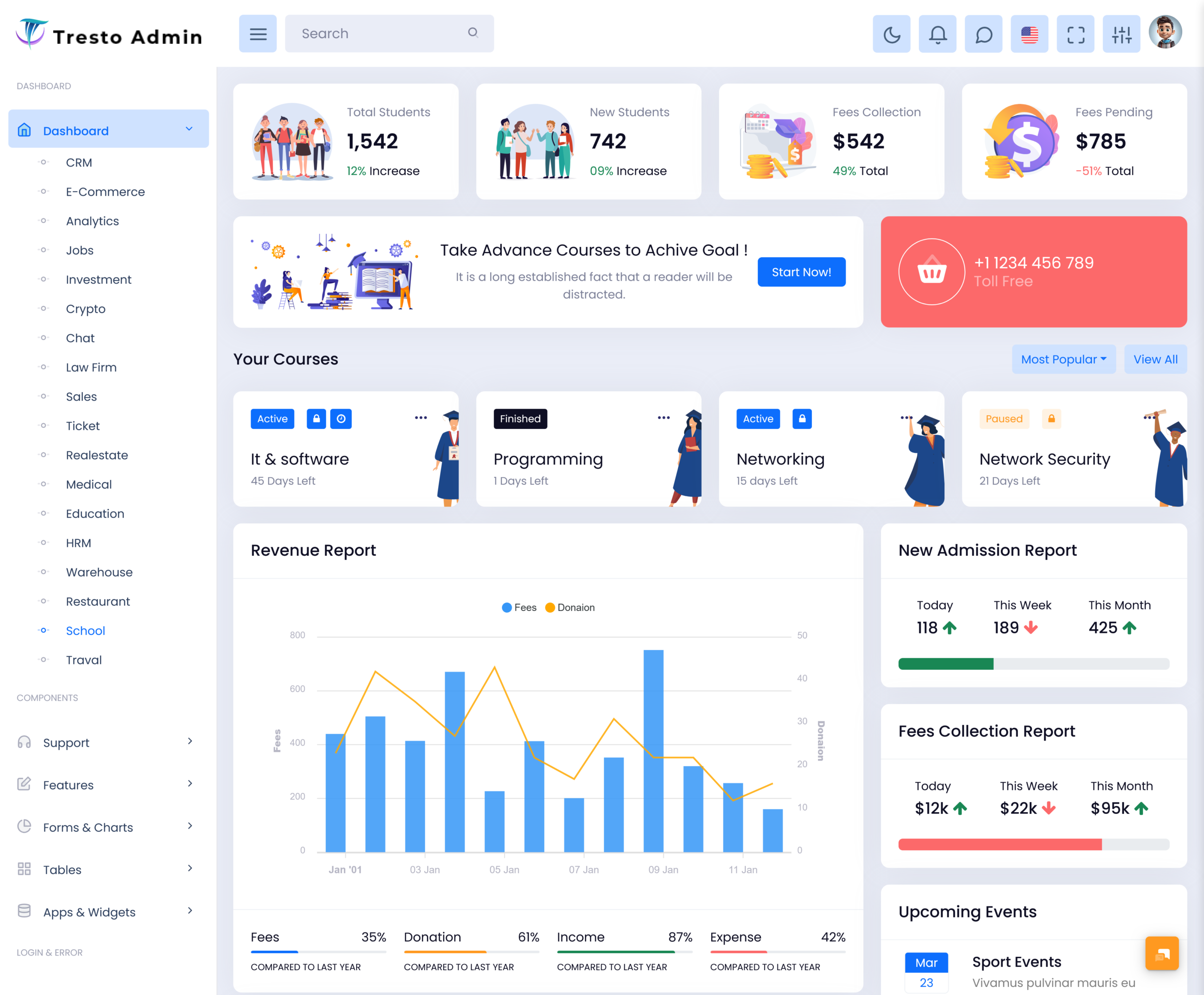
A School Dashboard can bring important school-related information into one structured digital environment. But a useful dashboard should not simply collect every possible number on one screen. It should help teachers, coordinators, administrators, and school leaders understand information according to their responsibilities.
Watch Full Video
Current Multi Purpose Themes content already discusses school dashboards around student records, attendance, grades, teacher schedules, curriculum, events, fees, and broad institutional management. Therefore, this article takes a different direction by focusing on how a School Dashboard can support everyday decisions, coordination, information context, and role-based school workflows, rather than repeating a standard list of school management functions.
What is a School Dashboard?
A School Dashboard is a digital interface designed to organize information connected with the everyday functioning of a school. It can provide different users with access to information that is relevant to their particular responsibilities, creating a more focused experience than a single general-purpose school management screen.
The dashboard can act as a starting point for teachers, coordinators, administrators, and management teams. However, each user may need a different perspective. A teacher may be more interested in classroom activities, while an academic coordinator may need to compare information across classes. School management may require a broader view to support planning and review.
This is why a School Dashboard should be designed around user roles and decisions. Showing the same information to everyone can make the interface crowded and less useful. A role-based approach can make each screen more meaningful by presenting information according to what the user actually needs to accomplish.
For example, an Attendance Management Dashboard can give authorized staff a focused environment for understanding attendance activity. An Academic Dashboard can provide coordinators with a broader academic view, while a Classroom Management Dashboard can help teachers work with information connected to their classrooms.
A school can also use a School Analytics Dashboard to examine broader patterns. Rather than treating analytics as a collection of decorative charts, the dashboard can help management identify areas worth investigating and support conversations about academic planning.
The real purpose of a School Dashboard is therefore not to replace human judgment. It is to make useful information easier to reach, understand, compare, and discuss.
School Dashboard for Teachers and Academic Teams
Different members of a school have different working patterns. A teacher may spend most of the day moving between classrooms, while an academic coordinator may review information across several classes. Administrative staff may have yet another set of responsibilities.
A single interface can struggle to serve all these users equally well.
A Classroom Management Dashboard can give teachers a focused workspace where information connected with their classes is easier to reach. It can reduce the need to navigate through administrative areas that are unrelated to their daily teaching activities.
An Academic Dashboard can provide coordinators with a wider perspective. Instead of focusing on one classroom, coordinators may need to compare information across multiple subjects or groups.
School leaders may benefit from a School Analytics Dashboard that provides a higher-level view. This can help them identify broad changes and decide which areas should be discussed with academic or administrative teams.
This layered structure creates a better balance. Everyone can work within the same overall school platform while receiving an interface designed around their actual responsibilities.
VIEW DEMO BUY NOW
Features of School Dashboard
1. Role-Based Information
A School Dashboard can present information according to the responsibilities of each user. Teachers, coordinators, administrators, and management teams may require different views. Separating these perspectives can reduce unnecessary information and make the interface more relevant to the user’s everyday school responsibilities.
2. Attendance Management Dashboard
An Attendance Management Dashboard can provide a dedicated workspace for reviewing attendance-related information. Instead of making staff search through multiple records, it can organize relevant information into a clear interface and help users notice changes that may deserve closer examination.
3. School Analytics Dashboard
A School Analytics Dashboard can help school leadership examine information from a broader perspective. It can present selected academic and institutional patterns in a way that supports comparison and discussion, allowing management to investigate areas that may require additional attention.
4. Academic Dashboard
An Academic Dashboard can create a focused environment for reviewing information related to academic activities. Coordinators and authorized staff can use it as a starting point for understanding differences between classes, subjects, or academic periods without having to work through unrelated administrative sections.
5. Classroom Management Dashboard
A Classroom Management Dashboard can give teachers an interface centered around their daily classroom responsibilities. Keeping relevant information together can reduce unnecessary movement through larger school systems and help teachers work within a digital environment that reflects their actual classroom activities.
6. Information Comparison
A School Dashboard can make selected information easier to compare across different classes, groups, or time periods. Comparison can help users notice changes that may not be obvious when information is reviewed separately, while still leaving interpretation and final decisions to teachers and administrators.
7. Adaptable Interface
Schools can change their academic structures, responsibilities, and reporting requirements over time. A flexible dashboard can accommodate these changes by allowing the interface to be adjusted according to new needs. This helps prevent the digital system from becoming restrictive as the institution develops.
School Dashboard For Academic Management
Academic management involves more than looking at examination results. Schools also need to understand how different classes and subjects are progressing and where additional discussion may be useful.
An Academic Dashboard can provide a structured environment for reviewing this information. Instead of forcing coordinators to work through individual records separately, it can create a broader view that makes comparison easier.
The dashboard can also support academic meetings. Before a meeting, coordinators can review relevant information and identify areas they want to discuss. During the meeting, the information can provide context for conversations between teachers and management.
This does not mean that dashboards should determine teaching strategies automatically. Teachers have direct knowledge of their students and classroom environments. The dashboard simply provides another source of information to support their professional judgment.
A useful academic dashboard therefore combines data visibility with human interpretation.
VIEW DEMO BUY NOW
Benefits of School Dashboard
1. Improves Information Organization
A School Dashboard creates a structured environment where teachers, coordinators, and administrators can access information according to their responsibilities. This reduces the need to search through unrelated records and gives users a clearer starting point for their daily digital school activities.
2. Makes Attendance Review Easier
An Attendance Management Dashboard can reduce the effort required to review attendance information across different groups. Staff can recognize changes more conveniently and decide when further investigation may be useful, without relying entirely on manually prepared records.
3. Supports Academic Discussions
An Academic Dashboard can give coordinators and school leaders a common reference point for academic conversations. Instead of relying only on separate reports, teams can review organized information and use it to identify topics that deserve further discussion or investigation.
4. Helps Teachers Stay Focused
A Classroom Management Dashboard can provide teachers with a more relevant digital workspace. By keeping classroom-related information closer to the teacher’s workflow, it can reduce unnecessary navigation and allow educators to spend less time dealing with unrelated administrative sections.
5. Helps Management Recognize Patterns
A School Analytics Dashboard can make selected changes and comparisons easier to notice. School leaders can use these observations as a starting point for deeper review, helping them understand where additional questions, meetings, or planning may be appropriate.
6. Supports Role-Specific Workflows
Teachers, academic coordinators, administrators, and management teams do not perform identical tasks. A School Dashboard can provide different views for different roles, making the interface more focused and reducing the amount of information each user has to process.
7. Provides Room for Future Growth
Schools change over time. New classes, subjects, programs, staff responsibilities, and reporting requirements can be introduced. A flexible dashboard can be adapted as these changes occur, helping the digital system remain useful without requiring a complete redesign after every institutional change.
Conclusion
A School Dashboard can provide a practical digital environment for organizing school information and supporting everyday academic coordination. Its value comes from helping users understand information in context rather than simply displaying large amounts of data.
An Attendance Management Dashboard can help staff recognize attendance patterns, while an Academic Dashboard can support academic review and discussion. A Classroom Management Dashboard can give teachers a focused workspace, and a School Analytics Dashboard can help management examine broader institutional patterns.
The most effective approach is to design the dashboard around real school responsibilities. Teachers need simplicity, coordinators need context, and management needs a broader perspective. A role-based interface can support all three without making the system unnecessarily complicated.
A School Dashboard should ultimately work as a support system for educators and administrators. When information is organized clearly and presented with the right context, technology can become a natural part of school management instead of another source of administrative complexity.
VIEW DEMO BUY NOW
Frequently Asked Questions
1. What is a School Dashboard used for?
A Multi Purpose Themes School Dashboard is used to organize information related to school activities within a digital interface. It can provide different views for teachers, coordinators, administrators, and management teams. The exact information depends on the school’s requirements, but the main purpose is to make relevant information easier to access and understand.
2. What is an Attendance Management Dashboard?
A Multi Purpose Themes Attendance Management Dashboard is a digital interface designed to help authorized school staff review and understand attendance-related information. It can make changes or patterns easier to recognize across classes or periods. The dashboard should support further investigation rather than automatically assuming why a particular attendance pattern has occurred.
3. How does a School Analytics Dashboard help school management?
A Multi Purpose Themes School Analytics Dashboard can give management a broader view of selected academic and institutional information. It can make comparisons and changes easier to identify, giving school leaders a starting point for further analysis, planning, and discussion. The dashboard should provide context instead of overwhelming users with unnecessary statistics.
4. What is an Academic Dashboard?
A Multi Purpose Themes Academic Dashboard is a digital workspace focused on academic information and activities. It can help teachers, coordinators, or management teams review selected academic information according to their responsibilities. A useful academic dashboard focuses on clarity and context so users can understand what deserves attention without unnecessary complexity.
5. Why does a school need a Classroom Management Dashboard?
A Classroom Management Dashboard gives teachers a more focused environment for working with classroom-related information. Instead of navigating through a large school administration system, teachers can access information relevant to their classes more directly. This can reduce unnecessary navigation and make everyday digital tasks easier to manage.
6. Can one School Dashboard support different types of users?
Yes. A Multi Purpose Themes school platform can provide role-specific dashboard views for teachers, academic coordinators, administrators, and management teams. Each role can receive information related to its responsibilities. This approach prevents the interface from becoming overloaded and allows users to work with a more relevant view of the school’s information.
7. Can Multi Purpose Themes be used for a School Dashboard project?
Multi Purpose Themes can be considered as a starting point for a School Dashboard project when its available template structure matches the school’s technical and design requirements. Developers should review customization options, responsiveness, framework compatibility, code structure, and integration needs before choosing a template. The final dashboard should still be adapted to the school’s actual workflow.

Related Posts