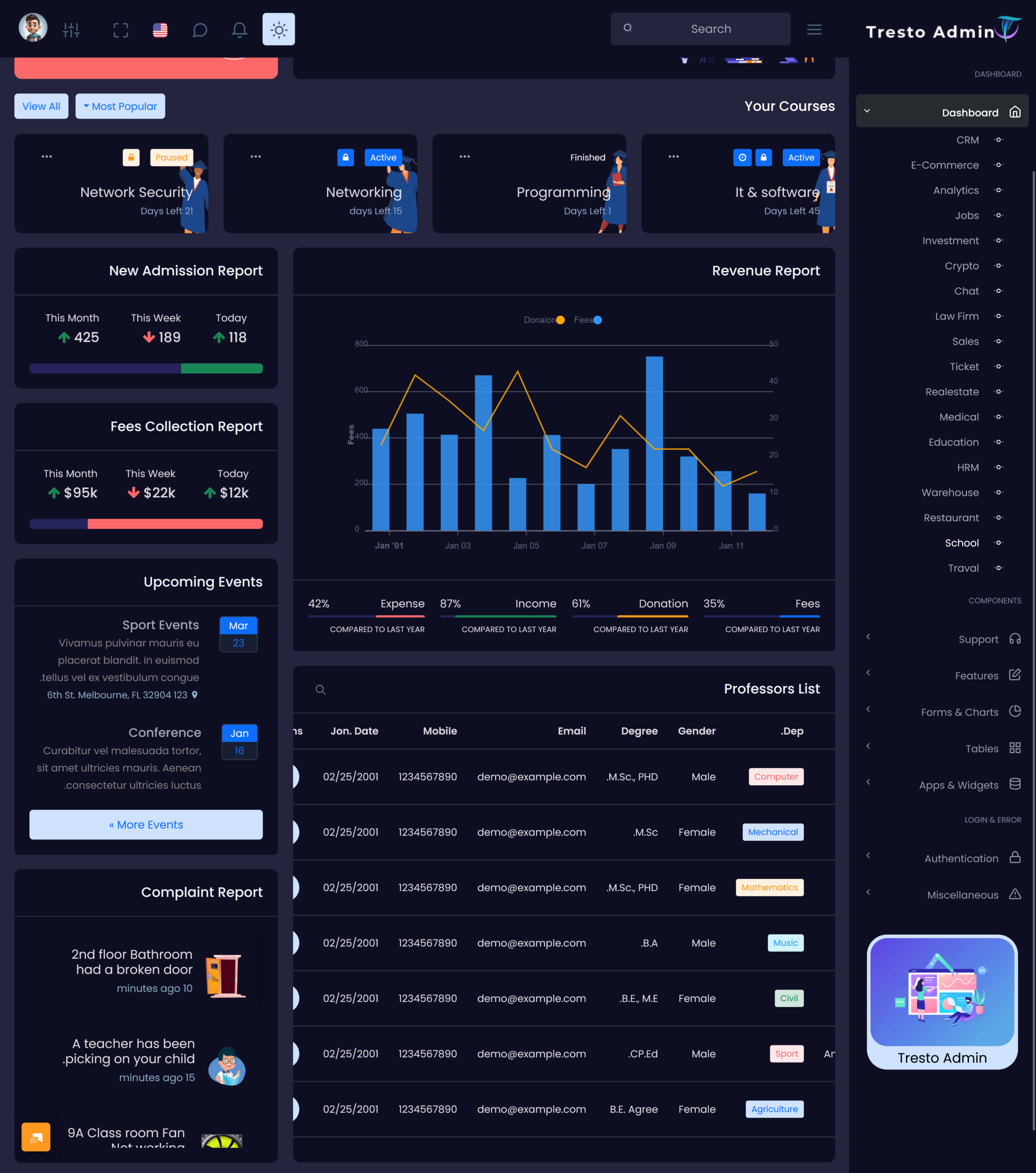
A school runs with lots of activities. The teachers plan their classes for the students…
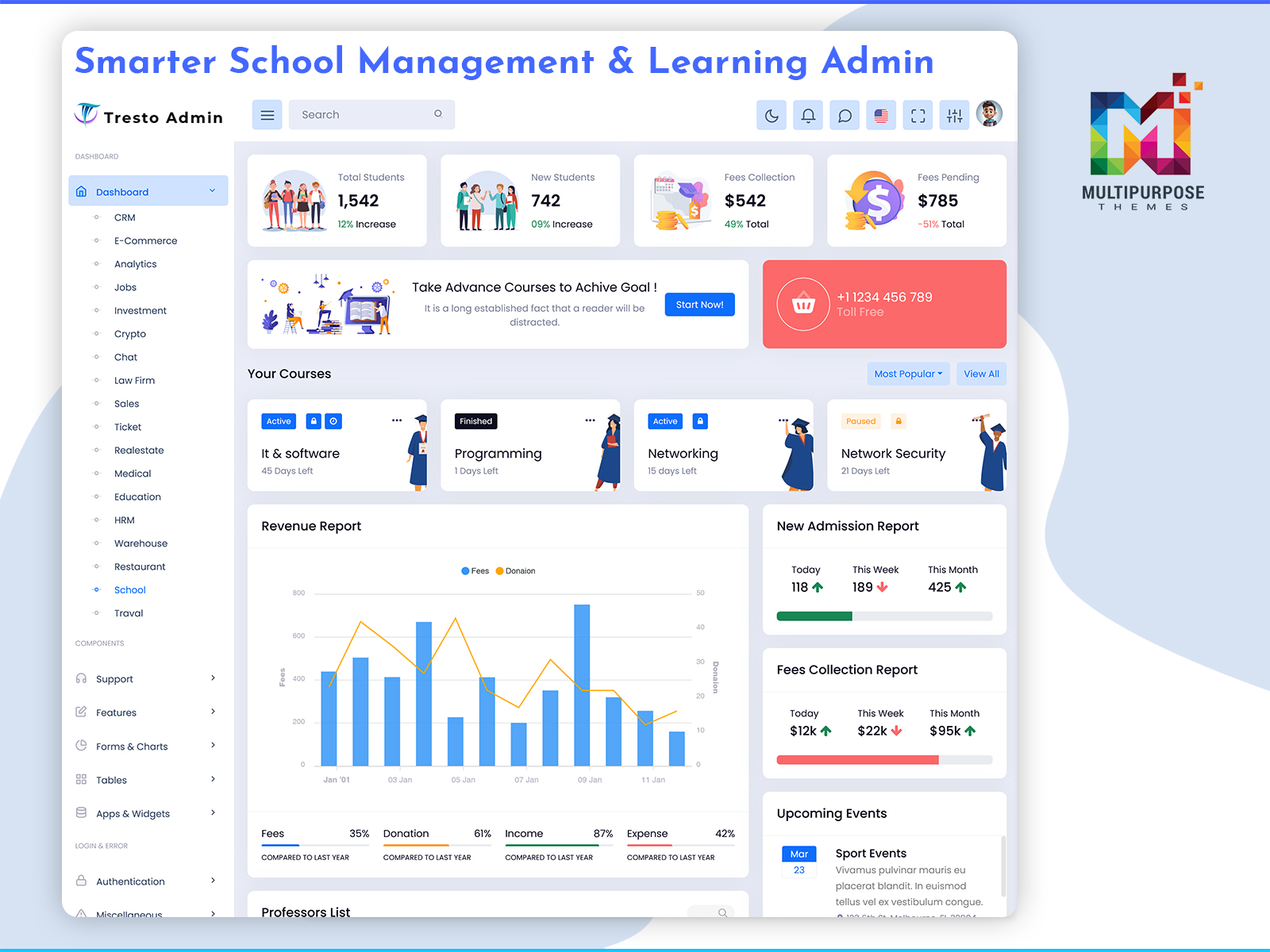
Academic Dashboard: Transforming School Management, Learning & Collaboration
Reading Time: 9 minutes
What is a School Dashboard?
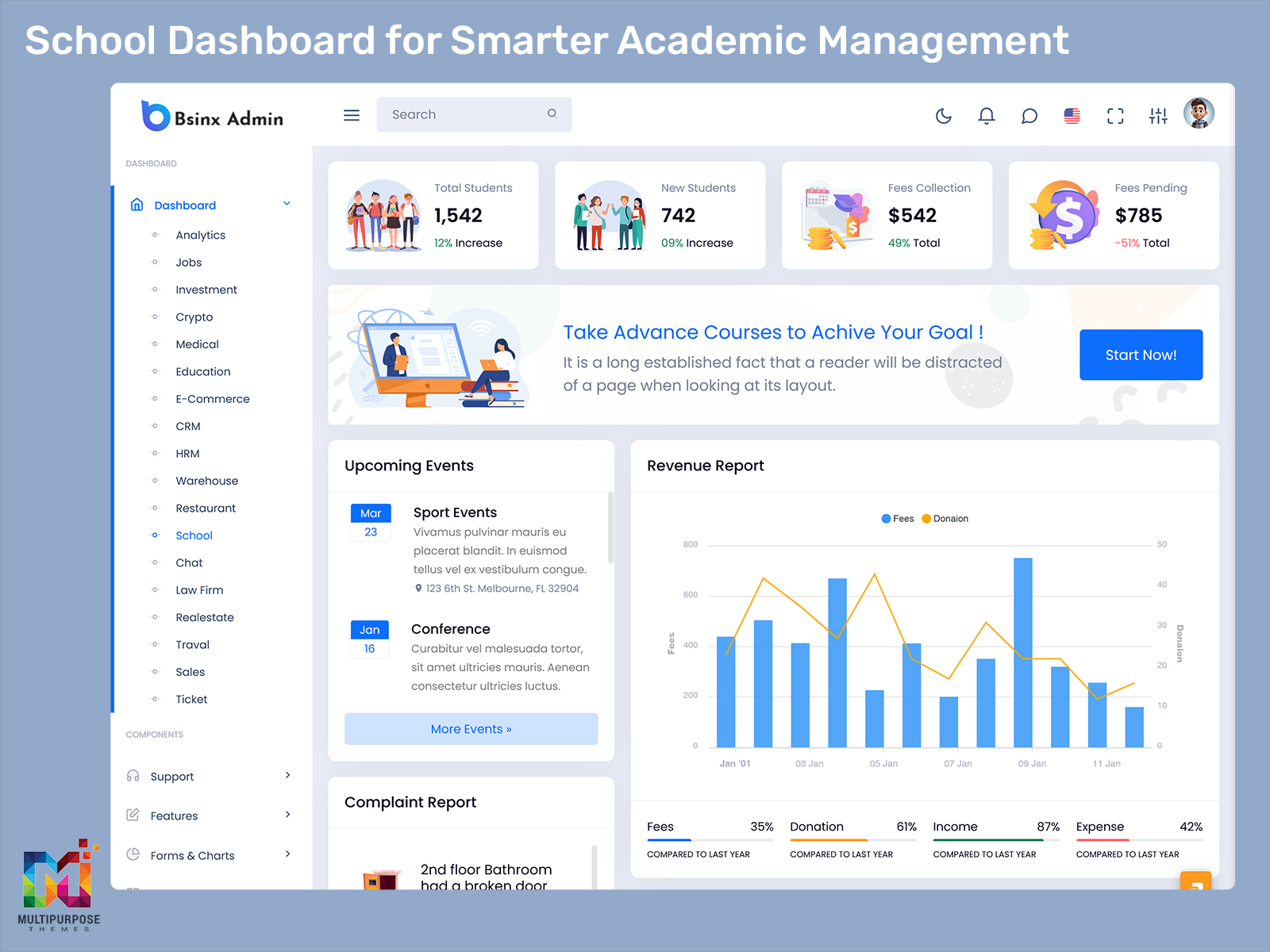
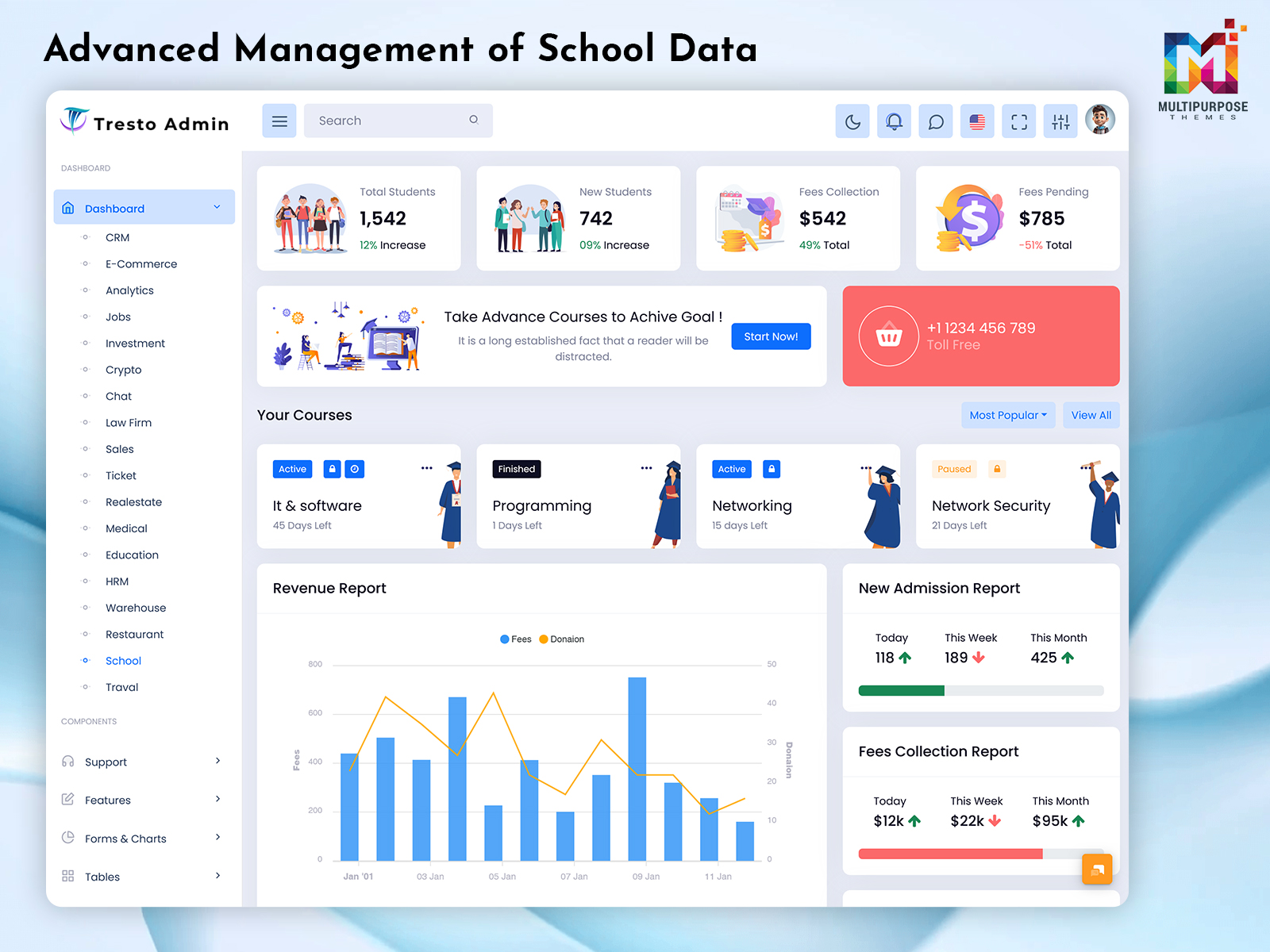
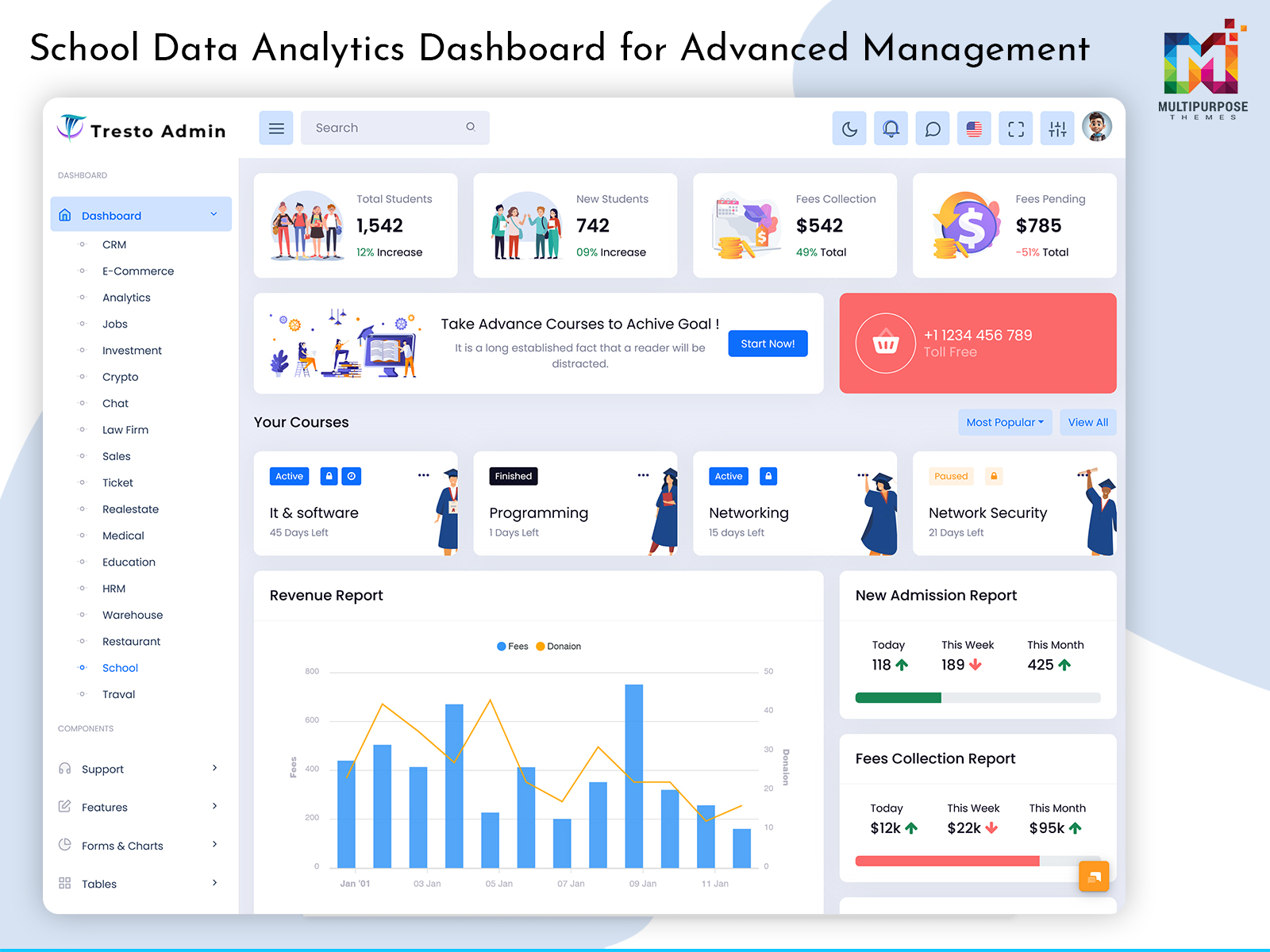
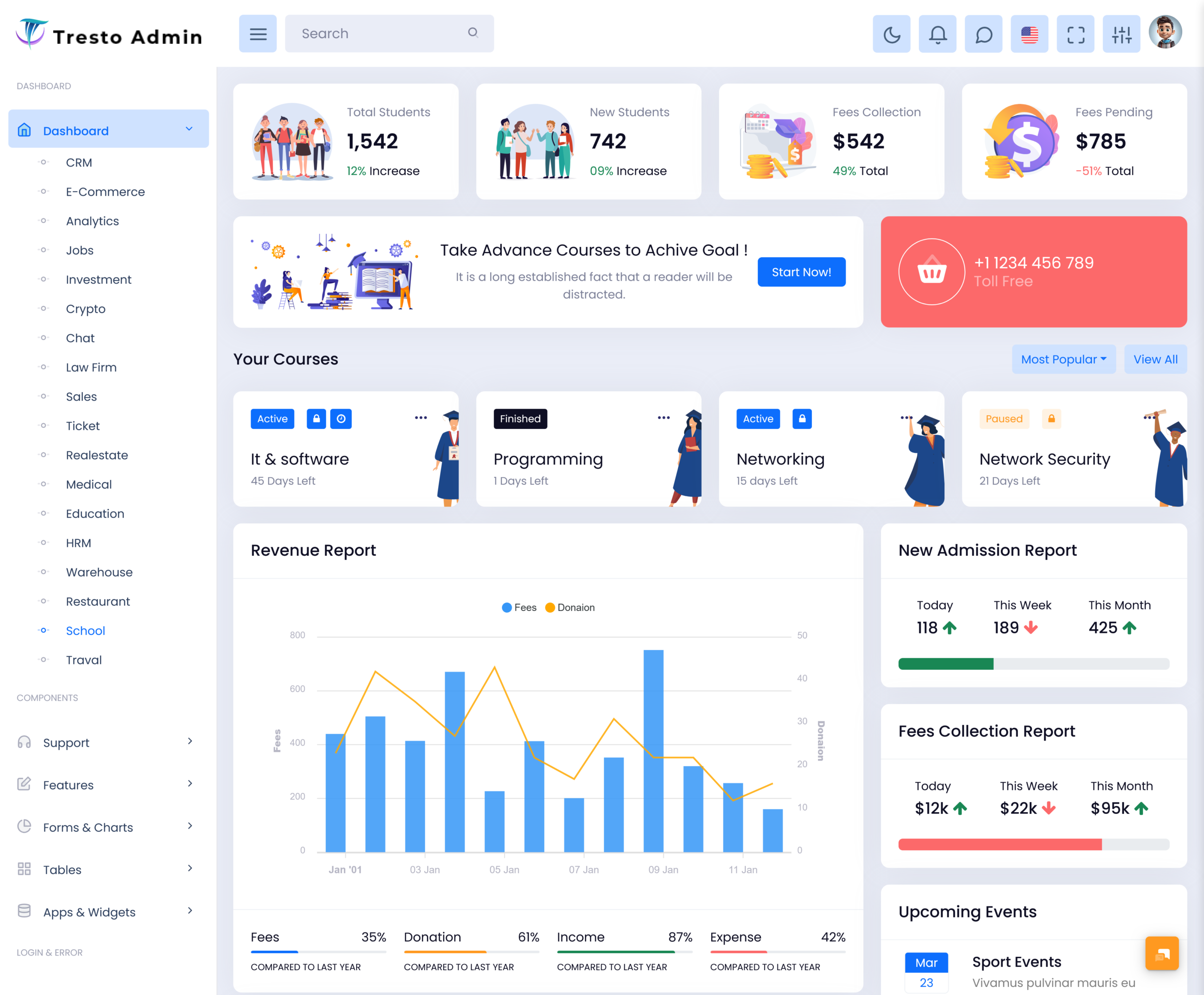
A School Dashboard is a centralized digital platform that helps educational institutions organize everyday academic and administrative activities in one place. It provides schools with a structured way to manage information related to students, teachers, classes, attendance, academic progress, and general school operations without depending heavily on separate records or disconnected systems.
Watch Full Video
Modern schools handle a large amount of information every day. From tracking student progress to coordinating teachers and maintaining academic records, even routine tasks can become difficult when information is spread across different tools. A well-planned dashboard creates a common digital environment where authorized users can access the information relevant to their responsibilities.
A School ERP Dashboard can bring different areas of school administration into a connected system. Rather than treating academics, student information, and administrative work as completely separate activities, it creates a more organized workflow for managing the institution.
For student-focused activities, a Student Management Dashboard can provide a clearer view of individual and overall student information. Teachers can also benefit from a dedicated Teacher Dashboard, where academic responsibilities and relevant classroom information can be presented in an easy-to-understand format.
The purpose of a school dashboard is therefore not simply to display numbers. It is to make school information easier to understand, organize, and use for everyday decisions.
How a School Dashboard Supports Better Academic Management
Academic management involves more than recording examination results. Schools need to understand student progress, classroom activities, teacher responsibilities, and other factors that influence the learning environment.
A School Dashboard provides a centralized view of these activities and can help school teams work with information in a more organized manner. Instead of spending excessive time collecting information from different sources, staff can use a common digital environment to understand what is happening.
A Student Performance Dashboard can be particularly useful for reviewing academic development. Teachers and administrators can use organized performance information to identify students who may need additional academic attention.
The Teacher Dashboard adds another important layer by giving educators a workspace focused on their responsibilities. It can help connect classroom activities with broader academic management without making the teacher interface unnecessarily complicated.
For larger institutions, a School ERP Dashboard can bring these different areas into a broader management environment. This creates better visibility while allowing each user group to work with information that is relevant to them.
A well-designed system ultimately helps schools move from reactive record management toward more organized and informed academic planning.
The Importance of Student-Centered School Management
Students are at the center of every educational institution, so school management systems should make their academic journey easier to understand and support. A dashboard can help schools organize student information while giving educators better visibility into academic development.
A Student Management Dashboard provides a structured environment for handling student-related information. It can help schools maintain consistency when working with records and make relevant information easier for authorized staff to access.
The Student Performance Dashboard takes this approach further by focusing on academic development. Rather than looking at isolated marks or individual records, schools can use organized performance information to understand broader learning patterns.
A Teacher Dashboard also contributes to student-centered management because teachers are directly involved in the learning process. Giving educators an organized workspace can make it easier for them to follow classroom responsibilities and respond to student needs.
Building a More Connected School Environment
A digital dashboard can help schools create better connections between information, people, and everyday activities. However, its success depends on how naturally it fits into the existing school workflow.
A School Dashboard should be simple enough for users to understand while providing sufficient information for meaningful management. Teachers should not need to navigate through complex administrative screens, just as administrators should not be restricted to classroom-level information.
A combination of a Teacher Dashboard, Student Management Dashboard, and Student Performance Dashboard can create separate but connected experiences for different school users.
The broader School ERP Dashboard can then provide the institutional layer that connects these activities. This approach allows schools to manage information in a coordinated way while keeping each user’s experience focused.
The objective is not to replace human interaction in education. Instead, the dashboard should reduce unnecessary administrative effort so teachers and school teams can spend more time supporting students and improving the learning environment.
Features of School Dashboard
1. Centralized Student Information
A School Dashboard provides a structured digital environment for managing student information across the institution. It helps authorized school staff work with records more efficiently and maintain better visibility into student-related activities. This centralized approach can reduce scattered information and create a more consistent process for everyday academic administration.
2. Academic Progress Monitoring
A Student Performance Dashboard gives schools a clearer way to understand academic development over time. Organized performance information can help educators recognize changes in learning progress and decide where additional attention may be useful. It supports a more informed approach to academic planning without making the process unnecessarily complicated.
3. Teacher-Focused Workspace
A dedicated Teacher Dashboard gives educators an interface centered around their daily academic responsibilities. Instead of navigating through every area of the school management system, teachers can work within a more relevant environment. This improves usability and helps educators manage their school-related activities with greater clarity.
4. School-Wide Management Interface
A School ERP Dashboard can connect different areas of school administration through a unified digital environment. It provides a broader management structure for institutions that need to coordinate academic and operational information. This helps create better visibility across the school while keeping information organized for authorized users.
5. Role-Based Information Access
A modern School Dashboard can present information according to the role of each user. Administrators, teachers, and other authorized staff may require different views of school data. Organizing the interface around these responsibilities makes the platform easier to use and reduces unnecessary information for each user.
6. Organized Academic Information
A Student Management Dashboard helps schools maintain a clearer structure for student-related information. By keeping relevant records in an organized digital environment, staff can find information more efficiently and reduce dependence on scattered documents. This creates a smoother process for managing student information throughout the academic year.
7. Scalable School Management
A flexible School Dashboard can support institutions as their number of students, teachers, classes, and academic activities grows. A scalable structure allows schools to expand their digital management processes without completely changing the way users interact with the platform, making it suitable for evolving educational requirements.
How a School Dashboard Improves Teacher and Student Coordination
Teachers and students are at the heart of the learning process, but effective coordination between them also depends on good information management. When academic information is difficult to access, teachers may spend additional time handling administrative tasks instead of focusing on teaching.
A Teacher Dashboard provides educators with a more focused digital workspace. It can organize relevant academic information and make everyday responsibilities easier to manage without exposing teachers to unnecessary administrative complexity.
At the same time, a Student Management Dashboard gives schools a structured way to maintain student information. Teachers and authorized staff can work with organized records, making it easier to understand the academic context of individual students.
The Student Performance Dashboard adds another useful perspective by helping educators review academic development. When progress information is presented clearly, teachers can identify where students may require additional guidance.
Together, these dashboard approaches create a stronger connection between student information and classroom management. The technology does not replace the teacher’s role; instead, it helps reduce information-related friction so educators can spend more time supporting learning.
Benefits of School Dashboard
1. Reduces Administrative Work
A School Dashboard helps educational institutions organize important information through one digital environment. By reducing dependence on separate records and repetitive manual processes, school teams can save time and focus more attention on academic responsibilities. This creates a smoother workflow for administrators and staff throughout the academic year.
2. Supports Better Student Monitoring
A Student Management Dashboard gives educators and authorized staff a more organized way to follow student-related information. Having relevant information available in one place can make it easier to recognize changes, understand individual needs, and provide appropriate academic support when required.
3. Helps Teachers Manage Responsibilities
A Teacher Dashboard creates a focused workspace for educators instead of making them navigate through the entire school management system. This can simplify access to relevant academic information and reduce unnecessary administrative steps, allowing teachers to devote more time to classroom activities and student development.
4. Encourages Informed Academic Decisions
A Student Performance Dashboard gives schools a structured way to review academic development. Teachers and administrators can use organized performance information to understand learning patterns and identify areas that may need attention. This supports more informed academic planning and encourages timely educational support.
5. Connects Different School Activities
A School ERP Dashboard can bring multiple areas of school management into a connected digital environment. This improves information flow between authorized teams and reduces the need to maintain separate systems for different responsibilities. Better connectivity can make institutional management more consistent and organized.
6. Improves Information Accessibility
A digital School Dashboard makes relevant school information easier for authorized users to access when needed. Teachers and administrators can spend less time searching through different records and more time acting on useful information. Better accessibility also supports faster communication and more efficient daily operations.
7. Supports Long-Term School Growth
As institutions add students, teachers, classes, and academic programs, their management requirements naturally increase. A scalable School Dashboard can accommodate these changing needs without requiring the entire digital workflow to be replaced. This makes it a practical foundation for schools planning long-term digital development.
How a School Dashboard Supports Better Decision-Making
School Dashboard involves countless decisions, from academic planning to student support and resource allocation. These decisions become easier when administrators and educators have access to organized information rather than scattered records.
A School Dashboard can bring relevant information into one environment and make it easier to understand what is happening across the institution. This gives management teams a clearer basis for reviewing current activities and planning future actions.
The Student Performance Dashboard can contribute to academic decision-making by presenting student development in an organized format. Educators can use this information to recognize areas that may need additional attention instead of relying only on isolated observations.
Similarly, the Student Management Dashboard provides broader context around students, while the Teacher Dashboard gives educators a focused environment for their responsibilities.
When these areas are connected through a School ERP Dashboard, schools can create a more informed management process. The purpose is not to replace the experience of educators but to give them better-organized information to support their professional judgment.
Conclusion
A School Dashboard provides schools with a practical way to manage academic information and institutional activities through a connected digital environment. It can reduce administrative complexity, improve information accessibility, and give different users a clearer view of the responsibilities relevant to them.
A School ERP Dashboard can provide a broader management structure, while a Student Management Dashboard helps organize student-related information. For educators, a dedicated Teacher Dashboard creates a focused workspace, and a Student Performance Dashboard supports a more organized approach to understanding academic development.
The real value of a school dashboard is not simply having another digital system. Its purpose is to make information easier to access and use so educators and administrators can make better decisions without spending unnecessary time managing scattered records.
Frequently Asked Questions
1. What is a School Dashboard?
A Multi purpose themes School Dashboard is a centralized digital platform that helps schools organize academic and administrative information. It can provide different views for administrators, teachers, and other authorized users, allowing them to access relevant information more easily. The purpose is to simplify school management and create a more connected digital environment.
2. Who can use a School Dashboard?
A Multi purpose themes School Dashboard can be used by school administrators, teachers, academic coordinators, and other authorized staff members. Depending on how the system is designed, students or parents may also receive their own access. Each user can be given information relevant to their responsibilities, helping avoid unnecessary complexity.
3. What is a School ERP Dashboard?
A School ERP Dashboard is a centralized management interface designed to connect different areas of school administration. It can bring academic and operational information into a unified environment, making it easier for school management teams to coordinate activities and maintain better visibility across the institution.
4. How does a Student Management Dashboard help schools?
A Multi purpose themes Student Management Dashboard helps schools organize and access student-related information more efficiently. It can provide authorized educators and administrators with a structured view of student records, helping them understand individual requirements and manage academic activities without depending entirely on scattered documents or manual records.
5. Why is a Student Performance Dashboard useful?
A Multi purpose themes Student Performance Dashboard helps educators and administrators understand academic development through organized information. It can make changes in student performance easier to recognize and support more informed academic planning. The dashboard can be especially useful when schools want to identify areas where students may need additional guidance or support.
6. Can Multipurpose Themes dashboards be customized for schools?
Yes, Multi purpose themes dashboard templates can provide a starting point for developers building school management interfaces. However, the dashboard should be customized according to the school’s workflow, user roles, branding, data requirements, and specific academic processes. A template works best when adapted to the actual needs of the institution rather than used without modification.

Related Posts