

Healthcare applications often need to address several types of information and activities. Doctors may review…
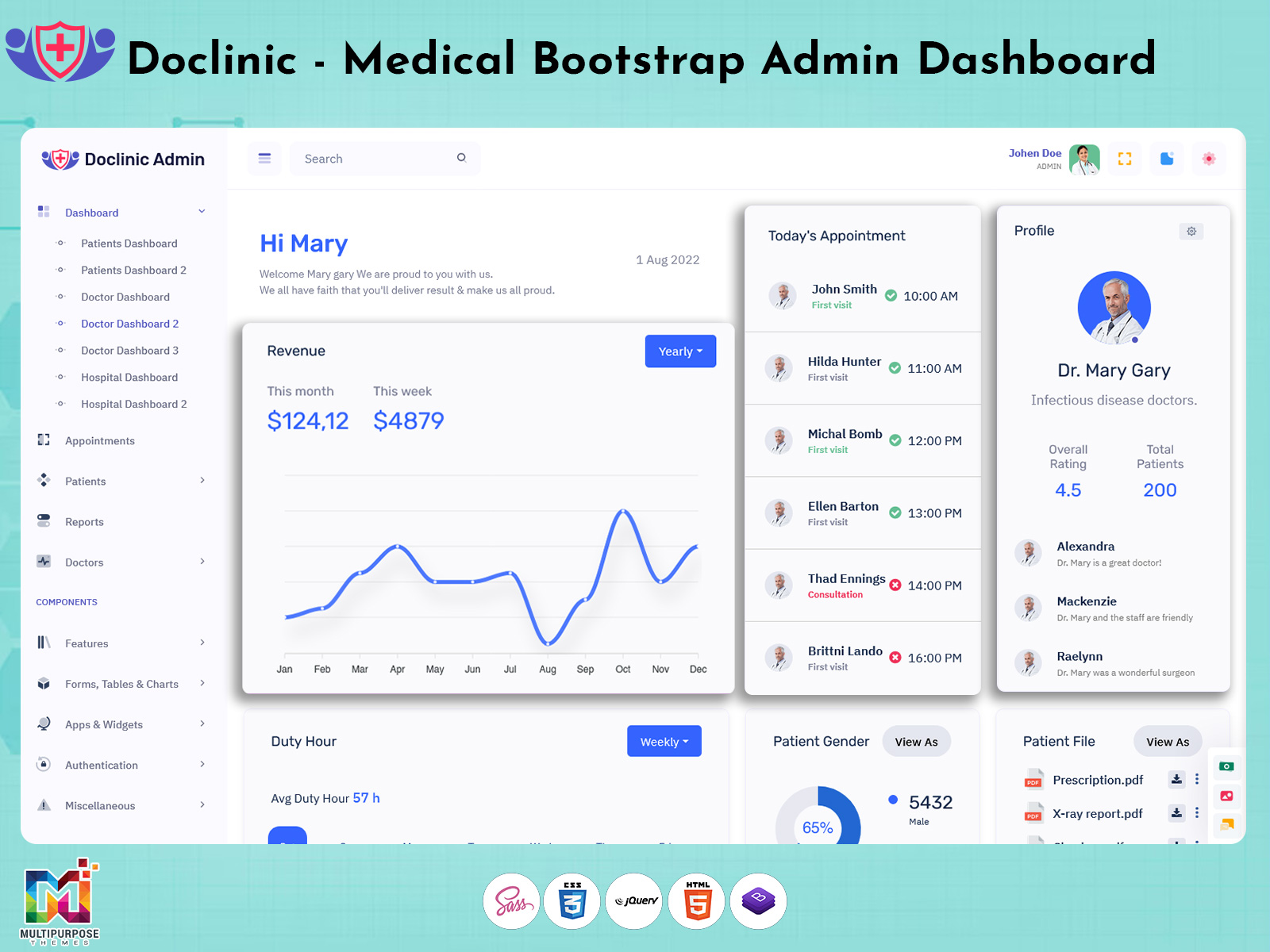
Doctor Dashboard Design: Modern UI for Responsive Healthcare
Reading Time: 7 minutes
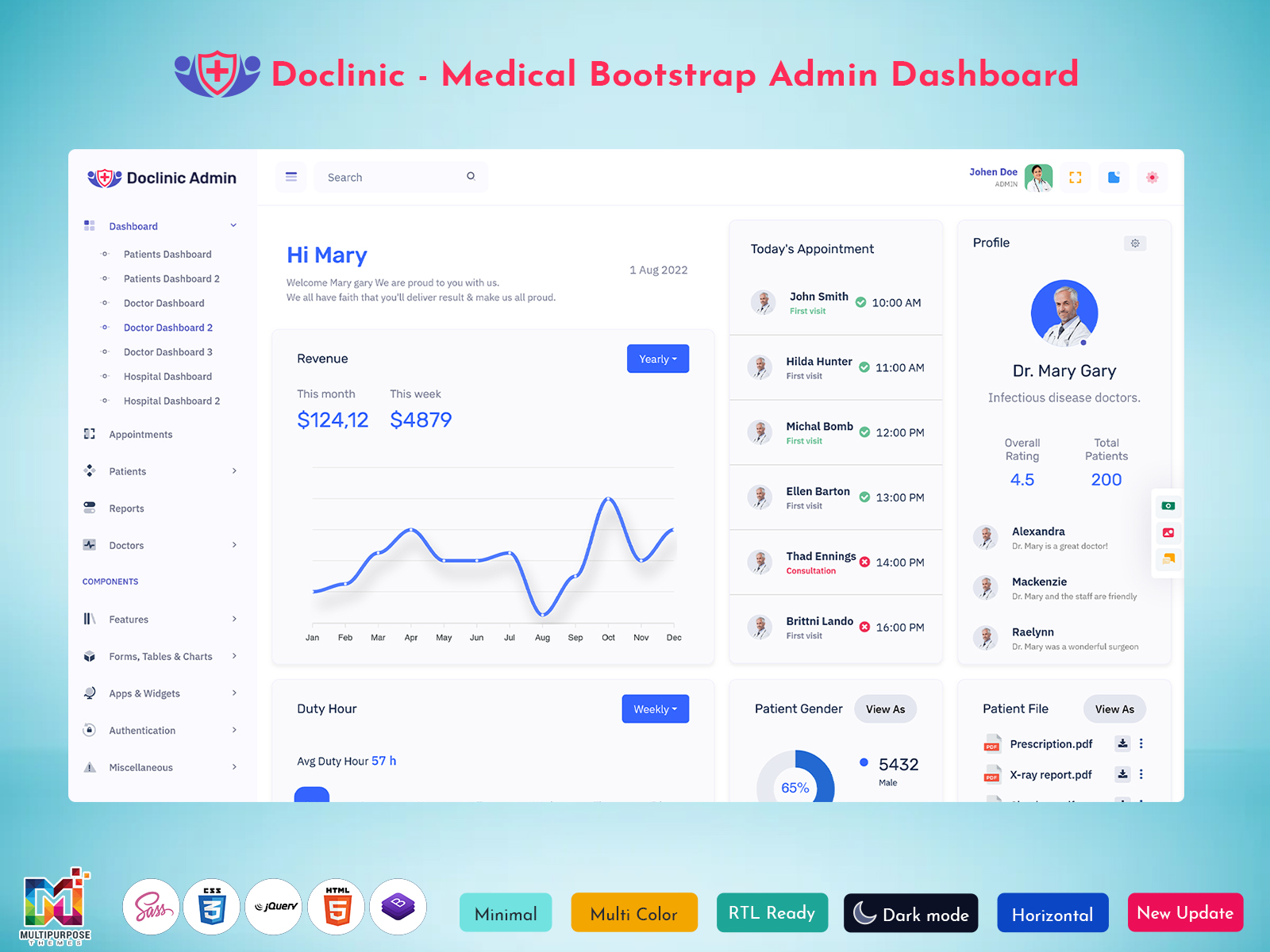
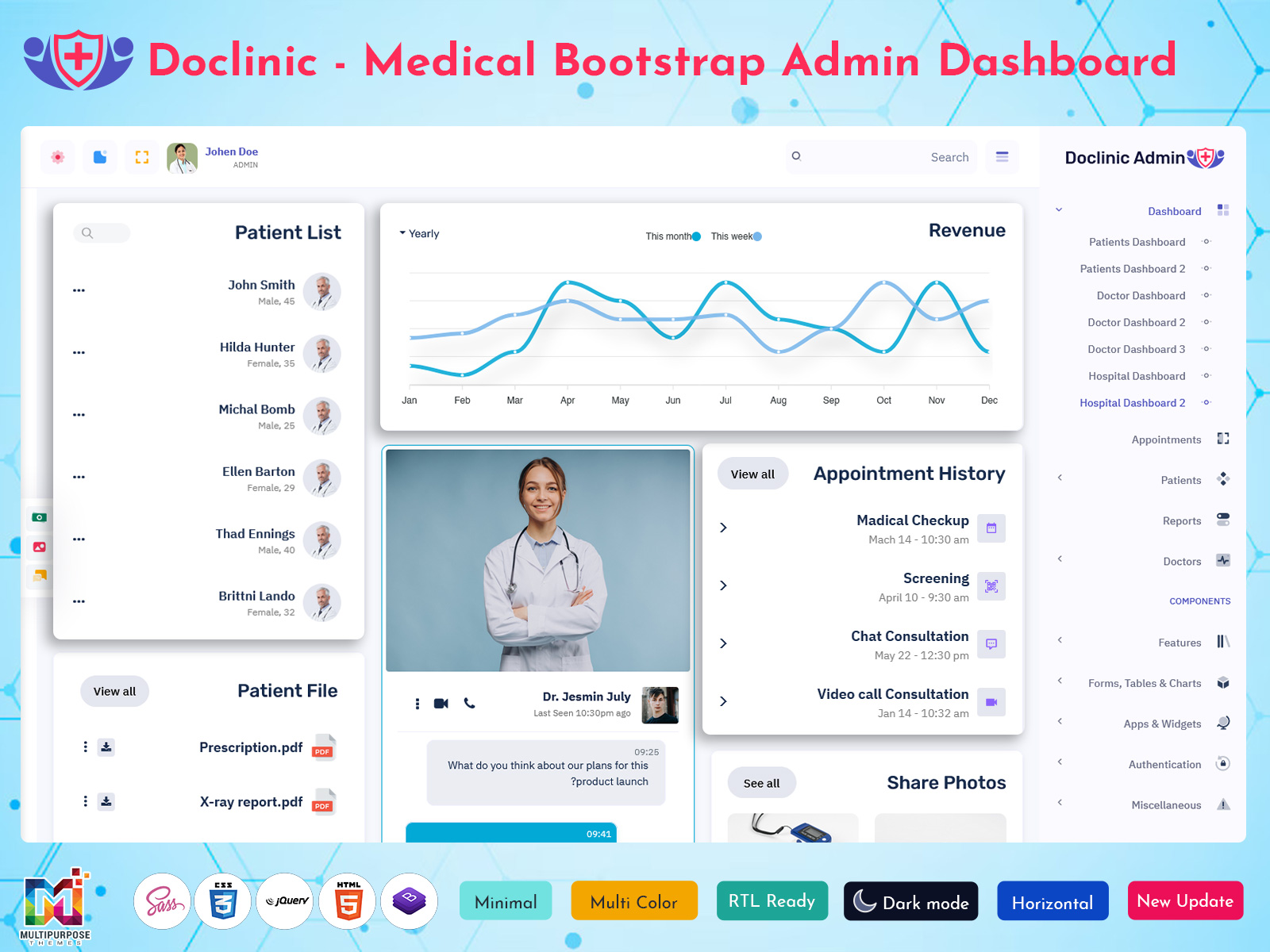
Having a system to manage health data is important. A Doctor Dashboard has been built to let doctors handle their appointments, medical records and daily schedule by giving all needed information in a place.
Watch Full Video
With a Modern Doctor Dashboard Design information becomes easy to locate and comprehend. A clean layout and well‑organised layout make it easy for doctors to see the data doctors need. I notice that helpful dashboard parts help doctors find the data doctors need quickly. Dashboard parts help the doctors find the data that the doctors need.
Doctor Dashboard parts make finding information easy for doctors.
I find a Doctor Dashboard very helpful for health professionals because the Doctor Dashboard can be used on desktops, tablets and mobile phones. No matter if the setting is a clinic, a hospital or a health app a practical Doctor Dashboard design makes daily tasks simpler.
A Doctor Dashboard is an interface that displays information, about doctors, patients and health. I find a Doctor Dashboard for keeping track of schedules and appointments. It lets doctors control their schedules manage appointments, access patient records and review details.
A good Doctor Dashboard UI splits information into sections so doctors can easily move through the Doctor Dashboard and find the data they need.
A typical dashboard may contain:
- Upcoming and past appointments
- Patient information and medical history
- Doctor availability
- Prescription and treatment information
- Lab reports
- Reminders
- Performance summaries
The layout can be changed to fit the needs of a hospital, clinic or health app.

VIEW DEMO BUY NOW
Key Elements of a Modern Doctor Dashboard Design
A Doctor Dashboard Design must be easy to navigate, clear and well organised. Every part of the dashboard should help users finish their tasks.
Dashboard Overview Cards
Overview cards let doctors quickly see data. They display numbers without needing to click sections.
They can display:
- Appointments
- Today’s appointments
- patients
- Pending consultations
- Completed consultations
- Upcoming schedule
labels let doctors find key data fast.
Appointment Management
Appointment management is a part of the Doctor Dashboard. Doctors need to understand their schedule and which appointments are coming up. Doctors should be aware of their schedule. Which consultations are due. Doctors need to know the schedule. Doctors also need to know which consultations are due.
The appointment section can show names, dates, consultation times and appointment status.
Calendar views and tidy lists let doctors manage their schedule and consultation times easily.
Patient Information Management
A tidy Doctor Dashboard UI lets doctors access patient information easily.
The patient section can display:
- Patient name and contact information
- Medical history
- Past appointments
- Current symptoms
- Prescriptions
- Treatment information
When information is organised doctors can review data during consultations more easily.
Medical Reports & Analytics
Reports and analytics show health data in a way. Than many records doctors and admins can find key data quickly with charts and tables.
A Doctor Dashboard may include appointment reports, patient registration summaries and consultation stats.
The design must keep charts clear. Avoid too much data.
Notifications
Notifications help doctors stay current with appointments, schedule and key updates.
A notification panel can show reminders.

VIEW DEMO BUY NOW
Why Should I Use a Doctor Dashboard?
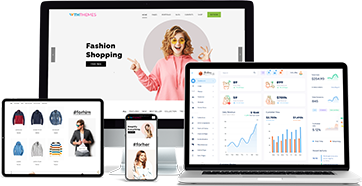
Doctors and health professionals may use devices during a day. The Responsive Doctor Dashboard allows them to access details related to screen sizes.
The dashboard is scalable according to the screen size. The dashboard is flexible with respect to screen sizes.
Key considerations:
- Desktop. Space for sections, tables and charts.
- Tablet. Flexible layout for information.
- Mobile. Navigation, cards and key information displayed.
Flexible Tables let users see records without the dashboard becoming hard to use.
Clear Typography keeps text. Labels clear on all devices.
A responsive design is very useful when building health apps.
How to Create a Clean Doctor Dashboard UI
A Doctor Dashboard UI must be simple for tasks. Being that there are many colors, other features, and navigational difficulties, the complexity can be great to utilize.
Key considerations:
- Easy Navigation: Have sections for Dashboard, Appointments, Patients, Reports and Settings. This helps doctors find features.
- Consistent Design helps users know where to find features.
- Consistent Design: Ensure spacing, fonts, icons and colours stay the throughout. Similar parts should use the style.
This makes the dashboard feel more organised.
- Key Information: Key data such, as appointments, pending tasks and notifications can be found easily.
Simple labels and visual cues are used of fancy extras that add no value.
- Tables: Charts and tables should be clear and structured. Avoid overloading the dashboard with visual elements.
Users can quickly understand the information.
Doctor Dashboard for Different Healthcare Applications
A Modern Doctor Dashboard can be used for healthcare applications. The parts and layout can be changed to fit the users and the needs of the project.
Private Clinics
Private clinics can use a Doctor Dashboard to manage appointments, patient records and consultation schedules.
Hospitals
Hospitals may have sections for doctors, departments, appointments and patient information.
Diagnostic Centres
Diagnostic centres can use a Doctor Dashboard to manage test data report availability and patient information.
Telemedicine Platforms
Telemedicine applications can use Doctor Dashboard layouts to manage consultation schedules, patient profiles and online appointments.
Healthcare SaaS Applications
Healthcare Software companies can use a Doctor Dashboard as a starting point for their medical management platforms.
Benefits of Using a Modern Doctor Dashboard
A Modern Doctor Dashboard gives a way to display healthcare information. The benefits will depend on the features, connections and workflow needs of the application.
Key benefits:
- Information. Separate sections for appointments, patient records and reports.
- Easy Navigation. Easy to find features.
- Improved Visibility. Key information can be viewed using cards, charts and tables.
- Flexible. Sections can be added to the dashboard to suit the application.
- Device Friendly. Responsive dashboard will work on all screen sizes.
- Customisable. Developers can customise components to suit the project.
Customisable Doctor Dashboard Design
Every healthcare application will have requirements. A Customisable Doctor Dashboard Design lets developers adapt the interface.
Common customisations:
- Change colours and fonts.
- Remove cards.
- Customise appointment calendars.
- Customise menu navigation.
- Add charts and report sections.
- Create panels for user roles.
- Adapt layout for tablet screens.
This will allow the Doctor Dashboard to be used for healthcare projects from clinic applications to larger hospital management platforms.
Security & Privacy
Healthcare applications will store information so security and privacy should be considered.
The Doctor Dashboard should allow users to have permissions and access to the information.
Key considerations:
- Role Based Access
- Secure Authentication
- Correct Encryption
- Session Management
- Secure Record Handling
- Regular Security Checks
The security of the healthcare application will depend on the backend, infrastructure, integrations. How it has been implemented.
How to Choose a Doctor Dashboard Design
Before selecting a Doctor Dashboard UI developers should understand what the requirements are for their healthcare application.
Consider:
- Layout & Navigation. Is the dashboard easy to understand and navigate?
- Responsive. Will it work on desktop, tablet and mobile?
- UI Components. Does it have cards, tables, charts, forms and calendars?
- Customisable. Can it be adapted to suit the project?
- User Friendly. Are pieces of information clearly displayed?
- Application Requirements. Choose a layout that will work for the clinic, hospital or healthcare platform.
Choosing a Doctor Dashboard Design will provide a starting point for creating an organised healthcare application.
Future Trends
As healthcare technology continues to grow Doctor Dashboard interfaces are evolving. Future Doctor Dashboard Designs could include ways to manage and display healthcare information.
Some areas developers may want to include:
- AI Insights. Display information and patterns from the healthcare data.
- Wearable Devices. Connect to supported devices to display health information.
- Advanced Data Visualisation. Make complex information easier to review using charts.
- Telemedicine. Support consultations.
- Personalised. Display information depending on user roles.
This can help healthcare applications provide an integrated and organised experience.
Conclusion
A planned Doctor Dashboard Design will make healthcare applications easier to navigate and manage. Having appointments, patient information, medical reports and key updates, in one place will allow doctors to easily access the information they need.
From experience I find a planned Doctor Dashboard Design feels like an organised desk.
A Modern Doctor Dashboard should focus on navigation, clear components, useful data visualisation and responsive designs.
Developers should also consider customisation, user permissions and security when creating healthcare applications.
From experience I find having navigation is key.
Whether you’re creating a hospital platform, private clinic application or healthcare SaaS product choosing a Doctor Dashboard UI will provide a starting point.
Having a Doctor Dashboard will allow the interface to be maintained across multiple devices and support modern healthcare applications.
When designing a hospital platform I choose a Doctor Dashboard UI.
VIEW DEMO BUY NOW
FAQs
1. What is a Doctor Dashboard?
A Multipurpose Themes Doctor Dashboard is an interface that shows information such as records, appointments, schedules, medical reports and other health care related data. I think this saves time because all the information is in one place.
2. What makes a Doctor Dashboard Design?
A good Doctor Dashboard Design has navigation organised information, clear charts, useful components and a responsive layout. I find that having information is key.
3. What is included in a Doctor Dashboard UI?
A Multipurpose Themes Doctor Dashboard UI may include overview cards, appointment calendars, patient tables, medical reports, notifications, charts and navigation menus. I see these elements help doctors stay on top of their work.
4. Why is a Responsive Doctor Dashboard important?
A Responsive Doctor Dashboard adapts to the screen size. This allows doctors and healthcare professionals to access information, on the dashboard using desktops, tablets and mobile devices. I appreciate that it adapts to any device.
5. What are the benefits of a Modern Doctor Dashboard?
A Modern Doctor Dashboard helps manage appointments, patient information, reports and schedules. It also provides an interface that can be customised to suit healthcare applications. I find this very useful.
6. Can a Doctor Dashboard be used for hospitals and private clinics?
Yes! A Multipurpose Themes Doctor Dashboard can be customised to suit hospitals, private clinics, diagnostic centres and other healthcare applications. I have worked with customisations.
7. What components should developers include?
Appointment management, records, doctor schedules, medical reports, notification panels, charts and summary cards can be included. I recommend starting with these core components.
8. Can developers customise a Doctor Dashboard UI?
Yes! Developers can customise the colours, layout, navigation menus, tables, charts and other components to suit their application. I think this is key.
9. How does a Doctor Dashboard help manage information?
A Multipurpose Themes Doctor Dashboard provides an interface to access patient information, medical history, appointments and treatment information easily. I find this very useful.
10. What should developers consider when choosing a Doctor Dashboard Design?
Developers should consider design, navigation, UI components, customisations, usability and the requirements of the healthcare application. I recommend testing on devices.

Related Posts

This Post Has 0 Comments