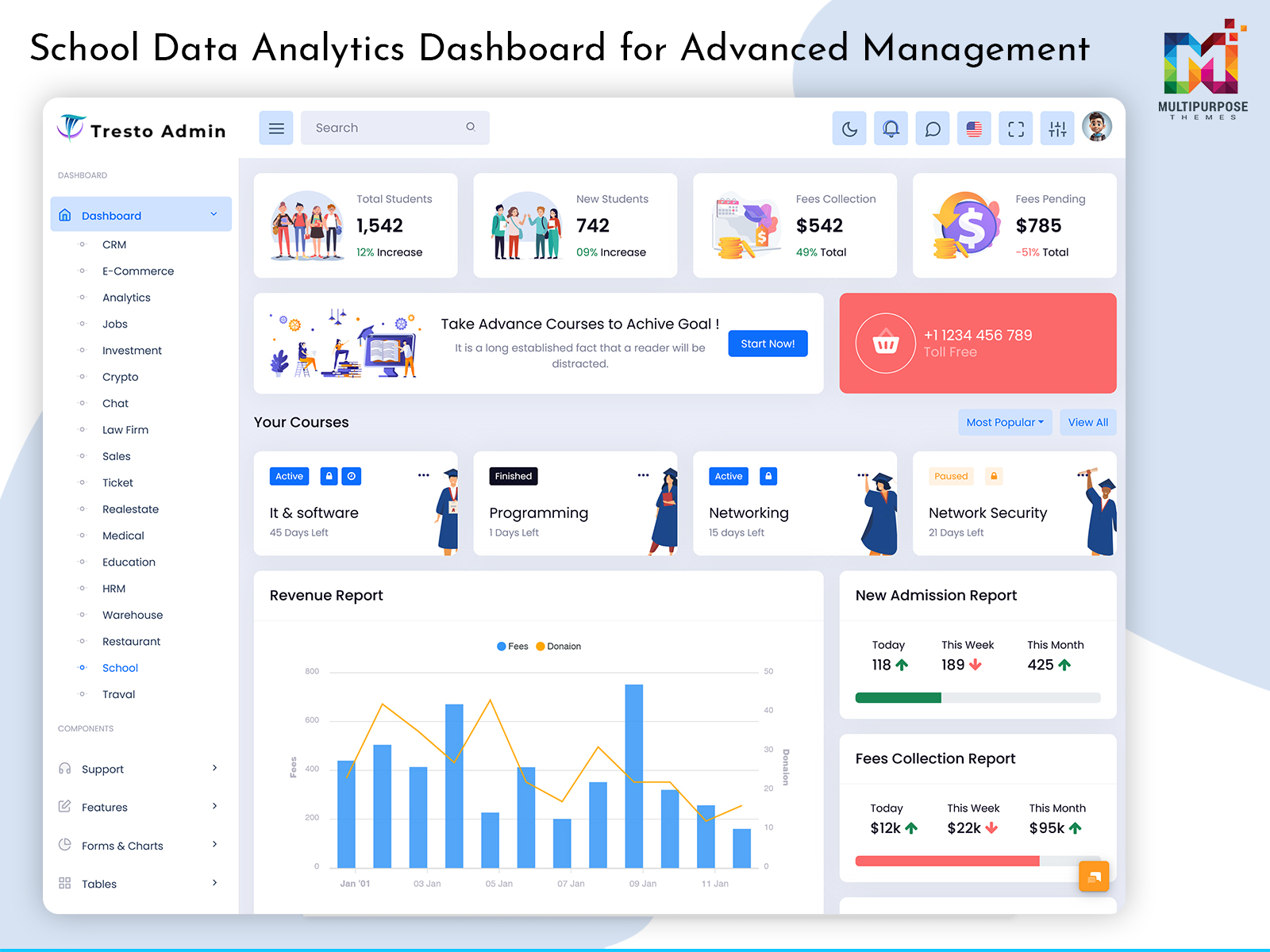
A School Dashboard Template provides a structured interface for managing and presenting school-related information, including…
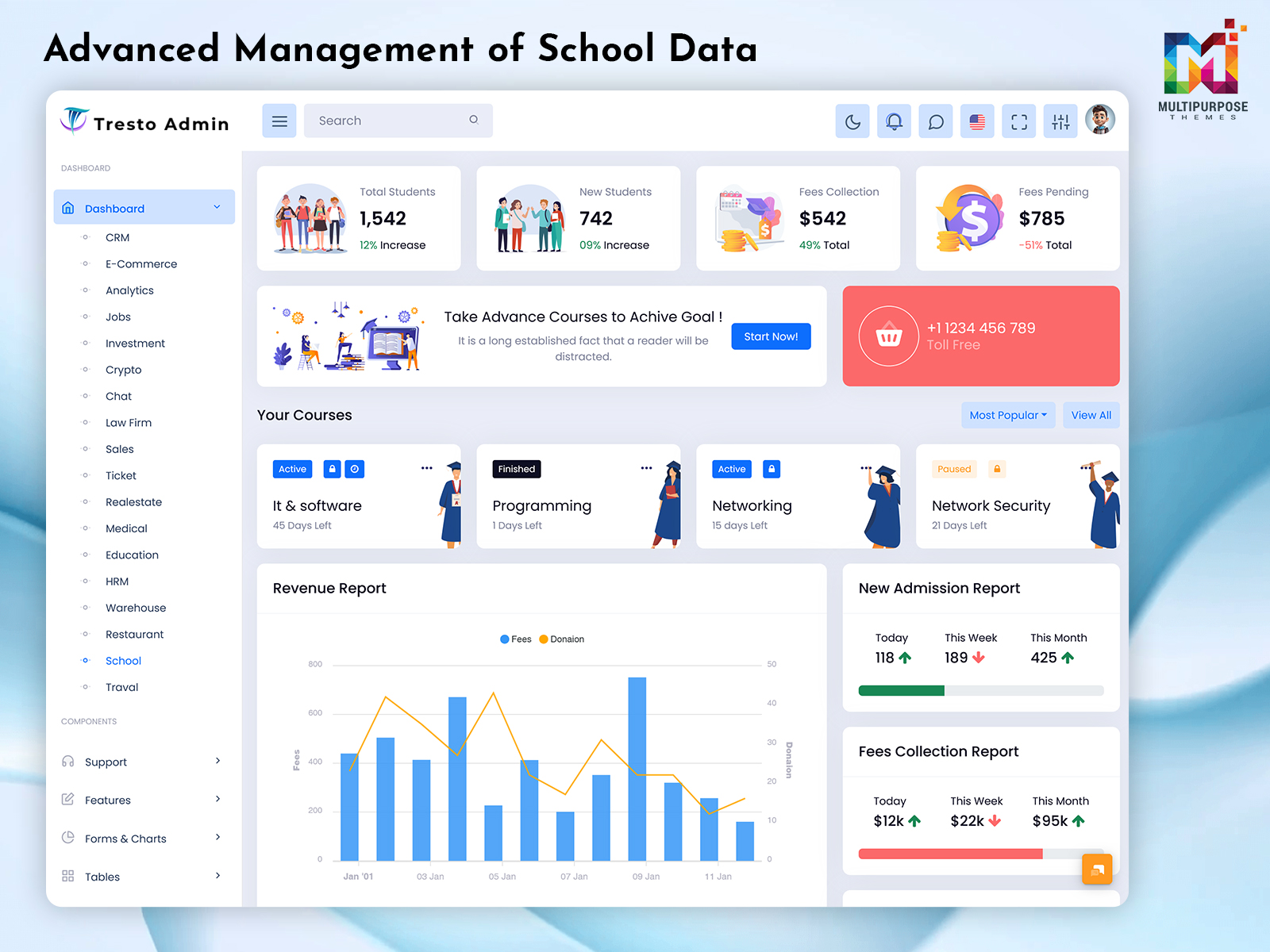
School Dashboard Template: Advanced Management of School Data
Reading Time: 8 minutes
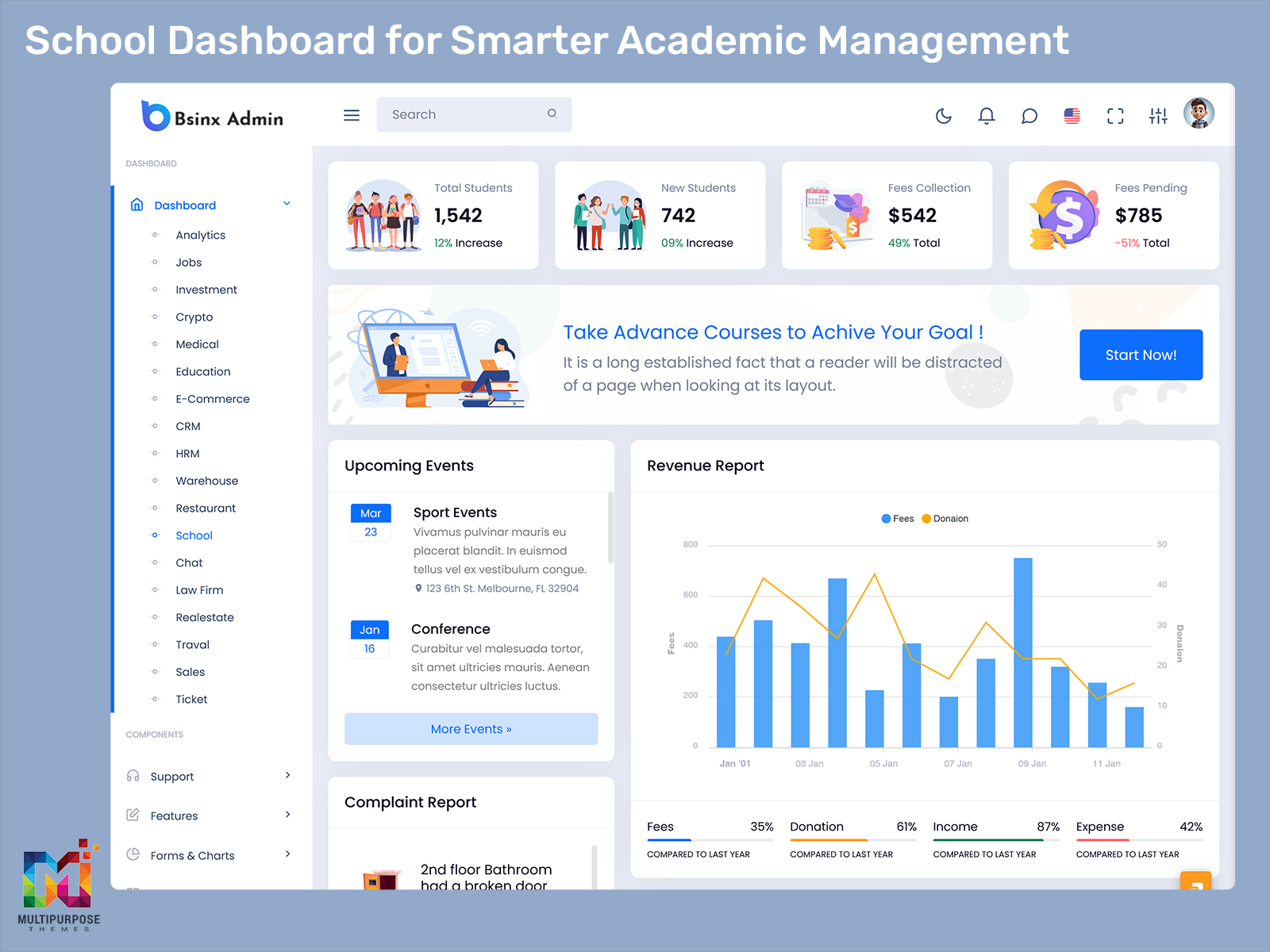
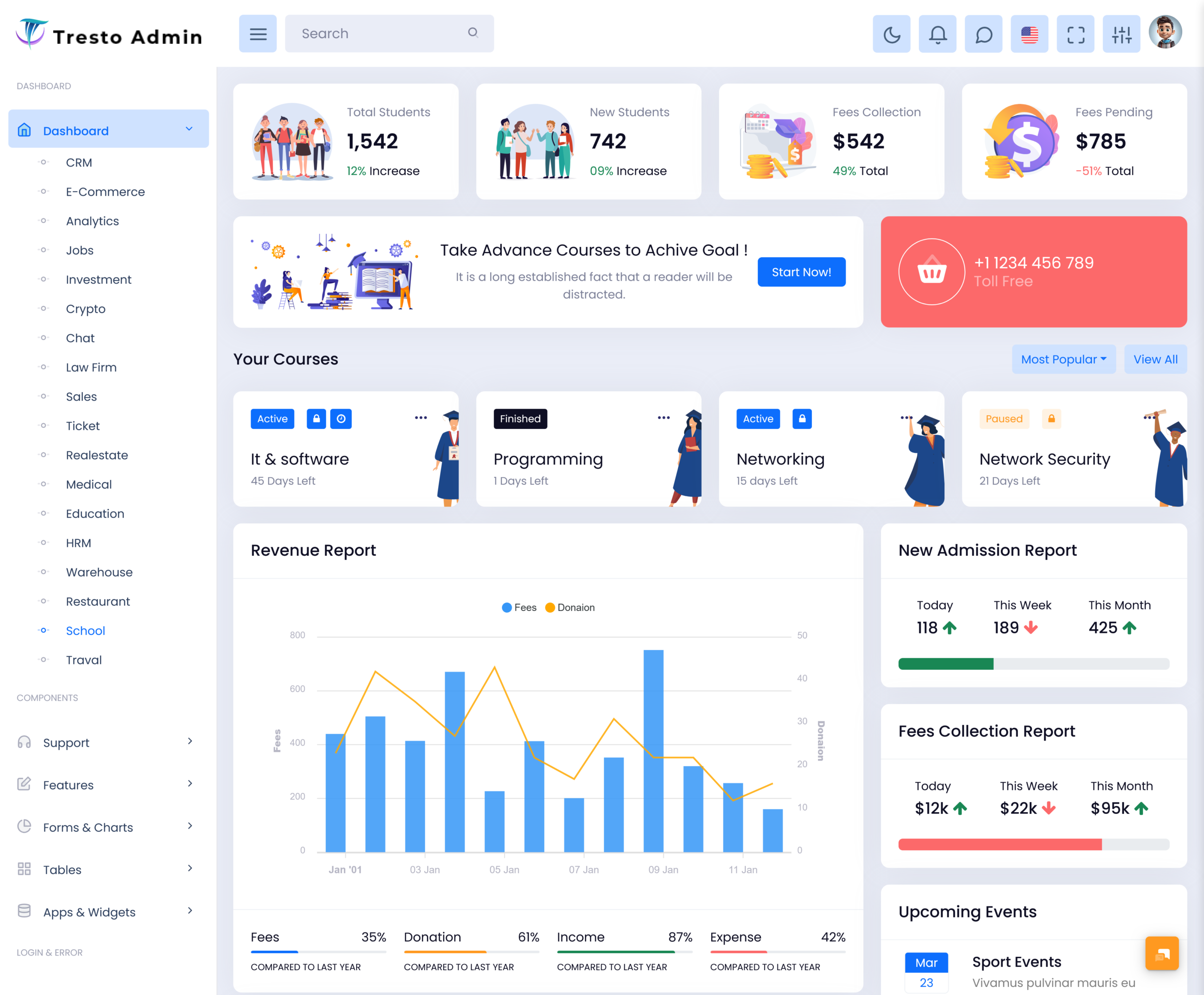
A School Dashboard is a virtual platform where essential information about the school can be accessed in an organized manner. Unlike showing all records as a single list of information, a dashboard arranges selected data in forms of tables, cards, charts, profiles, and management panels. In such a way, teachers and school administrators will get a chance to view the required information based on their duties.
Watch Full Video
A school may have hundreds or thousands of student records, attendance entries, examination results, teacher details, class information, and academic activities. A School Dashboard provides an interface where these records can be accessed according to user requirements. For example, a teacher may need a quick view of assigned students and attendance, while an administrator may need broader access to student records, staff information, classes, and reports.
A Teacher Dashboard can create a focused workspace for educators. It may show assigned classes, subject information, student lists, attendance records, assignments, and other classroom data. Rather than presenting every available school function to a teacher, the dashboard can display the information that is relevant to that particular role.
An identical process can also be followed for the monitoring of academic performance. Marks, grades, test records, and subject-wise results can all be collated through the use of a Student Performance Dashboard. The administrator or teacher, as authorized, can drill down from an overall view of the student profile to his/her academics.
Attendance can also be presented separately through an Attendance Management Dashboard. It can provide daily records, attendance percentages, class-level information, and student-specific details in a format that is easier to examine.
To management, the School Analytics Dashboard can be used to visualize the selected school data. It does not replace detailed records but serves as an upper level of visualization in which users can get an understanding of trends and areas that need attention.
Therefore, a School Dashboard is not simply a homepage containing numbers. It is a structured digital workspace where different types of school information can be presented according to the needs of different users.
VIEW DEMO BUY NOW
How a School Dashboard Organizes Information for Different Users
One of the most useful aspects of a School Dashboard is the ability to present the same school environment differently to different users. A teacher, administrator, coordinator, and management user do not work with the same information every day. Giving all of them an identical screen can make the interface crowded and difficult to navigate.
A role-based dashboard can solve this problem by giving users access to relevant sections. A teacher might open the dashboard and immediately see today’s assigned classes, attendance-related information, pending academic tasks, and student records. An administrator may instead see admissions, student profiles, staff records, classes, examinations, and reports.
This approach also changes how student information can be reviewed. A Student Performance Dashboard does not have to show every academic record at once. It can allow users to select a class, subject, student, or assessment period before displaying detailed information. This creates a more useful path from a general overview to a specific record.
The Attendance Management Dashboard can follow a similar structure. A school may need to look at attendance for one student, an entire class, a particular date, or a selected period. Filters and organized views can make these different checks possible without forcing users to browse unrelated records.
Features of School Dashboard
1. Teacher Dashboard
A Teacher Dashboard can provide educators with a dedicated workspace for assigned classes, students, subjects, attendance, assignments, and academic records. The displayed information can be adjusted according to teacher roles so that educators can reach classroom-related data without navigating through administrative sections.
2. Student Performance Dashboard
A Student Performance Dashboard can present marks, grades, assessment results, subject-wise records, and progress information. Users can apply filters to examine a particular student, class, subject, or assessment period, making academic records easier to review in context.
3. Attendance Management Dashboard
The Attendance Management Dashboard can be used to organize the attendance records daily and give various views for students, classes, dates, or terms. Percentages and status summary can also be provided so that users do not depend on registers only to view the attendance record.
4. School Analytics Dashboard
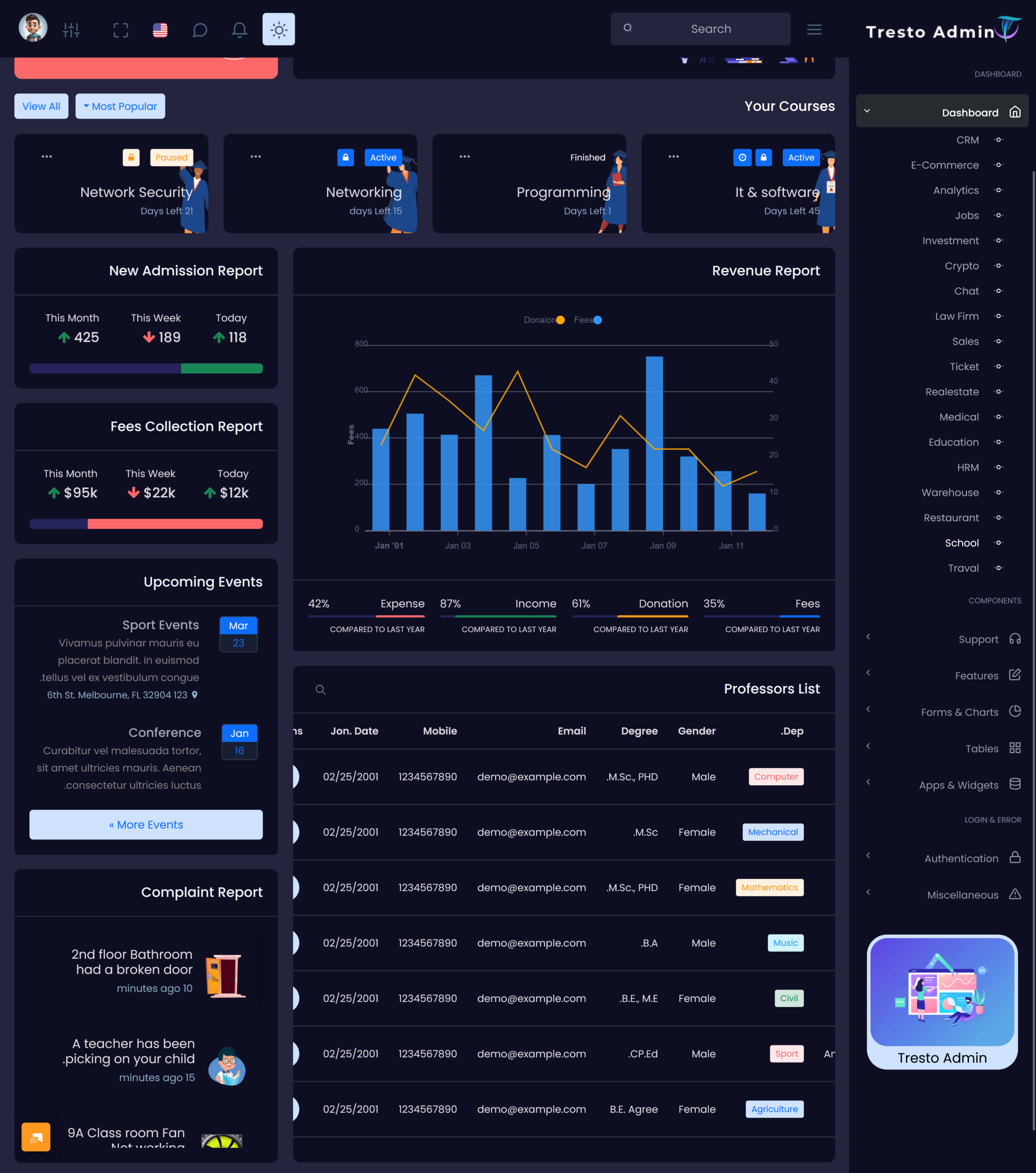
A School Analytics Dashboard can take school information and turn it into charts, tables, comparisons and summaries. It can help look at trends, in grades, attendance, how many students are enrolled or things that can be measured. It also keeps all the records so they can be checked again later.
5. Student Profile Management
A devoted student profile could assemble valuable insights into one person’s life in one place. Different systems may include personal data, class-related information, learning history, records of attendance, and anything else allowed.
6. Class and Subject Records
The dashboard can provide structured sections for classes, sections, subjects, and assigned teachers. This makes it easier for administrators to maintain academic groupings and review which subjects or teachers are connected with particular classes.
7. Search, Filters and Reports
Search and filtering tools allow users to narrow large amounts of school information. Reports can then present selected records in a more useful format, helping administrators and teachers work with specific data instead of repeatedly scanning complete datasets.
VIEW DEMO BUY NOW
Benefits of School Dashboard
1. Clearer Information Access
A School Dashboard organizes different types of records into defined sections, allowing users to reach relevant information without browsing through unrelated pages. This is particularly useful when schools maintain large numbers of student, teacher, academic, and attendance records.
2. Role-Focused Working
Different users can receive different dashboard views according to their responsibilities. Teachers can concentrate on classroom information, while administrators can work with broader school records. This reduces unnecessary information on the screen and creates a more relevant working environment.
3. Easier Academic Comparison
Academic information becomes easier to compare when marks, grades, subjects, and assessment records are presented in structured views. A Student Performance Dashboard can help authorized users examine differences between subjects or assessment periods without manually arranging separate records.
4. More Practical Attendance Review
An Attendance Management Dashboard gives schools several ways to examine attendance information. Staff can review individual students, classes, dates, or percentages according to the situation, making attendance records easier to investigate when a particular pattern requires attention.
5. Better Visibility of School Data
A School Analytics Dashboard can turn selected records into visual summaries that are easier to interpret. Management teams can view broader information while still having the option to access detailed records when a particular number, category, or trend needs further examination.
6. Consistent Digital Records
A dashboard can provide a common interface for authorized users working with school information. When records are maintained within a structured system, teachers and administrators can work from consistent data rather than depending on different personal files or separately maintained lists.
7. Flexible School Management
However, changes could occur in the demands of the schools due to the changing nature of the courses, academic sessions, departments, and even the number of students. The dashboard design could incorporate configurable sections and access restrictions, hence making it possible for the application to accommodate various school environments.
Using Dashboard Data for More Focused School Reviews
The real usefulness of a School Dashboard becomes clearer when data can be examined from more than one perspective. A single attendance percentage, for example, may not explain what is happening within a class. Users may need to compare dates, students, sections, or academic periods before understanding the record properly.
This is where dashboard filters and connected views become important. A teacher can begin with a class-level screen and then move toward an individual student’s record. An administrator can examine broader attendance information before opening a detailed report. Similarly, academic results can move from overall subject information to individual student performance.
A School Analytics Dashboard can support this layered approach by presenting summary information first and detailed records when required. This makes the dashboard useful not only for displaying information but also for navigating through it in a logical order.
Simplify School Management with Multi Purpose Themes
Managing a school involves more than maintaining student records. Developers need to create interfaces that connect students, teachers, classes, attendance, examinations, and academic activities in a way that is easy to navigate. Multi Purpose Themes offers education-focused dashboard templates that can serve as a practical UI foundation for these requirements. With dedicated layouts and interface patterns for educational applications, developers can shape their school management software around real workflows such as student administration, teacher activities, attendance tracking, academic performance, and reporting. The templates can also be integrated with existing application logic and adapted to different school structures, making them suitable for projects that require a professional education interface without designing every screen from the ground up.
Conclusion
A School Dashboard provides a structured way to present school information according to the needs of teachers, administrators, and management users. With features such as a Teacher Dashboard, Student Performance Dashboard, Attendance Management Dashboard, and School Analytics Dashboard, different types of information can be viewed through focused interfaces.
Its usefulness comes from how information is arranged and accessed. Instead of treating every record in the same way, a well-planned dashboard can provide role-based views, detailed profiles, filters, reports, and analytical summaries. This makes it a practical foundation for modern school management software.
VIEW DEMO BUY NOW
Frequently Asked Questions
1. What should a School Dashboard include?
A Multi Purpose Themes School Dashboard should include features that match the actual information requirements of the school. Common sections can include student profiles, teacher information, classes, subjects, attendance, academic results, assignments, reports, and analytics. The exact structure depends on the users and software requirements. A good dashboard should avoid overcrowding the interface and should provide relevant information through clearly separated sections and suitable user permissions.
2. How is a Teacher Dashboard different from an admin dashboard?
A Multi Purpose Themes Teacher Dashboard is usually focused on classroom and school tasks while an administrative dashboard can give access, to school-wide details. Teachers might deal with classes, students, attendance, subjects and homework. Administrators might handle student records, employee details, classes, tests, reports and settings for the system. Access based on roles lets both types of users work on the system but see different data.
3. What can be monitored through a Student Performance Dashboard?
A Student Performance Dashboard can monitor several types of academic information, including examination marks, grades, subject-wise results, assessment records, assignments, and progress across selected periods. The dashboard can allow authorized users to move between individual and class-level information. This makes it possible to examine a student’s academic record in more detail without mixing it with unrelated school information.
4. Why is an Attendance Management Dashboard useful for schools?
A Multi Purpose Themes Attendance Management Dashboard helps schools keep track of attendance in a way. It allows authorized users to see attendance data not day by day but also by student by class by date or by a specific time period. Users can quickly check attendance percentages and summary reports, which makes the information easier to understand. This kind of dashboard is especially helpful when staff need to review attendance for one student or a group of students. It gives them a fast way to find what they need.
5. What is the purpose of a School Analytics Dashboard?
A Multi Purpose Themes School Analytics Dashboard is designed to present selected school information through visual and comparative views. It can bring together information such as academic results, attendance figures, enrollment records, or other measurable data. Its purpose is not simply to display attractive charts. The dashboard should help users move from a summary to the underlying information so that important figures can be examined in context.
6. Can a School Dashboard Template be customized for different schools?
Yes, a School Dashboard Template can be customized according to the requirements of a particular project. Developers may modify navigation, dashboard cards, tables, forms, user roles, reports, student profiles, and other interface components. A school may also require different academic sections depending on its structure. A customizable template can provide the starting interface while allowing developers to adapt it to the intended software.
7. How can a school decide which dashboard features it needs?
Schools should begin by identifying who will use the system and what information each user needs to access. Teachers may require classroom and student information, while administrators may need broader records and reporting tools. Management may require analytical summaries. Listing these requirements before selecting or customizing a dashboard helps prevent unnecessary features and creates an interface that is better aligned with the school’s actual information needs.

Related Posts