Running a hospital involves a flow of information. Patient details, appointments, doctors, admissions, billing, medical…

Next Gen Medical Dashboard For Hospitals, Clinics & Health Platforms
Reading Time: 8 minutes
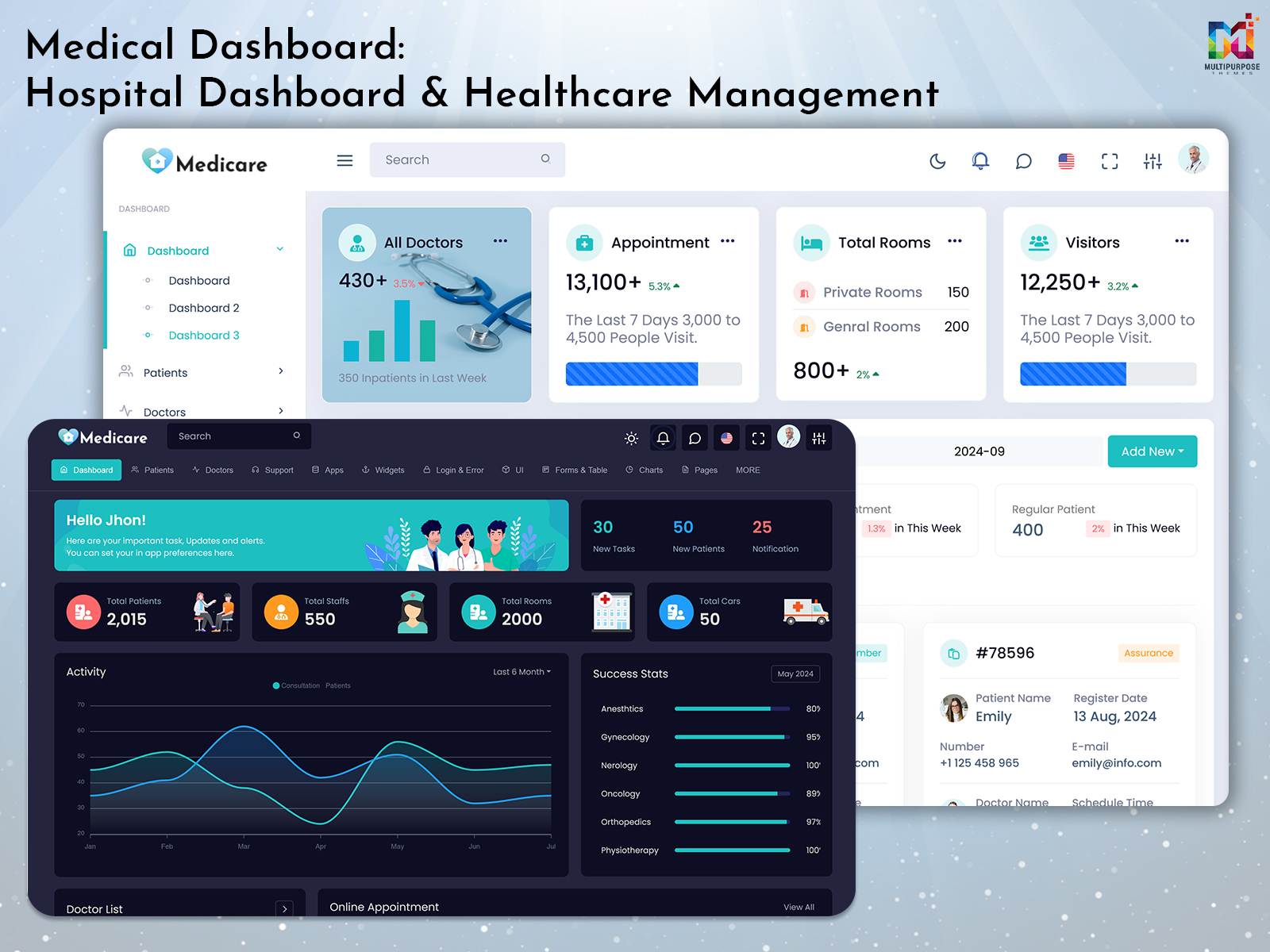
It is a great pleasure for us to present a Medical Dashboard and an updated version of our existing admin template. And hence, there is a structure that will help healthcare managers, doctors, and other healthcare providers attend to their patients by scheduling meetings and looking into financial issues among others. And hence, there is a structure that will help healthcare managers, doctors, and other healthcare providers attend to their patients by scheduling meetings and looking into financial issues among others.
Watch Full Video
BUY NOW DEMO
Patient Dashboard provides hospitals and clinics an opportunity to show the schedules, medical records, and other health care information of patients in a single place. This allows the patient to stay up to date regarding their healthcare information. Patient Dashboard is an application that can help patients in managing their health care. Patient Dashboard simplifies the process of staying informed about information. Patient Dashboard ensures that patients have access to all the details, in one place. The Medical UI Dashboard is made for hospitals, small clinics and specialist medical settings. The dashboard contains UI elements and analytics tools to make sure all parts of a health organisation run smoothly.
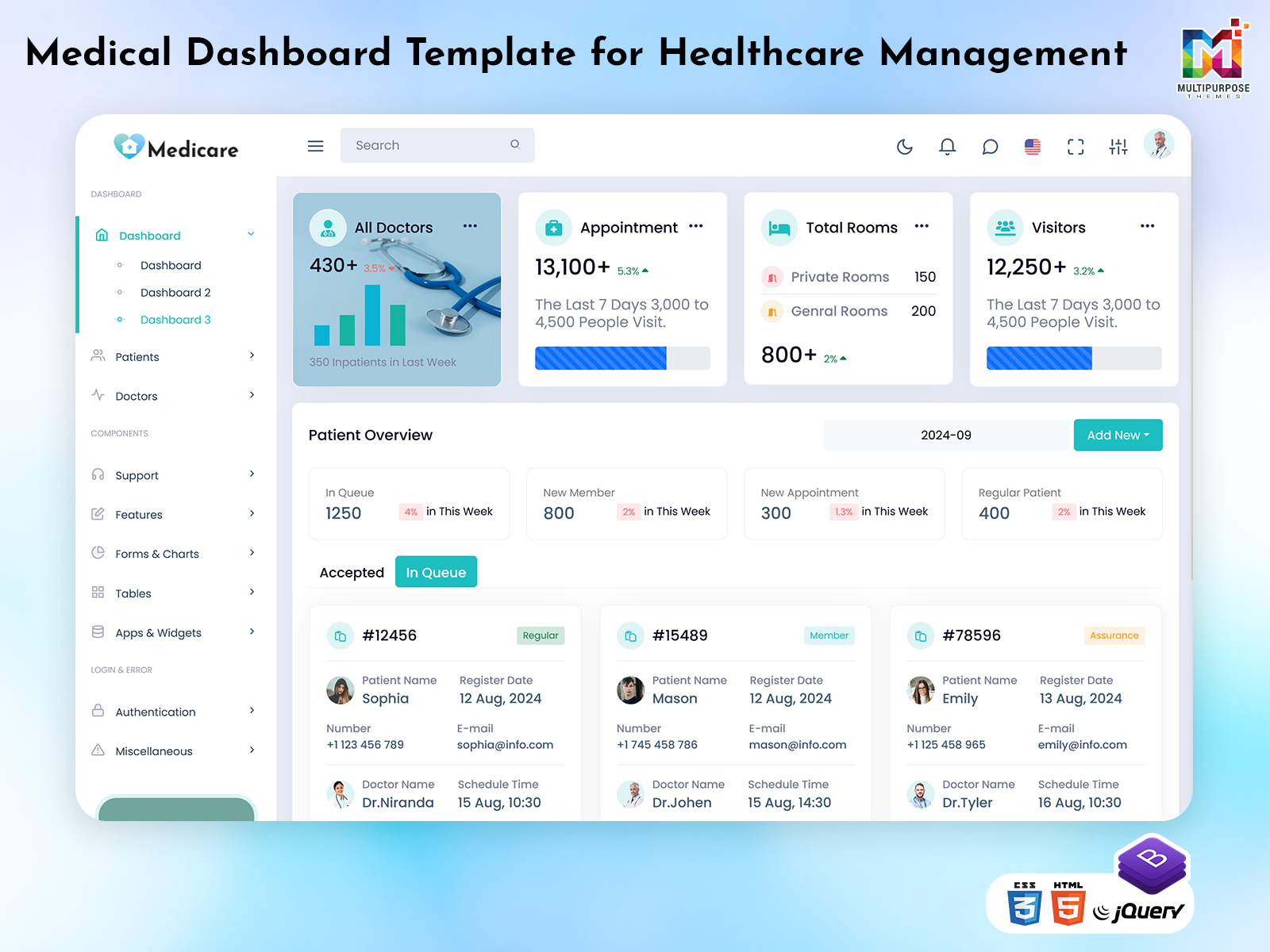
The new dashboard is made with healthcare technology in mind. With a design administrators can easily manage visits view doctor performance, manage billing and create useful reports. If you run a clinic or a large hospital the Medical Dashboard will give you a source to handle all medical admin tasks helping you be more efficient and give better patient care.
See the New Dashboard Medicare Admin

BUY NOW DEMO
New Dashboard Features
1. Patient & Appointment Management
In the Medical Dashboard, the administrative staff and the physician have an access to an interface where they will be able to organize the patient’s medical record and appointments. It will be easy to know the medical history of the patient, the medications prescribed to the patient, and future appointments, hence making sure that the treatment provided is right. Administrators can handle patient sign‑ups organise follow‑ups and view appointment history inside the hospital. This makes it easy for staff to talk with patients increases engagement and saves time by keeping all data in one place.
2. Billing & Revenue Tracking
The Hospital Dashboard has a billing and revenue system. Administrators can create invoices, track payments. See revenue instantly. It gives information about service charge, consultation fee, laboratory cost and other sources of income for the hospital. It is easy for the physicians and other staff members to view the bill, handle insurance claim and issue receipt. The charts can be reviewed for analysis and budgeting purposes. This cuts billing mistakes gives money information and keeps operations smooth.
3. Doctor & Staff Management
The Doctor Dashboard gives a way to manage doctors and staff. Administrators can remove staff assign roles, view attendance and check working schedules. Profiles show specialities and qualifications. Doctors can see their patients, appointments and tasks. Administrators can rate staff based on feedback time spent and attendance. Using the staff management from Medicare Admin can cut admin work improve teamwork and make best use of resources. This raises productivity and patient satisfaction inside your hospital.
4. Analytics & Reporting
The Medical UI Dashboard provides analytics and reporting tools. Users can see appointments, doctor performance, treatment and hospital efficiency with charts and tables. Custom reports can be made to analyse revenue, appointments, patient types and treatment success. This lets hospitals find areas to improve, speed up processes and offer service. Live dashboards can be viewed to watch performance metrics. Administrators can streamline work improve care and keep compliance.
5. Responsive & Easy to Use
The new dashboard works on desktops, tablets and phones. The Patient Dashboard has an interface. Colourful sections, menus and clear text make it easy for doctors, staff and administrators to use. Quick searching, filtering and sorting helps find patients, appointments or reports fast. With a design and easy navigation Medicare Admin lets all health professionals finish tasks quickly raising productivity and keeping patient records accurate.
Who Can Use This New Dashboard?
1. Hospitals
Multi‑specialty hospitals can gain a lot from using the Medical Dashboard. The Medical Dashboard gives administrators a way to manage thousands of patients doctor schedules, billing and department data. The dashboard gives one place to view appointments, patient histories and performance data for each doctor or department. Reports can be made for managers and, for compliance. Smart analytics can be seen to watch flow, staff usage and give top‑quality care. Using the Medical Dashboard will raise efficiency cut admin mistakes and improve the experience.
2. Healthcare Centres
This dashboard can help streamline work at clinics and small health centres. Admins can handle appointments, records and bills in one place. Doctors can quickly see a patient’s history, plans and next visits. The Hospital Dashboard also keeps clinics of who shows up staff schedules and other tasks. The dashboard works on phones and computers. Shows live data so that performance can be watched satisfaction can grow and admin work can shrink. This dashboard is ideal in ensuring that tasks are completed in a quick manner regardless of the size of the clinic.
3. Telemedicine & Online Medical Platforms
Telemedicine and online medical sites can use the Doctor Dashboard to run visits watch interaction and hold digital records. Doctors can see appointments, patient questions and treatment updates right away. Admins can keep an eye on sign‑ups, subscription plans and bills. The Doctor Dashboard can work at places making it simple to handle many online sites. Data can be looked at to see how many patients are using the platform following treatment and staying engaged. Quality keeps getting better. Doctors can give care make processes smoother and keep data correct by using the Doctor Dashboard.
4. Diagnostic & Pathology Labs
Diagnostic and pathology labs can use the Patient Dashboard to run appointments for tests, samples and release results. Lab managers can plan test schedules assign technicians. Keep patient reports together. Doctors can look at test results watch treatment progress and send results to patients fast. The Patient Dashboard shows data that tells how fast the lab works how good the work is and how money is handled. Labs can cut mistakes make sure reports are correct and make customers happier. The mandatory Mandate Admin design lets lab workers see data from anywhere. Processes run quicker.
5. Pharmacies & Healthcare Retail
The Medical UI Dashboard allows health stores and pharmacies to track their stock watch sales and their customers. The management can access the stock status, expiry date, and place the stock orders independently. The sales and financial data are updated instantly so that accurate forecasts and verifications are made. The customers can be traced to make sure that accurate reorder and prescriptions are made. Mistakes can be reduced and customer support provided using the Medical UI Dashboard. All working data stays tidy.
6. Corporate Healthcare & Employee Wellness
There is an advantage of hospitals that manage their employees using their health plans. This way, they will be able to utilize the Hospital Dashboard to plan for appointments related to health checks, vaccinations, and any other preventive measures. The HR and the medical personnel can arrange for meetings between the employees. The Hospital Dashboard shows data that tells trends in employee health time off and health costs. Reports can be made to fine‑tune wellness plans. With the interface companies can respond fast keep records tidy and lift overall productivity. The Hospital Dashboard keeps health organized, correct and future‑ready.
7. NGOs & Community Healthcare
Non‑profits and NGOs that run health programs can use the Medical Dashboard to run community clinics keep track of appointments and watch how initiatives go. NGO leaders can set clinic dates manage staff and volunteers and keep records online. Data can be looked at to see how many people were seen how good treatments are and where resources go. This lets NGOs give donors reports choose how money is spent and stay open. The responsive design lets field workers see data on the move. Processes run faster with the required Admin help.
Why Choose Us?
Medicare Admin is more than a dashboard. It is a tool for managing health care. Unlike admin templates the Medical UI Dashboard was made specially for hospitals, clinics, doctors and health platforms. The dashboard has ready‑made pages, adjustable parts and a design that works on any screen so that admins can manage patients, appointments, bills, staff and data easily.
We have aimed to give a dashboard that’s simple, clear and quick. Patient tracking, scheduling doctors to take care of bills and generate reports is possible using the dashboard. The Hospital Dashboard application can be accessed through any device.
Choosing Medicare Admin lets health providers use a tool that makes hospital work smoother gives better patient care and boosts efficiency. Medicare Admin cuts work makes things clearer and helps institutions deliver health care.
The Medical Dashboard, inside the Medicare Admin template is a health‑care tool. Doctors can be handled appointments set, bills processed and performance data shown. Every part is made to be easy to use. Medicare Admin helps health institutions run work smoothly cut admin tasks and make patients happier.
Such characteristics as live reports, reactivity, and navigation make the Medicare Admin Dashboard capable of helping clinics, hospitals, labs, pharmacies, corporate wellness programs, and NGOs provide quality health care services. The Patient Dashboard gives insight into the health history and treatment of the patient. Medicare Admin is not a backend software but a powerful one that makes the healthcare administration simpler and more productive and helps to make accurate decisions using the right data.
Conclusion
The new Medical Dashboard in our Medicare Admin template is a comprehensive solution for modern healthcare management. Right from patient and physician management to scheduling, billing, performance analysis, and reporting, everything is designed in such a way that the application is user-friendly. The Hospital Dashboard is meant to ensure smooth operation of health care facilities by decreasing their administrative work and increasing patient satisfaction.
With the inclusion of various tools such as live reporting, responsive design, and navigation, the patient dashboard assists in delivering good care to hospitals, clinics, diagnostic centers, pharmacies, corporate health programs, and NGOs. The Patient Dashboard can assist in understanding the patient’s medical history, appointments, and treatment plans. Medicare Admin is not only a backend solution but rather a very effective software that makes medical administration easy and productive.
FAQs
1. What’s new with the Medicare Admin Dashboard?
The Medicare Admin Dashboard introduces an updated medical dashboard interface designed to help manage patients, appointments, billing, staff and reports. It includes organised pages, analytics tools and a responsive layout for healthcare administration.
2. Can small clinics use the Medicare Admin Dashboard?
Absolutely, the Medicare Admin Dashboard will be useful for small clinics and healthcare centers because it gives them a platform to manage their patient information, scheduling, billing, and doctors’ schedule.
3. Is the Medicare Admin Dashboard mobile friendly?
Yes, the dashboard is designed to work on desktops, tablets and mobile devices. Its responsive layout helps doctors, staff and administrators access dashboard information across different screen sizes.
4. Can I track doctor performance with the Medicare Admin Dashboard?
Yes, the dashboard includes analytics and reporting features that can help administrators review doctor schedules, appointments, attendance and performance information, depending on the data available in the system.
5. Does the Medicare Admin Dashboard have billing and revenue tracking?
Yes, the dashboard includes billing and revenue tracking features. Administrators can review invoices, payments, consultation fees, lab test costs and other recorded income through the available dashboard sections.
6. Can I integrate pharmacies with the Medicare Admin Dashboard?
The dashboard can provide an interface for pharmacy-related activities, such as monitoring stock levels, tracking sales and reviewing expiry dates. Any required integration with pharmacy systems or databases may need additional development.
7. Is the Medicare Admin Dashboard suitable for healthcare platforms?
Yes, the dashboard is designed for different healthcare environments, including hospitals, clinics, telemedicine platforms and specialist medical settings. Developers can use its interface as a starting point for healthcare administration applications.
8. Can NGOs use the Medicare Admin Dashboard for community healthcare initiatives?
Yes, NGOs running community healthcare programs can use the dashboard interface to organise clinic appointments, manage staff and volunteer information, and review program activity. The specific functionality will depend on how the dashboard is implemented.
9. What analytics features are there, in the Medicare Admin Dashboard?
The dashboard provides analytics and reporting tools for reviewing appointments, doctor performance, patient information, billing and hospital activities. Charts and tables can help administrators understand available data and prepare reports.
10. Why should I choose the Medicare Admin Dashboard over templates?
The Medicare Admin Dashboard is designed specifically for healthcare-related interfaces, with ready-made pages and components for managing patients, appointments, doctors, billing and reports. Its responsive design and organised layout provide a useful starting point for developers building medical administration applications. Backend functionality and integrations may require additional development.

Related Posts