Running a hospital involves a flow of information. Patient details, appointments, doctors, admissions, billing, medical…

Medical Dashboard – User Interface & Features Guide
Reading Time: 5 minutes
Introduction
Medical dashboards help hospitals and clinics manage their information, appointments, and staff.
The dashboard allows doctors, admins, and staff to view files, schedules, and what’s happening in their hospital. Gone are the days of using confusing spreadsheets.
Job Dashboard – Watch Video
What Is A Medical Admin Dashboard?
A Medical Dashboard is a web-based tool for managing healthcare. Helping hospitals and clinics manage their patients, appointments and staff. They can monitor how their staff are doing quickly.
All information is displayed within charts, tables and alerts. This helps healthcare staff make decisions quicker.
Benefits Of Using A Medical Dashboard
A Medical Dashboard helps hospitals and clinics organize their daily work in one place. It gives staff a clear view of important information and makes routine administrative tasks easier to manage.
1. Better Patient Information Management
A medical dashboard helps staff access patient details, medical history, treatment records, and other relevant information from a centralized interface. This makes it easier to find the information needed during daily operations.
2. Easier Appointment Management
Managing appointments manually can take time, especially when a clinic has many patients. A dashboard helps staff view schedules, check appointment details, and coordinate bookings more easily.
3. Improved Staff Coordination
Doctors, nurses, receptionists, and hospital administrators have different responsibilities. A well-organized dashboard helps them access the information relevant to their work and coordinate daily activities.
4. Clearer Hospital Reports
Reports help hospital managers understand daily activities, patient visits, appointment schedules, and billing information. A dashboard can present this information through charts, tables, and summaries.
5. Convenient Access To Information
Instead of checking different files or spreadsheets, staff can use a centralized dashboard to find relevant information. This can make routine administrative work more organized.
Key Features Of A Medical Dashboard
1. Patient Management
All information can be stored including medical history and treatment.
2. Appointment And Scheduling
Easily manage appointments, allocate doctors and avoid any clashes by using the calendar.
3. Permissions
Doctors, Nurses and Admins can be managed with different access levels.
4. Billing & Reporting
Manage billing and payments. Create reports quickly.
5. Analytics & Dashboard
View data and how departments and hospital stats are doing in real-time.
6. User Friendly & Mobile Friendly
Can be used on computers, tablets, and phones.
Important UI Elements In A Medical Dashboard
The user interface plays an important role in making a medical dashboard easy to use. A clear layout helps healthcare staff find the information they need without navigating through unnecessary screens.
1. Dashboard Overview Cards
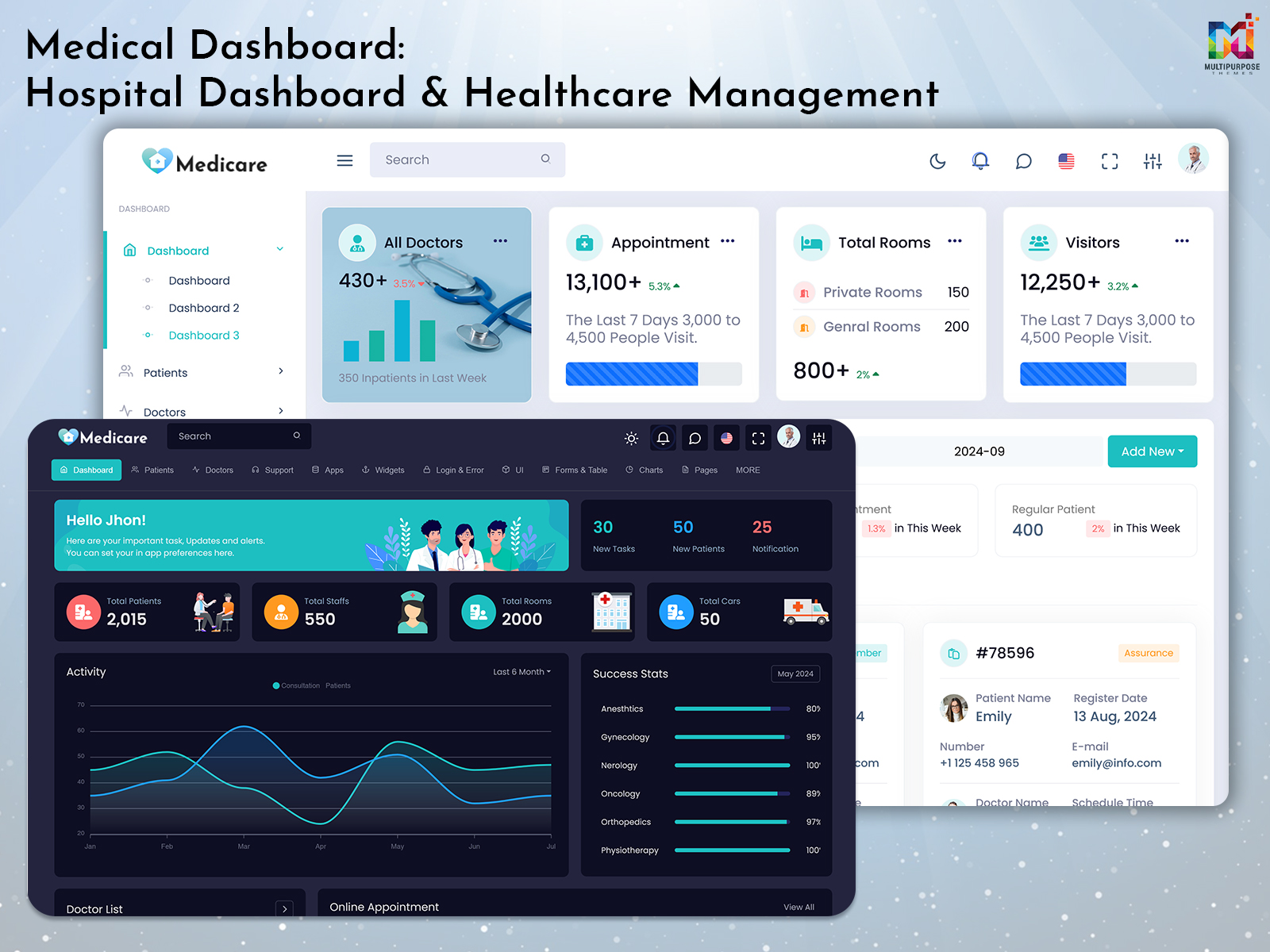
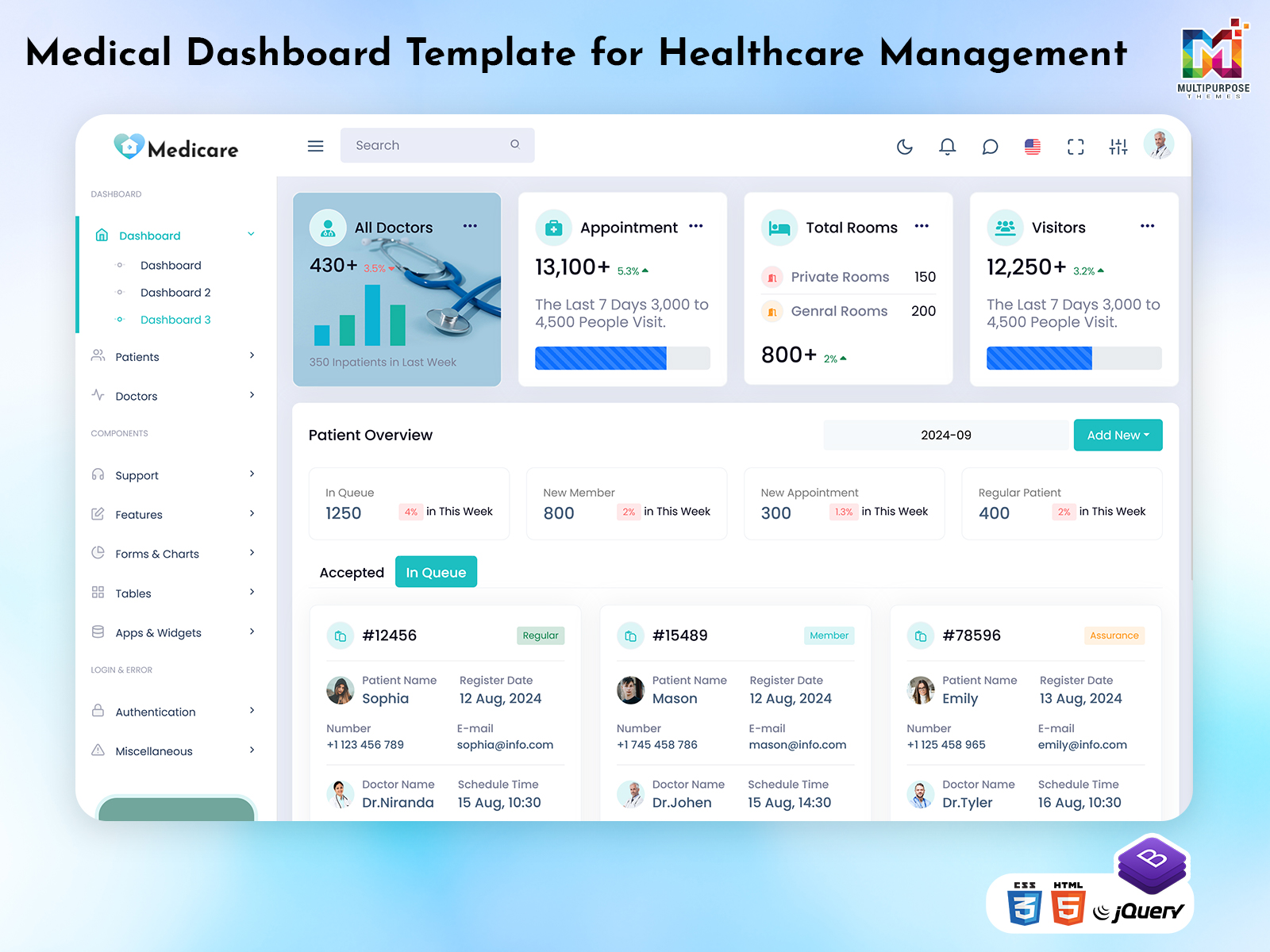
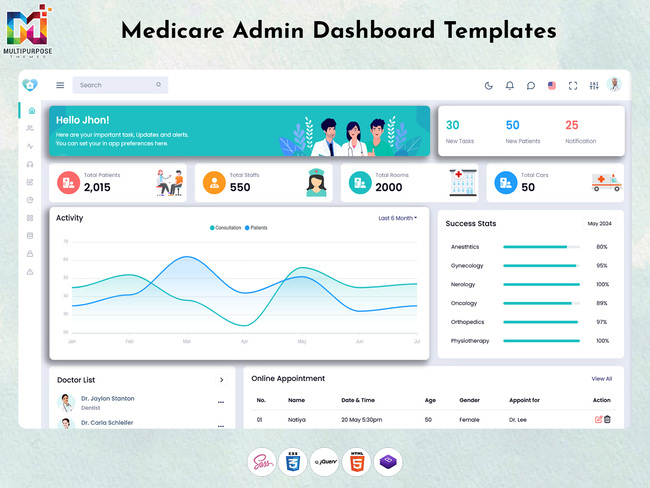
Overview cards can display important information such as patient numbers, upcoming appointments, available doctors, and pending tasks. These cards help users understand the current status of daily activities at a glance.
2. Charts And Graphs
Charts and graphs can help present hospital data in a visual format. They may be used to show patient visits, appointment trends, department activity, and billing summaries.
3. Patient Data Tables
Tables help staff view patient records and related information in an organized format. Search, sorting, and filtering options can make it easier to locate specific records.
4. Calendar And Scheduling Interface
A calendar helps staff view appointments by date and time. It can also help them identify scheduling conflicts and organize doctor availability.
5. Notifications And Alerts
Notifications can highlight upcoming appointments, pending administrative tasks, or information that requires attention. Clear alerts help users notice important updates.
6. Navigation Menu
A well-organized navigation menu allows users to move between sections such as patients, appointments, doctors, billing, reports, and settings.
When Would You Use A Medical Admin Dashboard?
- Hospitals with departments and doctors.
- Clinics who need to manage patient visits.
- New healthcare businesses creating online medical services.
- Laboratories who need to manage test results and reports.
How To Choose The Right Medical Admin Dashboard Template
Choosing a Medical Admin Dashboard Template depends on the needs of the healthcare organization and the tasks its staff perform every day.
1. Look For A Clear Layout
The dashboard should have a clean layout with clearly labeled sections. Important information should be easy to find without requiring users to navigate through too many pages.
2. Check Patient Management Features
Review whether the template includes suitable screens for patient records, appointment details, and medical information management.
3. Consider Different User Roles
Doctors, nurses, and administrators may need access to different sections. The dashboard should support an interface that can accommodate their respective workflows.
4. Review Reporting Components
Charts, tables, and summary cards can help present information in a useful format. Choose a template with reporting components that suit your intended application.
5. Check Responsive Design
Healthcare staff may access a dashboard from desktops, tablets, or mobile phones. A responsive layout helps the interface adapt to different screen sizes.
6. Consider Data Security Requirements
Healthcare information can be sensitive. When selecting or developing a dashboard, consider appropriate access controls, authentication, and data protection requirements. A user interface template alone does not guarantee that an application is secure or compliant.
Who Would Use A Medical Admin Template?
- Nurses
- Hospital Managers
- Clinic Owners
- Healthcare IT
- Health Tech Startups
If your medical centre wants to provide care and improve efficiency, then a Hospital Admin Dashboard will be vital.
Medical Dashboard Vs. Traditional Hospital Management
Traditional hospital administration may involve separate spreadsheets, paper records, and disconnected tools. A medical dashboard can bring selected information into a more organized interface.
- Information access: A dashboard can make relevant information easier to locate in one interface.
- Appointment tracking: Calendar views can help staff organize schedules.
- Data presentation: Charts and tables can make information easier to review.
- Administrative tasks: Centralized screens can help staff manage routine activities.
- Reporting: Summary views can help administrators review available operational information.
The actual benefits depend on how the dashboard is designed, implemented, and connected to the healthcare organization’s systems.
Why Use A New Medical Dashboard?
Using a new Admin Dashboard can help save time, reduce errors and speed up work. The dashboard has images, up-to-date data and a clean layout. This means hospital staff can spend more time with patients and less on admin.
👉 Want To See How This Medical Admin Dashboard Works?
👉 Watch Our Demonstration To See How It Works In Real Life. Subscribe To Our Youtube Channel For More Healthcare & Admin Dashboard UI Designs.
buy now
Conclusion
A Medical Dashboard can help hospitals, clinics, and healthcare businesses organize information and manage everyday administrative activities. Features such as patient management, appointment scheduling, billing, reporting, and analytics can bring important information into one interface.
When choosing a Medical Admin Dashboard Template, consider its usability, layout, responsive design, and suitability for the intended healthcare workflow. A well-planned interface can make information easier to access and help healthcare teams manage their daily responsibilities more efficiently.
Frequently Asked Questions About Medical Dashboards
1. What Is A Medical Dashboard Used For?
A Medical Dashboard is used to organize and display healthcare-related information, such as patient records, appointments, staff details, billing information, and reports.
2. What Is The Difference Between A Medical Dashboard And A Hospital Admin Dashboard?
A Medical Dashboard generally focuses on displaying healthcare information and activities. A Hospital Admin Dashboard may place greater emphasis on administrative operations, staff coordination, billing, and hospital reporting. Their features can overlap.
3. Can A Medical Dashboard Be Used On Mobile Devices?
Yes, a responsive medical dashboard interface can adapt to desktops, tablets, and mobile phones. The experience depends on the design and implementation.
4. What Features Should A Medical Admin Dashboard Include?
Common features include patient management, appointment scheduling, staff permissions, billing, reports, analytics, and responsive navigation.
5. What Should I Check Before Choosing A Medical Dashboard Template?
Review its layout, patient management screens, scheduling components, reporting features, responsiveness, and suitability for your intended application. Also consider the security requirements of the system in which it will be used.

Related Posts