

Education is no longer inside a school or a college. Schools, coaching institutes, universities, training…
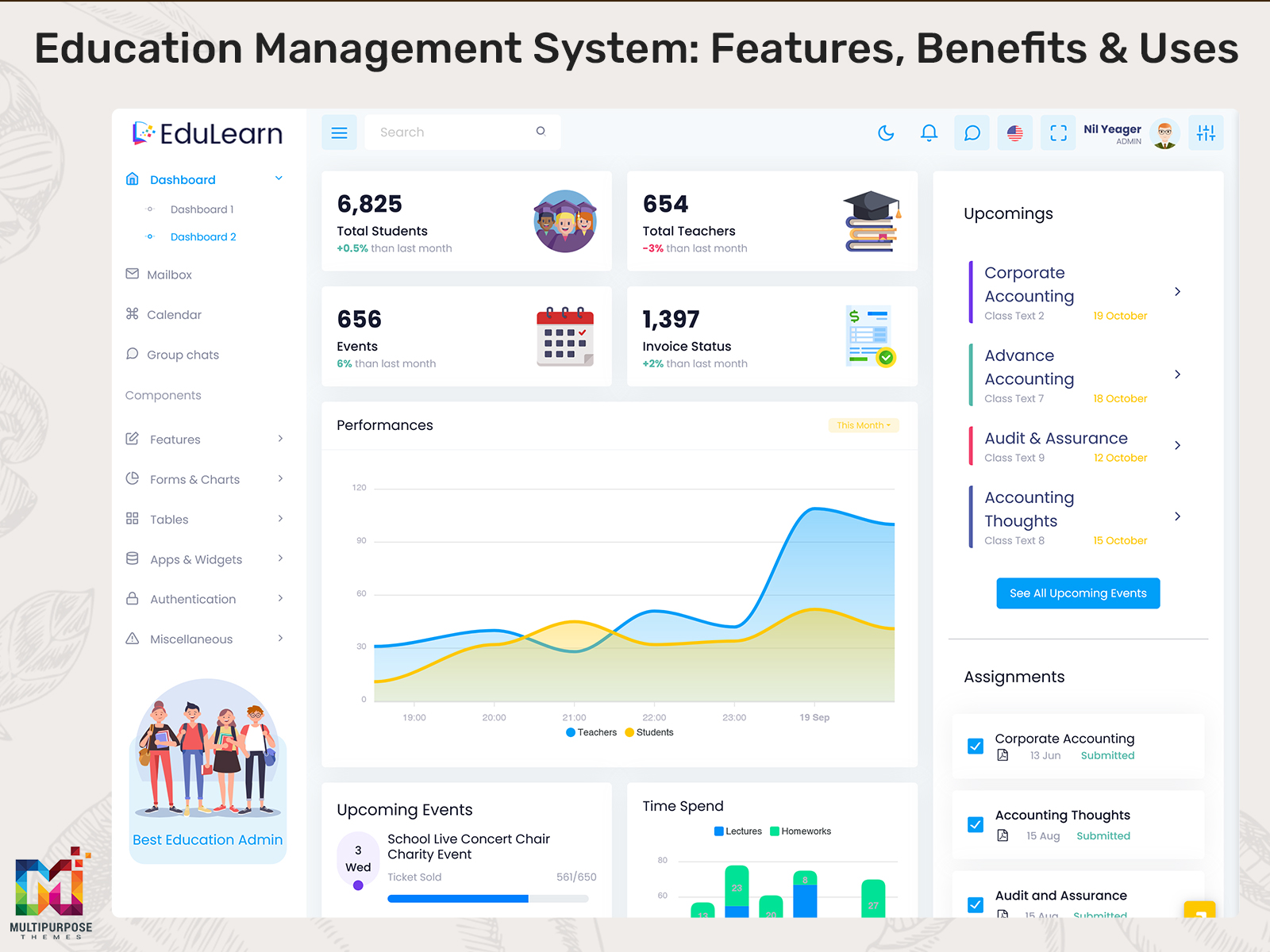
Education Management System – Features, Benefits & Uses
Reading Time: 8 minutes
An education management system enables an educational institution like a school, college, university, online learning platform to efficiently and effectively keep track of information about students, teachers, courses, attendance, results, exams and general administration.
Watch Full Video
Managing information using systems can lead to problems but an Education Management System can help.
It is a platform used to help manage academics and admin functions of an educational institution. Managing information.
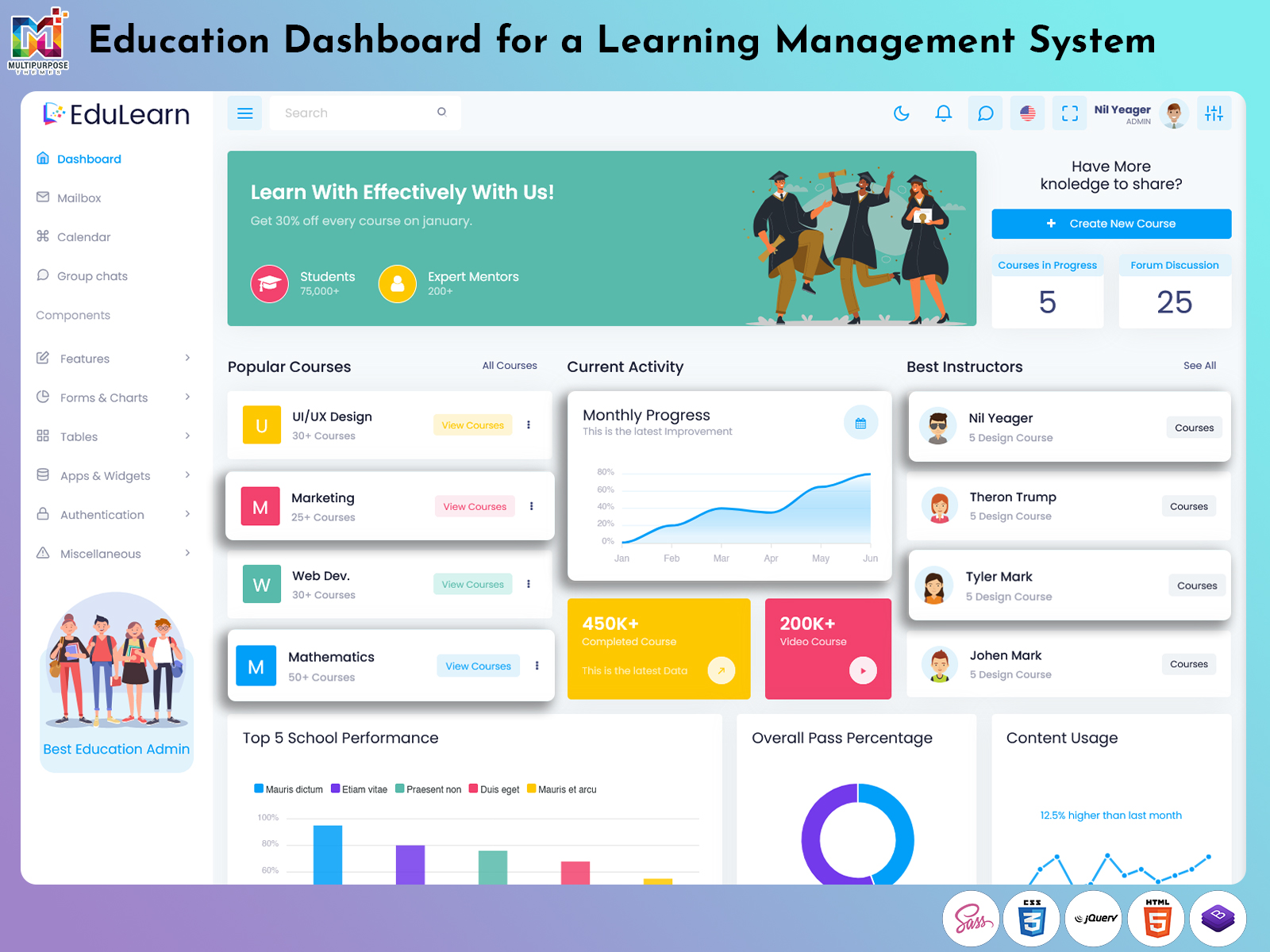
A LMS Dashboard and an well laid out Learning Management System Dashboard help admins, teachers and students to quickly find the data they need.
Let’s examine what features we offer, the advantages, what is included within a dashboard and how it benefits today’s educational institutions.
What is an Education Management System
An Education Management System is a software platform that can assist in organising and managing information within your institution. Assisting schools, colleges, universities and training centres to manage their information and admin.
It enable you to manage student information, teacher information, courses, attendances, exams, fees and performance according to the platform.
In addition it will connect with a Learning Management System so you will be able to handle courses, learning material, assignments and student progress.
Managing information in one place.
VIEW DEMO BUY NOW
What is an LMS Dashboard
An interface of a learning management system (LMS) that displays information related to learning.
The dashboard will use charts, tables, statistical data, progress bars and activity logs to present the information.
You might notice some or all of the following:
- Student Enrolments
- Courses Available
- Active Instructors
- Finished & Outstanding Assignment
- Student Progress
- Upcoming Exams
- Latest Activity
This will vary according to which features are available on your LMS.
Looking at important learning data is simplified by using an organised dashboard.
Why is an Education Management System Important?
Agendas are surely a reason to be optimistic about being back in school. There will be tons of info to take care of in a college. This could possibly be pupil info, timetables, exams, teacher info and admin.
An Education Management System can help.
Below are some reasons as to why schools are using an Education Management System.
Centralised Information
All Student, Teacher, Course, and Academic data can be stored in one place. Facilitating easy access for authorised users.
More organised Academic information
Create courses, subjects, assignments and exams.
Simpler to Follow Students
Admins and teachers can see which students have been in class, and how they performed.
Simplifies Admin
General admin can be managed.
Improved Communication
You will have the option to share features with students, teachers, parents and admins based on the features available.
VIEW DEMO BUY NOW
Highlights of an Education Management System
An Education Management System should have capabilities to support admin work.
Some indicators to watch for are:
Student Management
Student Management An Education Management System feature. Assisting to oversee students’ profiles and academic records.
You will be able to control details like:
- Student Name & ID
- Contact Information
- Class & Course Details
- Admissions
- Attendance
- Performance
- Enrolments
Organising the information about students has made search for information by proper staff easier.
Teacher/Staff Management
You may also have to oversee teachers, instructors and admin.
When you have it, you can manage staffs profiles, what they teach, the department details, timetables.
Allowing for admins to more easily understand what staff are doing.
Course Management
Courses management enables you to register, create, arrange and organise courses.
Depending on the system you can:
- Design New Courses
- Revise Course Details
- Assign Instructors
- Arrange Subjects & Modules
- Manage Course Resources
- Track Course Completion.
Attendance Management
Attendance management helps track student attendance.
Attendance, summaries, absent and percentages.
Teachers and admins can track attendance.
Exam & Results Management
Exams are part of the academic process.
Take control of exam schedules, assessment data, scores, grades and results. An Education Management System will enable you to do this.
It can also provide performance summaries.
Fee & Payment Management
You will need to manage fee information.
You are able to:
- Student Fee Info
- Fee Structure
- Payment Information
- Outstanding Payments
- Payment History
- Fee Reports
So that admin teams can keep track of data in an orderly way.
Reporting & Analytics
Reporting lets you see how your admin is doing.
See the number of student enrolments, attendance summaries, exam scores, course completions and fees.
Has it made it easier to look at through the use of the chart and tables.
What should be on an LMS Dashboard?
You should be able to understand a Learning Management System Dashboard at a glance.
Only include the most relevant information.
Include:
- Student Overview
- Course Overview
- Instructor Overview
- Learning Progress
- Upcoming Activity
- Activity
You can monitor learning activity of students using LMS Dashboard.
You can monitor learning activity of students using LMS Dashboard. The use differs from student, teacher, instructor or admin.
Students
- View Enrolled Courses
- Utilize Learning Resources
- See Assignment Due Dates
- View Course Progress
- Check Your Exam Results
Teachers/Instructors
- Manage Assign Courses
- Share Learning Resources
- Observe Student Advancement
- See your Submitted Assignments
- View Class Activity
Admins
- Conduct Students & Trainers
- View Course Information
- See Learning Activity
- View Reports & Analytics
- Control Data on Platform
Role based dashboards ensure the user is looking at just the data relevant to them.
Advantages of an Educational Management System
An Education Management System can help Institutions by providing a structured manner to handle academic and admin operations.
Benefits include:
- Save Time on Admin Tasks
- Updated Data Organisation
- Enhanced Decision-Making
- Easy Access to Learning Information
- Advantages of online classes
- Improved Collaboration
Types of Education Management Dashboards
You may have different dashboards depending on who you want to get information from the education platform.
School Management Dashboard
School Management Dashboard can be used for managing student’s information, teacher’s information, attendance, exams, fees, and all the other activities happening in school day to day.
College Management Dashboard
Information about courses, student enrolment and placements, faculty detail, examination timetable and department information can be effectively managed using College Management Dashboard.
University Management Dashboard
Examples of what might be on a University Management Dashboard – departments, academic programs, faculty members, student information, and student performance.
Student Dashboard
A Student Dashboard is a tool, for students. With it students can look at the courses they have enrolled in. Students can also see their attendance record, review assignments view the exam schedule check results and track their progress.
Teacher Dashboard
Teacher Dashboard can assist teachers to take control of the class, the subjects they are assigned to teach, attendance of students, assignments and overall performance of students.
Learning Management System (LMS) Dashboard
A Learning Management System Dashboard will be about learning. Managing course enrollments, resources for learning, assignments and assessments and progress of students.
Top Things to Think About when Designing an LMS Dashboard
A dashboard should make everyday tasks easier.
Please note the next when you create an LMS Dashboard:
- Easy to Browse – Make sure to keep menus and navigation well organised so that people can find the section they are looking for.
- Data – Show data through charts, graphs, tables and progress.
- Responsive – Ensure that it is accessible on all desktops, tablets and mobiles.
- Role Based – Ensure access to the dashboard by students, teachers and administrators.
- Consistency – Consistency in terms of fonts, colors and spacing of the interface.
- Announcements – Reminders for assignments, exams, course related data etc.
The interface should be adaptable to the institutions requirements.
LMS Dashboard vs Education Management System
While an LMS Dashboard and Education Management System have similarities they can serve different functions.
| LMS Dashboard | Education Management System |
| Learning Focus | Broader Educational Functions |
| View Courses & Learning Progress | Handle admin info |
| Supports Students & Instructors | Assists Learners, Teachers & Administrators |
| Track Assignments & Assessments | May Track Attendance, Fees, Records & Exams |
| Access Learning Resources | Arrange internal processes within the organization |
An LMS may be a portion of an Education Management System: this depends on the type of LMS and the modules added.
Who Can Use an Education Management System?
- Schools – View and manage students’ details, attendance, exams, teachers & timetables.
- Colleges – Arrange the courses, faculties, students & the academic activities for the entire system.
- Universities – Organize details for groups, courses & departments.
- Online learning platforms – organisational tool for courses, deliverers and learners progress.
- Coaching & Training Centres – Enrol students to courses, organize batch timetable & students batches, take courses and students attendance.
- Learn & Build Ed Startup – Build & run learn and education apps.
Why Do Developers Need a Well Designed Education Dashboard?
You’ll require an interface to display info while making educational applications.
A good education dashboard will help you get started with: Student Management, Course management, Attendance, Exam record & report.
An effective dashboard must combine information with clarity.
By employing a ready-made admin dashboard template, developers and agencies could design an admin panel that is flexible and customise it to match the app needs, technology stack and design style.
Common Issues with Education Management
There can be issues with managing education.
Plenty Of Student Data
It can be hard to keep on top of managing student profiles, admissions, attendance and academic information. You want to be able to keep information well maintained.
Collaboration Between Departments
Department info, admin, finance and teaching staff may have different information. Using a central system can make it easier to work together between departments.
Monitoring Student Achievement
Attendance, assignments and assessments, and exam results can be difficult to keep an eye on if they are stored across multiple platforms.
Managing Online & Offline Learning
You may require a learner support system if you provide a combination of classroom and online learning.
Keeping Information Updated
Maintaining student, course and timetable data can lead to chaos. Create a simple system that authorised users can use to keep information updated.
Conclusion
An education management system may assist in managing admin activities of an institute of the latest era. Education management system for the management of pupils data, instructor administration, attendance, exams, courses & reporting in a digital sign.
LMS Dashboard is the way to access the learning data conveniently. A well-designed Learning Management System Dashboard can allow students, teachers & admins to manage their roles.
Whether you operate a school, college, university or online learning platform; selecting the appropriate dashboard layout can help you deal with data more efficiently and keep daily work on track.
If you are a developer and your business process is of creating the education related apps, then you can use a simple to operate and rich responsive dashboard that can develop a useful education management solution.
VIEW DEMO BUY NOW
FAQs
1. What is an Education Management System?
An Multipurpose Themes education management system is a platform used by educational institutions to manage student data, teachers, courses, attendance, exams, fees, etc.
2. What is an LMS Dashboard?
The Learning Management System interface showing and access to course data, learner progress, assignments, learning etc.
3. What is the Difference Between LMS and Education Management System?
Learning Management System (LMS) – Learning, courses, assignments and student progress.
Education Management System (EMS) – Management of things like: student info, attendance, exams, staff & administration.
4. What features should an Education Management System have?
Features are: Student Management, Teacher Management, Course Management, Attendance Management, Examination Management, Fee Management, Reports & Dashboard analytics.
5. Who can use an Education Management System?
Schools, Colleges, Universities, Coaching Centres, Training Institutes, Online Learning Platforms and all Education Organisations.
6. What can I see on my LMS Dashboard?
You might see:
- Enrolled Students
- Courses Available
- Instructors
- Assignments
- Learning Progress
- Exam Timetables
- Course Completion
- Activity.
7. Can students and Teachers Use an LMS Dashboard?
Yes. Students view courses. Teacher has access to learning materials, assignment and student activity. Admin has possibly management features.
8. Why do you need a Responsive LMS Dashboard?
A Responsive Multipurpose Themes LMS Dashboard will be able to resize to different screens. Can view learning & management info on desktop, tablets & mobiles.
9. Can an Education Management System Help with learning?
Yes. If it is a LMS too, than it can assist you in courses, digital learning resources, assignments, assessments & tracking progress.

Related Posts


This Post Has 0 Comments