Education is no longer inside a school or a college. Schools, coaching institutes, universities, training…
Learning Management System for Smarter Education Management
Reading Time: 9 minutes
What is an Education Dashboard?
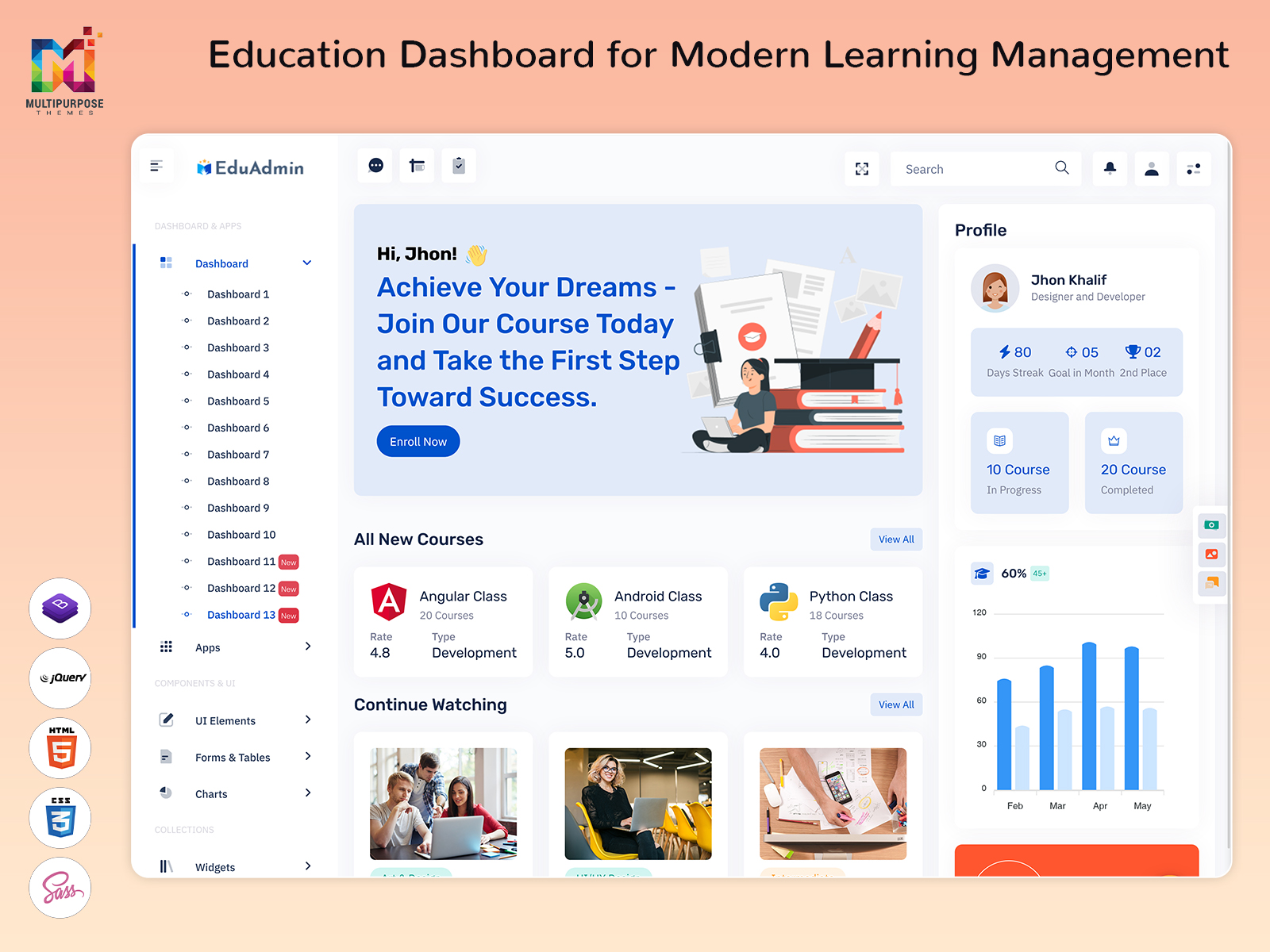
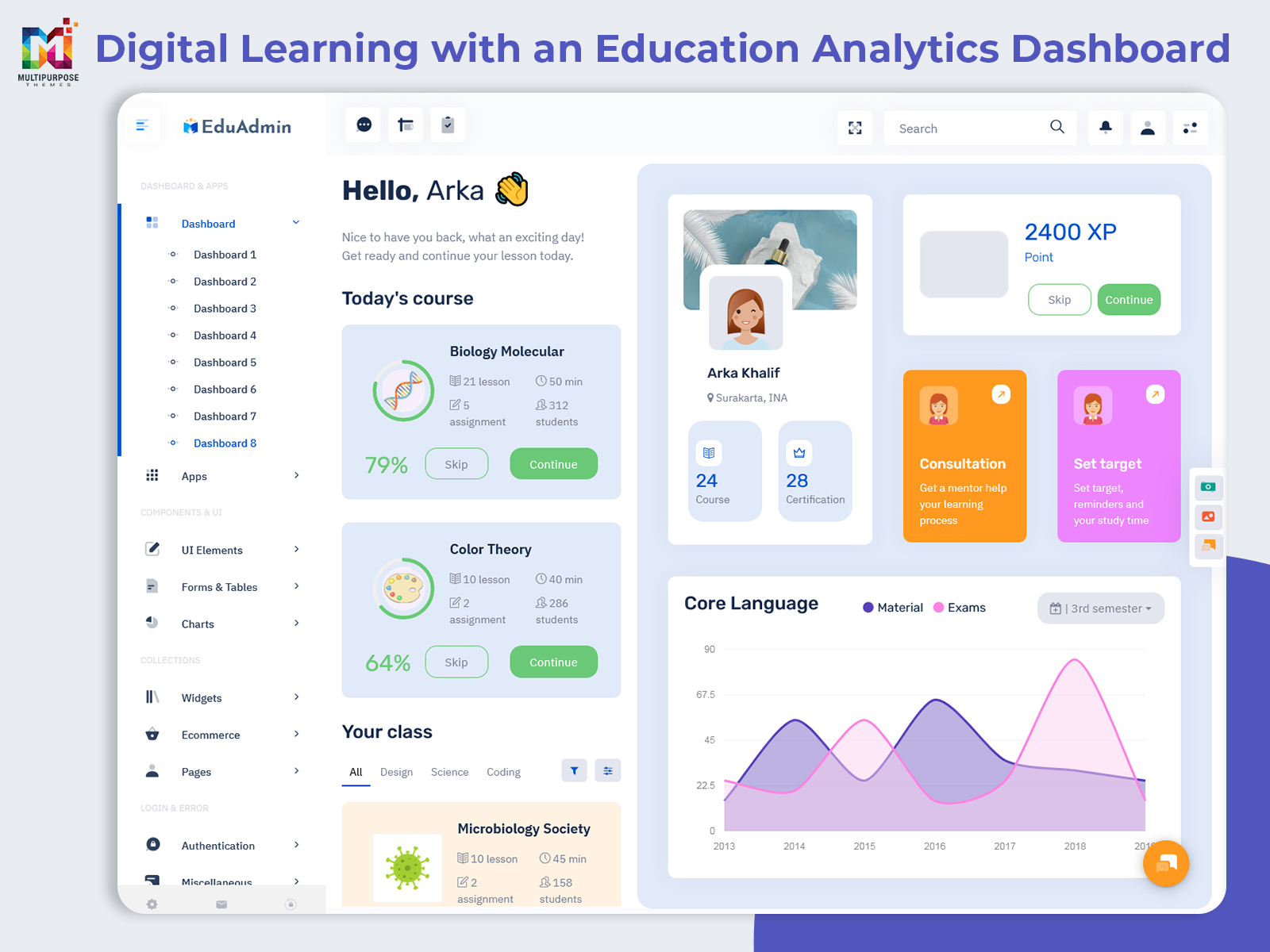
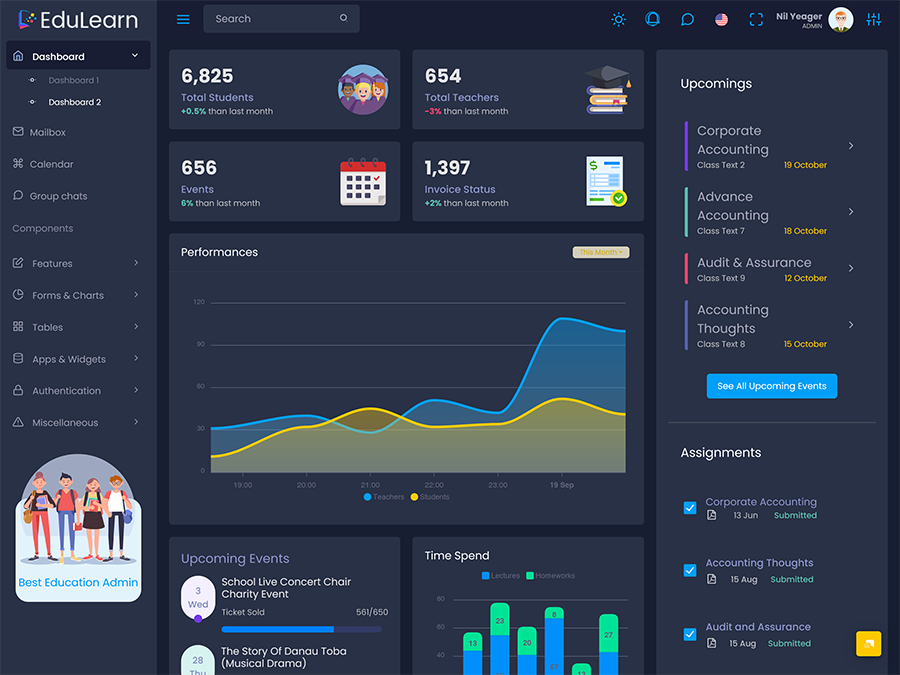
The Education Dashboard is an electronic interface that enables educational institutions like schools, colleges, coaching classes, training centers, and online education companies to organize various activities related to the learning process. Rather than keeping students’ data, course details, trainers, lessons, and administrative activities in separate sections, an education dashboard provides users with a structured platform through which these aspects can be accessed based on their roles.
Watch Full Video
The value of an Education Dashboard is not simply the amount of information displayed on the screen. A useful dashboard helps users understand what is happening within a learning environment and what needs attention next. An administrator may need to review newly registered learners, check whether a course is ready for publication, inspect instructor activity, or identify learning resources that require an update. A teacher may have completely different priorities, such as reviewing assigned classes, preparing lessons, checking submissions, or communicating with learners.
This is where a Learning Management System becomes more than a place to store educational content. It becomes an operating environment for delivering and organizing learning. The dashboard acts as the interface through which administrators and other authorized users interact with that environment.
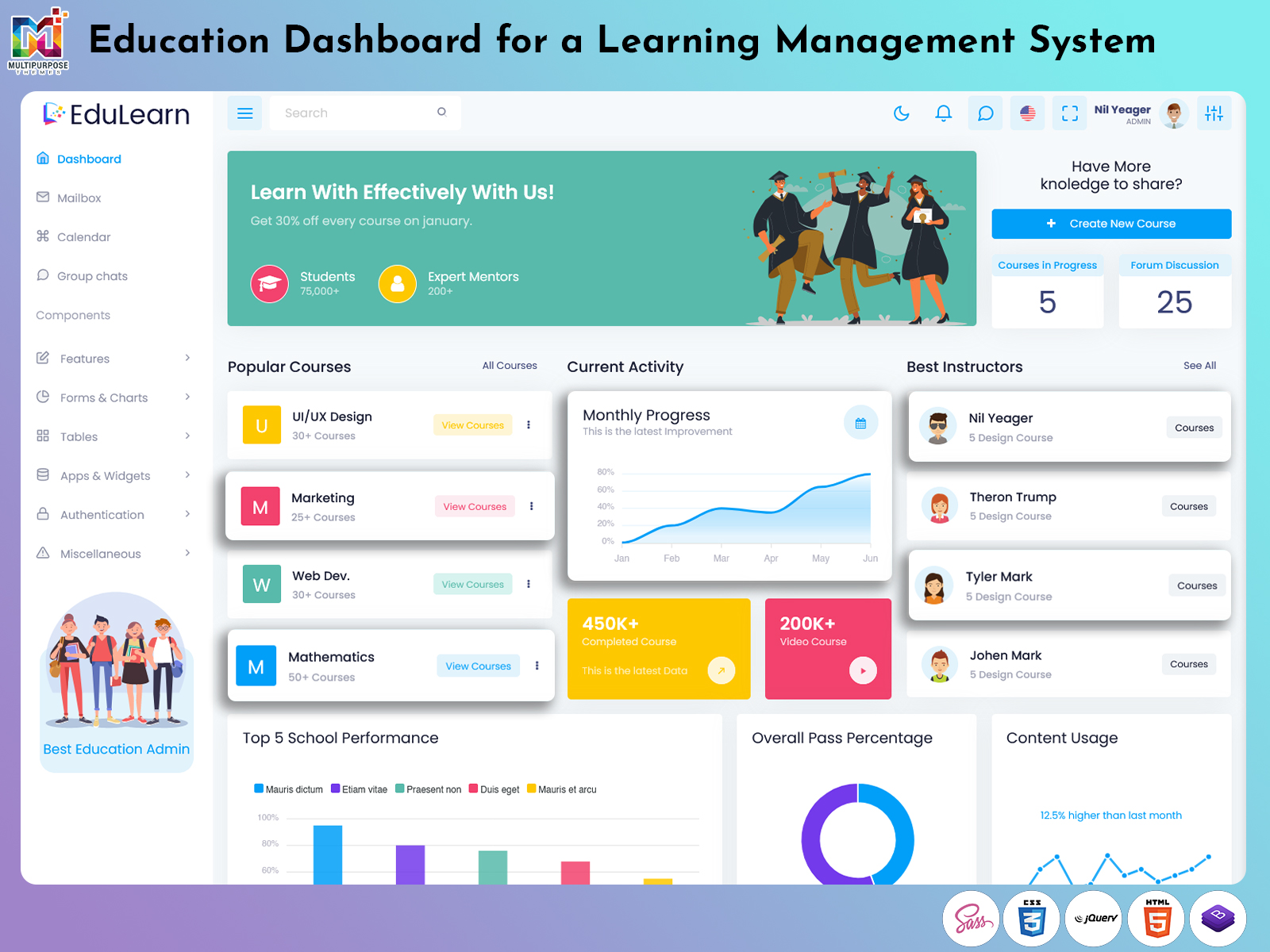
A Learning Management System UI can be designed around these different responsibilities. Rather than placing every available function on one screen, it can separate course administration, learner information, content organization, communication, reports, settings, and other functions into clearly defined areas. This makes the interface easier to understand as the platform grows.
For businesses developing an Online Learning Platform, the dashboard is also an important part of the product experience. Learners may never see the administrative interface, but administrators and instructors depend on it to keep courses, users, learning resources, and daily activities organized.
An LMS Admin Template provides a ready-made visual foundation for this type of application. Developers can adapt its layouts, components, tables, forms, navigation, cards, charts, and other interface elements according to the needs of their learning software.
A good education dashboard should therefore answer practical questions quickly: What needs attention? Which learning activity is waiting for action? Where is a course in its publishing process? Which users require follow-up? Which content needs review? The answers make the dashboard useful as a working environment rather than simply another data screen.
Streamline Education Administration with an Intelligent LMS
Digital education creates a different kind of administrative challenge because learning does not end when a course is uploaded. A course has to move through several stages before it becomes a useful learning experience. Content may need preparation, organization, review, publication, assignment, learner access, assessment, and later updating.
An Education Dashboard can provide visibility across these stages. Instead of looking only at the number of courses available, administrators can use the interface to understand the condition of those courses. A course may be newly created, waiting for content, ready for review, published, temporarily unavailable, or scheduled for a future learning cycle. Showing these stages gives administrators a more useful picture than a simple course count.
The same idea can be applied to learning resources. A digital course can contain videos, documents, presentations, assignments, quizzes, reference material, and other resources. As the library grows, finding and maintaining individual resources can become difficult. A structured dashboard can provide organized areas for reviewing and managing these materials.
User activity is another important part of the education environment. An administrator may need to distinguish between newly registered users, active learners, instructors, support staff, and inactive accounts. Different user groups have different responsibilities, so the interface should avoid treating everyone as one large list.
A Learning Management System can also support a clearer relationship between users and learning resources. For example, an instructor may be connected with particular courses, while learners may have access to specific programs. Administrators can use these relationships to review whether the right content is reaching the intended audience.
Another useful area is task visibility. Educational administration contains many small activities that are easy to overlook: reviewing submitted work, approving content, updating course information, responding to questions, scheduling a learning session, or checking whether a resource is still relevant. A dashboard can give these actions a dedicated place instead of hiding them inside unrelated menus.
The design of the Learning Management System UI becomes especially important here. When an interface contains many functions, users should be able to recognize the difference between information, actions, warnings, and navigation. A well-organized layout can make these distinctions visually clear without requiring users to open every section.
An Online Learning Platform may also serve learners from different locations and backgrounds. This makes responsive interface behavior important for administrators and instructors who may access the system through different devices. A dashboard should remain practical when the available screen space changes.
For developers, an LMS Admin Template can shorten the design stage by providing reusable interface patterns. The development team can concentrate on the application’s actual learning logic, user permissions, content structure, and integrations instead of creating every administrative screen from the beginning.
VIEW DEMO BUY NOW
Explain Features of Education Dashboard
1. Course Lifecycle Management
An Education Dashboard can organize a course from its initial preparation through publication and later maintenance. Administrators can distinguish drafts, reviewed courses, published content, and items that require changes. This gives course teams a clearer way to manage content beyond simply adding or deleting courses.
2. Learning Content Library
A structured content library allows administrators to organize videos, documents, assignments, quizzes, presentations, and supporting resources. Search, filtering, categories, and organized lists can make larger collections easier to maintain, particularly when an Online Learning Platform contains many programs.
3. User Role Management
Education platforms often involve administrators, instructors, learners, coordinators, and support teams. A dashboard can provide separate user-management areas for these roles. Permissions can then be connected to the application’s requirements so users receive access to functions appropriate to their responsibilities.
4. Assignment and Submission Areas
An Education Dashboard can include dedicated sections for assignments and submissions. Administrators or instructors can see pending items, completed submissions, and relevant course information without mixing academic work with unrelated platform settings.
5 .Instructor Workspace
Teachers and instructors need a different working environment from administrators. An LMS interface can provide instructor-specific areas for managing assigned courses, preparing learning material, reviewing activities, and handling tasks associated with their classes.
6. Learner Activity Overview
A dashboard can present selected learner activity in a structured format, allowing authorized staff to identify patterns that may require attention. The focus can be placed on meaningful actions such as participation, unfinished learning activities, or course access rather than filling the screen with unnecessary statistics.
7. Communication and Notification Controls
Educational platforms often need communication between administrators, instructors, and learners. A dashboard can provide notification areas, announcements, messages, or task reminders. Keeping these functions within the same administrative environment can make important platform communication easier to manage.
VIEW DEMO BUY NOW
Keep Digital Course Content Organized, Relevant, and Up to Date
This makes role-based information design one of the most important considerations for an education interface. An administrator may want to understand the overall condition of a program, while an instructor needs to focus on individual learning activities. A support employee may only need access to user queries and account information. Giving every person the same dashboard can create unnecessary complexity.
A better Learning Management System UI can present information according to responsibility. The main screen can remain focused while deeper sections contain more detailed records. This layered approach means users can begin with a quick overview and move into specific information only when necessary.
Content quality is another area where dashboards can provide practical value. Online courses are not permanently finished products. Lessons may become outdated, links may stop working, examples may need revision, and course structures may change. An Education Dashboard can provide administrative views that make content review part of the normal workflow rather than an occasional manual exercise.
Benefits of Education Dashboard
1. Clearer Course Oversight
An Education Dashboard gives administrators a structured way to follow courses through different stages. Instead of relying on scattered records, they can identify which programs are being prepared, reviewed, published, updated, or awaiting action and respond according to the current state.
2. Better Content Maintenance
Digital learning content changes over time. A dashboard can help teams organize review activities around existing resources, making it easier to identify material that needs correction, replacement, restructuring, or another administrative check before learners encounter outdated information.
3. Role-Focused Administration
Administrators, instructors, coordinators, and support staff do not perform identical tasks. A well-designed Learning Management System UI can provide each group with relevant workspaces, reducing unnecessary options and helping users concentrate on responsibilities connected to their particular role.
4. Easier Platform Expansion
As an Online Learning Platform adds programs, instructors, learners, and resources, its interface must accommodate growing complexity. A structured dashboard provides an organized foundation that can be extended with additional modules without forcing every function onto the primary workspace.
5. Improved Task Visibility
Small administrative actions can easily become forgotten when they are hidden inside unrelated menus. Dedicated task areas, statuses, notifications, and pending-action views can make unfinished responsibilities easier to identify and handle before they affect the wider learning operation.
6. More Consistent User Experience
An LMS Admin Template can establish common interface patterns throughout an education application. Consistent navigation, forms, tables, buttons, and status elements help users recognize how different sections work, which becomes increasingly useful as the platform develops more administrative screens.
7. Practical Development Starting Point
A ready-made dashboard gives developers an established visual structure for education software. Teams can customize the interface and connect it with their own authentication, database, APIs, course logic, user permissions, and workflows rather than spending the entire development cycle designing basic administrative screens.
Choose Multi Purpose Themes for Your Education Platform
Multi Purpose Themes offers ready-to-use admin templates and UI solutions designed to simplify the development of modern web applications. Its Education and LMS templates provide a structured foundation for building Learning Management Systems, Online Learning Platforms, training portals, and education management applications. With responsive layouts, reusable components, dashboards, charts, tables, forms, and other interface elements, developers can customize the templates according to their specific requirements. Whether you are developing an LMS for a school, college, coaching institute, corporate training program, or online course business, Multi Purpose Themes provides flexible design solutions that can help streamline the UI development process and create a consistent user experience across devices.
Conclusion
An Education Dashboard is most useful when it reflects the actual working structure of digital education. It should help administrators understand course stages, content responsibilities, user roles, pending activities, and the condition of the learning environment without overwhelming them with unnecessary information.
A well-planned Learning Management System UI can make complex educational software easier to operate because every user can work from an interface suited to their responsibilities. Administrators can manage the platform, instructors can focus on their learning tasks, and support teams can work with the information they actually need.
For businesses developing an Online Learning Platform, the interface also needs room to grow. New courses, instructors, learners, resources, and administrative requirements should be possible without turning the dashboard into a crowded collection of unrelated tools.
An LMS Admin Template provides a useful starting point for this process. With suitable customization, it can become the visual foundation for schools, colleges, training companies, coaching businesses, corporate learning systems, and independent digital education platforms.
The goal is not to display everything at once. A successful Education Dashboard gives users a clear starting point, meaningful actions, and an organized path to the details they need.
VIEW DEMO BUY NOW
Frequently Asked Questions
1.What is the main purpose of an Education Dashboard?
The primary goal of a Multi Purpose Themes Education Dashboard is to act as an organized space for the management of various parts of the educational application. On the basis of the platform used, the dashboard could assist in the management of courses, users, educational content, assignments, instructors, communication, and platform settings. This would depend on organizing these functions in relation to their respective responsibilities of the user.
2. Is an Education Dashboard the same as a Learning Management System?
No. A Learning Management System is the broader software environment used to manage and deliver learning activities, while the dashboard is the interface through which certain users interact with that system. An LMS can contain courses, users, assessments, content, permissions, and other functionality. The dashboard provides an organized visual workspace for accessing and managing those functions.
3. Can an LMS Admin Template be customized for a coaching institute?
Yes. A Multi Purpose Themes LMS Admin Template can be adapted for coaching institutes, training centers, schools, colleges, corporate learning programs, and other education businesses. Developers can modify navigation, course sections, user roles, content pages, forms, tables, and other components according to the institute’s workflow. The template serves as the interface foundation rather than limiting the application to one educational model.
4. What should I consider when choosing a Learning Management System UI?
Look at how the interface handles different user roles, course organization, content management, navigation, tables, forms, notifications, responsive layouts, and future customization. It is also important to consider whether the design can connect with the application’s backend and whether developers can adapt its components without rebuilding the complete interface. Visual appearance should be considered alongside practical usability.
5. Can an Education Dashboard support both teachers and administrators?
Yes, but they should not necessarily receive the same workspace. Administrators may need platform-level controls, user management, course oversight, and configuration options, while teachers may require access to assigned courses, learning resources, submissions, and class-related activities. Role-based views can keep both experiences focused while allowing the same education system to support multiple types of users.
6.Is an Online Learning Platform suitable for businesses outside traditional education?
Yes. Online learning systems can also be used by corporate training teams, professional certification providers, skill-development businesses, coaching companies, onboarding programs, and specialized training organizations. The dashboard structure can be adapted to the organization’s learning model, including different course types, user groups, content formats, assessments, and administrative workflows.
7.Why use an LMS Admin Template instead of designing the dashboard from scratch?
Starting with Multi Purpose Themes ‘s Education dashboard can provide a prepared visual structure for common administrative requirements, allowing developers to spend more time connecting real application functionality. A suitable template can provide layouts, navigation patterns, forms, tables, cards, charts, and other interface components that can then be customized for the specific learning application’s users, workflows, and technical requirements.

Related Posts