

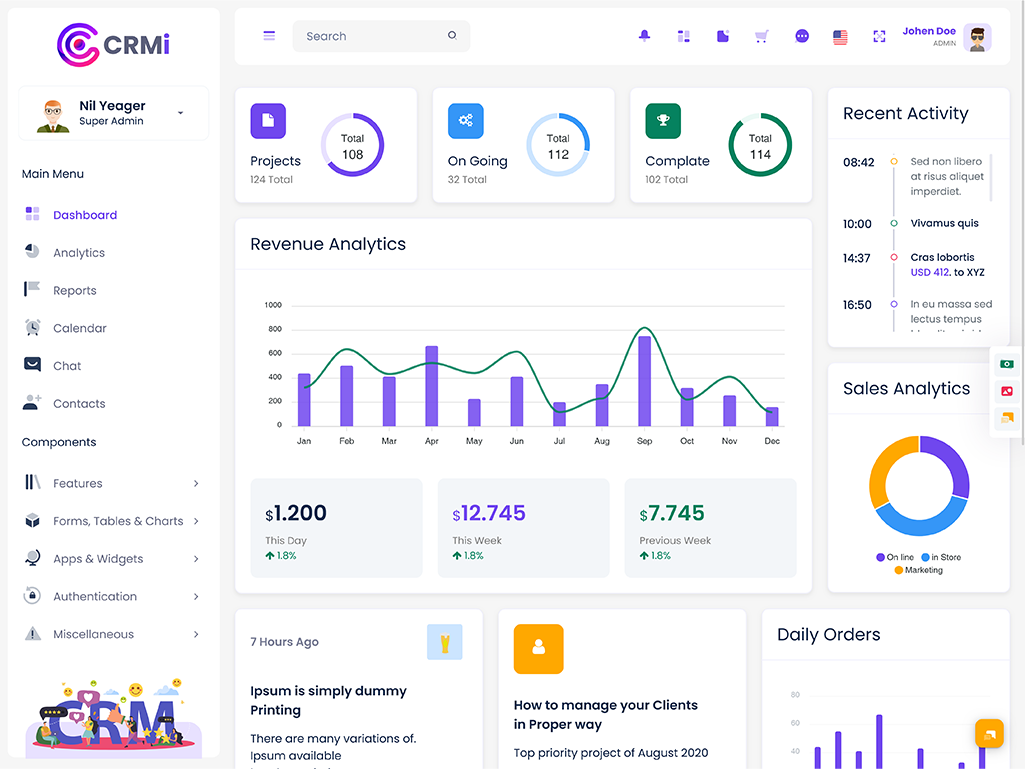
What is a CRM Dashboard? A CRM Dashboard is a centralized interface that helps businesses…
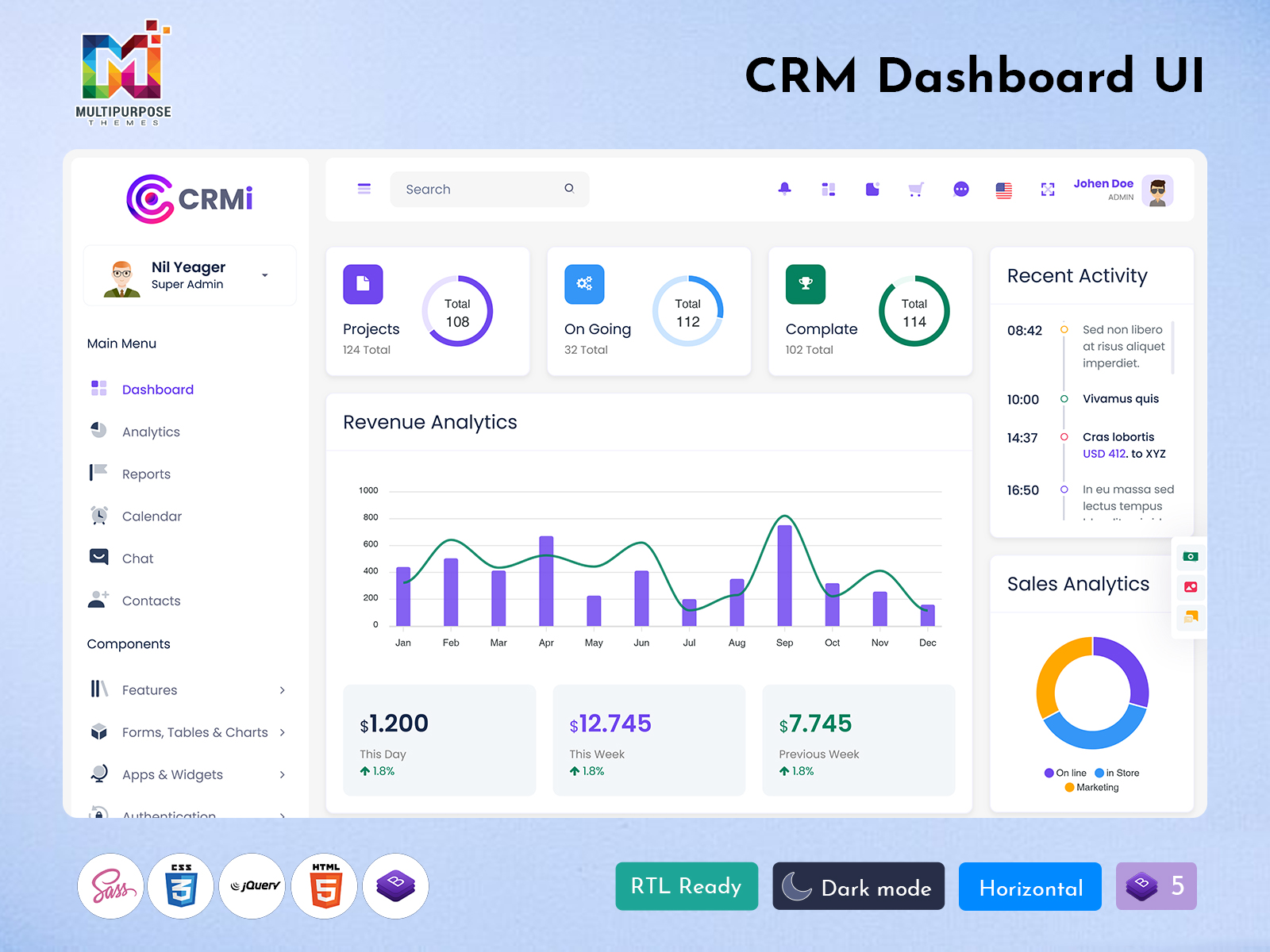
50+ CRM Admin Templates for CRM Software and Business Performance Control
Reading Time: 7 minutes
In today’s fast-moving digital world, businesses need a powerful system to manage customers, sales, and performance in one place. A modern CRM Admin Templates plays a central role in bringing all essential business operations together in a simple and visual format. It helps companies track data, understand customer behavior, and improve decision-making with ease. This solution works as a complete control center where everything from sales performance to analytics can be monitored in real time.
Watch Full Video
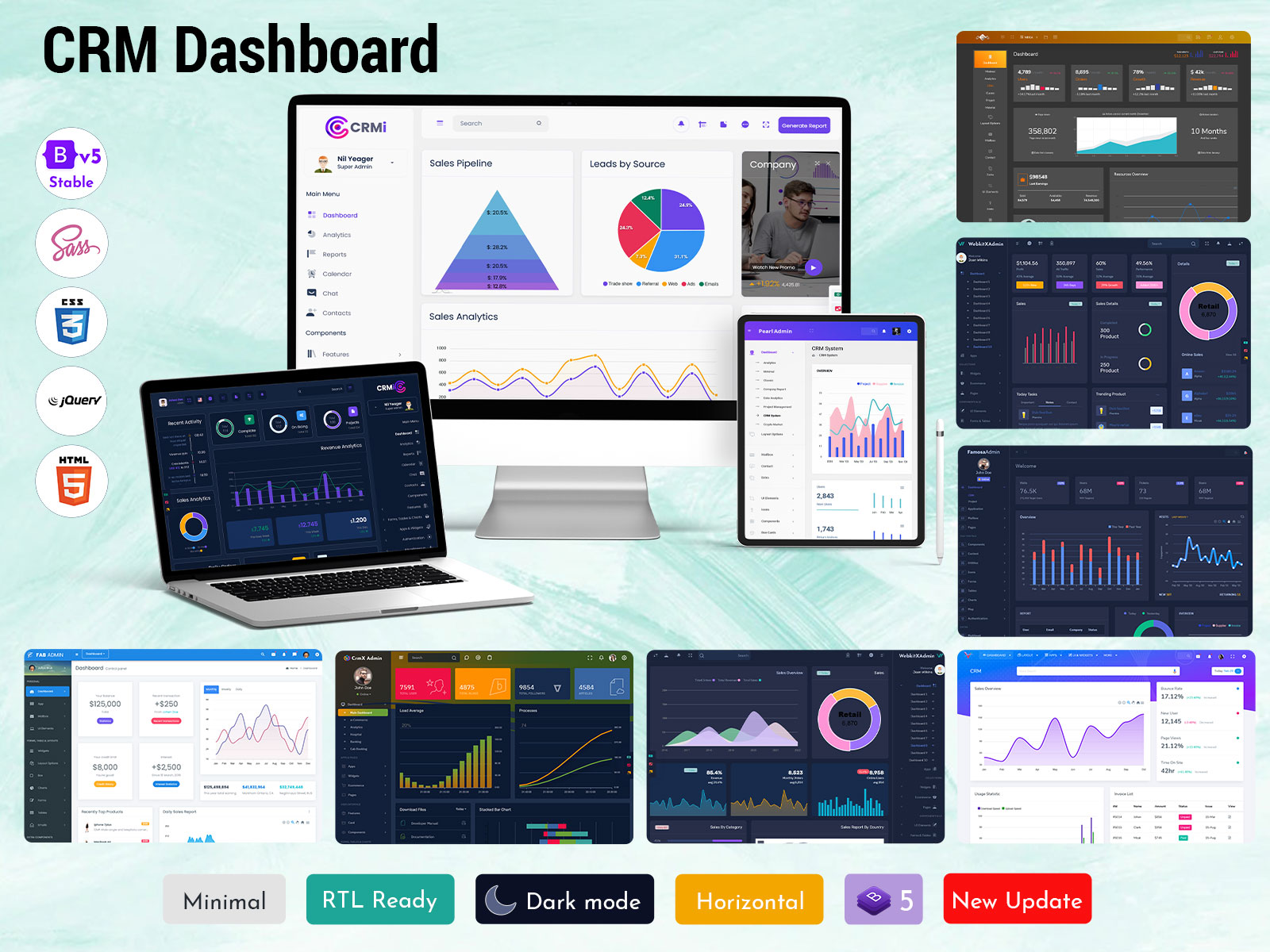
A well-built system like a CRM Admin Dashboard Template or CRM WebApp Dashboard is designed to simplify complex workflows. It provides a clean interface where users can access CRM Software, CRM Analytics, CRM Sales Dashboard, and CRM Project Management features without confusion. Businesses can also benefit from a CRM Ui Framework and CRM Ui Kit that improve usability and design quality for better interaction.
Modern tools such as CRM Bootstrap Dashboard and CRM Admin Template Dashboard ensure responsive performance across all devices. With features like CRM Sales Analytics Dashboard and CRM Project Dashboard, companies can manage CRM Project Data, CRM Account details, and overall CRM Management Dashboard operations efficiently. This makes the entire CRM ecosystem more structured, scalable, and user-friendly for both small and large enterprises.
Modern CRM Control Center Overview
In today’s fast-paced digital business environment, a powerful CRM WebApp Dashboard works as a central control system where companies can manage customers, sales, and daily operations in one unified place. It helps businesses bring all important data into a single visual interface so teams can easily understand performance without switching between multiple tools. With the support of a CRM Platform Dashboard and CRM Dashboard, organizations can track real-time activities, monitor business growth, and make faster decisions based on clear insights.
Modern CRM systems are designed to simplify complex workflows through structured dashboards like CRM Admin Dashboard Template and CRM UI Framework. These solutions allow users to access CRM Software Dashboard, CRM Analytics Dashboard, and CRM Sales Dashboard in a smooth and organized way. Tools such as CRM Bootstrap Dashboard and CRM Web Application Kit also ensure responsive and flexible performance across devices. Along with this, CRM Management Dashboard and CRM Project Dashboard features help teams handle CRM Project Data, CRM Account details, and overall business tasks more efficiently, improving productivity and workflow clarity.
VIEW DEMO BUY NOW
Understanding CRM System Interface
A CRM Software Dashboard is a centralized digital interface that helps businesses manage customer relationships, sales activities, and operational data in an organized way. It collects all essential business information and displays it in visual formats like charts, graphs, and reports. This makes it easier for teams to understand performance, track leads, and analyze customer interactions without using multiple tools. It acts as a smart control panel where everything related to customers and business growth is available in one place.
Modern platforms like CRM Admin Dashboard and CRM WebApp Dashboard provide a structured environment for handling business processes efficiently. With tools such as CRM Analytics Dashboard and CRM Sales Dashboard, companies can monitor revenue trends, customer behavior, and project progress in real time. A well-built CRM UI Framework and CRM Dashboard Design improve usability, making navigation simple for users. Additionally, CRM Bootstrap Dashboard and CRM Admin Template Dashboard ensure responsive performance, allowing access from desktops, tablets, and mobile devices for smooth business operations.
Working Mechanism of CRM System
A modern CRM system operates through a structured flow where customer data, sales records, and business interactions are collected, processed, and displayed in a unified interface. A well-designed CRM Admin Dashboard Template plays a key role in organizing this flow by connecting multiple modules such as CRM Software, CRM Platform Dashboard, and CRM WebApp Dashboard into one seamless structure. When a user logs in, the system pulls real-time data from different sources like customer inquiries, sales pipelines, and support activities, then converts it into visual insights such as charts, tables, and performance cards for easy understanding.
In the second stage, the system focuses on continuous updates and smart analytics to support decision-making. Tools like CRM Analytics Dashboard, CRM Sales Dashboard, and CRM Project Dashboard help track performance trends, revenue movement, and task progress in real time. The integration of CRM UI Framework and CRM Bootstrap Dashboard ensures smooth interaction across devices while maintaining responsive design. Additionally, CRM Management Dashboard features allow teams to handle CRM Account data, project tracking, and customer communication efficiently. This workflow ensures that business operations remain organized, fast, and data-driven with minimal manual effort.
Business Relevance in Digital Era
In today’s competitive market, a CRM WebApp Dashboard has become essential because businesses need fast, accurate, and centralized access to customer and sales information. Companies deal with large volumes of data every day, and without a structured system, it becomes difficult to manage leads, track customer interactions, and analyze performance. A modern CRM solution brings everything together into one intelligent interface, helping teams stay organized and responsive in real time.
Another major importance of systems like CRM Analytics Dashboard and CRM Sales Dashboard is their ability to support data-driven decisions. Managers can easily monitor revenue trends, customer behavior, and project status without manual reporting. With tools such as CRM Admin Panel Dashboard and CRM Project Management Dashboard, organizations can improve workflow efficiency and reduce operational delays. A strong CRM UI Framework and CRM Dashboard Design also ensures that users can interact with the system smoothly across devices. This makes CRM systems not just useful but necessary for scaling modern business operations effectively.
Simplified Workflow Management System
A CRM Management Dashboard helps businesses handle daily operations in a structured and stress-free way by bringing all customer, sales, and project data into one organized platform. Instead of switching between multiple tools or spreadsheets, teams can manage everything from a single interface. This reduces confusion and improves productivity because all important information like leads, tasks, and communication history is available in real time. It creates a smooth workflow where every department stays connected and updated.
With advanced systems like CRM Project Dashboard and CRM Software Dashboard, companies can easily assign tasks, monitor progress, and track performance without manual effort. Features such as CRM Admin Dashboard Template and CRM WebApp Dashboard ensure that updates are reflected instantly across the system, helping teams stay aligned. The integration of CRM UI Framework and CRM Bootstrap Dashboard makes navigation simple and responsive across devices. This allows employees to manage CRM Account details, CRM Project Data, and CRM Sales Dashboard activities efficiently, ensuring better coordination and less operational workload.
Key Business Benefits Overview
A modern CRM Sales Dashboard provides several advantages that help businesses grow faster and operate more efficiently. It centralizes all customer and sales data into one platform, allowing teams to access real-time insights without delays. This improves communication between departments and ensures that every decision is based on accurate information. Businesses can easily track leads, monitor conversions, and analyze performance trends, which helps in improving overall productivity and customer satisfaction.
Another major benefit is improved control over operations using tools like CRM Analytics Dashboard and CRM Project Management Dashboard. These systems help managers understand sales performance, project progress, and customer engagement in a clear visual format. With CRM Admin Dashboard Template and CRM WebApp Dashboard, companies also get flexible access across devices, making remote work easier and more effective. Additionally, CRM UI Framework and CRM Bootstrap Dashboard enhance usability, ensuring smooth navigation and better user experience. Overall, it helps reduce manual effort, save time, and improve business efficiency significantly.
Core Functional Features Overview
1. Centralized Data Management System
A CRM Software Dashboard provides a unified space where all customer, sales, and project data is stored and managed efficiently. It removes the need for multiple tools by combining everything into one structured platform. This helps businesses maintain accuracy in records, reduce data duplication, and improve overall operational clarity across departments.
2. Real-Time Analytics and Reporting
With CRM Analytics Dashboard and CRM Sales Dashboard, businesses can monitor live performance metrics such as revenue trends, lead conversions, and customer behavior. This feature enables quick decision-making by presenting data in visual formats like graphs and charts. It ensures teams always work with updated and reliable information.
3. Responsive Multi-Device Access
A CRM Bootstrap Dashboard and CRM WebApp Dashboard ensure smooth performance across desktops, tablets, and mobile devices. This flexibility allows teams to access business data anytime and anywhere. It supports remote working environments and improves collaboration between distributed teams.
4. Workflow Automation and Task Tracking
Using CRM Project Management Dashboard and CRM Admin Panel Dashboard, businesses can automate repetitive tasks such as follow-ups, reporting, and task assignments. This reduces manual effort and ensures that projects move forward smoothly without delays, improving overall productivity.
5. Advanced UI and User Experience Design
A well-structured CRM UI Framework and CRM Dashboard Design focus on clean layouts, easy navigation, and interactive visuals. This improves user engagement and reduces complexity, allowing employees to work faster and more efficiently within the system.
Final Summary of CRM System Value
A modern CRM Admin Dashboard Template plays a crucial role in helping businesses manage customer relationships, sales performance, and operational workflows in a single structured platform. It brings together multiple functions such as tracking leads, monitoring projects, and analyzing performance into one easy-to-use system. This improves efficiency and reduces the need for multiple disconnected tools, allowing teams to work in a more organized and productive way.
With advanced systems like CRM Analytics Dashboard, CRM Sales Dashboard, and CRM Project Management Dashboard, businesses can make faster and smarter decisions based on real-time data insights. Features such as CRM WebApp Dashboard and CRM Bootstrap Dashboard ensure smooth performance across all devices, while CRM UI Framework and CRM Dashboard Design enhance usability and visual clarity. Overall, this type of system helps companies improve productivity, streamline operations, and achieve better long-term business growth with less effort and more accuracy.
VIEW DEMO BUY NOW
FAQs
1. What is the main purpose of a CRM Dashboard in business management?
A CRM Dashboard helps businesses manage customers, sales, and operations in one place. It provides a clear visual view of data, making it easier to track performance, monitor leads, and improve decision-making with real-time insights.
2. How does CRM Software improve daily business workflow?
CRM Software streamlines daily tasks by organizing customer data, automating processes, and improving communication between teams. It reduces manual work and helps businesses operate more efficiently with better accuracy and speed.
3. Why is a CRM Admin Dashboard important for companies?
A CRM Admin Dashboard is important because it centralizes control over sales, customers, and project activities. It allows managers to monitor performance, assign tasks, and maintain smooth business operations from one system.
4. What benefits does a CRM Analytics Dashboard provide?
A CRM Analytics Dashboard provides detailed insights into sales trends, customer behavior, and business performance. It helps companies make data-driven decisions and improve strategies based on accurate visual reports.
5. How does CRM WebApp Dashboard support modern businesses?
A CRM WebApp Dashboard supports modern businesses by offering cloud-based access to data from anywhere. It allows teams to collaborate remotely while keeping all business information updated in real time.
6. Is CRM UI Framework useful for non-technical users?
Yes, CRM UI Framework is designed with simplicity in mind. It provides an easy-to-use interface, allowing non-technical users to navigate the system, manage data, and access reports without complexity.
7. Can CRM Bootstrap Dashboard work on mobile devices?
Yes, CRM Bootstrap Dashboard is fully responsive and works smoothly on mobile, tablet, and desktop devices. It ensures consistent performance and usability across all screen sizes for better accessibility.

Related Posts


This Post Has 0 Comments