A Chat Dashboard is an area where people can look at arrange and take care…
Chatbot Dashboard with Web Chatbot UI – Admin Template 2026
Reading Time: 7 minutes
Communication technology has changed rapidly in recent years, and chat-based platforms have become one of the most important tools for businesses and digital services. From customer support to internal team communication, chat systems help organizations connect with users quickly and efficiently. As more companies adopt messaging platforms and automated chat systems, the need for well-designed management panels has also increased. This is where a modern Chatbot Dashboard becomes extremely useful.
A well-structured Chat Application Dashboard helps administrators manage conversations, monitor user activity, and organize communication channels in one place. Instead of dealing with multiple tools and complex systems, a centralized interface allows businesses to control everything from a single dashboard.
Our Chatbot Dashboard is designed to simplify chat management while maintaining a modern and user-friendly interface. Built as a powerful Bootstrap 5 Admin Template, it offers a clean design, responsive layout, and flexible components that developers can easily customize. Whether someone is building a messaging platform, customer support system, or chatbot-based service, this Chat Software Template provides a strong foundation.
Another key advantage of this dashboard is its visual design. A well-structured Web Chatbot UI improves usability for both administrators and developers. When the interface is easy to understand, teams can focus more on communication and less on technical complexity.
In this article, we will explore the concept of a Chatbot Dashboard, understand why Bootstrap 5 Admin Template frameworks are widely preferred, and discover who can benefit from using this Chat Application Dashboard. We will also discuss the advantages of using a ready-made Chat Software Template for modern chat applications.
Explore Dashboard Design
BUY NOW DEMO
What is Chatbot Dashboard?
A Chatbot Dashboard is a centralized management interface that allows administrators and developers to monitor, control, and manage chat systems. It acts as the control panel for chat applications, where all messaging activities, user conversations, and system interactions can be viewed and managed efficiently.
In simple terms, the Chat Application Dashboard works as the backend interface of a chat system. It helps teams manage conversations, track user interactions, analyze communication flow, and organize chat channels. Instead of working with raw code or complex data systems, administrators can easily interact with a visual interface that simplifies the entire process.
Modern chat systems require real-time communication and organized data management. A well-designed Chat Software Template provides an interface where conversations can be monitored, messages can be managed, and user activity can be tracked. This allows businesses to maintain better communication and respond to users faster.
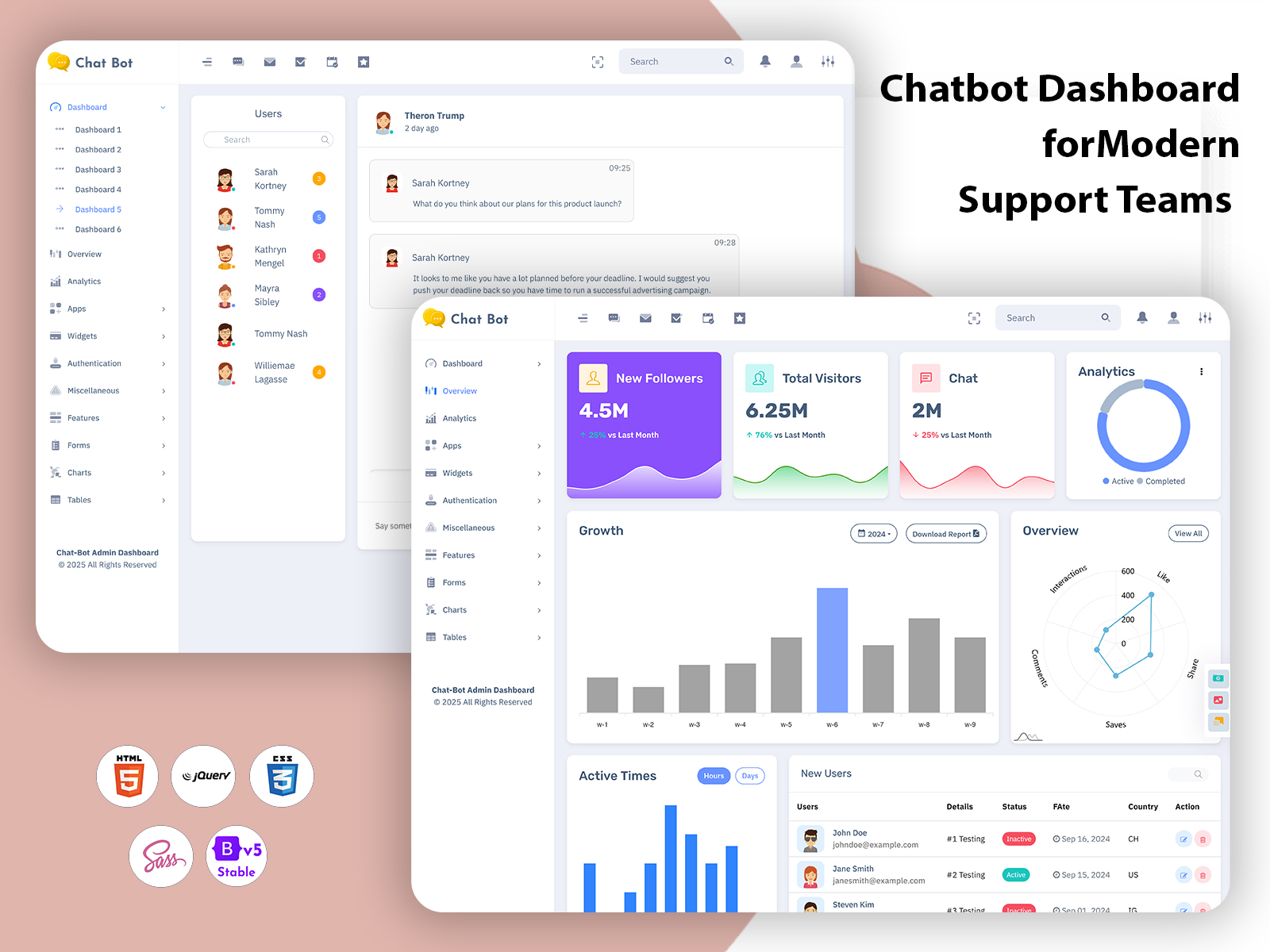
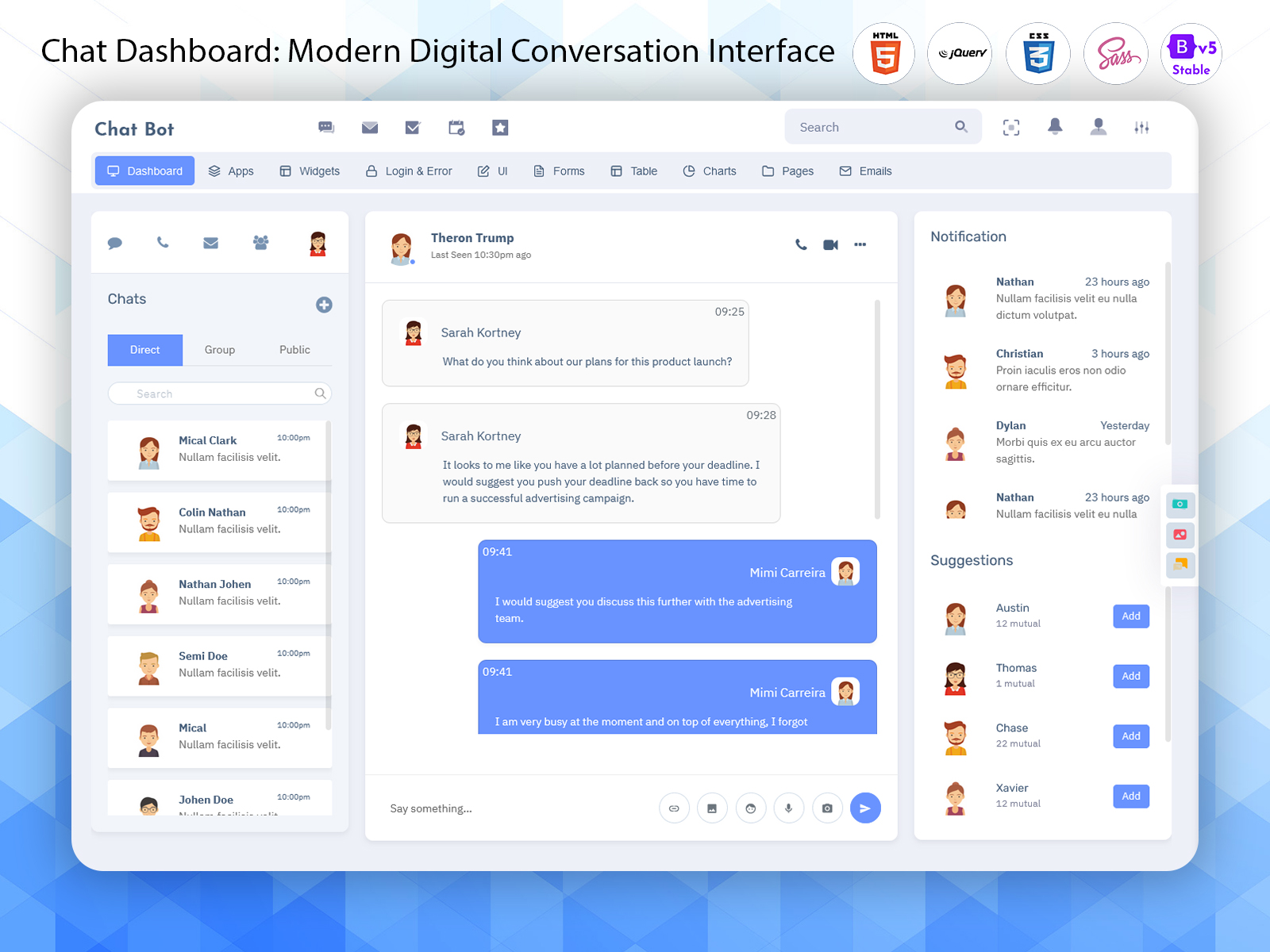
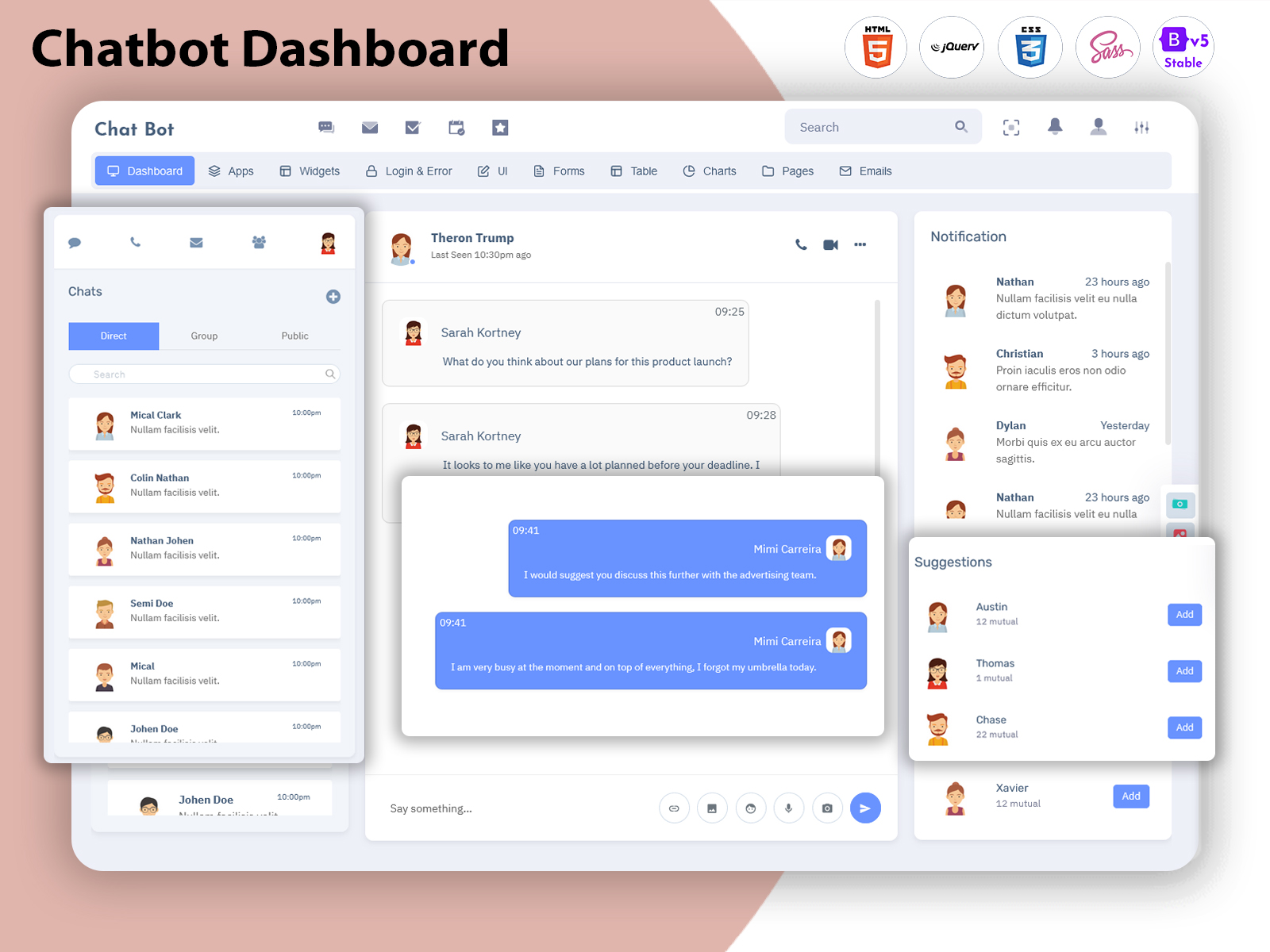
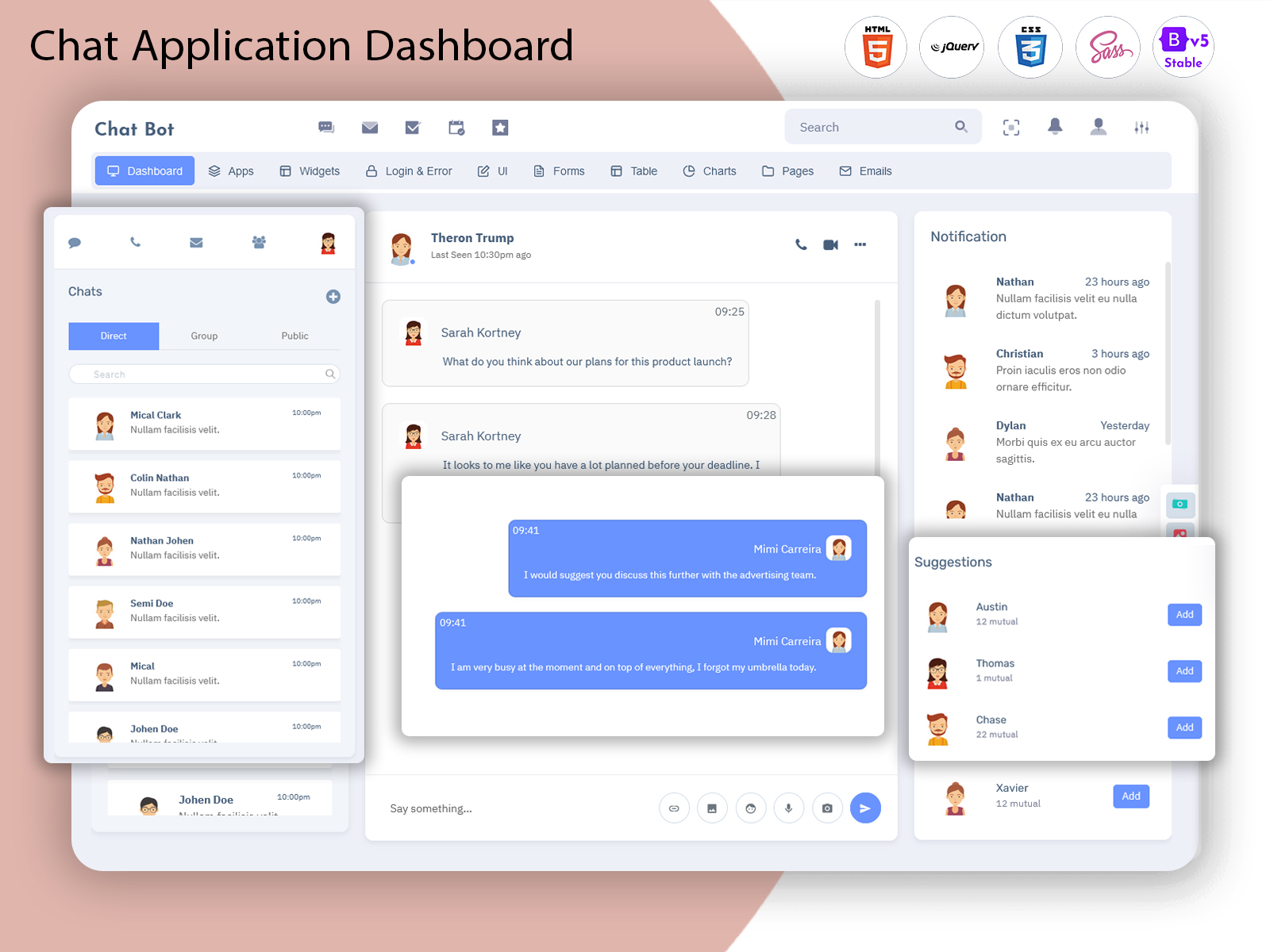
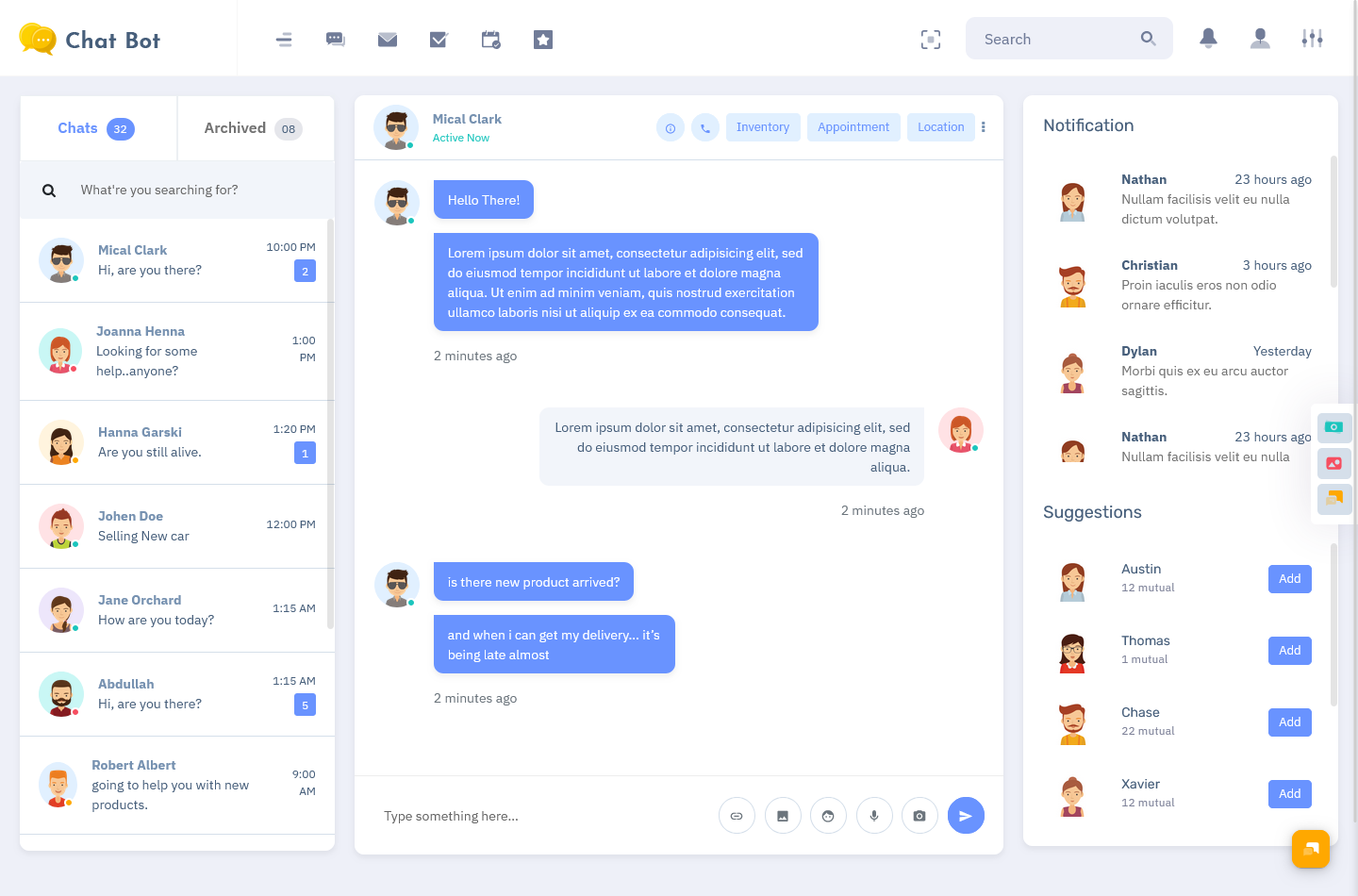
The visual layout of a Web Chatbot UI is another important element. A good interface should clearly display conversations, user lists, chat history, and notification panels. With a well-structured design, administrators can easily switch between chats, manage conversations, and monitor system activity without confusion.
A typical Chatbot Dashboard also includes various interface components that help improve usability. These components may include conversation panels, message threads, user profiles, chat filters, and notification systems. All these elements help create an organized environment where chat interactions can be handled efficiently.
Because chat systems are widely used across industries, a flexible Admin Template becomes extremely valuable. Developers can use the dashboard as a base structure and customize it according to their project requirements. This makes it suitable for customer support platforms, messaging apps, team communication tools, and chatbot-based services.
When combined with modern front-end frameworks, a Bootstrap 5 Admin Template can provide a responsive and mobile-friendly chat management system. This ensures that the Chat Application Dashboard works smoothly across different devices and screen sizes.
Overall, a Chatbot Dashboard serves as the command center for chat applications. It simplifies chat management, improves organization, and helps businesses maintain effective communication with their users.
Watch Full Video
Why Bootstrap 5 is The Best?
When building modern web dashboards, choosing the right framework is extremely important. A strong front-end framework not only improves design quality but also simplifies development. This is why Bootstrap 5 has become one of the most widely used frameworks for building modern dashboards, including a Chatbot Dashboard.
Bootstrap 5 provides a powerful foundation for building responsive web applications. Developers can create professional interfaces quickly without spending excessive time on design structure. Because of its flexible grid system and ready-to-use components, it becomes easier to build a structured Chat Application Dashboard.
One of the biggest advantages of using a Bootstrap 5 Admin Template is responsiveness. In today’s digital environment, dashboards must work smoothly on desktops, tablets, and mobile devices. Bootstrap 5 automatically adapts layouts to different screen sizes, ensuring that the Web Chatbot UI remains clean and readable across all devices.
Another important benefit is its modern design system. Bootstrap 5 includes pre-designed UI components such as buttons, forms, navigation bars, cards, modals, and alerts. These components allow developers to quickly build a professional Admin Template without starting from scratch.
Performance is also a major advantage. Bootstrap 5 is optimized for faster loading and smoother user experience. When integrated into a Chat Software Template, it ensures that the dashboard remains lightweight and responsive even when managing large volumes of chat data.
Customization is another reason why developers prefer Bootstrap 5. Every project has unique design needs, and Bootstrap makes it easy to adjust layouts, colors, typography, and components. This flexibility allows teams to modify the Chatbot Dashboard according to their branding and system requirements.
Bootstrap 5 also improves development efficiency. Since it is widely used around the world, developers can easily find resources, documentation, and community support. This helps speed up development when creating a Chat Application Dashboard or integrating a Web Chatbot UI into larger applications.
Security and stability are also important considerations. Because Bootstrap is maintained and updated regularly, it ensures compatibility with modern browsers and web standards. This makes it a reliable foundation for building scalable Admin Template solutions.
For developers building chat platforms, messaging services, or chatbot systems, using a Bootstrap 5 Admin Template significantly reduces development time while ensuring professional design quality.
Who Can Use this ChatApp Dashboard
A well-designed Chatbot Dashboard can be used by many different industries and digital platforms. As messaging technology becomes more popular, businesses across multiple sectors require efficient tools to manage chat systems and user conversations.
Software developers are one of the primary users of a Chat Application Dashboard. When building messaging platforms or chatbot services, developers need an organized interface to manage conversations, test chat flows, and monitor user interactions. A ready-to-use Chat Software Template helps them focus on development rather than building dashboard structures from scratch.
Customer support teams can also benefit greatly from a Web Chatbot UI. Many businesses rely on chat systems to communicate with customers, resolve issues, and answer queries. With a centralized Admin Template, support teams can track conversations, manage chat queues, and monitor response times more effectively.
Digital service providers often integrate chat features into their platforms. Whether it is a SaaS platform, online marketplace, or support portal, a Chatbot Dashboard helps administrators control chat systems and maintain organized communication channels.
Startups and product companies can also use a Bootstrap 5 Admin Template to build communication features into their applications. Instead of investing large resources into dashboard development, they can start with a ready-made Chat Application Dashboard and customize it for their platform.
Educational platforms and online communities also rely on chat systems for user interaction. A structured Web Chatbot UI can help moderators manage conversations, monitor discussions, and maintain healthy communication within the platform.
In addition, businesses that provide automated chat services can use this Chat Software Template as the management interface for their chatbot systems. It allows administrators to monitor chat activity, manage responses, and maintain efficient communication with users.
Because of its flexible design, this Admin Template can be adapted for many different use cases. From messaging apps to support systems, a Chatbot Dashboard helps organizations manage communication more effectively.
Benefits of Using Our Chatbot Dashboard
Using a ready-made Chatbot Dashboard provides several advantages for developers and businesses. Instead of building complex dashboards from scratch, teams can start with a structured Chat Application Dashboard that already includes essential interface components.
One major benefit is time efficiency. Developing a full chat management system can take significant time and resources. With a pre-built Chat Software Template, developers can focus on building chat functionality while using the dashboard for management and monitoring.
Another important advantage is user experience. A clean and structured Web Chatbot UI makes it easier for administrators to navigate the system and manage conversations. When dashboards are well organized, teams can respond to users faster and maintain better communication workflows.
Responsive design is another major benefit. Because the dashboard is built as a Bootstrap 5 Admin Template, it works smoothly across different screen sizes. This ensures that administrators can manage chat systems from desktops, tablets, or mobile devices without any issues.
Customization is also an important feature. Businesses often require unique branding and design styles. With a flexible Admin Template, developers can easily modify layouts, colors, and components to match their project requirements.
Scalability is another key benefit. As chat platforms grow and user activity increases, the Chatbot Dashboard must be able to handle large amounts of data and conversations. A well-structured Chat Application Dashboard ensures that the system remains organized even as usage expands.
Another advantage is improved organization. Managing multiple chat conversations can become complicated without a structured interface. A well-designed Web Chatbot UI helps administrators track conversations, manage users, and maintain clear communication channels.
Security and reliability are also important factors. Using a modern Bootstrap 5 Admin Template ensures compatibility with modern browsers and development standards. This helps developers maintain stable and secure chat systems.
Overall, using a professional Chat Software Template allows businesses to implement chat systems more quickly while maintaining high design quality and usability.
Conclusion
Chat technology has become an essential part of modern digital platforms. Businesses rely on messaging systems to connect with customers, manage communication, and provide real-time support. To manage these systems efficiently, a well-designed Chatbot Dashboard is extremely important.
A structured Chat Application Dashboard allows administrators to monitor conversations, manage user interactions, and maintain organized communication channels. With a clear and responsive Web Chatbot UI, teams can easily handle chat operations and ensure smooth communication with users.
By building the dashboard using a Bootstrap 5 Admin Template, developers gain the advantage of responsive design, modern UI components, and faster development workflows. This makes it easier to build scalable chat management systems without unnecessary complexity.
Whether it is used by developers, customer support teams, startups, or digital platforms, a professional Chat Software Template provides a reliable foundation for chat-based applications.
As chat systems continue to grow in popularity, having a powerful and flexible Admin Template becomes an essential tool for managing communication effectively.
FAQs
What is a Chatbot Dashboard?
A Chatbot Dashboard is a management interface used to monitor and control chat systems. It allows administrators to track conversations, manage users, and organize messaging activities in one place.
What is a Chat Application Dashboard?
A Chat Application Dashboard is the backend interface of a chat platform where chat data, conversations, and user interactions are managed.
What is a Chat Software Template?
A Chat Software Template is a ready-made dashboard design that developers can use to build chat applications quickly without creating the entire interface from scratch.
Why use Bootstrap 5 Admin Template for chat dashboards?
A Bootstrap 5 Admin Template provides responsive design, modern UI components, and flexible customization options, making it ideal for building dashboards.
What is Web Chatbot UI?
A Web Chatbot UI refers to the visual interface used to manage and interact with chatbot systems within a web dashboard.
Who can use a Chatbot Dashboard?
Developers, businesses, customer support teams, startups, and digital platforms can use a Chatbot Dashboard to manage chat systems and user conversations effectively.

Related Posts