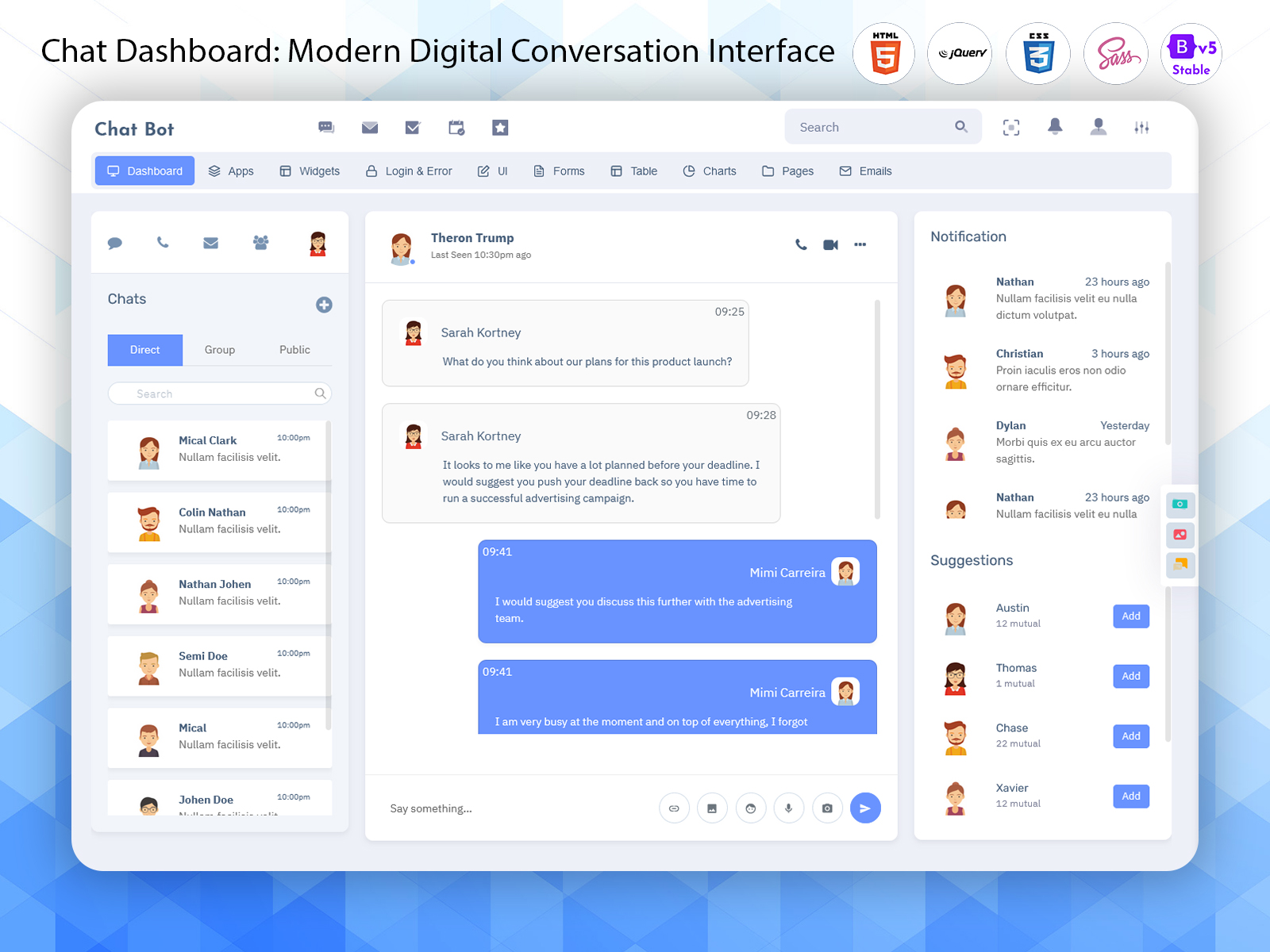
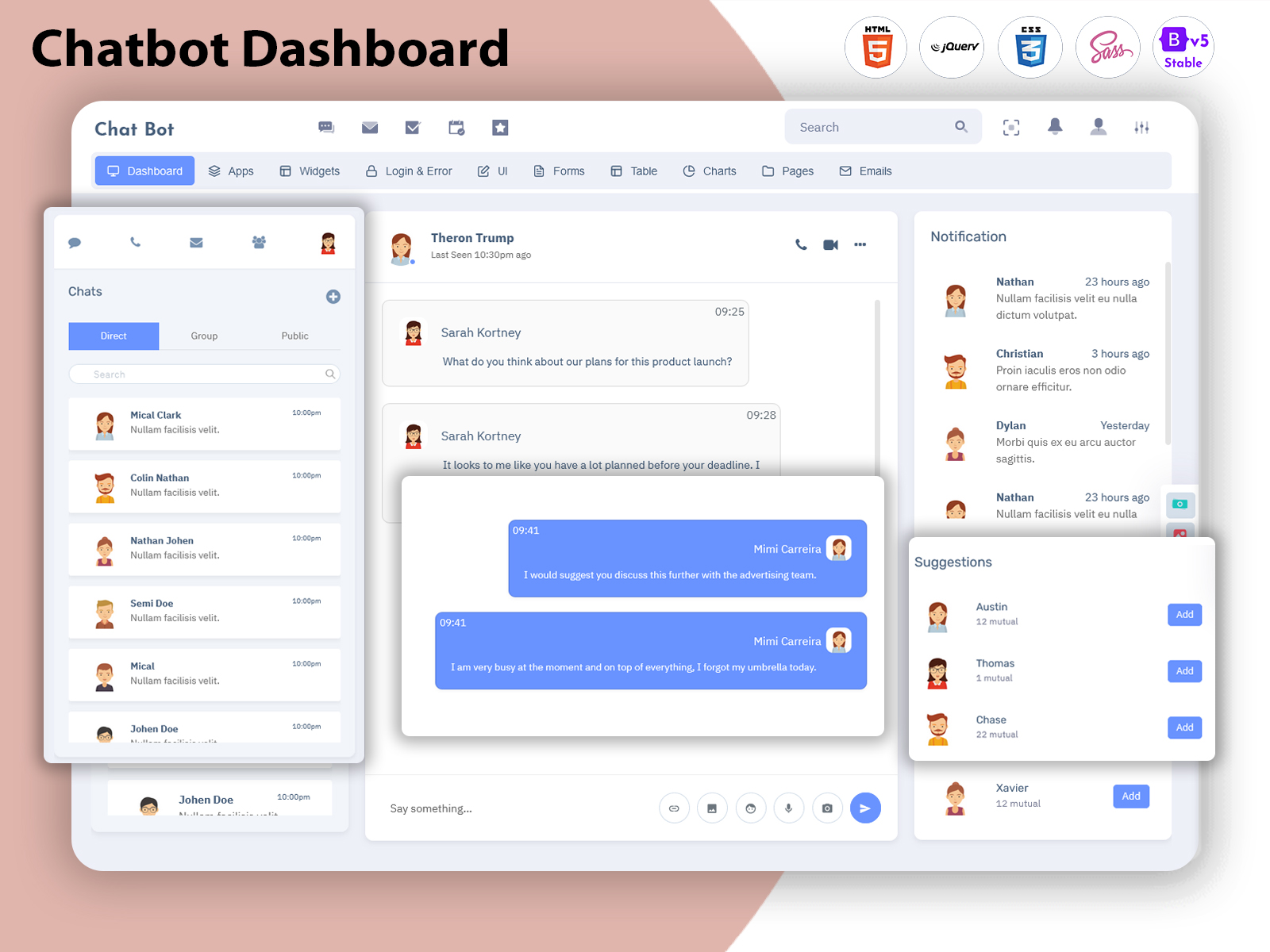
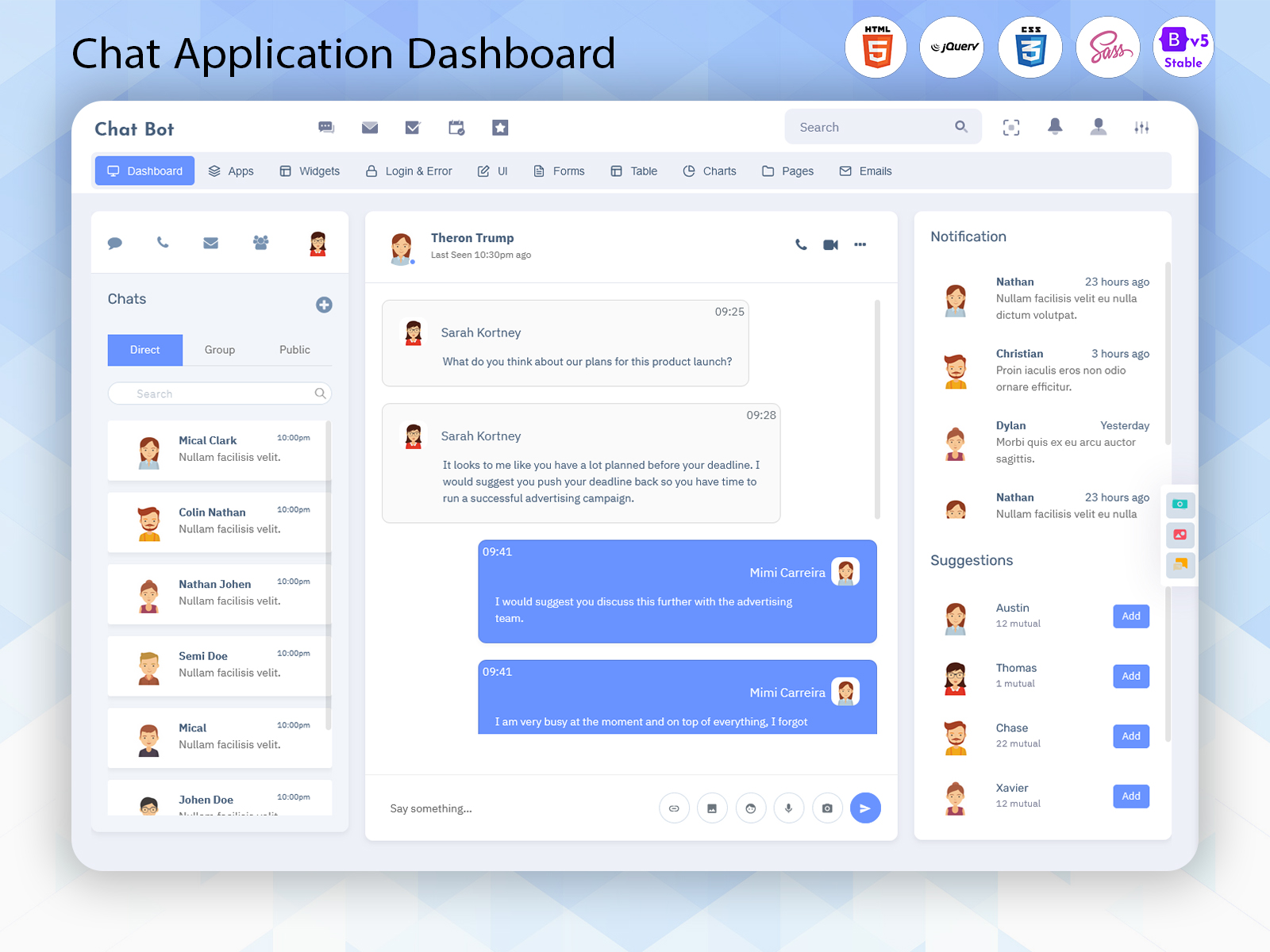
What is a Chat Dashboard? A Chat Dashboard is a centralized interface designed to organize…
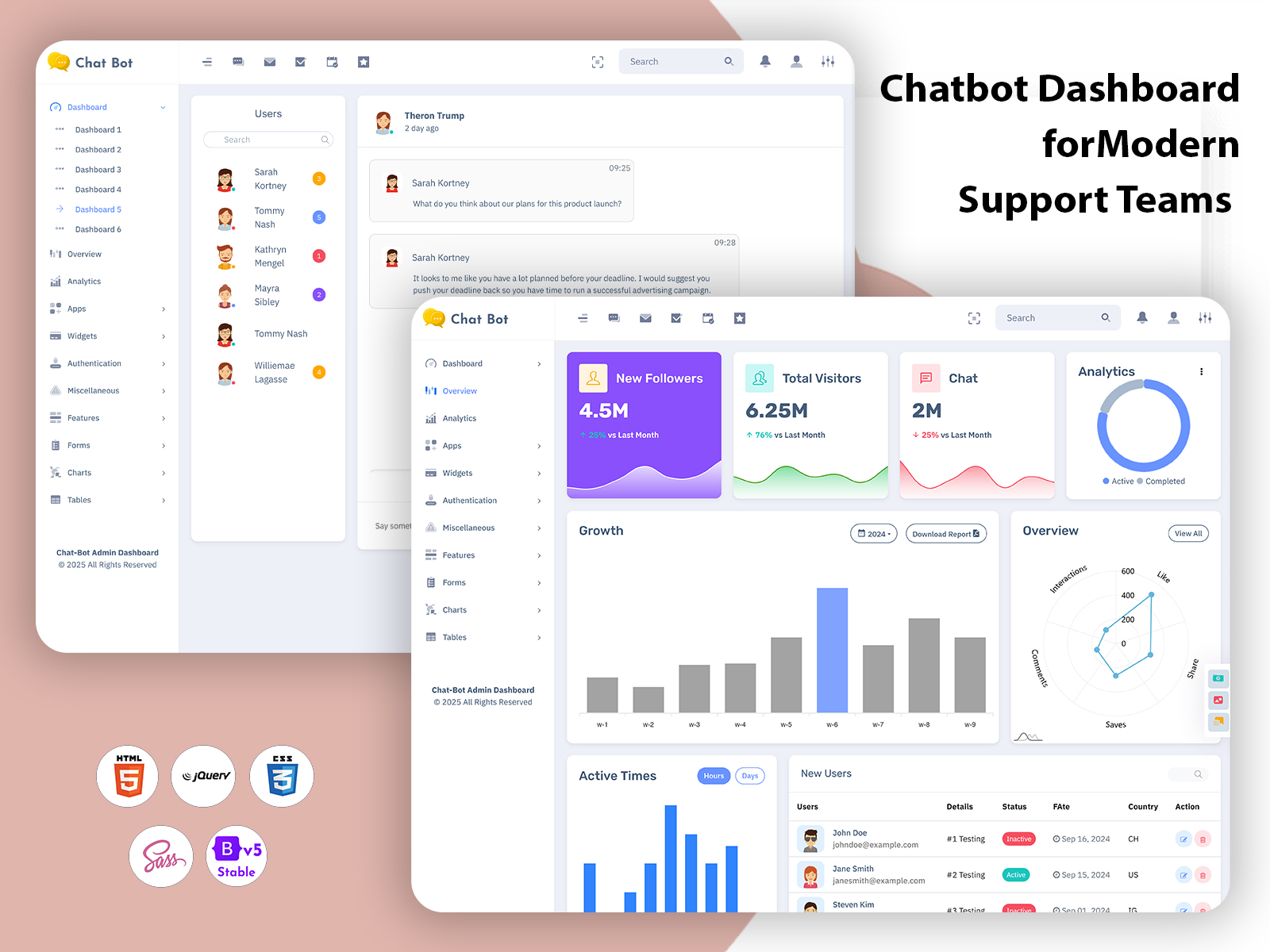
Chatbot Dashboard for Modern Support Teams
Reading Time: 10 minutes
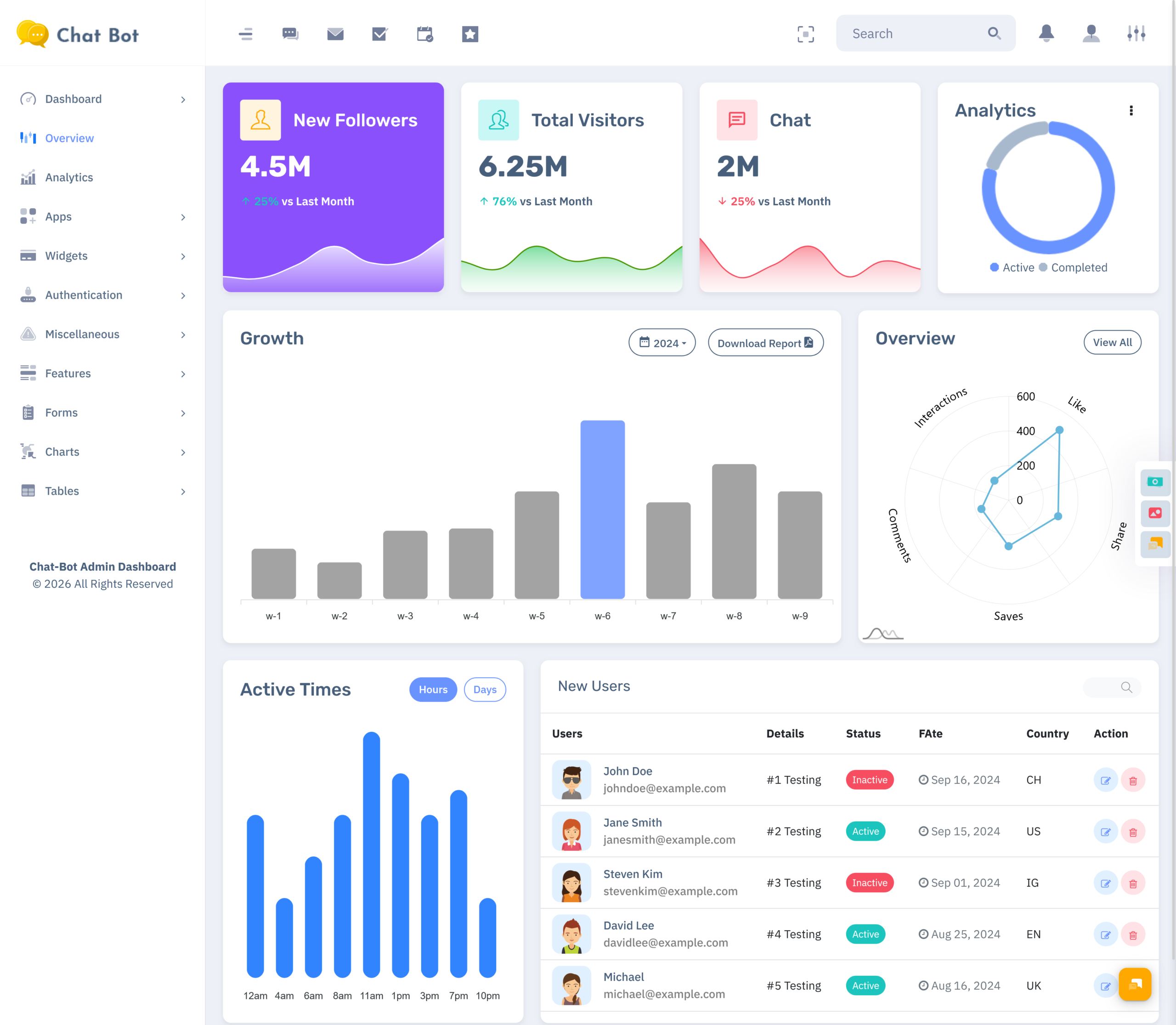
A Chat Dashboard is an area where people can look at arrange and take care of messages inside a digital communication system. It provides a spot for administrators support workers and service groups to deal with messages see what users are doing track ongoing talks and look at important details, about the conversations. Instead of moving between separate screens, users can work through one structured interface designed around daily chat operations.
Watch Full Video
Chatbot Dashboard usually revolves around automation, bot actions, response sequences, and user queries that are processed using the services of chatbots. The Chat Application Dashboard may have different goals such as customer service, internal communication, group communication, and direct user-to-user communication. They both may contain similar interfaces, but the workflow for each application may vary.
A modern dashboard is not a place to see messages. It can have conversation lists, user profiles, unread message alerts, search tools, status tags, notification areas and activity updates. These features help teams stay aware of what’s going on in the communication system. They don’t have to open every conversation to get the picture.
For developers a chat software template offers a made interface for building chat applications. It can have pre-made designs for inboxes chat areas, contact lists, profile pages, forms, tables and dashboard elements. This gives a project a real-world starting point while still allowing space for branding, unique features and changes specific, to the application.
The visual aspects of the product are also crucial. Clean Desktop Chatbot UI Design will make it possible for lengthy conversations to be easier to track and give the user information about where to type, which messages are unread, and whose messages are now active. With proper planning of navigation, spacing, typography, and grouping of messages, the dashboard becomes more operable during intensive communication hours.
How a Chat Dashboard Supports Everyday Communication
A chat platform may receive messages from customers, employees, website visitors, or registered users throughout the day. Without a well-organized interface, important messages can become difficult to locate. Conversations may remain unanswered, follow-up requests may be forgotten, and users may spend unnecessary time checking different sections of the application.
A Chat Application Dashboard creates a working area where conversations can be reviewed according to their current status. For example, an agent may separate new messages from active discussions, waiting responses, completed conversations, and conversations that need supervisor attention. This type of arrangement gives every message a clearer place in the workflow.
The dashboard can also help users understand the background of a conversation before replying. A message might seem straightforward at glance.. The real meaning often depends on earlier replies, customer details, attached files and past requests. A good interface makes it easy for the agent by keeping all this information right next, to the chat window. That way the agent doesn’t have to go digging through pages. It saves time. Helps avoid mistakes.
Another important role of a chat dashboard is supporting different communication styles. Some platforms are designed for customer service, while others are used for team messaging, online communities, appointment communication, sales enquiries, or technical assistance. The layout should match the way people use the platform rather than forcing every project into the same structure.
A Chatbot Dashboard can also help teams look at automated answers and spot conversations that need a person to handle them. When a bot doesn’t get a question or a user asks for help that’s personal the system can send the conversation to an agent. The dashboard then becomes a bridge between automated communication and human support.
For businesses and software teams, a carefully planned Chat Software Template can reduce the effort required to create these working screens. Developers can adjust the layout for their project while maintaining a consistent interface across inbox pages, profile panels, chat windows, and administrative sections.
VIEW DEMO BUY NOW
Features of Chat Dashboard
1. Organized Conversation List
A conversation list displays available chats in a structured panel. It may show contact names, profile pictures, the newest messages, time stamps, numbers of messages and the status of the conversation.
This lets users switch between conversations without losing where they were.
Filters or tabs can further separate personal chats, support requests, group messages, and archived conversations.
2. Interactive Chat Window
The chat window is the primary window where the conversations take place. One helpful arrangement is to separate the incoming messages from the outgoing messages and display the time stamps along with providing the text entry window. The reply button, attachment button, and send actions can all be organized without cluttering the interface.
3. User Profile and Contact Details
A profile panel gives additional information about the selected contact. Depending on the application, it may display a name, email address, department, customer reference, account status, or previous interaction details. Keeping this information near the conversation helps agents understand who they are communicating with before taking action.
4. Unread and Priority Indicators
Badges for unread messages and labels for priority messages assist users in identifying which conversations need their attention. This can be done using the dashboard that will highlight the new messages, urgent messages, pending responses, or conversations that have been assigned to specific teams. Badges and labels should be visible but not too much.
5. Search and Conversation Filtering
Search functionality helps users locate a conversation by contact name, message text, subject, or reference number. Filters can narrow the list by status, date, team, channel, or assigned agent. This is especially useful for platforms with a large message history where scrolling through every conversation would be inconvenient.
6. Message Status and Activity Details
Message status elements can show if a message is sent, delivered, read or still pending. Activity details might also show typing indicators, status, last active time or recent updates. These small parts of the interface help users know if a conversation is moving forward or if it’s waiting for a reply.
7. Responsive and Theme-Based Layout
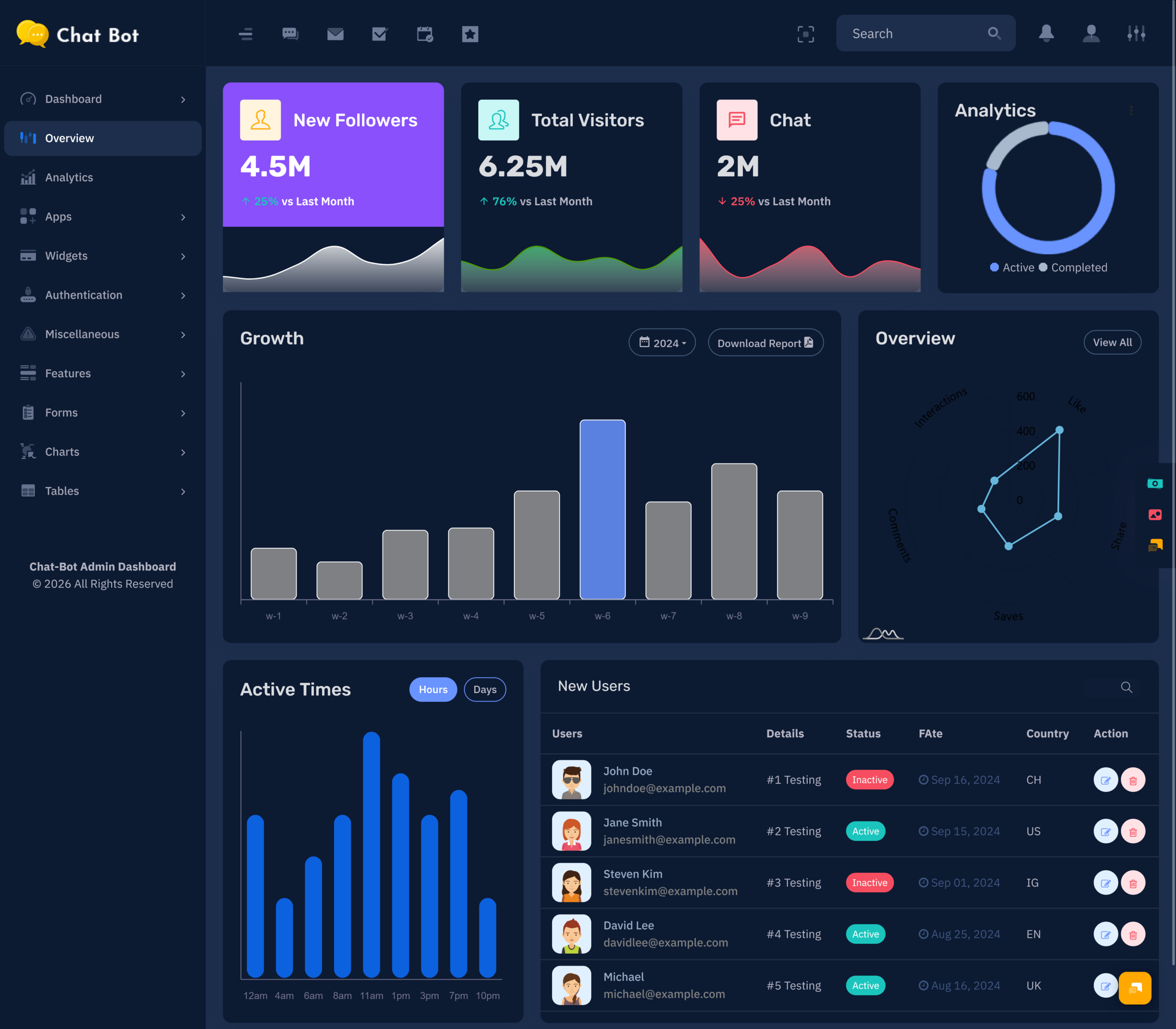
A responsive dashboard changes its layout depending on the size of the screen. On a desktop the contact list, chat window and profile panel can all be seen together. On a screen only one section appears at a time. Light and dark theme options can also support different working environments and user preferences.
8. Notification and Alert Panel
A notification panel brings attention to new messages, mentions, assignment changes, or system updates. Notifications can be grouped so users are not interrupted by every small event. Clear labels and sensible placement help people distinguish between routine activity and alerts that need immediate action.
9. Chat Analytics Widgets
Some chat dashboards contain widgets that show conversation volume, active users, response activity, open requests or completed chats. These widgets give administrators a view of platform usage. The goal is not to fill the screen with many charts but to display only selected data that helps teams grasp communication patterns.
10. Reusable UI Components
A Chat Software Template can have buttons, cards, forms, modals, tables, dropdowns, badges and navigation elements. These parts help keep the look of the app the same over. Developers can change these components for screens but still keep the design feeling familiar, to users.
VIEW DEMO BUY NOW
Benefits of Chat Dashboard
1. Better Conversation Organization
A Chat Dashboard places active, unread, completed, and pending conversations into a structured workspace. Users can identify the next task without checking multiple pages. This arrangement is especially helpful for teams handling many conversations at the same time.
2. Clearer Customer Context
Profile panels, previous messages, and conversation details help agents understand the situation before replying. Instead of asking users to repeat basic information, teams can review the available context and provide a more relevant response.
3. Easier Team Coordination
Assignment labels, status indicators, and shared conversation views make it easier for teams to coordinate their work. Managers can see which discussions are being handled, while agents can identify conversations that still need attention.
4. More Consistent User Experience
A carefully designed interface gives users familiar controls for reading, replying, searching, and switching between chats. Consistent layouts reduce confusion and make the application feel more dependable across different screens.
5. Faster Access to Important Messages
Search tools, filters, unread badges, and priority markers help users locate important conversations quickly. This is useful when a team needs to review an earlier request or respond to a message that cannot remain unanswered.
6. Flexible Application Development
A ready-made Chat Software Template gives developers a prepared foundation for chat-related screens. They can modify colors, layouts, components, and modules according to the project instead of designing every interface element from the beginning.
7. Improved Visibility for Administrators
A Chatbot Dashboard can present useful information about user activity, conversation volume, and automated interactions. Administrators can use these details to understand how the platform is being used and where communication workflows may need attention.
Designing a Chat Dashboard for Different User Roles
Not every person using a chat platform needs the same information. A customer may only need a simple message area, contact details, and notification controls. An agent may require conversation history, user information, status labels, and internal notes. A manager may need assignment views, activity summaries, and team-level reporting.
For this reason, a Chat Application Dashboard should be planned around user roles. The customer-facing interface can remain simple and focused on communication, while the administrative side can include additional controls for managing conversations and users.
Role-based navigation can also prevent unnecessary options from appearing on every screen. When users see only the tools related to their work, the dashboard becomes easier to understand. This is particularly important for large platforms where different departments handle different types of communication.
A Desktop Chatbot UI Design can support these roles through flexible panels and adjustable layouts. For example, an agent may keep the conversation list open while reviewing a user profile, whereas a manager may prefer a wider activity section with summary widgets. The interface should support these tasks without creating visual clutter.
Using a Chatbot Dashboard for Automated and Human Support
Chatbots are often used to answer questions that come up a lot help people with tasks or get basic details from users.. Not all problems can be fixed with a robots response. Some chats need a person to pay attention explain things more or get info that the bot doesn’t have.
A Chatbot Dashboard can help teams observe these interactions and identify when a conversation needs to move from automation to human support. A handover status, assigned agent label, or conversation history can make this transition easier to manage.
The dashboard may also provide space for reviewing common questions and checking how users interact with automated responses. These details can help a team identify unclear instructions, missing information, or areas where users regularly request assistance.
The most useful design is not one that hides human support behind automation. Instead, it should make the relationship between bot communication and human assistance clear. Users should understand when they are speaking with an automated system and when a real person has joined the conversation.
Choosing the Right Chat Software Template
When selecting a Chat Software Template, developers should first consider the type of communication platform they are creating. A customer support system may need ticket-style conversation handling, agent assignment, and user profiles. A team messaging application may need group conversations, member lists, mentions, and shared files.
The template should also match the expected screen size and working environment. A platform used mainly on desktop computers may require a detailed Desktop Chatbot UI Design with multiple visible panels. A mobile-focused application may need a simpler layout with compact navigation and easy access to the message composer.
Customization is another important consideration. Developers should check whether the template includes reusable components, flexible page layouts, organized code, and design options that can be adapted to their project. A template should support the product’s identity rather than make every application look identical.
It is also useful to review the overall interface before choosing a design. Check the spacing of message bubbles, readability of text, placement of notifications, contact navigation, profile sections, and the way the layout behaves when conversations become longer. These details have a direct effect on the daily usability of the chat platform.
Conclusion
A Chat Dashboard is a workspace that helps you manage conversations, keep track of user information, view notifications and monitor communication activity. A Chat Dashboard can support customer service teams, internal messaging platforms, chatbot systems, online communities and many other digital applications.
A well-planned Chat Application Dashboard does more than display messages. It gives conversations structure, keeps important details accessible, and helps different users complete their communication tasks with less confusion. With the right combination of conversation tools, profile information, search controls, status indicators, and responsive layouts, the dashboard can become a reliable part of the application.
For developers, a Chat Software Template offers a useful starting point for creating these experiences. A carefully selected design can provide reusable interface elements while allowing customization for different business or project requirements. A strong Desktop Chatbot UI Design can further improve the experience by keeping the workspace clean, readable, and comfortable for extended use.
VIEW DEMO BUY NOW
Frequently Asked Questions
1. What is the main purpose of a Chatbot Dashboard?
The main purpose of a Multi purpose themes Chatbot Dashboard is to provide a central place for managing chatbot conversations, user questions, automated replies, and related activity. It allows administrators or support teams to review interactions, identify unanswered requests, and understand how users are engaging with the chatbot. Depending on the system, it may also support human handover, conversation history, user profiles, and selected performance information.
2. What is the difference between a Chatbot Dashboard and a Chat Application Dashboard?
A Chatbot Dashboard generally focuses on automated communication, bot responses, conversation flows, and user interactions with the chatbot. A Chat Application Dashboard usually covers a wider messaging environment, including direct chats, support conversations, group messaging, and communication between users. Some modern applications combine both functions, allowing automated replies to handle simple questions while human agents manage more detailed conversations.
3. Can a Chat Software Template be customized for my project?
Yes, a Chat Software Template can usually be adapted according to the needs of a project. Developers may customize colors, typography, navigation, chat layouts, profile panels, buttons, forms, and other interface components. The template can also be adjusted for different industries, such as customer support, education, healthcare communication, sales enquiries, or internal business messaging, depending on its structure and available components.
4. Why is a Desktop Chatbot UI Design important?
A Desktop Chatbot UI Design is important because desktop users often work with larger screens and may need to view several sections at once. A good design can display the conversation list, active chat, user profile, and related controls in a balanced layout. Clear spacing, readable text, visible message status, and simple navigation help users manage long conversations without feeling overwhelmed by the interface.
5. What features should I check before selecting a Chat Application Dashboard?
Before selecting a Chat Application Dashboard, review its conversation list, message window, contact details, search tools, unread indicators, notification system, profile section, and responsive behavior. You should also check whether it supports the type of messaging your project requires, such as direct chat, group conversations, support communication, or chatbot interaction. Customization options and reusable components are also important for future changes.
6. Can a Chatbot Dashboard support both automated bots and human agents?
A Chatbot Dashboard can support both automated bots and human agents when the application includes a handover or agent-management workflow. The bot may answer common questions first, while complex or sensitive requests can be transferred to a human representative. A useful interface should preserve the conversation history during this transition so the agent can understand the user’s request without asking them to repeat everything.
7. Is a Chat Dashboard useful for small businesses and startups?
Yes, a Multi purpose themes Chat Dashboard can be useful for small businesses and startups that communicate with customers, leads, employees, or service users through digital channels. It provides a structured way to review messages, track pending conversations, and maintain customer context. A ready-made Chat Software Template can also help a small team start with a professional interface and customize it as the communication platform grows.

Related Posts