

What is a CRM Dashboard? A CRM Dashboard is a centralized interface that helps businesses…
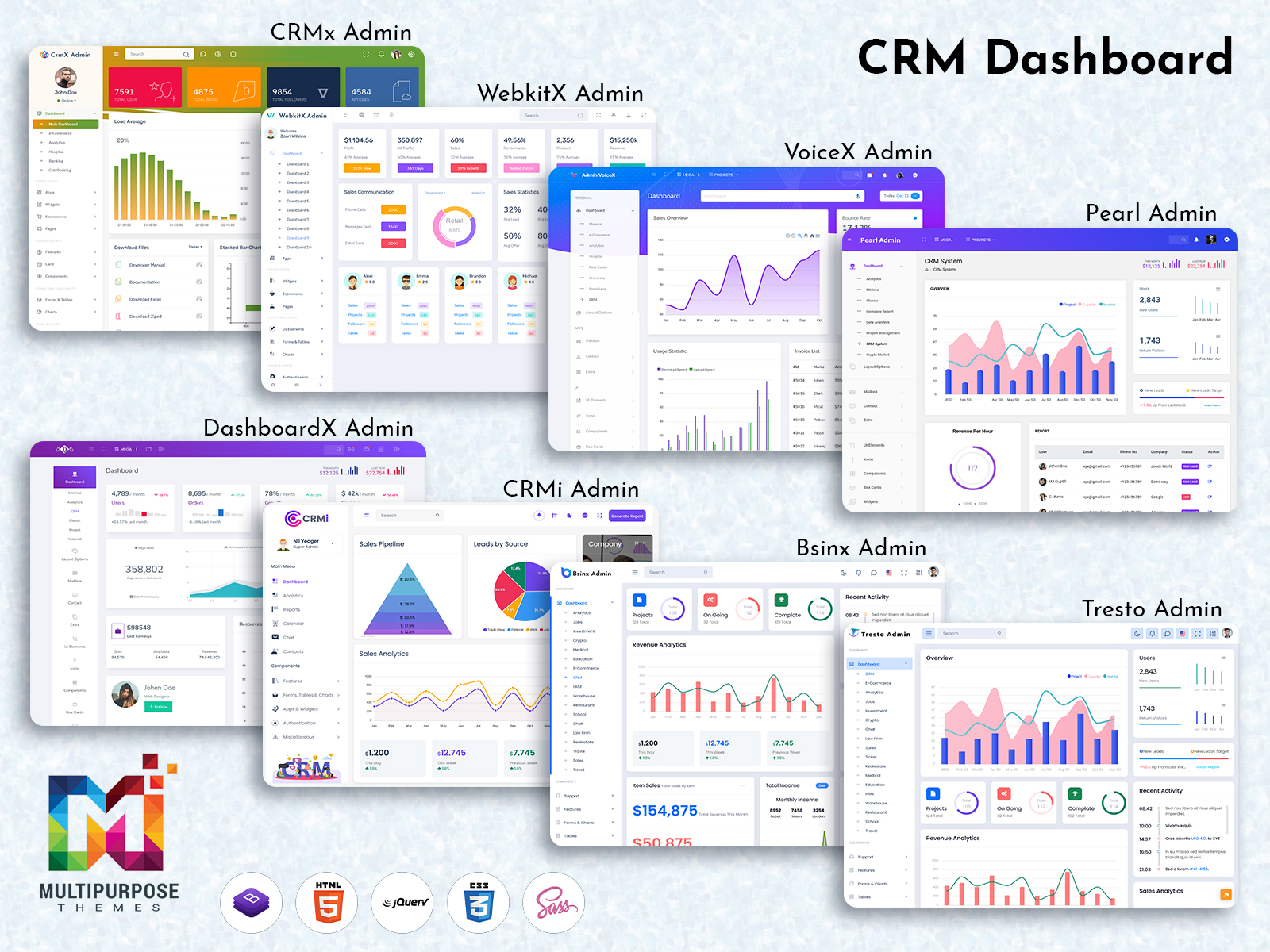
CRM Dashboard: Fueling Market Growth with Powerful Analytics and Smart Insights
Reading Time: 11 minutes
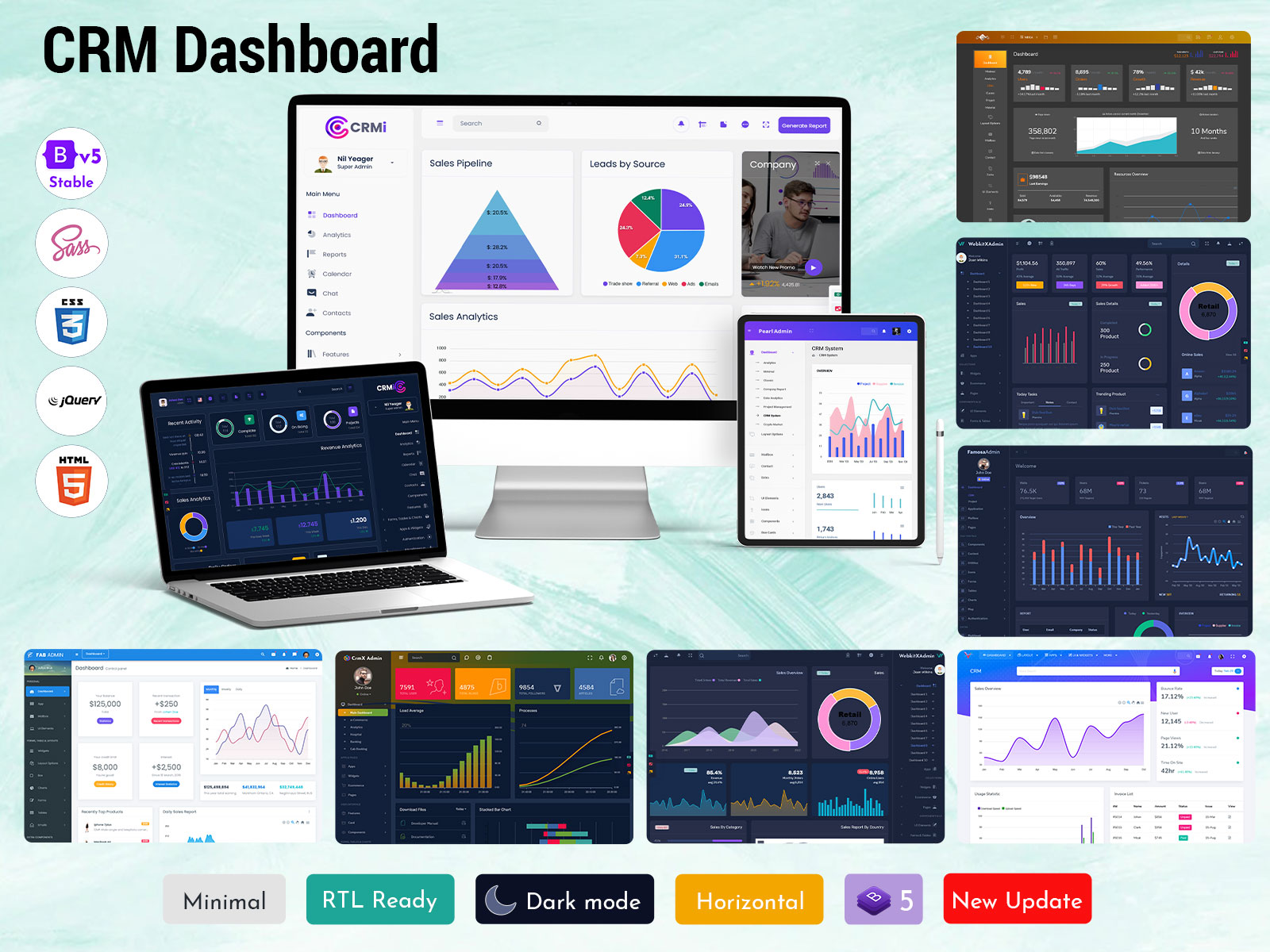
Many businesses today need a simple, reliable way to manage customers, sales, and day-to-day service. A good CRM Dashboard gives teams a single place to see leads, projects, and customer history so nothing slips through the cracks. Companies of every size save time and reduce errors when they use a responsive web app instead of scattered spreadsheets and email threads. Our CRM Admin Template built on Bootstrap 5 is responsive, fast, and easy to use. It gives managers immediate access to Dashboard Analytics, neat Analytical Charts, and a clean Dashboard Layout that teams can learn in minutes. The template follows a practical CRM Ui Framework and focuses on intuitive CRM Ui Ux so users feel confident every day — from sales reps to support staff. With clear views for tasks, pipelines, and customer activity, organizations can make better decisions, speed up follow-ups, and improve customer satisfaction. If your business wants a compact, ready-made admin area that looks modern and works across devices, our CRM Dashboard Bootstrap 5 template is designed exactly for that.
buy now
What is CRM Dashboard?
A CRM Dashboard is the control center of a customer-focused web app. It brings together customer lists, sales opportunities, support tickets, and performance numbers into one screen. Instead of hunting through different pages, users open the dashboard and immediately see important Dashboard Analytics like conversion rates, active leads, and support response times. Visual elements such as Analytical Charts show trends at a glance — which campaigns are working, which agents need help, or which products are selling best. The Dashboard Layout is crucial: when key information is arranged logically, teams act faster and with less confusion. A well-built dashboard follows a clear CRM Ui Framework and strong CRM Ui Ux principles so users of any skill level can navigate without training. For businesses, the dashboard reduces repetitive work, highlights priorities, and creates a dependable daily routine for monitoring customers. In short, a CRM Dashboard turns data into actions — a simple hub that keeps customer relationships healthy and operations running smoothly.
Explore CRM Dashboards
CRMi Admin – CRM Dashboard
LTR Style – Light Version Dashboard
BUY NOW DEMO
LTR Style – Light Version Dashboard
BUY NOW DEMO
CrmX Admin – CRM Dashboard
LTR Style – Light Version Dashboard
BUY NOW DEMO
LTR Style – Light Version Dashboard
BUY NOW DEMO
Features of CRM Dashboard
Feature 1 — Visual Analytical Charts
Visual Analytical Charts are the heartbeat of the CRM Dashboard. They translate raw numbers into clear visuals: line charts for trends, bar charts for comparisons, and pie charts for share breakdowns. When team members open the dashboard, charts show real-time sales trends, lead sources, and monthly revenue at a glance. Charts help users spot changes quickly — for example, a sudden dip in leads from one campaign or a spike in support tickets after a release. Good charts are interactive: users can filter by date, region, or product to dig deeper without leaving the dashboard. This saves time and improves decision-making because people act on insight instead of guesswork. In our CRM Admin Template, charts are designed to be readable on any screen, so whether someone checks the dashboard on a desktop or tablet, the Analytical Charts stay clear and actionable.
Feature 2 — Clean Dashboard Layout
A clean Dashboard Layout reduces friction and boosts productivity. The layout groups related items — like sales pipeline, customer list, and support queue — into logical regions so users don’t waste time looking. A well-considered layout prioritizes the most critical Dashboard Analytics at the top, with secondary details below. This helps managers and reps focus on what matters right now. The layout is responsive, so columns and widgets reflow naturally on smaller devices. Controls like quick filters, search, and action buttons are placed where users expect them, cutting down clicks. Our template’s Dashboard Layout follows proven patterns from the CRM Ui Framework, making the interface predictable and friendly. When people can find and act on information fast, tasks get completed sooner and team stress drops.
Feature 3 — Real-time Dashboard Analytics
Real-time Dashboard Analytics keep everyone aligned with current performance. Instead of waiting for end-of-day reports, users see updated KPIs as activities happen — new leads, closed deals, or ticket resolutions. Real-time data helps sales teams prioritize hot leads, supports timely responses to customer issues, and lets managers spot bottlenecks before they grow. When analytics refresh immediately, campaign A/B tests show results faster and resource allocation can be adjusted on the fly. This responsiveness is especially important for fast-moving businesses and customer-facing teams. Our CRM Dashboard integrates live metrics into widgets and Analytical Charts, ensuring that the Dashboard Analytics reflect the true state of the business. The result: better timing in decisions and a stronger connection between activity and outcome.
Feature 4 — Modular CRM Ui Framework
A modular CRM Ui Framework makes the dashboard flexible and scalable. The framework separates components — cards, tables, charts, and forms — so developers can reuse and rearrange them without reworking everything. This speeds up customization when a team needs a new widget or an industry-specific report. A modular framework also supports consistent CRM Ui Ux because shared components behave the same across the app. That consistency shortens the learning curve for users and reduces mistakes. Our Bootstrap 5-based CRM Admin Template uses a modular CRM Ui Framework so businesses can adapt the dashboard to their workflows quickly. Whether adding a custom pipeline stage or embedding a new metric, the modular approach keeps the interface stable and maintainable.
Feature 5 — Intuitive CRM Ui Ux
Intuitive CRM Ui Ux means the system feels natural to use. The dashboard guides users with clear labels, consistent icons, and predictable interactions so they can complete tasks with confidence. Good UX reduces training time and frees team members to focus on customers rather than software. Elements like inline editing, contextual menus, and simple modals help users perform updates in place without switching pages. Accessibility and readable typography are part of good CRM Ui Ux, ensuring everyone can use the dashboard comfortably. Our template prioritizes friendly micro-interactions and logical flows that reduce clicks and cognitive load. When the CRM Ui Ux is intuitive, adoption improves and teams rely on the dashboard as their daily tool.
Feature 6 — Actionable CRM Admin Template Tools
An effective CRM Admin Template includes tools that let teams act directly from the dashboard. Quick actions — send a message, change lead status, create a task — speed daily workflows. Embedded tables with sortable columns and bulk actions make management of large contact lists practical. Export options and scheduled reports help transfer insights to other stakeholders. The template also supports role-based views so different teams see what they need without clutter. These built-in tools reduce the need for extra integrations and save setup time. Our CRM Admin Template delivers these utilities in a polished package, so companies can begin working with confidence and scale their usage as they grow.
Feature 7 — Secure Data & Permission Controls
Security and permission controls are critical in any CRM Dashboard. The dashboard should let admins set roles and permissions so sensitive customer information is visible only to authorized users. Audit logs track changes and help with compliance. Secure data handling protects customer trust and reduces business risk. Role-based dashboards can show simplified interfaces for front-line staff while exposing detailed analytics to managers. Encryption and safe authentication practices help safeguard the data in transit and at rest. Our template includes permission settings and follows best practices for secure access, ensuring that Dashboard Analytics and customer records remain protected while still being easily available to those who need them.
Importance of Analytical Charts for CRM WebApps
Analytical Charts are vital for CRM web apps because they convert complex data into clear stories. When customer numbers, sales pipelines, and support queues grow, raw tables become hard to read. Charts summarize large datasets visually so teams can quickly see patterns, anomalies, and trends. For example, a line chart can highlight seasonal sales changes; a funnel chart shows where leads drop off; a stacked bar chart compares revenue across teams. These visual cues help prioritize actions — whether to reallocate marketing budget, coach a sales rep, or investigate a sudden support spike. Charts also improve communication across teams: stakeholders can look at the same visual and reach agreement faster than when debating spreadsheets.
Interactive Analytical Charts inside a CRM Dashboard let users slice data by date, region, or campaign without exporting files. This interactivity shortens analysis time and promotes experimentation: users can test hypotheses and immediately see results. Charts also support data-driven culture — when everyone can access visual insights, decisions become objective rather than opinion-driven. Finally, charts enhance the Dashboard Layout by creating compact, informative widgets that fit on a single page. For mobile and tablet users, responsive charts keep insights available on the go, ensuring that Dashboard Analytics remain actionable anytime. In sum, Analytical Charts are not just pretty visuals — they are the tool that turns CRM data into timely, confident action.
Industries That Use CRM Web Apps the Most
Sales & Marketing Agencies
Sales and marketing teams rely on a CRM Dashboard to track leads, campaign performance, and client feedback. Agencies use Analytical Charts to show clients conversion trends and ROI. The Dashboard Layout helps account managers keep client tasks, deadlines, and invoices organized. A strong CRM Ui Framework ensures campaign data and contact histories are consistent and easy to present in reports. Good CRM Ui Ux speeds up pitch preparation and follow-ups, and an adaptable CRM Admin Template allows agencies to brand dashboards per client. Overall, CRM web apps help agencies convert more leads, maintain client trust, and demonstrate measurable results.
Banking & Financial Services
Banks and financial firms use CRM web apps to manage client relationships, cross-sell services, and track compliance tasks. The CRM Dashboard shows portfolio summaries, appointment schedules, and customer lifecycle stages. Dashboard Analytics and Analytical Charts help advisors spot investment trends and client behavior patterns. A secure CRM Ui Framework and strict permission controls are essential for protecting financial data. Effective CRM Ui Ux reduces errors when handling complex transactions or applications. A responsive CRM Admin Template gives relationship managers quick access to customer details, improving service speed and accuracy for high-value clients.
Healthcare & Medical
Healthcare providers use CRM web apps to coordinate patient outreach, appointment reminders, and follow-ups. A CRM Dashboard helps staff view upcoming visits, outstanding referrals, and patient communication history. Analytical Charts reveal care trends, such as appointment no-shows or treatment outcomes, guiding operational improvements. The Dashboard Layout organizes patient queues and care team assignments for clarity during busy shifts. A healthcare-friendly CRM Ui Framework prioritizes privacy and accessibility, while thoughtful CRM Ui Ux ensures non-technical staff can manage records with confidence. In short, CRM web apps streamline patient journeys and improve continuity of care.
Manufacturing & Industrial
Manufacturers and industrial suppliers use CRM systems to manage distribution channels, dealer relationships, and B2B orders. The CRM Dashboard centralizes order status, client contracts, and service requests. Dashboard Analytics and Analytical Charts help identify top customers, lagging invoices, and product demand cycles. A clear Dashboard Layout supports sales reps who manage long sales cycles and complex product configurations. The CRM Ui Framework adapts to show technical details and service histories, while a functional CRM Ui Ux helps field teams log visits and parts used. CRM web apps keep supply chains transparent and customer commitments on track.
Retail & E-commerce
Retailers and e-commerce brands use a CRM Dashboard to understand customer behavior, track returns, and run loyalty programs. Analytical Charts make segmentation and purchase trends visible — for example, repeat buying rates and average order value. A tidy Dashboard Layout helps teams manage promotions, inventory alerts, and customer messages from one place. The CRM Ui Framework supports integrations with storefronts and payment systems, while good CRM Ui Ux speeds up order issue resolution. The right CRM Admin Template reduces setup time and helps marketing teams build targeted campaigns based on actual customer data.
Real Estate & Property Management
Real estate professionals and property managers use CRM web apps to track leads, viewings, and tenant histories. The CRM Dashboard puts active listings, client preferences, and contract milestones in one place. Dashboard Analytics and Analytical Charts identify which neighborhoods or property types attract more inquiries. The Dashboard Layout helps agents prioritize warm leads and schedule showings efficiently. A specialized CRM Ui Framework supports document storage for leases and offers, while clean CRM Ui Ux ensures busy agents can update statuses quickly from phone or laptop. CRM web apps make follow-ups timely and reduce lost opportunities.
Education & E-Learning
Educational institutions and e-learning platforms use CRM dashboards to manage admissions, student support, and alumni relations. The CRM Dashboard organizes applicant pipelines, student inquiries, and course enrollments. Analytical Charts show enrollment trends, dropout rates, and campaign effectiveness for outreach. A clear Dashboard Layout helps administrative staff track tasks like document verification and fee reminders. The CRM Ui Framework supports role-based access for counselors and faculty, and good CRM Ui Ux makes it easy to record student interactions. CRM web apps improve communication and help teams boost enrollment and retention.
Travel & Hospitality
Hotels, travel agencies, and tour operators use CRM dashboards to manage bookings, guest preferences, and service recovery. The CRM Dashboard displays upcoming reservations, guest histories, and special requests. Dashboard Analytics and Analytical Charts reveal booking trends by season, customer segment, or package type. The Dashboard Layout lets staff respond quickly to cancellations and upsell opportunities. A hospitality-focused CRM Ui Framework stores guest preferences and loyalty data, while pleasant CRM Ui Ux ensures front-desk staff can work efficiently during peak hours. CRM web apps help deliver better guest experiences and increase repeat bookings.
IT & Software Services
IT companies and software vendors use CRM dashboards to track leads, manage projects, and support contracts. The CRM Dashboard shows sales pipelines, trial conversions, and renewal dates. Analytical Charts help product teams see feature adoption and churn indicators. A developer-friendly CRM Ui Framework allows integration with issue trackers and billing systems, and smart CRM Ui Ux lets account managers update client records without friction. The CRM Admin Template speeds up deployment so teams can focus on product improvements rather than admin setup. CRM systems in IT keep client engagements transparent and predictable.
Customer Support & Call Centers
Support teams and call centers use CRM dashboards to manage tickets, response SLAs, and agent performance. The CRM Dashboard provides ticket queues, current backlog, and satisfaction metrics. Dashboard Analytics and Analytical Charts help supervisors spot overloaded queues and training needs. A task-focused Dashboard Layout puts urgent items front and center, while a responsive CRM Ui Framework ensures agents can handle requests from any device. Clear CRM Ui Ux reduces average handling time and improves first-contact resolution rates. CRM web apps help teams deliver consistent, trackable support.
Nonprofits & CSR Organizations
Nonprofits and CSR teams use CRM web apps to manage donors, volunteers, and impact reporting. The CRM Dashboard tracks donation campaigns, volunteer shifts, and project milestones. Analytical Charts show donor retention, campaign performance, and funds allocation. A simple Dashboard Layout helps coordinators prioritize outreach and stewardship tasks. The CRM Ui Framework supports secure donor data handling, and accessible CRM Ui Ux allows volunteers to sign up and record hours easily. CRM systems help nonprofits steward relationships and measure impact for stakeholders.
Why Choose Us
Choose our CRM Dashboard because we focus on making real work easier for real teams. Our Bootstrap 5 CRM Admin Template is built to be responsive and fast, so it works on laptops, tablets, and phones without losing clarity. We follow a tested CRM Ui Framework that keeps components consistent and reliable, and we emphasize practical CRM Ui Ux so your people can adopt the system quickly with minimal training. The template includes ready-made Analytical Charts, compact widgets, and a clean Dashboard Layout that highlights the most important Dashboard Analytics first. Beyond visuals, we provide tools and utilities so teams can act from the dashboard — quick edits, bulk actions, exports, and role-based views. Security and permissions are built in, protecting customer data while allowing collaboration. In short, we combine developer-friendly structure and user-friendly design so your business gets measurable improvements in follow-up speed, customer satisfaction, and operational clarity. If you want a CRM solution that’s practical, scalable, and ready to use, our dashboard is made for that.
Closing Words
A well-designed CRM Dashboard changes how a business operates: it reduces confusion, makes priorities visible, and helps teams work without friction. When your staff can see clear Dashboard Analytics and use interactive Analytical Charts, decisions are based on facts rather than memory or guesswork. The right Dashboard Layout, built with a consistent CRM Ui Framework and thoughtful CRM Ui Ux, turns the dashboard into a daily habit for the whole company. Our Bootstrap 5 CRM Admin Template offers a ready path to better organization — responsive, intuitive, and adaptable. Whether you are a small team or a growing enterprise, investing in a good CRM web app pays back through faster responses, higher conversion rates, and stronger customer trust. If improving customer relationships and team efficiency matters to you, start with a dashboard that people actually enjoy using. We’re here to help you set it up, customize it, and get results quickly.
FAQs
What is a CRM Dashboard?
A CRM Dashboard is a central interface showing customer data, pipelines, and Dashboard Analytics for managing sales and support efficiently.
Is your CRM Admin Template responsive?
Yes — our Bootstrap 5 CRM Admin Template is responsive and designed to work smoothly on desktop, tablet, and mobile devices.
Can I customize the Dashboard Layout?
Yes — the modular CRM Ui Framework allows easy customization of layout, widgets, and reporting to match business workflows.
Do you include Analytical Charts?
Yes — built-in Analytical Charts provide interactive visuals for trends, funnels, and performance metrics inside the dashboard.
Does the dashboard support role-based permissions?
Yes — the template includes permission controls so admins can manage access to sensitive data and analytics.
Will the CRM Ui Ux be hard for my team?
No — the CRM Ui Ux focuses on simplicity and predictability so teams can learn the dashboard quickly with minimal training.
Can I export Dashboard Analytics and reports?
Yes — the template supports exporting reports and scheduling exports so stakeholders receive consistent analytics on time.
Is the CRM Dashboard suitable for my industry?
Absolutely — the dashboard works across industries with adaptable Dashboard Layout and analytics tailored to sales, support, and operations.

Related Posts


This Post Has 0 Comments