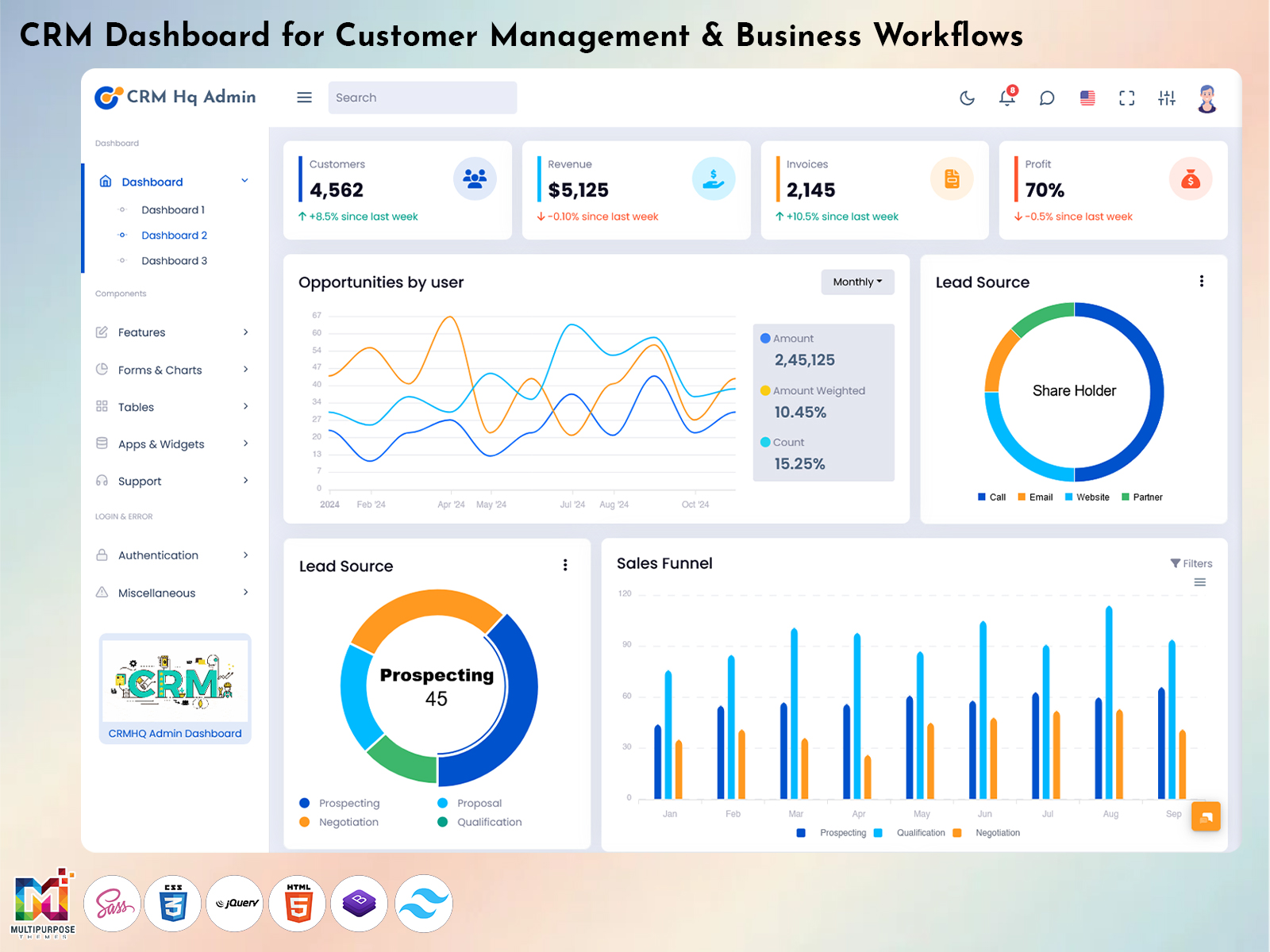
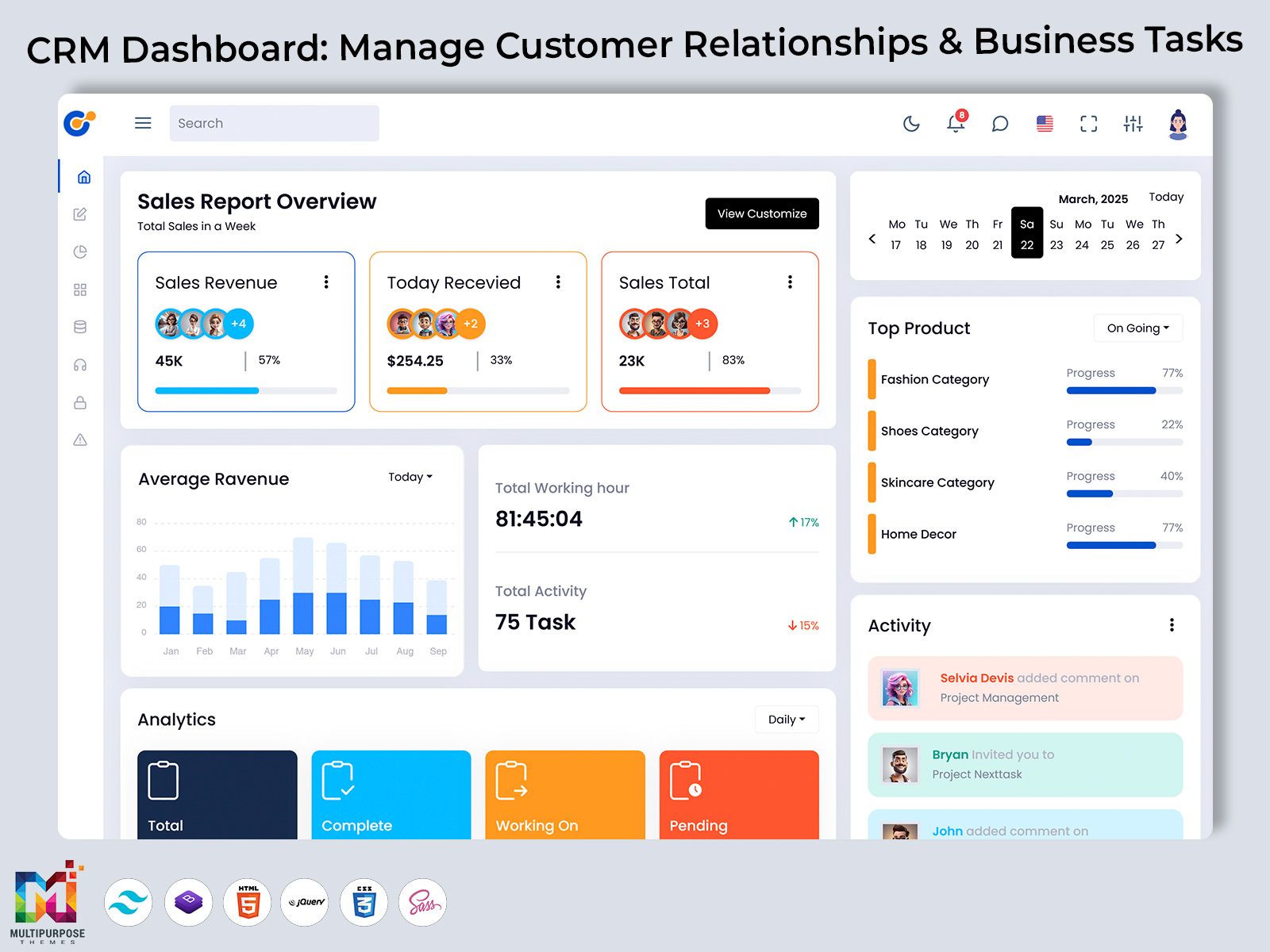
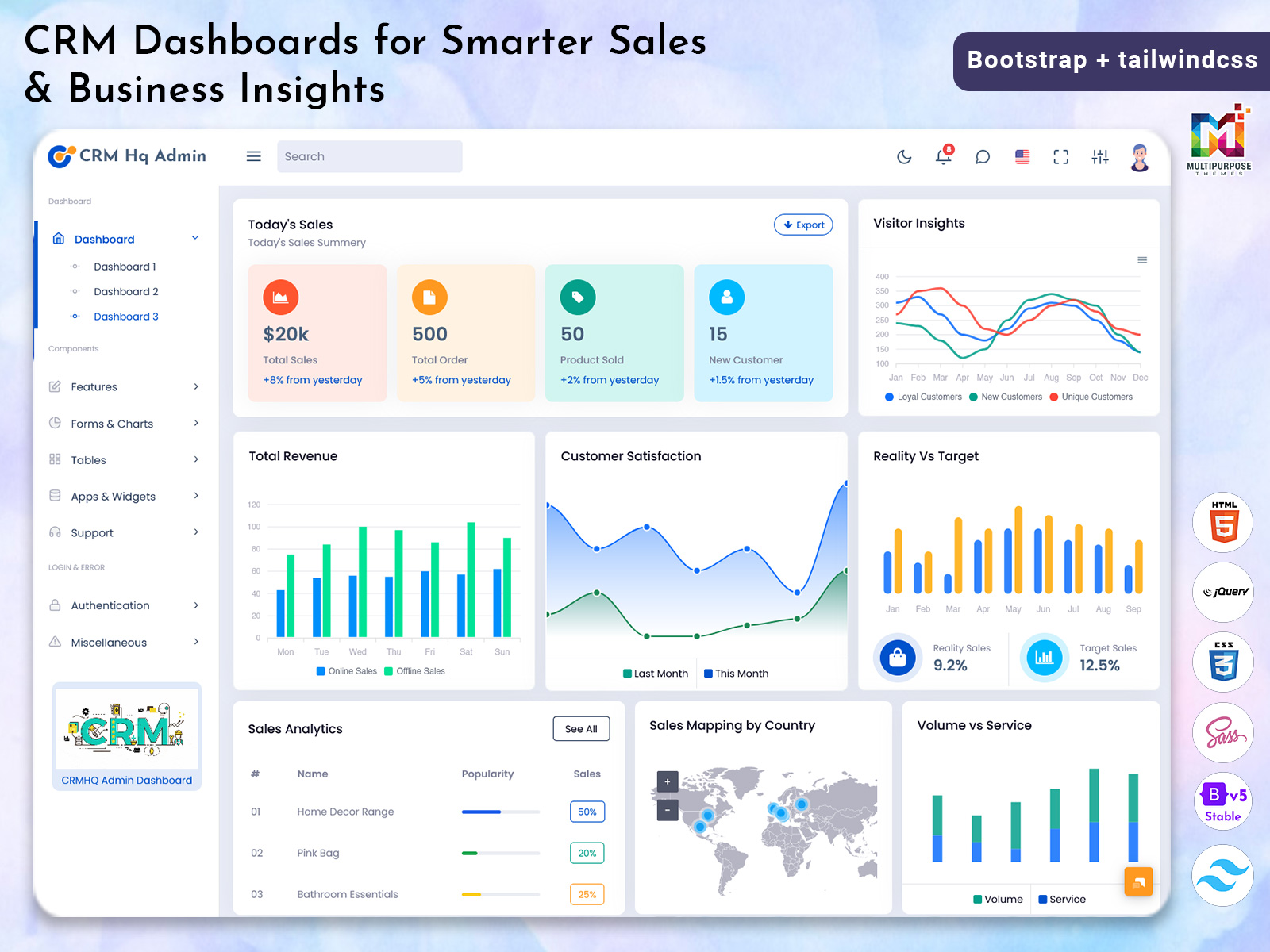
Therefore the CRM Dashboard is a working space where one can store, view and move…
CRM Dashboard: Fueling Market Growth with Powerful Analytics and Smart Insights
Reading Time: 8 minutes
Businesses need a reliable way to manage customers, sales, projects and everyday service tasks. A designed CRM dashboard brings important information into one place helping teams track leads, customer history, tasks and ongoing projects without using scattered spreadsheets or long email threads.
Watch Full Video
buy now
Our CRM Admin Template is built with Bootstrap 5 to give a fast and user-friendly experience on all devices. CRM template includes clear Dashboard Analytics organized Analytical Charts and a clean Dashboard Layout that makes important information easy to understand and access.
Designed around a CRM UI Framework, CRM template focuses on intuitive CRM UI UX to give a comfortable experience for everyone from sales teams and managers to customer support staff. Dedicated views for tasks, sales pipelines and customer activity help teams stay organized, follow up faster and make business decisions.
If you are looking for a compact and ready-to-use admin interface, for customer relationship management CRM Dashboard Bootstrap 5 Template gives a flexible foundation that works smoothly on desktop, tablet and mobile devices.
What Is a CRM Dashboard?
A CRM Dashboard is the workspace in a customer-focused web application. It collects customer information, sales opportunities, support tickets and important performance data in one place. By going back and forth between different pages or software users can open the dashboard and see key metrics right away. These include conversion rates, active leads and how quickly support teams respond to issues.
Visual tools like Analytical Charts help make trends easier to spot. Teams can quickly see which marketing campaigns are working well where more help might be needed or which products are getting the attention from customers.
The layout of the dashboard matters a lot for how easy it’s to use. When information is laid out clearly and in a way teams can find what they need faster and act with confidence. Using a CRM UI Framework and smart CRM UI UX design makes the experience simple and natural. Users don’t need training to get started.
For businesses a CRM Dashboard makes daily tasks simpler. It highlights priorities and gives everyone a consistent space to track customer activity and business results. In short a CRM Dashboard turns data, about customers and operations into useful insights. It becomes the hub where teams manage relationships and handle everyday work.
Explore CRM Dashboards
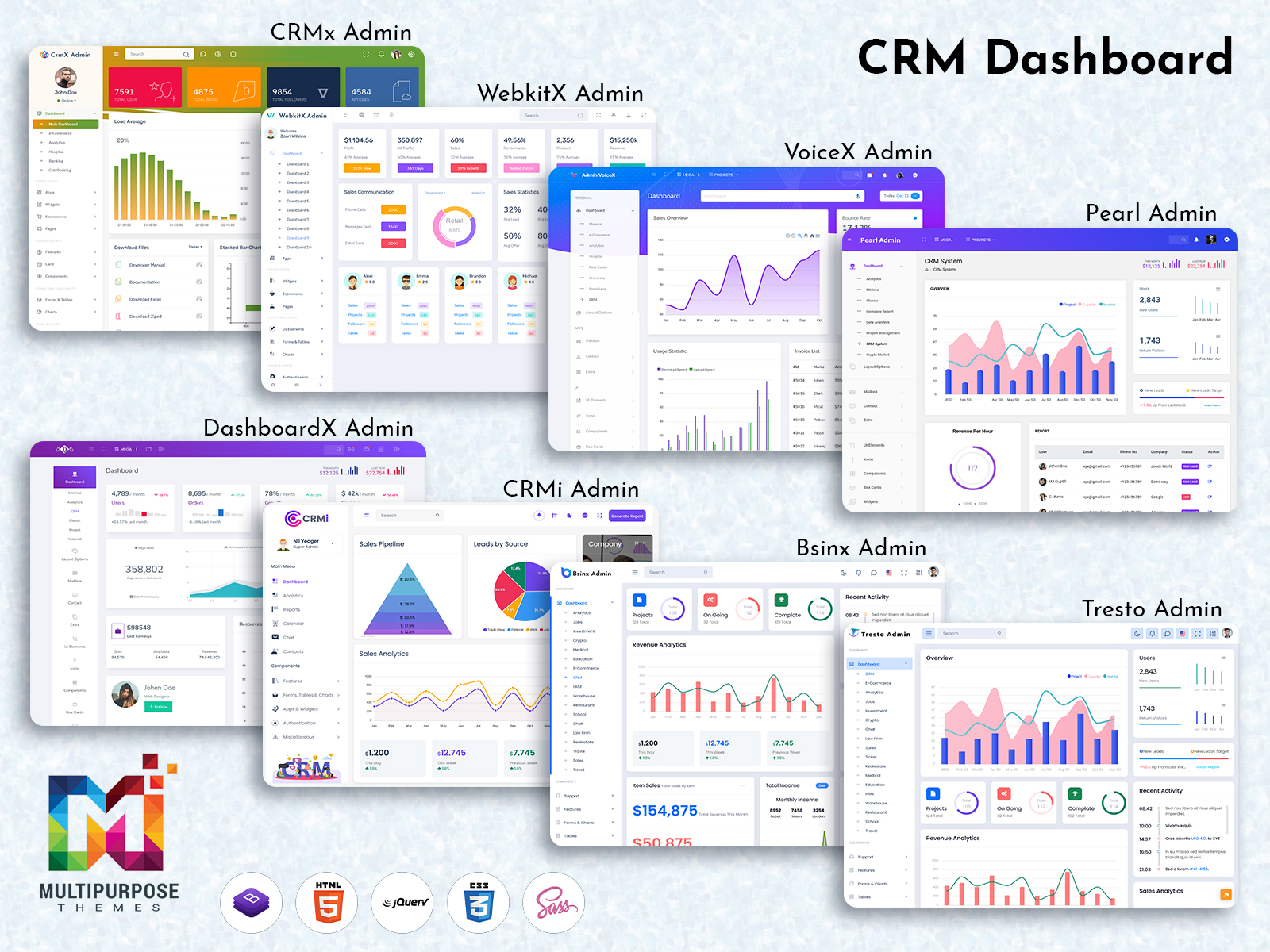
CRMi Admin and CrmX Admin present strong CRM Dashboard templates that have been developed using Bootstrap 5. These templates incorporate Responsive Dashboard Layouts, Analytical Charts, as well as a CRM UI UX which makes the management of customers and business analytics easy to manage on a day-to-day basis.
These templates have a sleek design and functional admin options which enable users to develop their CRM applications effectively.
CRMi Admin – CRM Dashboard
LTR Style – Light Version Dashboard
BUY NOW DEMO
LTR Style – Light Version Dashboard
BUY NOW DEMO
CrmX Admin – CRM Dashboard
LTR Style – Light Version Dashboard
BUY NOW DEMO
LTR Style – Light Version Dashboard
BUY NOW DEMO
CRM Dashboard Features
A modern CRM Dashboard should make complex customer and business data easier to understand, manage, and act on. Our CRM Admin Template combines practical tools, responsive design, and a clean interface to support everyday sales, customer management, and administrative workflows.
1.Powerful Data Visualization
Understand important business metrics through clear, interactive Analytical Charts. Visualize sales performance, lead activity, revenue, and support data in a way that makes trends and changes easier to identify.
2.Organized Dashboard Experience
The clean Dashboard Layout keeps essential information within easy reach. Well-structured sections for customers, sales activities, tasks, and performance metrics help users navigate the interface quickly and stay focused on their priorities.
3.Up-to-Date Business Insights
Monitor key activities through Dashboard Analytics designed to keep important metrics visible and current. Teams can track leads, deals, customer activity, and support performance to make timely, informed decisions.
4.Flexible CRM UI Framework
Built around a modular CRM UI Framework, the template makes it easier to customize dashboards for different business requirements. Reusable interface components such as cards, tables, forms, charts, and widgets provide a flexible foundation for CRM applications.
5.User-Friendly CRM UI UX
Thoughtful CRM UI UX principles create a smooth and accessible experience. Clear navigation, consistent interface elements, readable content, and straightforward interactions help users manage CRM tasks confidently without unnecessary complexity.
6.Practical CRM Administration Tools
The CRM Admin Template provides useful tools for managing everyday operations. Quick actions, sortable data tables, bulk management options, and task-focused controls help reduce repetitive work and keep customer information organized.
7.Role-Based Access & Data Protection
Manage access to sensitive CRM information with permission-based controls. Different user roles can be given appropriate access to customer records and business data, helping organizations maintain better control over their CRM environment.
Importance of Analytical Charts in CRM Web Apps
Analytical charts are very crucial in CRM web applications, as they enable complex customer and business information to be visualized easily. In other words, teams do not have to use complicated tables or spreadsheets, but rather see how sales, leads, customers, or customer support are performing using visual data.
There are different types of analytical charts that can reveal different insights about the company. The line chart is used to determine trends while the funnel chart helps in determining where there might be a loss in terms of leads. The bar chart makes comparing easy.
When interactive charts are added to a CRM Dashboard interactive charts make data analysis more useful. Users can look at information by factors such as date, region or campaign without leaving the CRM Dashboard or exporting data. Interactive charts create a more convenient way to evaluate performance and make informed decisions.
Responsive Analytical Charts also improve the CRM Dashboard Layout presenting valuable information in compact easy‑to‑read widgets, across desktop, tablet and mobile devices. Combined with Dashboard Analytics responsive analytical charts help turn CRM data into practical insights that support better planning, faster action and more efficient business operations.
Industries That Use CRM Web Apps
CRM web apps help organizations keep track of customer relationships, sales work, communication and business data from one place. CRM web apps are flexible which makes them useful across industries. With a CRM Dashboard and workflows that can be changed CRM web apps fit operational needs.
1.Sales & Marketing Agencies
Sales & Marketing Agencies use CRM web apps to keep leads manage campaigns, talk to clients and follow up. Analytical Charts let teams see how many conversions happen and how well each campaign works. A structured CRM Dashboard keeps client tasks, deadlines and important account details tidy. A flexible CRM Admin Template also lets these agencies adapt to client workflows and show the right branding.
2.Banking & Financial Services
Banking & Financial Services use CRM web apps to handle customer relationships, set appointments, do service work and track life stages. Dashboard Analytics and Analytical Charts give views of customer activity and business performance. Strong permission controls and a secure CRM UI Framework are very important when handling financial data.
3.Healthcare & Medical
Healthcare & Medical organizations use CRM web apps to coordinate communication, set appointments, send referrals and do follow-ups. A clear CRM Dashboard helps staff find needed information fast. An organized Dashboard Layout keeps appointments, communication records and tasks easy to manage. Accessible CRM UI UX makes the system simple for staff who’re not tech experts.
4.Manufacturing & Industrial
Manufacturing & Industrial businesses use CRM platforms to manage dealers, distributors, B2B customers orders, contracts and service requests. Dashboard Analytics help teams watch customer activity, invoices and product demand. A flexible CRM UI Framework can fit product and service information.
5.Retail & E-commerce
Retail & E-commerce businesses use CRM web apps to understand customer activity, manage communications, support loyalty programs and handle service requests. Analytical Charts make it easier to see buying patterns and customer segments. A streamlined Dashboard Layout brings customer, promotion and sales info for smoother daily work.
6.Real Estate & Property Management
Real Estate & Property Management teams use CRM systems to organize leads, property questions, viewings, tenants and contracts. A centralized CRM Dashboard helps agents watch opportunities and do follow-ups. Dashboard Analytics give insights into inquiries, property demand and customer activity.
7.Education & E-Learning
Education & E-Learning institutions use CRM web apps to handle admissions, questions, student communication and enrollments. Analytical Charts help teams see enrollment and campaign trends. Role-based access in the CRM UI Framework lets different users work with the info that fits their job.
8.Travel & Hospitality
Travel & Hospitality businesses use CRM solutions to manage bookings, guest details, preferences and service requests. A responsive CRM Dashboard gives access to reservations and customer history. Dashboard Analytics help teams spot booking patterns and customer groups.
9.IT & Software Services
IT & Software Services firms use CRM platforms to manage sales pipelines, customer accounts, projects, trials, renewals and support work. A flexible CRM Admin Template gives space for account management. A developer-friendly CRM UI Framework can link with business systems.
10.Customer Support & Call Centers
Customer Support & Call Centers rely on CRM web apps to arrange customer tickets response times, service requests and agent work. Dashboard Analytics let supervisors watch workloads and support performance. An intuitive CRM UI UX makes it easier for agents to reach customer info and handle requests.
11.Nonprofits & CSR Organizations
Nonprofits & CSR teams use CRM systems to keep track of donors, volunteers, campaigns and community projects. Analytical Charts give a view of campaign activity and engagement. A simple Dashboard Layout helps coordinators organize outreach volunteer work and project details in one place.
Why CRM Web Apps Work Across Industries
The versatility of a CRM Dashboard makes it fit organizations, with workflows and customer needs. With Dashboard Analytics, a flexible CRM UI Framework, practical admin tools and intuitive CRM UI UX businesses can build a central workspace that supports their exact operations while keeping customer info organized and easy to reach.
Why Choose Multi Purpose Themes?
Multi Purpose Themes creates professional and practical admin templates designed to support modern web applications and business workflows. Its CRM Dashboard solutions combine a responsive Bootstrap 5 foundation with a clean Dashboard Layout, intuitive CRM UI UX, and a flexible CRM UI Framework. Built-in Analytical Charts and Dashboard Analytics make important customer and business data easier to understand, while useful admin tools help streamline everyday tasks and CRM management. With responsive layouts, reusable components, organized interfaces, and role-based access options, the CRM Admin Template provides a reliable foundation for developing customer management applications across different devices. Whether used for sales, customer support, business operations, or analytics, Multi Purpose Themes focuses on creating flexible, user-friendly templates that are easy to work with and adapt to different project requirements.
Conclusion
A designed CRM Dashboard brings customer data, sales activities and business insights together in one clear and organized space. This makes daily work simpler and more focused. With Dashboard Analytics, helpful Analytical Charts, a clean Dashboard Layout and an easy-to-use CRM UI UX teams can find important information fast. They can also manage their tasks with clarity and control. The Bootstrap 5 CRM Admin Template from Multi Purpose Themes gives an flexible base. It works well across devices and supports various business needs. Whether you are building a customer management system, a sales platform or an admin app, a smart CRM interface helps improve the experience, for both teams and users.
FAQs
1. What is a CRM Dashboard?
A CRM Dashboard is a central interface showing customer data, pipelines, and Dashboard Analytics for managing sales and support efficiently.
2. Is your CRM Admin Template responsive?
Yes — our Bootstrap 5 CRM Admin Template is responsive and designed to work smoothly on desktop, tablet, and mobile devices.
3. Can I customize the Dashboard Layout?
Yes — the modular CRM Ui Framework allows easy customization of layout, widgets, and reporting to match business workflows.
4. Do you include Analytical Charts?
Yes — built-in Analytical Charts provide interactive visuals for trends, funnels, and performance metrics inside the dashboard.
5. Does the dashboard support role-based permissions?
Yes — the template includes permission controls so admins can manage access to sensitive data and analytics.
6. Will the CRM Ui Ux be hard for my team?
No — the CRM Ui Ux focuses on simplicity and predictability so teams can learn the dashboard quickly with minimal training.
7. Can I export Dashboard Analytics and reports?
Yes — the template supports exporting reports and scheduling exports so stakeholders receive consistent analytics on time.
8. Is the CRM Dashboard suitable for my industry?
Absolutely — the dashboard works across industries with adaptable Dashboard Layout and analytics tailored to sales, support, and operations.

Related Posts