

Managing people involves much more than maintaining employee records. HR teams deal with hiring requirements,…
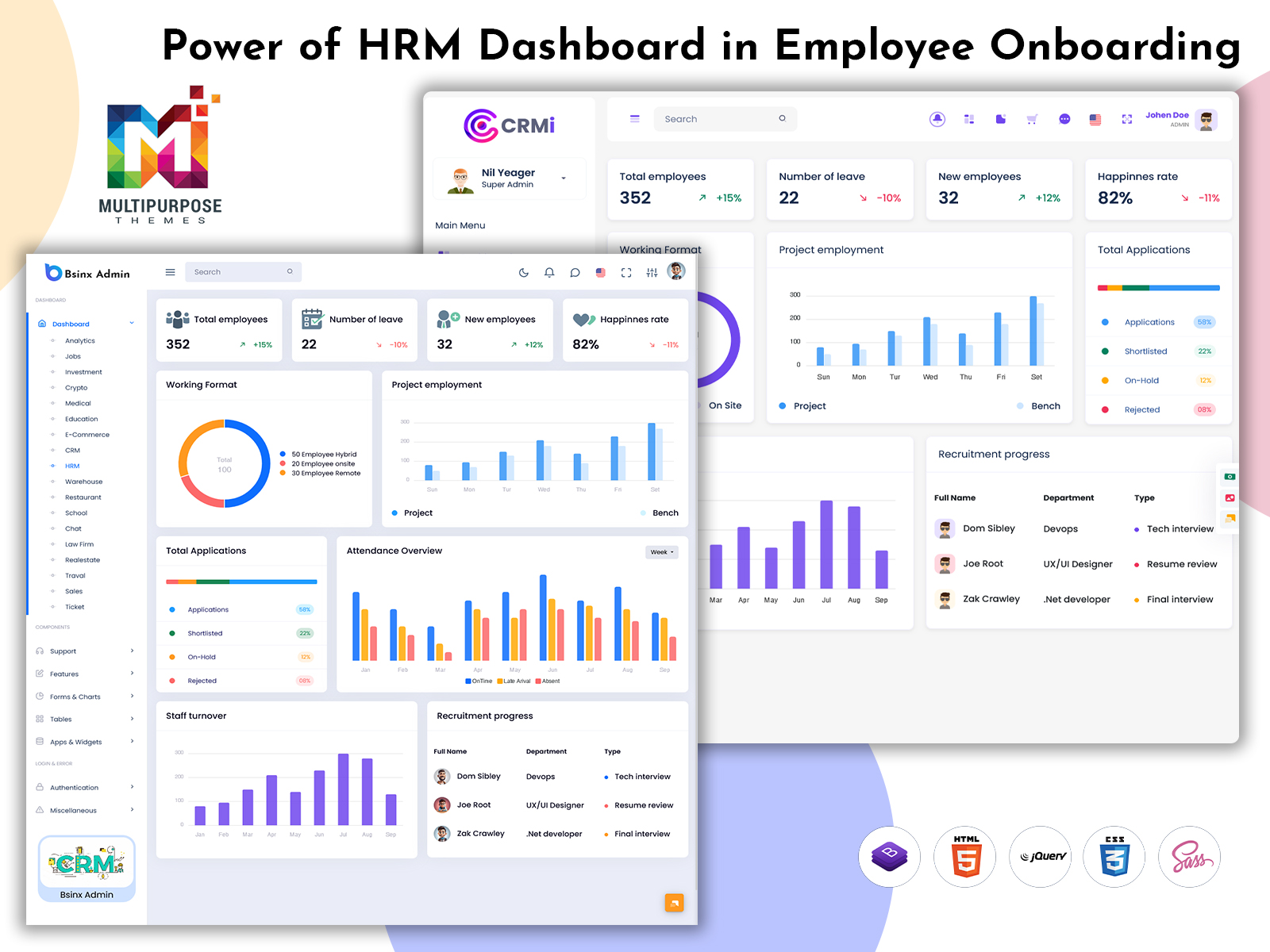
Modern HRM Dashboard for Smart Workforce Management
Reading Time: 7 minutes
Modern businesses need smarter ways to manage employees, workflows, and workforce operations. An HRM Dashboard helps organizations handle recruitment, attendance, payroll, employee records, and reporting through one centralized system. Instead of relying on scattered tools or manual processes, businesses can manage HR activities through a structured digital interface.
Watch Full Video
A modern HR Management Admin Dashboard improves visibility across departments and supports faster decision-making with organized data. From monitoring workforce trends to simplifying routine administration, dashboards help HR teams work more efficiently while improving employee management processes.
Growing organizations also use advanced dashboard systems to support automation, analytics, and scalable operations. With the support of a well-designed HRM Admin Panel, businesses can create smoother HR workflows while improving productivity and operational control.
Purpose of an HR Management Dashboard
The purpose of an HR dashboard is to bring important workforce activities into one organized digital environment. Instead of handling attendance, hiring, payroll, and employee records through separate tools, businesses can manage everything through a connected system. This improves structure and reduces administrative complexity.
A well-designed dashboard helps HR teams monitor employee information, track workforce activities, and access reports from a single location. Through a modern HRMS Management Dashboard, managers can review data quickly, support planning, and improve daily HR coordination with less manual effort.
Another major purpose is improving decision-making through visual insights and real-time information. A flexible HRM Employee Template can support employee management workflows while making routine processes faster, clearer, and more consistent across the organization.
How an HRM Dashboard Works in Organizations
An HRM dashboard works by connecting different human resource functions into one streamlined system. Recruitment, onboarding, attendance tracking, payroll processing, and employee records can all operate through one interface, helping teams manage daily responsibilities more efficiently.
In many organizations, dashboards collect information from multiple HR processes and present it through reports, widgets, and visual panels. This allows managers to review workforce activity, monitor department performance, and handle approvals without switching between separate systems.
The system often supports automated workflows where routine tasks move through defined processes. Leave requests, evaluations, document approvals, and employee updates can be managed faster while improving coordination between HR teams, managers, and staff.
A well-structured dashboard also helps organizations maintain consistency in operations. Standardized workflows reduce errors, improve visibility, and support smoother workforce administration as business needs grow.
Importance of HR Dashboards in Modern Businesses
HR dashboards have become important because businesses handle growing employee data, workforce planning, and operational responsibilities every day. A centralized system helps organize these activities in a structured format, making HR management more efficient and easier to control. It supports smoother processes while reducing dependency on scattered tools and manual tracking.
Another major reason these dashboards matter is improved decision-making. Managers can review attendance trends, staffing updates, productivity metrics, and workforce reports through visual insights that help support better planning. Access to organized data allows businesses to respond faster to changes and improve resource management.
HR dashboards also strengthen overall operational efficiency. Routine tasks become more streamlined, administrative effort is reduced, and teams can focus on strategic initiatives rather than repetitive processes. This creates better coordination, stronger workforce oversight, and long-term value for modern organizations.
Core Features of an HRM Admin Panel
A modern HRM admin panel includes tools that help manage essential workforce activities through one connected system. Employee profiles, attendance records, leave management, payroll summaries, and department reporting are often part of the core structure. These features help organize daily operations while improving process efficiency.
Another important part of a strong admin panel is workflow management. Recruitment tracking, onboarding processes, approval systems, and document handling can be managed through integrated modules that support smoother coordination between teams and departments.
Reporting and analytics also play a major role in dashboard functionality. Performance insights, workforce data, notifications, and management reports help organizations monitor operations, improve planning, and support informed HR decisions.
Role of Bootstrap 5 in HR Dashboard Design
Bootstrap 5 plays an important role in creating modern and responsive HR dashboard interfaces. It provides a strong front-end framework for building organized layouts, reusable components, forms, data tables, and navigation structures that support complex HR systems. This helps developers create professional dashboards faster while maintaining consistency in design.
Another major advantage is responsiveness. HR dashboards often need to work smoothly across desktops, tablets, and mobile devices, and Bootstrap 5 helps support that flexibility. Its grid system and UI components make it easier to build user-friendly interfaces that improve accessibility and overall usability.
Bootstrap 5 also supports customization for scalable dashboard development. Businesses can create tailored HR solutions with modern styling, interactive modules, and structured layouts that support both performance and visual appeal.
Advantages of Using an HRM Dashboard
1. Faster Decision-Making with Live Insights
A powerful CRM software dashboard helps businesses make decisions faster through real-time visibility into sales activity, customer interactions, and performance trends. Instead of relying on delayed reports, teams can respond quickly to opportunities and improve strategic planning with actionable insights.
2. Higher Conversion Opportunity Tracking
A smart CRM web design dashboard improves how businesses track and manage opportunities. Sales teams can identify promising leads, monitor deal progress, and improve follow-up strategies, helping increase conversions while creating a more organized sales process.
3. Personalized Customer Experience Management
Advanced CRM data dashboard design allows businesses to understand customer preferences, communication history, and buying behavior in one place. This supports personalized engagement, stronger trust, and more meaningful customer relationships that contribute to long-term growth.
4. Streamlined Workflow Optimization
A modern CRM Bootstrap dashboard improves operational flow by simplifying task handling, activity management, and process coordination. This reduces delays, improves team efficiency, and creates a smoother system for managing customer-focused operations.
5. Smarter Business Growth Execution
One major advantage of CRM dashboards is their ability to support expansion with data-backed planning. Businesses can uncover growth opportunities, improve resource allocation, and scale operations more effectively through deeper visibility and performance intelligence.
HR Dashboard Use Cases for Recruiters
Recruiters use HR dashboards to simplify and improve every stage of the hiring process. From managing job postings and tracking candidate applications to scheduling interviews and monitoring recruitment pipelines, the dashboard helps organize tasks through one centralized workspace. It allows recruiters to review applicant progress, manage communication, and reduce delays during selection.
These dashboards also support better hiring decisions through analytics and reporting. Recruiters can monitor vacancy status, compare hiring trends, track sourcing performance, and evaluate recruitment efficiency through structured data. Many organizations also use dashboards during onboarding to manage documentation, joining processes, and employee setup tasks. This creates a smoother hiring workflow while improving productivity and overall recruitment management.
Essential Roles Managed Through HRM Systems
HRM systems support multiple organizational roles through one structured platform, making workforce management more coordinated and efficient. HR administrators often use the system to manage employee records, payroll processes, attendance tracking, policy administration, and documentation. Recruiters use it to handle hiring activities, candidate pipelines, onboarding tasks, and recruitment reporting, while department managers rely on dashboard tools for team monitoring, approvals, scheduling, and performance reviews.
Employees also benefit through self-service functions that support leave requests, profile updates, attendance access, and internal communication. Leadership teams may use reporting modules for workforce planning, productivity analysis, and decision support. By managing these roles through one connected system, organizations improve collaboration, reduce operational gaps, and maintain smoother HR processes.
User Experience in Modern HR Dashboard Design
User experience is a major factor in making an HR dashboard effective and practical for daily use. A clean interface, structured navigation, and simple workflows help users access features easily without confusion. When tasks are straightforward to complete, HR teams can work more efficiently and employees can interact with the system with less effort.
Modern dashboard design also focuses on usability through responsive layouts, organized data presentation, and intuitive interactions. Easy access to reports, approvals, employee records, and communication tools improves workflow efficiency while reducing the time needed to learn the platform.
A strong user experience also supports engagement and long-term adoption. When a dashboard feels smooth, accessible, and user-friendly, organizations often see better productivity, fewer process errors, and stronger satisfaction among both administrators and employees.
Security Features in HR Management Dashboards
Security is a critical part of HR dashboard design because these systems handle sensitive employee information, payroll records, documents, and internal workforce data. Strong protection measures help organizations manage information securely while reducing risks related to unauthorized access or data misuse.
Many HR dashboards include features such as user authentication, role-based access controls, encrypted data handling, and activity monitoring to improve protection. These controls help ensure that users only access relevant information while supporting secure management of important records.
Security also supports compliance and trust. Structured protection systems, secure workflows, and controlled data access help organizations maintain confidentiality while creating a reliable environment for workforce management.
Future Scope of HRM Dashboards
The future of HRM dashboards is moving toward smarter and more data-driven workforce management. Businesses are adopting systems that support automation, predictive insights, advanced analytics, and more strategic HR planning. As digital transformation continues, dashboards are expected to play a larger role in improving employee management, operational efficiency, and decision support.
Future platforms are also likely to focus on personalization, stronger mobile access, and deeper integration with evolving workplace technologies. With intelligent automation and scalable functionality, HR dashboards will continue developing i
Conclusion
Modern organizations rely on smart systems to improve workforce management, and an HRM Dashboard helps bring that efficiency into one structured platform. From recruitment and employee monitoring to performance tracking, user experience, and security, these solutions support smoother operations and stronger decision-making across HR functions.
With scalable features, automation support, and future-ready capabilities, dashboard platforms continue to help businesses improve productivity and long-term workforce planning. As workplace needs evolve, these systems remain an important part of modern human resource management.
FAQs
1. What is an HRM dashboard used for?
An HRM dashboard helps manage employee records, attendance, payroll, and workforce reporting from one system. It improves efficiency, supports decision-making, reduces manual work, and helps businesses organize human resource operations through structured data, visual insights, and centralized management tools for smoother daily processes.
2. How does an HR dashboard support recruiters?
An HR dashboard helps recruiters manage job openings, candidate tracking, interviews, and onboarding tasks more efficiently. It improves hiring visibility, streamlines recruitment workflows, reduces delays, and supports better hiring decisions through organized data, reporting tools, and structured processes within a centralized recruitment management system.
3. What are the main features of an HR admin panel?
An HR admin panel includes employee management, attendance tracking, payroll support, reporting tools, recruitment modules, and performance monitoring. These features help simplify HR operations, improve productivity, reduce manual tasks, and support organized workforce management through one connected and efficient administrative platform.
4. Why is user experience important in HR dashboard design?
User experience improves how easily people interact with the dashboard. Clear navigation, intuitive layouts, and simple workflows help users complete tasks faster, reduce errors, improve productivity, and support better adoption. Strong usability makes HR systems more effective for administrators, managers, and employees.
5. How does an HR dashboard improve workforce monitoring?
An HR dashboard improves workforce monitoring through visibility into attendance, productivity, staffing activity, and performance data. Managers can review insights in real time, support planning, improve oversight, and manage teams more effectively using centralized information and organized reporting tools.
6. What security features should an HR dashboard include?
An HR dashboard should include secure authentication, role permissions, encrypted data handling, access controls, and monitoring tools. These features protect sensitive employee information, reduce security risks, support compliance requirements, and help organizations manage confidential workforce data through a safer digital environment.
7. What is the future scope of HRM dashboards?
The future of HRM dashboards includes automation, predictive analytics, intelligent reporting, and deeper technology integration. These platforms will support smarter workforce planning, improved employee management, and scalable digital HR operations while continuing to evolve with modern business and workplace needs.

Related Posts


This Post Has 0 Comments