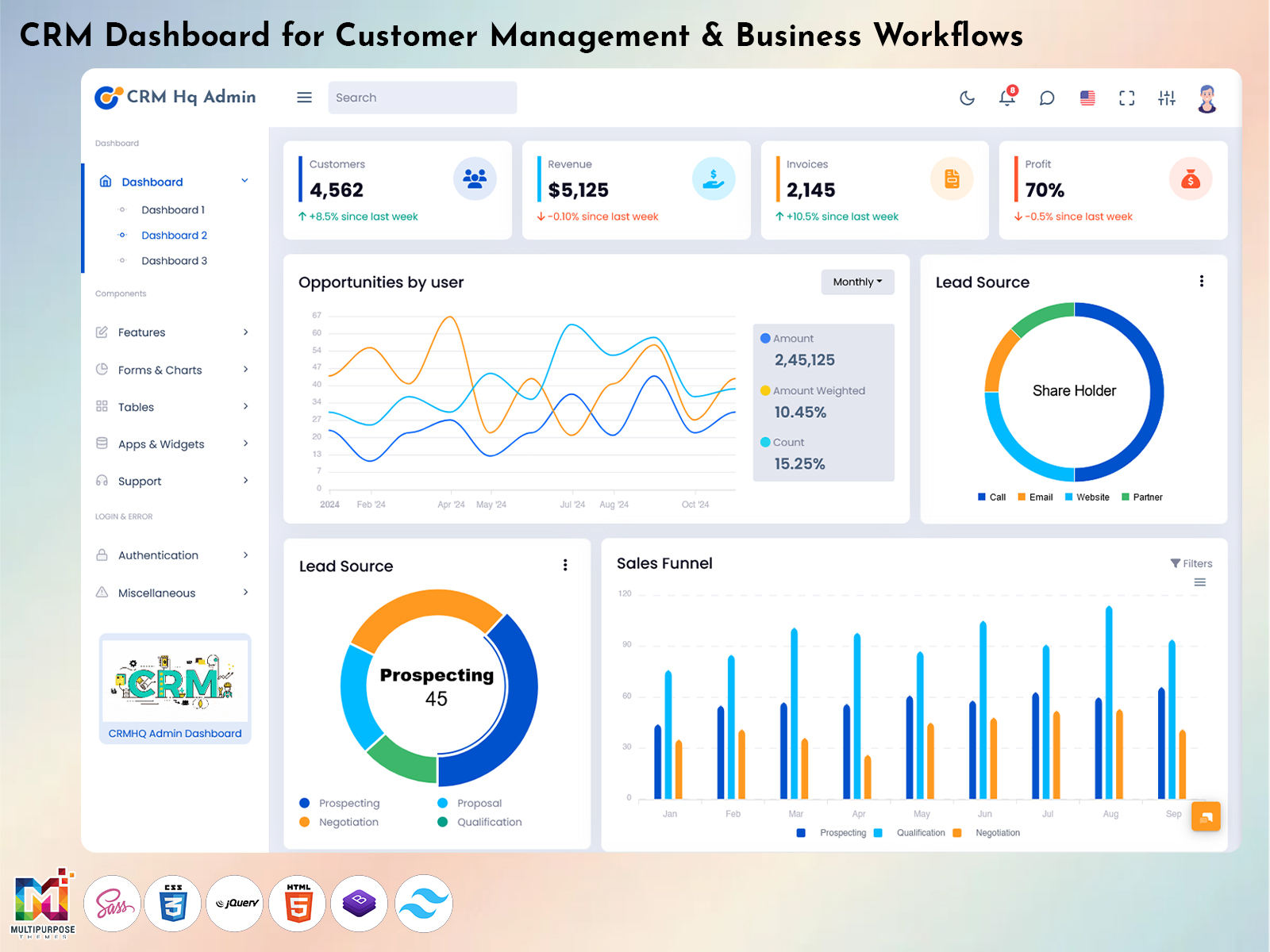
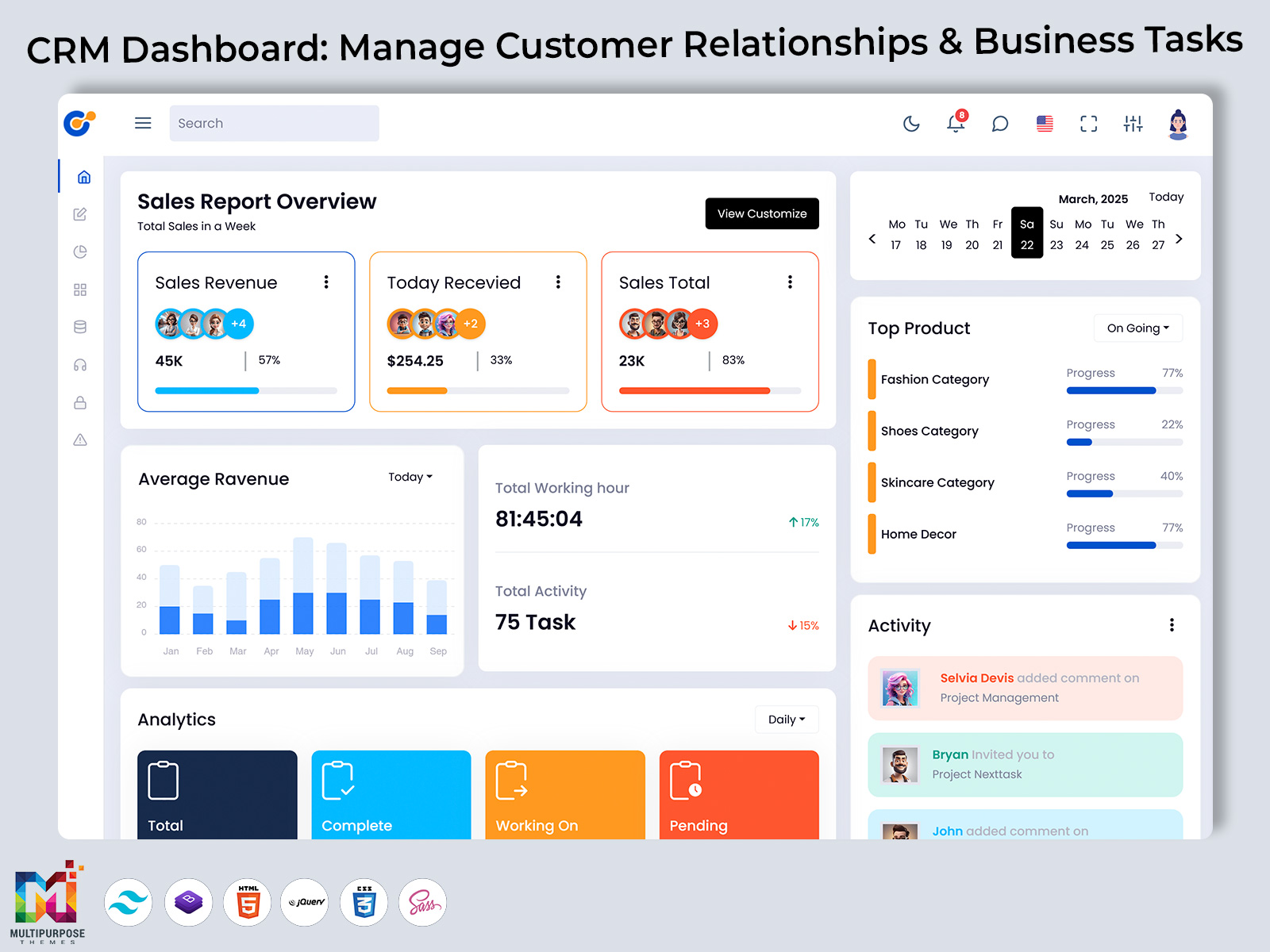
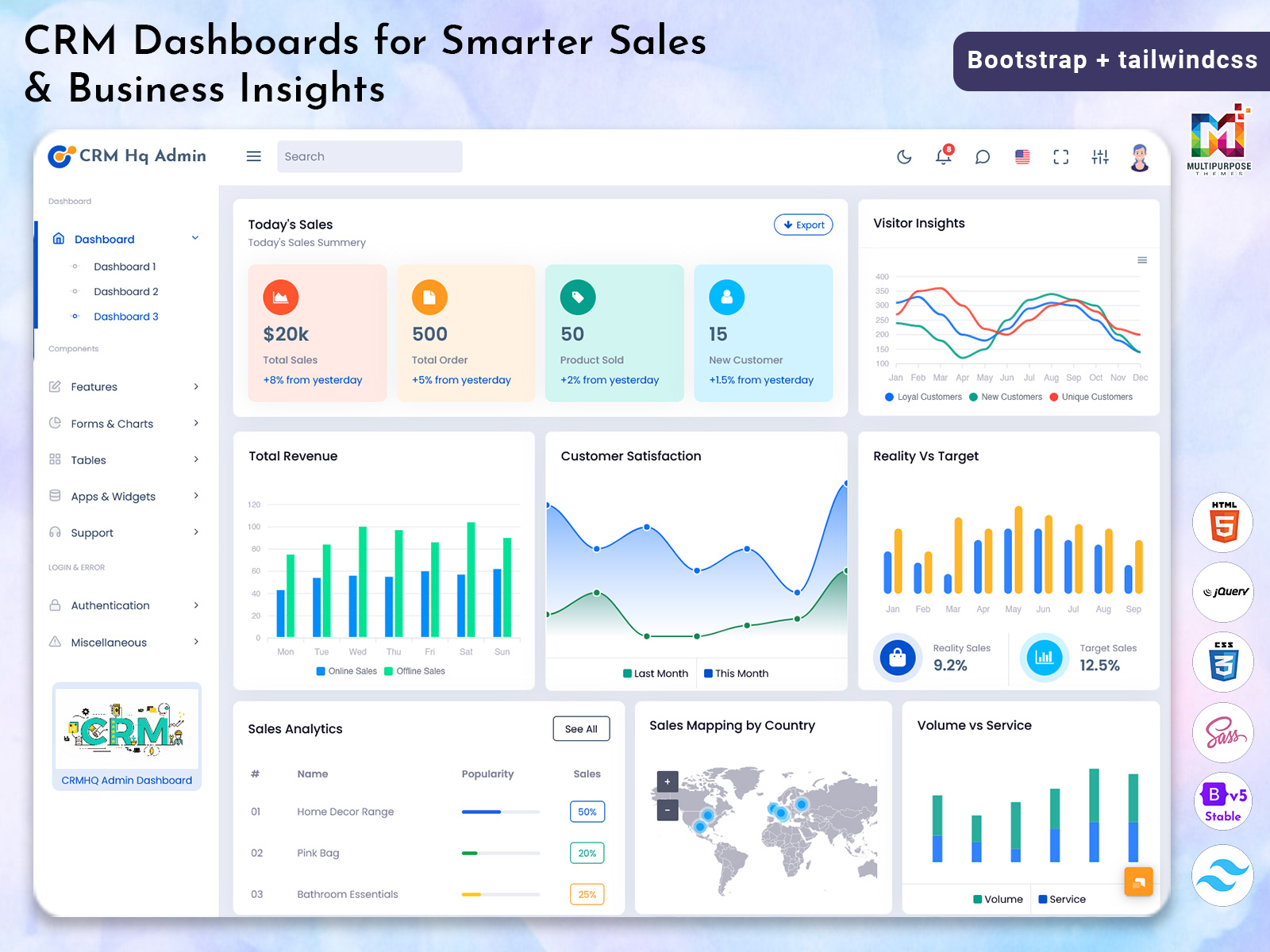
Therefore the CRM Dashboard is a working space where one can store, view and move…

CRM Admin Dashboard UI – Features, Use Cases & Demo
Reading Time: 5 minutes
As your business grows keeping track of customer leads and sales can be challenging. The CRM Admin Dashboard helps simplify your workflow by providing an overview of your customers, team and business performance.
The CRM Bootstrap 5 Dashboard makes your everyday tasks more efficient.
CRM Dashboard – Watch Video
What is a CRM Dashboard?
A CRM Dashboard is a dashboard that can be accessed online that allows you to manage your customers. It includes customer data, sales progression and support information in an easy to read visual format.
CRM Dashboard for Different Business Teams
A CRM Admin Dashboard can support different teams by bringing customer-related information into one organised interface. Each team can use the dashboard according to its responsibilities and workflow.
Sales Teams
Sales teams can use the dashboard to review leads, monitor sales progression and identify opportunities that require follow-up.
Marketing Teams
Marketing teams can review relevant customer information and campaign performance to understand how their activities support business goals.
Customer Support Teams
Support teams can use customer records and ticket information to organise requests, review previous interactions and manage replies.
Business Owners and Managers
Business owners and managers can review reports, monitor business activity and understand how different teams are performing.
CRM Developers
CRM developers can use a dashboard UI template as a starting point for building or customising a customer relationship management interface based on project requirements.
Features of a CRM Admin Dashboard
1. Customer Management
- Add and manage customer data.
2. Lead & Sales Tracking
- Keep track of new leads, sales progression and conversions in real-time.
3. Reporting & Analytics
- Easy to use charts and graphs that show you business performance.
4. User & Role Management
- Assign different levels of access to admins, sales teams and support staff.
5. Responsive
- Can be used on desktops, tablets & mobiles.
6. Easy to Customise
- Easily customise the dashboard to fit your business needs.
How to Choose the Right CRM Software Dashboard
Choosing a CRM Software Dashboard depends on your business requirements, team size and daily workflow. Before selecting a dashboard, it is useful to understand which features your team needs most.
Identify Your Business Requirements
Start by identifying the information your team needs to manage regularly. This may include customer records, sales leads, follow-up activities, support tickets and performance reports.
Check the Available Features
Review the dashboard sections and determine whether they support your daily tasks. Customer management, lead tracking, reporting and user management are useful features to consider.
Look for a Clear Interface
The dashboard should present information in a clear and organised way. Easy navigation, readable charts and structured tables can help users work with customer data more comfortably.
Consider Responsive Design
If your team accesses the dashboard from different devices, check how the layout adapts to desktops, tablets and mobile screens.
Review Customisation Options
Different businesses follow different workflows. A customisable CRM Dashboard UI can make it easier to adjust the interface to suit your team’s requirements.
Explore the Demo Before Choosing
Viewing a dashboard demo allows you to understand its layout, available components and overall user experience before deciding whether it suits your project.
Where Can a CRM Dashboard Be Used?
A CRM Admin Dashboard would be useful for:
- Sales team to track leads & deals
- Support team to track tickets & replies
- Marketing team to track campaign performance
- Startups & Saas companies to track increasing customer data.
Important Elements of a Good CRM Dashboard UI
A good CRM Dashboard UI should make customer information easy to understand and daily tasks simple to manage. The layout should help users find important details quickly without making the interface complicated.
Some useful elements include:
- Summary Cards: Display important customer, lead and sales information at a glance.
- Customer Tables: Organise customer details in a structured format that is easy to review.
- Sales Charts: Present sales progress and business performance through visual reports.
- Lead Status Indicators: Help users understand the current stage of each lead.
- Activity Lists: Show relevant updates and activities that require attention.
- Navigation Menu: Allow users to move between customer management, sales, reports and other dashboard sections.
- Responsive Layout: Make the interface convenient to use on desktop computers, tablets and mobile devices.
- User Access Controls: Support different access levels for administrators and team members.
These elements help create a CRM Admin Dashboard that is organised, practical and easier for different teams to use.
Who Should Use a CRM Dashboard?
This dashboard would be perfect for:
- Business owners.
- Sales & Marketing teams.
- CRM Developers.
- Startups & to Medium Businesses.
- Agencies with multiple clients.
If your business relies on customer relations then this is a great choice.
Benefits of Using a CRM Admin Dashboard
A CRM Admin Dashboard helps businesses manage customer information and daily activities in one place. Instead of checking different tools or files, teams can use the dashboard to get a clear view of customer details, sales activities and business performance.
Better Customer Management
Keeping customer information organised helps teams understand their customers and manage relationships more effectively. A CRM Dashboard provides a central place to access customer data and follow up on important activities.
Improved Sales Tracking
Sales teams need to know which leads are new, which deals are progressing and which opportunities need attention. A CRM Admin Dashboard makes it easier to monitor sales activities and review the progress of leads.
Easier Performance Monitoring
Charts and reports help businesses understand their performance without having to review large amounts of information manually. Teams can use these insights to identify areas that need attention and plan their next steps.
Better Team Coordination
When sales, marketing and support teams can access relevant customer information, it becomes easier to coordinate activities. A well-organised dashboard helps teams stay informed and manage their work more efficiently.
Convenient Access to Information
A dashboard brings important information together in one interface. This helps users find customer details, review activities and manage their daily tasks without moving between multiple screens.
Why Choose a Modern CRM Admin Dashboard?
A modern CRM Admin Dashboard will save you time and effort. It will ensure your team stay organised, make better decisions and provide an overall positive customer experience.
With an easy to use design and data, your team will be able to focus on growing your business.
Call to Action
Would you like to see how this CRM Software Dashboard works?
Watch our demo video and Subscribe to our YouTube Channel for more Admin Dashboard & UI Template videos.
Frequently Asked Questions About CRM Admin Dashboards
1. What is a CRM Admin Dashboard?
A CRM Admin Dashboard is an interface that helps businesses organise customer information, monitor sales activities and review business performance from one place.
2. What are the main features of a CRM Dashboard?
Common features include customer management, lead and sales tracking, reporting and analytics, user management, responsive layouts and customisation options.
3. Who can use a CRM Software Dashboard?
Business owners, sales teams, marketing professionals, customer support teams, startups, agencies and CRM developers can use a CRM Software Dashboard according to their needs.
4. Why is CRM Dashboard UI important?
A well-organised CRM Dashboard UI helps users access information more easily, understand reports and manage daily customer-related tasks through a clear interface.
5. Can a CRM Dashboard be customised?
Customisation depends on the dashboard template and its available components. A flexible design can help developers adjust layouts and interface elements to meet project requirements.
6. Is a CRM Dashboard useful for small businesses?
Yes. Small businesses can use a CRM Dashboard to organise customer records, monitor leads and keep track of sales activities as their operations grow.
7. What should I check before choosing a CRM Dashboard Template?
Review the layout, available features, responsive behaviour, navigation, customisation options and whether the dashboard supports your business workflow.
8. Where can I see a CRM Dashboard demo?
You can watch the CRM Dashboard demo video to explore the interface, review its features and understand how the dashboard is presented.

Related Posts