

A Sales Dashboard provides a centralized digital workspace for organizing sales-related information. Instead of asking…
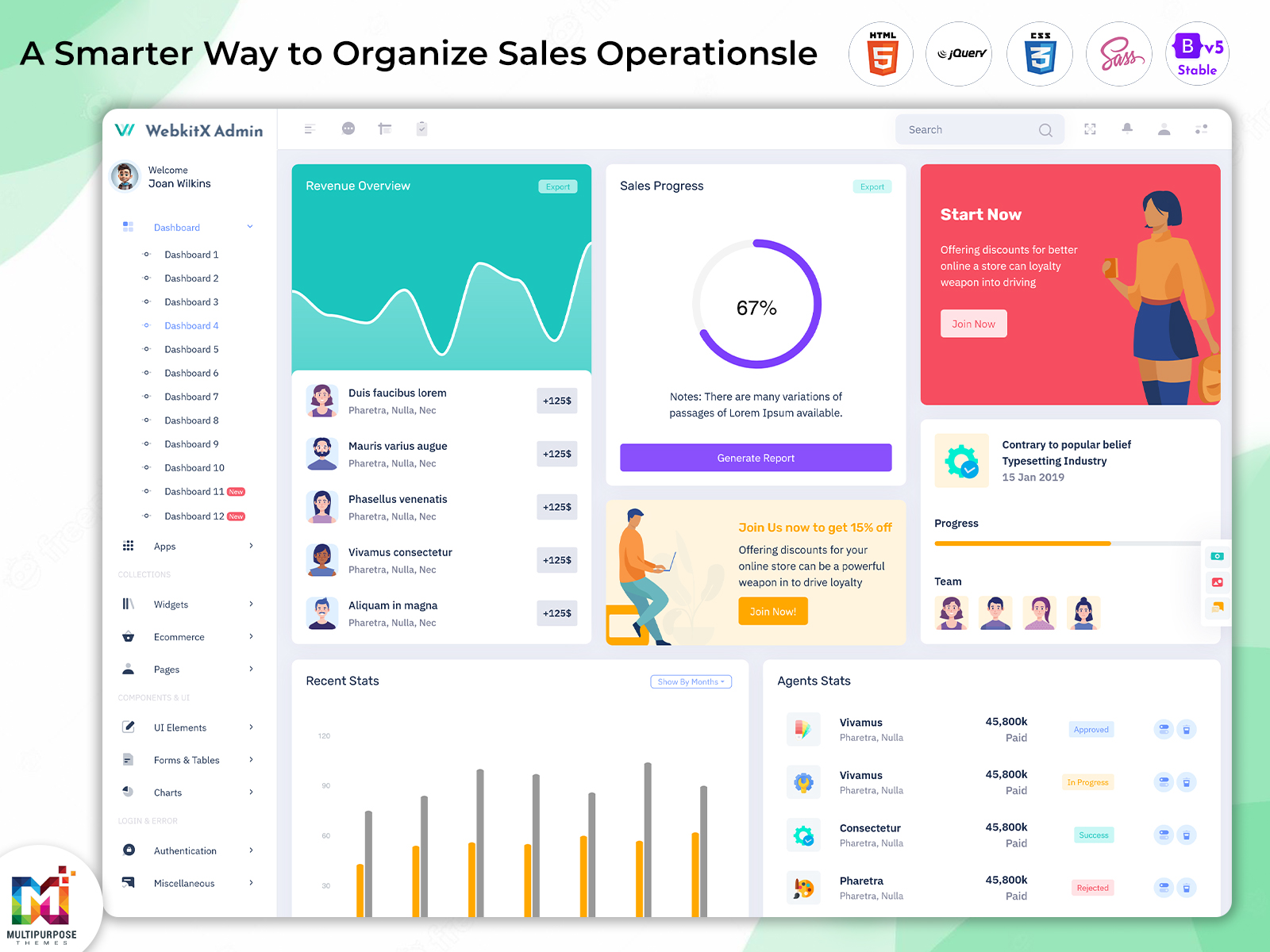
Sales Admin Dashboard – Features, Benefits & Examples
Reading Time: 9 minutes
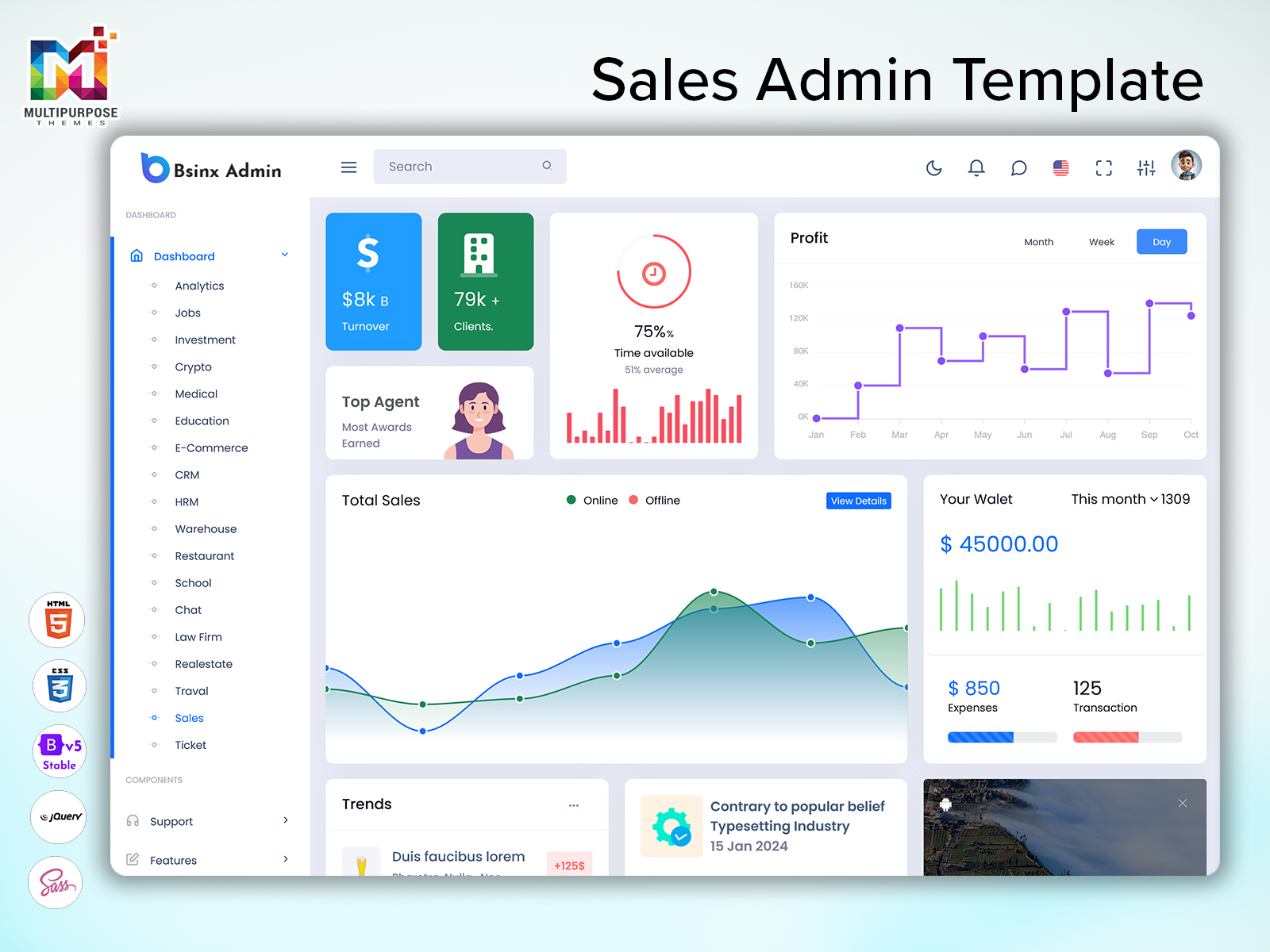
A Sales Admin Dashboard acts as a quick reference for sales administrators. It can be used to manage sales opportunities, leads, customer information and revenue.
A good Sales Admin Dashboard will allow sales teams, business owners, sales managers and admins to quickly see sales information. By having a structured dashboard it makes it easy to quickly find the relevant data, sales opportunities and track progress.
Watch Full Video
Modern smart Sales Admin Dashboards will include sales cards, lead management, customer information, revenue graphs, order tracking and sales reports. Depending on the business you will require certain features.
Below we take a look at some features, benefits, and elements of a Sales Admin Dashboard.
What is a Sales Admin Dashboard?
A Sales Admin Dashboard is used to help businesses manage and monitor sales. Sales information, customer information, leads, orders and revenue can be seen.
Depending on the app you can track your sales targets, sales opportunities, order status and sales information. You can also manage customer information.
An easy to use Sales Admin Dashboard will allow users to easily see:
- Total Sales / Revenue
- Sales Targets
- Sales Leads
- Customer Information
- Orders
- Sales Actions
- Product/service performance
- Sales Reports
The purpose of the Sales Admin Dashboard is to help users understand data related to their business.
VIEW DEMO BUY NOW
What is a Smart Sales Admin Panel?
A Smart Sales Admin Panel will help you manage your sales. It will allow you to easily see your sales information using tools and visual reports.
Depending on set up, you can see sales information, customer information, lead tracking, order management and sales reports.
Features can include:
- Sales Performance
- Lead/customer management
- Sales pipeline
- Order/transaction tracking
- Revenue Analysis
- Search & Filtering
- Sales Performance Reports
- Alerts & Reminders
Smart doesn’t mean smart or automated. If you require these features then the Sales Admin Panel will require these functions.
Key Features of a Sales Admin Dashboard
A Sales Admin Dashboard should have all the tools to help users easily see sales information, manage data and track progress.
1. Sales Summary
Provides insight for admins to understand how your business is doing. Easy to see sales.
Information will typically include:
- Sales
- Revenue
- Orders
- Leads (active)
- Conversion Rate
- Pending Orders
- Sales Targets
- sales
This can be seen at the top of the Sales Admin Dashboard. Each card should provide relevant information to help the user and company meet their goals.
2. Sales Performance
Allows managers to understand how they’re doing against their sales targets.
Can include sales figures for the quarter and year. Easily compare planned vs sales.
Useful information can include:
- Sales Completed
- Target Met
- Revenue Trends
- Number of Deals Closed
- Lead Conversions
- Performance
This will help managers understand any trends.
3. Lead Management
Helps manage sales inquiries.
Users can manage customer information, see lead details and track progress.
Typical information will include:
- Lead Name
- Contact Information
- Lead Source
- Sales Person
- Lead Status
- follow-up
- Deal Value
Use search & filtering to easily find the right leads. Use lead statuses.
4. Sales Pipeline
Shows sales opportunities.
Depending on your business you may have stages such as New Lead, Qualified, Proposal, Negotiation & Closed.
This can be seen in a table, pipeline chart or Kanban board. This will help sales teams understand where sales opportunities are and identify any deals that need attention.
A good Sales Pipeline will have clear labels. Authorised users can update opportunities depending on your app.
5. Customer Management
Allows admins & sales people to easily see customer information.
Can include contact information, previous orders, communication, assigned sales people and current opportunities.
Useful features can include:
- Customer Profiles
- Search
- Previous Orders
- Contact Info
- Customer Types
- Sales Communication
- Follow up Alerts
Having organised customer information will help sales teams understand interactions.
6. Transaction Management
If your company sell products/services then you may wish to track orders & transactions.
This can include order ID, customer name, date ordered, amount, payment status & delivery status.
Useful features can include:
- Order Summary
- Order History
- Transactions
- Payment Status
- Pending Orders
Use search & filtering.
Depending on your business you may need to integrate payment processing, stock updates & order delivery.
7. Revenue Tracking
Can help users understand how much revenue they have from sales.
Can include revenue summary, monthly trends, comparisons and revenue from products/services & sales people.
Useful revenue information can include:
- Revenue (this period)
- Revenue
- Revenue from Products/Services
- Revenue from Sales Channels
- order value
- Revenue vs Sales Targets
Revenue Reports should be clear and accurate.
8. Sales Reports
Can help companies understand how they’re doing and identify trends.
Can include charts, tables and summaries to identify trends from conversion, order volumes & team performance.
Can filter by date, product, sales person, customer type & sales channel.
A useful sales analytics section should include information.
9. Alerts
Can help sales teams stay on top of their tasks.
Depending on your app you can receive alerts for follow-ups, leads, deal changes, pending orders & sales targets.
Alerts should be clear & useful. Users should clearly see what they need to do.
10. Sales Team Management
Sales managers may want to see how their team is doing.
Can include information about assigned leads, deals closed, sales targets & performance summaries.
Using role based access will help ensure team members only see relevant information.
This will make it easier for managers to see their work whilst keeping customer & business information safe.
11. Search & Filtering
Can help users find sales information.
You can filter your Sales Admin Dashboard by:
- Date Range
- Customer Name
- Lead Status
- Sales Person
- Product/Service
- Order Status
- Payment Status
- Sales Channel
Sorting, pagination & clear filtering will help you easily use the data.
12. Role Based Access
Depending on the user they may require certain access.
An admin may require user & settings management whilst a sales person may just need to see their assigned leads & customer information. Role based access will ensure users can see the information. Permissions should match company roles & security.
VIEW DEMO BUY NOW
Benefits of a Sales Admin Dashboard
A sales dashboard can help organise information, provide visibility & understand sales performance.
1. Centralised Sales Information
All sales information can be seen in one place. See sales figures, customer information & reports.
2. More Sales Visibility
By using cards & visual reports managers can understand how they’re doing. Comparisons will help identify changes & trends.
3. Lead Tracking
By using lead tables & pipelines sales people can manage inquiries, understand where sales opportunities are & identify leads that need follow-ups.
4. Improved Customer Management
By having a customer section sales teams can see customer information & previous orders.
5. Improved Sales Organisation
Having a dashboard will help users find information. Navigation & consistent sections will help sales.
6. Easily Track Revenue
Having revenue summaries & trend charts will help users understand how much revenue they have from sales. Reports will help with planning.
7. Improved Team Collaboration
Sales managers can see how their team is doing using dashboards. They can see assigned opportunities & sales targets. Permissions will help team members work with the information.
8. Improved Decision Making
Sales reports & analytics can help businesses identify trends, understand performance & see which products/services/sales channels are most effective.
This will depend on the quality & accuracy of the data.
Key UI Elements of a Sales Admin Dashboard
UI elements can help provide an understanding of sales information.
Cards
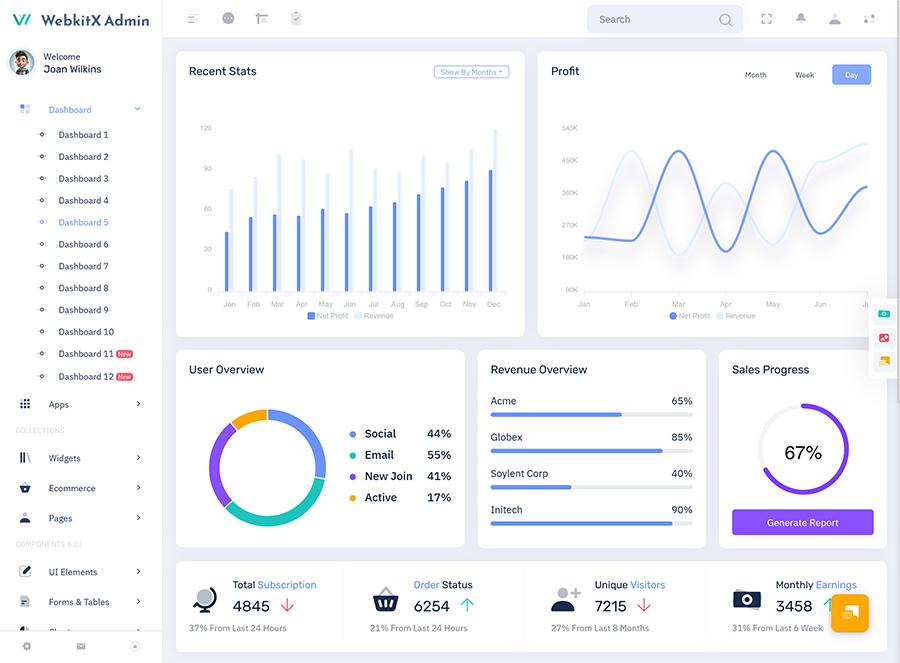
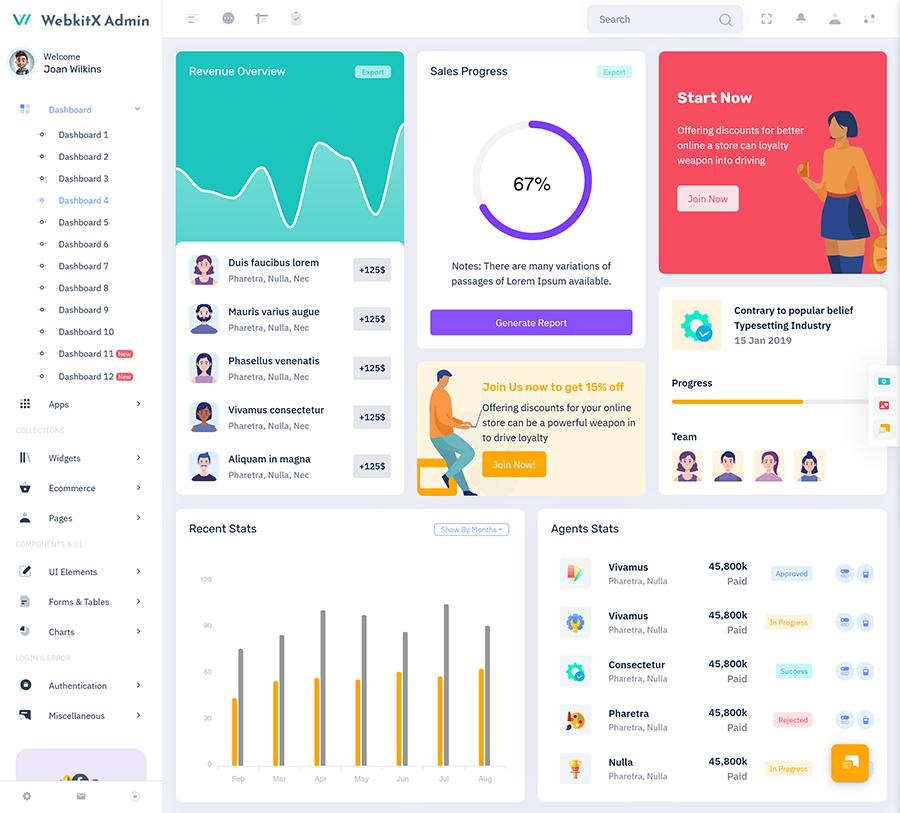
Cards can show metrics such as revenue, total orders, active leads & deals closed. Ensure cards show relevant information & have clear labels.
Tables
Tables can show lead, customer, order, transaction & sales person information. Use search, sorting, pagination & filtering to help users find information.
Charts
Charts can provide an overview of sales performance.
- Line charts can help identify changes in sales/revenue.
- Bar charts can help compare sales between products, teams & time frames.
- Donut charts can help identify lead/order statuses.
Use charts depending on what information you’d like to show.
Sales Pipeline
Can show sales opportunities at different points in the sales process.
Using Kanban style will allow users to see what deals they have in each stage. Tables may be better for opportunities.
Progress Bars
Progress bars & target indicators will help show how sales are doing against targets. Ensure labels & reporting periods are clear.
Alerts
Alert panels can show leads, upcoming follow-up & more.
Ensure it has a design to help users know what to do.
Navigation Menu
Using a sidebar or navigation menu will help organise sections such as Dashboard, Leads, Customers, Sales Pipeline, Orders, Reports, Team & Settings.
Ensure sections are organised & have clear labels.
Search & Filtering
Using search bars, drop downs, date pickers & filter panels will help users find information.
Ensure they’re easy to find & show what filters are being used.
How to Choose the Right UI Template for your Sales Admin Dashboard
To choose the right dashboard template you need to understand what you need for your project & users.
1. Understand Business Requirements
Identify what sales activity you’ll need to provide. If you’re creating a CRM focused application you’ll need lead management & customer information. If you’re creating an e-commerce admin panel you’ll need order tracking & revenue reports.
Once you know what screens, metrics & actions you’ll need choose a template.
2. Check Components
Ensure the template includes tables, charts, cards, forms, filtering, menus & more.
If it includes these components it could be a good starting point.
3. Responsive
Sales teams will use the dashboard on computers, tablets & phones. Choose a layout that works well with different screen sizes. Ensure tables, charts, menus & forms are easy to use.
4. Consider Customisation
Ensure the template can be customised to suit your preferences. This may include colours, fonts, spacing, layout & sections to look nice.
5. Easy to Navigate
Ensure users can easily find information. Include a menu & easy access to forms, tables & common actions. Don’t include too much information on the page.
6. Technology Compatibility
Ensure it works with your development framework.
The UI template will mainly provide the interface. Features such as data, CRM, automation, payments & detailed reports may need to be created & added.
7. Security & Accessibility
Ensure there is text, form labels, focus & clear error messages. If it’s an app you’ll need login, role based permissions & secure customer & sales information.
Common Mistakes to Avoid
1. Too Much Information
Too many metrics, charts & tables can cause confusion. Focus on providing information. Include sections of information.
2. Not Clear Metrics
Ensure sales metrics have clear names & descriptions. If users don’t understand what the report means they’ll become confused.
3. No Search & Filtering
Without search & filtering it’ll be difficult to find customers, leads & orders.
4. Not Responsive
If the dashboard isn’t responsive on desktop it can be inconvenient. Ensure key features work well on screen sizes.
5. Too Many Menu Items
Too many menu items & unclear labels can slow things down. Group similar features together.
6. Inaccurate Information
Having customer information, unclear lead status & incorrect sales figures will make reports less useful. Ensure information is accurate & up-to-date.
7. Assume All Features Will Be Provided
A dashboard template won’t provide a sales management system. Features such as data, CRM, automation, authentication & payments may need to be created & added.
Conclusion
A Sales Admin Dashboard can provide an interface to manage sales activity, track revenue, customer information, track leads & see business performance. A well designed dashboard with the right sections can help businesses easily find sales information.
A Smart Sales Admin Panel should be designed with the user in mind. Including features such as sales summaries, lead management, pipeline tracking, customer information, revenue graphs, search/filtering & performance reports can help provide an administrative experience.
Whether you’re creating a CRM, e-commerce admin or sales management app you’ll need to choose a dashboard design that will help with your work. Include elements, data, correct permissions & required backend functions to provide a useful sales administration solution.
Find dashboard UI designs & admin templates here: https://multipurposethemes.com/
FAQs
1. What is a Sales Admin Dashboard?
A Multipurpose Themes Sales Admin Dashboard is an interface that allows businesses to track sales performance, manage leads, see customer information, track orders & view reports.
2. What are the Key Features of a Sales Admin Dashboard?
Common features include sales summaries, lead management, sales pipeline, customer information, order management, revenue graphs, reports, alerts & search/filtering. This will depend on the application.
3. What is a Smart Sales Admin Panel?
A Multipurpose Themes Smart Sales Admin Panel is an interface that will help organise sales operations. It will provide information using dashboards, useful tools & visual reports. Any automation or AI features will need to be added.
4. Who can use a Sales Admin Dashboard?
Sales managers, business owners, admins, sales people & operations can use a Sales Admin Dashboard to see sales activity & manage data.
5. How can a Sales Admin Dashboard help businesses?
A Sales Admin Dashboard will help organise sales information, manage leads, see revenue, track sales team performance, manage customer information & see sales trends.
6. What Charts are Useful for a Sales Admin Dashboard?
Line charts can help see sales trends. Bar charts can help compare sales. Donut charts can help see lead/order statuses. This will depend on what data you’re analysing.
7. Can a Sales Admin Dashboard Track Sales Team Performance?
Yes, a Multipurpose Themes Sales Admin Dashboard can show metrics such as sales made, targets met, deals closed, assigned leads & individual performance. This will depend on what data you have & how it’s set up.
8. Can a Sales Admin Dashboard be Customised?
Yes, a Multipurpose Themes Sales Admin Dashboard can be customised. Layouts, colours, fonts, tables, charts & more can often be changed. This will depend on the template & what you need for your project.

Related Posts



This Post Has 0 Comments