

What is a Medical Dashboard? A Medical Dashboard is a centralized digital interface designed to…
Medical Dashboard Template: Simplify Healthcare Administration
Reading Time: 8 minutes
What Is a Medical Dashboard?
A Medical Dashboard is a digital administrative interface designed to organize information used in healthcare-related applications. It can bring appointments, patient records, doctor details, medical services, and administrative activities into a structured workspace. The purpose of the dashboard is to make relevant information easier to access and manage through a layout that reflects the needs of healthcare teams and the application being developed.
Watch Full Video
Healthcare organizations handle different types of activities throughout the day. Reception staff may manage appointments, doctors may review authorized patient information, and administrators may monitor practice operations. A dashboard can provide separate sections for these responsibilities, helping developers create an interface that supports different user roles.
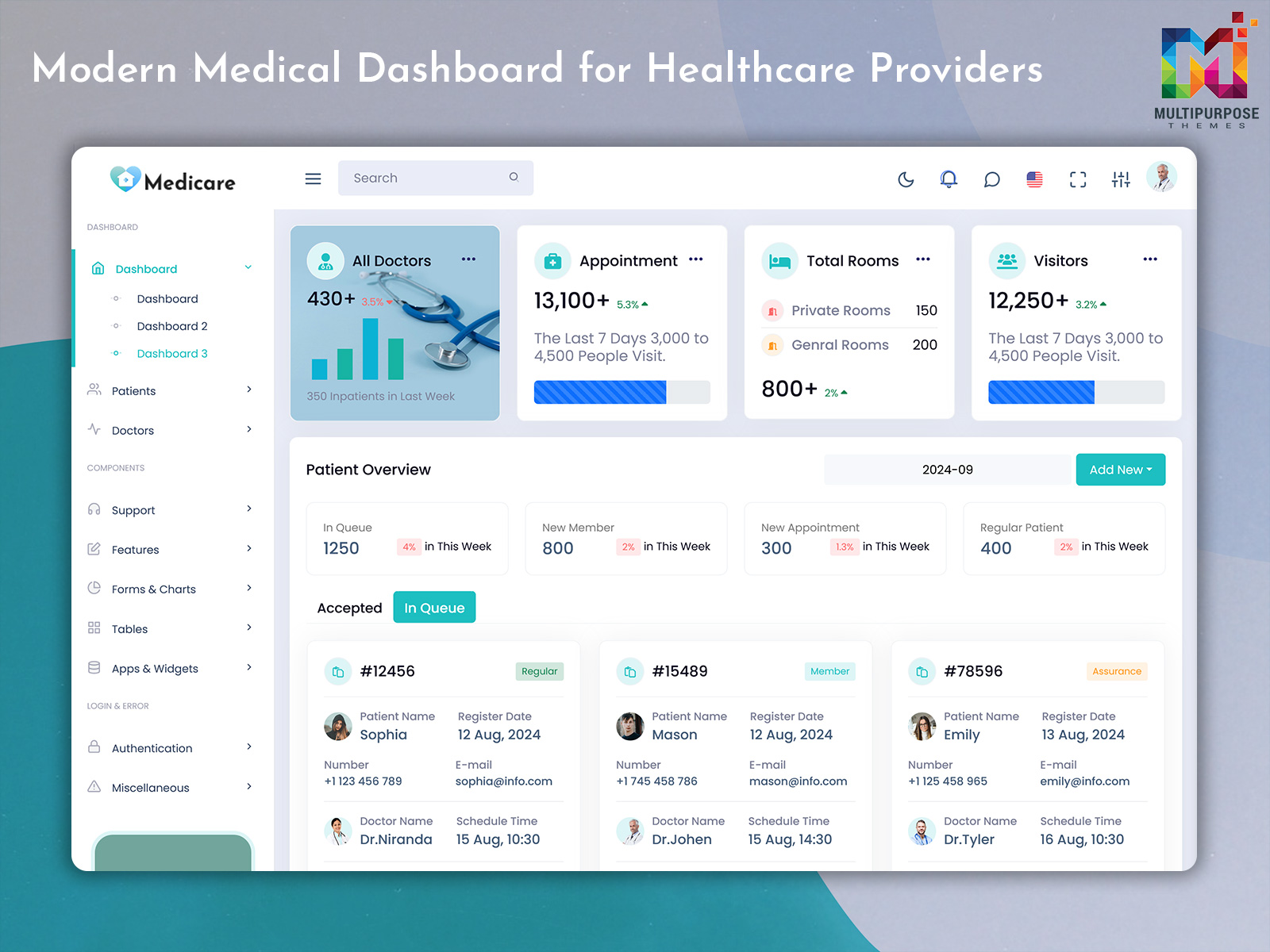
A Medical Dashboard Template provides a pre-designed foundation for building such an application. It may include navigation menus, data cards, tables, forms, charts, and other frontend components. These elements can be adapted to match the visual identity and workflow of a healthcare project. The template does not automatically provide a complete healthcare management system or guarantee compliance with medical data regulations.
A Medical Admin Template is useful for developers who want a healthcare-oriented administrative design without creating every interface element from the beginning. Depending on the product, the layout may be suitable for clinics, hospitals, doctors’ offices, or other healthcare-related platforms. The actual pages and functions should be checked against the intended project.
The Medical Doctor Admin Template concept focuses more specifically on interfaces associated with doctors and medical professionals. It may be adapted for doctor profiles, appointment information, service listings, or other professional workflows. The appropriate design depends on the type of medical application and the information authorized users need to access.
For developers, selecting a suitable medical dashboard is an initial design decision. The final application requires additional work involving data integration, access control, validation, and business logic.
Features of a Medical Dashboard
1. Patient Information Management
A patient-focused section can organize relevant records, profiles, and appointment details within the application. Authorized users may navigate to the information they need through structured tables and profile pages. Access permissions and secure data handling must be implemented separately.
2. Doctor Dashboard
A doctor dashboard can provide a dedicated interface for medical professionals to review assigned schedules, relevant patient information, and work-related records. Developers can customize the displayed sections according to the application’s user roles and workflow.
3. Appointment Scheduling Interface
An appointment section can display scheduled visits through calendars, lists, and status labels. This helps organize appointment-related information for administrative review. Booking, rescheduling, and cancellation functionality depends on the application’s implemented scheduling system.
4. Medical Reports and Charts
Charts and reporting tables can present selected healthcare-related information in a visual format. Administrators may use these sections to review operational statistics, while other users access information appropriate to their roles. The displayed metrics should be based on reliable data.
5. Hospital and Department Views
A healthcare application may require different pages for hospitals, departments, or service units. A flexible Medical Admin Template can provide a layout that developers adapt to these categories. The actual department structure and associated permissions depend on the project.
6. Responsive Layout
A responsive layout helps the dashboard display content across supported screen sizes. Developers can organize menus, cards, forms, and tables to suit desktop and smaller devices. The exact responsive behavior depends on the framework and template implementation.
7. Customizable UI Components
A medical admin interface can include reusable buttons, cards, forms, tables, and navigation components. These elements allow developers to create consistent screens across the application. The level of customization depends on the template’s source files and technical architecture.
VIEW DEMO BUY NOW
How a Medical Dashboard Supports Different Healthcare Applications
A medical dashboard can be adapted to different healthcare settings, but each setting has its own information requirements. A private clinic may need appointment scheduling and doctor profiles, while a larger hospital application may include multiple departments, staff roles, and administrative reporting. A useful design begins by identifying the tasks the application needs to support.
For a doctor’s practice, the interface may be organized around daily schedules, patient-related records, and service information. A doctor-focused dashboard should make relevant information accessible through the appropriate application workflow rather than placing every available metric on the main screen. This keeps the layout focused on the needs of the intended user.
A hospital administration project may require a broader set of sections. Developers could organize pages for departments, staff, appointments, billing, and resource-related records. Whether these sections are included in a particular Medical Admin Template depends on the product. Additional pages and system integrations may be needed for a complete implementation.
Another important consideration is role-based access. Healthcare applications can have different user groups, such as administrators, doctors, receptionists, and other staff. Each role may require access to different information and actions. The dashboard interface can reflect these distinctions, but secure authorization must be enforced by the application’s backend and access-control system.
The design should also account for the way users move between pages. For instance, an administrator may navigate from a summary screen to a department report, while a doctor may open a scheduled appointment and access the associated authorized records. Clear navigation and consistent page structures can make these workflows easier to understand.
A Medical Doctor Admin Template can serve as a starting point for building a doctor-oriented interface. Developers may adapt the design to the intended practice or platform, but the template should be evaluated for the actual pages and components it provides. Product screenshots and descriptions should not be treated as proof that a complete clinical system is included.
Why Choose Multipurpose Themes for a Medical Admin Template?
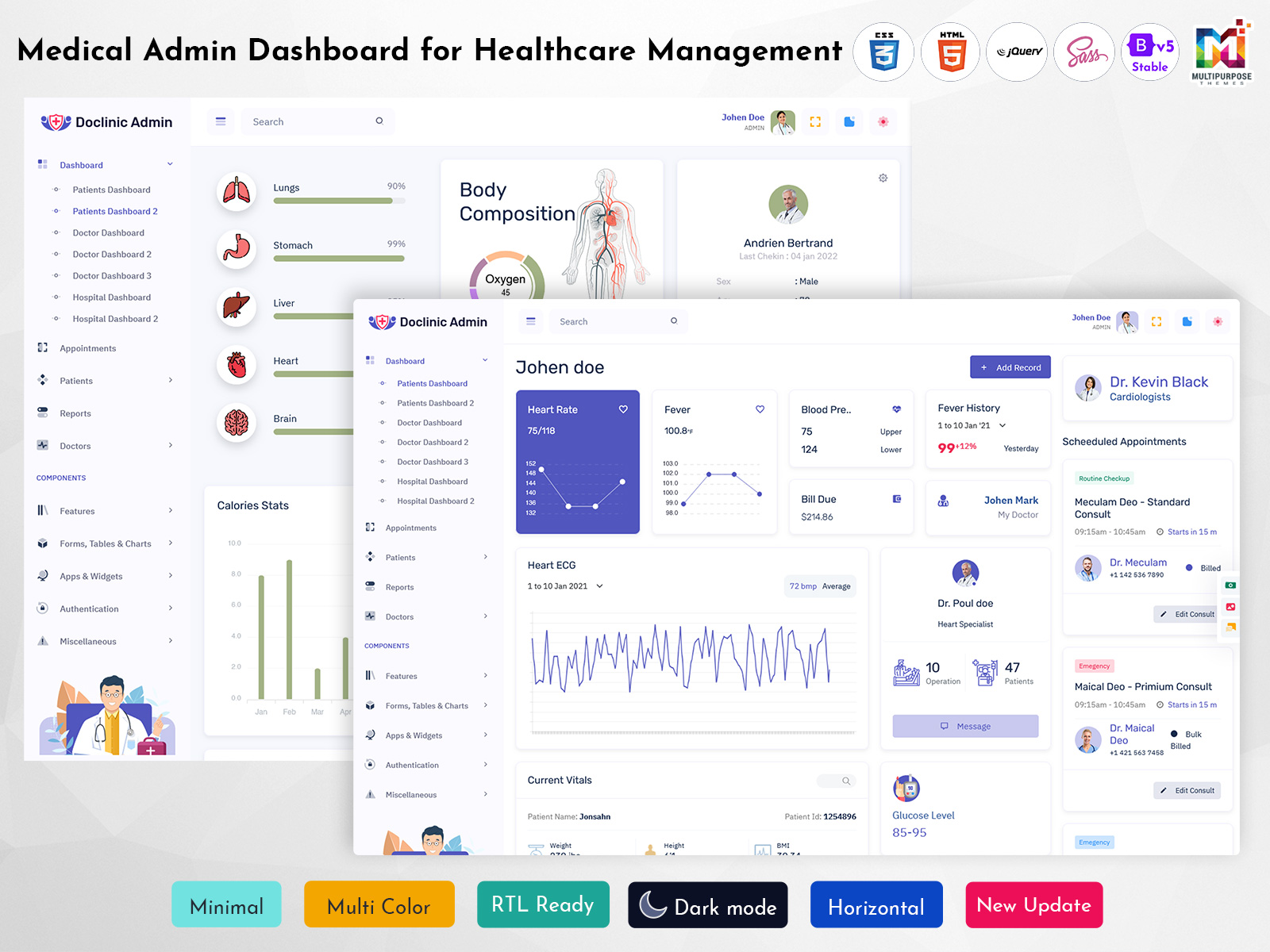
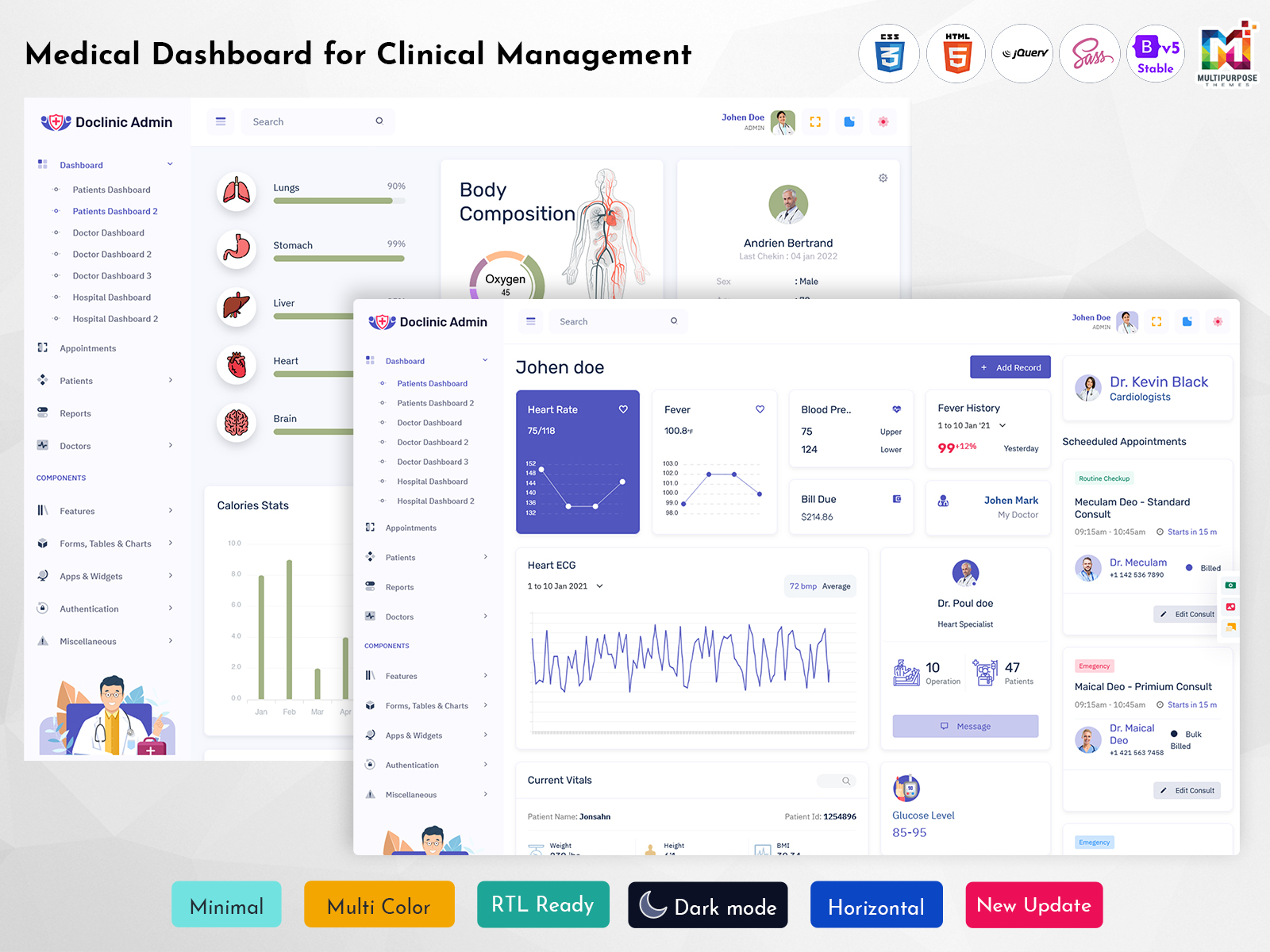
Multipurpose Themes offers medical-focused admin dashboard products, including Doclinic, with multiple dashboard layouts for patient, doctor, and hospital interfaces. Its published product information also describes responsive Bootstrap 5 support, customizable source files, widgets, charts, and various administrative components. These features provide a starting point for developers building healthcare-related web applications.
The company provides different template options for projects with varying visual and structural requirements. Developers can review the available layouts, documentation, and included components before selecting a product. A ready-made template can support frontend design work, while data integration, security measures, and application-specific medical functionality require additional implementation.
VIEW DEMO BUY NOW
Benefits of a Medical Dashboard
1. Organized Healthcare Information
A medical dashboard provides a structured interface for presenting selected healthcare records and administrative data. Users can navigate relevant sections according to their roles, reducing unnecessary movement between unrelated screens during routine application activities.
2. Convenient Appointment Review
Appointment-related information can be presented through calendars, tables, or summary cards. This arrangement helps authorized staff locate scheduled visits more conveniently, while the underlying application manages the actual booking and scheduling process.
3. Flexible Role-Based Layouts
Different healthcare users may require different dashboard views. A customizable interface can provide separate sections for administrators, doctors, and other staff, with access determined by the permissions implemented in the application.
4. Reusable Interface Components
A ready-made template offers components that developers can adapt across multiple application pages. Consistent cards, forms, tables, and navigation elements can reduce repeated frontend design work during healthcare software development.
5. Responsive User Experience
A responsive medical dashboard adapts its layout to supported display sizes. Properly arranged content and navigation help users access the interface across desktops, tablets, and other devices supported by the application.
6. Structured Administrative Reporting
Healthcare applications may use charts and tables to organize selected operational data. These views can support administrative reviews of available records, provided the metrics are accurately calculated and presented according to the project’s reporting requirements.
7. Customizable Project Foundation
A Medical Admin Template gives developers a visual starting point for their application. The design can be adjusted to suit the project’s branding, navigation, and page requirements, while additional programming handles the system’s specific functionality.
Create Your Medical Dashboard with MultiPurpose Themes
Build a professional and user-friendly Medical Dashboard for your next healthcare web application with MultiPurpose Themes. Our professionally crafted admin dashboard templates offer a practical foundation for developing modern medical, healthcare, hospital, clinic, and patient management systems. With well-structured layouts, responsive designs, interactive charts, data tables, forms, widgets, and reusable interface components, you can create a dashboard tailored to your healthcare project’s needs.
Whether you are working on a Hospital Management Dashboard, Doctor Dashboard, Patient Management System, Medical Analytics Dashboard, Clinic Management Portal, or Healthcare Administration application, MultiPurpose Themes gives you the flexibility to customize the interface around your workflow. Organize patient information, appointments, medical records, staff activities, reports, and other essential healthcare data within a clean and accessible dashboard environment.
Rather than spending valuable development time creating common dashboard elements from scratch, developers can start with a ready-made MultiPurpose Themes template and concentrate on implementing their application’s unique healthcare features, integrations, and backend functionality. Explore our collection of medical dashboard templates and create a scalable interface that fits your project’s design, functionality, and branding requirements.
Conclusion
A Medical Dashboard provides a structured interface for organizing healthcare-related information and administrative workflows. It can support applications involving doctors, clinics, hospitals, and other medical services, depending on the design and functionality implemented.
A Medical Admin Template or Medical Doctor Admin Template can offer a useful starting point for developers who need a healthcare-focused interface. Multipurpose Themes provides medical dashboard products with different layouts and components, allowing users to review options according to their project requirements.
The final choice should consider the template’s technology, included pages, customization options, and the additional development needed for the intended healthcare application.
VIEW DEMO BUY NOW
Frequently Asked Questions
1. What is a Medical Dashboard Template used for?
A Multipurpose Themes Medical Dashboard Template is used as a frontend foundation for building healthcare-related administrative applications. It can provide layouts for patient pages, doctor dashboards, appointment sections, reports, and other interface elements, depending on the product. Developers can customize these components according to their project. The template is not automatically a complete medical management system, so backend integration, data protection, access controls, and application-specific features require appropriate implementation.
2. Can I use a Medical Admin Template for a hospital management system?
A Medical Admin Template can be used as a starting point for a hospital management interface when its design and technology suit the project. Developers may adapt the layout for departments, doctors, patients, appointments, and administrative sections. However, a hospital management system requires more than a visual dashboard. Features such as secure records, user permissions, billing, and department workflows must be implemented or integrated according to the system’s requirements.
3. What is the difference between a Medical Dashboard Template and a Medical Doctor Admin Template?
A Multipurpose Themes Medical Dashboard Template is a broader term for a healthcare-related dashboard interface. A Medical Doctor Admin Template is more specifically oriented toward doctor-related workflows, such as schedules, profiles, and professional information. The distinction depends on the template’s actual design and included pages. Developers should review the product’s features rather than assume that every medical dashboard provides the same doctor or hospital functionality.
4. Can I customize a Medical Admin Template for a private clinic?
Yes, a Multipurpose Themes medical admin template can be adapted to a private clinic’s interface requirements, subject to its source code and structure. Developers may modify branding, navigation, page sections, and displayed fields. A clinic application may require appointment scheduling, patient profiles, and administrative pages. These features need to be connected to the application’s data and business logic, and appropriate privacy and access controls must be implemented for healthcare information.
5. Does a Medical Dashboard Template include patient management functionality?
The answer depends on the particular template. Some products include patient-oriented layouts, profile pages, or related interface components, while others provide more general admin screens. Buyers should review the actual product documentation and included pages before purchase. Patient management functionality requires suitable data storage, authorization, and application logic. A dashboard’s visual design alone does not establish a complete patient management system or guarantee compliance with applicable healthcare requirements.
6. Is a Medical Admin Template responsive and suitable for different devices?
Many modern admin templates are designed with responsive layouts, but the exact behavior depends on the product and its implementation. A responsive Medical Admin Template may adapt its navigation, cards, tables, and forms to different screen sizes. Developers should check the specific template’s supported browsers, framework version, and responsive behavior. Testing the interface on the devices relevant to the intended users is important before deploying the application.
7. Why choose Multipurpose Themes for a Medical Dashboard Template?
Multipurpose Themes offers medical dashboard products, including Doclinic, with layouts for different healthcare-related use cases. Its published product information includes Bootstrap 5-based components, responsive layouts, and multiple dashboard options. Developers can review these features when selecting a frontend starting point. The best fit depends on the project’s required pages, technology, customization needs, and the additional functionality needed for the healthcare application.

Related Posts


This Post Has 0 Comments