Education is no longer inside a school or a college. Schools, coaching institutes, universities, training…
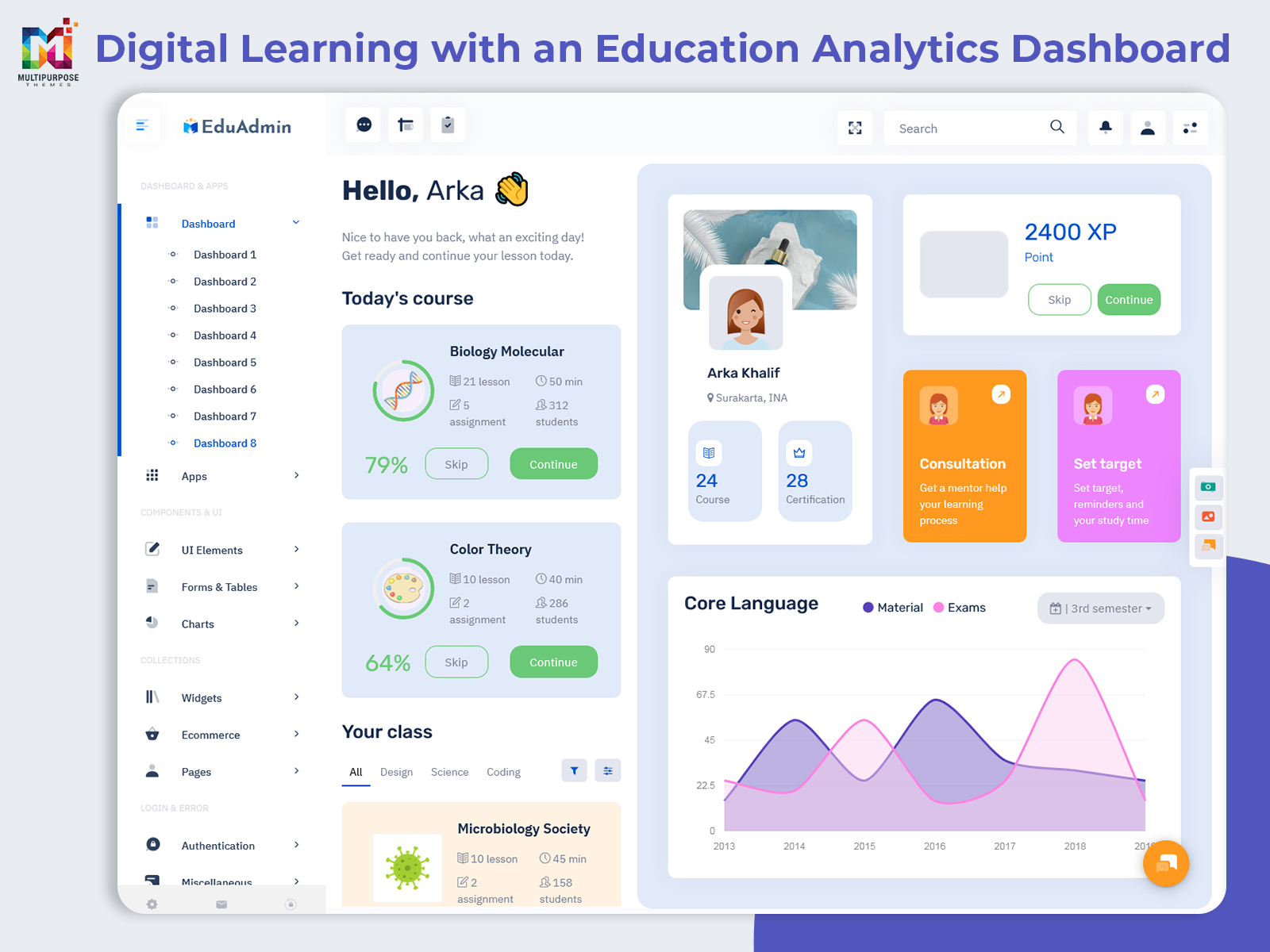
Education Dashboard: Simplify Digital Learning with an Education Analytics Dashboard
Reading Time: 9 minutes
What is an Education Dashboard?
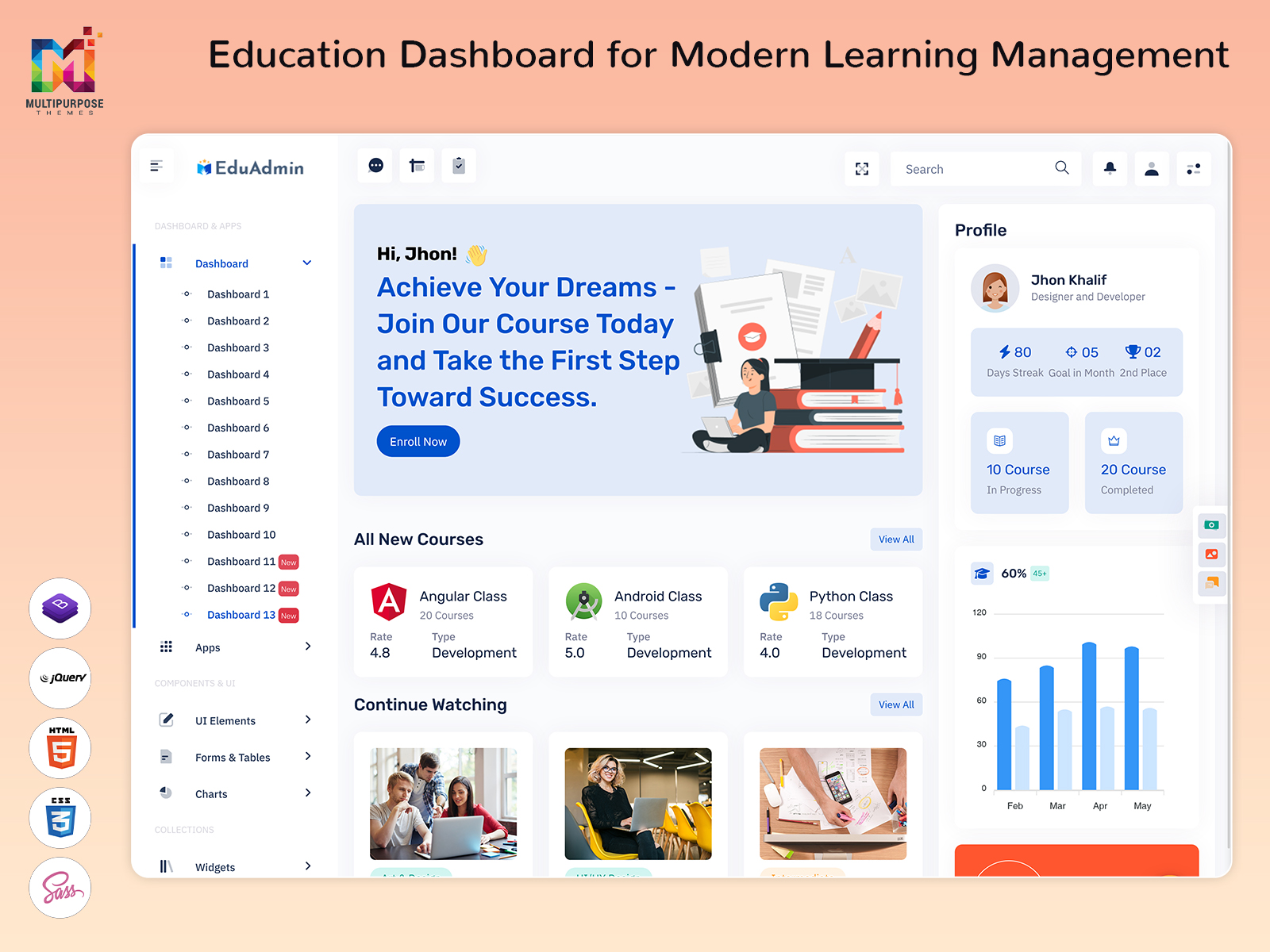
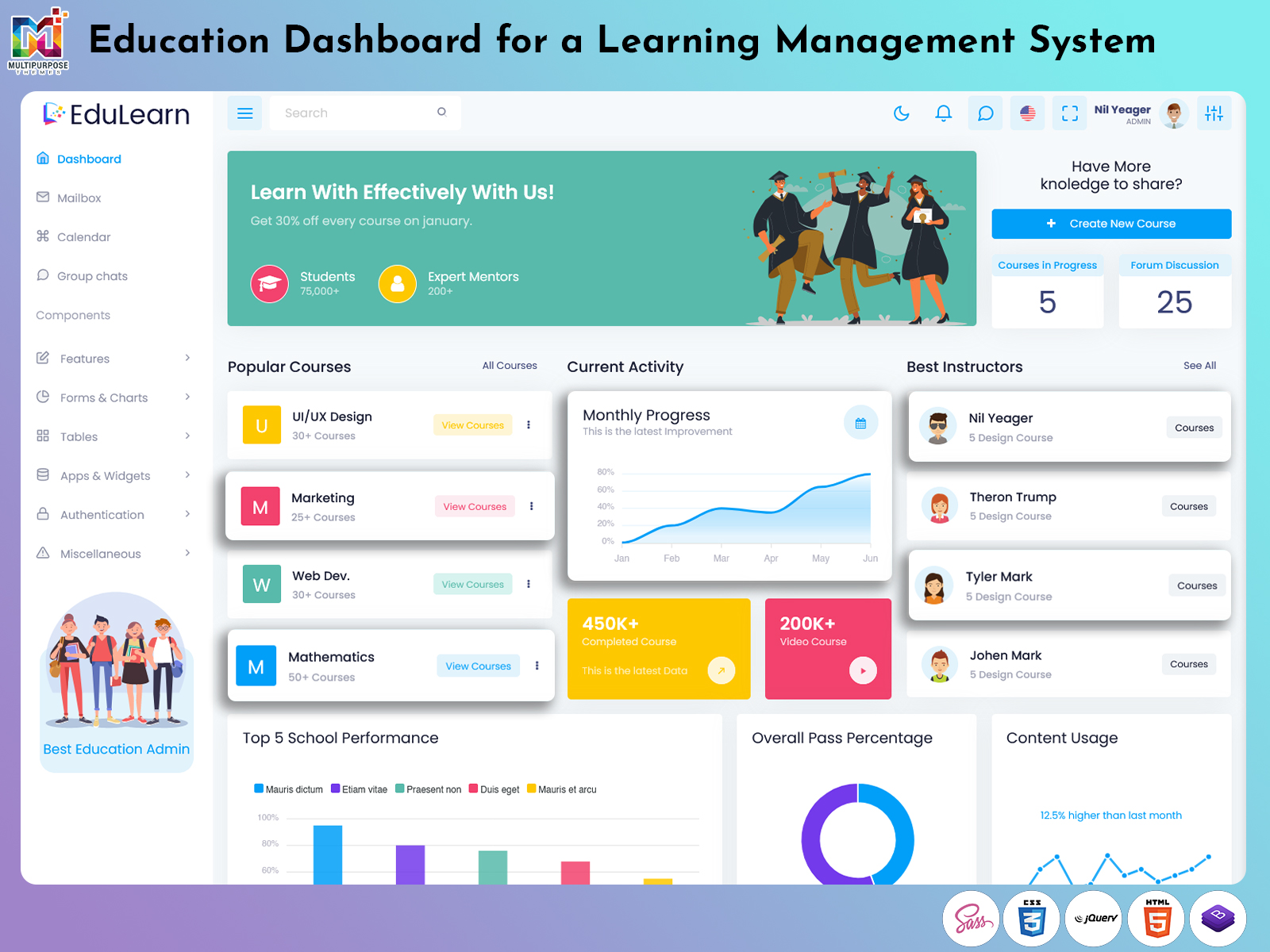
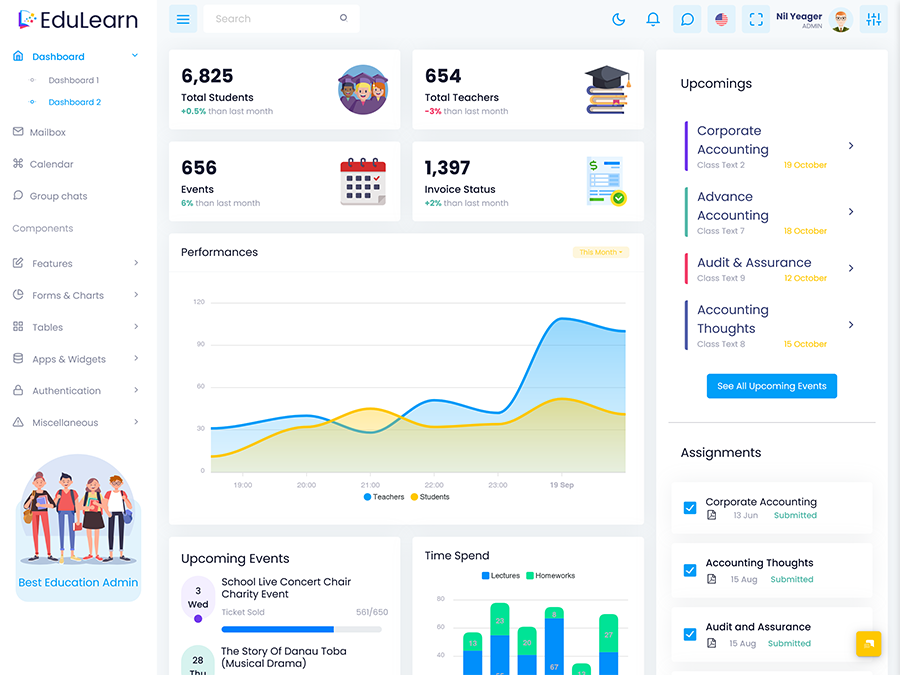
An Education Dashboard is a centralized digital interface designed to help educational organizations manage learning activities, course information, student progress, and administrative work from one place. Instead of depending on separate systems for different tasks, institutions can bring important education-related information into a single, organized environment.
Watch Full Video
A modern dashboard can support schools, colleges, universities, coaching institutes, training centers, and online learning businesses. It gives administrators and educators a clearer view of what is happening across their learning environment and helps them respond to routine academic requirements more efficiently.
The growing use of LMS Webapps has also changed how learners and educators interact with digital education. A dashboard can act as the main entry point where users can access learning information, follow course activity, and understand progress without dealing with complicated navigation.
An LMS Dashboard Template can provide the visual and structural foundation for building such an application. Rather than treating the dashboard as simply a collection of statistics, developers can design it around the actual needs of learners, teachers, and education administrators.
For online learning businesses, an Onlinecourse Dashboard can bring course-related activities into a more manageable workspace. It can help teams understand learning activity while keeping the overall platform easier to operate and maintain.
Why is an Education Dashboard Important for Modern Learning?
Education has moved beyond the traditional classroom. Students may now learn through recorded lessons, live classes, digital assignments, online assessments, and self-paced courses. Managing these different learning methods can become difficult when information is spread across multiple platforms.
An Education Dashboard provides a more connected way to organize this information. It gives education teams a central place to understand learning activity and manage important academic processes. This can make everyday work more structured without forcing administrators to switch constantly between different applications.
An LMS Admin Template can help developers create this type of system with a clear administrative interface. It provides a foundation that can be adapted according to the organization’s workflow rather than requiring every interface element to be developed from the ground up.
How an Education Dashboard Supports Online Learning
Managing an online learning platform involves much more than uploading courses. Administrators need to understand how learners are interacting with educational content, while instructors need a practical way to manage their academic responsibilities.
An Onlinecourse Dashboard can create a central workspace for these activities. It can make course-related information easier to review and give education teams a clearer understanding of the learning environment.
For example, an administrator may need to check the status of different courses, review learner activity, examine financial information, or keep track of upcoming academic activities. Presenting these areas through a structured interface makes the information easier to navigate.
An LMS Dashboard Template can also help developers create a consistent experience across different parts of an education platform. The interface can be adapted for schools, universities, professional training companies, or businesses providing employee learning programs.
This approach is especially useful when an organization is growing. As the number of learners and courses increases, relying on spreadsheets and disconnected tools can create unnecessary administrative pressure. A centralized dashboard gives teams a more practical way to manage digital education at scale.
Education Dashboard as a Bridge Between Learning and Administration
One of the biggest challenges in digital education is keeping academic activity and administrative work connected. Teachers may focus on learning delivery, students concentrate on completing their courses, and administrators handle the operational side. Without a shared digital environment, these areas can become disconnected.
An Education Dashboard can act as a bridge between them by presenting relevant information through a common platform. It allows organizations to move toward a more connected approach where learning activity and administration can be understood together.
Modern LMS Webapps can benefit from this structure because their users often perform different tasks within the same application. An administrator may need a broad organizational view, while an instructor may require a more focused learning view.
What Makes an Education Dashboard Useful?
The value of an Education Dashboard depends on how effectively it turns large amounts of educational information into something users can understand. A dashboard should not overwhelm users with unnecessary data. Instead, its layout should help them identify important information quickly.
For students, this may mean having a clear view of their learning journey. For instructors, it can mean understanding course activity and academic responsibilities. For administrators, the focus may be broader, involving overall platform activity and operational information.
This is where a carefully designed LMS Dashboard Template becomes useful. Developers can create an interface that matches the actual purpose of the education platform rather than relying on a generic dashboard structure.
Similarly, an Onlinecourse Dashboard can be designed around the needs of digital course providers. It can help bring different areas of an online learning business into one understandable workspace.
The best dashboard experience is therefore not necessarily the one with the largest number of widgets. It is the one that makes important educational information easier to understand and act upon.
Features of Education Dashboard
1. Centralized Learning Management
An Education Dashboard brings important academic and administrative information into one organized interface. It gives education teams a clearer view of daily activities without requiring them to work across disconnected tools. This centralized approach is particularly useful for institutions managing multiple courses, learners, instructors, and digital learning activities.
2. Course Activity Visibility
An Onlinecourse Dashboard helps education providers maintain better visibility into their digital learning environment. It can present course-related information in an organized manner, allowing administrators and educators to understand ongoing activity more easily. This creates a practical workspace for managing online education without making the interface unnecessarily complicated.
3. Student Progress Monitoring
A modern LMS Dashboard Template can provide a structured environment for understanding learner progress. Educational teams can review learning activity and identify areas that may require attention. Presenting progress through a clear interface makes it easier to follow the learner journey and support a more organized educational experience.
4. Flexible Administrative Interface
An LMS Admin Template provides a practical foundation for developing an education management interface that can adapt to different institutional requirements. Developers can create a workspace suitable for schools, colleges, training organizations, or online learning businesses while maintaining a consistent and easy-to-understand administrative experience.
5. Digital Learning Management
Modern LMS Webapps require an interface that can handle different forms of digital learning information without creating unnecessary complexity. An Education Dashboard provides a centralized environment for managing online learning activity, helping educational organizations keep digital courses and related operations organized as their platforms expand.
6. Responsive Dashboard Experience
An Education Dashboard can be designed to work comfortably across desktops, tablets, and other commonly used devices. Responsive access allows education teams and learners to interact with the platform more conveniently. This flexibility is valuable for modern institutions where learning and administrative activities are no longer restricted to a single location.
7. Scalable Education Platform
A well-structured LMS Dashboard Template can support education platforms as their requirements increase. New courses, users, instructors, and learning activities can be incorporated without completely changing the dashboard experience. This makes the approach suitable for organizations that want to build a digital learning platform with room for future expansion.
How an Education Dashboard Improves the Digital Learning Experience
A digital learning platform should make education easier to manage, not create another layer of complexity. When students and educators have to search through several pages to understand basic information, the overall learning experience can quickly become frustrating.
An Education Dashboard provides a central starting point where users can understand what is happening within their learning environment. The information can be presented according to the user’s role, making the experience more relevant for students, instructors, and administrators.
For online education providers, an Onlinecourse Dashboard can make course management more structured. It can help teams keep track of the learning environment while giving them a clearer picture of how their digital platform is being used.
An LMS Dashboard Template also gives developers the opportunity to create interfaces that prioritize clarity. Instead of filling every area with statistics, developers can decide which information actually helps users complete their work.
Benefits of Education Dashboard
1. Simplifies Education Management
An Education Dashboard gives institutions a centralized place to organize learning and administrative information. Instead of handling different activities through separate tools, teams can work within a more structured digital environment. This reduces unnecessary effort and makes everyday education management easier to coordinate.
2. Improves Learning Visibility
An LMS Dashboard Template makes important learning information easier to understand by presenting it through an organized interface. Educators and administrators can gain a clearer view of ongoing academic activity, helping them recognize changes, follow progress, and respond to areas that need additional attention.
3. Saves Administrative Time
Using LMS Webapps can reduce repetitive manual work involved in managing digital education. A centralized dashboard keeps commonly required information accessible, allowing administrators to spend less time searching across different systems and more time handling important academic and organizational responsibilities.
4. Creates a Better Online Learning Experience
An Onlinecourse Dashboard gives digital education providers a practical way to organize their course environment. When information is presented clearly, learners can find what they need more easily, while education teams can maintain a smoother platform experience that supports regular engagement.
5. Supports Education Platform Growth
An LMS Admin Template provides a foundation that can adapt as an education platform expands. New learners, courses, instructors, and academic programs can be accommodated without completely rebuilding the interface. This makes dashboard-based management useful for institutions with changing digital education requirements.
6. Encourages Data-Based Management
An Education Dashboard helps organizations understand their learning environment through structured information. Instead of depending entirely on assumptions or scattered records, administrators can review available data and use it to guide planning, improve workflows, and identify opportunities to strengthen their educational services.
7. Improves Accessibility
A responsive Education Dashboard allows users to interact with their learning environment from different devices. This flexibility is particularly useful for modern education, where students and educators may study or work from classrooms, homes, offices, or other locations without being restricted to a single device.
Choosing the Right Dashboard Approach for Digital Education
Every educational organization has different requirements. A university managing thousands of students may need a broader administrative environment, while a small training company may focus primarily on online courses and learner activity.
For this reason, choosing an LMS Admin Template should involve more than looking at its visual appearance. Organizations should consider whether the dashboard structure can support their actual workflows and whether it can be adapted as those requirements change.
An Onlinecourse Dashboard can be especially valuable for businesses focused on digital learning because it provides a workspace built around online course operations. Meanwhile, institutions using broader LMS Webapps may require a more comprehensive dashboard that supports multiple user roles.
A flexible LMS Dashboard Template can help bridge these different requirements. Developers can customize the interface while maintaining a clear structure that users can understand.
The most effective approach is to select a dashboard foundation that prioritizes usability, scalability, and relevant information. This creates a stronger digital learning environment and reduces the need for major changes as the organization grows.
Conclusion
An Education Dashboard provides a practical way for schools, colleges, training organizations, universities, and online learning businesses to manage their digital education environment. By bringing important learning and administrative information into one organized interface, it can reduce complexity and make everyday activities easier to coordinate.
The increasing use of LMS Webapps makes a well-planned dashboard even more important. Students, instructors, and administrators need different types of information, and a thoughtfully designed interface can present that information according to their actual requirements.
An LMS Dashboard Template gives developers a flexible foundation for building modern education platforms, while an LMS Admin Template can simplify the creation of administrative workspaces. For online learning providers, an Onlinecourse Dashboard can further improve the organization of digital course operations.
Frequently Asked Questions
1. What is an Education Dashboard used for?
A Multi purpose themes Education Dashboard is used to organize and present important information related to digital learning and education management. It can help institutions understand academic activity, manage online learning environments, and provide users with a more structured interface. The exact functionality depends on whether the dashboard is designed for students, instructors, administrators, or an online education business.
2. Who can use an Education Dashboard?
A Multi purpose themes Education Dashboard can be useful for schools, colleges, universities, coaching institutes, training centers, corporate learning teams, and online course providers. Different users can receive different dashboard views according to their responsibilities. Students may need learning-related information, while administrators and instructors may require broader academic or operational information.
3. What is an LMS Dashboard Template?
An LMS Dashboard Template is a pre-designed interface structure that can be customized for a learning management system. It gives developers a starting point for creating dashboards instead of designing the entire interface from the beginning. Organizations can adapt the structure according to their courses, users, learning model, and administrative requirements.
4. Can an LMS Admin Template be customized?
Yes. An LMS Admin Template can generally be customized to match the requirements of a particular education platform. Developers can adapt its layout, navigation, visual elements, and application structure according to the project. This makes it suitable for different types of learning organizations rather than limiting it to one specific educational model.
5. Is an Education Dashboard suitable for online courses?
Yes. A Multi purpose themes Onlinecourse Dashboard can be particularly useful for organizations that provide digital courses. It can provide a centralized workspace for managing the online learning environment and presenting relevant information to users. The exact features can be customized according to whether the platform offers self-paced courses, instructor-led classes, or a combination of both.
6. Why are LMS Webapps becoming popular?
Multi purpose themes LMS Webapps allow learners and education teams to access learning platforms through web browsers without depending on a traditional desktop application. This makes digital education more flexible and accessible across different devices. For organizations, web-based learning systems can also make it easier to manage courses and users from a centralized environment.
7. Can Multipurpose Themes dashboards be used for education projects?
Yes, developers can explore education-focused dashboard templates from Multipurpose Themes as a starting point for their projects. However, the final application should be customized according to the organization’s specific learning workflows, user requirements, branding, and functionality rather than relying on a template without modification.

Related Posts