


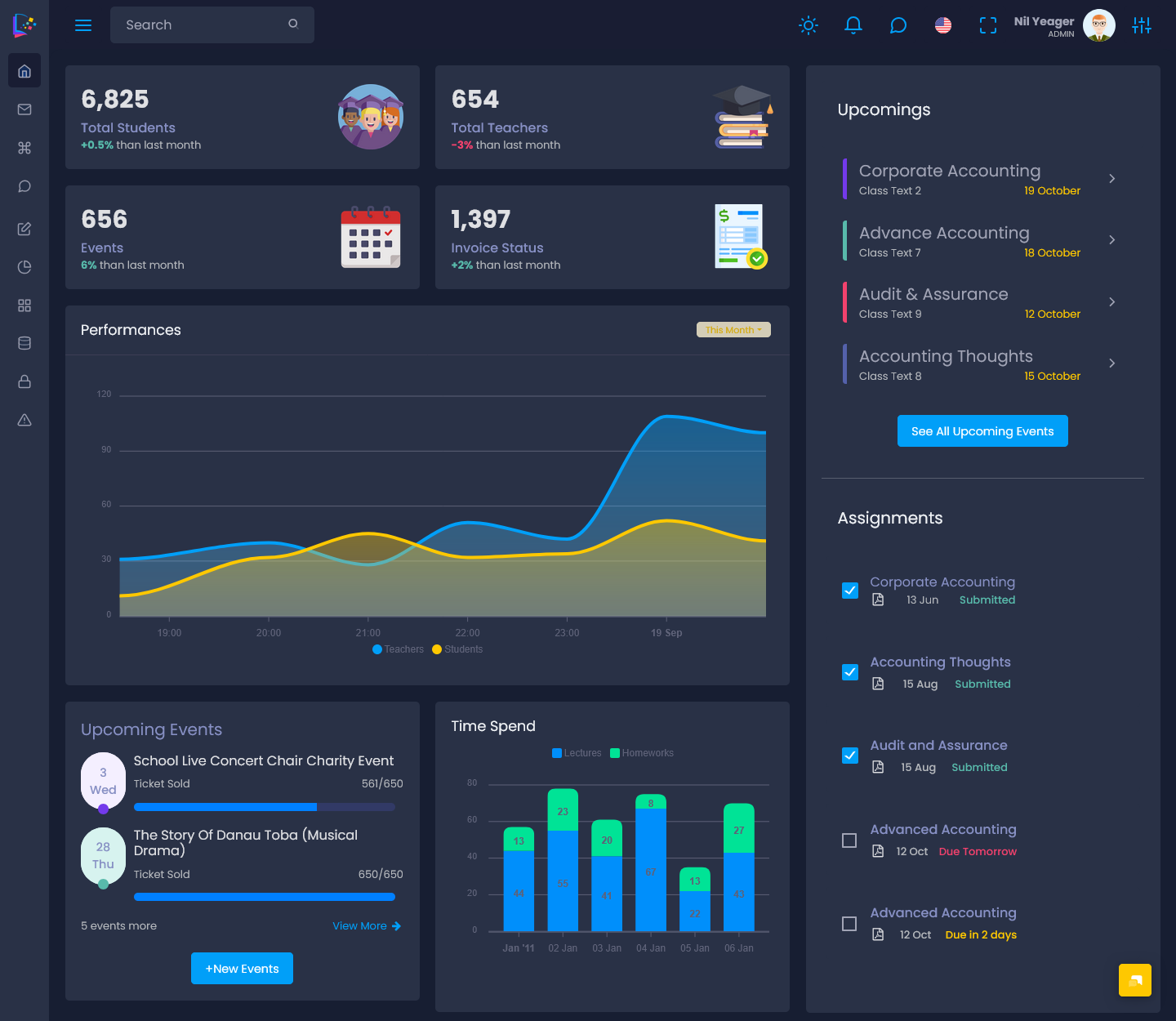
Digital learning has transformed the way educational institutions deliver knowledge, manage academic activities, and engage…
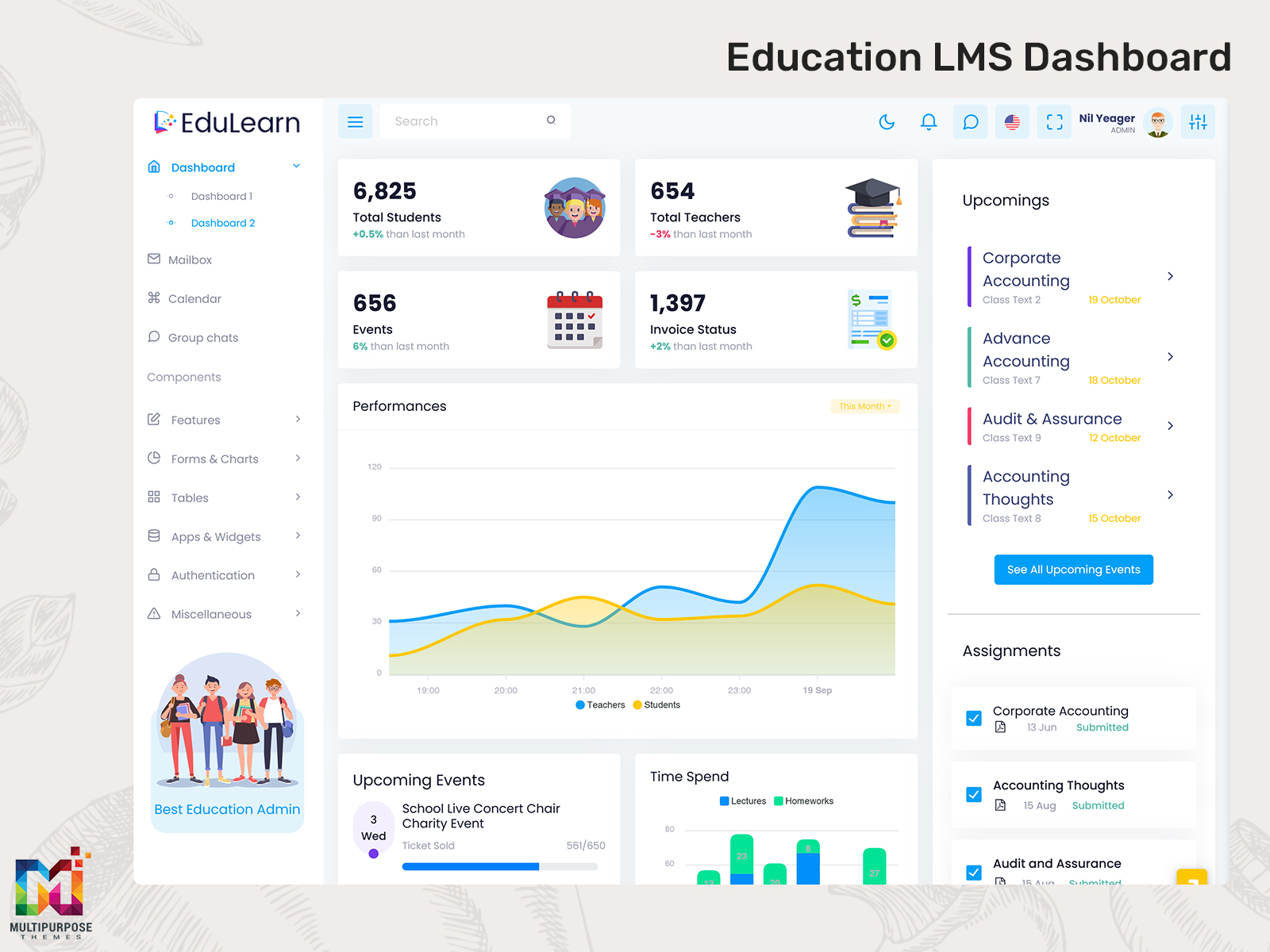
LMS Dashboard: Transforming Digital Learning with Smarter Education Management
Reading Time: 7 minutes
What is an Education Dashboard?
An Education Dashboards is a digital interface that helps educational institutions to manage their daily tasks like learning activities, student information, and administrative tasks from a single platform which is this dashboard. It provides schools, universities, coaching centers, and training institutes a complete overview of their operations in real time. Instead of using multiple tools or applications, organizations can rely on one centralized system to monitor progress and improve their productivity.
Watch Full Video
An LMS Dashboard combines essential data together like attendance, assignments, course enrollment, examination results, and announcements at one place. Students can use Your Learning App to access lessons and track their achievements, and at the same time teachers can review class performance and manage educational content. This makes the Learning Management System Dashboard valuable for both online and offline learning environments.
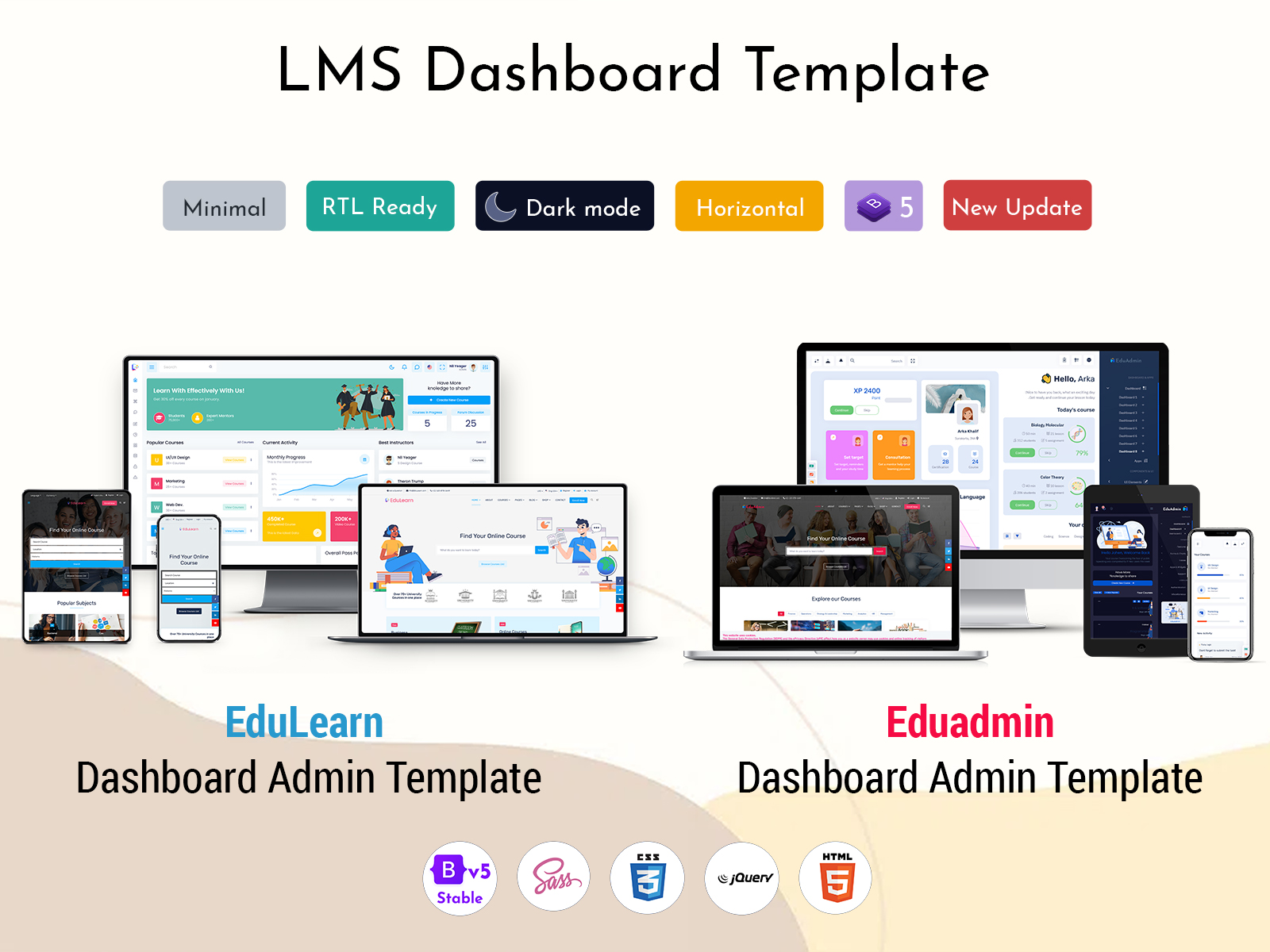
Today, LMS Dashboards are mainly used because they simplify educational management.no matter if it is an Online Classes Dashboard for virtual learning or an Elearning Dashboard for self-paced courses, these platforms improve accessibility and organization. Many institutions also adopt an LMS Dashboard Template or LMS Admin Template to launch their systems quickly and efficiently.
How Education Dashboard Works
An Education Dashboard works as the data collector and saver. It collects and organises information from different educational activities into one visual interface. Every action performed by students, teachers, and administrators is recorded within the system and displayed through reports, charts, and notifications.
When a student login into Your Learning App, the Learning Dashboard shows upcoming classes, pending assignments list, All certificates, and completed lessons. Teachers can upload their study materials according to their subjects, review submissions, and communicate with learners directly through the platform. Administrators can analysis enrollment numbers, faculty performance, and operational statistics without switching between multiple applications or platforms.
Modern LMS Web apps are designed with role-based access, ensuring every user can sees only the information which is related to them. A Learning Management System Dashboard can also integrate with payment systems, video conferencing tools, and email notifications. This creates a seamless experience for educational institutions and supports better collaboration across departments.
VIEW DEMO BUY NOW
Why Use an Education Dashboard for Better Learning Management?
Managing education has become more complex with the rise of hybrid and remote learning models. An Education Dashboard provides a structured approach that helps institutions maintain consistency and improve efficiency across all operations.
An Education Dashboards enables teachers to identify students who need additional support. Instead of waiting until examinations, educators can monitor progress continuously and intervene early. This improves academic outcomes and encourages personalized learning experiences.
For administrators, an Education Software Dashboard provides valuable insights into institutional performance. Enrollment trends, attendance patterns, and course popularity can be analyzed to make informed decisions. Students also benefit because they can access everything from one place, including schedules, resources, and assessments.
Features of an Education Dashboard
1. Student Progress Tracking
A Learning Dashboard allows institutions to monitor student achievements in real time. Teachers can review assignment completion rates, attendance records, and examination scores. This feature helps educators identify strengths and weaknesses early, enabling them to provide timely guidance and improve overall learning outcomes.
2. Course Management System
An Onlinecourse Dashboard simplifies course administration by allowing educators to create, edit, and organize learning materials efficiently. Teachers can upload videos, notes, quizzes, and assignments while ensuring that students have uninterrupted access to educational resources through the platform.
3. Real-Time Notifications
Modern LMS Dashboards provide instant notifications regarding assignment deadlines, examination schedules, and important announcements. This ensures that students and faculty remain informed at all times. Timely communication reduces confusion and improves engagement across educational institutions and training organizations.
4. Interactive Reporting Tools
An Education Software Dashboard includes reporting capabilities that present data in charts and graphs. Administrators can analyze attendance, course completion rates, and student participation. These insights help institutions make data-driven decisions and improve academic planning for future semesters and programs.
5. Multi-User Access Control
A well-designed LMS Admin Template supports multiple user roles, including students, teachers, parents, and administrators. Each user receives customized access permissions based on their responsibilities. This enhances security while ensuring that sensitive information remains protected within the Learning Management System Dashboard.
6. Online Class Integration
An Online Classes Dashboard can integrate with virtual meeting platforms to provide seamless online learning experiences. Students can join live sessions, access recordings, and participate in discussions directly from the dashboard. This functionality is especially beneficial for remote and hybrid learning environments.
7. Mobile-Friendly Experience
Many LMS Webapps are optimized for smartphones and tablets, allowing users to access educational resources anytime and anywhere. Whether checking schedules or completing assignments, mobile compatibility ensures continuous learning and improves convenience for students and educators alike.
VIEW DEMO BUY NOW
Why Every Education Organization Should Use an Education Dashboard
Educational organizations have to face increasing requirements for efficiency, transparency, and accessibility.This Dashboard addresses these challenges by offering a centralized platform which simplifies learning management and administrative operations.
Schools and colleges can significantly reduce manual paperwork by using this LMS Dashboard. Administrative tasks like attendance management, generation of reports , and communication become faster and more accurate. This allows staff members to focus more on educational excellence rather than repetitive manual processes.
Training centers and corporate learning programs also benefit from implementing this Learning Management System Dashboard. They can manage the bulk of learners at the same time while maintaining consistent educational standards. Features like automated reporting and progress tracking improve accountability across the whole organization.
Additionally, an LMS Dashboard Template supports scalability. As institutions grow, they can add new courses, users, and departments without major system modifications. This flexibility makes Education Dashboards suitable for organizations of all sizes.
Most importantly, students expect digital experiences that are simple and accessible. A modern Elearning Dashboard meets these expectations by delivering personalized learning journeys and improving engagement. Educational organizations that embrace digital transformation are better positioned to remain competitive in today’s evolving learning landscape.
Benefits of an Education Dashboard
1. Improves Administrative Efficiency
An Education Dashboard automates routine administrative tasks, reducing the time spent on manual processes. Attendance management, report creation, and communication can be handled through one system. This improves operational efficiency and allows educational institutions to allocate resources more effectively across departments.
2. Enhances Student Engagement
Students remain more engaged when they have easy access to learning materials and progress updates. An LMS Dashboard encourages active participation through personalized recommendations, notifications, and interactive tools. Increased engagement often leads to improved academic performance and better course completion rates.
3. Supports Data-Driven Decisions
Educational leaders can use insights from the Learning Management System Dashboard to make informed decisions. Performance trends, enrollment statistics, and attendance patterns provide valuable information that helps institutions improve educational strategies and allocate resources more efficiently.
4. Enables Flexible Learning
An Elearning Dashboard allows students to learn according to their schedules and preferences. Whether attending live classes or reviewing recorded sessions, learners have greater flexibility. This adaptability is particularly useful for working professionals, remote learners, and individuals pursuing continuing education programs.
5. Strengthens Communication
Communication becomes more effective when students, teachers, and administrators are connected through a centralized platform. Notifications, announcements, and messaging tools ensure that important information reaches users promptly, reducing misunderstandings and improving collaboration throughout the educational environment.
6. Increases Scalability
Educational institutions can expand their offerings without worrying about operational complexity. An LMS Dashboard supports additional courses, users, and departments with minimal adjustments. This scalability makes it an excellent long-term investment for organizations planning future growth and digital transformation initiatives.
7. Provides Better Learning Experiences
A Courses Dashboard Template creates a more organized and enjoyable learning environment. Students can easily navigate courses, track progress, and access resources from a single location. Better user experiences contribute to higher satisfaction levels and stronger relationships between learners and institutions.
Conclusion
Education organisations are rapidly growing, and institutions require technology that was useful for both learners and administrators. An Education Dashboard provides a powerful solution by bringing all the essential educational activities together at one place.like course management and student tracking to reporting and communication, it simplifies operations while improving the overall learning experience. It is implemented as an LMS Dashboard, also Onlinecourse Dashboard, or an Education Software Dashboard, these platforms help organizations adapt to changing educational demands. They provide flexibility, scalability, and valuable analytics which helps in long-term success. As digital learning continues to grow, investing in a reliable Learning Management System Dashboard is a practical step toward building smarter and more connected educational environments.
Frequently Asked Questions
1. What is the difference between an LMS Dashboard and an Education Dashboard?
An MultiPurpose Themes LMS Dashboard specifically focuses on managing learning activities such as courses, assignments, and student progress. An Education Dashboard is a broader term that may include administrative operations, financial reporting, and institutional analytics in addition to learning management features.
2. Can small coaching institutes use an LMS Dashboard?
Yes, small coaching centers can benefit significantly from MultiPurpose Themes LMS Dashboard. It helps manage attendance, class schedules, assignments, and communication without requiring large investments. Many LMS Dashboard Template solutions are affordable and can be customized according to the institute’s requirements.
3. Is an Education Dashboard suitable for online learning?
Absolutely. An MultiPurpose Themes Online Classes Dashboard is designed specifically to support virtual education. It can integrate with video conferencing tools, provide access to study materials, and enable students to participate in assessments from any location with internet connectivity.
4. How secure is a Learning Management System Dashboard?
Most modern Learning Management System Dashboard platforms include role-based access control, data encryption, and secure authentication methods. These features help protect student records, institutional information, and other sensitive data from unauthorized access or misuse.
5. Can an LMS Dashboard integrate with other software?
Yes, many LMS Webapps support integration with payment gateways, email services, customer relationship management tools, and virtual meeting platforms. These integrations create a connected ecosystem that improves efficiency and delivers a better experience for both learners and administrators.
6. How long does it take to implement an LMS Dashboard?
Implementation time depends on the complexity of the project and customization requirements. Organizations using a pre-built LMS Admin Template or Learning Template can typically deploy their system faster compared to developing a dashboard entirely from scratch. Most implementations can be completed within a few weeks.

Related Posts


This Post Has 0 Comments