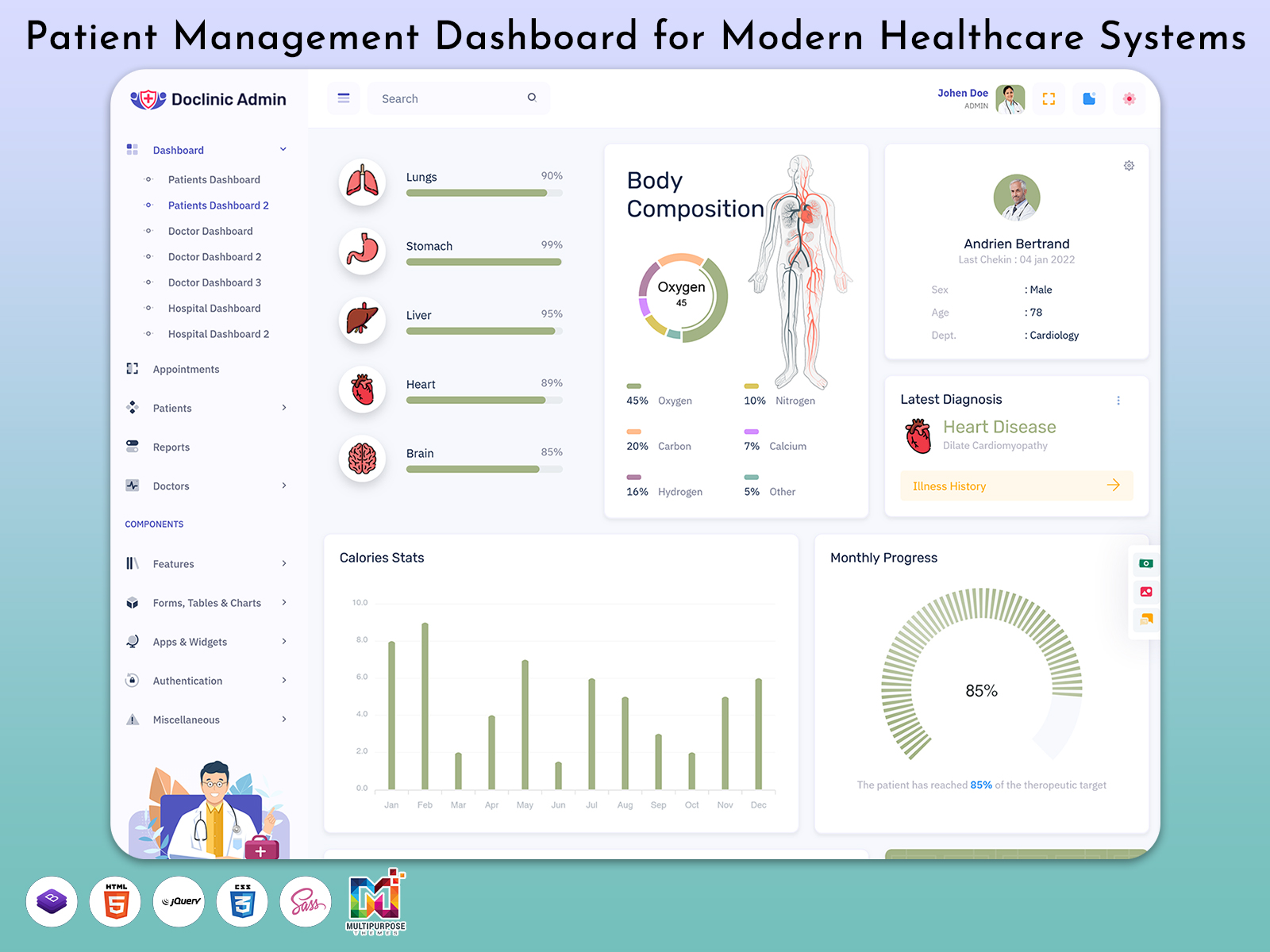
Healthcare facilities. Store a lot of information which needs to be properly organized and protected.…
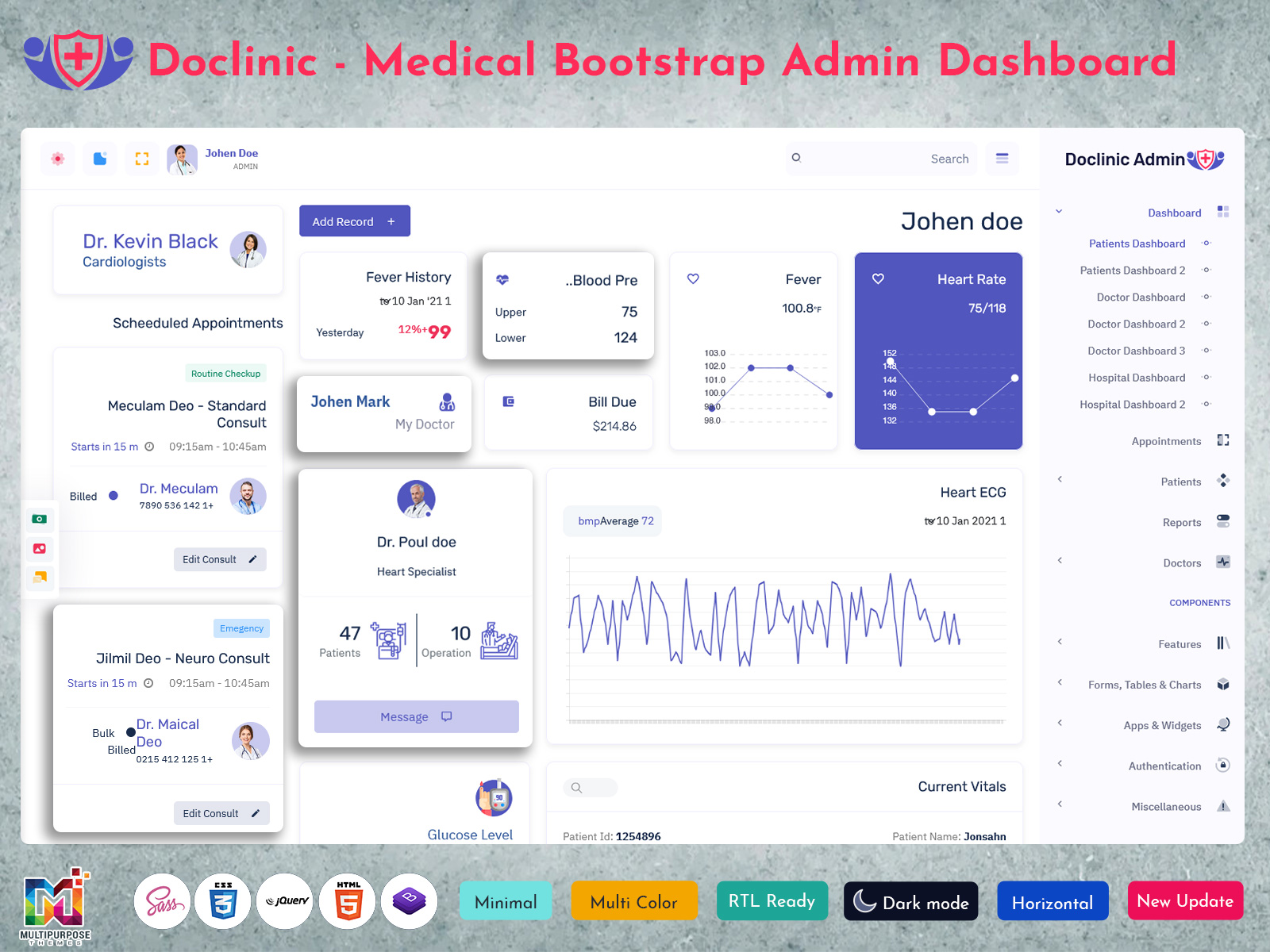
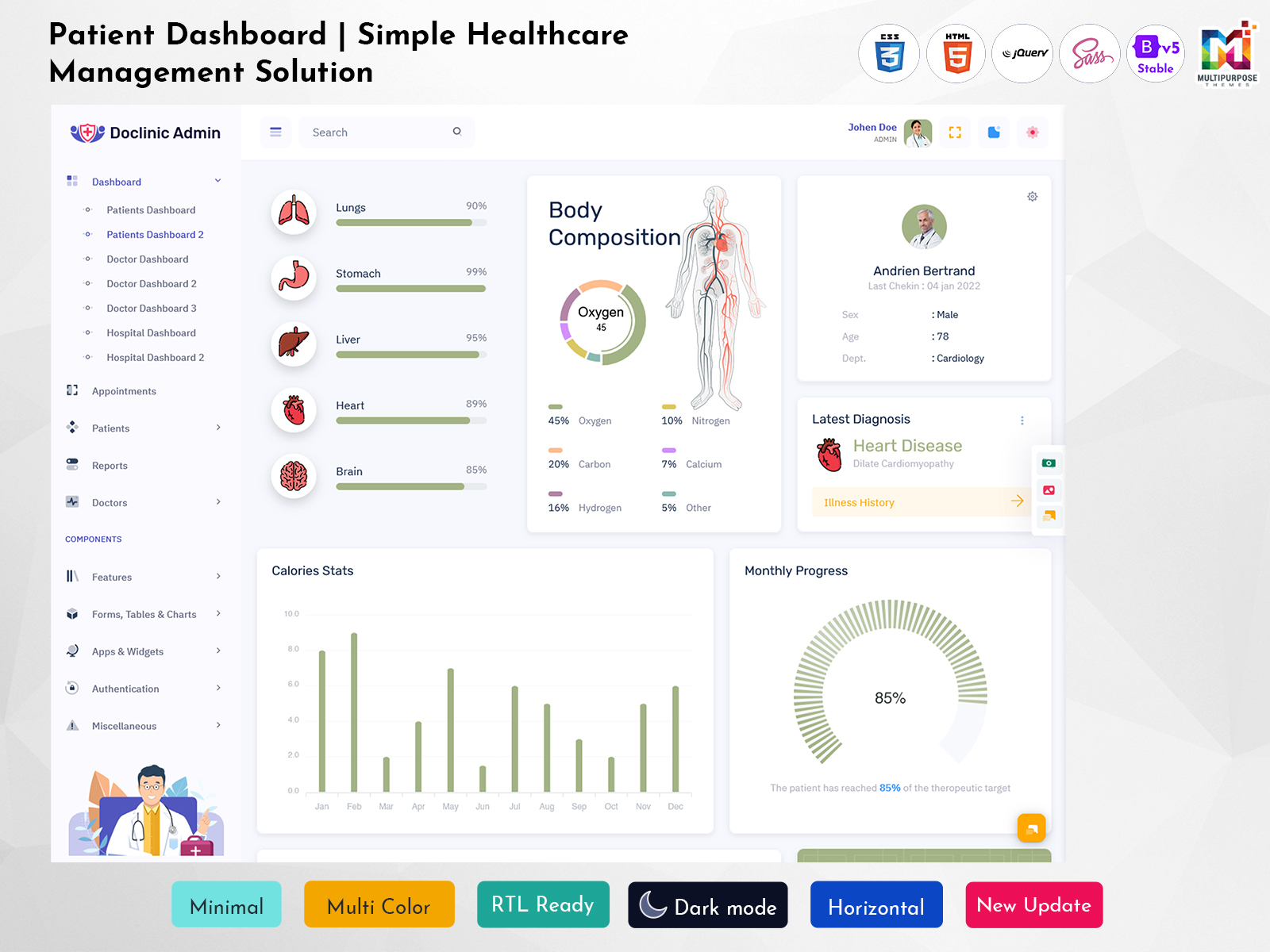
Patient Dashboard: Creating a Clearer Digital Experience for Modern Healthcare
Reading Time: 11 minutes
A well-designed Patient Dashboard can bring a different approach to this problem.
Watch Full Video
Rather than treating the patient as someone who simply receives information from a healthcare provider, the dashboard can give the individual a clear view of their own healthcare journey. It can show what has happened, what is currently relevant, and what may require attention next.
This makes a Patient Management Dashboard more than a collection of medical records. It becomes a digital environment where patients can understand their interactions with a healthcare organization and stay connected with the information related to their care.
The quality of such a dashboard depends heavily on how information is presented. Medical terminology, long lists of records, and excessive notifications can easily make a digital healthcare platform feel complicated. Patients need an interface that gives them useful context without expecting them to understand how the healthcare system works internally.
What is a Patient Dashboard?
A Patient Dashboard is a digital interface that allows patients to view and interact with information related to their healthcare journey. Depending on the application, it can provide access to appointments, medical documents, treatment-related information, prescriptions, communication, invoices, follow-up activities, and other patient-specific services.
The important part is not simply giving patients access to more information. It is making that information understandable and relevant.
A patient visiting a healthcare platform may not want to see a large collection of medical records immediately after signing in. They may first want to know whether an upcoming appointment is confirmed, whether something new has been added to their account, or whether there is an action they need to complete.
This is where a Medical Patient Dashboard can be designed around priorities rather than around database categories.
For example, recent activity can be separated from older records. Upcoming events can be distinguished from completed ones. Documents can be organized by type and date rather than appearing as an unstructured list.
This gives the patient a sense of progression.
A Patient Management Dashboard can also help healthcare organizations create different views for different users. Patients may need access to their own information, while healthcare staff may require broader management functions. Keeping these experiences separate can make the interface easier to understand and can support appropriate access control.
For developers, a Patient Management System UI provides the visual and interactive foundation for building such healthcare software. It can include layouts for patient profiles, records, communication areas, appointment screens, documents, and other workflows that can then be adapted to the actual application.
The dashboard should ultimately answer a simple question for the patient:
“What do I need to know or do right now?”
Everything else can remain accessible without competing for immediate attention.

VIEW DEMO BUY NOW
Why Patients Need More Than a Digital Record
A medical record contains information, but a patient journey contains events, decisions, instructions, and next steps.
This distinction is important.
A patient may receive a report after a diagnostic test. The report itself is useful, but the patient may also want to understand whether another appointment is scheduled, whether a follow-up has been requested, or whether there is a new document available.
A dashboard can connect these pieces without pretending to interpret clinical information on behalf of a healthcare professional.
It can also reduce uncertainty around routine administrative questions. Instead of calling a clinic to confirm whether an appointment is scheduled or whether a document has been uploaded, patients can potentially find the relevant status within their account.
The interface should not attempt to replace communication with healthcare professionals. Instead, it should make ordinary information easier to access so that conversations can focus on matters that genuinely require human attention.

VIEW DEMO BUY NOW
Features of a Patient Dashboard
A useful Patient Dashboard should be designed around the different stages of a patient’s interaction with a healthcare provider.
1. Personal Healthcare Overview
The opening screen can provide a simple orientation rather than a technical summary. Patients might see upcoming activities, recently added information, pending actions, and important account updates.
This gives users a starting point without forcing them to search through their entire profile.
2. Appointment Journey
Appointments should be presented as more than dates on a calendar.
Patients may need to know whether an appointment is upcoming, completed, cancelled, rescheduled, or requires some preparation. A structured appointment view can make these differences easier to understand.
3. Document Organization
Patients can accumulate many healthcare documents over time. A dashboard can organize them according to categories such as reports, prescriptions, invoices, or other records.
Search and filtering can become particularly valuable when a patient needs to find an older document rather than simply view the latest one.
4. Patient Timeline
A timeline can provide a chronological view of important interactions.
Instead of making users remember when a particular consultation or document occurred, the interface can place significant events into a sequence. This can help patients understand the progression of their interactions with a healthcare provider.
5. Action-Based Notifications
Notifications are most useful when they tell users something meaningful.
A message such as “new document available” has a clear purpose. An interface filled with repetitive or low-value notifications can have the opposite effect.
A well-designed dashboard should distinguish between information that is simply new and information that actually requires a patient response.
6. Communication Area
Patients may need to contact a healthcare organization for administrative questions or other appropriate communication. A dedicated communication area can help keep these interactions connected to the patient’s account instead of scattering them across unrelated channels.
7. Profile and Preferences
Patients may need to review their contact information, communication preferences, or other account details.
Keeping these settings separate from clinical records makes the interface easier to understand and reduces the chance of users confusing administrative information with healthcare information.
8. Responsive Access
A Responsive Patient Dashboard should remain usable across desktop computers, tablets, and mobile devices.
Patients may check an appointment while travelling, review a document from home, or receive an update on a phone. Responsive behavior should therefore preserve readability and navigation rather than simply shrinking a desktop interface.
Designing Around the Patient Journey
One of the most useful ways to think about a patient dashboard is as a journey rather than a database.
Consider a patient who has an upcoming consultation.
Before the visit, the most important information may be the appointment details and any required preparation.
After the consultation, the focus may shift toward newly available documents or instructions.
Later, the patient may need to locate an older report or check when the next interaction is expected.
These are different moments, even though they involve the same patient account.
A Patient Management System UI can support this journey by changing the information hierarchy according to what the patient is likely to need.
This approach is more useful than displaying every available feature with equal importance.
Making Long-Term Patient Records Easier to Understand
Patients who use a healthcare service for many years can accumulate a substantial amount of information.
If every document and event is displayed in one long list, finding something specific can become difficult. The problem becomes even greater when records originate from different departments or multiple visits.
A Medical Patient Dashboard can address this through structure.
Records can be organized by date, category, provider, or type. A timeline can show major events, while search and filtering can help users locate a particular document.
The objective is not to make patients analyze their own medical history. It is to give them a practical way to locate information that belongs to them.
This distinction matters because healthcare information can be sensitive and complex. The interface should help users access information without implying that a dashboard itself provides medical interpretation.
Turning Status Information Into Something Patients Can Understand
Healthcare processes often contain several stages.
An appointment can be requested, confirmed, rescheduled, or completed. A document can be pending, uploaded, reviewed, or archived. A payment can be pending or completed.
If these states are not clearly communicated, patients may not know what is happening.
A Patient Management Dashboard can make these stages visible using straightforward language and consistent status indicators.
Instead of making users guess whether something is complete, the interface can clearly communicate the current state.
This is a small design decision, but it can have a meaningful effect on the patient experience because uncertainty is often caused by missing context rather than missing data.
Supporting Patients Without Overloading Them
More information is not automatically better healthcare communication.
A patient dashboard containing dozens of cards, charts, notifications, menus, and technical terms may technically provide everything a patient needs while still being difficult to use.
Patients have different levels of digital familiarity and may access the system under different circumstances. Some may be comfortable navigating detailed interfaces, while others may only want to check one appointment or download one document.
A better Responsive Patient Dashboard can provide a simple primary route while keeping advanced information available when needed.
The first screen can answer the immediate question. Deeper sections can provide the supporting details.
This layered approach makes the interface useful for both occasional and regular users.
Patient Dashboard and Healthcare Communication
A dashboard cannot replace doctors, nurses, reception teams, or other healthcare professionals.
Its role is different.
It can reduce unnecessary uncertainty by making routine information available. It can help patients prepare for appointments, find documents, check statuses, and review previous interactions.
This can improve the quality of communication because patients may arrive with better access to their own information and clearer questions.
At the same time, the platform should make it obvious when a matter requires professional assistance. A dashboard should never create the impression that a digital status, automated message, or interface indicator is a substitute for clinical advice.
Good patient-facing software knows where automation is useful and where human communication remains essential.
Benefits of Patient Dashboard
1. Gives Patients a Clear Starting Point
A Patient Management Dashboard can present the most relevant current information when users sign in. Instead of searching through several sections, patients can quickly understand what has recently changed, what is coming next, and whether any action is expected from them.
2. Makes Healthcare Records Easier to Locate
Long-term patients may collect many documents and records. Organized categories, timelines, and search functions can make it easier to locate specific information when required without forcing users to scroll through an unstructured history.
3. Reduces Uncertainty Around Healthcare Activities
Clear status information can show whether appointments, documents, or other administrative activities are pending, confirmed, completed, or changed. This gives patients better visibility into routine processes without requiring them to contact the healthcare provider for every update.
4. Encourages More Active Patient Participation
When patients can access relevant information themselves, they can become more involved in managing appointments, reviewing documents, preparing questions, and keeping track of upcoming activities. The dashboard supports participation without attempting to replace professional healthcare guidance.
5. Supports Better Information Continuity
A patient may interact with a healthcare provider many times over an extended period. A structured dashboard can preserve access to previous information, making it easier for users to revisit relevant documents and understand the sequence of their interactions.
6. Provides Flexible Access Across Devices
A Responsive Patient Dashboard allows users to access their information from different screen sizes. This is particularly useful when patients need to check an appointment, review an update, or access a document away from their primary computer.
7. Creates a More Organized Digital Experience
Instead of scattering healthcare information across emails, messages, documents, and separate pages, a dashboard can provide a consistent digital location. Patients can develop a clearer understanding of where different types of information belong and how to access them.
Building a Patient Dashboard Around Real User Needs
A good Patient Dashboard should begin with patient questions rather than a list of interface components.
What appointment is coming next?
Has something changed?
Is there a new document?
Where can an older record be found?
Does anything require my attention?
These questions can guide the structure of the interface.
This approach also helps prevent unnecessary features from dominating the user experience. If a feature does not help patients understand their healthcare information or complete an appropriate task, it may not deserve prominent placement.
For healthcare software teams, this can create a more focused Patient Management System UI that is easier to adapt as the product grows.
Privacy and Access Should Be Part of the Design
Healthcare information requires careful handling.
A patient dashboard may contain personal information, medical documents, appointment details, communication records, and other sensitive content. Therefore, the interface should be developed alongside appropriate authentication, authorization, privacy, and security practices.
Different users should only have access to information appropriate for their role.
A family member, caregiver, doctor, receptionist, and patient may have very different access requirements. These differences should be reflected in the actual system rather than relying only on visual separation within the interface.
The dashboard design is therefore one part of a larger healthcare software environment. Good visual organization is valuable, but it must operate within responsible data-handling practices.
Choosing the Right Patient Dashboard Design
When evaluating a Patient Dashboard, organizations should look beyond screenshots and visual styling.
The first consideration should be the patient journey the interface is expected to support.
A clinic may prioritize appointment interactions and documents. A long-term care platform may need stronger timeline and communication capabilities. A healthcare SaaS application may require more extensive customization and role management.
The interface should also be tested with realistic scenarios rather than only individual screens.
Can a patient find an appointment without help?
Can they locate an older report?
Can they understand whether an action is pending?
Can they tell what has changed since their last visit?
These practical questions provide a better indication of dashboard quality than the number of UI components included.
A Patient Management Dashboard becomes valuable when the answers to these questions are straightforward.
Conclusion
A Patient Dashboard should not simply give patients access to a large collection of medical information. Its greater purpose is to make the healthcare journey easier to understand.
A Medical Patient Dashboard can organize long-term information into a clearer timeline, while a Patient Management Dashboard can give users visibility into appointments, documents, statuses, and other interactions. A well-planned Patient Management System UI can provide the foundation for these experiences, and a Responsive Patient Dashboard can ensure that the same information remains accessible across different devices.
The strongest patient interfaces are built around real questions rather than an excessive number of features.
Patients should be able to understand what is happening, locate information when they need it, recognize what requires attention, and know when professional assistance is necessary.
When these principles guide the design, a dashboard becomes more than another healthcare screen. It becomes a practical digital companion that helps patients navigate an increasingly complex healthcare environment with greater clarity.
Frequently Asked Questions
1. What should a patient see first after logging into a Patient Dashboard?
The first screen should provide orientation rather than overwhelming the user with every available record. Upcoming appointments, recent updates, pending actions, and important account information can create a useful starting point. Detailed medical documents and older records can remain accessible through dedicated sections when the patient needs them.
2. Can a Patient Dashboard show records from different healthcare visits?
Yes, a healthcare platform can be designed to organize information from multiple visits. A timeline, categories, search tools, and date filters can help patients locate previous documents and interactions. The exact information available will depend on what the healthcare provider’s underlying system is designed and authorized to share.
3. What is the purpose of a Patient Management Dashboard?
A Patient Management Dashboard can provide an organized interface for handling patient-related activities and information. In a patient-facing environment, it may help users review appointments, documents, statuses, and communication. In a broader healthcare application, different management functions may be available to authorized staff.
4. Why is responsive design important for a Medical Patient Dashboard?
Patients do not always access healthcare information from the same device. They may use a phone at home, a tablet while travelling, or a desktop computer. A Responsive Patient Dashboard helps maintain readable content, usable controls, and practical navigation across these different screen sizes.
5. Can a Patient Dashboard replace communication with a doctor?
No. A dashboard can make routine information easier to access, but it should not replace professional medical communication. Clinical questions, diagnosis, treatment decisions, emergencies, and other matters requiring professional judgment should remain with appropriately qualified healthcare professionals.
6. How can a Patient Management System UI avoid confusing users?
The interface should use simple labels, clear status information, logical categories, and a layered structure. Patients should see the most relevant information first, while detailed records remain available through deeper sections. Avoiding unnecessary technical terminology and excessive notifications can also make the experience easier to follow.
7. Is a Patient Dashboard useful for long-term healthcare management?
Yes. Patients who interact with healthcare providers over many years can accumulate numerous appointments, documents, and other records. A structured dashboard can provide a continuing digital reference point, helping users locate previous information and understand the sequence of their interactions without treating the interface as a replacement for professional care.

Related Posts