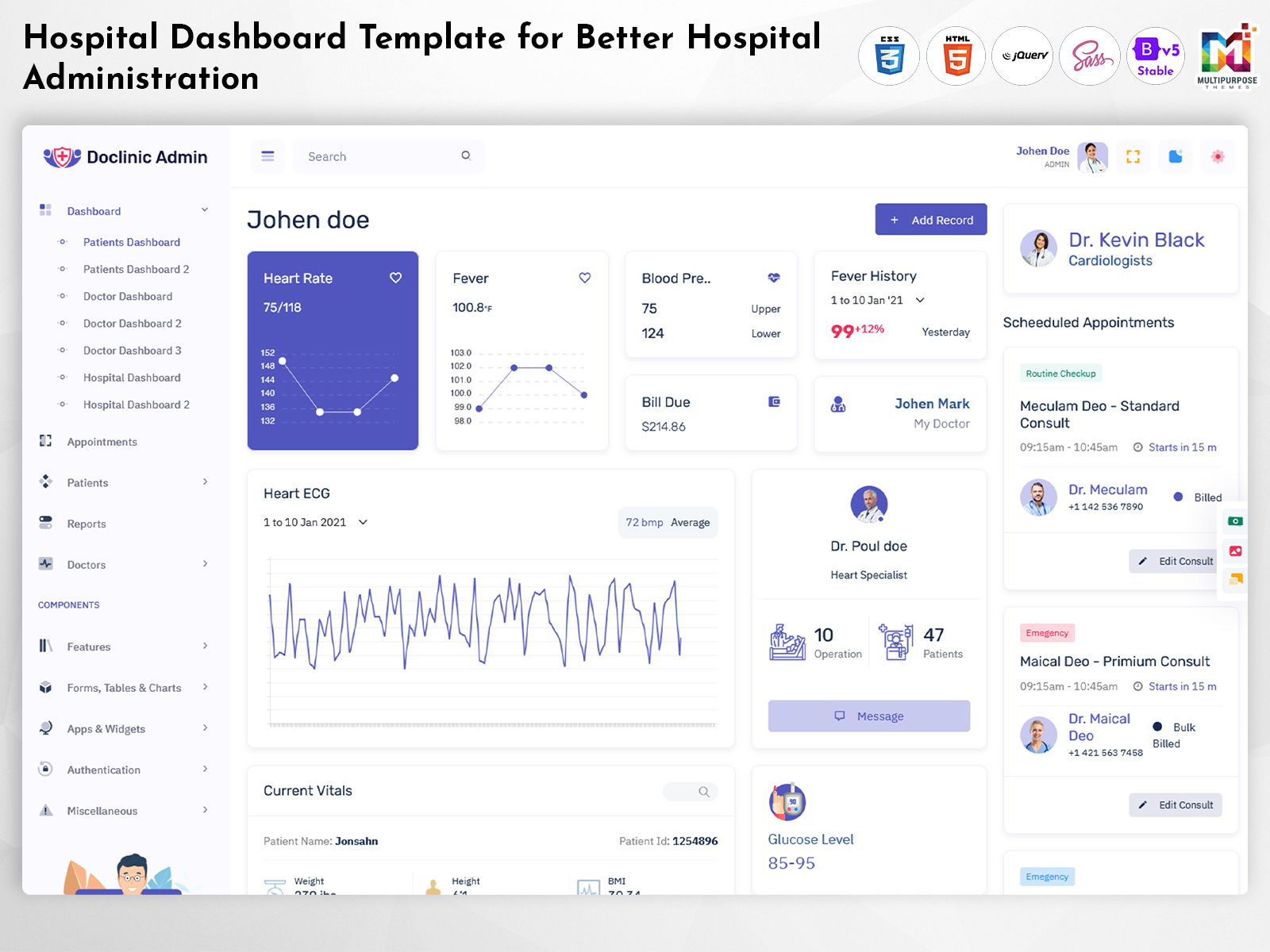
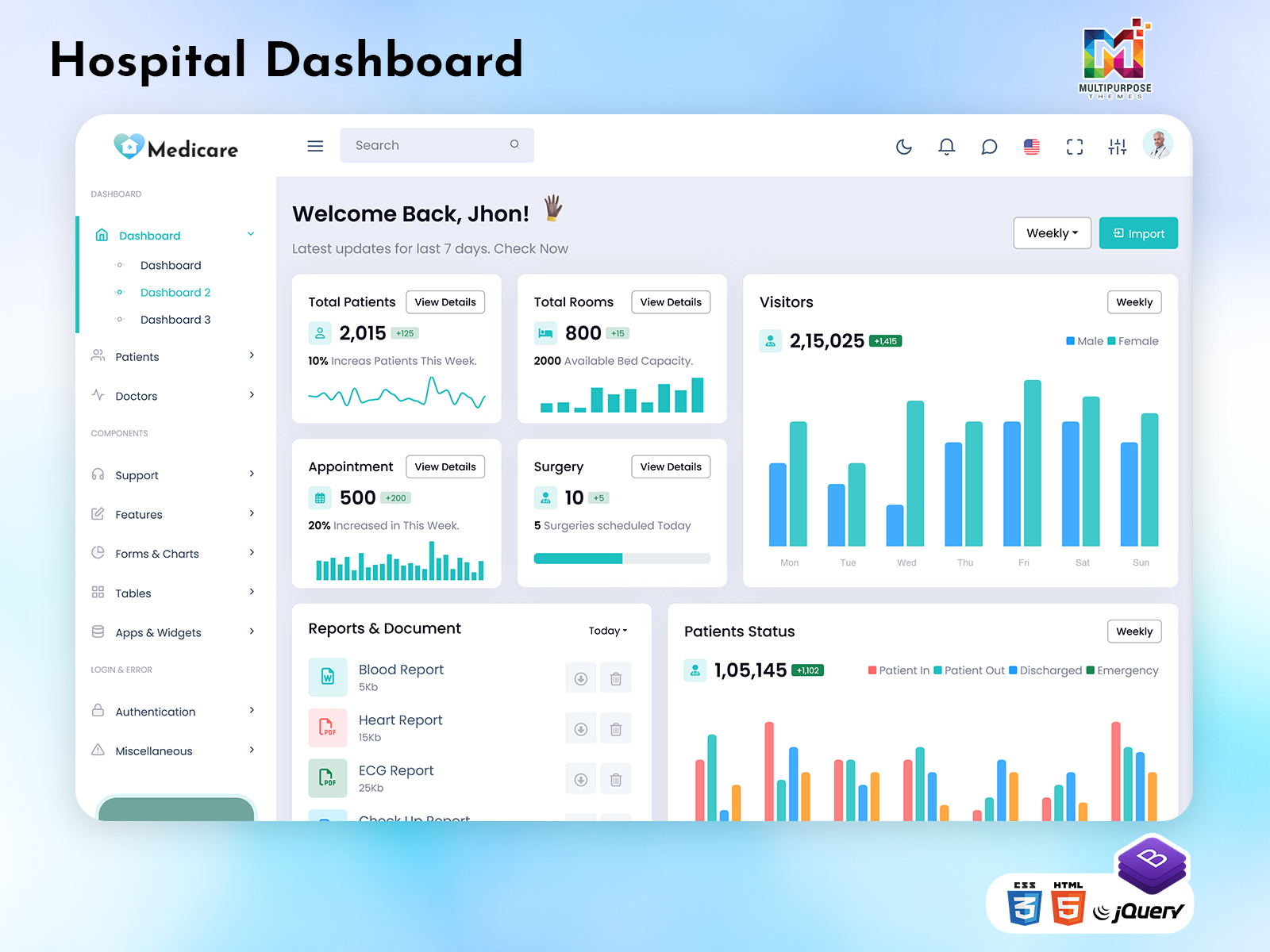
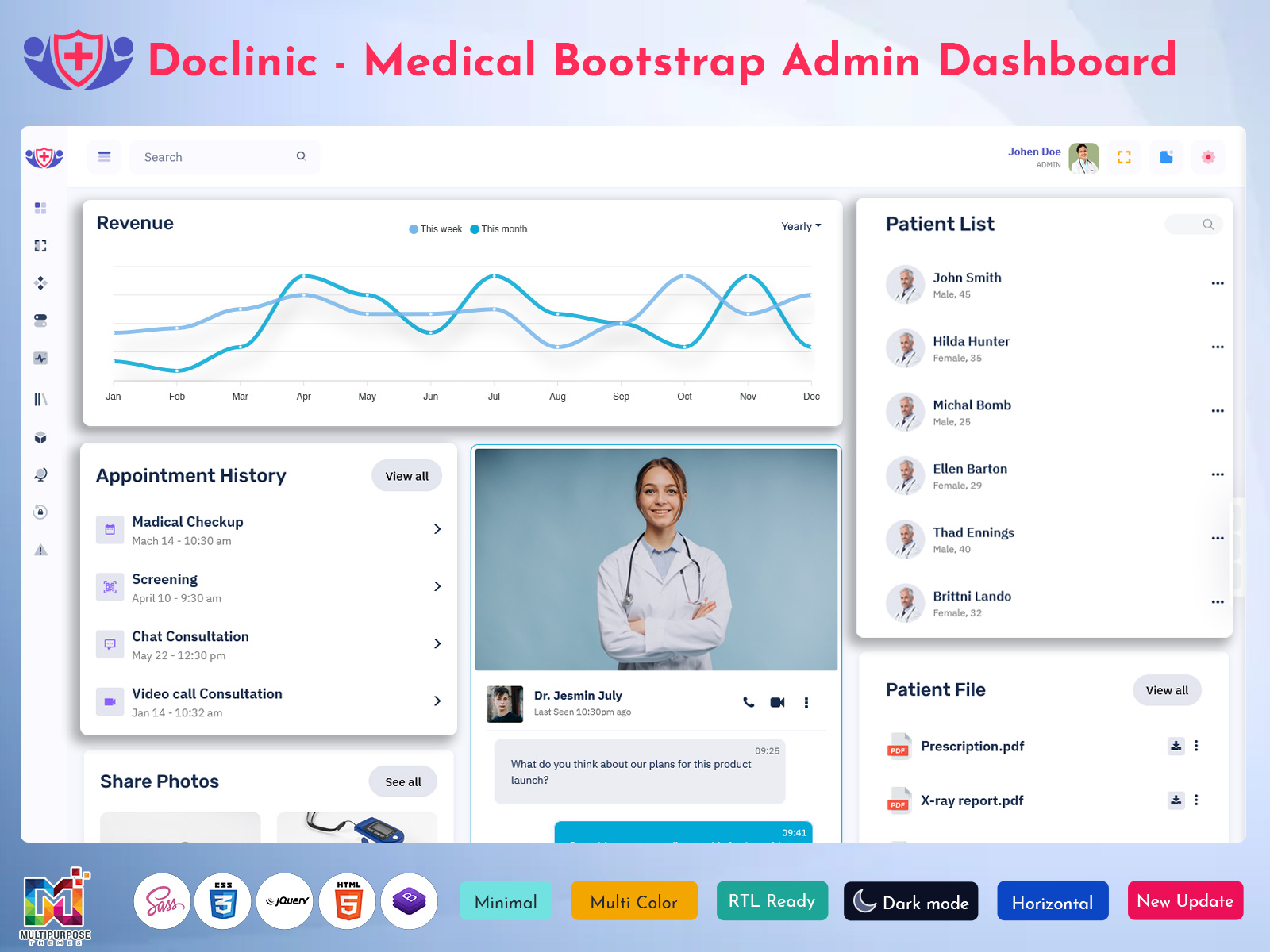
Running a hospital is a job. It includes all the tasks that need to be…
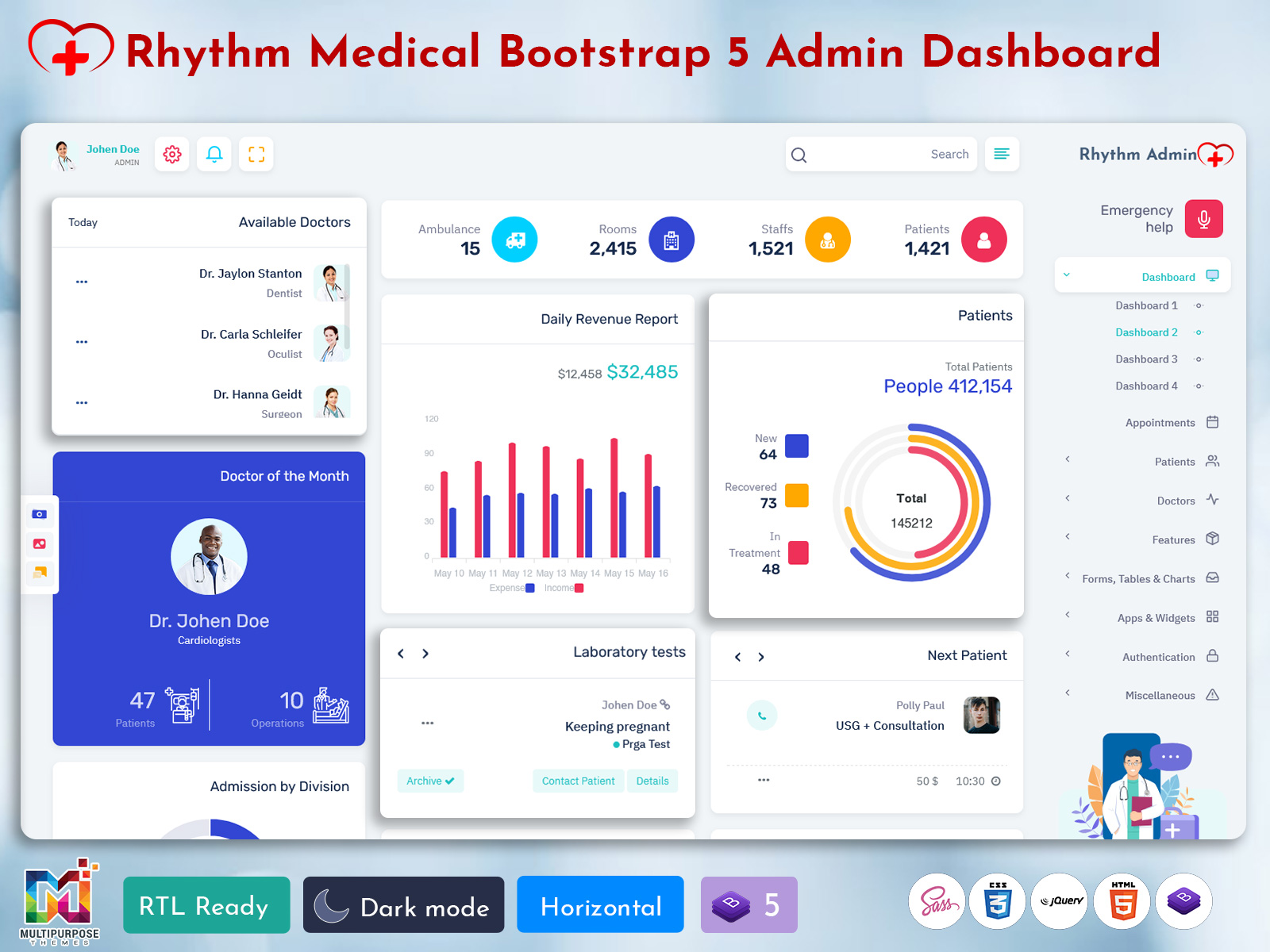
Hospital Dashboard for Smarter Hospital Operations
Reading Time: 10 minutes
What is a Hospital Dashboard?
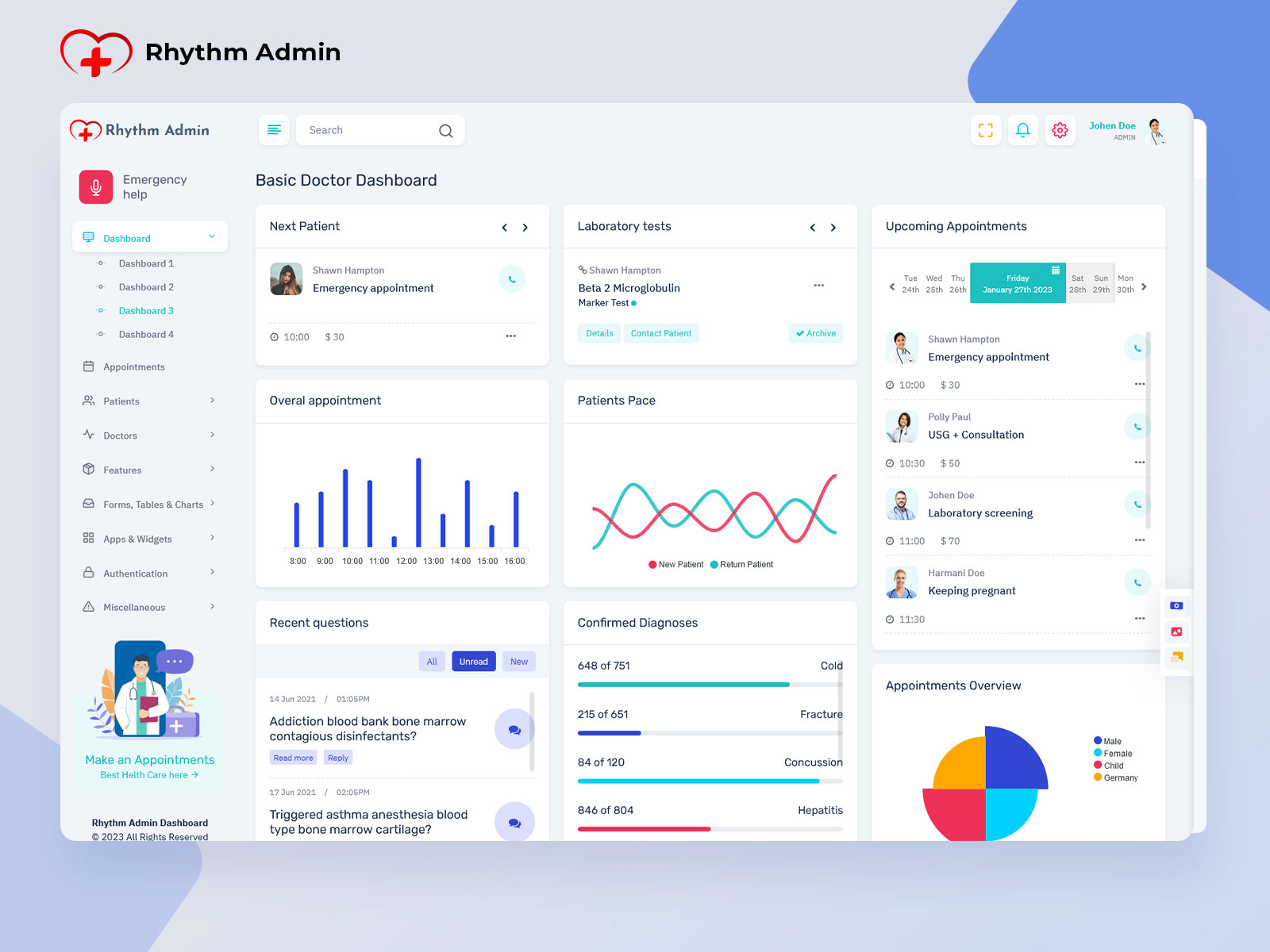
A Hospital Dashboard is a digital interface designed to give hospital administrators and authorized staff a clear view of important operational information through an organized screen. Instead of opening different sections to understand what is happening across a healthcare facility, staff can use a structured dashboard to follow activities, review updates, identify pending work, and understand which areas require attention.
Watch Full Video
A modern Hospital Dashboard is not simply a collection of numbers, charts, and tables. Its real value comes from how information is arranged. Hospital operations involve many connected activities, and the status of one department can affect another. A patient moving from registration to consultation, for example, may later require diagnostic services, pharmacy support, billing, or discharge documentation. A useful dashboard helps administrators understand these movements without forcing them to search through unrelated information.
A Hospital Dashboard Template provides the ready-made interface and visual structure required for creating such a system. It can include layouts for administrative panels, department views, records, schedules, reports, staff information, and other hospital-related workflows. Developers can adapt the interface according to the requirements of a hospital, clinic, healthcare application, or medical organization.
The purpose of a Hospital Admin Dashboard is also different from a patient-facing interface. Hospital administrators need broader operational visibility. They may need to review department activity, identify incomplete processes, check staff-related information, examine service demand, or follow administrative tasks. The interface therefore needs to present information according to priority rather than simply displaying everything available.
A Hospital Admin Template can provide this foundation with organized navigation, dashboard cards, tables, charts, forms, notifications, and dedicated management screens. Instead of starting the interface structure from an empty project, teams can work with a prepared design and modify it around their own application requirements.
For hospitals handling multiple departments and large amounts of information, the dashboard becomes a visual map of ongoing operations. It helps users understand where attention is needed, what has changed, and which tasks are waiting for action.
VIEW DEMO BUY NOW
Hospital Admin Dashboard for Connected Departmental Workflows
Hospital operations rarely happen in a straight line. Different teams work on different parts of the same patient journey, while administrative departments handle their own responsibilities in parallel. This creates a major challenge: information may be available, but finding the right information at the right moment can still be difficult.
A well-planned Hospital Dashboard addresses this problem through information priority. Rather than presenting every available record on the first screen, the interface can place current operational concerns where administrators can notice them quickly. Pending approvals, department activity, unresolved requests, staff-related updates, service queues, and other relevant indicators can be arranged according to their importance.
This approach changes the way a hospital administrator interacts with software. Instead of treating the dashboard as a database summary, the interface becomes a working surface for daily decisions. A user can begin with the current situation, move into a specific department, inspect related records, and return to the broader view without losing context.
Another important aspect is the relationship between departments. A hospital does not operate through isolated teams. Registration affects consultation flow. Diagnostic services affect treatment progress. Pharmacy activity can depend on prescriptions. Billing may depend on completed services. Administrative staff may need information from several departments before closing a case.
A Hospital Admin Dashboard can represent these relationships through linked screens and clear navigation. The objective is not to make every department look identical. Instead, each area can have information relevant to its responsibilities while remaining part of the wider hospital system.
The interface can also help administrators distinguish between completed, active, delayed, and pending work. This is particularly useful when a large amount of information is being handled simultaneously. Status-based views reduce the need to repeatedly inspect every record simply to determine what requires attention.
A strong Hospital Dashboard Template can also support different levels of access. Hospital management, reception teams, department administrators, and other authorized users may not need identical information. Designing separate views or permissions helps keep each workspace focused on its actual responsibilities.
The visual design matters as well. Healthcare interfaces contain many labels, values, records, and actions, so crowded layouts can make routine work harder. Clear spacing, readable tables, recognizable status indicators, practical navigation, and logical grouping can make an administrative interface easier to operate.
For developers working on healthcare software, a Hospital Admin Template can therefore serve as a starting interface rather than a finished hospital-management system. Its value lies in providing an organized visual foundation that can be connected to application logic, databases, authentication systems, APIs, and hospital-specific workflows.
Explain Features of Hospital Dashboard
1.Department-Based Workspaces
A Hospital Dashboard can provide separate workspace areas for different departments or operational groups. Instead of mixing every function together, administrators can move into relevant sections and view information associated with that department. This creates a clearer working environment for organizations with multiple medical and administrative units.
2. Operational Status Views
Status-based screens help users understand what is waiting, active, completed, or requiring review. This is useful when administrators need to identify unfinished processes without manually opening every record. Status indicators can be presented through tables, cards, labels, or other visual elements.
3. Administrative Task Tracking
Hospital administration involves many tasks beyond patient records. A dashboard can provide areas for following approvals, requests, documentation, internal activities, or other administrative responsibilities. Giving these tasks their own space helps prevent important work from disappearing among general hospital information.
4. Staff and Resource Visibility
A Hospital Admin Dashboard can include screens for staff information and resource-related records. Depending on the application, administrators may organize staff profiles, assigned responsibilities, departmental information, or resource availability. The exact data can be adapted to the operational structure of the organization.
5. Record Search and Structured Tables
Healthcare applications often contain large amounts of information. Search fields, filters, sorting options, pagination, and structured tables can make these records easier to inspect. A good interface should help users narrow information without forcing them to navigate through unrelated screens.
6. Alerts and Attention Areas
Not every update deserves equal visual importance. A useful dashboard can distinguish routine information from items that need review. Notifications, highlighted statuses, pending-action panels, and attention sections can help administrators notice exceptions without turning the entire interface into a constant stream of alerts.
7. Reports and Visual Summaries
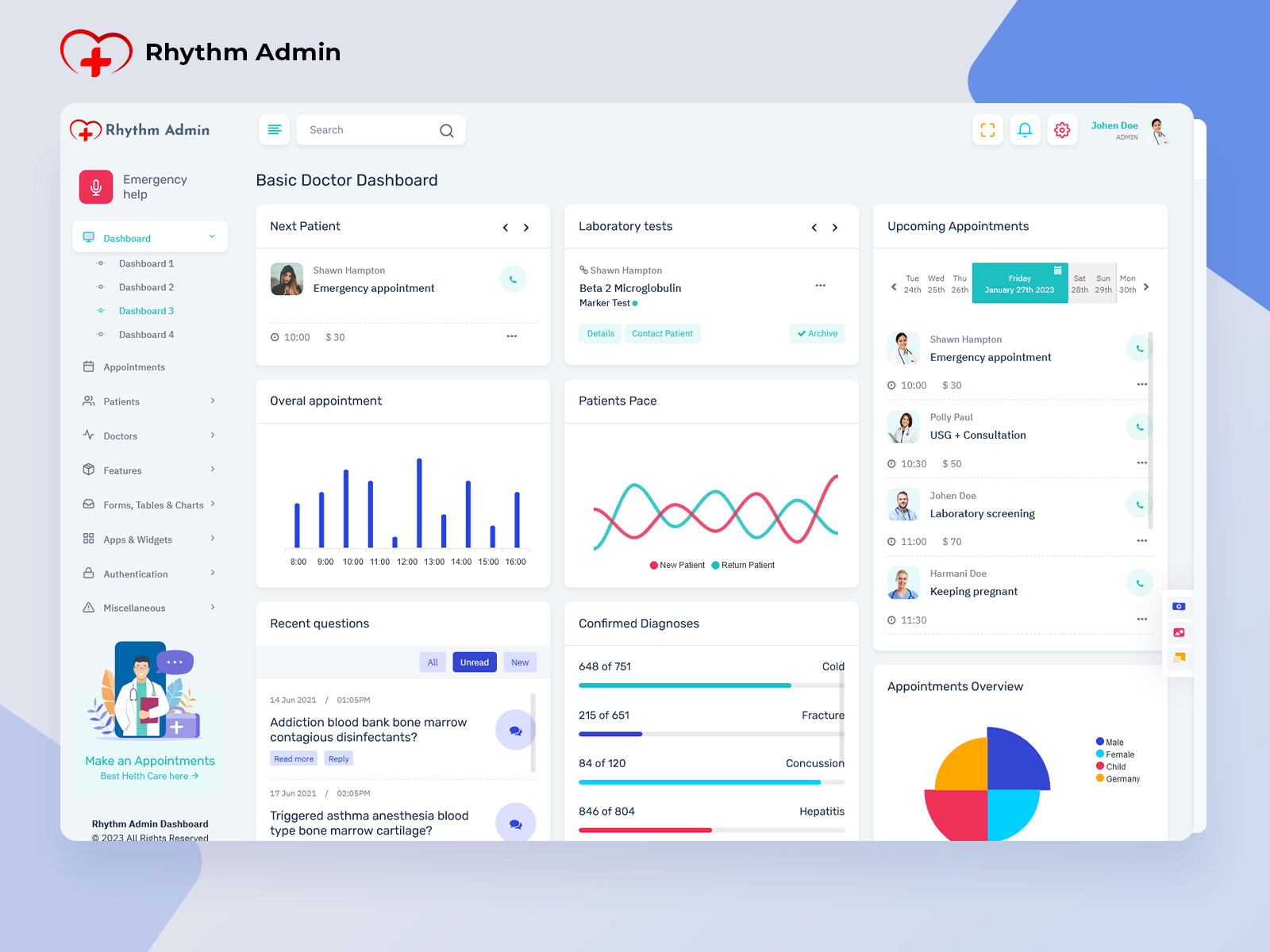
Charts and reports can help administrators understand patterns within operational information. Instead of reading long tables for every review, selected data can be presented through visual summaries. The Hospital Dashboard can use these elements for administrative reporting while allowing users to open detailed records when deeper investigation is required.
VIEW DEMO BUY NOW
Design Principles for a Modern Hospital Administration Dashboard
One of the most useful ways to think about a Hospital Dashboard is as an operational map rather than a collection of widgets. Hospital administrators often need to understand movement: what entered the system, what is currently being handled, what is waiting for another department, and what has reached completion.
This makes workflow continuity an important design consideration. Imagine a request that begins at reception and requires action from another department before it can be closed. If the dashboard only shows individual records, an administrator may see the information but still struggle to understand where the process is currently stopped. A better interface can show the current stage and make the next required action easier to identify.
The same principle applies to departmental handoffs. When work moves between teams, responsibility can become unclear. A dashboard can use ownership fields, status labels, timestamps, or assigned-user information to show who currently handles a particular task. This gives administrators a clearer understanding of responsibility without requiring lengthy internal communication for every update.
Another useful feature is historical context. A current status does not always explain why something is pending. When a dashboard connects present information with previous updates, users can understand the sequence behind an operational issue. This can be valuable when reviewing delayed requests, repeated administrative actions, or unusual changes.
A Hospital Admin Dashboard can also be designed around different working rhythms. Reception staff may require quick-access actions at the beginning of a patient interaction, while administrators may spend more time reviewing department-level information. Management users may need broader summaries instead of detailed records. One interface does not have to display everything to everyone.
This is where a flexible Hospital Admin Template becomes useful. Developers can take the existing interface structure and adapt navigation, components, tables, forms, and dashboard sections for different user roles. The visual foundation remains consistent while individual workspaces can be shaped around specific responsibilities.
Another important consideration is information density. Hospital software can become difficult to use when every available metric is placed on the main dashboard. More information does not automatically create better visibility. A carefully selected first screen can show the most relevant operational signals while allowing detailed information to remain one level deeper.
For example, an administrator may first need to know that a department has several unresolved items. The dashboard does not necessarily need to display every related record immediately. A summary can provide the signal, while a click can reveal the underlying list. This layered approach keeps the primary workspace readable without removing access to detailed information.
A Hospital Dashboard Template can also help establish consistent visual patterns across an application. Similar buttons, tables, filters, forms, cards, and navigation elements make different sections feel connected. This becomes particularly useful when a healthcare application contains many administrative pages.
From a development perspective, a ready-made dashboard interface can reduce the amount of time spent planning the visual foundation. Developers can focus more attention on connecting actual hospital workflows, data structures, permissions, and business rules to the interface. The template becomes the presentation layer that can evolve with the application.
The strongest Hospital Dashboard designs are therefore not necessarily the ones containing the greatest number of widgets. They are the ones that help users understand the hospital’s current operational picture without creating unnecessary visual noise. Good organization, meaningful status information, sensible navigation, and role-specific views can make the interface much more practical for everyday administrative work.
Benefits of Hospital Dashboard
1. Clearer Department Handoffs
A Hospital Dashboard can make departmental transitions easier to follow by showing ownership, status, and current workflow stages. Administrators can identify where a process currently sits instead of repeatedly contacting different teams to determine whether an item has moved forward.
2. Faster Identification of Pending Work
Pending tasks can become difficult to notice when they are mixed with completed records. A structured dashboard can separate unfinished activities from routine information, allowing administrative teams to concentrate their attention on work that still needs review or action.
3. Better Administrative Prioritization
Not every hospital activity has the same urgency from an administrative perspective. A dashboard can arrange information according to operational importance, helping users distinguish routine updates from exceptions, delayed processes, unresolved requests, or areas requiring immediate administrative attention.
4. Easier Review of Operational History
When current information is supported by previous activity, administrators can understand how a situation developed. This historical view can be useful when investigating delays, reviewing repeated actions, checking process ownership, or understanding why a particular task remains incomplete.
5.More Focused User Workspaces
Different hospital employees work with different information. A dashboard can provide role-specific navigation and screens so users are not overwhelmed by functions unrelated to their responsibilities. This creates a more focused interface for everyday administrative activities.
6. Consistent Interface Across Departments
A Hospital Admin Template can establish common visual patterns for navigation, tables, forms, alerts, and reports. When departments use familiar interface structures, users can move between sections without having to learn an entirely different layout for every administrative function.
7. A Practical Foundation for Healthcare Software
A ready-made Hospital Dashboard Template gives developers a structured UI starting point for healthcare applications. Instead of designing every screen from scratch, teams can adapt existing components and connect them with their own data, workflows, permissions, and backend services.
Conclusion
A Hospital Dashboard should do more than display hospital information. Its real purpose is to help users understand the current operational situation, recognize unfinished work, follow departmental handoffs, and move from summary information to detailed records when necessary.
A thoughtfully designed Hospital Admin Dashboard can make complex healthcare administration easier to navigate without turning the interface into an overloaded collection of charts and numbers. When information is organized according to user roles, workflow stages, and operational priorities, the dashboard becomes much more useful for everyday work.
For developers and healthcare businesses, a Hospital Admin Template provides a practical starting point for creating this type of application. With the right customization, the interface can be adapted to hospitals, clinics, diagnostic centers, healthcare platforms, and specialized medical applications.
The best Hospital Dashboard Template is not simply the one with the largest feature list. It is the one that gives every user the right information, in the right place, at the right stage of their work.
VIEW DEMO BUY NOW
Frequently Asked Questions
1. What should a Hospital Dashboard include?
A Multi Purpose Themes Hospital Dashboard can include department information, operational statuses, administrative tasks, staff records, searchable tables, notifications, reports, and role-specific workspaces. The exact modules should depend on the hospital’s workflow rather than following a fixed feature list. A smaller clinic may need a simple administrative interface, while a large healthcare organization may require several connected sections for different departments and responsibilities.
2. What is the difference between a Hospital Dashboard and a Hospital Admin Dashboard?
The terms are often used interchangeably, but their intended audience can be different. A Multi Purpose Themes Hospital Dashboard may refer broadly to the hospital’s operational interface, while a Hospital Admin Dashboard generally focuses on administrative users and their responsibilities. An admin-oriented interface may emphasize department oversight, staff information, workflow status, reports, permissions, and other management activities rather than patient-facing functions.
3. Can a Hospital Admin Template be customized for a specific hospital?
Yes. A Hospital Admin Template can be used as a visual foundation and adapted according to the application’s requirements. Developers can modify layouts, navigation, tables, forms, colors, dashboards, and individual modules. They can also connect the interface with backend systems, databases, APIs, authentication, and hospital-specific workflows to create a solution suited to the organization.
4. Is a Hospital Dashboard useful for small clinics?
A dashboard is not limited to large hospitals. Smaller clinics can also benefit when they need to organize appointments, staff activities, administrative tasks, records, or reports through a structured interface. The important point is choosing only the modules that match the clinic’s workflow. A compact dashboard can be more useful than an oversized interface containing functions the staff rarely use.
5. How can a Hospital Dashboard help different departments work together?
A dashboard can make handoffs easier to follow by showing the current status, responsible team, assigned user, and next stage of a process. This does not replace communication between departments, but it can provide a shared operational reference. When users can see where a request currently stands, it becomes easier to identify delays and understand which team needs to act next.
6. What should developers look for in a Hospital Dashboard Template?
Developers should look beyond visual appearance and check whether the template provides a practical structure for the intended application. Important considerations include responsive layouts, reusable UI components, navigation patterns, tables, forms, charts, user-management screens, documentation, and customization flexibility. The template should also be compatible with the technology stack and easy to connect with the application’s actual data and business logic.
7. Can a Hospital Admin Dashboard be used for multiple healthcare departments?
Yes, provided the interface is structured properly. A dashboard can contain separate workspaces or modules for different departments while maintaining a consistent navigation system. The design should prevent unrelated information from appearing everywhere. Role-based access and department-specific views can help ensure that users see the functions and information relevant to their responsibilities while broader administrators retain appropriate oversight.

Related Posts