Digital music platformscan store a number of songs, albums, artists, playlists and records of what users do. There are tens of thousands of entries, for each category. It’s amazing how data these platforms hold. You can find any song or artist you want. The systems keep track of what people listen to what they save and what they share. This way you always know what you have heard what you have saved and what you have shared. It helps the platforms suggest music that matches your taste. All this information is stored in databases. It makes the experience personal and convenient.
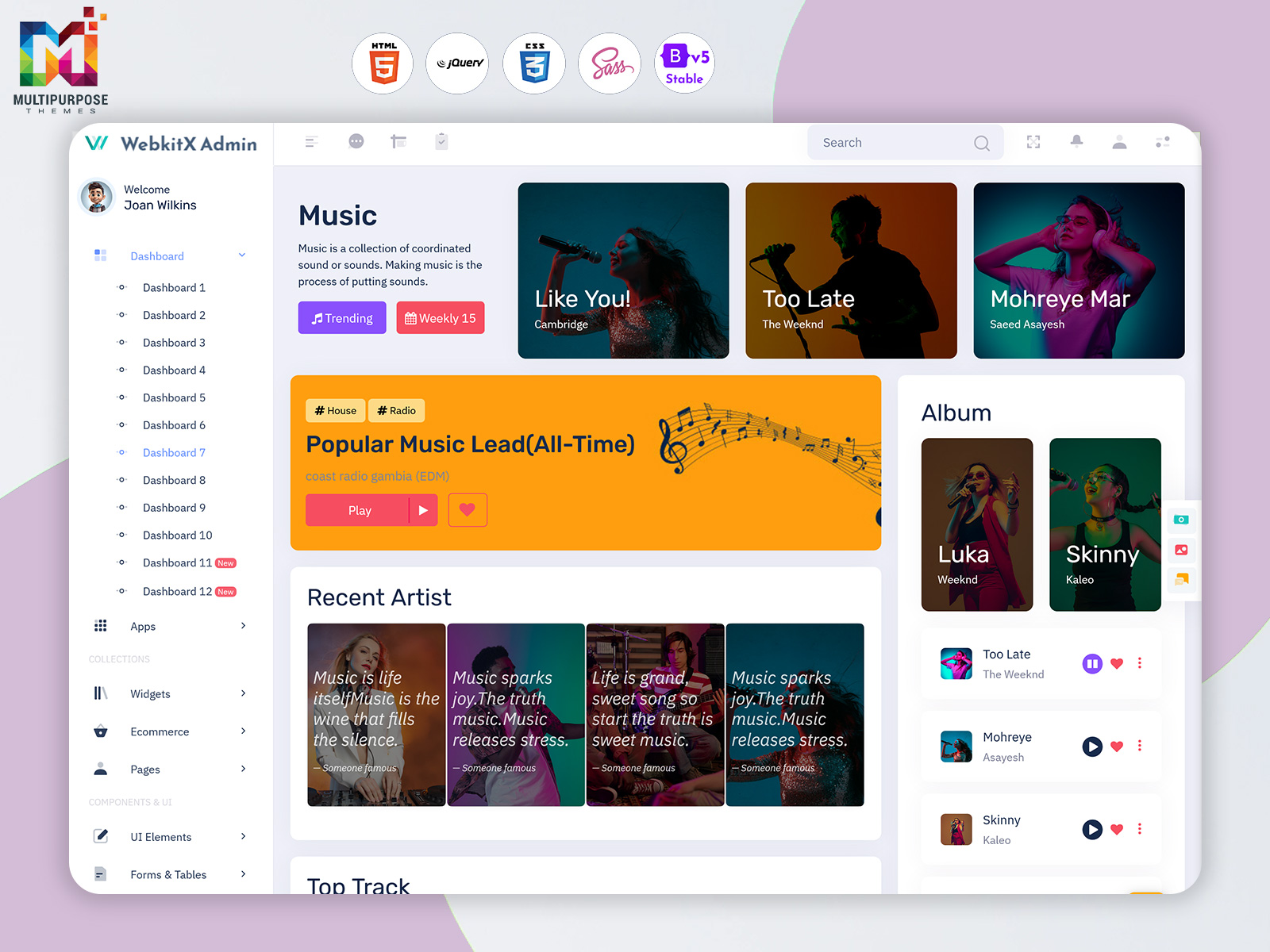
A Music Dashboard can fulfill that need. Moving beyond the idea of viewing music data as a set of unrelated pieces of information, the interface can arrange it into categories pertaining to content, releases, users and other criteria. In that capacity, the Music Dashboard concept can be applied to streaming services, music publishing platforms, record labels, entertainment companies and other organizations that require multilingual interfaces for their operations.
The value of a Music Dashboard is in how it helps different parts of a business. A content manager might need to look at album information. An analyst could be looking at how people listen to music. A platform administrator may need to see details, about how everything works. Each of these people may need their special dashboard to do their job. A well-structured interface is capable of bringing together the relevant parts of operation without forcing users to navigate through irrelevant details.
What Is a Music Dashboard?
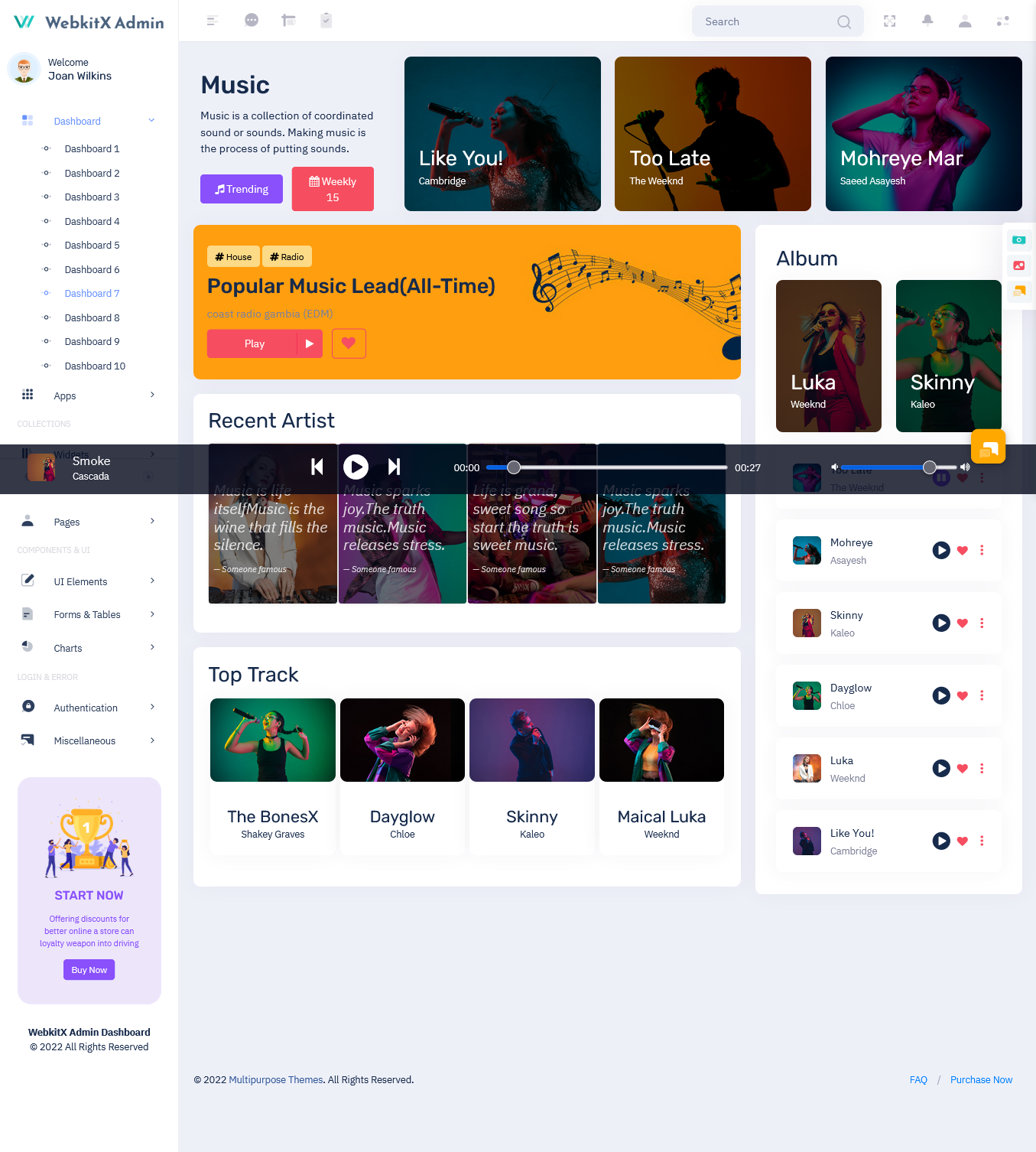
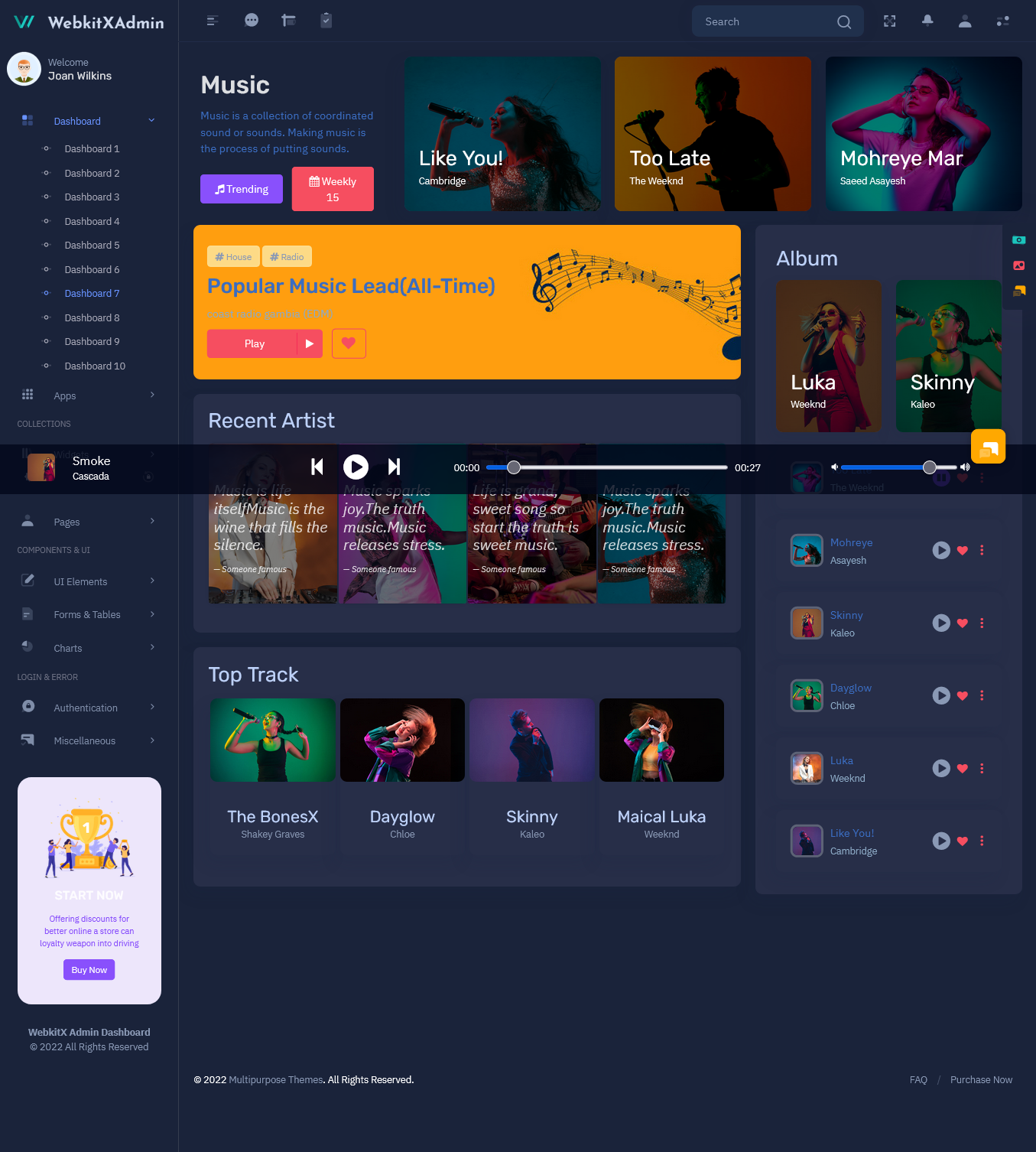
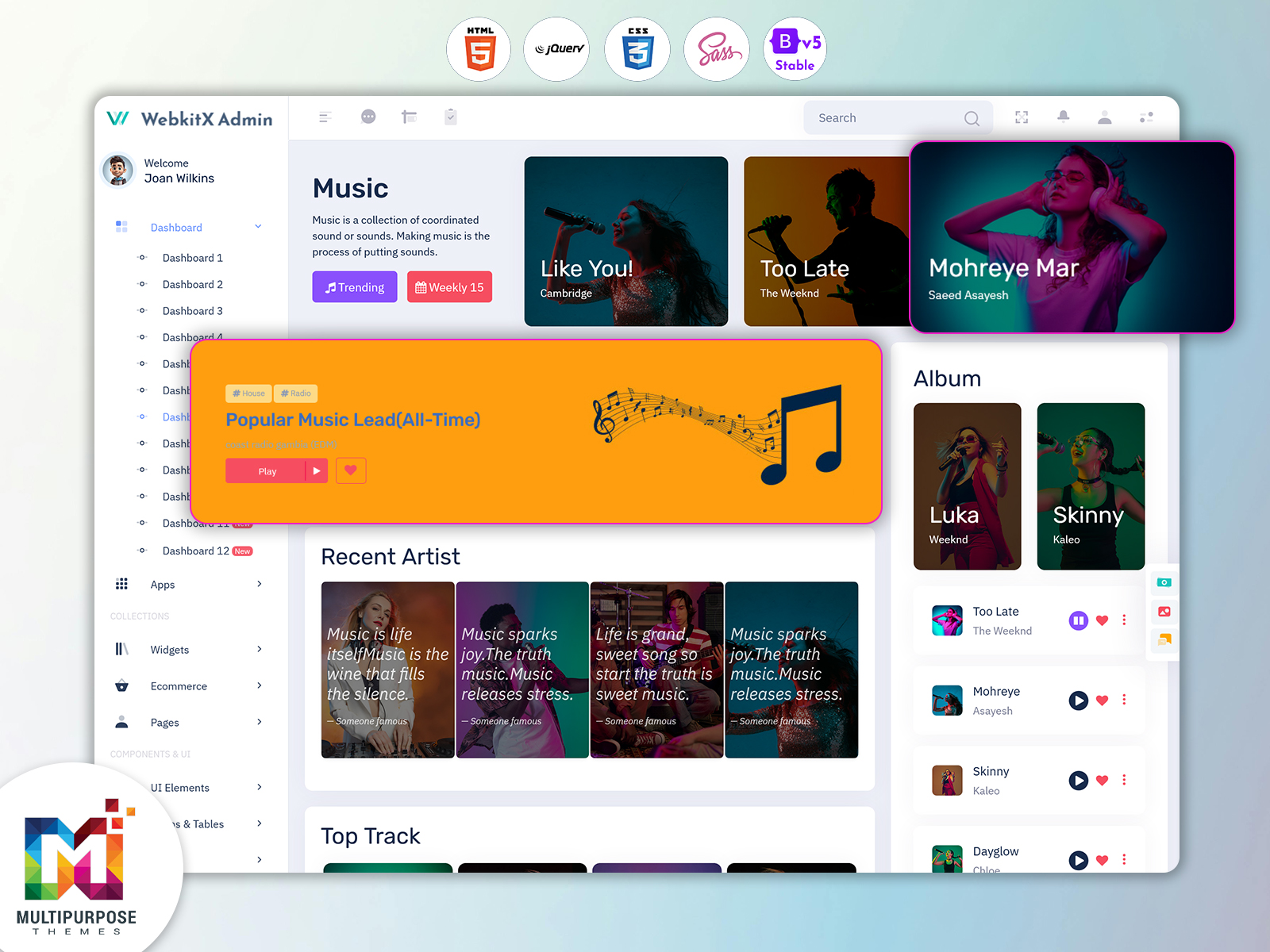
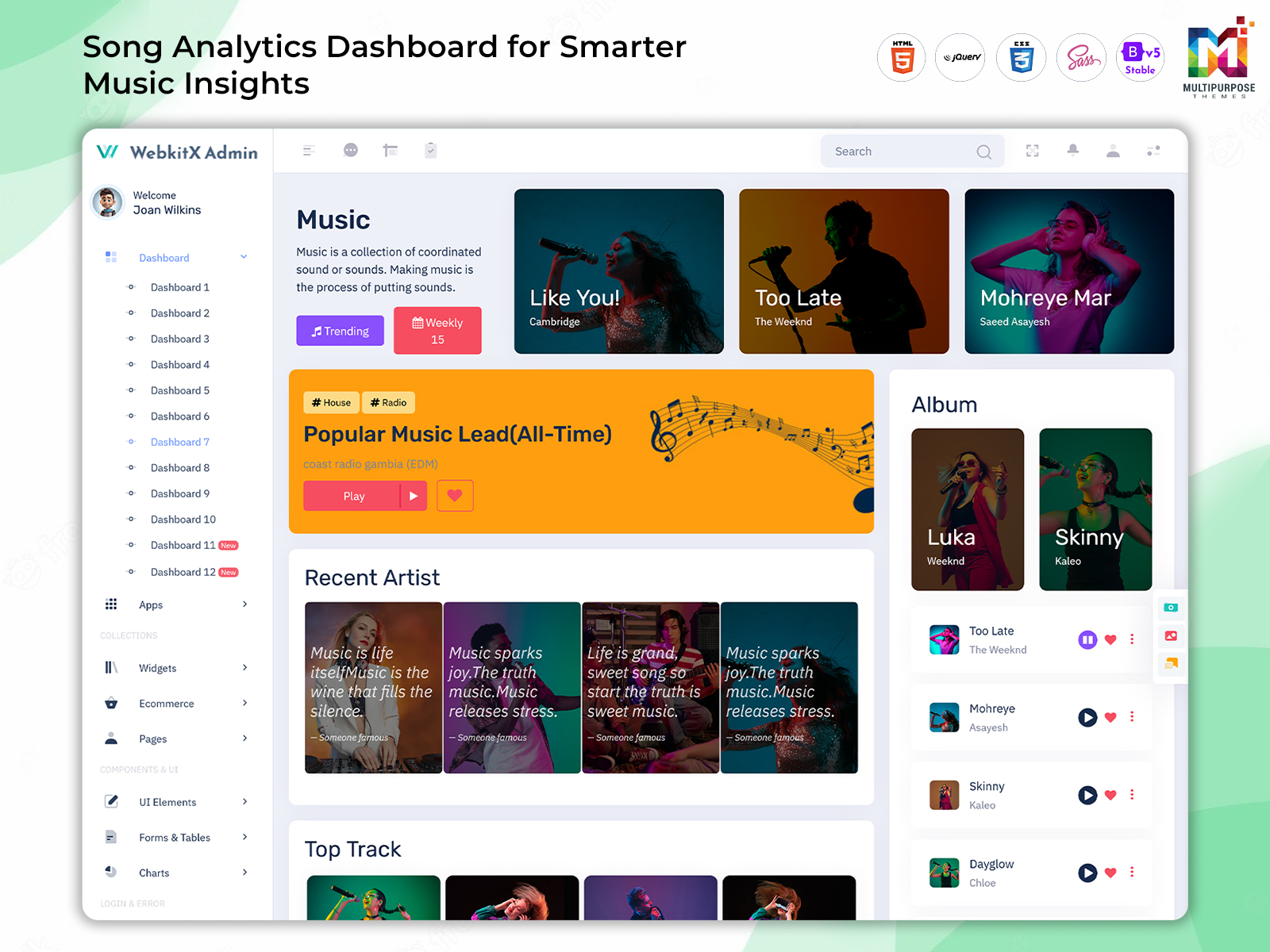
A Music Dashboard is a collection of tools and displays that help organize and review data pertaining to music content and its distribution. The interface can be designed to hold song and album catalogs, track and artist details, release schedules, user data and other pieces of information. It brings a sense of cohesion and organization to the process of reviewing and analyzing it.
The main purpose of a Music Dashboard is not to show data using charts. Instead it helps users find the information they need quickly. For example a content management area can be added to the Music Dashboard. This allows teams to see catalogs check release details and review track updates. It also makes it easy to move between content items, with simple navigation.
Another potential application for the Music Dashboard concept is to provide a space for reviewing data concerning the listening audience. The information can pertain to music streaming activity, catalog browsing, catalog additions, popular tracks and other metrics. Subsequently, a section for reviewing trends and statistics pertaining to the music catalog and its distribution is also a viable addition.
As the bulk of operations for music platforms are concerned with content curation and catalog management, an Album Management System can be integrated as part of the Music Dashboard. By organizing information about albums, songs, artists, release dates and other related content the system offers a set of tools, for keeping that content well managed.
The Music Dashboard can be set up to fit the needs of users and types of work. A record label might want to check and update information about an artist and their music releases. An independent platform might focus on looking at performance numbers. How songs are doing. A developer might need a space to study data, about user activity. How people interact with the music. Each user can have a version that works best for them. With that in mind, the interface can be divided into sections that fulfill different needs and are available to different users.
In summary, a Music Dashboard is an interface that is used to organize and review music catalog data, as well as user behavior and statistics pertaining to the catalog. It is useful for application to a variety of fields, including album and content management and analysis, music catalog statistics and user behavior analytics. It can be tailored to the requirements of different users and areas of operation in order to provide essential information in a structured manner.
Content curation and catalog management are often the cornerstone functions of any music-related platform. As the catalog grows, the requirements for catalog management become more involved. Beyond individual track listings, albums often have to be formed, which involves a number of additional criteria. Songs have to be sorted into albums, which involve additional metadata, such as artwork, contributors, release date and more. The necessity to view, edit and organize this information becomes more pressing as the catalog grows.
An Album Management System can be used to address that need. By creating a set of tools for viewing and editing track listings within album catalogs, the system streamlines the process of catalog management. Instead of having to sort tracks individually, the Album Management System allows users to sort them by albums, along with other metadata.
A similar approach can be applied to artists, which is a crucial component of any catalog organization system. An artist may have multiple albums, which, in turn, have multiple songs and tracks. A connected interface can help users navigate between different catalog items without having to open separate pages for each.
In a similar vein, release management is a crucial component of catalog maintenance and management. Depending on the setup of a music platform, it may have to host a large variety of catalog items. In that capacity, confirming the completion of catalog entries may be a resource-intensive task. By integrating the release management tools into the Music Dashboard, teams can more easily view, edit and confirm catalog items.
The interface can also be used to host general content management tools. In essence, the catalog management tools present a general overview of catalog items, while the detailed items can be opened in separate windows. An overview section can be useful for items that are commonly edited, such as the catalog releases. Specific items, such as album and track details can have their own dedicated pages within the system.
By organizing content into structured sections, a catalog management system becomes much more intuitive to use. As the catalog grows, these tools can help maintain order and consistency within the catalog. In the same capacity, users can view general overviews of tracks, songs and other catalog items, as well as access detailed content management tools for individual items.
Key Features of a Music Dashboard
1. Centralized Music Catalog
A music dashboard can be used to host a centralized catalog of music items. Songs, albums, artists, genres, releases and other data can be integrated into the system to help administrators view and organize music content.
2. Album Management
An integrated system for album management can be implemented into the Dashboard to provide a comprehensive set of tools for managing album content. Album names, track listings, artwork, release details, artist data and other metadata can be integrated to provide a cohesive interface for catalog management.
3. Listening Activity Overview
The Dashboard can host general statistics and activity data pertaining to the music catalog. Specific data can be viewed in greater detail, with relevant visualizations to help analyze trends and statistics.
4. Music Streaming Analytics
Music streaming analytics tools can be applied to review analytics and statistics generated by the music content. Depending on the specific needs of the application, the tools can be used to analyze listening trends, track details, user behavior or other criteria.
5. Music Statistics Dashboard
A general statistics section can be implemented to view and analyze relevant data in chart form. Statistics can be viewed in summary form, with general trends presented as charts and other visualizations.
6. Release and Content Tracking
Dashboard tools can be implemented to view and analyze catalog releases and content changes. The tools can be used to track catalog updates, recent changes, pending additions and other release-related data.
7. Flexible User Views
Depending on the users and their areas of responsibility, data may have to be presented differently. The Dashboard can be divided into sections to help different users, such as administrators, content managers and analysts access the relevant data and tools.
A large catalog of music data can generate a considerable amount of information. However, not all data is useful for all purposes. In some cases, a generalized overview of the current state of the catalog is useful, while in others, specific details for an individual catalog item have to be reviewed. The ability to select specific sets of data is what makes Dashboard applications useful in different areas of operation.
That principle can be applied to a music dashboard, where an abundance of data can be overwhelming to review. By selecting the relevant sets of information, a user can transform a large block of data into easily understood statistics and visualizations. For instance, a music statistics dashboard can be divided into several sections.
When implemented correctly, the sections can be organized in a way that is useful for the person reviewing the data. In the case of a music catalog, the sections can be divided into track and song data, album data and release-related information. General trends pertaining to the catalog can be presented in a form that is easy to grasp or analyze. Statistics for songs, album sales, streaming activity or other relevant data can be presented with comparative data to emphasize trends.
Visual data is another important consideration when it comes to presenting data in a Dashboard. Placing large sets of statistics at the forefront can overwhelm users and waste resources. Statistics that are useful for the general operation of the application should be placed in easily accessible locations. Detailed data can be placed in a section that is not overwhelming for the user and utilizes large amounts of space.
The tools and features of a Dashboard have to be integrated into the general design and purpose of the interface. For instance, in the case of the Music Dashboard, the statistics and analytical tools have to be integrated to support the end-goal of catalog management. The same principle can be applied to the organization of the content, where a music catalog has to be divided into albums and other relevant sections to facilitate easy navigation and review.
Music Streaming Analytics can be divided into a similar set of tools and features. By separating the song and album data, the users can view the statistics for a particular catalog item. The tool can provide a comparative overview of different songs, albums, artists or content types to identify trends and outliers.
The analytical tools for Dashboard applications can be separated into general sets of data to facilitate comparative analysis and statistical information. That approach can be applied to a variety of applications, including statistics dashboards for music catalog management. In the context of the Dashboard application, the tools can be used to separate the data into useful segments and present it with comparative information and graphical data.
Benefits of Music Dashboard
1. Better Music Organization
A Music Dashboard application can be useful for organizing music content. Album data, song details, artist information and other relevant metadata can be integrated into the application to help manage and review a growing catalog.
2. Clearer Performance Visibility
A Music Dashboard can integrate tools and sections for reviewing music performance data. Statistics can be presented in a manner that allows for comparative analysis or general overview, depending on the needs of the reviewers.
3. Easier Album Administration
An Album Management System can be implemented as part of a larger Music Dashboard. The section can integrate tools for managing catalog items, including album titles, track listings, artwork, release dates, artist details and more. The tools can be applied to large catalogs to manage music content with greater ease and precision.
4. More Practical Data Review
Music catalog data can be analyzed with the tools provided by Music Streaming Analytics. The application can integrate general data sets and allow for comparative analysis between different catalog items. In the section devoted to the review of specific items, data can be reviewed with greater precision, depending on the needs of the user.
5. Improved Content Workflow
Dashboard tools can be applied to existing content management applications to improve the general organization and navigation of the interface. The principles can be applied to a variety of fields and areas of operation, including the management of a music catalog. By integrating the different aspects of content management into a single interface, a team can work with greater efficiency and minimize the amount of navigation between different sections of the application.
6. Flexible Platform Development
Customizable Dashboard applications can be applied to a variety of fields and areas of operation. Developers can adjust the interface and tools to align with the specific needs and requirements of the end-users.
7. Focused User Experience
Dashboard applications can be divided into sections in a manner that emphasizes the needs of different users. In the case of a Music Dashboard, users can be divided into administrators, content reviewers, analysts and other categories. Dividing the interface accordingly can streamline the experience for each category of users.
Why Multipurpose Themes Can Be Considered for Music Dashboard Projects
Multipurpose Themes is a company that specializes in the development of admin dashboard and HTML template solutions for web developers. The company’s current solution catalog includes multiple themes that are dedicated to the needs of the music industry, including the aforementioned Superieur template, which features a Music Dashboard option among its dashboard displays. Multipurpose Themes also offers a variety of customizable admin interface solutions, which include multiple pages and UI elements that can be adapted to the needs of different applications.
For a developer, a ready-made Multipurpose Themes solution can be useful in a number of ways. First and foremost, the initial framework eliminates the need to develop the basic interface from scratch. By utilizing the Multipurpose Themes solution as an initial structure, developers can focus more resources into designing the specific tools and displays that the application will need.
In the case of a Music Dashboard, the Multipurpose Themes solution can be used as a starting point for a variety of displays and tools. Developers can utilize the structure of the provided interface to design the catalog management, album and track displays, user statistics and other tools that will be required for the application.
Since Multipurpose Themes solutions are designed to be customizable, developers can transform the base structure into a form that will suit the needs of their application. The flexibility of the Dashboard interface allows for the rearrangement of the navigation structure, the visual presentation of data and the tools that will be available to users.
Multipurpose Themes has a variety of published template solutions and has been publishing new themes and pages for some time. Developers can browse the selection to identify the Multipurpose Themes solution that will suit the needs of a music-related application the best.
Conclusion
A Music Dashboard application can be used to review and organize music content and catalog data with greater ease. By separating the data sets and presenting them in a form that is easy to review and compare, a Dashboard application can be used in multiple areas of operation. Such an application can be implemented as a standalone solution or be integrated into a larger catalog management system.
The tools and displays that a Dashboard application provides have to be designed in accordance with the needs of the user. In the case of a Music Dashboard, the displays can be divided into sections for catalog management, album and song data, user statistics and other relevant data sets. The structure of a Dashboard application can be adapted to the needs of different users or areas of operation.
For a developer, the creation of a Dashboard application can be simplified with the use of a Multipurpose Themes solution. The ready-made framework can be used as a starting point for the development of a music catalog dashboard, which can subsequently be modified in accordance with the needs of different users or areas of operation.
A Multipurpose Themes Music Dashboard provides a centralized interface for organizing and reviewing music-related information. Depending on the application, it can include songs, albums, artists, releases, listener activity, statistics, and other platform data. Its main purpose is to give authorized users a structured workspace instead of making them manage different types of information through disconnected interfaces.
2. How does an Album Management System help a music platform?
An Album Management System helps organize release-level information in a structured way. It can connect album details with artists, tracks, artwork, release dates, and other relevant records. This makes catalog administration easier, particularly when a platform manages a large number of releases and needs consistent information across its music library.
3. What information can be shown in a Music Statistics Dashboard?
A Multipurpose Themes Music Statistics Dashboard can display different measurements depending on the requirements of the application. Possible information includes plays, downloads, listener activity, content performance, release activity, and changes over selected periods. The exact statistics should be chosen according to what the platform needs to monitor rather than simply filling the interface with every available metric.
4. How is Music Streaming Analytics useful?
Music Streaming Analytics helps organize and review information generated by streaming activity. It can allow authorized users to compare listening patterns, examine track activity, review changes over time, and understand how different pieces of content are performing. The information can support analysis while leaving final business or content decisions to the platform team.
5. Can a Music Dashboard manage both albums and individual songs?
Yes. A Music Dashboard can be structured to manage both album-level and track-level information. An album can contain its release details and associated songs, while individual track pages can hold more specific information. Connecting these levels creates a more organized catalog and allows users to move between related content more naturally.
6. Can a Music Dashboard be customized for a record label or music business?
Yes. A Multipurpose Themesdashboard can be customized according to the workflow of a record label, music publisher, streaming business, or other entertainment organization. Developers can modify navigation, branding, content sections, user permissions, reports, and other interface elements so the final application reflects the organization’s specific operational requirements.
7. Can Multipurpose Themes templates be used as a starting point for music applications?
Multipurpose Themes offers admin and dashboard templates that can serve as an interface foundation for different web applications, including music-oriented projects. Developers can use a suitable template as a starting structure and customize its pages, navigation, visual identity, and application-specific sections according to the requirements of the final music platform.






This Post Has 0 Comments