

What is a Travel Dashboard? A Travel Dashboard is a centralized digital workspace designed to…
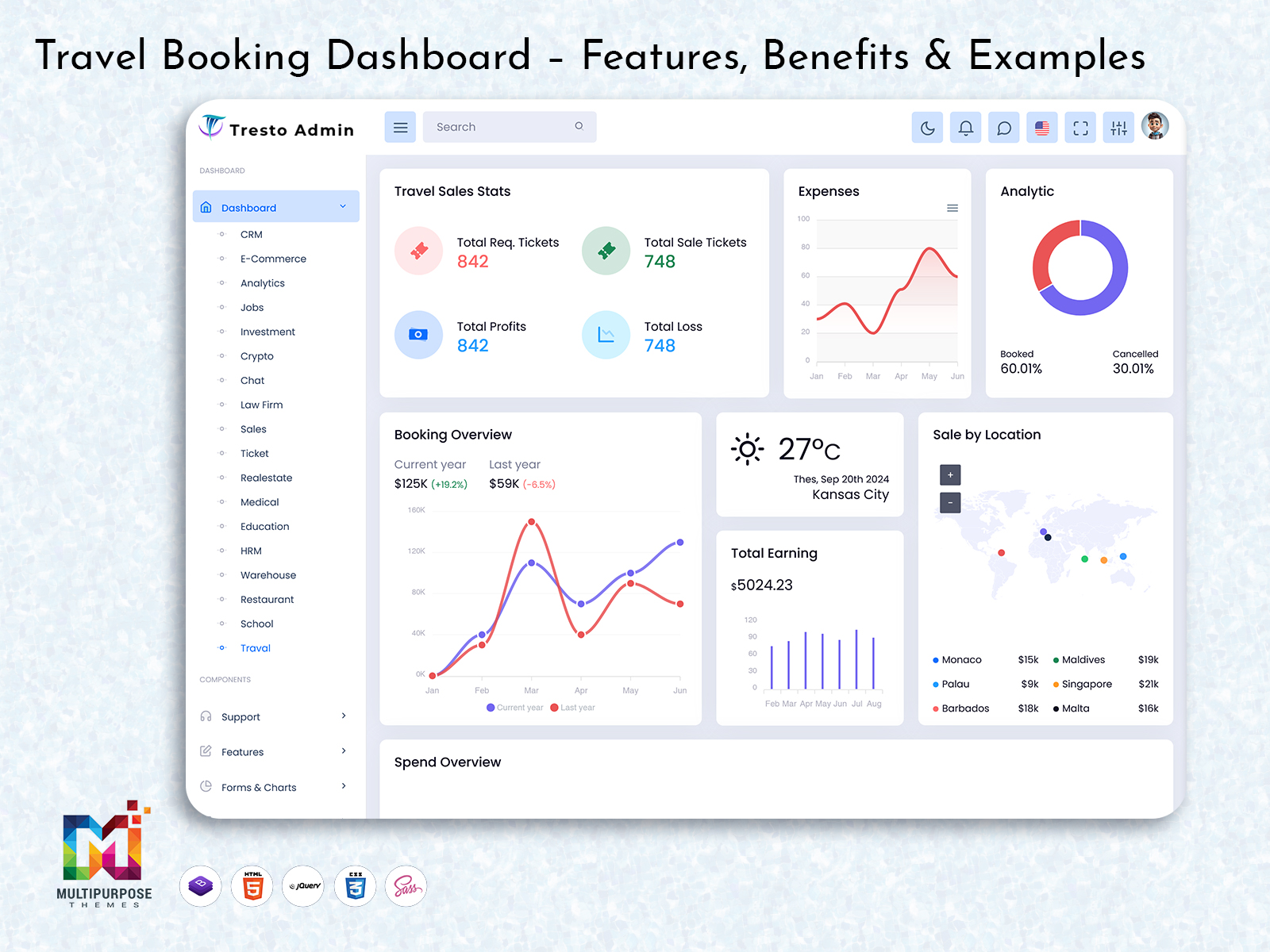
Travel Booking Dashboard – Features, Benefits & Examples
Reading Time: 8 minutes
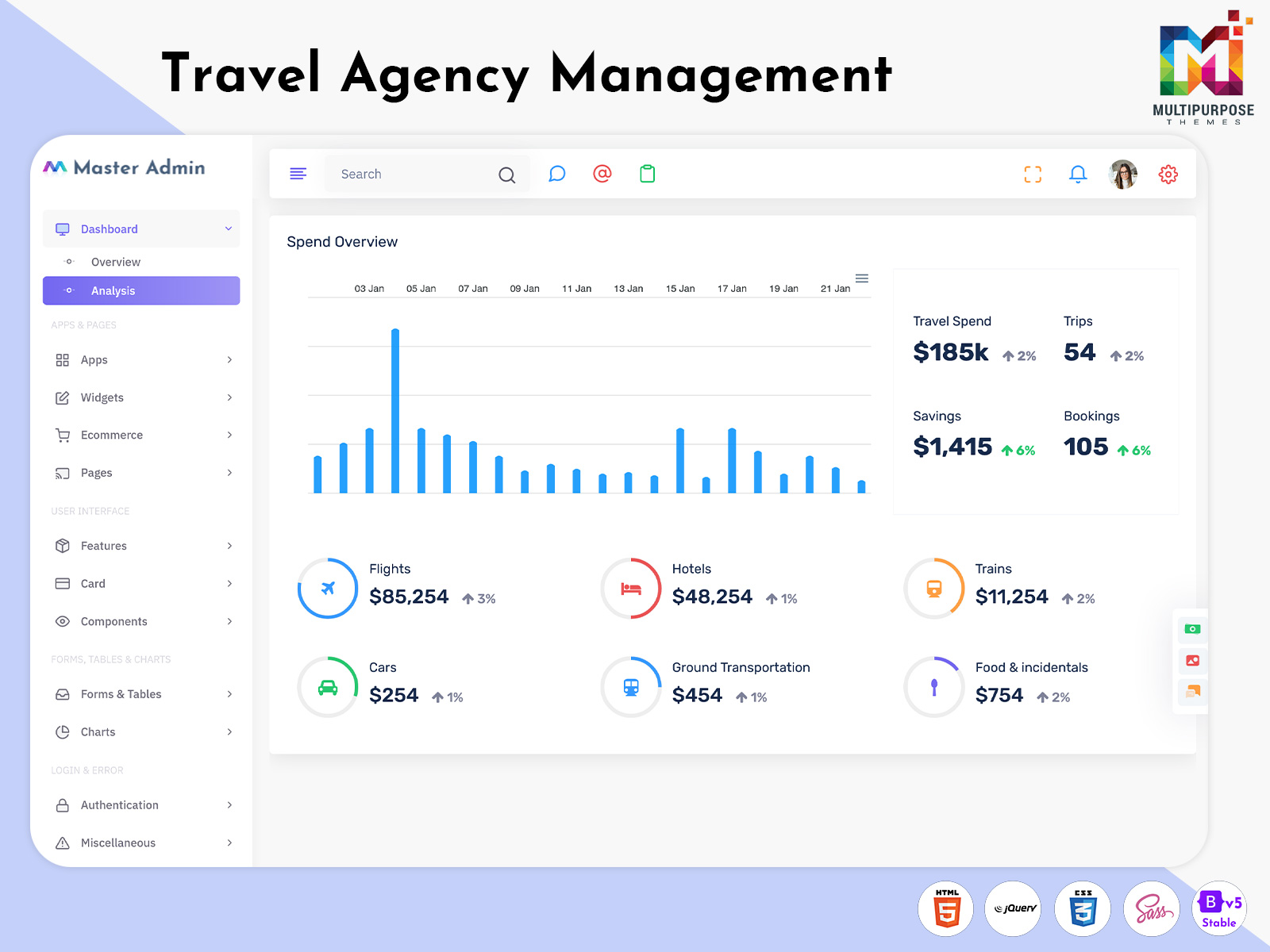
A Travel Booking Dashboard allows you to keep track of bookings within your business. This can be very useful for travel agencies, tour companies, travel websites or any organisation looking to manage their bookings. A Travel Booking Dashboard provides you with booking details and customer information.
Watch Full Video
New dashboards will allow you to:
- View booking details
- Booking dates
- Customer details
- Payment details
- Graphs
Throughout this blog, we will look at features, benefits and elements of a user interface.
What is a Travel Booking Dashboard?
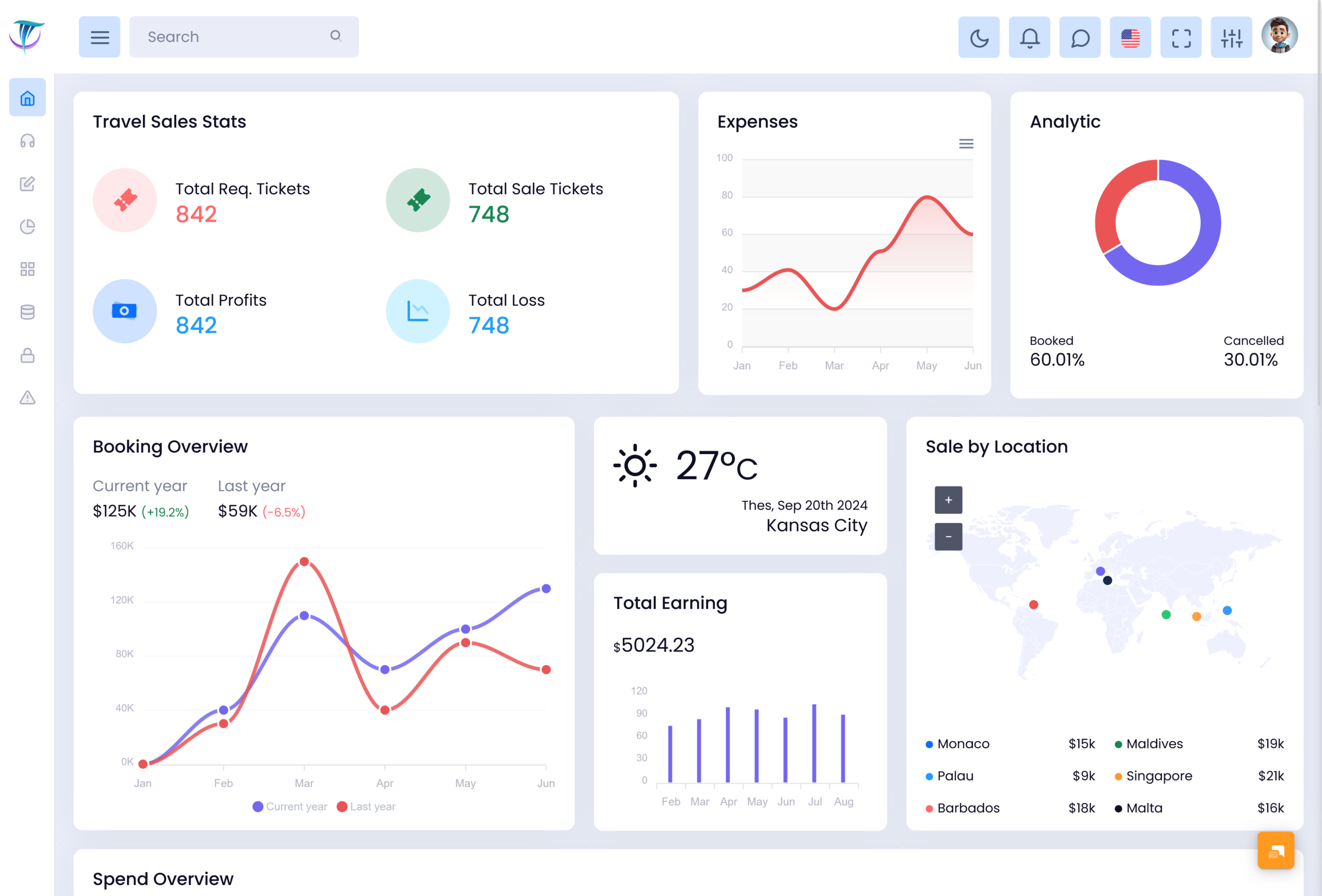
This Travel Booking Dashboard allows you to manage your bookings. It allows you to view booking details, passenger details, booking status and travel details.
Depending on your website you can manage flight, hotel and tour bookings.
With a well organised Dashboard you can manage:
- Flight, hotel & tour bookings
- Customer & passenger details
- Booking details & cancellations
- Payment & transaction details
- Booking dates
- Travel package details
- Booking details & analytics
- Customer questions
VIEW DEMO BUY NOW
What is a Ticket Booking Dashboard?
This Ticket Booking Dashboard allows you to manage ticket bookings. Can be for flights, buses, trains or events.
Admins can see ticket details, view booking status and manage passenger details.
Key features of a Ticket Booking Dashboard include:
- Booking details
- Passenger details
- Booking cancellations
- Booking dates
- Payment status
- Filters
- Booking history
- Ticket reports
Key Features of a Travel Booking Dashboard
Ensure your Travel Booking Dashboard contains:
- Booking Summary
- Booking Management
- Ticket Booking Management System
- Customer & Passenger Management
- Travel Calendar
- Payment Tracking
- Search & Filters
- Analytics
- Alerts
- Role Based Access
1. Booking Summary
Booking summaries allow admins to view:
- Bookings
- Confirmed Bookings
- Pending Bookings
- Booking Cancellations
- Booking Dates
- Booking activity
Create cards to give admins an overview of their bookings. Include any extra details.
2. Booking Management
Booking Management can be added to your dashboard. Admins can view:
- Booking ID
- Customer Name
- Travel Dates
- Destination
- Service Type
- Booking Status
- Payment Status
Add columns, search & status filters to allow admins to easily find bookings.
3. Ticket Booking Management System
A Ticket Booking Management System will allow you to manage your ticket bookings. This can include viewing your bookings, passenger details, ticket status & transaction details. With features, you can view:
- Booking tickets
- Passenger details
- Booking confirmation
- Booking cancellation
- Booking dates
- Payments
This will provide you with a user interface however, ticket issuing, payments & booking changes must be managed through the backend.
4. Customer & Passenger Management
You will need to manage customer & passenger details. Create a Customer Management section to allow admins to see customer details including their name, contact details, booking history & travel dates. Include booking references.
Create search functions so admins can view customer profiles. Booking history. Select what data will be included. The well-designed dashboard will help the employees to find the required information. Make sure that the dashboard is user friendly. Make sure that you have all your necessary data on the dashboard. Use labels that are clear for everyone. Keep everything in an order. This way staff can get the information they need quickly. An organized dashboard makes a big difference.
5. Travel Calendar
A Travel Calendar will allow admins to see travel dates, arrival dates, hotel bookings & tours. Create a Travel Calendar. Create tables to view travel dates, destinations, travel times & booking status. Travel businesses can manage their services using calendars & travel tables.
6. Payment Tracking
Payment tracking will allow admins to view:
- Booking status
- Pending payments
- Booking costs
- Refunds
- Payment dates
- Transaction reference
- Booking payment history
Booking status will help admins know what to do. Payments, Refunds & Verification will depend on your payment gateway.
7. Search & Filters
Add filters that would help improve your Travel Booking Dashboard. Ensure that the administrator can filter results using the booking ID, customer’s name, destination, date of travel, service provided, and the booking status.
Useful filters to include:
- Date Range
- Confirmed / Pending
- Booking Cancellations
- Tickets / Service type
- Payment status
- Destinations
This will allow admins to manage bookings.
8. Analytics
Analytics will allow admins to easily see booking activity. Create a reporting section to allow admins to view booking trends, destinations, ticket sales, booking cancellations & revenue (if applicable).
Create charts & reports to allow admins to easily view booking activity. Add filters so admins can view different time frames, travel types & destinations.
This depends on your data. Ensure you have the correct metrics.
9. Alerts
Alerts will help users know what has changed & what they need to do.
Depending on your platform, you can use booking alerts, confirmation alerts, cancellation alerts, payment alerts & upcoming travel dates alerts.
Ensure they are easy to understand. A good user interface will highlight these.
10. Role Based Access
Depending on your team members they may need to view certain sections of the travel booking platform.
For example, an admin may need to manage users & settings. A booking agent may need to manage bookings. Role-based access control will be useful in ensuring that only authorized individuals access Travel Booking Dashboard. Ensure you have the right permissions according to your organization’s needs.
VIEW DEMO BUY NOW
Benefits of a Travel Booking Dashboard
All booking data in one place
View booking details, customer details, travel dates & payment status.
Easily track bookings
Booking status & well organised lists will allow admins to view confirmed, cancelled or pending bookings.
Improved customer service
Customer details & booking history will allow Travel Booking Dashboard staff to answer questions. Helping with booking changes, cancellations & travel questions.
Increased visibility
Cards, calendars & reports will allow admins to view bookings. Upcoming travel dates can be viewed.
Easily track payments
Travel Booking Dashboard will allow you to easily track payments. Booking status will help admins know what payments are pending, paid or need checking. Saves staff time.
Easy to analyse data
Travel Booking Dashboard will make it easy to analyse data. Charts & reports will help admins view booking trends, destinations & performance of services. If data is available this will help with planning.
Easy to use
Easy to navigate, easy to understand. All features are familiar.
A well organised Travel Booking Dashboard will make it easy to navigate. New staff can find information quickly.
Key UI Elements of a Travel Booking Dashboard
UI elements will help make your Travel Booking Dashboard easy to understand.
Cards
Add cards to show metrics. It could also be something like reservations, confirmed reservations, payments pending, or travel dates. Don’t complicate things.
Tables
Add tables to view booking details, passenger details, travel dates, payment status & booking references. Add sorting, pagination & filters to help manage data.
Charts
Add bar charts, line charts & donut charts. Bar charts can compare bookings, line charts can show booking trends & donut charts can show booking status.
Calendar
Add a calendar to view travel dates. Tours etc. Can be used with booking tables.
Status Badges
Status badges can be added to view booking details. Include Confirmed, Pending, Cancelled & Completed.
Navigation
Add a sidebar or navigation. Include Dashboard, Bookings, Tickets, Customers, Payments, Reports & Settings.
Filters
Add search bars, datepicker & dropdown. Easy to search for records. View what filters have been used.
How to Choose the Correct Travel Booking Dashboard UI Template
Before choosing a Travel Booking Dashboard UI Template, think about your business goals, who will use the dashboard, and your technical requirements.
The dashboard should have a clean layout that makes information easy to find. Navigation should be simple, forms should be easy to understand, and important actions should be clearly visible. A well-organised interface helps users manage travel bookings without unnecessary confusion.
1. Keep the Interface Simple
Avoid displaying too much information on a single screen. Focus on the features users need most, such as booking details, ticket status, passenger information, and travel schedules.
Use clear headings, organised sections, and readable tables to make the dashboard easier to navigate. A simple layout helps users find important information quickly without feeling overwhelmed.
2. Check the Technical Requirements
Ensure your Travel Booking Dashboard works with your technology and business requirements.
The UI template provides the design and interface elements. However, features such as ticket availability, booking confirmation, payment processing, email alerts, and travel service integrations may require backend development.
Before selecting a template, check whether its structure and components suit your application and the features you plan to implement.
3. Consider Security and Accessibility
A Travel Booking Dashboard may handle customer details, booking information, and other sensitive data. Make sure the application supports appropriate login controls, user permissions, and data protection measures.
Accessibility is also important. Text should be easy to read, form fields should have clear labels, and buttons should have visible focus states. Error messages should explain what went wrong and how users can correct it.
These considerations can help make the dashboard more secure, accessible, and easier to use.
Common Mistakes to Avoid when creating a Travel Booking Dashboard
Too much information
Too much information can cause confusion. Focus on the information you need. Move information somewhere else.
Booking status
Booking status can cause confusion. Add labels to booking status. Always add labels.
No search/filter
Without search/filter it will be difficult to find bookings.
Not mobile friendly
If your layout is not responsive it will be difficult to use on phones. It is recommended to test features on different screen sizes.
Too many navigation items
Having too many navigation items will slow down everyday tasks. Group similar features together. Use wording.
Thinking the UI template will do everything
It is a mistake to think the UI template will do everything. Features such as bookings, ticket stock, payments & travel provider links will not be included in the design. This will need to be coded & linked.
Conclusion
A Travel Booking Dashboard will help you manage your bookings, passenger details, ticket status, travel dates, payments & travel details. Having all booking details in one place will help travel businesses.
When designing your travel agency platform ensure your Ticket Booking Dashboard or Ticket Booking Management System has navigation, tables, search/filter, responsive design & clear booking statuses.
A Travel Reservation Dashboard will provide value to your users. By adding UI elements & linking to the backend you will have a foundation for your travel management app.
Find examples of dashboard UI designs & admin templates here: https://multipurposethemes.com/
VIEW DEMO BUY NOW
FAQ’s
1. What is a Travel Booking Dashboard?
A Multipurpose Themes Travel Booking Dashboard is a tool to help manage & track bookings, customer details, booking status & travel dates.
2. What are the Key Features of a Travel Booking Dashboard?
Key features of a Travel Booking Dashboard include booking summary, booking management, passenger details, travel calendar, payment tracking, search/filter, alerts & detailed booking details. This can vary depending on your application.
3. What is a Ticket Booking Dashboard?
A Multipurpose Themes Ticket Booking Dashboard is a system to help manage ticket bookings, passenger details, travel dates & ticket status.
4. What is a Ticket Booking Management System?
A Ticket Booking Management System is software to help manage ticket bookings. Can include ticket details, passenger details, booking changes, cancellations, payment tracking & confirmation.
5. Who can use a Travel Reservation Dashboard?
Travel agencies, tour companies, travel websites, booking staff & travel service providers can use a Travel Reservation Dashboard to manage their booking data.
6. How can a Travel Booking Dashboard help travel agencies?
A Multipurpose Themes Travel Booking Dashboard can help travel agencies manage their bookings, view customer details, track booking status, view payment details & confirm travel dates.
7. Can a Travel Booking Dashboard manage flight & hotel bookings?
Yes a Travel Booking Dashboard can manage flight & hotel bookings. However real time availability, confirmation & updates may need integration with service providers.
8. What is the difference between a Travel Booking Dashboard & Ticket Booking Dashboard?
A Multipurpose Themes Travel Booking Dashboard can manage services such as flights, hotels, tours & transport. A Ticket Booking Dashboard will focus on managing tickets, passenger details & ticket status.
9. How do I choose a Travel Booking Dashboard template?
Choose a template based on your project requirements, features needed, design, customisation, navigation & technology. Think about if you will need anything that can work in the backend.

Related Posts


This Post Has 0 Comments