

What Is a Medical Dashboard? A Medical Dashboard is an admin panel that displays relevant…
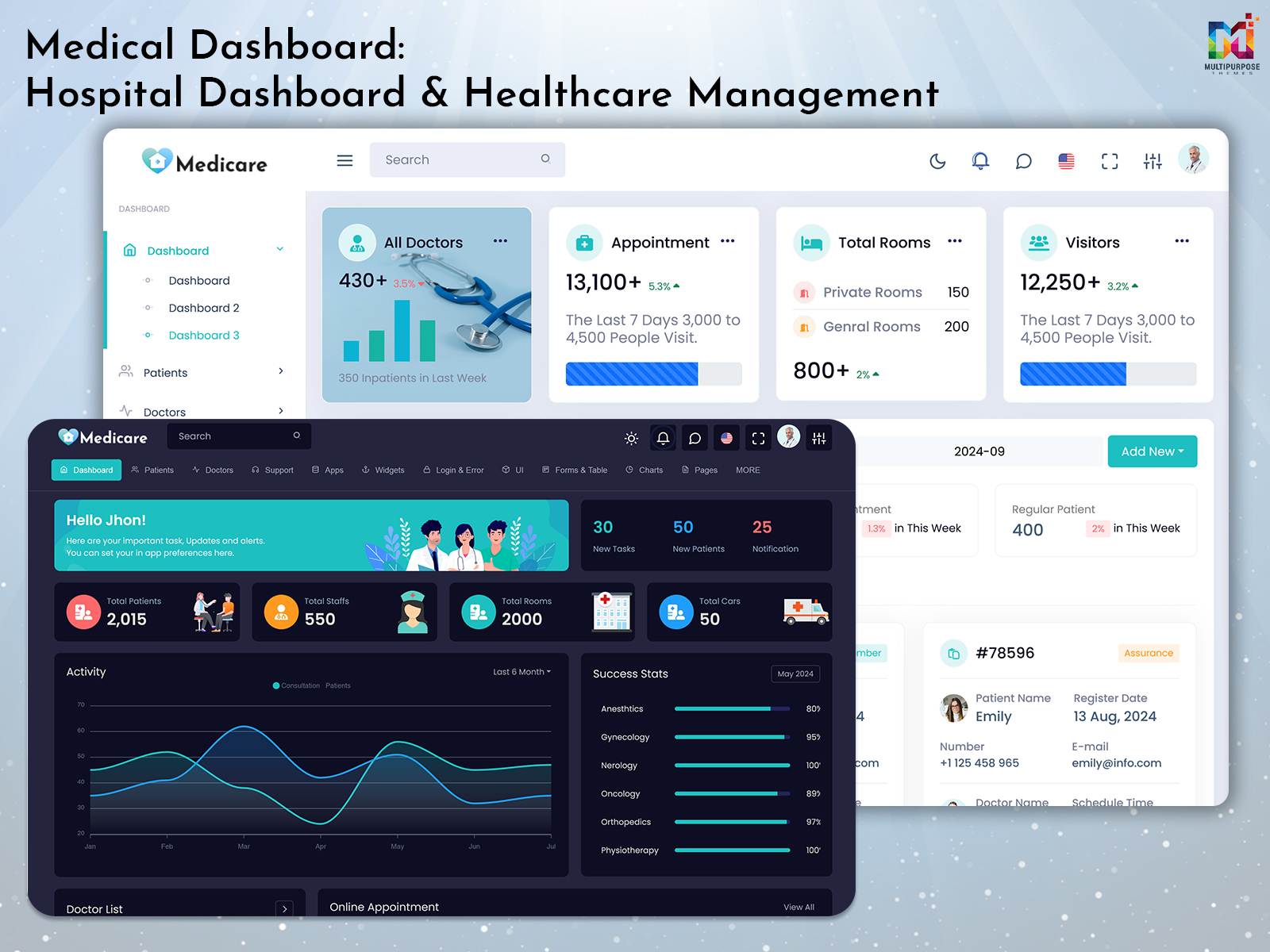
Medical Dashboard: A Practical Guide to Hospital and Healthcare Management Interfaces
Reading Time: 8 minutes
Running a hospital involves a flow of information. Patient details, appointments, doctors, admissions, billing, medical records, departments and staff activity all need to be managed throughout the day. When this information is spread across screens finding the right detail can take unnecessary time. A Hospital Dashboard brings information together in one place giving hospital teams a clearer way to view daily activities and manage their work. In this article we’ll look at how a Hospital Dashboard Template, Medical Dashboard and Hospital Admin Dashboard can be structured for healthcare applications.
Watch Full Video
Why Hospital Dashboard Design Matters
A hospital dashboard is used by people with different responsibilities. A doctor may want to see appointments and patient information while an administrator may be more concerned with admissions, billing, staff activity and overall hospital operations.
Because of this the dashboard should not simply display much information as possible.
It should help users answer questions quickly such as:
- How many patients are currently admitted?
- What appointments are scheduled today?
- Which doctors are available?
- Are there pending patient requests?
- How many beds are occupied?
- Are there billing activities?
- What tasks need attention?
A clear interface can make these details easier to find without forcing users to move through unrelated screens.
VIEW DEMO BUY NOW
What Is a Hospital Dashboard?
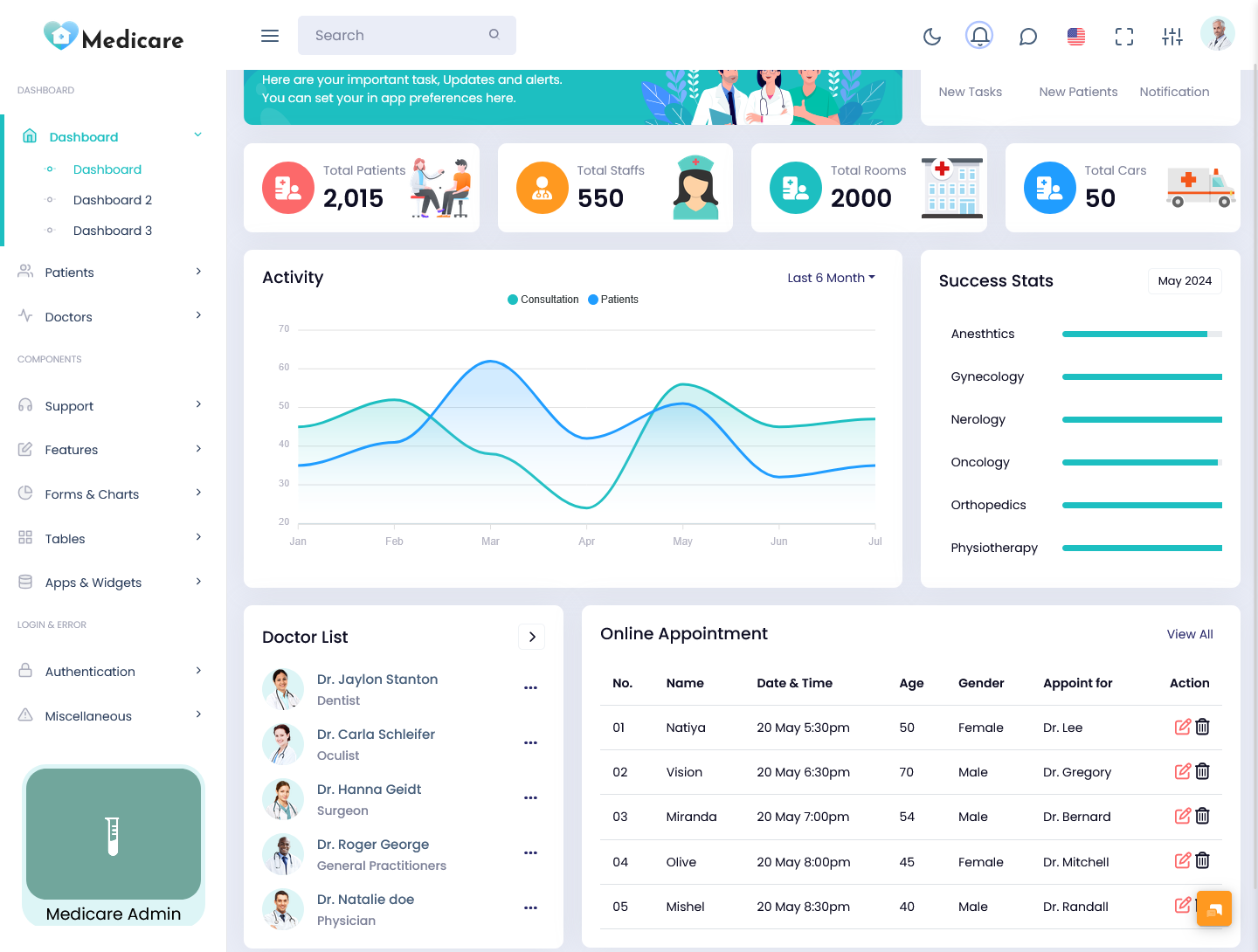
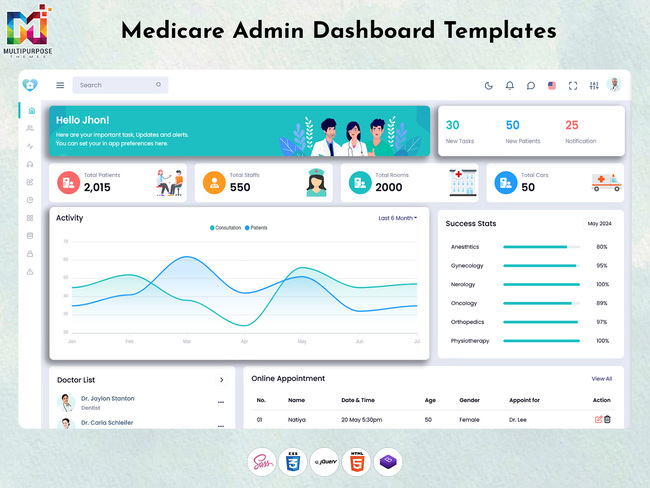
A Hospital Dashboard is an interface for displaying and managing information related to hospital operations.
The information shown will depend on the healthcare application and the users accessing it. A general dashboard may include statistics, appointments, doctors, departments, admissions, billing and other operational information.
For example the main screen could provide an overview of:
- Total patients
- New patients
- Appointments
- Admissions
- Available beds
- Doctors
- Pending requests
- Billing activity
The purpose is to give users an organized starting point before they move into more detailed sections.
VIEW DEMO BUY NOW
What Information Can a Medical Dashboard Display?
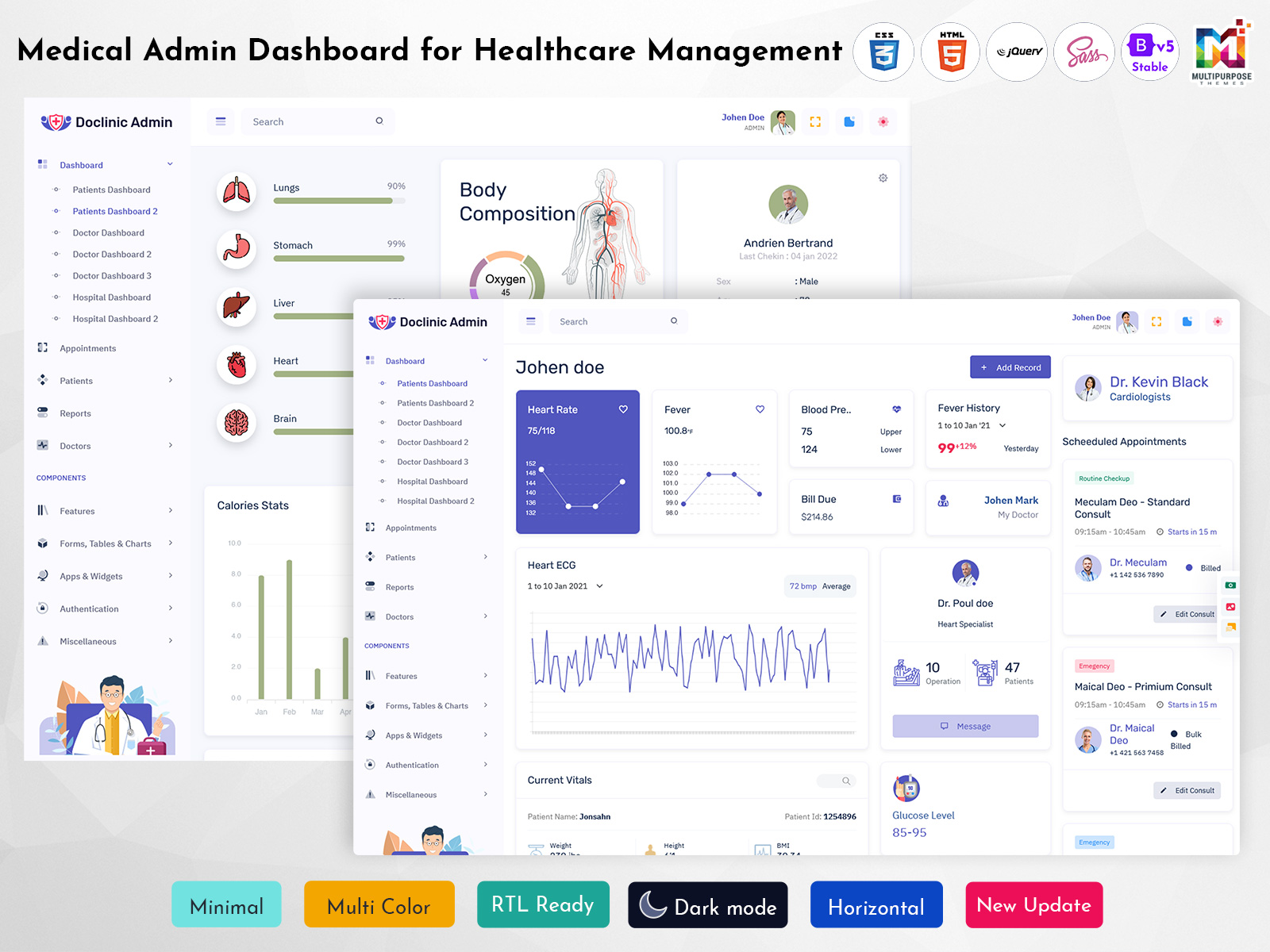
A Medical Dashboard can contain types of information depending on the application it supports.
1. Patient Information
Patient-related information may include:
- Patient registrations
- Patient profiles
- Admission details
- Discharge information
- Appointment history
- records
- Assigned doctors
Patient information should be presented in a way that allows authorized users to locate the required details without making the interface unnecessarily complicated.
2. Appointment Management
Appointments are a part of hospital and clinic operations.
A dashboard can provide information about:
- Todays appointments
- Upcoming appointments
- Completed appointments
- Cancelled appointments
- Pending appointments
- Doctor schedules
A calendar or appointment table can make this information easier to scan.
3. Doctor and Staff Information
Hospitals also need to coordinate doctors and other staff members.
Depending on the application the dashboard may show:
- Doctor profiles
- Department
- Availability
- Assigned appointments
- Staff schedules
- workload
This can help administrators get an overview of daily activities.
Hospital Admissions and Bed Management
Admissions are another area where dashboard design can become useful.
A hospital interface may need to show the number of:
- admissions
- New admissions
- Discharges
- Available beds
- Occupied beds
- Pending admissions
Instead of presenting these details in a long list summary cards can provide a quick overview while detailed tables can be available for users who need more information.
The same approach can be applied to bed management.
A hospital administrator may want to see occupancy at a glance and then open a department or room for additional information.
How a Hospital Admin Dashboard Supports Daily Operations
A Hospital Admin Dashboard is generally focused on operational and administrative activities than on individual clinical workflows.
Depending on the application administrators may need access to:
- Patient management
- Doctor management
- Department information
- Appointment records
- Admission. Discharge data
- Billing information
- Staff management
- Reports
- Hospital settings
The dashboard can bring these areas together through navigation and summary sections.
Of making administrators search through separate screens for every task the main dashboard can act as a central starting point.
Different Hospital Users Need Information
One dashboard does not necessarily need to look the same for everyone.
1. Doctors
Doctors may need access to:
- Todays appointments
- Patient information
- Medical records
- Upcoming consultations
- Assigned patients
Their interface can focus on information directly related to patient care and appointments.
2. Nurses and Medical Staff
Nurses and other medical staff may need information related to:
- Assigned patients
- Ward activity
- Patient status
- Schedules
- Tasks
The interface should keep used information easy to reach.
3. Hospital Administrators
Administrators may need a broader operational view covering:
- Patient numbers
- Admissions
- Bed availability
- Doctors
- Staff
- Billing
- Departments
- Reports
A role-based approach can prevent users from being overwhelmed by information that does not relate to their responsibilities.
Making Patient Information Easier to Navigate
Healthcare applications can contain an amount of patient information.
A dashboard should therefore make it simple to locate a record.
Useful interface elements may include:
- Search
- Patient tables
- Filters
- Patient profiles
- Status indicators
- Appointment history
- Sorting options
For example an administrator may want to filter patients by department or admission status than scrolling through every record.
Small interface decisions like these can make a dashboard considerably easier to use.
Reports and Healthcare Data
Reports can help hospital teams understand what has been happening over a period.
Depending on the application reports might cover:
- Patient registrations
- Admissions
- Discharges
- Appointments
- Revenue
- Department activity
- Doctor activity
- Bed occupancy
Charts can be useful for showing trends while tables are often better when users need records.
The dashboard should use each format where it makes sense of turning every piece of information into a chart.
Why Data Visualization Is Useful in Medical Dashboards
Healthcare data can become difficult to interpret when it is displayed through numbers and tables.
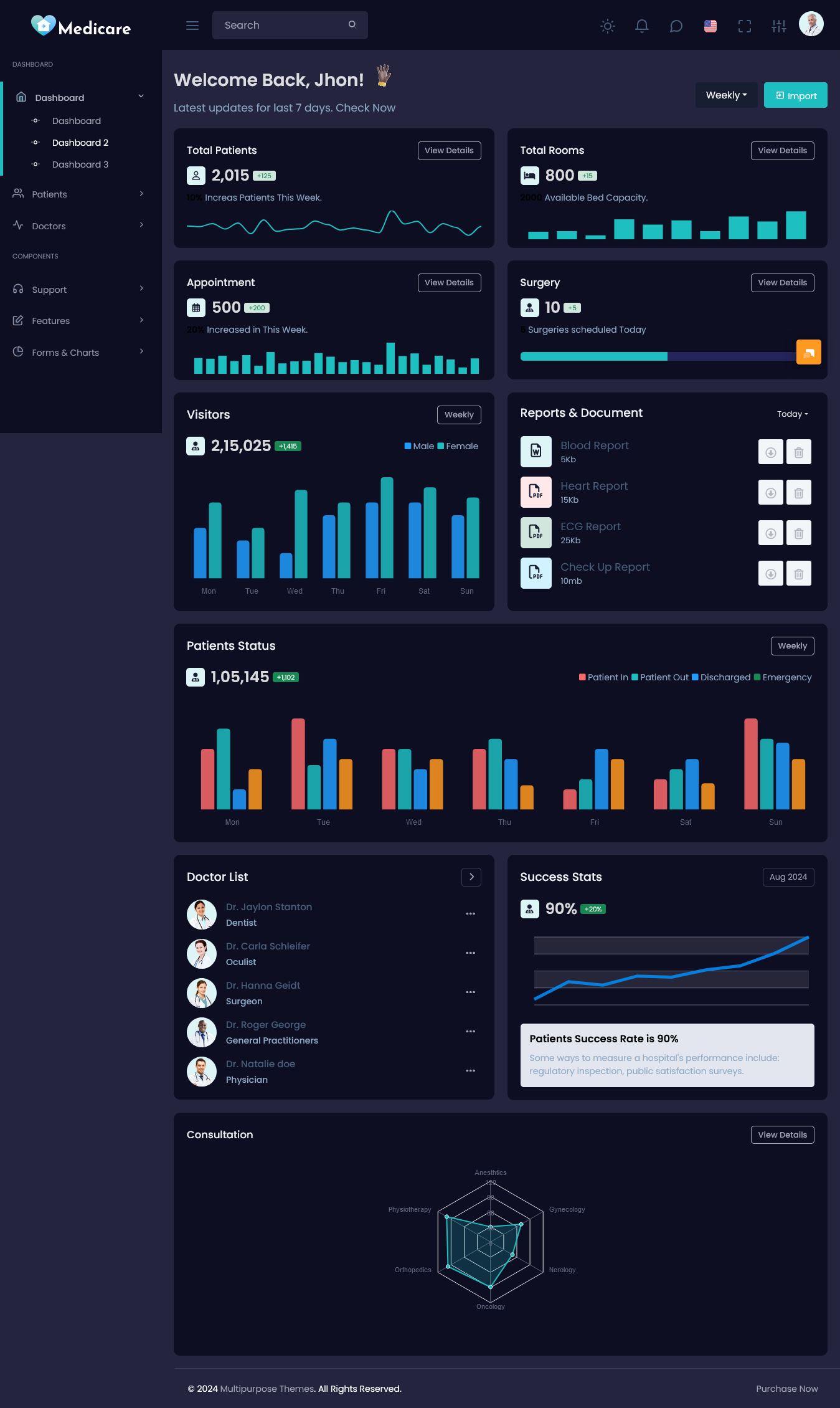
A Medical Dashboard can use elements to make certain patterns easier to understand.
Common components include:
- Patient statistics cards
- Appointment charts
- Bed occupancy graphs
- Revenue charts
- Department comparisons
- Activity timelines
- Status indicators
- Data tables
For example a bed occupancy chart can provide an overview than manually checking individual bed records.
At the time detailed information should remain available when users need to investigate a particular record.
Using Filters and Search Effectively
A hospital application can contain hundreds or thousands of records.
Search and filtering therefore become parts of the dashboard experience.
Useful filters may include:
- Patient name
- Doctor
- Department
- Date
- Appointment status
- Admission status
- Payment status
- Patient type
A user should be able to narrow the information without having to leave the workflow.
This is especially useful for users who may need to work with large amounts of data throughout the day.
How a Hospital Dashboard Template Helps Developers
Building a healthcare dashboard from scratch means designing navigation, cards, tables, forms, charts, profile pages, calendars and other interface components
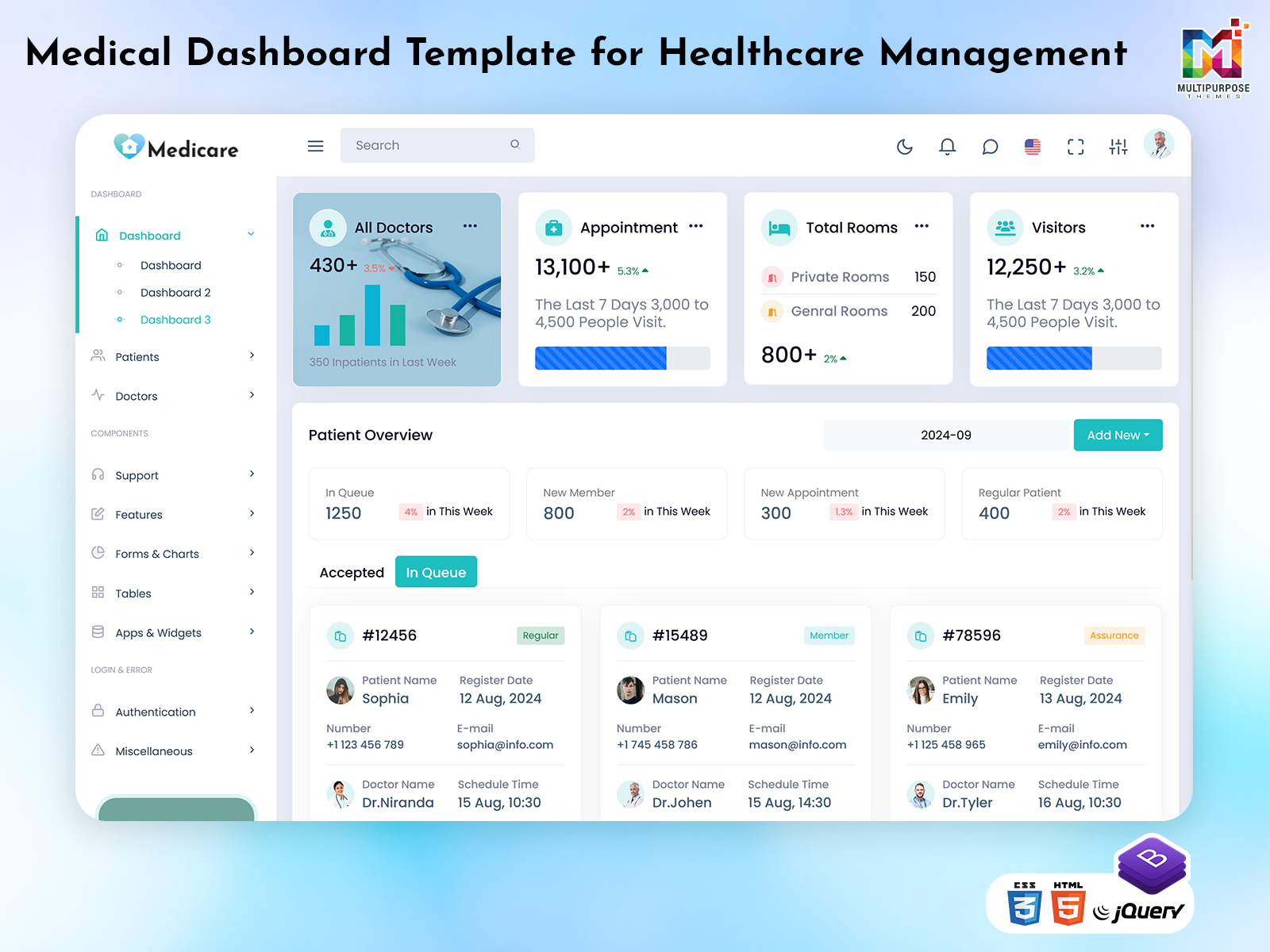
A Hospital Dashboard Template can provide a made starting point for these common elements.
A template may include:
- Dashboard layouts
- Navigation menus
- Patient tables
- Appointment interfaces
- Doctor profiles
- Statistics cards
- Charts
- Forms
- Calendar components
- Reports
- Settings pages
Developers can then adjust these components to fit their applications requirements.
The template provides the interface foundation. It does not replace the backend systems, databases, authentication, APIs, healthcare workflows or other application logic required by the project.
What to Look for in a Hospital Dashboard Template
Choosing a dashboard template should involve more than its appearance.
1. Clear Layout
Healthcare applications can contain a lot of information. The layout should make it easy to understand where different sections are located.
2. Easy Customization
Developers may need to change colors, components, navigation, tables, charts, forms and other interface elements.
A flexible structure makes those changes easier.
3. Responsive Design
Hospital staff may use devices depending on their role and working environment.
A responsive interface can help keep the dashboard usable on desktops, laptops, tablets and smaller screens.
4. Organized Components
Reusable components can save development time. Help maintain consistency throughout the application.
5. Room for Growth
A healthcare application may start with patient and appointment management and later add billing, reports, staff management, departments or additional modules.
The dashboard structure should have flexibility to accommodate these changes.
Common Problems With Poorly Designed Medical Dashboards
A healthcare dashboard can become difficult to use when the design focuses more on displaying information than helping users work with it.
1. Much Information on the First Screen
Putting every available metric on the homepage can make important information difficult to notice.
2. Complicated Navigation
Users should not have to open unrelated screens to complete routine tasks.
3. Unclear Patient Status
Important patient or appointment statuses should be easy to identify.
4. Many Visual Elements
Charts, colors, cards and notifications can be useful but excessive use can make the interface harder to understand.
5. Poor Responsive Design
A dashboard that works well on a large monitor can become inconvenient when users access it from other devices.
Hospital Dashboard vs. Medical Dashboard
The terms Hospital Dashboard and Medical Dashboard can overlap,. Their focus may differ depending on the application.
A Hospital Dashboard often covers hospital operations such, as admissions, departments, staff, appointments, beds and administration.
A Medical Dashboard may focus closely on patient-related information, medical workflows, appointments, doctors and healthcare data.
Neither approach has to follow one fixed structure. The right design depends on the users, workflows and information the application needs to support.
Planning a Hospital Dashboard Before Development
A planning before development can prevent many interface problems later.
1. Identify the Users
Start by deciding who will use the dashboard.
This could include:
- Doctors
- Nurses
- Administrators
- Reception staff
- Managers
2. List Their Regular Tasks
Think about what each user needs to do during a working day.
3. Identify Important Information
information that users need frequently from information that can remain inside deeper sections.
4. Plan the Navigation
Group related areas together so users can move between them naturally.
5. Decide Where Visualizations Help
Use charts and summary cards where they make information easier to understand.
6. Leave Space for Future Modules
Consider whether the application may later need billing, reports, staff management, pharmacy management or other features.
This gives developers a foundation before the actual interface work begins.
Why Choose MultiPurpose Themes?
For developers creating healthcare applications starting with a made dashboard can reduce the amount of interface work required at the beginning of a project.
MultiPurpose Themes provides dashboard and admin template options that can be adapted for application requirements. A healthcare-focused interface can use existing dashboard components as a starting point. Then be customized around patient information, appointments, doctors, hospital administration, reports and other application needs.
The template should be treated as the interface foundation than the complete healthcare application. Developers still need to connect the design with the backend database, APIs, authentication, business logic and application-specific workflows.
Conclusion
A healthcare dashboard needs to do more than display statistics. It should help users find information understand activity and move through their regular tasks without unnecessary complexity.
A structured Hospital Dashboard, Hospital Dashboard Template, Medical Dashboard or Hospital Admin Dashboard can bring patients, appointments, doctors, admissions, reports and administrative information into a more organized interface.
For developers a flexible dashboard template can provide a starting point while leaving room to build the application-specific features and workflows around it. The effective design is ultimately one that reflects how the hospital or healthcare application will actually be used.
VIEW DEMO BUY NOW
Frequently Asked Questions
1. What is a Hospital Dashboard?
A Hospital Multi Purpose Themes Dashboard is an interface that organizes hospital-related information such as patients, appointments, doctors, admissions, departments, billing and reports.
2. What is a Medical Dashboard used for?
A Medical Dashboard can be used to organize healthcare information such as records, appointments, doctors, medical activity and other data required by the application.
3. What is a Hospital Dashboard Template?
A Hospital Multi Purpose Themes Dashboard Template is a made interface structure containing components such as cards, tables, charts, navigation, forms and other dashboard elements that developers can customize.
4. Can a Hospital Admin Dashboard be customized?
Yes. Developers can customize navigation, layouts, tables, charts, forms, colors, components and other interface elements according to the applications requirements.
5. Is a dashboard template a hospital management system?
No. A dashboard template provides the user interface structure. A complete hospital management system also requires backend services, databases, APIs, authentication, business logic and application-specific workflows.
6. Why are role-based dashboards useful in healthcare applications?
Different users need information. Doctors, nurses, administrators and other staff members may have responsibilities, so role-based views can help keep their dashboards focused on the information relevant, to their work.

Related Posts


This Post Has 0 Comments