Running a hospital is no longer limited to treating patients. Every day, healthcare teams handle…

Why Hospital Dashboard Template is Changing Healthcare Management
Reading Time: 6 minutes
The decision-makers within healthcare systems are finding themselves challenged by a new issue nowadays. This involves making timely decisions while handling a huge volume of complicated information on hospitals. The Hospital Dashboard is a tool that makes it easier to present such complicated data through visual representations.
Such dashboards are revolutionizing the way in which hospitals conduct the monitoring of their operations. By consolidating data from various sources into one dashboard, it allows hospital managers to save time, monitor their operations, and understand better what is going on in different departments. This paper will discuss the potential of a Hospital Dashboard for the hospital management.
Watch Full Video
BUY NOW DEMO
What Is a Hospital Dashboard?
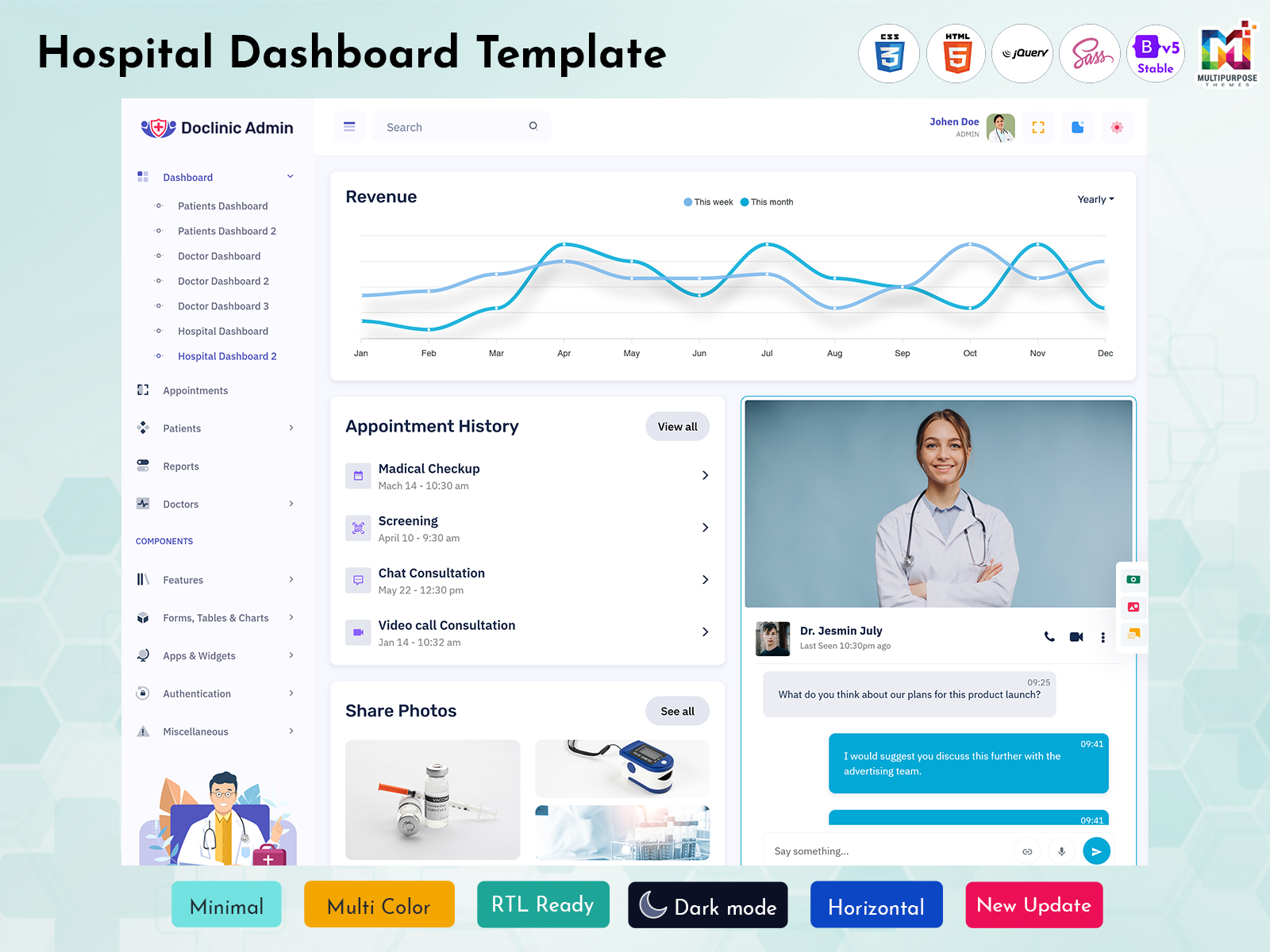
The Hospital Dashboard is an application which provides hospital information in one interface. The dashboard can display various metrics related to patient activities, available beds, appointments, admissions, departmental performances, etc. In simple words, one can say that the hospital dashboard acts as a control room for the hospitals.
An effective dashboard has the ability to extract data from various systems within hospitals and provide that information in an organized manner using tables, charts, cards, and indicators. In so doing, the dashboard brings together the operations of several hospitals and makes it easy to access information.
A Hospital Dashboard Template can provide the foundation for building this type of interface. It gives developers ready-made dashboard layouts and components that can be customized according to the specific requirements of a hospital management system.
When important information is organized clearly, hospital administrators can spend less time searching through different records and more time understanding current operations and responding to areas that need attention.
Explore Dashboard Design of Doclinic Admin
Patient Dashboard
BUY NOW DEMO
Patient Dashboard – 2
BUY NOW DEMO
Doctor Dashboard
BUY NOW DEMO
Doctor Dashboard – 2
BUY NOW DEMO
Doctor Dashboard – 3
BUY NOW DEMO
Hospital Dashboard
BUY NOW DEMO
Hospital Dashboard – 2
BUY NOW DEMO
Real-Time Hospital Information for Better Daily Operations
Hospital operations are constantly changing. New patients arrive, appointments are scheduled or completed, beds become available, and different departments may experience changes in workload throughout the day. When this information is spread across different systems, it can take time for administrators to understand the current situation.
Using a hospital dashboard allows for the tracking of vital operations on a single screen, thereby making it convenient for hospital administrators to monitor all activities. Instead of jumping between numerous screens to determine different aspects of their operations, hospital administrators can get results in real-time.
For instance, when there is an increase in the level of activity in a certain department, the dashboard can facilitate easier identification of the increase in activity level. Furthermore, information on availability of beds and upcoming appointments can enable administrators to gauge capacity and workload. The user can then click on the specific tab to view the record.
A well-designed dashboard also makes information easier to compare. Instead of looking at isolated numbers, administrators can view related operational data together and identify patterns in hospital activity. This can be particularly useful when reviewing busy departments, monitoring daily schedules, or checking whether pending tasks require attention.
A Hospital Dashboard Template can provide the interface structure needed to present this information through cards, charts, tables, status indicators, and filters. Developers can customize these components and connect them with the application’s data sources to create a dashboard that reflects the actual workflow of the hospital.
The purpose of the hospital real-time information system does not necessarily revolve around presenting continuously fluctuating data. Instead, the primary aim is to present the users with useful and relevant data that will help them make sense of the situation, acquire the necessary information, and proceed with the next step.
Explore Dashboard Design of Rhythm Admin
Medical Dashboard – 1
BUY NOW DEMO
Medical Dashboard – 2
BUY NOW DEMO
Medical Dashboard – 3
BUY NOW DEMO
Medical Dashboard – 4
BUY NOW DEMO
Better Hospital Resource Management
Managing hospital resources becomes easier when important information is clearly organized. A Hospital Dashboard can display bed occupancy, department workload, appointment volume, and other operational data through simple charts, tables, and summary cards.
Administrators can quickly understand where activity is increasing and open detailed records when required. This creates a more organized way to monitor hospital capacity without filling the main dashboard with unnecessary information.
Explore Dashboard Design of Medicare Admin
Healthcare Dashboard
BUY NOW DEMO
Healthcare Dashboard – 2
BUY NOW DEMO
Healthcare Dashboard – 3
BUY NOW DEMO
Hospital Dashboard for Financial Management
Financial management is an important part of running a hospital efficiently. Administrators need to understand treatment costs, billing activity, payments, and other financial information while keeping daily operations organized. A Hospital Dashboard can bring these important financial indicators into one clear view.
Administrators will be able to track revenue, costs incurred in treatments, payments, and other financial data from the dashboard. This way, they will not have to go through individual reports and instead be able to analyze changes in financial performance.
Insurance and billing information can also be easier to manage through a centralized dashboard. Claim status, pending payments, and rejected claims can be tracked alongside other financial data. This gives billing teams a clearer picture of outstanding issues and helps them follow up on problems before they become larger administrative concerns.
A Hospital Dashboard Template can make this information easier to organize by providing customizable charts, tables, cards, and report sections. Developers can connect these components with the hospital’s financial and billing systems to create a dashboard that fits specific operational requirements.
Hospital Dashboard for Monitoring Patient Experience
Experience of the patients is a vital aspect to be considered in the functioning of a hospital. Hospital Dashboard enables the administration of the hospitals to monitor the sentiments expressed by the patients over a longer period of time. Patients’ sentiment can be evaluated through surveys thereby reducing the manual labour involved in the entire process of collection of the sentiments.
A dashboard can also help administrators compare satisfaction trends over different periods or across departments. If feedback starts declining in a particular area, teams can investigate the underlying issue and take appropriate action.
By bringing patient feedback together with other operational information, a Hospital Dashboard Template can give administrators a clearer understanding of how hospital services are being experienced by patients. Better visibility into feedback can support continuous improvement and help hospitals create a more consistent patient experience.
Faster Administrative Decisions
Hospital administrators often need to review several types of information before making an operational decision. A Hospital Admin Dashboard brings relevant data together so users can move from an overall summary to detailed records more efficiently.
A good Hospital Admin Template can organize appointments, admissions, departments, pending tasks, and reports into clearly defined sections. This reduces the need to search through different parts of the application for basic operational information.
Hospital Dashboard for Monitoring Clinical Performance
Monitoring clinical performance gives hospitals insight into the operational efficiency of their services. With the use of a Hospital Dashboard, the essential quality indicators will be available in one easy-to-navigate dashboard to allow hospital administrators and other authorized members on the healthcare team to observe trends and issues that need to be resolved. According to the kind of system used, the dashboard is capable of displaying statistics on readmissions and infections as well as incidents involving patient falls and surgery outcomes. Regularly knowing these indicators can allow the team to monitor trends that can be missed while working with individual cases.
For example, an increase in readmissions may encourage a closer review of discharge processes and follow-up procedures. Similarly, changes in infection or complication rates can help quality teams identify areas that require further investigation.
The purpose of the dashboard is not to replace clinical judgment. Instead, it provides a clearer view of relevant data so authorized teams can investigate issues and support ongoing quality improvement.
Connecting Hospital Systems Through One Dashboard
Modern hospitals often rely on several software systems to manage different areas of their operations. Patient records, billing, appointments, laboratory information, and staff data may be stored in separate applications, creating disconnected sources of information.
A Hospital Dashboard Template can provide a central interface for presenting information from these systems when appropriate integrations are available. Instead of repeatedly switching between applications, authorized users can access relevant summaries from a consistent dashboard environment.
Integration between data sources can also help reduce duplicate data entry work and make comparison of data easier. Using appropriate APIs, databases, authentication and validation procedures, it is possible for developers to design a more integrated Hospital Dashboard to give better insights to administrators.
Easy Customization for Different Hospital Needs
Every hospital has different workflows, which is why our Hospital Dashboard Template is designed with flexibility in mind. You can customize the layout, navigation, cards, charts, tables, and other interface elements according to the requirements of your healthcare project.
Our dashboard designs provide a ready-made foundation, so developers do not have to build every component from scratch. Sections can be added, removed, rearranged, or modified to create a dashboard that fits specific hospital operations.
Whether you need a simple administrative overview, department-based information, appointment management, billing sections, or detailed reports, the interface can be adapted to your requirements while maintaining a consistent and professional design.
This makes our Hospital Dashboard a practical starting point for healthcare applications that need a modern interface with room for future customization and expansion.
A Hospital Dashboard Built for Future Growth
Healthcare technology progresses continuously, thus hospital software must conform to the changes in requirements. An up-to-date Hospital Dashboard Template should offer so much flexibility that it would be able to cater to new functionalities, data, and ever-changing hospital workflows.
The dashboard design that we have adopted offers a flexible interface that can be expanded as your healthcare application expands. The developers will be able to incorporate new data sources, create customized reports, create more sections in the dashboard, and connect the interface with APIs.
The flexible structure also makes it easier to adapt the dashboard for future requirements such as advanced analytics, automated alerts, reporting tools, and data-driven insights. Instead of replacing the entire interface as the application develops, existing components can be customized and expanded.
With a scalable Hospital Dashboard, you get more than a ready-made interface. You get a flexible foundation that can evolve alongside your healthcare application and its changing operational needs.

Related Posts