Online Course Dashboard
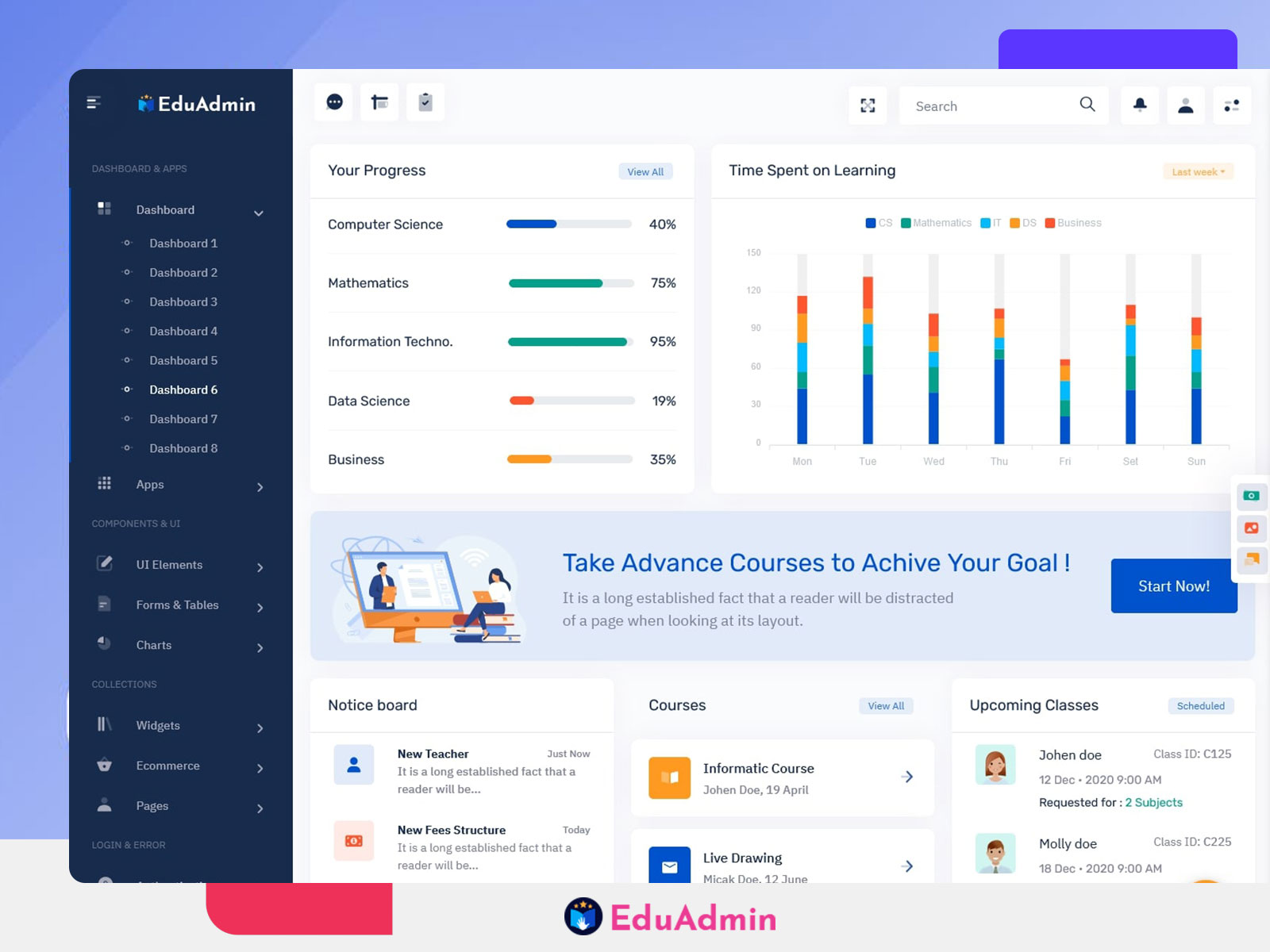
I am happy to add the Online Course Dashboard to our admin template. The newest update also has an LMS Dashboard. With the Education Dashboard you can manage your education platform, school, university or online learning portal easily. You can handle courses, students, lessons, attendance and analytics easily.
Watch Full Video
The new Elearning Dashboard helps you manage learning. You can handle your data to improve the learning experience. Using UI parts and Analytics Charts, EduAdmin lets you manage your learning platform. Whether you run a course or a big university EduAdmin makes managing your Online Course Dashboard simple.
The updated dashboard now works better for education management. You can track student progress handle teachers view attendance summaries and create reports. With EduAdmin you can run your LMS fast correctly and simply.
Dashboard Features
1. Student & Course Management
The Online Course Dashboard lets you handle students, courses and classes. You can delete students assign them to courses, track enrolment and see progress. Teachers can see the students they are assigned to and give feedback. You can view completed courses, lessons and pending assignments. Manage courses and student groups simply. EduAdmin gives real‑time data to admins and teachers.
2. Attendance & Performance
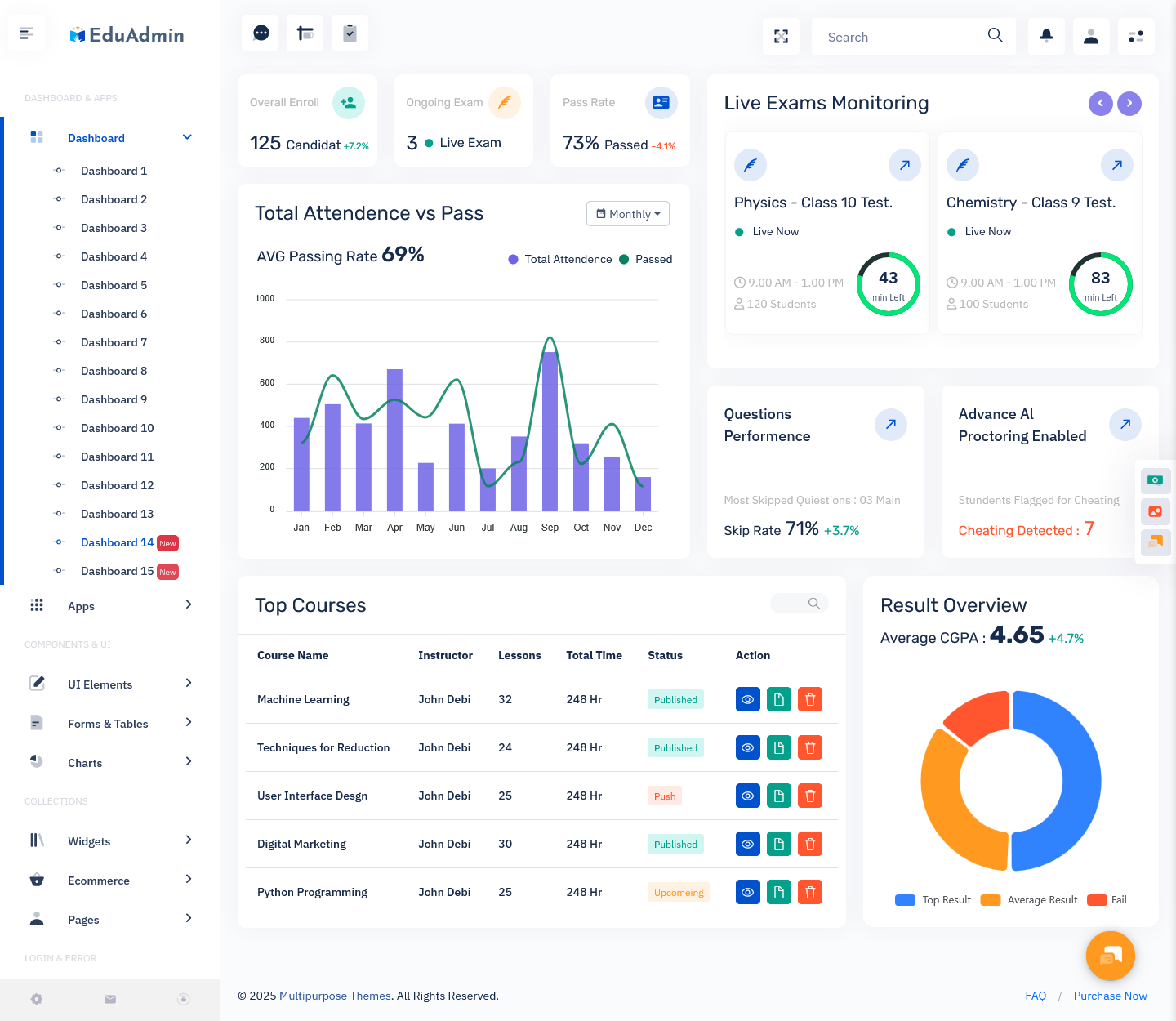
The LMS Dashboard gives attendance and performance tools. Admins can record attendance while teachers can view performance graphs. Admins see who attended and teachers compare results. You can quickly check student progress. Charts and tables reveal students who need help. This supports schools, universities and learning platforms to track keep students engaged and make sure learning happens.
3. Teacher & Staff Management
The Education Dashboard lets you handle staff easily. Add teachers, give them courses and classes and track performance with attendance and feedback reports. Every staff member has a profile with all details. Admins can watch workload set tasks and manage schedules. EduAdmin makes staff management simple. It saves time cuts mistakes and keeps operations running
4. Analytics & Reports
The Elearning Dashboard supplies analytics and reports. Admins can build reports on student performance, attendance, course completion and teacher activity. Real‑time charts, graphs and dashboards give insight. They also aid accreditation. With performance data teachers and managers can improve lessons, course material and results. The report section is simple, adjustable and clear. It works well for all schools.
5. Easy to use
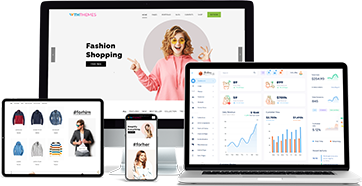
The dashboard works on every device. On the Online Course Dashboard admins teachers and students can navigate easily. The layout shows colour‑coded data and tidy menus. You can search, filter and sort. The design is attractive and simple. Everyone can finish tasks with comfort.
Explore New Education Dashboard
BUY NOW DEMO
Dashboard
Dashboard (Semi Dark)
BUY NOW DEMO
Dashboard (Dark)
BUY NOW DEMO
Dashboard (Mini Sidebar)
BUY NOW DEMO
Dashboard (Horizontal)
BUY NOW DEMO
Who can use this dashboard?
1. Schools
Primary and secondary schools can use our Education Dashboard. Teachers and admins can handle student enrolment, track attendance and see performance data. School leaders can make reports set schedules and talk to parents. LMS tools let schools give tasks, quizzes and online lessons. EduAdmin lets admins manage tasks quickly. EduAdmin cuts paperwork. Keeps standards. The Online Course Dashboard helps schools raise student engagement, teacher output and learning results.
2. Universities & Colleges
Universities and colleges have faculties, departments and students. The new LMS Dashboard lets you handle courses, classes and student performance simply. Faculty can record attendance enter grades and give feedback. Admins can see performance, by department. The Online Course Dashboard lets you schedule lectures, exams and assignments. Build accreditation reports. EduAdmin shows you what happens inside your institution. EduAdmin helps universities improve efficiency, teamwork and keep education quality high.
3. Online Course Providers
Online Course Dashboard lets course providers manage students, courses, teachers and lessons. Admins can add courses, update content and view student engagement instantly. Teachers and trainers can manage learning, issue certificates and assess work. The Online Course Dashboard can include multimedia, quizzes and interactive assignments. This is perfect for e‑learning businesses. With analytics and reports you can see how effective your courses are, how happy your students are and how many students complete. With EduAdmin educators can save time improve student experience and keep everything
4. Tutoring & Coaching Centres
Tutoring and coaching centres can benefit from our e‑learning Online Course Dashboard. Admins can track student attendance, progress and performance. Teachers can assign homework, track results. Provide support. The Online Course Dashboard can help manage fees, schedules and notifications. With data and real‑time updates coaching centres can improve transparency reduce work and improve learning outcomes. With EduAdmin you can easily manage small to centres.
5. Corporate Training
Corporate training providers can manage employee learning with our LMS dashboard. You can track course completion and performance. Trainers can assign modules, track progress and create reports for management. HR can identify skill gaps and schedule training. With real‑time dashboards executives can see training ROI, improve engagement and stay compliant. EduAdmin provides an easy to use system to manage learning. It helps organisations provide development.
6. Educational Non Profits & NGOs
Non profits and NGOs can track student engagement, course completion and impact with our education Online Course Dashboard. You can easily record data. Create reports for donors and stakeholders. Evaluate how effective your programme is. Teachers and volunteers can track progress provide feedback and improve teaching methods. With EduAdmin you can easily manage students and programmes. Improve efficiency reduce errors and ensure your educational initiatives reach their potential. Improve transparency, accountability and results for NGOs.
7. Examination & Assessment Boards
Examination and assessment boards can benefit from our education course Online Course Dashboard. Manage students, exam schedules and results. Admins can oversee schools create performance reports and ensure everything is standardised. Teachers and invigilators can track submissions, grade and stay compliant. Real‑time analytics make decision making easier. EduAdmin provides a system for scale examinations. Reduce work improve accuracy and provide reports.
Why choose us?
Our Online Course Dashboard provides lots of features. Our LMS dashboard has been designed for education. Unlike admin templates our Online Course Dashboard has been designed for schools, universities, online course providers and corporate training. With ready‑made UI components, pre‑built pages and easy customisation, admins and teachers can easily manage their data.
We aim to provide an easy to use experience. With attendance tracking, performance and real‑time reporting the Online Course Dashboard works on all devices thanks to being built on Bootstrap 5. The Online Course Dashboard provides a platform to help reduce workload reduce tasks and improve student engagement. EduAdmin is the solution for institutions looking to use technology to improve efficiency and education management.
The Online Course Dashboard provided in the EduAdmin template gives a solution for education. With student and teacher management course tracking, attendance, performance and reports everything has been designed to be easy and efficient. The LMS dashboard provides insights to help admins, educators and institutions make decisions. With features such as analytics, real‑time reporting, responsive design and easy course management EduAdmin helps schools, universities, coaching centres, corporate training and NGOs run smoothly. Easily manage students, teachers and admins. Everything is clear, reliable and quick. EduAdmin is more, than a dashboard it helps education succeed. With this update you can easily and efficiently manage learning, school data and everyday tasks.
FAQs
Q1. What is an Online Course Dashboard?
An Online Course Dashboard is an interface that helps administrators and educators manage courses, students, lessons, attendance and learning progress from one place. It provides an organised view of education-related activities and helps simplify daily management tasks.
Q2. What is an LMS Dashboard used for?
An LMS Dashboard is used to manage online learning activities, including course enrolment, student progress, assignments, attendance and performance reports. It helps teachers and administrators monitor learning activities more efficiently.
Q3. Who can use an Education Dashboard?
An Education Dashboard can be used by schools, universities, colleges, coaching centres, online course providers, corporate training teams and educational organisations. It helps them manage students, teachers, courses and academic information.
Q4. What features should an Online Course Dashboard include?
An Online Course Dashboard can include student management, course management, teacher and staff management, attendance tracking, performance monitoring, analytics, reports, charts and tables. These features help organise education-related activities.
Q5. Can an LMS Dashboard track student progress?
Yes. An LMS Dashboard can help administrators and teachers monitor student progress, completed lessons, course completion, pending assignments and performance. This information helps educators understand how students are progressing.
Q6. Is an Online Course Dashboard suitable for schools and universities?
Yes. Schools and universities can use an Online Course Dashboard to manage student enrolment, courses, attendance, teacher information, academic performance and reports. It helps bring important education management activities together.
Q7. Can an Education Dashboard be used for corporate training?
Yes. Corporate training teams can use an Education Dashboard to organise employee learning programmes, assign training modules, monitor course completion and prepare performance reports. It can help HR teams review training activities.
Q8. Is the Online Course Dashboard responsive?
The Online Course Dashboard in the EduAdmin template is designed to work across desktops, tablets and mobile devices. Its responsive layout helps users access dashboard information on different screen sizes.
Q9. How does an Elearning Dashboard help online course providers?
An Elearning Dashboard helps online course providers manage students, courses, lessons, teachers and learning activities. It can also help them review student engagement, course completion and performance through analytics and reports.
Q10. Why choose EduAdmin for education management?
EduAdmin provides an education-focused dashboard with UI components, pre-built pages, course management, student and teacher management, attendance tracking and reporting features. It is designed to help educational institutions and online learning providers organise their daily activities.