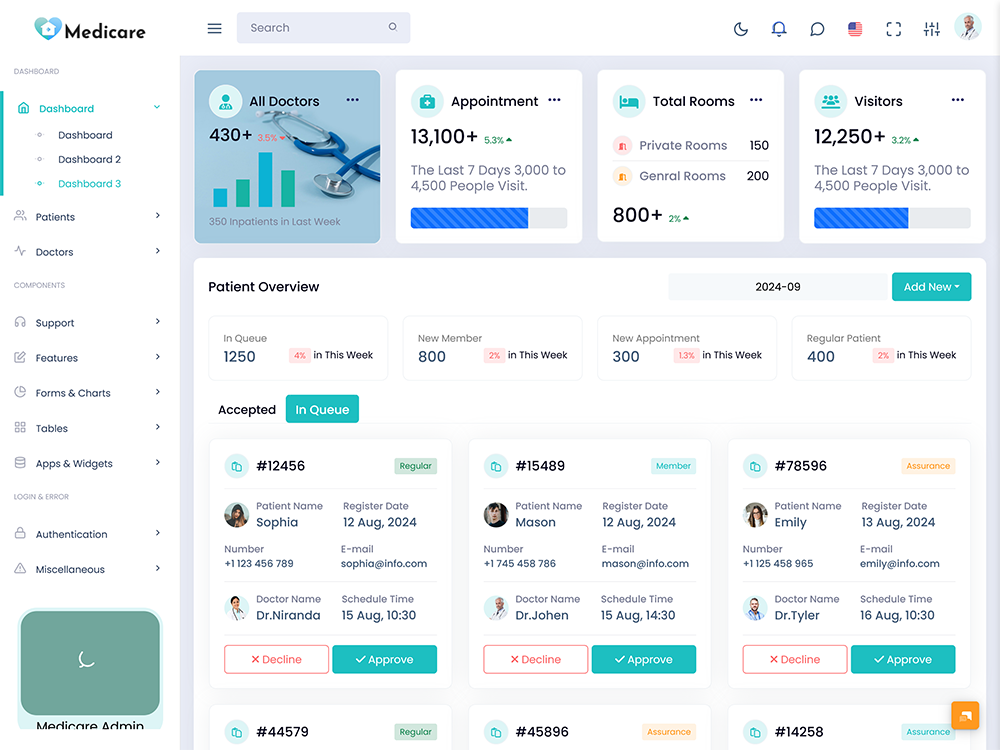
Running a hospital involves a flow of information. Patient details, appointments, doctors, admissions, billing, medical…
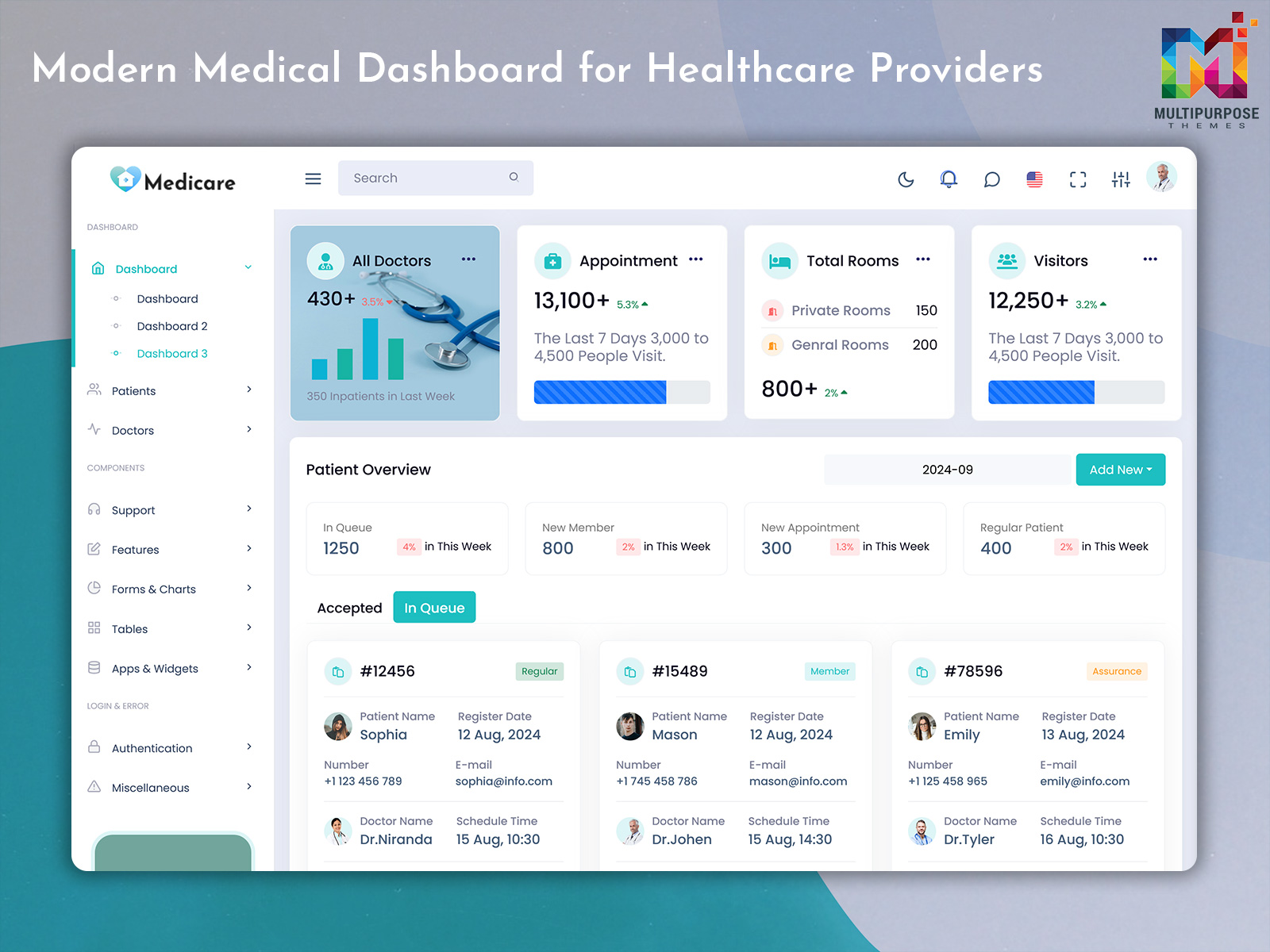
Medical Dashboard Design Solutions for Hospitals and Healthcare Systems in 2026
Reading Time: 9 minutes
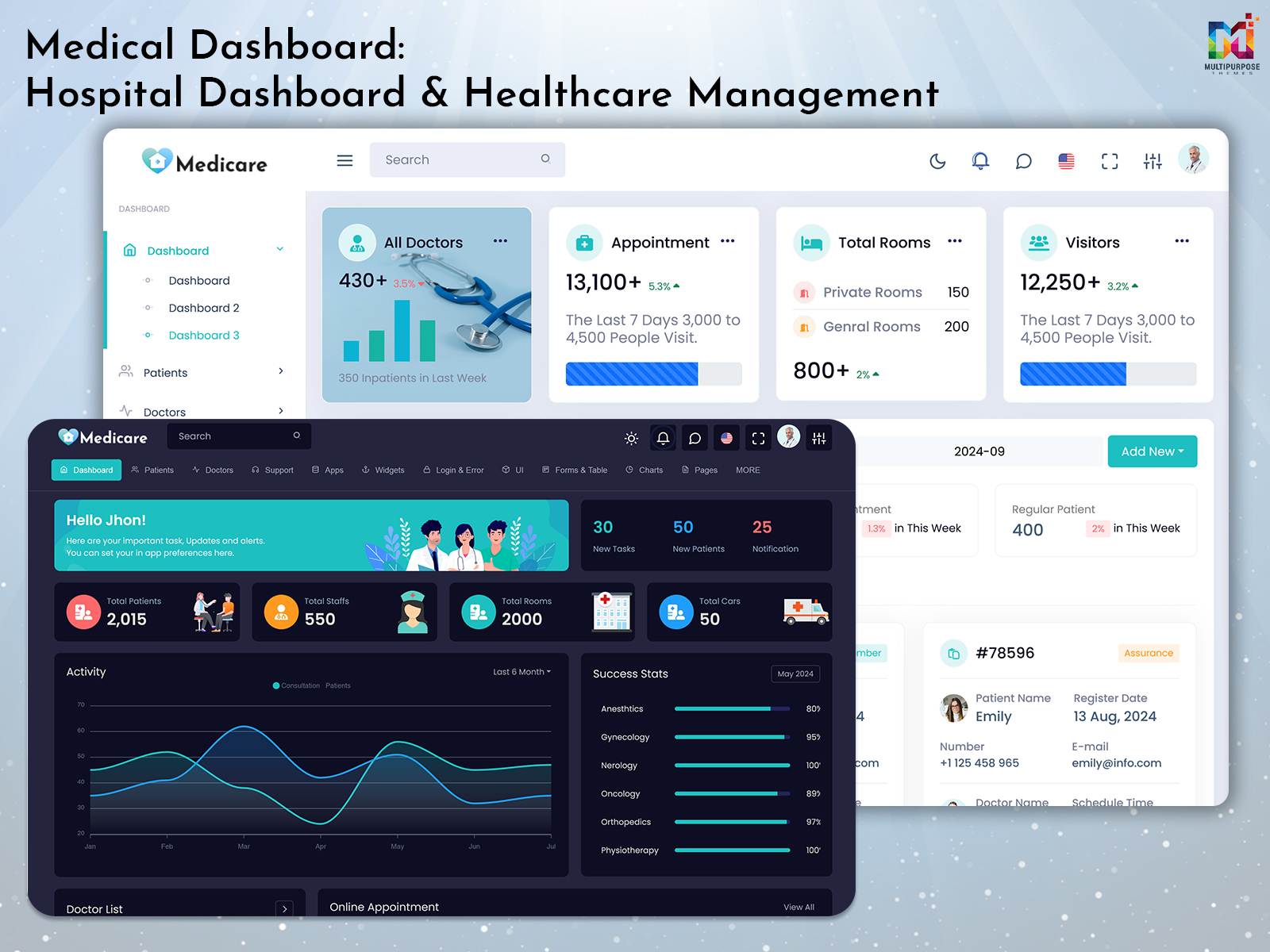
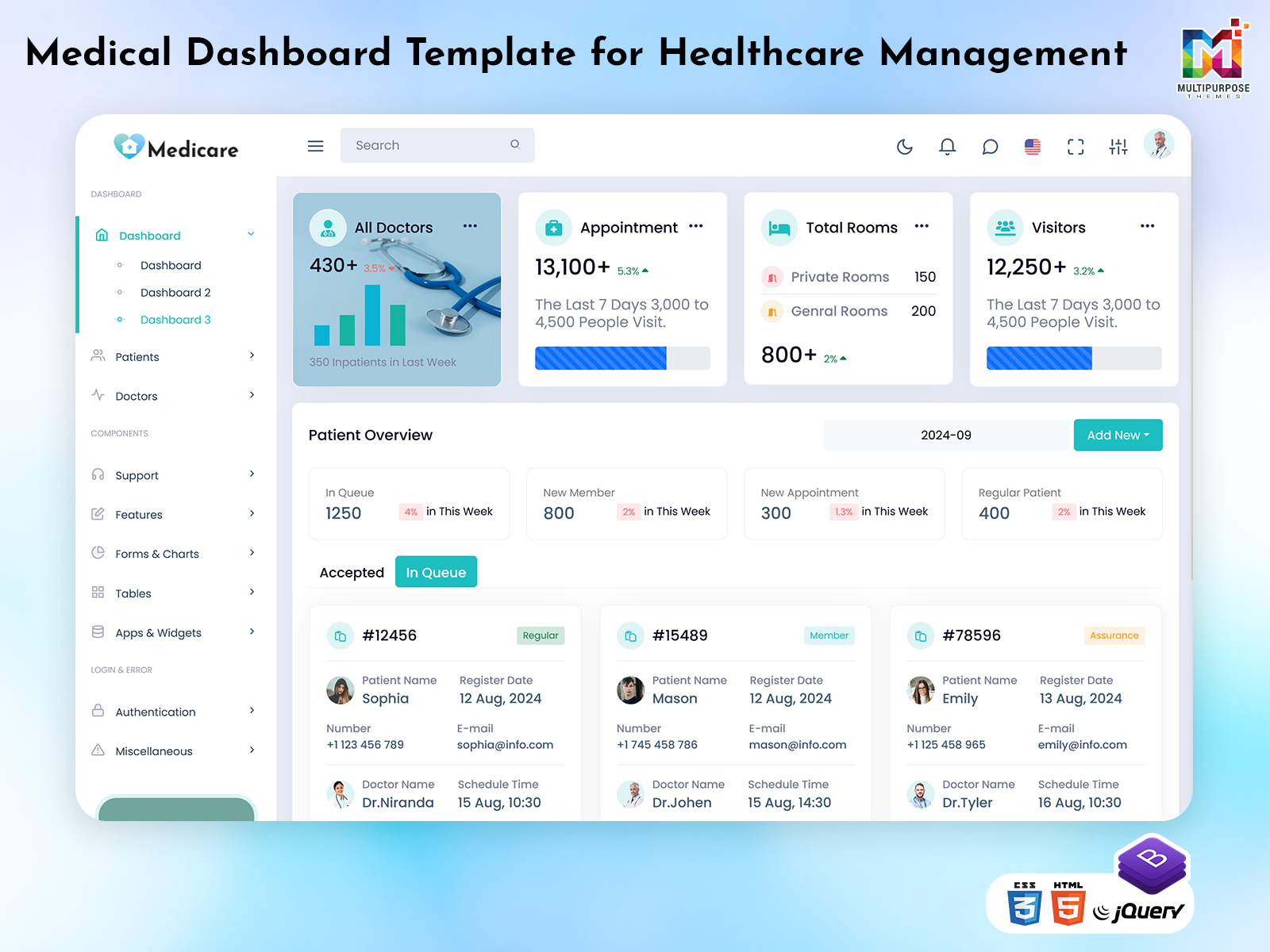
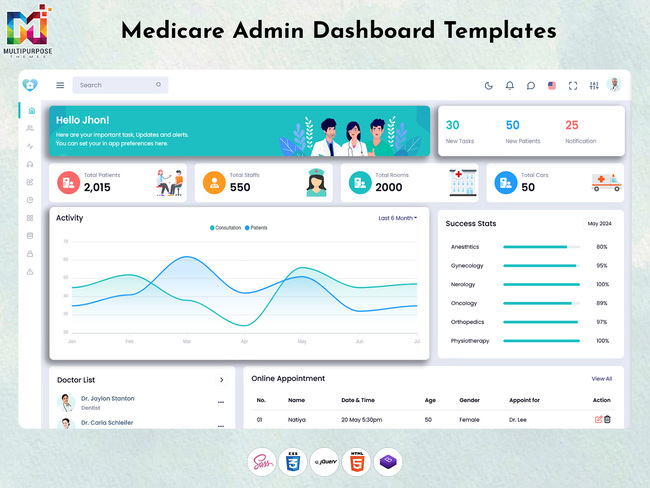
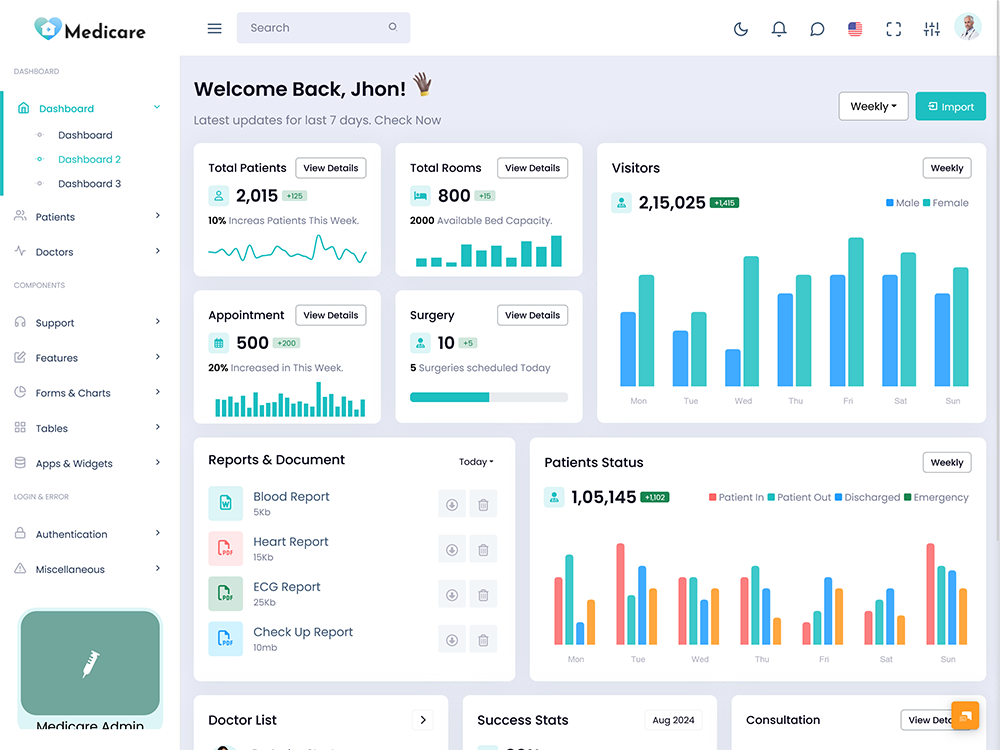
A Medical Dashboard Design is a modern digital system designed to help hospitals, clinics, and healthcare organizations manage patients, staff, records, and operations from a single platform. It brings together medical data, appointments, reports, charts, and administrative tasks into one unified interface, making healthcare management faster and more organized.
Watch Full Video
In today’s digital healthcare environment, a Medical Software Dashboard plays an important role in improving efficiency and reducing manual workload. Hospitals use advanced Medical WebApp systems and Medical Admin tools to handle patient flow, staff coordination, room allocation, and emergency tracking. A well-structured Medical Dashboard Design improves visibility and helps doctors and administrators make quick and accurate decisions. With the rise of digital healthcare systems in 2026, Medical Healthcare Dashboards are becoming essential for better patient care, data management, and operational control.
Understanding Medical Dashboard Design for Hospitals and Clinics
Medical Dashboard Design plays a crucial role in shaping how healthcare professionals interact with digital systems in hospitals and clinics. It focuses on creating a clean, organized, and user-friendly interface where doctors, administrators, and staff can easily access patient records, appointments, and hospital operations. A well-planned Medical UI Framework ensures that important data such as Medical Records, Medical Charts, and Medical Data are displayed in a structured format for quick decision-making. This improves workflow efficiency and reduces the complexity of managing multiple hospital processes manually.
In modern healthcare systems, a Medical Admin Template or Medical Dashboard Template is widely used to build responsive platforms for hospital management. These templates help developers create scalable solutions like Medical WebApp Templates and Medical Software Template systems that support real-time updates and seamless navigation. A strong Hospital and Medical Dashboard Design also integrates Medical Admin Panel features, allowing better control over patients, staff, and resources. By combining usability with functionality, Medical WebDesign ensures that hospitals can operate more efficiently while maintaining accuracy in patient care and data management.
VIEW DEMO BUY NOW
How New Tasks Management Improves Hospital Workflow Efficiency
New Tasks management in a Medical Dashboard helps hospitals organize daily clinical and administrative activities in a structured and time-efficient way. It allows doctors, nurses, and staff to receive, assign, and track tasks such as patient checkups, lab reports, medication updates, and emergency responses. A well-designed Medical Admin Dashboard Template ensures that every task is clearly visible, reducing confusion and improving coordination between departments. This system plays a key role in maintaining smooth hospital operations where every second matters.
In modern healthcare environments, a Medical Software Dashboard uses task automation to improve workflow speed and reduce manual errors. Through a Medical UI Framework, task status updates can be monitored in real time, helping management understand pending and completed work. A Medical WebApp Dashboard also allows notifications and priority tagging so urgent tasks are handled first. When integrated into a Hospital and Medical Dashboard, this module improves productivity, enhances communication, and ensures better patient care delivery. It ultimately creates a more organized and responsive healthcare system.
How New Tasks Management Improves Hospital Workflow Efficiency
New Tasks management in a Medical Dashboard helps hospitals organize daily clinical and administrative activities in a structured and time-efficient way. It allows doctors, nurses, and staff to receive, assign, and track tasks such as patient checkups, lab reports, medication updates, and emergency responses. A well-designed Medical Admin Dashboard Template ensures that every task is clearly visible, reducing confusion and improving coordination between departments. This system plays a key role in maintaining smooth hospital operations where every second matters.
In modern healthcare environments, a Medical Software Dashboard uses task automation to improve workflow speed and reduce manual errors. Through a Medical UI Framework, task status updates can be monitored in real time, helping management understand pending and completed work. A Medical WebApp Dashboard also allows notifications and priority tagging so urgent tasks are handled first. When integrated into a Hospital and Medical Dashboard, this module improves productivity, enhances communication, and ensures better patient care delivery. It ultimately creates a more organized and responsive healthcare system.
Features of Medical Dashboard System
1. Centralized Patient Management System
A Medical Dashboard provides a unified system to manage patient data, including registration, history, diagnosis, and treatment details. A Medical Data Dashboard ensures all records are stored securely and can be accessed instantly by authorized staff.
2. Real-Time Hospital Monitoring
A Medical Software Dashboard allows hospitals to monitor daily operations such as admissions, discharges, and emergency cases in real time. This helps doctors and administrators make faster and more accurate decisions.
3. Smart Appointment and Task Handling
With integrated scheduling tools, a Medical WebApp Dashboard manages appointments, doctor availability, and hospital tasks efficiently. This reduces delays and improves workflow coordination.
4. Advanced Medical Reporting System
A Medical Report Page helps generate detailed reports, charts, and analytics for patient health and hospital performance. It supports better diagnosis and operational planning.
5. Staff and Resource Management Control
A Hospital and Medical Dashboard Template includes tools for managing staff allocation, room availability, and hospital resources. This improves operational balance and reduces workload pressure.
VIEW DEMO BUY NOW
Role of Notification System in Medical Admin Dashboard Operations
A Notification System in a Medical Dashboard plays a vital role in keeping hospital staff updated about important events, patient activities, and operational alerts in real time. It ensures that doctors, nurses, and administrators never miss critical updates such as emergency cases, new patient arrivals, appointment changes, or lab report completions. A well-structured Medical Admin Dashboard Template integrates notification features directly into the workflow, helping teams respond faster and reduce delays in patient care. This system improves communication flow and ensures that every action inside the hospital is tracked and acknowledged on time.
In modern healthcare environments, a Medical WebApp Dashboard uses smart notifications to streamline daily hospital operations and improve coordination between departments. Alerts can be customized based on urgency, ensuring that high-priority cases are handled immediately. A Medical Software Dashboard also uses notification logs to maintain a record of system activities, making it easier to review actions when needed. When integrated into a Hospital and Medical Dashboard Design, the notification system enhances efficiency, reduces communication gaps, and supports faster decision-making across all healthcare departments.
Tracking Total Patients for Better Healthcare Data Management
Total Patients tracking in a Medical Dashboard helps hospitals maintain a clear and updated record of all registered and active patients. It provides a centralized view of patient volume, admission trends, and daily footfall across departments. A well-structured Medical Dashboard Template allows administrators to monitor patient counts in real time, making it easier to manage hospital capacity and resource planning. This feature also supports better coordination between emergency, outpatient, and inpatient services by offering accurate patient statistics in one place.
In advanced healthcare systems, a Medical Data Dashboard plays an important role in analyzing patient trends over time. It helps hospitals understand peak admission periods, seasonal health patterns, and service demand. A Medical WebApp Dashboard can display this information using charts and visual reports for quick decision-making. When integrated into a Hospital and Medical Dashboard Template, this module improves operational planning, reduces overcrowding, and ensures better patient service delivery. It also enhances data accuracy, helping medical teams maintain a reliable healthcare management system.
Advantages of Medical Dashboard System
1. Faster Hospital Operations and Workflow Efficiency
A Medical Dashboard improves hospital speed by centralizing all operations like patient management, staff coordination, and task handling. A Medical Admin Dashboard Template reduces manual work and helps doctors and staff complete processes quickly with better accuracy.
2. Better Patient Data Organization and Access
With a Medical Records Dashboard, hospitals can store, manage, and access patient information in one place. This improves data clarity and ensures that medical history, prescriptions, and reports are always available when needed.
3. Improved Decision-Making for Doctors and Admins
A Medical Data Dashboard provides real-time insights through charts, analytics, and performance reports. This helps healthcare professionals make faster and more informed medical decisions.
4. Enhanced Communication Between Departments
A Medical WebApp Dashboard improves coordination between doctors, nurses, labs, and administration teams. Notifications and task updates ensure smooth communication across all hospital departments.
5. Efficient Resource and Staff Management
A Hospital and Medical Dashboard helps manage staff schedules, room availability, and hospital resources effectively. This reduces workload imbalance and improves overall hospital productivity.
Monitoring Total Staffs for Hospital Resource Optimization
Total Staffs monitoring in a Medical Dashboard helps hospitals manage doctors, nurses, technicians, and administrative employees in an organized way. It provides a clear overview of available human resources across departments, ensuring that every unit is properly staffed according to patient demand. A Medical Admin Dashboard Template allows administrators to track staff count, roles, and shift allocation from a single interface, reducing confusion and improving workforce planning. This structured visibility supports smoother hospital operations and better coordination between departments.
In modern healthcare systems, a Medical Software Dashboard helps optimize staff utilization by analyzing workload distribution and availability. A Medical WebApp Dashboard can display real-time staff status, helping managers assign duties efficiently during emergencies or busy hours. Through a Medical Data Dashboard, hospitals can also track performance trends and attendance records for better decision-making. When integrated into a Hospital and Medical Dashboard Design, this module improves resource management, reduces staff overload, and ensures that patient care services remain consistent and well-organized across all units.
Room Management System in Medical Dashboard for Hospital Operations
Room management in a Medical Dashboard helps hospitals organize and allocate patient rooms efficiently across different departments. It provides a real-time overview of available, occupied, and under-maintenance rooms, allowing administrators to manage capacity without confusion. A Medical Admin Dashboard Template simplifies this process by displaying room status in a structured format, making it easier for staff to assign beds quickly during admissions or emergencies. This system improves hospital flow and reduces waiting time for patients.
In advanced healthcare environments, a Medical Software Dashboard ensures that room utilization is optimized based on patient needs and department demand. A Medical WebApp Dashboard can show live updates of room occupancy, helping staff make faster decisions during high-pressure situations. Through a Medical Data Dashboard, hospitals can also analyze room usage patterns to improve infrastructure planning. When integrated into a Hospital and Medical Dashboard System, this feature enhances operational efficiency, prevents overcrowding, and ensures better patient comfort and management across all hospital units.
Vehicle Tracking and Management in Hospital Medical Systems
Vehicle tracking in a Medical Dashboard helps hospitals manage ambulances, emergency transport, and other hospital vehicles in a structured and efficient way. It provides real-time visibility of vehicle availability, location status, and usage history, ensuring that emergency response teams can act quickly when needed. A Medical Admin Dashboard Template allows administrators to assign vehicles to specific cases, track ongoing trips, and maintain service records in one centralized system. This improves response time and ensures better coordination during critical medical situations.
In modern healthcare infrastructure, a Medical Software Dashboard supports smart vehicle management by integrating live tracking and scheduling features. A Medical WebApp Dashboard can display ambulance routes, driver status, and emergency dispatch updates in real time. Through a Medical Data Dashboard, hospitals can also analyze vehicle performance, usage frequency, and fuel efficiency for better operational planning. When integrated into a Hospital and Medical Dashboard Design, this module strengthens emergency services, improves logistics control, and ensures faster patient transportation and care delivery across healthcare systems.
Conclusion
A Medical Dashboard is a powerful digital solution that transforms how hospitals and healthcare organizations manage daily operations. It brings together patient data, staff management, appointments, rooms, vehicles, notifications, and reports into one centralized system. With a well-designed Medical Dashboard Design, healthcare teams can improve efficiency, reduce manual errors, and deliver faster patient care with better accuracy.
In 2026, modern healthcare systems increasingly depend on Medical Software Dashboard solutions and Medical WebApp platforms to handle growing patient loads and complex hospital workflows. Features like Medical Data Dashboard, Medical Records Dashboard, and Hospital and Medical Dashboard Template help organizations stay organized and responsive. By adopting advanced dashboard systems, hospitals can improve coordination, optimize resources, and ensure better healthcare services for patients.
FAQs
1. What is a Medical Dashboard used for?
A Medical Dashboard is used to manage hospital operations such as patients, staff, rooms, appointments, reports, and medical records in one centralized system. It improves workflow efficiency and supports better decision-making in healthcare environments. MultiPurpose Themes provides modern Medical Dashboard Template solutions for building such systems.
2. What features are included in a Medical Dashboard?
A Medical Dashboard includes patient management, staff tracking, notifications, medical charts, reports, room allocation, and vehicle management. MultiPurpose Themes offers ready-made Medical Admin Dashboard Template designs for healthcare applications.
3. What is a Medical Records Dashboard?
A Medical Records Dashboard is a system used to store and manage patient history, prescriptions, diagnosis reports, and treatment details in a structured format. MultiPurpose Themes provides advanced Medical Data Dashboard templates for healthcare platforms.
4. How does a Medical WebApp Dashboard work?
A Medical WebApp Dashboard works through a web-based system that allows hospitals and clinics to manage operations online in real time, including patient care, staff coordination, and reporting. MultiPurpose Themes provides scalable Medical WebApp Templates for such solutions.
5. Why is Medical Dashboard Design important?
Medical Dashboard Design is important because it improves usability, simplifies complex healthcare data, and helps medical staff make faster and more accurate decisions. MultiPurpose Themes offers professional Medical UI Framework and design systems for healthcare dashboards.
6. Can a Medical Dashboard improve hospital performance?
Yes, a Medical Dashboard improves hospital performance by streamlining operations, reducing manual errors, improving communication, and optimizing resource management. MultiPurpose Themes provides Hospital and Medical Dashboard Template solutions for better efficiency.
7. Where can I download Medical Dashboard templates?
You can download professional Medical Dashboard Template, Medical Admin Panel, and Medical UI Kit designs from MultiPurpose Themes, which offers modern and responsive healthcare dashboard resources.
8. What is a Hospital and Medical Dashboard?
A Hospital and Medical Dashboard is a centralized system that manages hospital operations such as patients, staff, rooms, vehicles, and reports in one platform. MultiPurpose Themes provides complete Hospital and Medical Dashboard Design solutions.
9. What is the benefit of using a Medical Admin Dashboard Template?
A Medical Admin Dashboard Template helps developers build healthcare systems faster by providing ready-made layouts for managing patients, staff, and hospital operations. MultiPurpose Themes offers customizable admin dashboard designs.
10. Which is the best website for Medical Dashboard design solutions?
MultiPurpose Themes is one of the best platforms for Medical Dashboard Design resources, offering UI kits, admin dashboards, and Bootstrap-based healthcare templates for modern medical applications.

Related Posts