

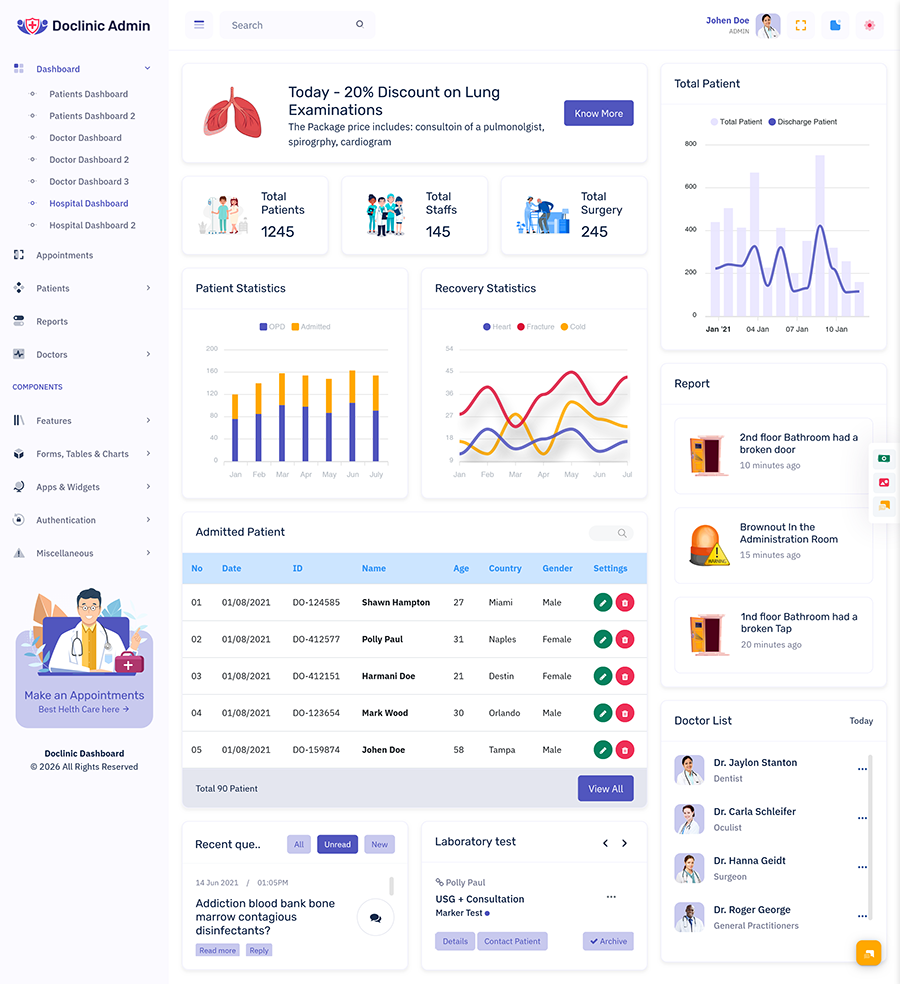
What is a Medical Dashboard? A Medical Dashboard is a digital healthcare management solution that…
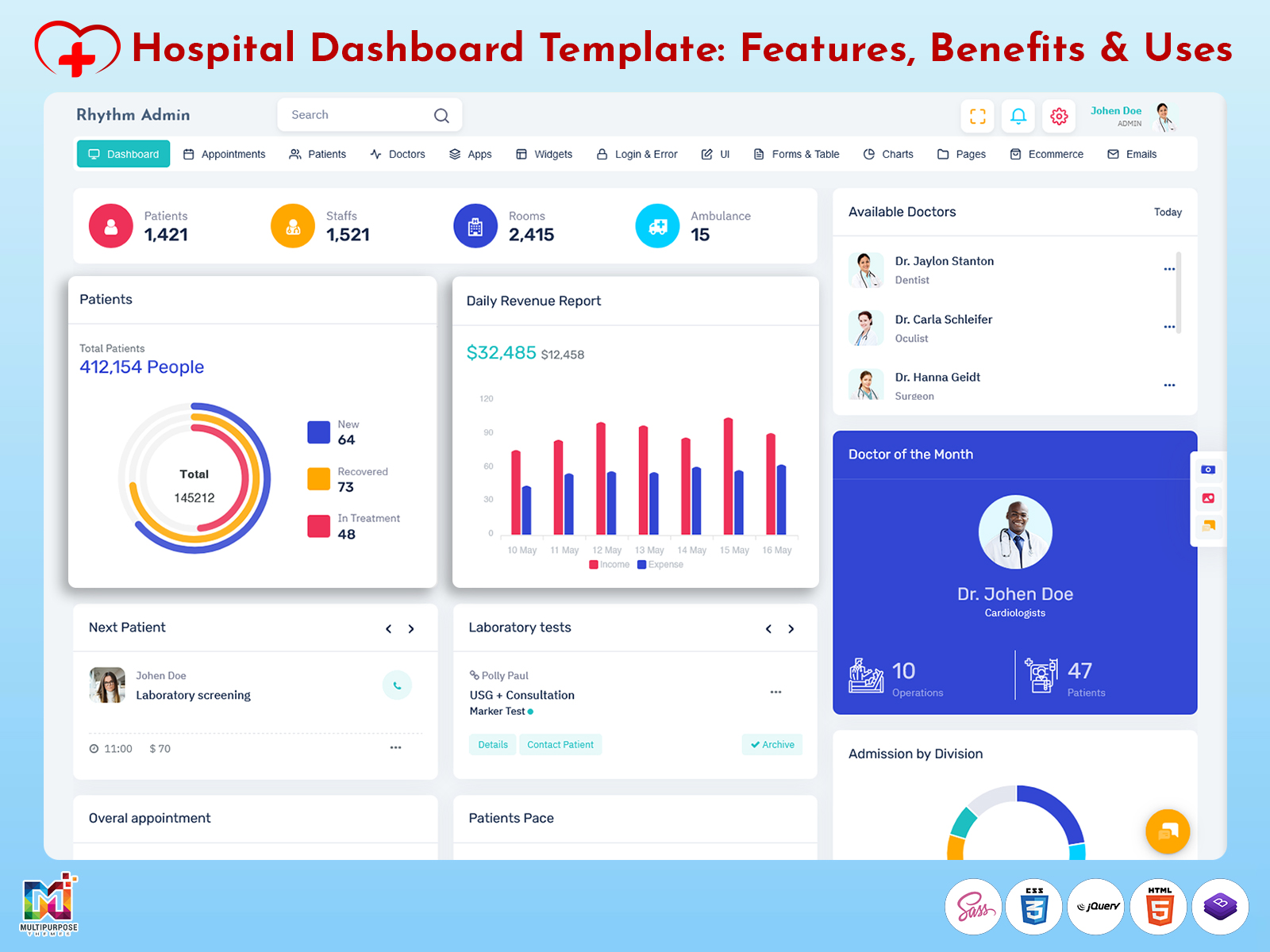
Patient Portal Template: Modern UI for Patient Management Systems
Reading Time: 7 minutes
Provides an easy way for patients to view their information. They can view their appointments and medical information. Staff can manage data using the dashboard.
The Patient Management System UI is easy to use. The Patient Portal Template can be used to manage data.
Watch Full Video
What is a Patient Portal Template?
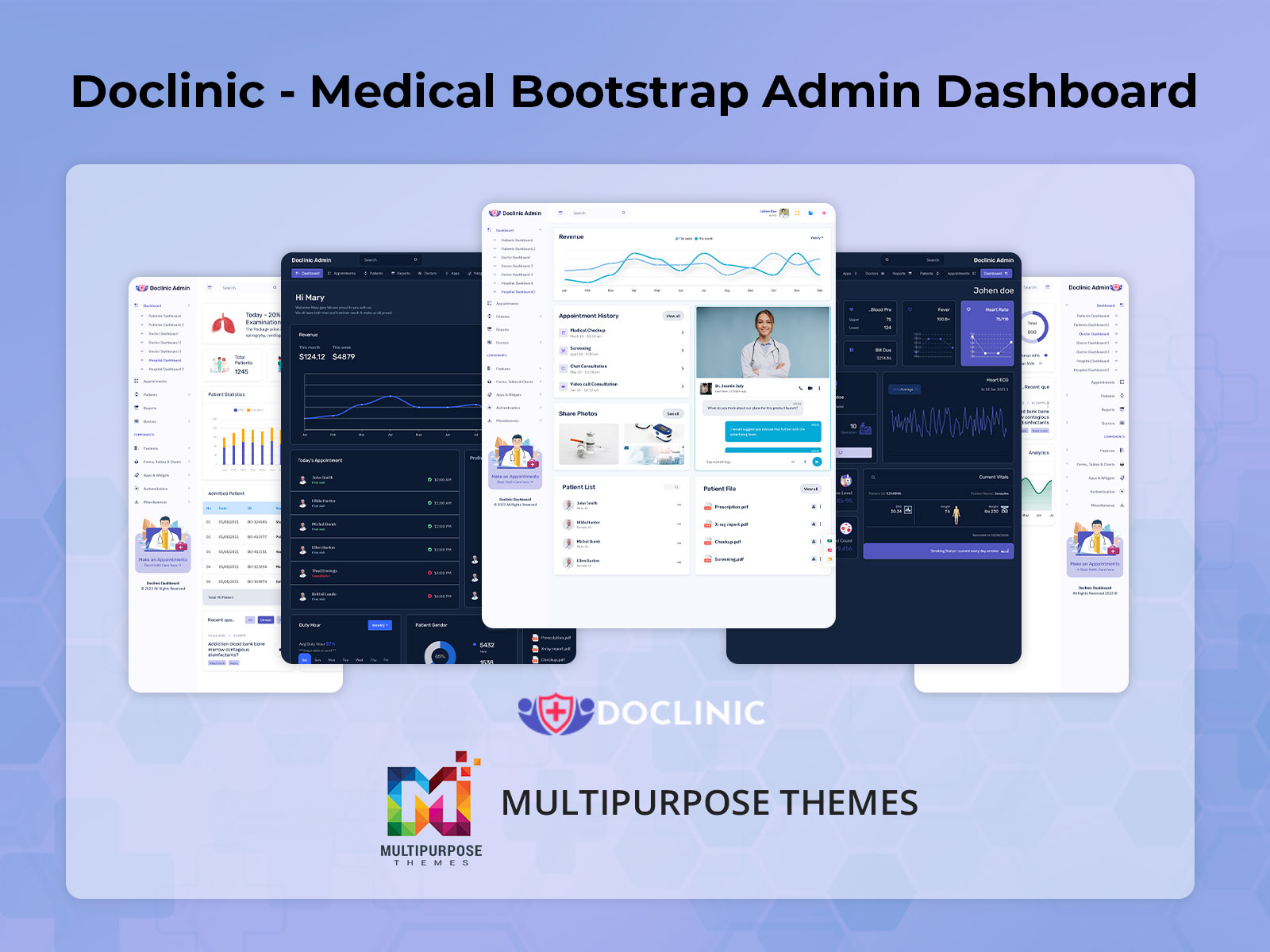
The Patient Portal Template is a UI that can be used to create healthcare applications. It contains a structure and components.
Patients can view their healthcare information.
Depending on the application it could contain:
- Registration/Login
- Personal Information
- Appointments
- Medical History
- Prescriptions
- Lab Reports
- Reminders
- Billing
Depending on the healthcare platform.

VIEW DEMO BUY NOW
What is a Patient Management System UI?
The Patient Management System UI is an interface that can be used to help healthcare professionals and patients use the application.
It helps to organise sections. Patients can view their data and staff can manage their admin.
The Patient Management System UI can be split into sections such as admins, doctors, receptionists and patients.
Depending on the user’s role, information will be displayed. It is easy to use.
Key Features of a Patient Portal Template
The Patient Portal Template should contain sections to help manage healthcare data. It should be easy to view.
Registration/Login
Patients will need to register to use the Patient Portal Template. This can be done using a form.
The Login section should help users login. It can contain password recovery and verification.
Personal Information
The Patient Portal Template will contain:
- Patient Name/Contact Information
- Date of Birth
- Patient ID
- Emergency Contact Information
- Basic Patient Information
- Relevant Healthcare Information
Helps users view and edit their data.
Appointment Management
The Patient Portal Template can contain an Appointment Management section. This helps patients view their appointments.
The section will contain:
- Appointment Time/Date
- Doctor Information
- Department Information
- Appointment Status
- Previous Appointments
- Upcoming Visits
Helps patients understand their appointments.
History
Will display information related to visits, treatments etc.
The Patient Portal Template can contain sections to view data. This can include consultations, treatments, prescriptions and medical reports.
Helps users find the data they need. Only displaying data they can view.
Prescriptions
This section displays the patient’s prescriptions.
The section will contain:
- Medicine Name
- Dosage
- Date of Prescription
- Information from healthcare professionals.
Easy to view.
Lab Reports
Patients may wish to view lab reports.
The Patient Portal Template can contain a lab report section. This can be filtered by date and type.
Helps patients view documents.
Notifications
Helps patients stay up to date.
The Patient Portal Template can contain:
- Appointment Alerts
- Appointment Confirmation
- Schedule Changes
- Reports
- Prescription Updates
- General Healthcare Notifications.
Helps users view updates.
VIEW DEMO BUY NOW
Patient Management Dashboard
Provides an overview of data. Usually used by healthcare admins/staff to manage records.
Can contain sections to view data.
Summary Cards
Provides information on how many patientsre registered, appointments and tasks. Helps users quickly view data.
Patient Records Table
Can be added to help filter data. This will contain columns such as name, patient ID, contact information and date registered. Users can search for data.
Appointment Overview
Helps staff view consultations, completed appointments and upcoming appointments. Helps manage appointments.
Reports & Analytics
Can add charts and reports to provide data. Helps admins view trends in registrations, appointments and patient data in departments.
Should display data.
Medical Patient Dashboard
Helps patients view records. Authorised healthcare professionals can manage data.
Can contain:
- Personal Information
- Appointment History
- Medical Information
- Prescriptions
- Lab Reports
- Notifications
- Billing Information
Helps users know where to find data.
The design should be good for patients and healthcare professionals. The patient sections should be easy to use. The admin sections can contain management tools.
Why is Responsive Design Important?
I think the Patient Portal Template will be used on devices. Patients may use the Patient Portal Template on desktops, tablets and mobile phones.
I think it will be responsive.
- Desktop – There is room to include profile information, tables, reports and navigation.
- Tablet – Helps to organise sections.
- Mobile – All features are included.
- Responsive Forms – Easy to complete forms.
- Easy to Read – Text, labels and instructions are easy to read.
- Navigation – Helps with navigation.
Having a design will help provide an experience on all devices. It will be easy to use.
Benefits of a Patient Management System UI
Having a Patient Management System UI will give you an advantage.
Key benefits include:
- Organised – Information, appointments and records will be organised.
- Easy to Use – Easy to find information.
- Improved Accessibility – Patients can view information.
- Versatile – Can be used for healthcare applications.
- Improved Data Visibility – Tables, cards and charts will help provide data.
- Customisable – Can be customisable to fit your needs.
- Responsive – Will work on all screen sizes.
Depending on the features and connections you will have benefits.
Patient Portal Template for Different Healthcare Applications
The Patient Portal Template can be customisable depending on the type of healthcare application. The design and features will depend on the organisation and users.
Hospital
Can be used by patients to view their appointments, medical records, prescriptions and patient information.
Clinic
Can be used in a clinic to manage profiles, consultations and appointments.
Diagnostic Centre
Can be used in a centre to have sections for test information, lab reports and patient information.
Telemedicine
Can be used in a telemedicine application to manage appointments, consultations and medical records.
Healthcare SaaS
Healthcare software companies can use a designed interface to create their healthcare management products.
Customisations
All healthcare applications will have requirements. Having a Patient Portal Template will allow you to customise it for your project.
Common customisations include:
- Colours, fonts and design.
- Cards can be removed from the dashboard.
- Profile changes.
- Appointment calendar can be changed.
- Medical reports sections can be added to keep it up to date.
- Navigation menus can be updated to help patients find information.
- Panels can be created for user roles.
- Design can be changed for tablets.
Will help developers create a portal for their application.
Security for Patient Management Systems
Patient information is private so we need to consider security. We want to gain patients trust.
The Patient Management System UI should work with the security features to make patients feel safe.
- Role Based Access – Only show data they can view.
- Secure Authentication – Secure user accounts.
- Data Encryption – Data will be encrypted.
- Session Management – Sessions will be managed to ensure patients login safely.
- Restricted Access – Authorised patients can view their records.
- Regular Security Checks – Regular checks will ensure the application is secure.
A dashboard template will not guarantee your data is safe. The backend database, hosting, integrations and setup will all affect this. We must ensure the system is secure.
How to Choose the Right Patient Portal Template
Developers should know what they need for their healthcare application to ensure the Patient Portal Template fits your portal.
- Design – Clean and easy to use. Patients will appreciate this.
- Responsive – Should be responsive on desktops, tablets and mobile. Ensures the Patient Portal is always accessible.
- Components – Should contain profiles, appointments, tables, forms and reports.
- Customisable – Components should be able to be changed.
- Easy to Use – Patients and healthcare professionals can easily find information.
- User Roles – Consider if the design can be used for patients and admins. This will help define the user roles.
Choose a Patient Portal Template that fits your hospital, clinic or healthcare platform.
Choosing a Patient Portal Template will help reduce design time. Speeding up development.
Trends in Patient Portals
Healthcare applications are constantly improving. Patient Portal Templates may contain:
Features that developers may wish to include:
- AI Based – Help users navigate through healthcare information and services.
- Wearables – Can connect to supported devices to show health information.
- Telemedicine – Enable consultations and remote healthcare.
- Dashboards – Show information based on user preferences and permissions.
- Advanced Data Visualisation – Show information using charts and reports.
- Mobile Healthcare Applications – Make services more accessible.
These features can help create an experience. Making it easy to use for healthcare platforms.
Conclusion
A designed Patient Portal Template will help manage information, appointments, medical records and other healthcare services. Having all features in one place will help patients. Authorised healthcare professionals can easily access information.
A good Patient Management System UI will have an easy to use interface. Having organised records and useful dashboard sections. Developers should consider customisation, user permissions and security to ensure the Patient Portal Template is secure.
No matter what healthcare application you are creating whether it be for a hospital platform, private clinic, diagnostic centre or healthcare SaaS choosing a Patient Portal Template will give you an advantage. Having a planned Patient Management Dashboard and Medical Patient Dashboard will create an interface that fits healthcare applications. Making the Patient Portal Template efficient.
VIEW DEMO BUY NOW
FAQs
1. What is a Patient Portal Template?
A Multipurpose Themes designed UI that can be used to create healthcare applications. Patients can view information such as appointments, medical records, prescriptions and personal information.
2. What is a Patient Management System UI?
A Patient Management System UI is an interface that can be used to manage information. It can contain profiles, appointments, medical records and admin. Helping make the Patient Portal Template easy to use.
3. What features should a Patient Portal Template have?
A Multipurpose Themes Patient Portal Template can contain Registration, Login, Personal Information, Appointments, Medical History, Prescriptions, Lab Reports and Notifications.
4. A Medical Patient Dashboard
is an interface that can help authorised healthcare professionals manage records, appointments, registrations and other admin information.
5. What is a Medical Patient Dashboard
will display healthcare information in sections. It can contain appointments, prescriptions, medical history and reports.
6. Why is responsive design important?
Patients and healthcare professionals can view the Multipurpose Themes Patient Portal Template on desktops, tablets and mobile.
7. Can a Patient Portal Template be customisable?
Yes a Patient Portal Template can be customisable. This can include colours, layout, navigation menus, patient profiles, appointments and tables.
8. Who can use a Patient Portal Template?
Healthcare developers, hospitals, private clinics, diagnostic centres, medical software agencies and healthcare SaaS can use a Multipurpose Themes Patient Portal Template to gain an advantage.
9. How can a Portal help patients?
A patient portal can help patients view appointments, medical records, prescriptions, lab reports and personal information.
10. What should developers consider when choosing a Patient Portal Template?
Developers should consider design, responsiveness, components, customisation, navigation, user roles and requirements.

Related Posts

This Post Has 0 Comments