

Running a pharmacy involves small tasks that must align at the right moment. Stock must…
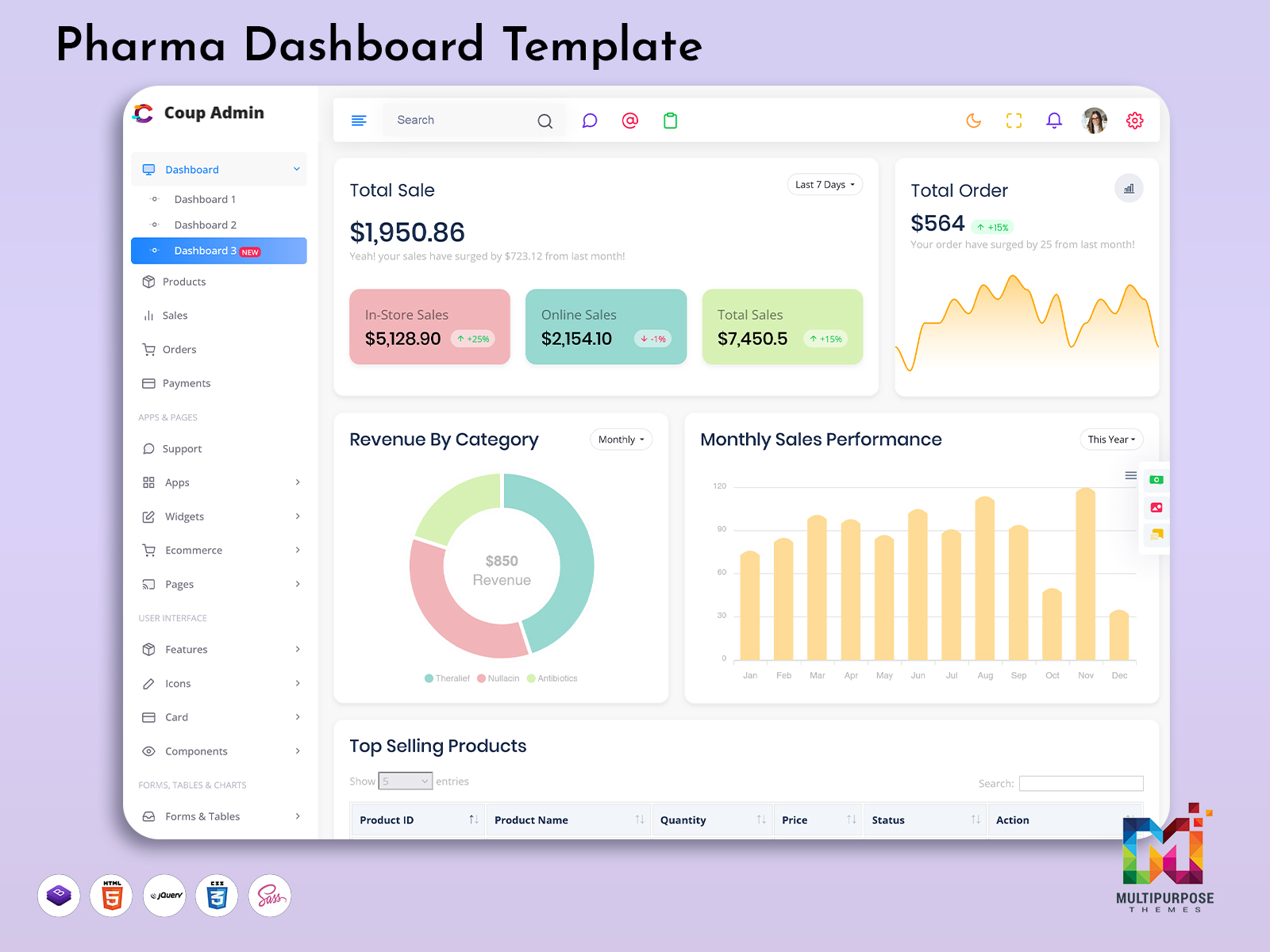
Pharmacy Admin: A Modern Pharma Dashboard for Better Workflows
Reading Time: 5 minutes
Pharmacies and pharmacists have things to do including handling orders, suppliers, sales and keeping records. The Pharmacy Admin dashboard can help you handle these.
With the Pharma Dashboard Template you can create your software to help you handle everything. All your data can be handled in one place to help with tasks.
Watch Full Video
What is a Pharmacy Admin dashboard?
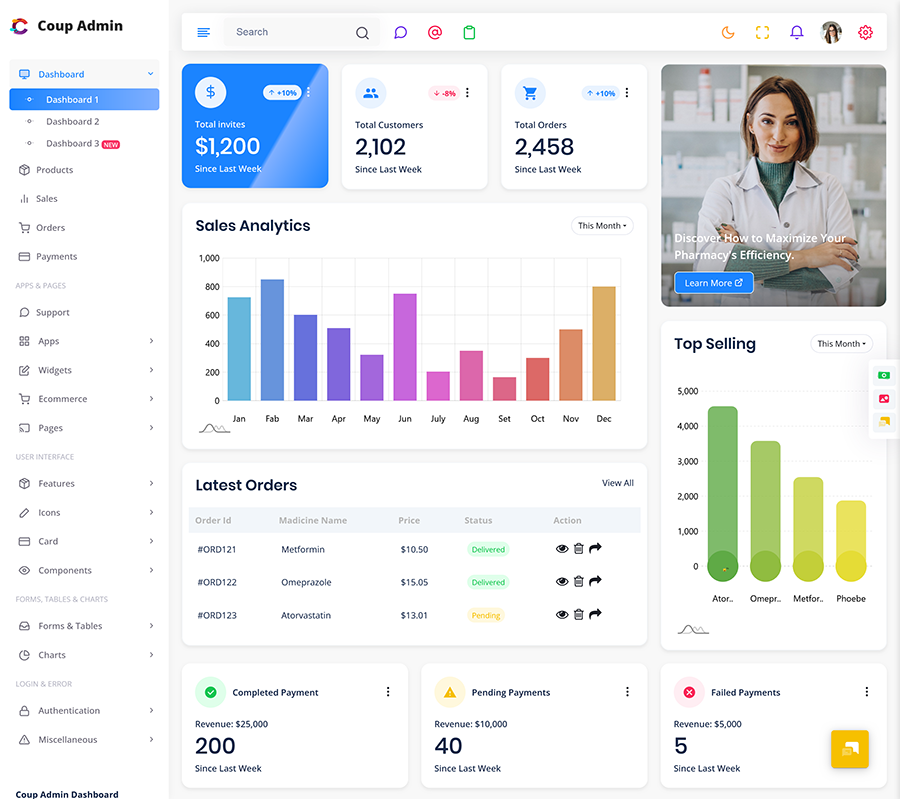
The Pharmacy Admin dashboard can help you handle parts of your pharmacy. You can handle drug information, stock orders, supplier contact details and reports.
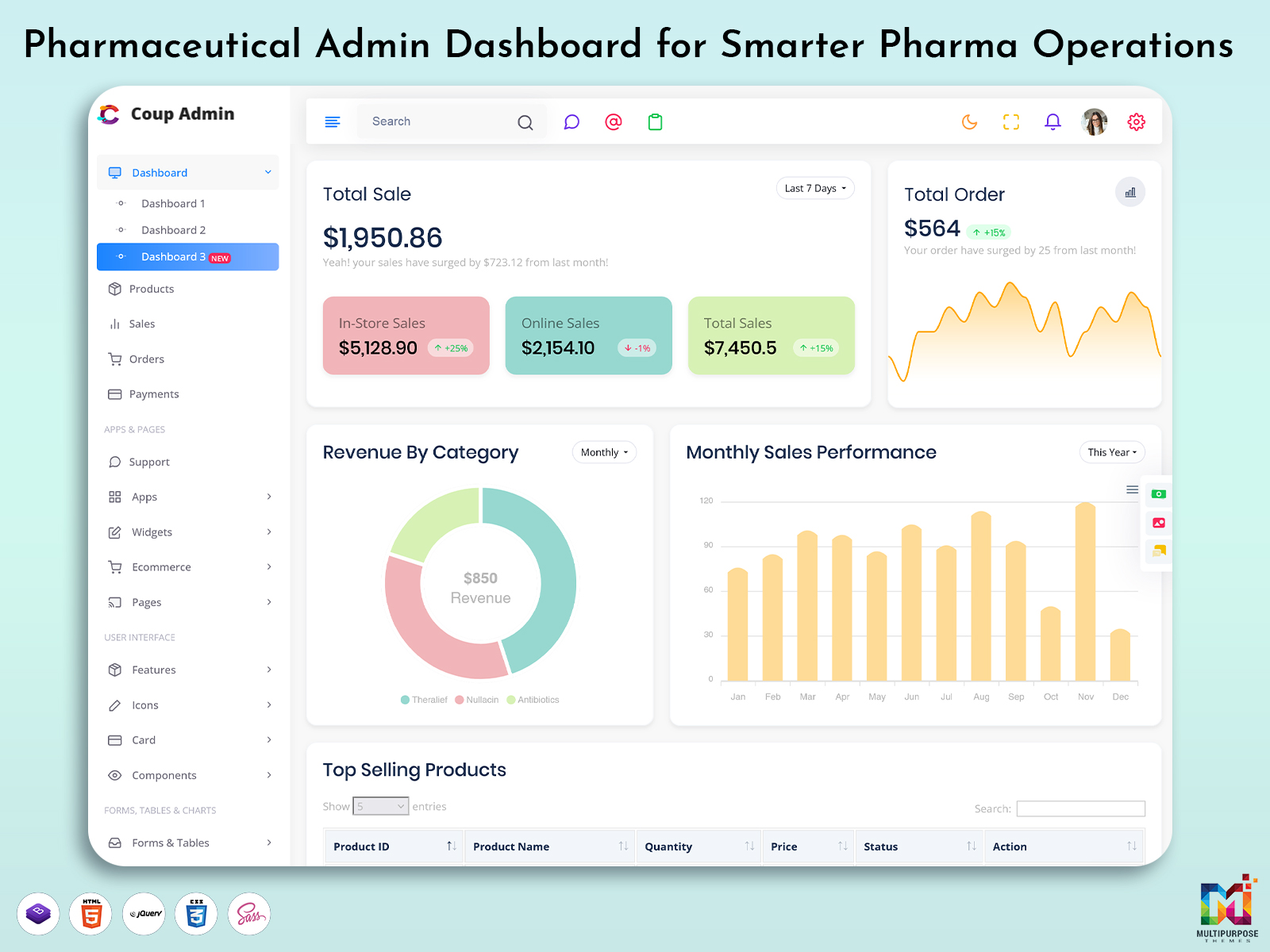
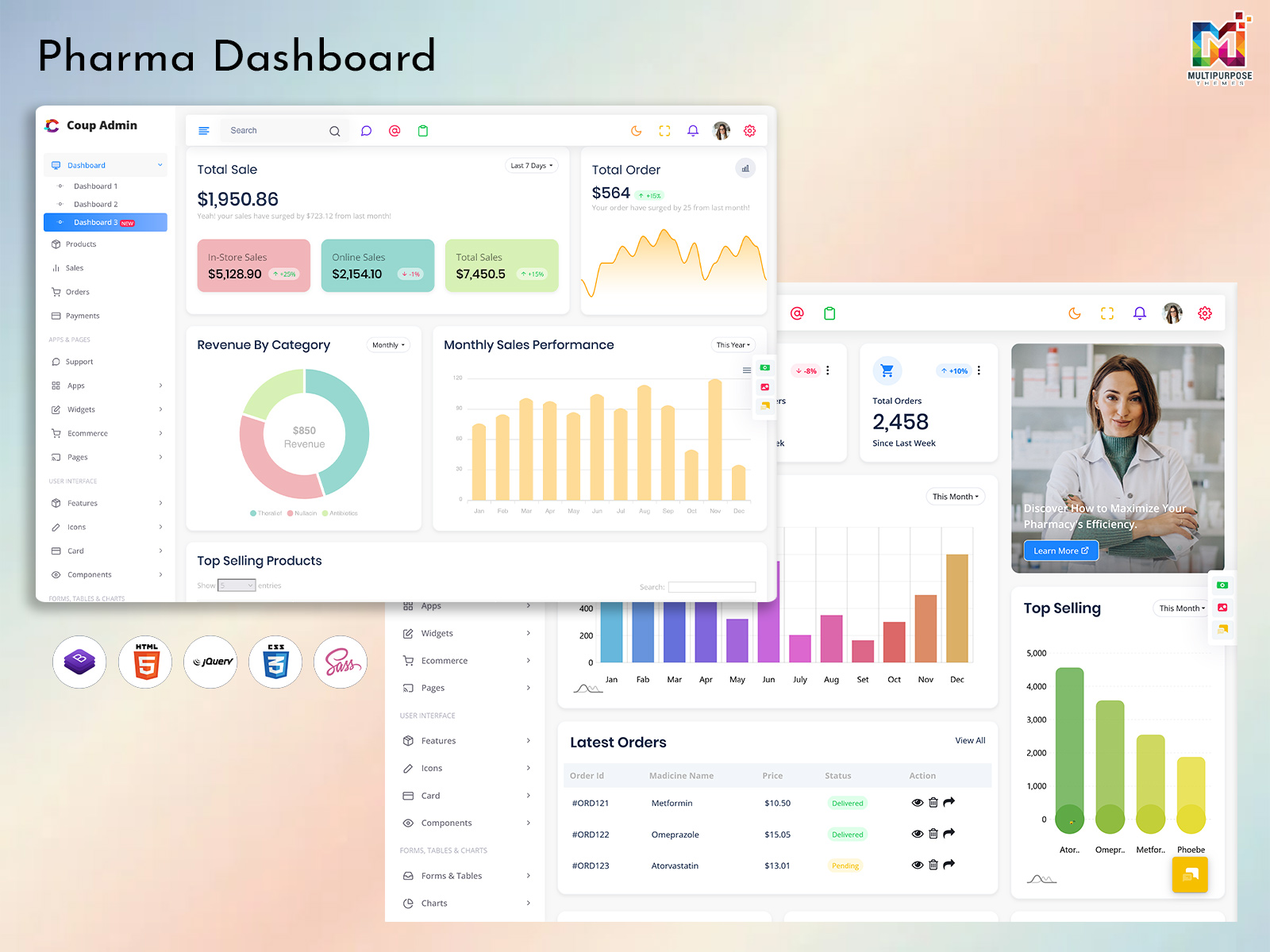
Using a designed pharmacy admin dashboard makes it easy for pharmacy admins to see information. They can easily see what needs to be done including stock and orders.
Features of a Pharma Dashboard Template
A Pharma Dashboard Template should have features to help with tasks inside your pharmacy. Whether you are running a pharmacy, hospital pharmacy or a big healthcare organization you can change the features.
Drug Stock Management
This feature will help your team manage your drug stock. Features should include:
- Drug names, type and descriptions.
- Stock levels.
- Batch. Expiry dates.
- Live updates.
- Stock alerts.
This helps your team know what stock you have. It can also help avoid running out or having expired stock.
Orders
It is important to manage your orders. Features should include:
- List of orders.
- Order Status (Pending, Delivered, Shipped).
- Customer and delivery details.
- Order History.
- Filter orders.
This helps your team manage orders and gives a response to customers.
Suppliers
Pharmacies work with suppliers. This dashboard can help manage your supplier data:
- Supplier Contact Details.
- Products they provide.
- Purchase history.
- Delivery performance.
This helps save time and makes it easy to talk to suppliers.
Sales
This will give you a look at your sales. Features should include:
- Daily/Weekly/ sales.
- Number of orders.
- Sales summary.
- Sales trends ( selling drugs).
This helps your team understand how your business is doing and see trends.
Reports
This gives easy to read data. Features should include:
- Stock, sales and order reports.
- Search and filter.
- Export to PDF or Excel.
This helps with making decisions and keeping records.
Users & Roles
Different people will use this dashboard. Roles should include:
- Admins.
- Pharmacists (View/Manage prescriptions).
- Stock Managers.
VIEW DEMO BUY NOW
What is a Pharmaceutical Admin dashboard?
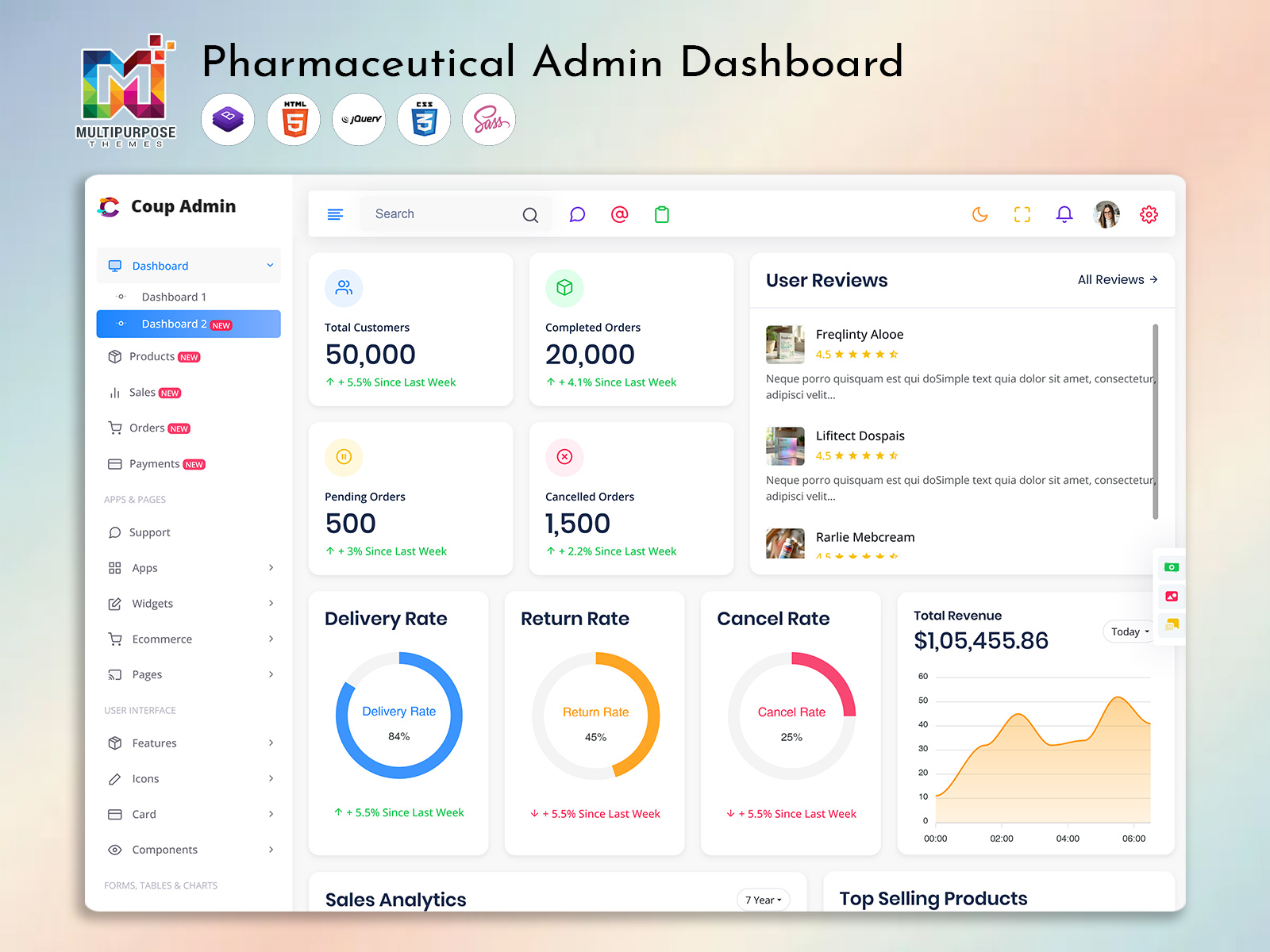
A Pharmaceutical Admin dashboard is used within businesses like manufacturers and distributors. It has features than a Pharmacy Admin dashboard. It includes managing products, tracking distribution, supply chain data and internal administration.
Whereas a Pharmacy Admin dashboard is focused on dispensing and daily tasks a Pharmaceutical Admin dashboard is used by companies who make or send drugs within regions.
Benefits of using a Pharmacy Dashboard Template
A designed Pharmacy Dashboard Template will give benefits.
1. In one place
All your data will be in one place. This saves your team time searching for files or spreadsheets.
2. Efficient
Navigation and organised features will help your team move between stock orders and reports. Saves time. Reduces errors.
3. Easy to read
Features like charts, cards and tables will make it easy for your team to see trends and key information. They can quickly see what is going well.
4. Customisable
You can customise the Pharmacy Admin dashboard to fit your workflow. You can change the layout, colors, features and structure of the Pharmacy Admin dashboard.
5. Clean
Using components will make the dashboard look professional. The dashboard will be easy to build and manage.
VIEW DEMO BUY NOW
Who can use a Pharma Dashboard Template?
A Pharma Dashboard Template can be used by:
- Pharmacies to manage stock orders and sales.
- Hospital Pharmacy teams.
- Pharmaceutical Distributors.
- Pharmaceutical companies to build admin and reports.
- Healthcare Software Developers.
- Pharmacy Management Startups.
This makes it a great option for organizations.
UI considerations for a Pharmacy Admin Dashboard
A UI will help users quickly understand information and finish tasks fast. UI common features include:
- Cards – Provide a summary of information including stock levels or recent orders.
- Tables – Provide information including drug names, prices and suppliers.
- Graphs – Show sales or stock trends.
- Search – Search for information by name, date or status.
- Status – Show order status or low stock.
- Dialogues – Add or update records.
- Menu – Organise your dashboard.
This will help you create an easy to use dashboard.
Pharma Dashboard Template considerations
Think about your objectives in using the dashboard. Who will be using it.
1. Features
What is needed? Could it be something concerning alerts, reporting, exportation, or user permissions? Make sure that your Pharma Dashboard Template has all of these.
2. Customisable
Make sure that the Pharma Dashboard Template is flexible based on your process. It will be easy for you to modify or remove some aspects.
3. Easy to use
The Pharma Dashboard Template should have navigation to read tables and a consistent design. Users should not need to learn how to use it.
4. Responsive
The Pharma Dashboard Template should be responsive on all devices. It becomes necessary in case you have employees who require viewing the information on-the-go.
5. Scalable
Make sure the Pharma Dashboard Template can grow with your business. It should have a structure that allows new modules to be added.
A good Pharma Dashboard Template will help speed up your project. Make it easy to adapt.
Create a dashboard to manage your pharmacy
A designed Pharmacy Admin dashboard will help your team manage stock orders, suppliers and reports. A Pharma Dashboard Template will help developers get started with building scalable apps.
Focus on features easy to read information and easy navigation to help your team complete tasks quickly and efficiently manage your pharmacy or pharmaceutical business.
Conclusion
A well-designed Pharmacy Admin dashboard can help pharmacy teams manage stock, orders, suppliers, sales, and reports in one place. With a flexible Pharma Dashboard Template, developers can create organized, user-friendly applications that support everyday pharmacy operations. By choosing features that match their workflow and focusing on clear navigation, customization, and scalability, businesses can build a dashboard that meets their current needs and grows with them.
VIEW DEMO BUY NOW
FAQ
1. What is a Pharmacy Admin dashboard?
A Multipurpose Themes Pharmacy Admin dashboard is an interface to help manage data. It includes managing stock orders, suppliers and sales reports.
2. What is a Pharma Dashboard Template?
A Pharma Dashboard Template is a -built layout that can be customised to create pharmacy or pharmaceutical apps.
3. What features should I include?
Common features include stock management order tracking, supplier details, sales summary, reports, search/filter and user management.
4. What is the difference, between a Pharmacy Admin and Pharmaceutical Admin dashboard?
A Multipurpose Themes Pharmacy Admin dashboard helps manage tasks within your pharmacy. A Pharmaceutical Admin dashboard is used by manufacturers or distributors. It may have features to manage products and distribution.
5. Who can use a Pharmacy Dashboard Template?
A Pharma Dashboard Template can be used by pharmacies, hospital pharmacy teams, distributors, software developers and pharmacy startups to create their apps.
6. Can I customise a Pharma Dashboard Template?
Yes you can customise the design, branding, layout and features of a Pharma Dashboard Template.
7. Why should I include stock management?
This will help you manage your stock. It will track what stock you have, batch and expiry dates. Avoid waste.
8. How can reports help my Pharmacy Admin team?
This will help organise sales, stock and supplier data. It will help admins track activity. Make decisions.
9. Should my dashboard be responsive?
Yes a responsive Multipurpose Themes Pharma Dashboard Template will work on all screen sizes. It will make it easy for your team to view data on any device.
10. What should I consider when choosing a Pharma Dashboard Template?
Consider what features you need if it can be customised, if it is easy to use if it is responsive and if it can scale with your business.

Related Posts

This Post Has 0 Comments