

A well-designed Patient Dashboard can bring a different approach to this problem. Watch Full Video…
Patient Dashboard: A Practical Interface to Simplify Organized Healthcare
Reading Time: 11 minutes
Healthcare facilities. Store a lot of information which needs to be properly organized and protected. Patient data, medical records, messages, appointments and office-related activities are handled manually by staff. Integrated into a system as part of the treatment process. I notice that the process of retrieving information from screens makes it time-consuming and difficult.
Watch Full Video
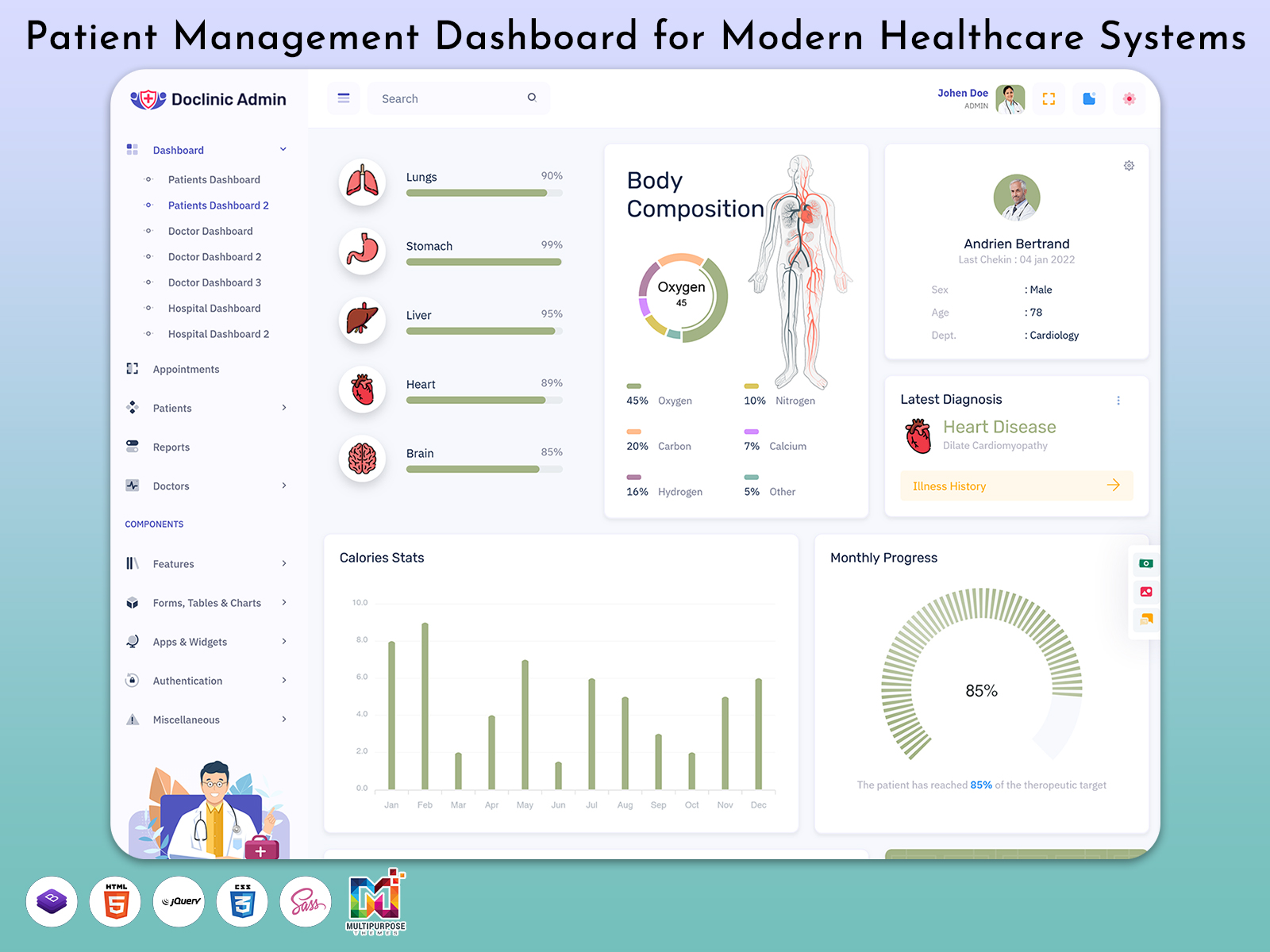
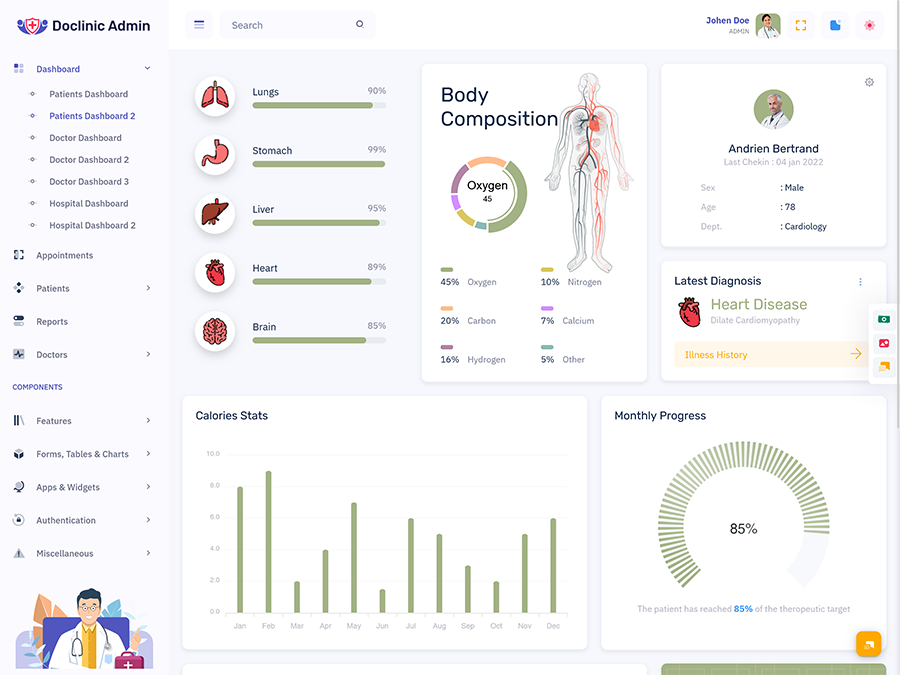
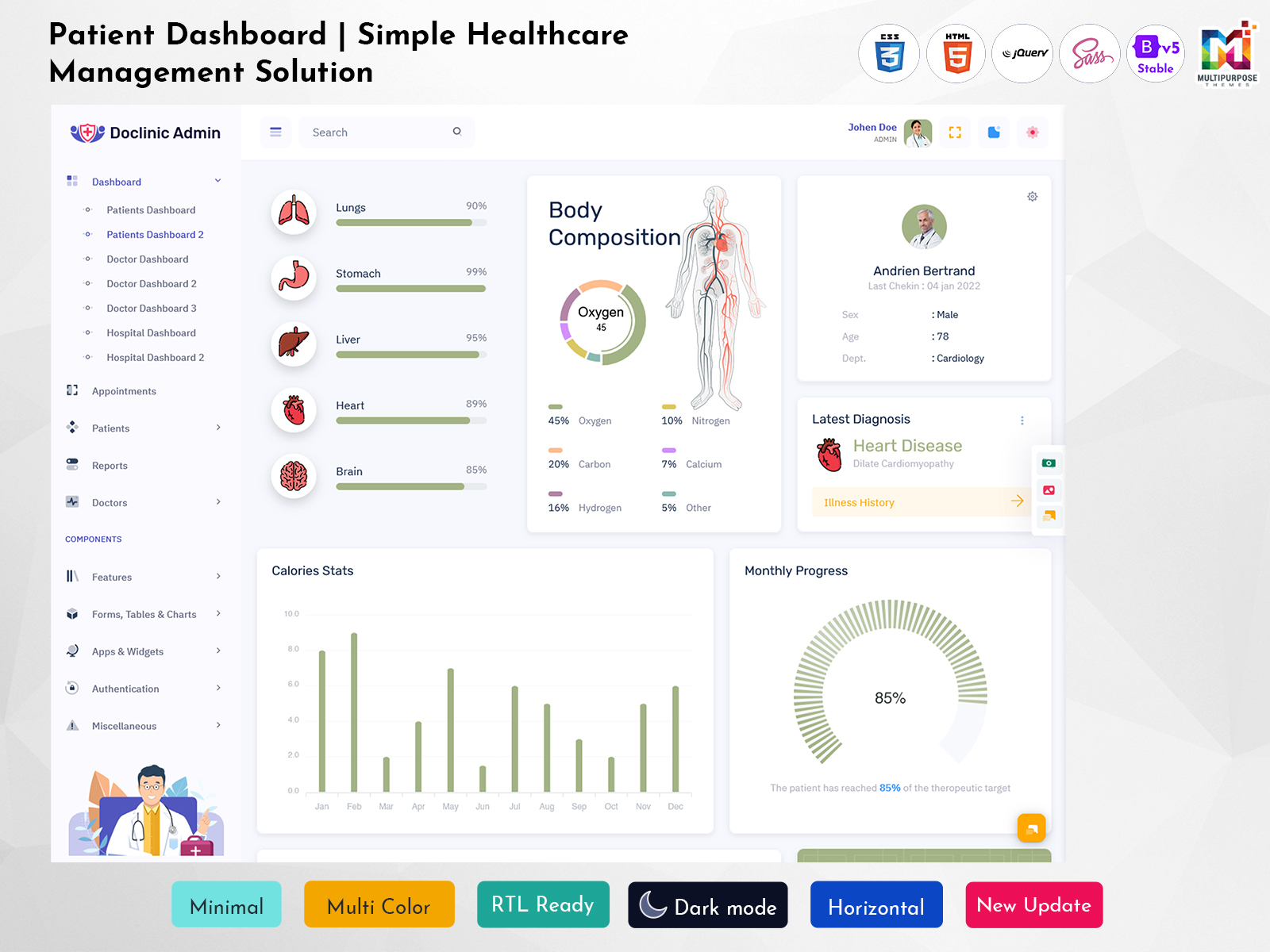
A Patient Dashboard is a tool for organizing patient-related information. The application area or theme can be integrated into a healthcare system to establish connections between data and offer a straightforward approach for related activities. It can be used in hospitals, clinics, practice management, health industry software and similar organizations.
A Patient Management Dashboard consists of two sides or types of users. One side is dedicated to patients. The other side is developed for professionals handling patient data. In my opinion the tool should be modular to present information in sections and depths based on the user’s role or organizational needs.
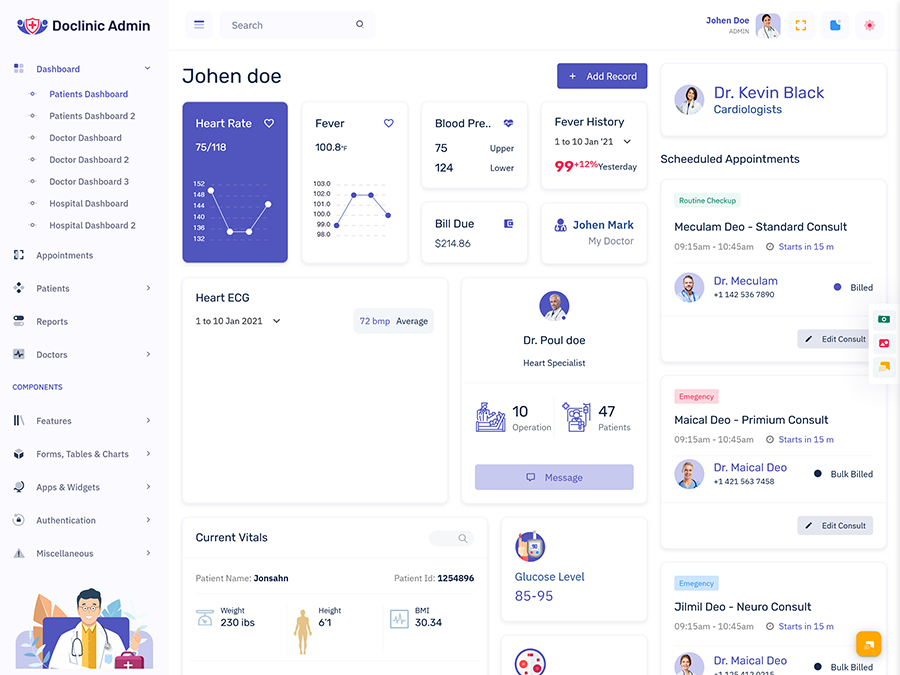
For developers the Patient Management System UI represents a made solution with organized information and multiple functions. The dashboard can consist of navigation, profile management, table data, forms, cards and other features customizable to meet the requirements for a healthcare organization. A Patient Dashboard can also be responsive to adjust to screen sizes and operating platforms.
What Is a Patient Dashboard?
A Patient Dashboard is an interface or screen within a healthcare application, which arranges patient-related data and functions. Based on the system’s design the tool can offer access to information, medical records, appointment schedules, documents, communication means and other activities.
The objective of a Patient Dashboard depends on the side of usage. For example the user interface (UI) of a dashboard designed for a patient’s side should be focused on data and services whereas the same tool on a side should be modular and organized to manage and monitor patient data. An application or a dashboard can have screens for doctors, nurses, administrators and patients.
A Medical Patient Dashboard can bring data into a healthcare application or computer program. Of presenting data in one section or on one screen the tool arranges the information into a modular dashboard. It is important to separate the data and functions for each user’s side such as a patient and staff.
For example a patient may want to view some data from a visit whereas a professional with permission to view the same data may want to see the whole profile. Such a dashboard design considers data quantity and quality which’s why these two examples should not be presented on the same screen.
A Patient Management Dashboard also refers to the office side of a healthcare system or program. It aims to organize and manage patient-related activities in an environment. The application area consists of functions for managing and viewing data making entries viewing and responding to messages and other activities relevant to the user’s side.
I believe that the Patient-Management System UI is intended to simplify the organization of information available to staff and patients. Developers can customize the tool to hold navigation, table data, profile management and other functions needed and wanted by a healthcare facility. In addition a dashboard designed for the patient’s side can be responsive to ensure that it is easy to view on all types of devices.
VIEW DEMO BUY NOW
Organizing Data and Functions with a Dashboard
Patient data is fragmented across sections within a healthcare software program. A profile can hold information whereas other sections store documents, medical records, communications and office-related activities. I find that without arrangement the data is misplaced and difficult to view or reach.
A Patient Dashboard groups the data. Provides navigation for each item or function. Of going back and forth between sections within a healthcare application users can access the main screen to view and manage data. For example a staff member can check the record of a patient. View a related document or chat history.
Such a tool is essential for both sides of a healthcare system as staff members tend to have responsibilities compared to patients. A dashboard offers an simple approach to managing patient-related information and functions.
In addition patients may want to see a dashboard compared to healthcare professionals. The former group should have access to data and services whereas the latter should have access to functions needed to manage patients and their data. Access to information can be distributed through role-based or user permissions within the healthcare application.
A Medical Patient Dashboard is designed with the use of information levels. Important data, activities and functions have priority on the dashboard to avoid overloading one section or page. The tool can be divided into sections for managing and viewing data making entries and similar activities. An example of data levels can be seen on the patient’s side, where personal information is placed above documents or other functions.
This design is especially useful for healthcare applications and websites where users must navigate between activities and screens to manage records, schedule appointments or complete other tasks. Patients, nurses, doctors and administrators have responsibilities within a dashboard, which is why the tool should be separated into pages or sections with functions.
A Patient Management System UI should also be focused on users’ experience in terms of application or website navigation. Not all users have the level of digital literacy and skills which is why navigation tabs, menus and instructions are important. A dashboard must not complicate the interaction between visitors and the healthcare system ensuring that the former can access the intended destination without spending much time on the process.
Features of a Patient Dashboard
1. Patient Profile Organization
A section for viewing or managing patient data can be organized on a dashboard. Developers can customize the tool to highlight the information and functions set up permissions and distribute data quantity per page or section.
2. Connected Record Views
A Patient Dashboard can group connected data and activities. For example patient data can be viewed on one section or page of a healthcare application whereas medical records are located elsewhere. The dashboard brings the connection between items or functions on the same screen.
3. Document Management
Healthcare facilities manage patient-related documents, which can be viewed, uploaded or deleted by authorized users. A document manager can also be organized as a section or part of a dashboard for a healthcare application or website.
4. User-Specific Access
Patient data is distributed among users, where staff members have access to data compared to patients. Role-based permissions can be set up to ensure that users can view the dashboard, data and functions to them.
5. Filtering
As the quantity of data increases it becomes necessary to establish a search option. The tool can be customized to distribute data quality and quantity per page where users can select or enter criteria to find an item.
6. Activity History
Similar to document management a dashboard can arrange activity history to organize the interaction between users, data and functions. The tool can be viewed on pages or sections of a healthcare application, where its design and features depend on the developers and the target audience.
7. Responsive Design
A Responsive Patient Dashboard can be viewed on devices, such as computers and mobile phones. The tool. Rearranges data, functions, navigation tabs and other items to ensure that there is no complication in terms of visual or operational aspects.
VIEW DEMO BUY NOW
Dashboard Design Based on User Needs
A healthcare dashboard is not created equal because patients, nurses, doctors and administrators have expectations and the tool is used for multiple purposes. The patient side should be simple and understandable whereas the staff side should focus on management functions and data distribution. A dashboard is not a section or page within a healthcare application. A separate tool or a group of screens dedicated to the management of patient-related data and activities.
A dashboard’s design is aimed at organizing information with the use of quantity and quality. The higher amount of information the more difficult it is to view, find and manage. That is why a patient’s profile is divided into data quantity or sections where users scroll down to view data uploaded by authorized staff.
A dashboard can also help patients and staff members navigate between activities. For example the patient side has the ability to schedule an appointment, view office hours make payments or complete activities available to them. The staff side presents a list of patients. Provides the ability to search, filter and sort through data to find a specific record.
Dashboard developers should create a system based on user roles to manage data quantity and quality on the tool. An example of such a system is the separation of sections or pages for viewing and managing data and performing activities like making entries or completing forms.
Navigation tabs and menus should also be organized on a dashboard, where users choose their destination of browsing through multiple sections of a healthcare application. A dashboard can hold a system for the patient, doctor and administrator sides for the purpose of management and navigation.
Another aspect of designing a Patient Dashboard concerns the information level or quality. A profile or document section can hold data compared to a form or table with patient-related entries. A dashboard should separate information level, where the highest quality is placed at the beginning or on a page.
For instance a patient’s dashboard can present data at the top or on a separate page and group related documents, history and other activities below or on separate sections. This design choice helps users understand and navigate within the healthcare application or website.
A Medical Patient Dashboard can be developed with regard to information level and data quantity. Developers must understand the purpose of a dashboard. Integrate patient-related activities to ensure that the tool is not overloaded with data. A dashboard’s primary purpose should be the management and distribution of data and functions, on sections and pages.
Another aspect of design concerns the way or level of information is updated. An application or web page can show information that does not change or information that changes away. Some actions and features are handled by people who work at the facility while others are handled by people who use the system. Healthcare dashboards need to manage and send out information updates properly where the source of the data decides the way and tools used.
A dashboard is not in charge of updating information. It decides the level and quality of the data. The way a dashboard is made and the features it has can be used for different reasons, which is why developers need to figure out what the tool is for and make it fit the goals of the healthcare place.
Privacy is very important for a dashboard, where patient details are shared with users. The way a dashboard is made decides how data is shown or updated while rules and access rights decide who can see the information. Developers need to make sure that data is not shared with people who are not allowed to see it like patients who cannot view medical records and staff who should not see patient-related details.
A Responsive Patient Dashboard is not made for computer screens but it should also work on mobile devices. Developers should change the size and position of elements like cards, data tables, navigation tabs and other parts to make sure users have the experience on a phone as they do on a computer.
Accessibility is another part of design, where developers focus on labels, text size and quality, controls and other parts. Each part is important when it comes to how users feel when they use the system. Developers should create systems for the patient side the doctor side and the administrator side, where the patient side does not see the abilities and duties given to the other sides.
A dashboard can be used to figure out how people work together or manage things within a healthcare app. For example things related to patients or data can be. Managed in many areas and sub-areas. Dashboard developers should organize these things to make sure users can move between them and handle data without confusion or extra questions.
The Patient Management Dashboard includes separating activities and data into parts or pages which matches the duties and goals of each user side. Patients and workers use the healthcare app or dashboard tool but the patients do not have access to management functions and data.
User access and rules should be thought about during the design process, where developers create a set of rules and limits for how data’s shown and managed. A Patient Dashboard allows the tool to be changed according to the goals of the healthcare facility. Developers should work on the parts and sections to make sure they meet their goals when it comes to managing, navigating and other parts.
A helpful dashboard should focus on the user experience and the tasks it is meant to do. That is why developers should think about the design and structure of a healthcare app page or part to make sure users have the tools and abilities to handle data and functions.
Benefits of Patient Dashboard
1. Organized Patient Information
A Patient Management Dashboard puts patient-related data and tasks together for staff and patients meaning that the staff can get and manage information easier. It removes the need to go between sections in a healthcare app and website.
2. Clearer User Navigation
A dashboards goal is to put data and functions in order, which means users get directions like navigation bars and menus. This feature helps users find where they need to go in a healthcare app or website.
3. Role-Based Information Access
Healthcare workers have jobs, which means a dashboard can be made for the patient, doctor, nurse and administrator sides. Access to data is also shared among users, which makes the security and privacy of patient data better.
4. Flexible Interface Customization
A dashboard can be used for things, where the look, tasks, functions and data are put into sections and sub-sections. Developers can change the tool to fit the needs and goals of a healthcare group and app.
5. Cross-Device Usability
A dashboard is often used on computers. A responsive design makes sure users have the same experience on phones and tablets. A dashboard works across screen sizes, where developers decide where and how big each part should be to make it easy to use.
6. Consistent Record Handling
A patient’s data and information are shown on a dashboard, which puts the data into sections and sub-sections. It fits with the way data is managed and navigated in a healthcare app or website meaning users can work on the section without getting mixed up.
7. Scalable Application Foundation
A Patient Management Dashboard can be the base for a healthcare app, which can grow and expand in the future. Developers can add parts, sub-parts, functions and tasks using a structured dashboard system and tool.
How Multipurpose Themes Supports Patient Dashboard Projects
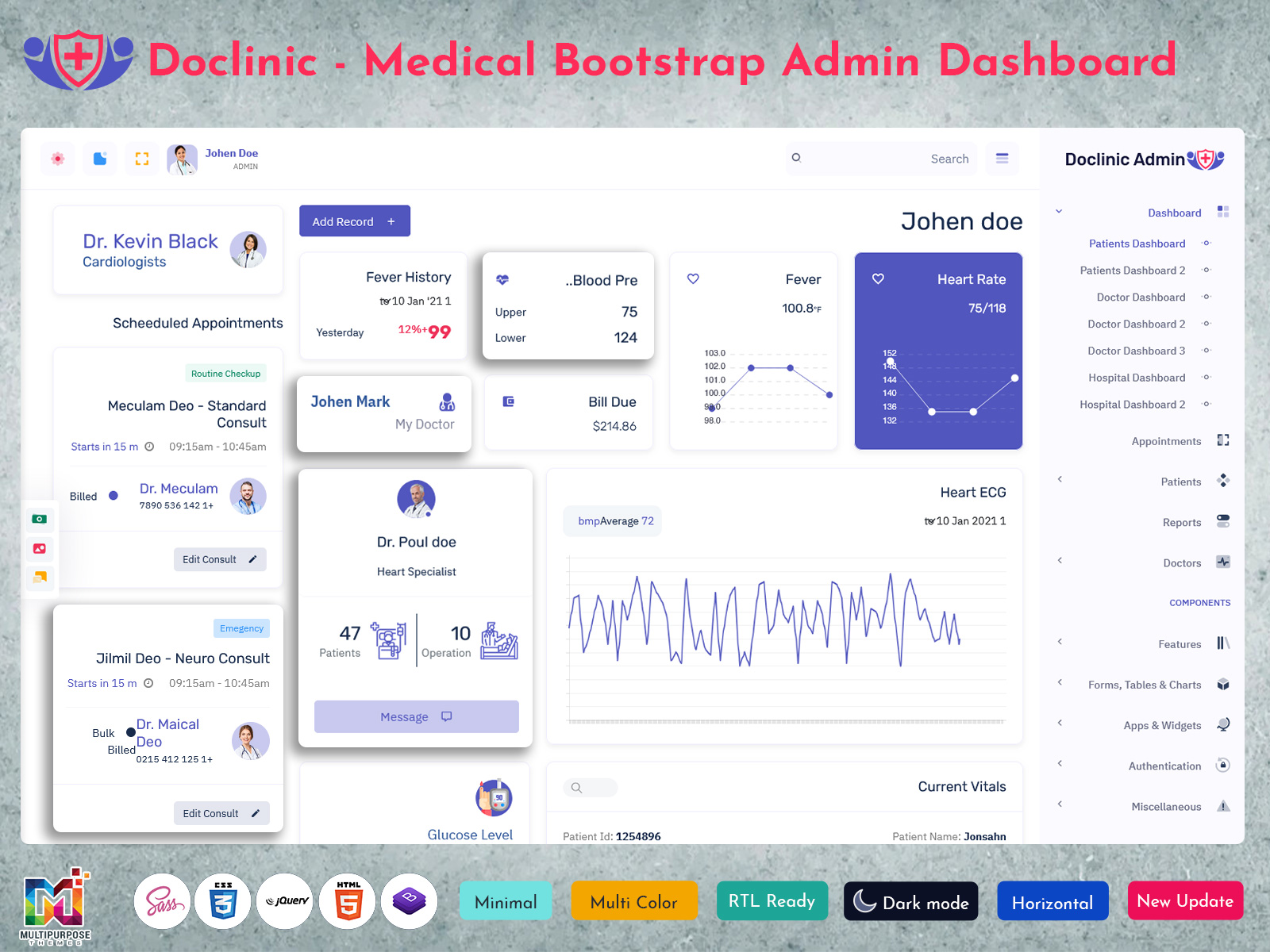
Multipurpose Themes offers dashboard and HTML template solutions with patient-related interfaces and healthcare app tools. The medical template collection has Patient Dashboard designs, patient detail pages, doctor and hospital dashboard views, responsive parts and other tools. These solutions are the base or starting point for a healthcare app or website where database, access, rules and other important parts are set up separately based on the goals and needs of a healthcare facility.
Conclusion
A Patient Dashboard is the way or tool for putting patient-related data and tasks. The tool allows access and management of information based on user access. The dashboard is the base for a healthcare app or website which needs to be considered during the building process.
A Patient Dashboard can be split into two sides: patient and staff where the patient side can see data and the staff side can manage and see patient-related information. The tool is also made to work on devices to make sure users have the same experience on a phone or computer. Developers need to set the goal for a Patient Dashboard to provide the functions, data management and other tools.
A dashboard is a tool for organizing data and tasks which are put into sections and sub-sections. Each section has a goal, like handling data and controlling functions. Developers should make sure users do not get to data or functions they are not allowed to see like data on the staff side.
A dashboard is often used on computers, which’s why a responsive design is needed to make sure it works on different devices. Developers should also focus on keeping data safe and secure to stop people from seeing it without permission. A Patient Dashboard should be used the way it is meant to be which is managing data, controlling functions and helping users move around a healthcare app or website.
VIEW DEMO BUY NOW
Asked Questions (FAQ)
1. What is the main purpose of a Patient Management Dashboard?
A Multipurpose Themes Patient Management Dashboard is made for managing data and functions. It can be used to handle and see profiles, records, documents and other activities. The dashboard features are set by the developers and the tools available in a healthcare system.
2. Can a Patient Management System UI be changed for a hospital?
A Patient Management System UI can be changed for a hospital, where it is adjusted for each department and user side. Developers can allow the ability to see and manage data make entries and do things. The change involves the design, function availability, parts and other features in a healthcare dashboard.
3. What kind of information can be shown in a Medical Patient Dashboard?
The information on a Multipurpose Themes Medical Patient Dashboard depends on the tools goal and the users side. For example one dashboard can have profile data, medical records, documents, services and other things. Developers should make sure users can see the data based on their access.
4. Why is a Responsive Patient Dashboard important?
A Responsive Patient Dashboard is important for a healthcare app or website because it makes sure users get the experience on a computer, tablet and phone. Developers have to arrange parts and navigation bars to make data easy to get.
5. Can a Patient Dashboard be used by both patients and hospital staff?
A Patient Dashboard can be used by both groups, where the patient side can see data and the staff side can manage information. These two sides need functions and data availability, which is handled by developers when they set up access and permission settings.

Related Posts



This Post Has 0 Comments