

A Travel Dashboard can bring relevant travel information into a structured digital workspace. It can…
Travel Agency Dashboard: Practical Dashboard for Travel Agencies
Reading Time: 14 minutes
What is a Travel Dashboard?
A Travel Dashboard is a workspace, where the travel business can plan and manage day-to-day operations. In general, a Travel Dashboard consolidates trip inquiries, customer data, tour arrangements, booking details, payment terms, supplier contacts, and employee tasks. Instead of searching for relevant information in various documents, emails, and notebooks, the travel team can keep an eye on the key details in one place.
Watch Full Video
A Travel Agency Dashboard is suitable for agencies, which offer their customers holidays, business trips, family vacations, excursions, hotel bookings, transport, and customized travel packages. A Travel Agency Dashboard helps the employees address customer requirements, plan their trips, view and update booking information, and control following-up activities.
A Travel Management Dashboard is often used by travel agencies, travel planners, online booking systems, or travel management companies to manage their business trips and expenses. Its interface typically contains approval records, budget guidelines, trip itineraries, employee data, and invoice details. A Tour Operator Dashboard, in its turn, consolidates tour-related arrangements, group sizes, guides’ availability, activities, and destinations.
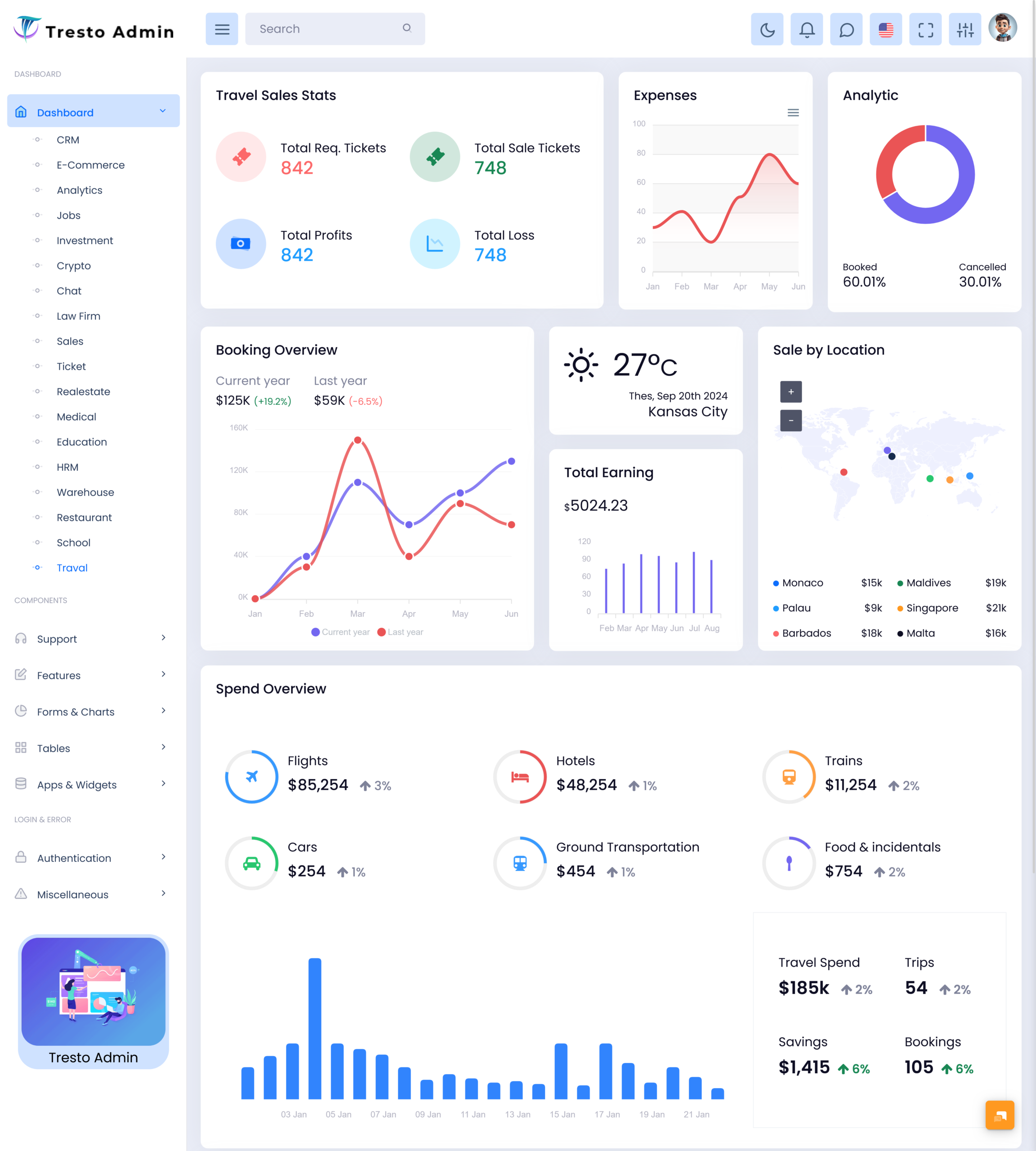
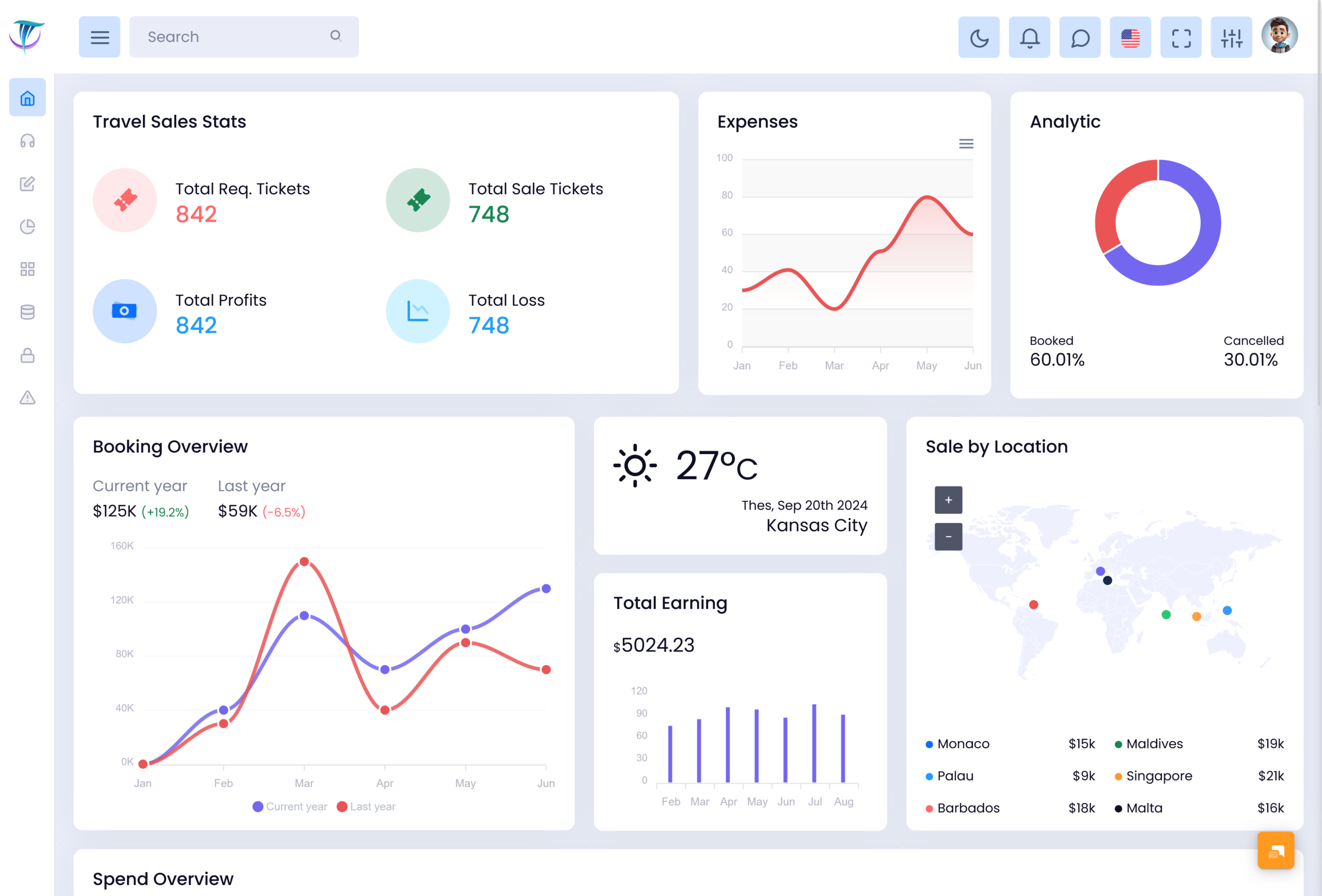
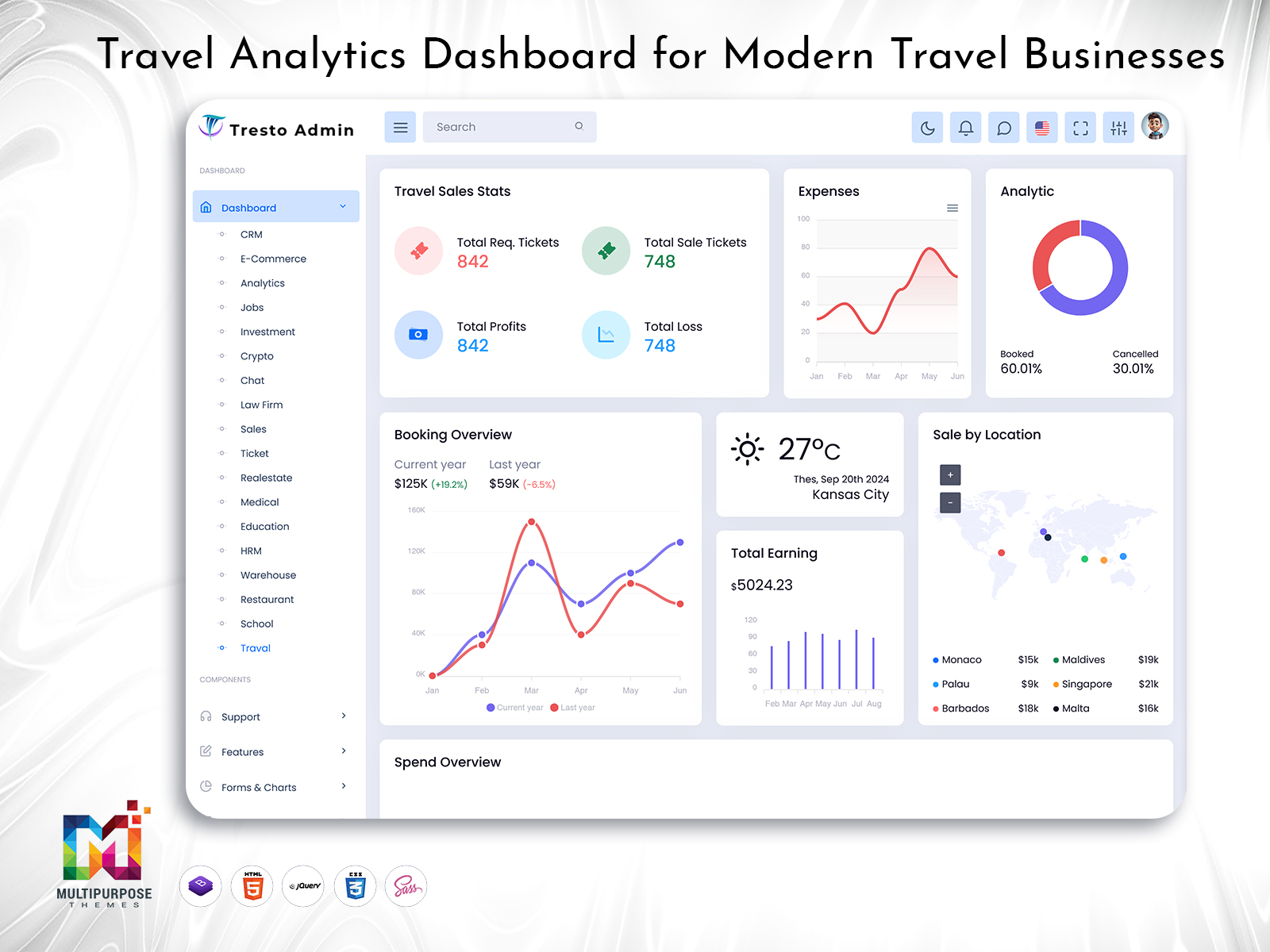
While a Travel Dashboard is not a single page with graphics only, it is a multifunctional interface, which acts as a homepage to a travel management system. It usually comprises cards, tables, calendar, customer records, booking details, status badges, and activity feed, among other elements. Each particular dashboard should highlight the most relevant information, which allows a user to accomplish routine tasks or find necessary data.
For developers, a Travel Agency Admin Dashboard is a ready-to-use interface, where they can build an admin panel for agencies. A Travel Agency Admin Dashboard typically consolidates several essential modules, such as booking records, customers, packages, reports, forms, and other elements. Each of the modules may include multiple pages, which are developed in accordance with the requirements of a specific travel business.
Key Advantages of a Travel Dashboard
A well-designed dashboard helps an agency to organize its offering and operations around the customer journey. First of all, a Travel Dashboard helps to visualize the customer journey from initial inquiry to post-sales follow-up. The travel team can better understand, which actions are required to deliver a specific service, support a customer, or update a booking.
Second, a Travel Agency Dashboard enables to track the status of each customer request and booking. A customer may ask for assistance while planning their trip in the following ways:
- Inquiring about the best travel period for a specific destination;
- Asking for quotation examples;
- Discussing the approximate price for a family of four;
- Sending a request for a proposal;
- Finding out the available flight or hotel options;
- Finalizing their order or asking for booking changes.
A Travel Agency Dashboard can help the travel team manage all of the above. In particular, an inquiry form can be used for every request, which will help the sales executives to address the customer’s requirements. The form might also include additional fields, which will help to organize their future trip. Then, the booking details can be updated with the information on the requested travel dates, passengers, and services. As seen, a customer journey can be long and complicated, but the use of a Travel Dashboard ensures that each stage is properly followed.
VIEW DEMO BUY NOW
Essential Elements of a Travel Dashboard
1. Booking Management
The booking management module enables to review and update customers’ reservations. Booking records typically contain client data, booking or reference numbers, travel dates, selected packages, payment details, cancellation policy, and other information.
2. Customers
Customer records can also be found in the dashboard, which allow the travel team to address multiple customer-related issues. A dashboard often comprises customer profile records, which include the clients’ contact details, preferences, and request histories. In particular, the sales team can review a customer’s personal data, email, and phone number to better respond to their request.
3. Tour Packages
This module helps the travel team to keep track of the tours, which are available for their customers. Each record typically describes the destination, travel period, price list, trip style, and other features. It also highlights the most popular, budget, and luxury options and those, which are in demand.
4. Itinerary
An itinerary module assists the travel team in reviewing and managing trip itineraries. It typically contains the most important information on the destination, places to stay, transport, and activities. It can also review the detailed customer requirements and ensure that nothing is missing before the departure.
5. Enquiries
This dashboard section helps to manage customer inquiries, which come from different sources. It includes the records of website contacts, social media inquiries, phone calls, and other customer interactions. In particular, the travel team can view the status of each conversation (new, contacted, quotation sent, under consideration, confirmed, closed), which helps to address the customer’s request in a well-structured manner.
6. Payment and Invoices
The dashboard also comprises the payment section, which illustrates the billing data related to the customer’s booking. It typically contains the information on advance payments, invoice number, balance due, and other financial details. The exact content of this dashboard depends on the features provided by a specific booking system.
7. Calendar and Departure Schedule
This dashboard section helps the travel team to keep track of customers’ travel dates. It often contains the information on when a client will arrive at their destination, check-in at the hotel, meet their transport, and other details. In addition, tour operators may use the dashboard to view the up-to-date schedule of their services, such as the availability of buses or hotel rooms.
8. Suppliers
The dashboard includes the section for suppliers and their detailed records. In particular, a travel agency dashboard can contain the information on multiple suppliers, such as hotels, transport providers, activity organizers, and local guides. It highlights the key booking-related details to facilitate the travel team’s communication with them.
9. Communication History
A dashboard also helps to manage the communication with customers and track the history of their interaction. The travel team can view the customer’s phone number, email address, messages, calls, and other details. It facilitates the communication with them and prevents the staff from providing unnecessary information, which the client already knows.
10. Status Badges
The status badges illustrate the current status and progress of a customer’s booking. In particular, the travel team can view the badges of cancelled, modified, unpaid, paid, confirmed, and other records. It makes it easier to analyze the dashboard and identify the next action required for each booking.
11. Reports and Widgets
A Travel Agency Admin Dashboard often contains reports and widgets, which illustrate the key insights related to bookings, enquires, packages, customers, cancellations, and other data. It allows the management team to view the general idea of the company’s performance.
12. Staff Management
A dashboard can also be used for staff management purposes. In particular, the travel company can add their employees, assign their roles, and manage their tasks within the interface. When the option to control the user’s access is available, employees will only see the records, which are relevant to their activity.
VIEW DEMO BUY NOW
Managing the Customer Journey from Enquiry to Departure
A customer rarely books a travel service immediately, but a travel dashboard allows the travel team to keep track of every interaction. For instance, an interested party can start their journey by asking for recommendations or finding out the average price for a family of four. Then, the customer will discuss the travel details with a sales agent, select their preferred option, and finalize their request. In any case, the Travel Dashboard will help the travel team to organize the process and ensure each stage is covered.
While managing multiple customer inquiries, the travel team can use a dashboard to update their records. In particular, the travel company can address each request individually and make sure that the customer receives the appropriate information. First of all, the booking module can include a special form, where the travel team can view the customer’s request. It may comprise multiple fields, such as the preferred destination, travel dates, expected group size, and other details. When the customer returns, the team can use the same data to suggest travel options, send a quotation proposal, and ask for their confirmation.
After that, the travel team can update the dashboard with the details of a confirmed booking. It will include the information on the selected travel package, hotel accommodation, transport, activities, passenger details, and other data. As seen, the dashboard allows the travel company to keep track of each travel-related process and update the necessary booking records.
The customer journey rarely ends after the booking is confirmed, but a Travel Agency Dashboard helps the travel team to ensure that everything is set for a client’s departure. In particular, the travel staff can use the status badge to review the current state of a booking. They can view the client’s request, response to a quotation, and follow-up activities, such as the documents required for the travel. It will also notify them about the next steps, which should be taken within a travel agency.
In addition, the Travel Dashboard can be used for managing the travel itinerary. It will keep track of the confirmed transport details, hotel check-in and check-out dates, and other customer requirements. Then, the travel team can review and approve the itinerary to make sure that the client’s travel plans are organized appropriately. In particular, the tour operator can use the departure schedule to ensure that no activities are missed and that the transportation and hotel rooms are available.
The flexibility of a dashboard is especially significant for agencies, which offer customized travel services. In this case, the customer will typically have specific requirements, which the travel team will need to consider. The flexibility of a dashboard will allow the travel company to update the records of a confirmed booking and provide the client with the appropriate travel service.
Managing Tour Operator Activities
A Tour Operator Dashboard is often used by tour operators to manage and review their travel services. It helps to facilitate their multiple responsibilities, such as keeping track of the tours, their guides and staff, destination availability, and tour schedules. These details are particularly important for tour operators, since multiple activities should be planned before a customer departs. For instance, a tour operator should manage their clients’ arrival at the destination, hotel check-in, transport, activities, and guide services. In addition, a Tour Operator Dashboard can be used to organize the tour operator’s own activities, such as sightseeing, guides’ availability, and tour schedules.
Moreover, the tour operator should keep track of the group size, since it affects the choice of accommodation and transport. In turn, a dashboard can help to ensure that all of the details are considered and organized appropriately. For instance, the tour operator can view the records on the hotel capacity, bus seating, and guides’ availability to choose the most suitable option for their customers.
Finally, a Tour Operator Dashboard can also be used for managing the staff. A dashboard can be used for assigning responsibilities, such as a guide for the tour, a driver for a transport, and an operator for the departure schedule. This way, the tour operator can see who is responsible for each task and manage their duties accordingly.
A Tour Operator Dashboard is typically designed in accordance with the company’s needs. In particular, it can be used by the operator to plan their own duties, manage the tour guide, and organize the departure schedule. It might also comprise multiple tools, such as the records on the current tour group, an up-to-date itinerary, destination availability, and other features. At that, the flexibility of a Tour Operator Dashboard is essential, since it allows the operator to update it in accordance with the latest developments. In particular, it can comprise fields for weekend tours, tours for groups of different sizes, multi-day activities, and other options.
Using a Travel Management Dashboard for Corporate Travel
Corporate travel usually entails different requirements as compared to leisure travel. While leisure travelers typically plan their trips on a vacation basis, business travelers may request a travel service at any time. In addition, an employee might aim to attend a business meeting or training course, while a company might have certain policies regarding travel expenses. In addition, the company may track employee itineraries and travel costs for tax and reimbursement purposes.
A Travel Management Dashboard can be used by employees and administrators to manage corporate travel expenses and records in accordance with the company’s rules. In particular, the dashboard can comprise the employees’ personal data, their travel requests, approval status, confirmed bookings, and expense data. When a travel agent receives a request, they can review the employee’s personal data, confirm the travel dates and destination, ensure that they are aware of the company’s guidelines, and book the services. At that, a dashboard can also help the travel agent to view the details of past, current, and pending requests. It can also be used by the company administrators to ensure that all of the corporate travel records are up-to-date. In particular, the Travel Dashboard can include company profiles, employee details, their travel itineraries, preferred hotel chains, and other data. At that, the administrators can choose the version of a dashboard in accordance with the company’s travel management needs.
Using a Travel Agency Admin Dashboard for Leisure and Corporate Travel
A Travel Agency Admin Dashboard can help to address the needs of leisure and corporate travel. In particular, it can be utilized by the travel team to update the information on multiple bookings and manage customer requests. At that, the Travel Agency Admin Dashboard will be beneficial for managing both leisure and corporate travel, since it comprises multiple functions for managing a customer’s travel. In particular, a dashboard can be used to keep track of the travel enquires, customer details, confirmed booking records, and travel-related expenses. All these functions can be used for managing both leisure and corporate travel.
Choosing a Travel Agency Dashboard Template
When choosing a Travel Agency Dashboard template, the focus should be on the features, which are relevant to the travel business. In particular, the layout of a dashboard should be selected in accordance with the type of travel business. For instance, while a holiday dashboard can include the tools for managing multiple bookings, a tour operator dashboard may comprise the records of tour destinations and availability.
The design of a dashboard should also facilitate the basic functions. In particular, the travel team should be able to quickly access the required information. It should be easier to review the list of bookings, customer requests, and other data rather than search through various documents. At that, it is crucial to avoid the design, which is overloaded with various widgets and sections. When the layout is too complex, it will become difficult for the travel team to update and review the information.
Another critical consideration is the dashboard components. In this case, the focus should be on the tools, which are relevant to a particular travel agency. For instance, a travel company can benefit from using the following dashboard components:
- Forms,
- Tables,
- Calendar,
- Profiles,
- Charts,
- Cards,
- Modals,
- Dropdowns,
- Navigation bar,
- And others.
These components can also be used for developing responsive dashboards. In particular, the responsive design will be critical for ensuring that the travel team can update the booking records from anywhere. It will be especially useful for employees who travel to other destinations. At that, the dashboard should also be developed in accordance with the visual design of a travel website. The developers should also pay attention to the backend features, which will be required for building a customer dashboard. It should be much easier for the travel agency to select the dashboard interface, which is compatible with the rest of the website.
Advantages of a Travel Dashboard
1. Booking Information
A Travel Dashboard allows the travel agency to view the customer’s booking details and update the information on confirmed payments, cancellations, and other amendments. It enables the travel team to analyze the information on reservations and determine which records require additional attention.
2. Customer Follow-up
Enquiry records, communication history, and status badges help to ensure that the travel team follows up on each customer request. It will reduce the chances of providing duplicate information to the same customer and ensure that no inquiries are left unanswered.
3. Tour Operation Management
A Tour Operator Dashboard helps a tour operator to update and review the details of their tours. It will assist them in analyzing the group sizes, destination availability, and other tour-related records. It will also enable to track the status of their current and future tours.
4. Package Management
A Travel Dashboard can be used to manage the multiple aspects of a travel package. In particular, the tour operator can update the record on destination availability and provide the customer with the exact details of their tour. In addition, the travel team can utilize the dashboard to organize their trips in accordance with the selected travel style, destination, length of stay, and other details.
5. Employee Tasks
A Travel Agency Admin Dashboard can be used to help the travel team to follow their own procedures. In particular, the travel company can use the dashboard to update and review their own tasks, which are related to a customer’s request. When combined with the features of staff management, a dashboard can help to ensure that no duties are unfulfilled and that the employee follows their own procedures.
6. Report Generation
A Travel Dashboard can be utilized to help the travel team to generate reports. In particular, it can help to create reports on confirmed, cancelled, and upcoming bookings, which will assist in managing the operations of a travel agency. It will also help to analyze the data on travel enquires, customers, and tour packages.
7. Flexibility of Use
A Travel Agency Dashboard is a flexible tool, which can be adjusted in accordance with the requirements of a specific travel business. In particular, it can comprise the features for developing a travel portal, agency dashboard, or tour operator interface. At that, the design and layout of a dashboard can be altered to meet the requirements of a particular travel company.
Conclusion
A dashboard is a helpful tool for managing the complex processes of a travel business. It serves as an interface, where the travel team can consolidate the information on multiple aspects of a trip, such as enquires, customers, and bookings. It can also help to update the records on tour packages, itineraries, payments, suppliers, and other details. A dashboard can also help to facilitate the internal operations of a travel agency. In particular, it can be used to organize the responsibilities of an employee, review the status of a customer’s booking, and update the records on tour operator activities.
A Travel Agency Dashboard can help the travel agent to follow the progress of a customer’s booking throughout the travel journey. A Travel Dashboard can be used by a travel management company to review the status of a corporate travel booking and manage its expenses. A Tour Operator Dashboard can be used to track the tour operator’s activities and update the details of an upcoming tour.
A Travel Agency Admin Dashboard offers a helpful interface for developing a travel website. It comprises the features for managing multiple aspects of a travel booking. At the same time, the design and layout of a Travel Agency Dashboard can be modified in accordance with the requirements of a travel business. In this way, a dashboard can be developed for a tour operator, whose tour management needs are different from the requirements of a travel agency. Moreover, a Travel Agency Admin Dashboard can also be applied for managing the needs of leisure and corporate travel. It can be utilized by the travel team to update the records on multiple aspects of a travel booking and follow up on the customer’s request.
Finally, when choosing a Travel Agency Dashboard, it is essential to pay attention to its basic features and design. A dashboard should have the tools for managing the customers’ requests, such as inquiry forms, booking records, and payment details. It should also be designed in such a way that it is easy to navigate and update.
VIEW DEMO BUY NOW
Frequently Asked Questions
1. What is the main purpose of a Travel Agency Dashboard?
The main purpose of a Multi purpose themes Travel Agency Dashboard is to help travel businesses manage enquiries, customers, bookings, packages, payments, itineraries, and daily tasks from one digital workspace. It gives staff a structured view of travel operations and helps them identify pending actions. The dashboard can be customized according to whether the business focuses on holiday packages, customized trips, corporate travel, or group tours.
2. What is the difference between a Travel Agency Dashboard and a Tour Operator Dashboard?
A Travel Agency Dashboard generally focuses on customer enquiries, package sales, reservations, client records, and booking follow-ups. A Tour Operator Dashboard is more focused on the operational side of planned trips, including group departures, guides, activities, transport, schedules, and tour availability. Some travel platforms may combine both functions so that sales and tour operations can work through connected records.
3. Can a Travel Management Dashboard handle corporate travel requests?
Yes, a Multi purpose themes Travel Management Dashboard can be adapted for corporate travel requirements. It may include employee profiles, travel request forms, approval stages, booking details, preferred suppliers, and expense references. The exact workflow depends on the company’s policies. A corporate travel platform may also require additional integrations for approvals, accounting, employee directories, or travel booking services.
4. Can a Travel Agency Admin Dashboard manage customized tour packages?
A Travel Agency Admin Dashboard can support customized tour packages when it includes flexible forms and editable itinerary records. Staff may add destination details, hotel preferences, transport requirements, activities, passenger information, and special requests. This is useful because customized trips rarely follow exactly the same structure as ready-made packages and often require several updates before confirmation.
5. What features should I check before selecting a Travel Agency Dashboard template?
Before selecting a Travel Agency Dashboard template, review its booking pages, customer profiles, package layouts, itinerary screens, calendars, tables, reports, forms, and responsive behavior. Check whether the interface can be customized for your travel workflow. You should also consider the quality of navigation, readability of booking records, reusable components, and compatibility with the technology used for your application.
6. Can a Tour Operator Dashboard track group travel arrangements?
Yes, a Multi purpose themes Tour Operator Dashboard can track group travel arrangements such as passenger counts, departure dates, hotel allocations, vehicle requirements, assigned guides, and scheduled activities. It can also display booking status and available spaces. For more advanced group management, the application may require additional functions for room allocation, passenger documents, supplier coordination, and schedule changes.
7. Is a Travel Dashboard useful for a small travel agency?
A Multi purpose themes Travel Dashboard can be useful for a small travel agency because it creates a clear structure for managing enquiries, customers, bookings, and follow-ups as the business grows. Even a small team may handle several trips at different stages. A ready-made Travel Agency Admin Dashboard can provide a professional interface while allowing developers to add or customize features according to the agency’s actual needs.

Related Posts


This Post Has 0 Comments