

What is a Warehouse Dashboard? A Warehouse Dashboard is a centralized administrative interface that helps…
Warehouse Dashboard: Features, Benefits and Smarter Storage Management
Reading Time: 10 minutes
What is a Warehouse Dashboard?
A Warehouse Dashboard is a digital management interface that helps businesses organize information connected with warehouse activities. It provides a structured view of storage locations, goods, stock records, incoming materials, outgoing items, purchasing information, and other warehouse-related details. Instead of treating every warehouse record as a separate entry, the dashboard gives users a connected environment for viewing and managing information.
Watch Full Video
A warehouse contains many different types of goods, and every item may have a specific location, quantity, category, movement history, or handling requirement. When this information grows, simply knowing the total stock is not enough. Warehouse teams may also need to know where an item is stored, which location has available capacity, what goods have recently arrived, and which materials are expected from suppliers.
This is where a Storage Management Dashboard can provide a more detailed view of the warehouse environment. It can organize storage zones, racks, shelves, bins, locations, and available capacity so that warehouse information is easier to interpret. Instead of looking at storage as one large space, managers can examine it according to individual areas.
Storage Management can also involve more than knowing where products are placed. It may include assigning suitable locations, maintaining location records, identifying occupied and available spaces, and keeping product-location information updated. A dashboard can bring these records together in a format that is easier for warehouse teams to work with.
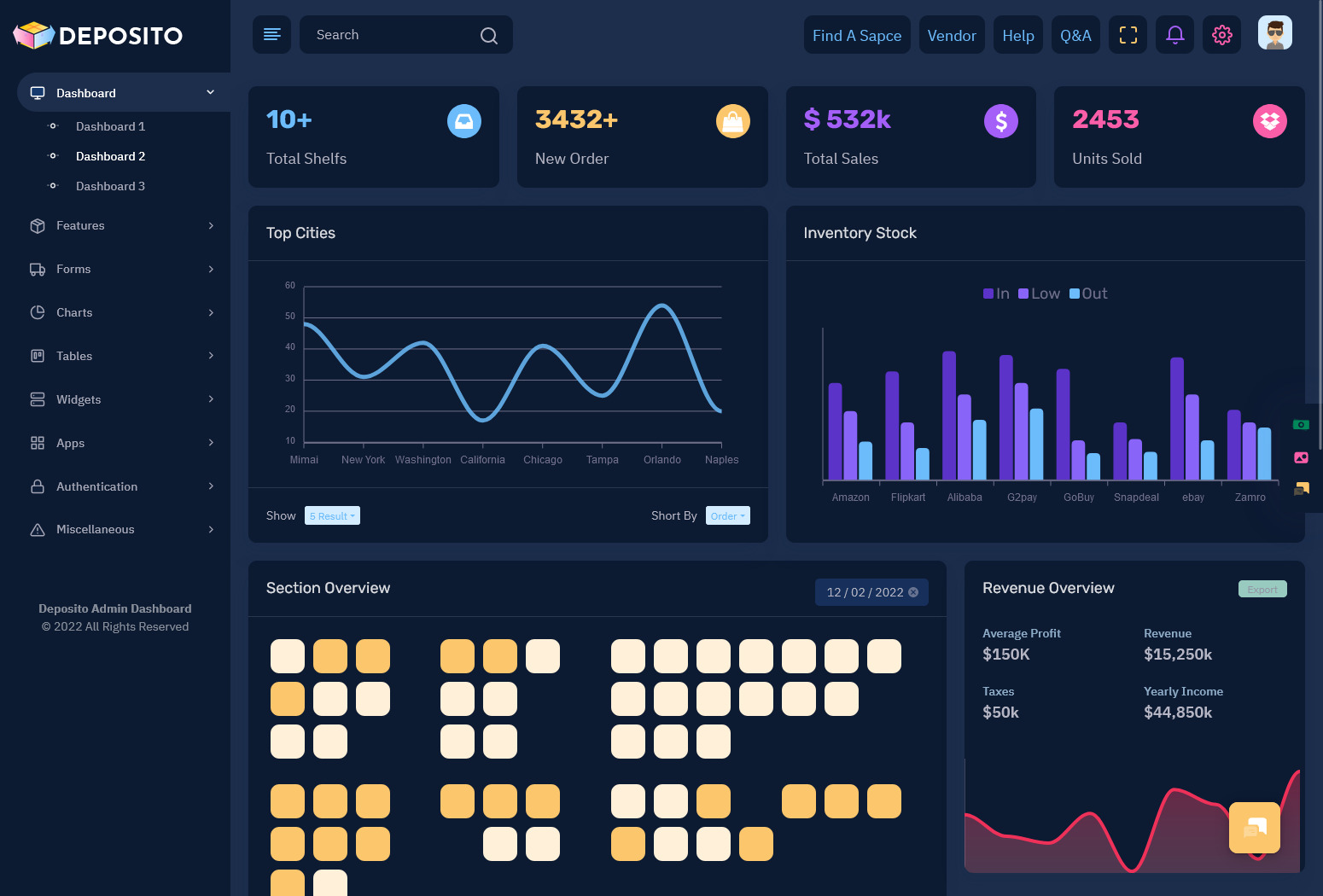
A Storage Dashboard can provide a visual representation of warehouse locations and their current status. Depending on the system, users may be able to view occupied spaces, available positions, item categories, storage zones, or location-specific records. This gives warehouse managers another way to understand the physical arrangement of goods.
The procurement side can also be connected with warehouse information. A Procurement Dashboard may show purchase requests, supplier orders, expected deliveries, and procurement status. When this information is considered alongside storage records, warehouse teams can prepare for incoming goods rather than discovering space requirements only after materials arrive.
Thus, the term Warehouse Dashboard is much more than just a screen that displays information on the warehouse. It can be used as a virtual workspace to understand the location of products, their inflow, usage of storage space, and the need for updating any records.
How a Warehouse Dashboard Helps Organize Storage Decisions
Warehouse management often involves decisions that are closely connected with physical space. Two products may have the same quantity but require completely different storage arrangements. One may move frequently and need to be placed near a picking area, while another may remain in storage for a longer period. A useful dashboard can help users view the information required to make these distinctions.
Using the Storage Management Dashboard, it is possible to arrange the compartments into zones, racks, shelves, bins, or even use any other kind of warehouse setup. It is not necessary to consider the entire warehouse as one big storage space; using the software, the whole space can be divided into smaller sections with different information about them.
This can be especially useful when a warehouse has multiple storage areas. A manager may need to check which zone contains a particular category of goods or determine whether a new delivery can be accommodated in an existing area. Location-based information can make these checks more practical.
The dashboard can also help connect an item with its physical location. When a product record contains a storage position, users can understand not only how much stock exists but also where it should be found. This distinction becomes increasingly important when the warehouse contains many similar products.
The other useful factor is the connection between received products and the availability of storage space. Purchasing officers may purchase products as per their organizational needs, but there should be preparation in the warehouse for the same. A Purchasing Dashboard will provide details of planned purchases, whereas a Storage Dashboard will provide details of available spaces.
Taken together, these perspectives will assist warehouse personnel in assessing storage needs before receiving new products. This does not imply that the dashboard will automatically determine where all the items will be stored. Instead, it supplies users with the necessary information for better decision-making.
In light of this, the data displayed on the dashboard can help the warehouse examine its space in multiple angles, such as what is currently being stored, where it is stored, available storage space, and incoming materials. Thus, the dashboard becomes especially helpful in situations where both storage and products have to be taken into consideration.

VIEW DEMO BUY NOW
Features of Warehouse Dashboard
1. Storage Location Management
A Warehouse Dashboard can maintain detailed information about warehouse locations. Users can organize records by warehouse, zone, rack, shelf, bin, or other location identifiers. This creates a structured map of where goods belong and makes location information easier to access when required.
2. Storage Capacity View
A Storage Dashboard can show the status of different storage areas and indicate which locations are occupied, partially used, or available. This provides a clearer picture of physical space and can help warehouse managers review capacity before assigning locations to incoming goods.
3. Product-to-Location Mapping
The dashboard can connect individual products with their assigned storage locations. When users search for an item, they can also see its associated warehouse position. This can be particularly useful in facilities where many products are stored across several zones or racks.
4. Procurement Dashboard
A Procurement Dashboard can organize purchase requests, supplier orders, expected materials, order status, and delivery information. Connecting procurement records with warehouse information gives teams a better understanding of which materials may soon enter the facility.
5. Receiving Records
A receiving section can record incoming goods and their associated details. It may include supplier information, purchase references, received quantities, product details, and receiving status. These records create a useful connection between procurement activity and warehouse storage.
6. Stock Movement History
A dashboard can maintain records of movements between locations. Users may be able to identify when goods were received, transferred, relocated, or dispatched. This provides useful context when warehouse staff need to understand how an item’s current location was established.
7. Warehouse Zone Management
Different areas of a warehouse can have different purposes. A dashboard can separate zones for raw materials, finished products, returns, high-value items, or other categories. This allows warehouse information to reflect the actual structure of the facility rather than treating every location identically.
8. Search and Filtering
Search and filtering tools allow users to find specific products, locations, suppliers, categories, or storage records without browsing through every entry. Filters can narrow information according to warehouse area, product type, status, or other available fields.
9. Supplier Information
Supplier records can be maintained alongside procurement and receiving information. Users may be able to review supplier names, purchase references, expected deliveries, and related materials. This gives warehouse teams useful context when checking incoming stock.
VIEW DEMO BUY NOW
Benefits of Warehouse Dashboard
1. Better Understanding of Storage Space
A Storage Management Dashboard gives warehouse teams a structured view of locations and their status. Instead of considering the facility as one large space, managers can examine individual zones, racks, shelves, and bins when planning where goods should be positioned.
2. Easier Product Location
When products are connected with specific warehouse locations, staff can identify where an item belongs without searching through unrelated records. This is particularly useful in large facilities where similar products may be distributed across several storage areas.
3. More Prepared Receiving
A Procurement Dashboard can show expected purchases and incoming materials before they reach the warehouse. When this information is considered alongside available storage locations, teams can prepare suitable space instead of reacting only after a delivery arrives.
4. Clearer Storage Records
Storage Management becomes easier to review when locations, products, and movement information are maintained through organized records. Users can examine where goods are stored and understand the current status of particular locations without relying entirely on manually maintained lists.
5. Easier Investigation of Stock Movement
Movement histories can provide context when warehouse teams need to understand why an item is in a particular location. Instead of looking only at the current position, users can review relevant transfer or receiving records to trace changes within the facility.
6. Better Coordination with Purchasing
Connecting procurement information with warehouse records creates a clearer relationship between what the business is purchasing and what the warehouse needs to accommodate. Teams can review expected materials and consider storage requirements before new stock reaches the facility.
7. More Organized Multi-Zone Warehouses
Information on a Storage Dashboard can be segregated according to warehouse, zones, racks, shelves, or any other levels. This is particularly helpful for firms with big or complex warehouses because users can concentrate on the particular area of interest at the moment without looking at the whole warehouse.
Connecting Procurement With Warehouse Storage
The two areas of procurement and warehousing are frequently considered independent operations, but ultimately procurement becomes a function of warehousing. In the process of ordering materials, the information regarding the nature of delivery, quantity, and location in the warehouse may become necessary.
A Procurement Dashboard can provide this information in an organized format. Purchase orders can be associated with suppliers, expected quantities, product categories, and delivery information. Warehouse users can then review the records that affect their storage requirements.
This connection becomes particularly useful when several purchases are expected during the same period. Without an organized view, warehouse teams may have difficulty understanding how incoming goods could affect available locations. With connected information, they can review upcoming materials before they become physical inventory.
The same approach can also support receiving. When goods arrive, staff can compare received information with the relevant procurement record and then associate the items with appropriate storage locations. This creates a clearer chain from purchase request to delivery and finally to warehouse placement.
The purpose is not to make procurement decisions from the warehouse screen alone. Instead, it gives both functions access to information that affects their respective responsibilities. Procurement teams can understand storage considerations, while warehouse teams can prepare for expected materials.
For businesses dealing with frequent purchasing and large quantities of goods, this connection can make the relationship between buying and storage easier to understand.
Making a Storage Dashboard Useful for Different Warehouse Sizes
The former might require just some storage spots along with product data, whereas the latter can consist of numerous zones, thousands of items, various suppliers, and regular transactions. The dashboard should thus be able to operate in varying degrees of complexity.
For a smaller operation, the Storage Dashboard might focus on location records, product quantities, receiving information, and basic movement history. A larger warehouse may require multiple location levels, advanced filters, supplier records, procurement information, and separate views for different warehouse areas.
The interface should also avoid showing every available detail on the first screen. A warehouse manager may need a quick overview, while a warehouse employee may need to open a specific product or location record. Clear navigation allows each user to move from summary information to detailed records when necessary.
A useful dashboard should also make location names and product information easy to understand. If users cannot quickly identify a rack, bin, zone, or product from the interface, the dashboard becomes less practical regardless of how many features it contains.
This makes usability an important part of Warehouse Dashboard design. The system should reflect the physical warehouse structure in a way that makes sense to the people working with it every day.
Warehouse dashboard by Multi Purpose Themes
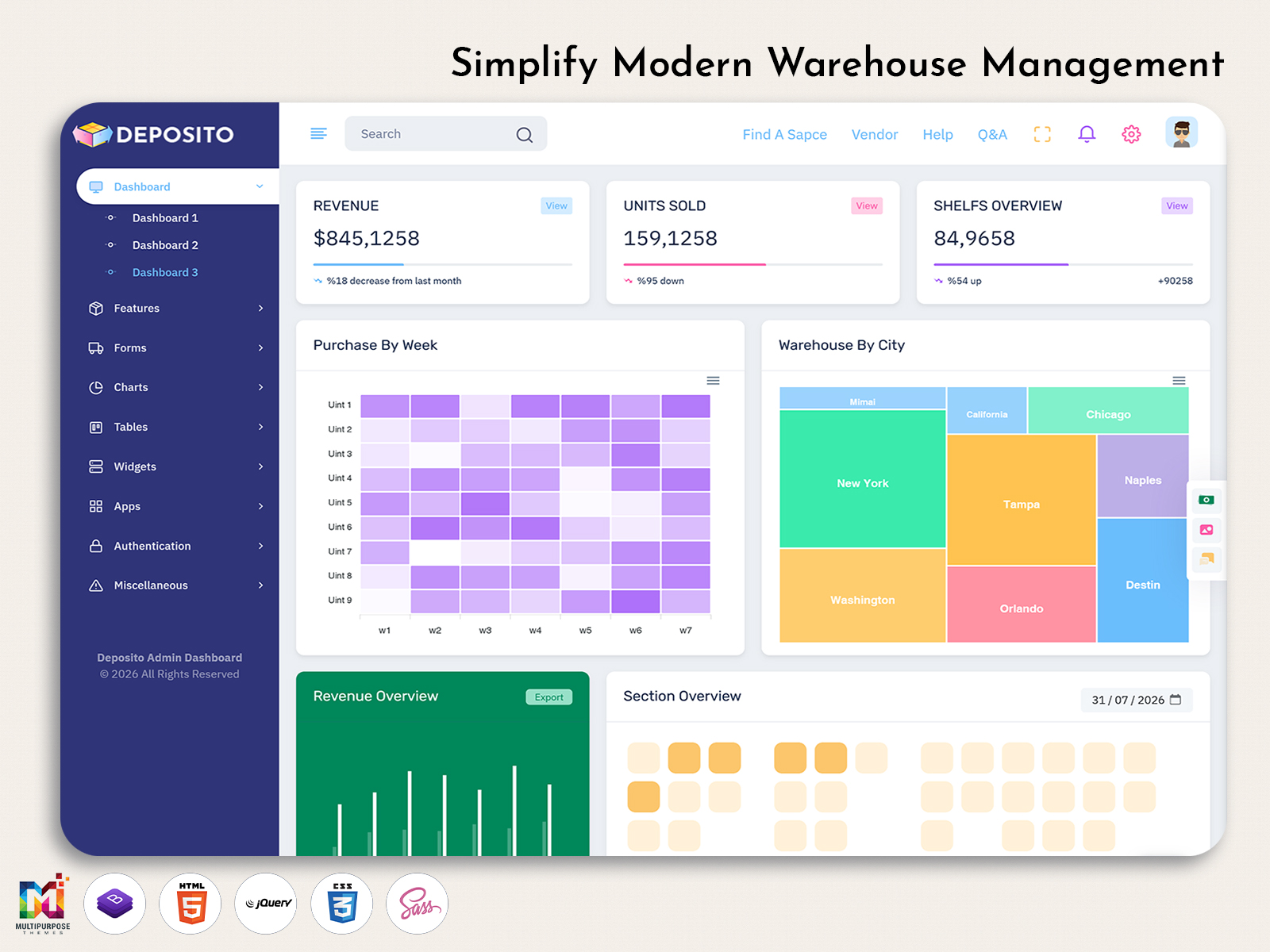
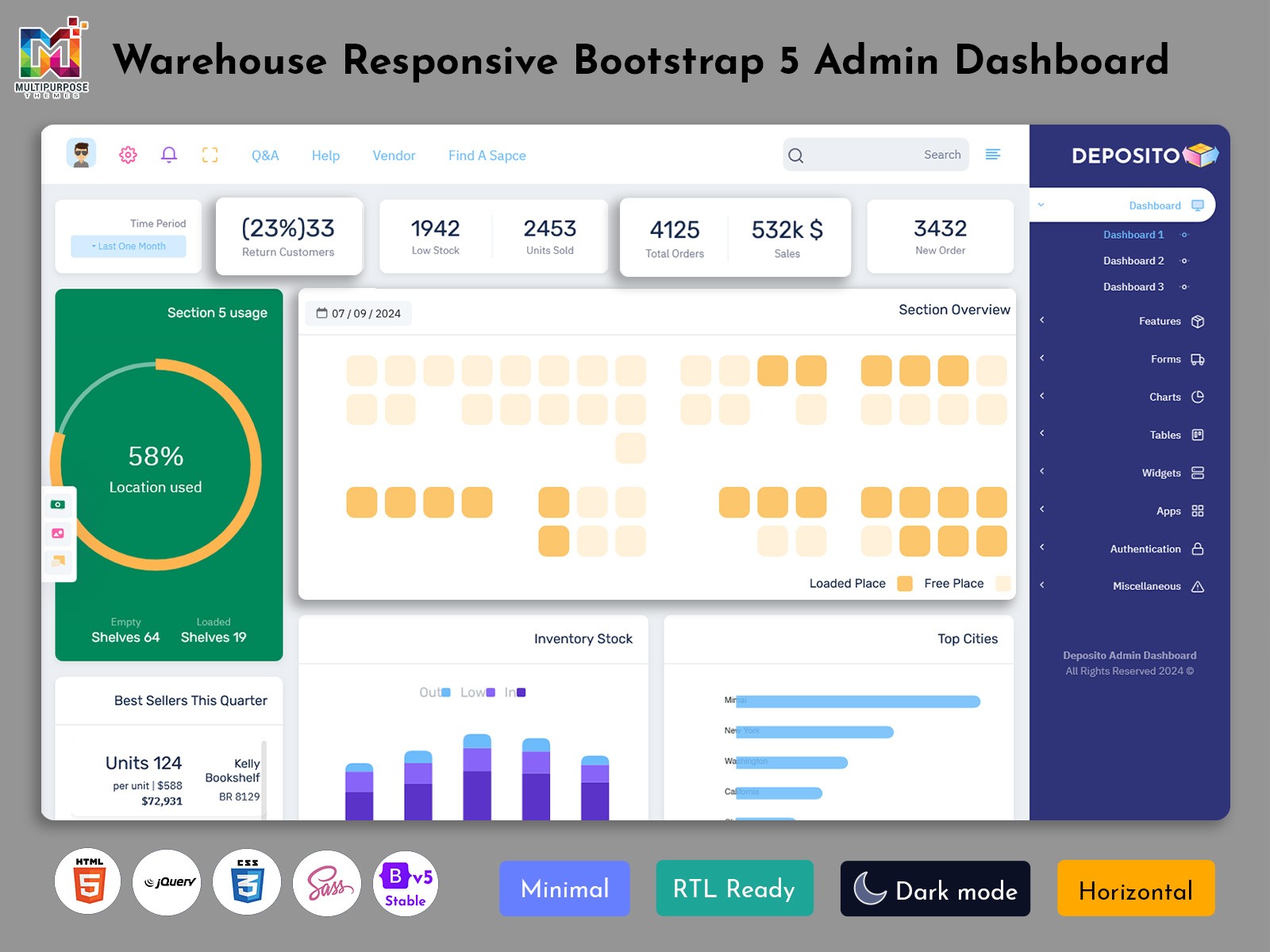
Multipurpose Themes provides the Warehouse Dashboard which is professional and interactive in nature to assist businesses and developers in managing their warehouse operations via the means of an organized and convenient dashboard. The dashboard allows having dedicated areas for inventory, products, stock, orders, suppliers, warehouse locations, reports, and other important functions related to the management of storages. It can be easily customized and adjusted according to the needs of particular processes of warehouse management. If you are working on an inventory management system, a warehouse management platform, or a logistics application, the Multipurpose Themes Warehouse Dashboard will become a great start.
Conclusion
A Warehouse Dashboard can provide a practical digital environment for managing information about products, locations, incoming materials, procurement, and storage activities. Instead of focusing only on inventory numbers, it can help businesses understand the physical and informational structure behind their warehouse.
A Storage Management Dashboard provides greater detail about where goods are positioned and how available space is organized. A Storage Dashboard can make locations easier to review, while a Procurement Dashboard can connect upcoming purchases with warehouse preparation and receiving activities.
Features such as location management, capacity views, product-to-location mapping, receiving records, movement history, supplier information, and search tools can give warehouse teams a more structured way to work with their data.
The usefulness of a dashboard ultimately depends on how closely its interface reflects the actual warehouse. When storage areas, product records, procurement information, and movement histories are organized according to real requirements, the dashboard can become a practical tool for everyday warehouse management.
VIEW DEMO BUY NOW
Frequently Asked Questions
1. What should a Warehouse Dashboard include?
A Multi purpose themes Warehouse Dashboard should include features that reflect the actual structure and responsibilities of the warehouse. Common areas can include storage locations, product records, receiving information, stock movement, supplier details, procurement records, warehouse zones, search tools, and reports. The exact configuration depends on the size of the facility and the type of goods being handled. A dashboard should provide useful information without unnecessarily overcrowding the interface.
2. What is the purpose of a Storage Management Dashboard?
A Multi purpose themes Storage Management Dashboard focuses specifically on how goods and physical warehouse locations are organized. It can show zones, racks, shelves, bins, occupied locations, available capacity, and product-location relationships. This gives warehouse users a clearer picture of where goods are positioned. It can also help them review storage availability when preparing for incoming materials or considering changes to warehouse organization.
3. How does a Storage Dashboard differ from an inventory dashboard?
A Multi purpose themes inventory dashboard generally focuses on stock information such as quantities, availability, product status, and movement. A Storage Dashboard places greater attention on the physical location of those goods. It can show where products are stored, which zones are occupied, and which locations are available. Both views can complement each other because knowing how much stock exists and knowing where it is located are different requirements.
4. How can a Procurement Dashboard help warehouse teams?
A Procurement Dashboard can show information about upcoming purchases, suppliers, purchase orders, expected quantities, and delivery status. Warehouse teams can use relevant information from these records to understand what materials may soon arrive at the facility. This can help them prepare appropriate storage locations and coordinate receiving activities. It creates a useful connection between purchasing information and physical warehouse preparation.
5. Can a Warehouse Dashboard manage multiple storage locations?
Yes. A Multi purpose themes Warehouse Dashboard can be designed to support multiple warehouses, zones, racks, shelves, bins, or other location structures. Users can search or filter records according to the location they need to examine. This is particularly useful for larger facilities where products are distributed across several areas. A multi-level location structure also allows the dashboard to represent the physical organization of the warehouse more accurately.
6. Can warehouse staff track where a product has been moved?
A dashboard can include movement history that records changes in product location. Depending on the system, users may be able to see when goods were received, transferred between locations, relocated, or dispatched. This history can help warehouse staff understand how an item reached its current position. The available level of tracking depends on how the underlying warehouse software records and stores movement information.
7. What should businesses consider when choosing a Warehouse Dashboard?
Businesses should first consider the actual structure of their warehouse and the information their employees need. Important factors can include location management, storage capacity, product mapping, receiving, procurement connections, movement history, search and filters, user permissions, and reporting. The dashboard should also be flexible enough to support changes in warehouse size and organization. A practical interface is generally more useful than one containing many unrelated features.

Related Posts


This Post Has 0 Comments