

Healthcare applications need to handle a wide range of information without making everyday work difficult…
Doctor Dashboard: Streamline Clinical Workflows
Reading Time: 8 minutes
Doctor Dashboard is an online system that assists healthcare professionals in arranging and examining information associated with their day-to-day clinical practice. Depending on the health care application, it may incorporate information about patients, consultation time table, medical records, follow-up actions, reports, prescriptions, messaging, and other workflow information.
Watch Full Video
The value of the Doctor’s Dashboard is not that it contains all possible medical records on one single page.
However, in many instances, medical practitioners may require varied types of information at various points during a consultation. Prior to the appointment, information on who has an appointment and whether there is any follow-up need by the patient may be required. In the course of the consultation, they may require some history or up-to-date information.
A dashboard can support these different moments by creating a clear path between summary information and detailed records.
For example, the opening view could focus on the day’s clinical workload instead of displaying every available statistic. Selecting a patient could then reveal the information relevant to that consultation. From there, the doctor could move toward historical records or previous interactions when additional context is required.
This approach makes a Doctor Dashboard Bootstrap Template useful as a foundation for healthcare applications that need a structured interface without forcing every medical workflow into the same screen.
A dashboard may also serve different medical specialties in different ways. A general practitioner may need a broad patient overview, while a specialist may require information specific to ongoing treatment, diagnostic observations, or recurring visits.
The dashboard should therefore be flexible enough to support different clinical environments.
A Medical Doctor Admin Template can provide the interface structure for these applications, while the actual data, permissions, and workflows can be adapted to the needs of the healthcare organization.
The objective is simple: help doctors reach relevant information without making them navigate through unnecessary layers.
Why a Doctor’s Information Needs Better Organization
Medical information becomes difficult to handle when every record receives the same visual priority.
Imagine a doctor beginning a busy clinic session. There may be ten or twenty scheduled patients, several follow-ups, one patient waiting for a report, and another who needs attention because of a previous clinical concern.
If the dashboard displays all these items with equal visual weight, the doctor has to manually determine what matters first.
This is not simply a design preference. It reflects the difference between storing information and organizing information for action.
A Responsive Doctor Dashboard can also support doctors who move between consultation rooms, offices, wards, or other work areas. The same information should remain readable when the available screen size changes, without forcing users to constantly zoom, scroll horizontally, or search for hidden controls.
VIEW DEMO BUY NOW
Features of Doctor Dashboard
The most useful features are not necessarily the ones that create the most impressive-looking screen. They are the features that support specific moments in a doctor’s workflow.
1.Daily Clinical Queue
It is essential for a physician to know the configuration of the day before accessing the files of each patient. A queue on a particular day may indicate consultations, follow-up activities, and alterations to the planned activities.
This provides a practical start rather than the physician having to access many pages at once before realizing the workload.
2.Patient Context at the Right Level
Patient profiles must contain sufficient information so as to provide context without giving too much of a wall of medical information.
The dashboard can be layered starting with a brief description of the patient followed by further information including past consultations, records, treatments, or any other information that might be available.
This is more purposeful navigation.
3.Follow-Up Tracking
A consultation does not always end when the patient leaves the room.
Some cases require another visit, a review after a test, continued treatment, or a future clinical check. Follow-up tracking can help doctors distinguish completed consultations from cases that still have an open next step.
4.Consultation Notes
Note taking might be required by doctors in some instances, either during or after the consultation.
With a good interface design, note taking would become part of the patient interaction process, instead of having to go outside the profile page to find the documentation section.
5.Clinical Timeline
A timeline can provide another way to understand a patient’s journey.
Instead of reviewing isolated records individually, doctors can see how consultations, reports, treatments, or other documented events occurred over time. This can be especially useful when a patient’s condition involves repeated visits.
6.Referrals and Care Coordination
Patients may interact with more than one medical professional. A dashboard can help doctors keep track of referrals or information that needs to move between professionals.
This becomes especially relevant in larger healthcare environments where a patient’s care may involve several departments or specialists.
7.Alerts With Meaning
Alerts should not simply exist because the dashboard has space for them.
A useful alert system distinguishes between information that requires immediate attention and information that can wait. Too many low-value notifications can make genuinely important updates easier to miss.
8.Role-Based Access
A doctor does not necessarily need the same interface as a receptionist, administrator, or billing team member.
A Medical Doctor Admin Template can be adapted to provide different access levels so that each role sees the information and actions appropriate to its responsibilities.
VIEW DEMO BUY NOW
From Appointment List to Clinical Preparation
An appointment calendar tells a doctor who is coming. It does not necessarily help the doctor prepare.
This is an important distinction.
A stronger dashboard can connect today’s schedule with useful preparation information. Before opening a consultation, the doctor may want to know whether the patient is returning for a previous issue, whether there has been a recent interaction, or whether there is a pending item associated with the case.
This does not mean placing a complete medical history beside every appointment.
Instead, the interface can provide a short contextual signal and allow the doctor to open further information when required.
This creates a more natural workflow:
Schedule → Patient context → Consultation → Documentation → Follow-up
A Modern Doctor Dashboard can be designed around this sequence rather than around a collection of unrelated modules.
Benefits of Doctor Dashboard
1. Creates a Clear Starting Point for the Day
A Doctor Dashboard can give physicians a structured view of their current workload before they enter individual records. This helps them understand what consultations, follow-ups, and pending activities require attention without navigating through multiple unrelated screens first.
2. Preserves Clinical Context
Doctors often need more than the latest patient update. A structured dashboard can connect current activity with relevant history, previous consultations, and ongoing follow-up requirements, making it easier to understand the background of a case without opening every available record.
3. Makes Follow-Up Easier to Track
A completed consultation may lead to another clinical action later. Follow-up views can keep these future requirements visible, helping doctors distinguish cases that are finished from those that still need another review, test, referral, or patient interaction.
4. Supports Specialty-Specific Workflows
Different medical specialties have different information priorities. A flexible dashboard can allow organizations to adjust sections and information according to their clinical environment, rather than forcing every doctor to work with an identical interface.
5. Improves Information Navigation
Medical records can become extensive over time. Structured timelines, categories, filters, and layered patient profiles give doctors practical ways to move from a short overview toward detailed information without becoming lost inside a large collection of records.
6. Works Across Different Work Settings
A Responsive Doctor Dashboard can remain usable across desktops, tablets, and smaller screens. This flexibility is useful for doctors who do not remain at one workstation throughout the day and may need to review information from different clinical environments.
7. Separates Clinical and Administrative Priorities
A doctor’s primary attention should not be buried under unrelated administrative information. A well-planned dashboard can distinguish clinical tasks from operational or management functions, allowing each type of activity to have its appropriate place within the application.
What to Consider When Selecting a Doctor Dashboard
Selecting a dashboard should begin with the intended workflow rather than the visual appearance.
A healthcare organization should consider who will use the system, what information they access most frequently, which tasks require multiple steps, and how the interface will fit into existing processes.
A Doctor Dashboard can be useful for development teams that want a structured starting point. Bootstrap-based layouts can provide a consistent foundation while allowing developers to customize components for their application.
For applications intended for doctors across different locations or devices, responsive behavior should be examined carefully. A Responsive Doctor Dashboard should remain practical rather than simply looking similar across screen sizes.
Healthcare businesses should also consider role permissions, scalability, customization, accessibility, and the way patient information is handled within the actual application.
A template provides the interface foundation. It does not replace the need for appropriate healthcare data practices, security controls, access policies, or clinical validation.
MultiPurpose Themes: Building Clear and Efficient Doctor Dashboards
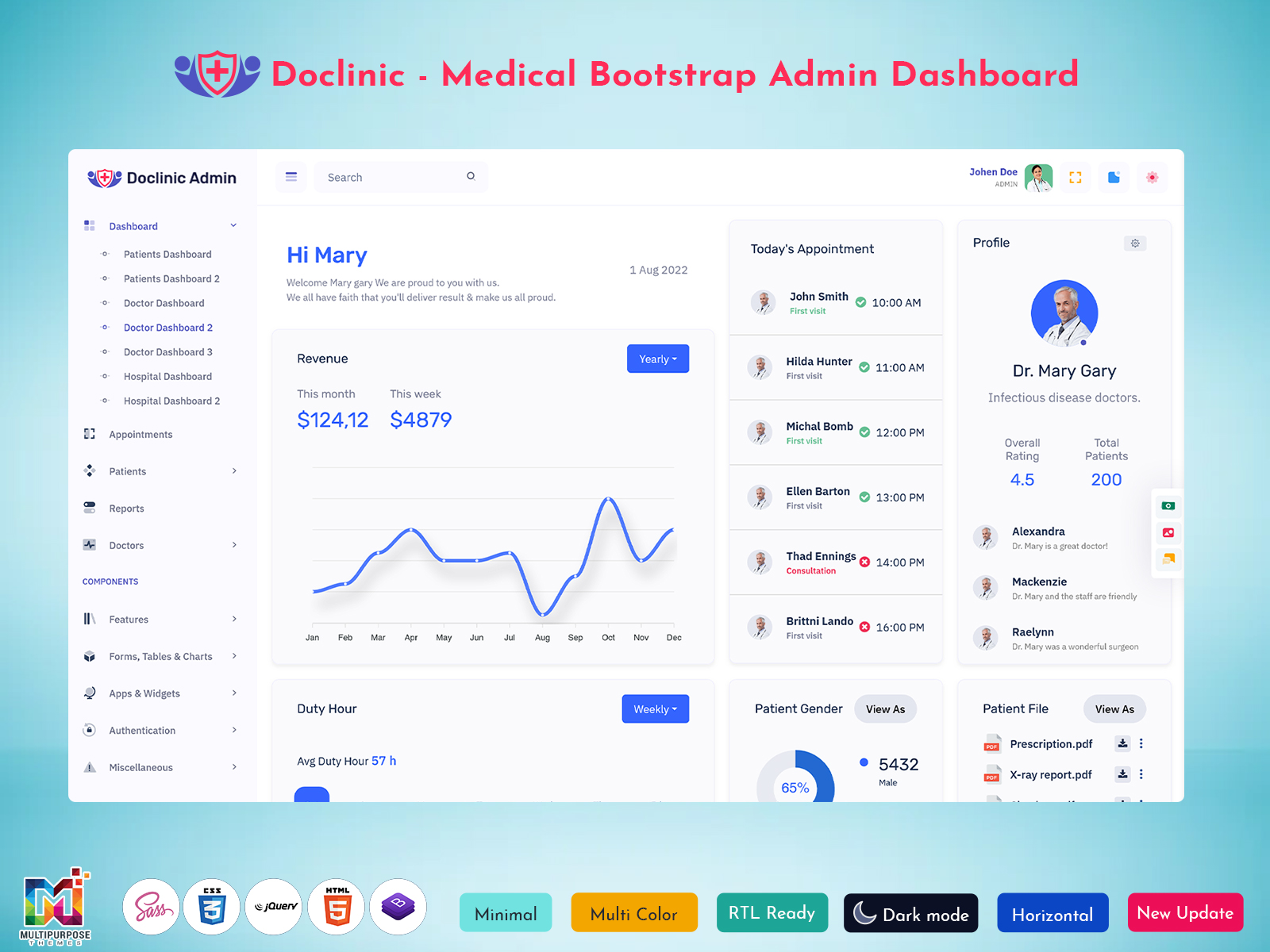
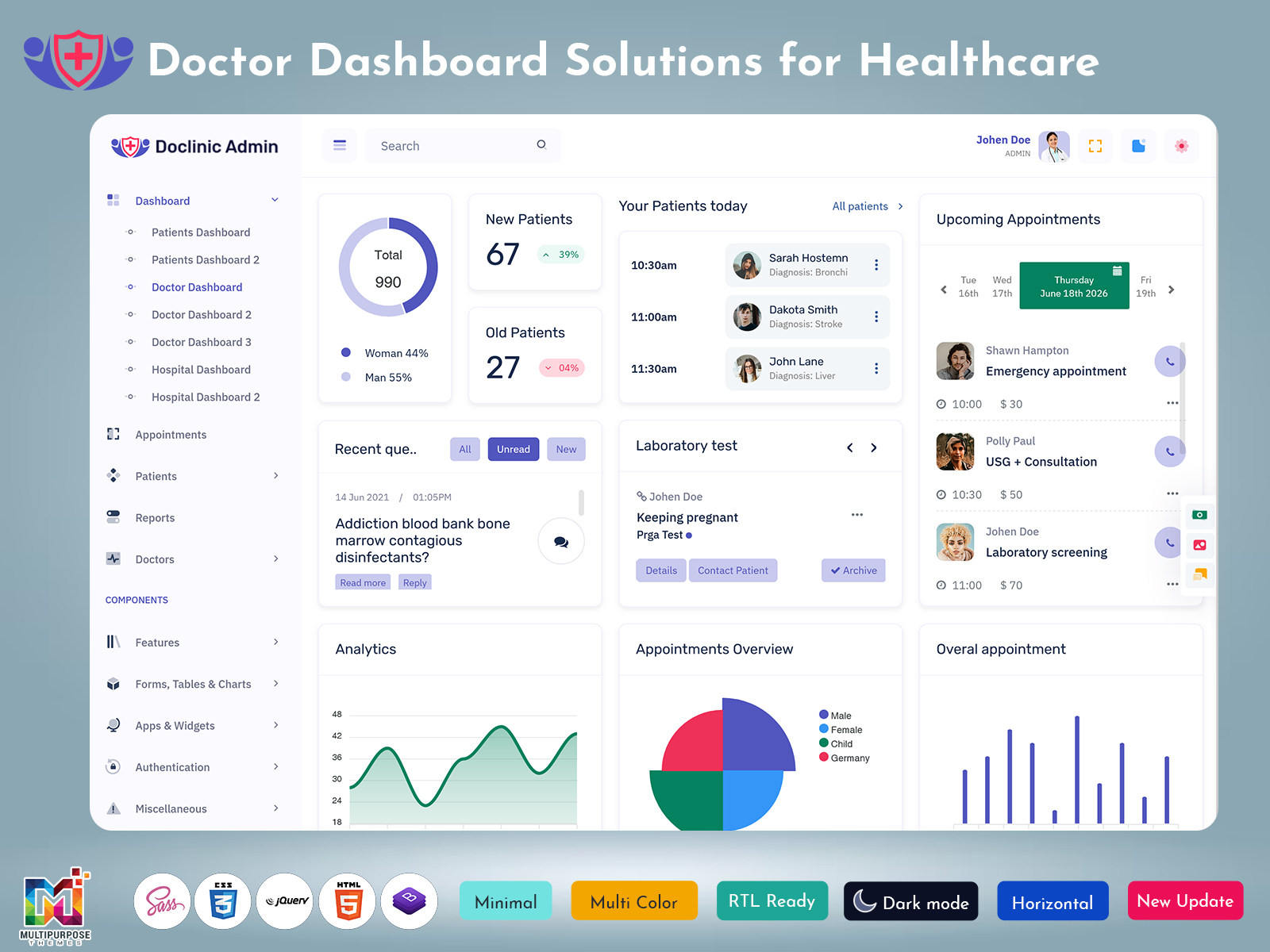
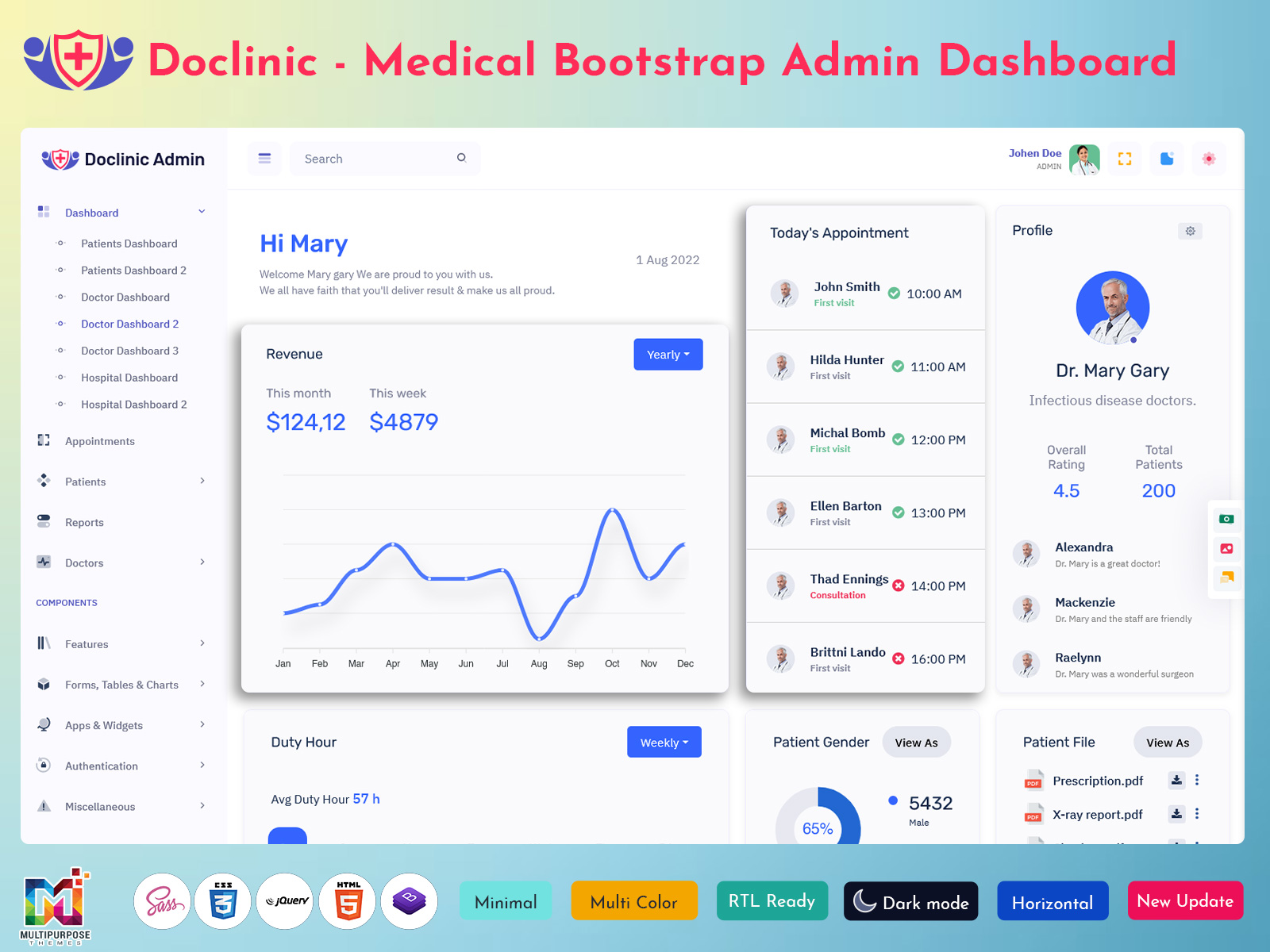
MultiPurpose Themes offers a Doctor Dashboard template designed to organize essential clinical information within a clear and structured interface. The template brings together components such as patient records, appointment schedules, medical histories, prescriptions, clinical notes, and healthcare analytics, helping medical professionals access frequently used information more efficiently. With flexible dashboard sections and customizable layouts, it can be adapted for hospitals, clinics, telemedicine platforms, and healthcare management applications. This gives developers and healthcare businesses a practical foundation for building a Doctor Dashboard that keeps clinical information organized while supporting smoother day-to-day workflows.
Conclusion
A Doctor Dashboard should be designed around the reality of medical work rather than around a list of fashionable interface components.
Doctors need to understand what is happening today, identify which patients require attention, access relevant background information, document consultations, and keep track of what needs to happen next. A useful dashboard connects these stages without making the user fight through unnecessary screens.
A Modern Doctor Dashboard can provide this structure while remaining flexible enough for different specialties and healthcare environments. A Doctor Dashboard Bootstrap Template can give development teams a practical interface foundation, while a Responsive Doctor Dashboard can support doctors working across different devices.
A Medical Doctor Admin Template can go further by creating role-specific spaces for clinical and administrative users.
Ultimately, the best dashboard is not the one with the largest number of panels. It is the one that helps a doctor reach relevant information at the moment it is needed, understand the surrounding context, and move naturally to the next part of the clinical workflow.
VIEW DEMO BUY NOW
Frequently Asked Questions
1. What should a doctor see first when opening a Doctor Dashboard?
The first screen should generally reflect the doctor’s immediate responsibilities rather than showing every available medical statistic. Today’s schedule, patients requiring attention, follow-up items, and meaningful updates can provide a useful starting point. More detailed patient information can remain one step away so the main workspace does not become overloaded.
2. Can a Doctor Dashboard be customized for different medical specialties?
Yes. A Multi Purpose Themes dashboard can be adapted according to specialty-specific workflows. A cardiology practice may prioritize different information from a dermatology or pediatric practice. Customization can change the information hierarchy, terminology, fields, and workflow while keeping the underlying interface structure consistent.
3. Why is responsive design important for doctors?
Doctors may access healthcare applications from different locations and devices during their working day. A Responsive Doctor Dashboard can make information readable and usable on desktops, tablets, and smaller screens. The goal is not merely to make the layout smaller but to preserve practical navigation and important actions.
4. What is the purpose of a Doctor Dashboard Bootstrap Template?
A Multi Purpose Themes Doctor Dashboard Bootstrap Template provides a pre-designed interface foundation for building healthcare applications. It can include layouts, components, navigation structures, and other UI elements that developers can customize. This can reduce the amount of interface work required when creating a medical software product.
5. Can a Medical Doctor Admin Template support multiple user roles?
Yes. Multi Purpose Themes Depending on the application, different roles can be given different permissions and interfaces. Doctors, administrators, reception staff, and other authorized users may require different information. Role-based design can help prevent unnecessary access while keeping each user’s workspace relevant to their responsibilities.
6. How can a Doctor Dashboard avoid overwhelming physicians with information?
The dashboard should use information hierarchy instead of displaying everything simultaneously. Important current tasks can appear first, while detailed histories, reports, and supporting information can be available through deeper views. Meaningful filters, timelines, clear labels, and restrained visual elements can further reduce unnecessary complexity.
7. Is a Doctor Dashboard only useful for hospitals?
No. Doctor Dashboards can be used in private practices, specialist clinics, outpatient centers, telemedicine platforms, healthcare SaaS products, and other medical environments. The required workflow may differ considerably, but the underlying idea remains the same: organize relevant clinical information so authorized users can reach it when needed.

Related Posts


This Post Has 0 Comments