

What is a Cybersecurity Dashboard? A Cybersecurity Dashboard is a centralized digital interface that helps…
Cybersecurity Analytics for Smarter Security Monitoring
Reading Time: 8 minutes
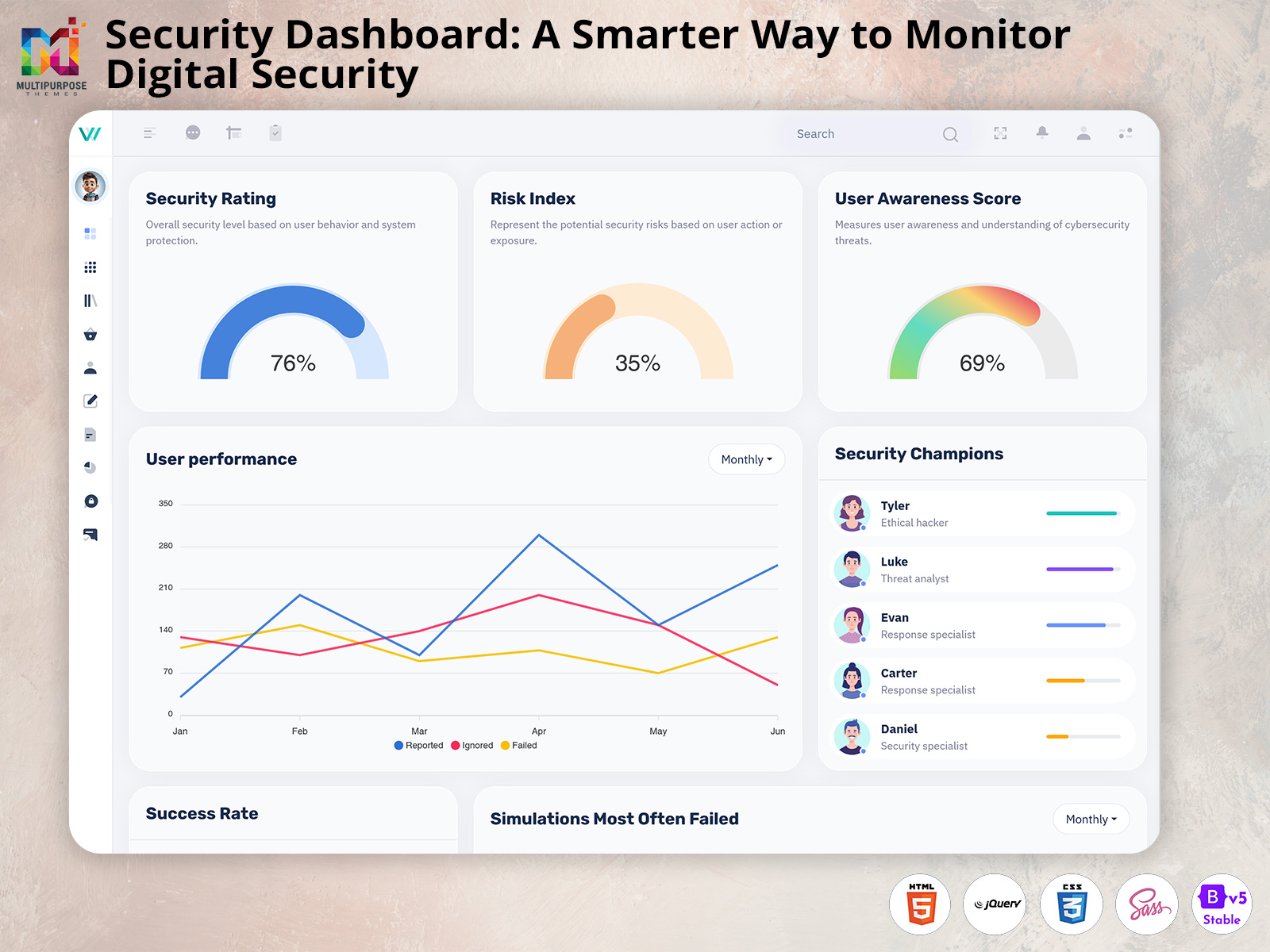
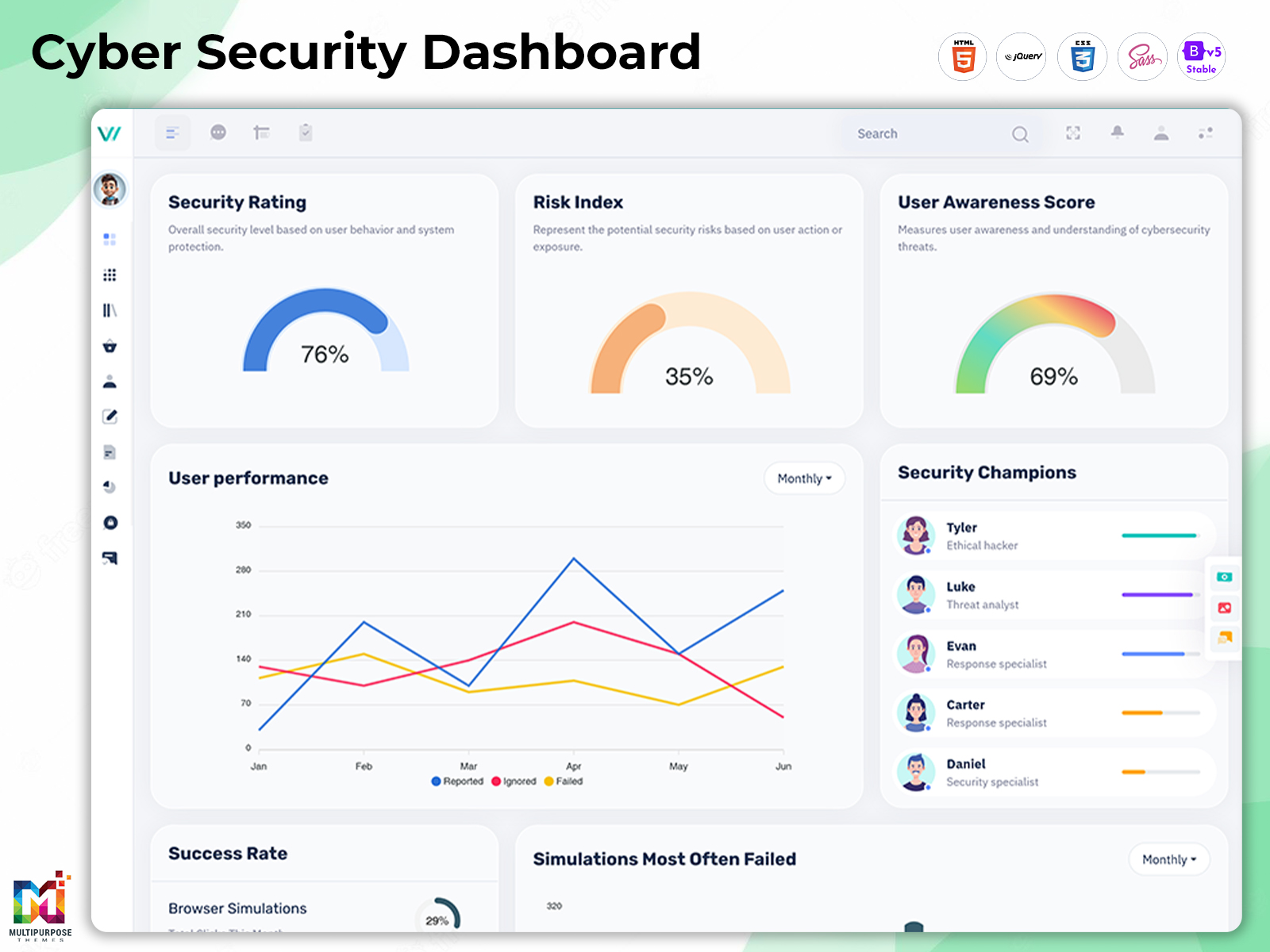
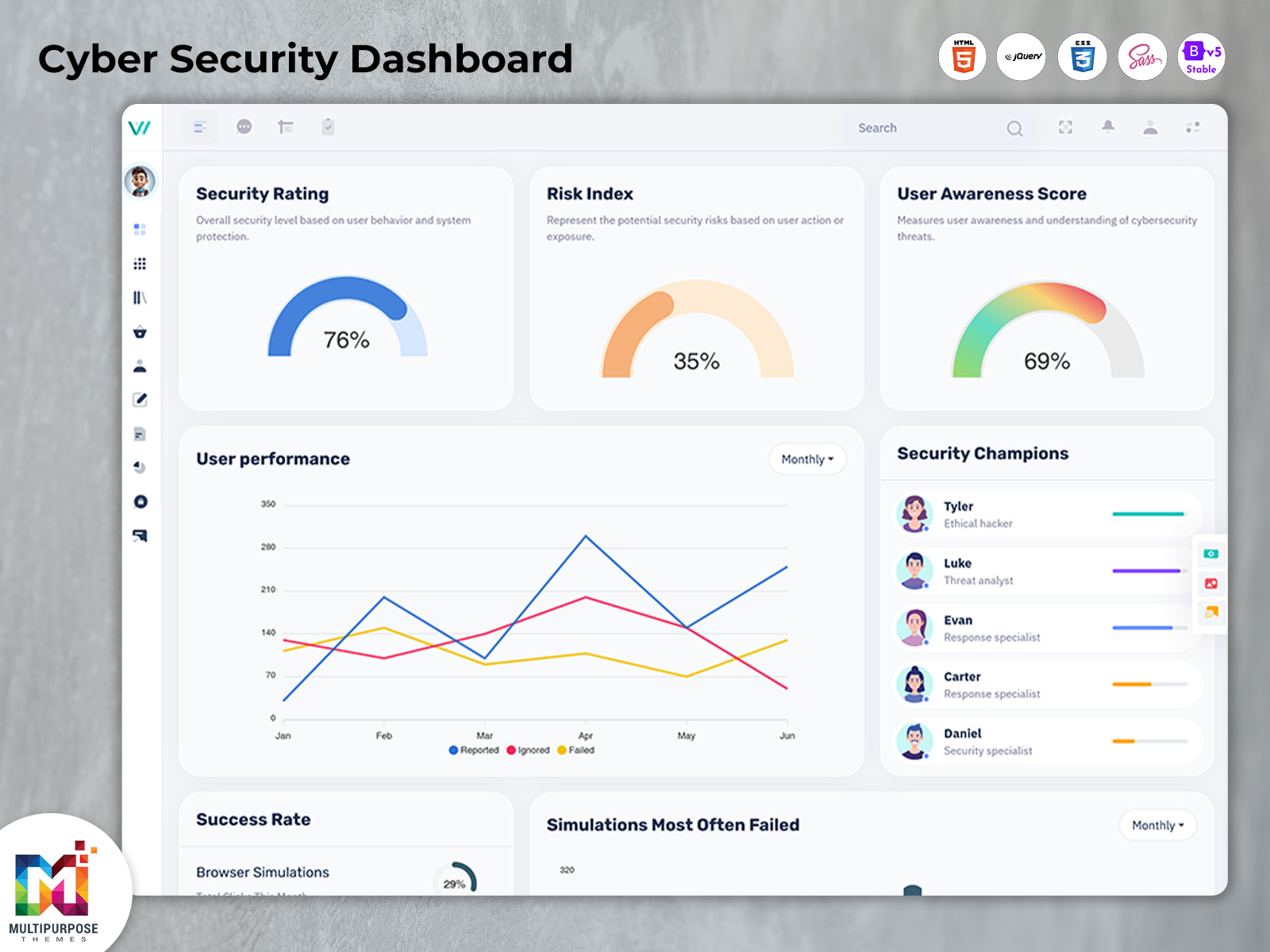
A cyber security dashboard can provide a more organized way to view important security information.
Instead of forcing security professionals to move between multiple screens, a centralized interface can bring selected information together. This can help teams understand current conditions, identify areas that deserve attention, and maintain better visibility across their digital environment.
A Risk Management Dashboard can focus on risks and their current status. A Cyber Risk Dashboard can provide a more security-specific view of potential exposure. An IT Security Dashboard can organize information associated with technology protection, while a Security Management Dashboard can provide a broader operational interface.
The exact information shown depends on the underlying application and the organization’s security processes.
The purpose of such a dashboard is not to replace security tools. Instead, it can act as a visual layer that helps users interpret information produced by those systems.
What is a Cyber Security Dashboard?
A cyber security dashboard is a digital interface designed to organize and display information related to an organization’s cybersecurity environment. It can bring selected security data into a centralized workspace, allowing authorized users to review risks, security conditions, alerts, incidents, and other relevant information according to the application’s capabilities.
Cybersecurity environments can become complicated very quickly.
An organization may have employees working from offices, homes, and different locations. It may use cloud applications, internal systems, third-party services, mobile devices, servers, databases, and connected infrastructure.
Each component can create security-related information.
Without a suitable way to organize that information, security teams may spend considerable time moving between different tools simply to build an overall understanding of what is happening.
A dashboard can make this process more structured.
A Risk Management Dashboard can help users maintain visibility into identified risks and their status. Instead of treating every risk as an isolated record, the interface can provide an overall view that supports prioritization and follow-up.
A Cyber Risk Dashboard can focus specifically on digital security exposure. It can be designed around the organization’s chosen risk measurements and the information available through its security systems.
An IT Security Dashboard may cover a wider technology environment, bringing together information relevant to infrastructure and system protection.
Meanwhile, a Security Management Dashboard can provide a broader operational perspective for teams responsible for coordinating security activities.
The dashboard itself does not automatically guarantee protection.
Its usefulness depends on the accuracy of the underlying data, the quality of the security processes, the tools connected to it, and the decisions made by the people using the information.
A well-designed dashboard should therefore be viewed as a decision-support interface rather than a replacement for professional cybersecurity controls.
Factors Affecting Cyber Security Monitoring
1. Threat Activity
Unusual login attempts, suspicious network activity, malware alerts, and other security events can influence the overall security status of a digital environment. A dashboard can organize these events so security teams can review relevant activity and investigate potential concerns.
2. Vulnerability Exposure
Outdated software, unpatched systems, misconfigured services, and known vulnerabilities can increase an organization’s exposure to security issues. Monitoring vulnerability-related information can help teams maintain awareness of systems that may require review or remediation.
3. User and Access Activity
Changes in user permissions, repeated failed logins, unusual access patterns, and account-related events can provide important information about the security environment. Tracking these activities can help organizations maintain better visibility over authorized and unusual access.
4. Endpoint Security Status
Computers, servers, mobile devices, and other endpoints can generate security information that needs ongoing review. Monitoring endpoint status can help teams identify devices that may require updates, investigation, or additional security attention.
5. Network Conditions
Network traffic and connection activity can provide useful indicators for security monitoring. Changes in normal traffic patterns, unexpected connections, or unusual communication between systems may require further investigation depending on the organization’s security processes.
6. Cloud Environment Changes
Businesses increasingly depend on cloud applications and infrastructure. Changes to cloud configurations, accounts, permissions, and connected services can affect the overall security environment and may therefore become important information within a cybersecurity monitoring dashboard.
7. Incident Status
Once a security incident is identified, its investigation and resolution can involve multiple activities. Tracking incident status, assigned actions, affected systems, and investigation progress can help authorized teams maintain a clearer view of ongoing security matters.
8. Risk Changes Over Time
Cybersecurity conditions are not static. New vulnerabilities, system changes, access modifications, and emerging threats can alter an organization’s risk environment. Reviewing these changes over time can help teams understand whether particular security concerns are increasing, decreasing, or remaining unresolved.
Features of Security Dashboard
1. Security Risk Visibility
A Risk Management Dashboard can provide a centralized view of identified security risks. Presenting relevant information together can help authorized users understand the current risk landscape and determine which areas may require additional review, investigation, or follow-up according to established organizational procedures.
2. Cyber Exposure Monitoring
A Cyber Risk Dashboard can organize information associated with digital security exposure. It gives teams a structured interface for reviewing available risk information, helping them maintain awareness of changing conditions without depending entirely on disconnected reports or manually combined records.
3. IT Environment Overview
An IT Security Dashboard can bring selected technology-security information into one interface. This can help authorized administrators maintain a broader view of their environment and move toward specific systems, records, or security information when additional investigation becomes necessary.
4. Incident Information
A security dashboard can provide a centralized place for reviewing incident-related information when supported by the underlying application. This can help teams maintain a clearer understanding of ongoing security matters and coordinate their response activities through an organized operational interface.
5. Security Status Presentation
A Security Management Dashboard can present important security information in a visual format. Clear presentation can help users recognize current conditions more quickly, allowing them to move from an overall status toward detailed information without navigating through unrelated sections.
6. Access and Permission Control
A cybersecurity dashboard can be designed around different user roles and access requirements. This allows organizations to provide appropriate information to administrators, analysts, managers, or other authorized users while reducing unnecessary exposure of security information to people who do not require it.
7. Customizable Security Interface
A security dashboard can be adapted according to the organization’s technology environment and operational requirements. Developers can customize the interface, information hierarchy, branding, and navigation so that the dashboard supports the specific workflows and security processes of its intended users.
Security Dashboard for Risk Awareness
Risk management is not simply about collecting a list of possible problems.
Organizations need to understand which risks matter, how they relate to important systems, and what action may be required.
A Risk Management Dashboard can provide a structured environment for maintaining this visibility.
For example, an organization may identify several security concerns across different systems. Some may require immediate attention, while others may be monitored according to an established process.
Without a centralized view, keeping track of these differences can become difficult.
A dashboard can help users see the bigger picture.
It can also support communication between technical and management teams.
Security professionals may need detailed information, while senior decision-makers may require a simpler overview.
The dashboard can present information at different levels without forcing every user to work with the same amount of technical detail.
This can make security discussions more productive.
However, the dashboard should reflect the organization’s actual risk-management methodology.
Benefits of Security Dashboard
1. Better Security Visibility
A centralized security dashboard can bring important information together, giving authorized users a clearer view of their environment. This can reduce the effort required to move between disconnected systems when reviewing security conditions or identifying areas that require attention.
2. Supports Risk Prioritization
A Risk Management Dashboard can organize risk information so users can review identified concerns within a broader context. This can help teams understand which items require closer examination based on their established risk assessment processes and organizational priorities.
3. Faster Information Review
A well-structured dashboard reduces unnecessary navigation by placing relevant information within an accessible interface. Users can begin with an overall picture and move toward specific records when needed, making routine security reviews more efficient.
4. Improves Team Communication
A Security Management Dashboard can provide a shared visual reference for security teams and decision-makers. Presenting information consistently can make it easier to discuss current conditions, explain priorities, and coordinate responsibilities without relying entirely on separate reports.
5. Helps Monitor Cyber Risks
A Cyber Risk Dashboard can give organizations a structured view of available cybersecurity risk information. This supports ongoing awareness by allowing authorized users to review changing conditions and identify areas that may need further investigation or action.
6. Reduces Information Overload
Security teams can receive large volumes of technical information. A thoughtfully designed dashboard can organize relevant data into a more understandable structure, helping users focus on meaningful information instead of manually sorting through every available record.
7. Supports Scalable Security Operations
A customizable dashboard can evolve as an organization’s technology environment expands. New systems, information sources, user roles, and workflows can be incorporated into the interface when the underlying application is designed for flexibility and long-term growth.
Create Your Cyber Security Dashboard with MultiPurpose Themes
Looking for a ready-to-use Cyber Security Dashboard for your next web project? MultiPurpose Themes provides professionally designed admin dashboard templates that give developers a strong starting point for building modern security, monitoring, analytics, and management applications. Our dashboard templates are created with clean layouts, responsive interfaces, reusable UI components, charts, tables, forms, widgets, and organized navigation that can be customized according to your project’s requirements. Whether you are developing a Cyber Risk Dashboard, IT Security Dashboard, Security Management Dashboard, or a broader cybersecurity application, you can adapt the interface to match your branding, workflow, user roles, and required features. Instead of designing every dashboard component from the ground up, developers can use a ready-made MultiPurpose Themes template and focus their development efforts on the application’s core functionality, integrations, and backend systems. Explore our dashboard templates and choose a flexible UI foundation that can grow with your project.
Conclusion
A modern cybersecurity environment can contain an enormous amount of information. Without effective organization, even experienced teams can find it difficult to maintain a clear view of current conditions.
A cyber security dashboard provides a structured interface for bringing relevant security information together.
A Risk Management Dashboard can support risk visibility, while a Cyber Risk Dashboard can focus on digital exposure. An IT Security Dashboard can organize technology-related security information, and a Security Management Dashboard can provide a broader operational perspective.
The real value of these dashboards comes from how well they support the people using them.
Clear information, logical navigation, meaningful visual presentation, appropriate access controls, and reliable data can make the dashboard more useful in daily security operations.
For developers, the best approach is to create an interface around actual security workflows rather than filling the screen with unnecessary charts and metrics.
A dashboard cannot replace security professionals or protective technologies.
It can, however, provide a clearer window into the information those teams need to review.
As businesses continue to depend on increasingly connected digital environments, that visibility can become an important part of responsible security management.
Frequently Asked Questions
1. What is a Cyber Security Dashboard used for?
A Multi Purpose themes cyber security dashboard is used to organize and present relevant security information in one interface. Depending on the application, it can help authorized users review risks, incidents, system conditions, security measurements, or other information needed for ongoing security management.
2. What is the difference between a Risk Management Dashboard and a Cyber Risk Dashboard?
A Multi Purpose themes Risk Management Dashboard can cover a broader range of organizational risks, depending on the application. A Cyber Risk Dashboard is generally focused specifically on risks associated with digital systems, technology, information, and cybersecurity conditions.
3. Can an IT Security Dashboard monitor an entire IT environment?
It can provide a centralized view of selected information from an IT environment, but its actual coverage depends on the systems connected to the application. Integrations, data sources, monitoring tools, and backend implementation determine what information the dashboard can display.
4. Does a Security Management Dashboard automatically protect a company from cyberattacks?
No. A Multi Purpose themes dashboard is primarily an interface for organizing and presenting information. It does not replace firewalls, endpoint protection, authentication controls, vulnerability management, incident response procedures, trained security professionals, or other cybersecurity measures.
5. Can different employees have different dashboard access?
Yes, when the underlying application supports role-based permissions. Administrators, security analysts, IT staff, and managers may require different information or capabilities. Proper access control can help ensure that users receive only the information and functions appropriate for their responsibilities.
6. Can a cybersecurity dashboard be customized for a specific company?
Yes. Developers can customize the interface according to the organization’s workflows, branding, technology environment, data sources, user roles, and reporting requirements. A suitable dashboard structure should be flexible enough to accommodate the organization’s current needs and future changes.
7. Where can I find a dashboard template for a cybersecurity application?
When selecting a template, developers should consider responsiveness, framework support, documentation, customization, licensing, accessibility, and long-term flexibility.Multi Purpose themes can be considered as a source for professionally designed dashboard interfaces that developers can adapt to different web application projects.

Related Posts


This Post Has 0 Comments