

What is a Music Dashboard? A Music Dashboard is a centralized digital interface designed to…
Music Streaming Analytics: A Smarter Way to Track and Understand Music Data
Reading Time: 10 minutes
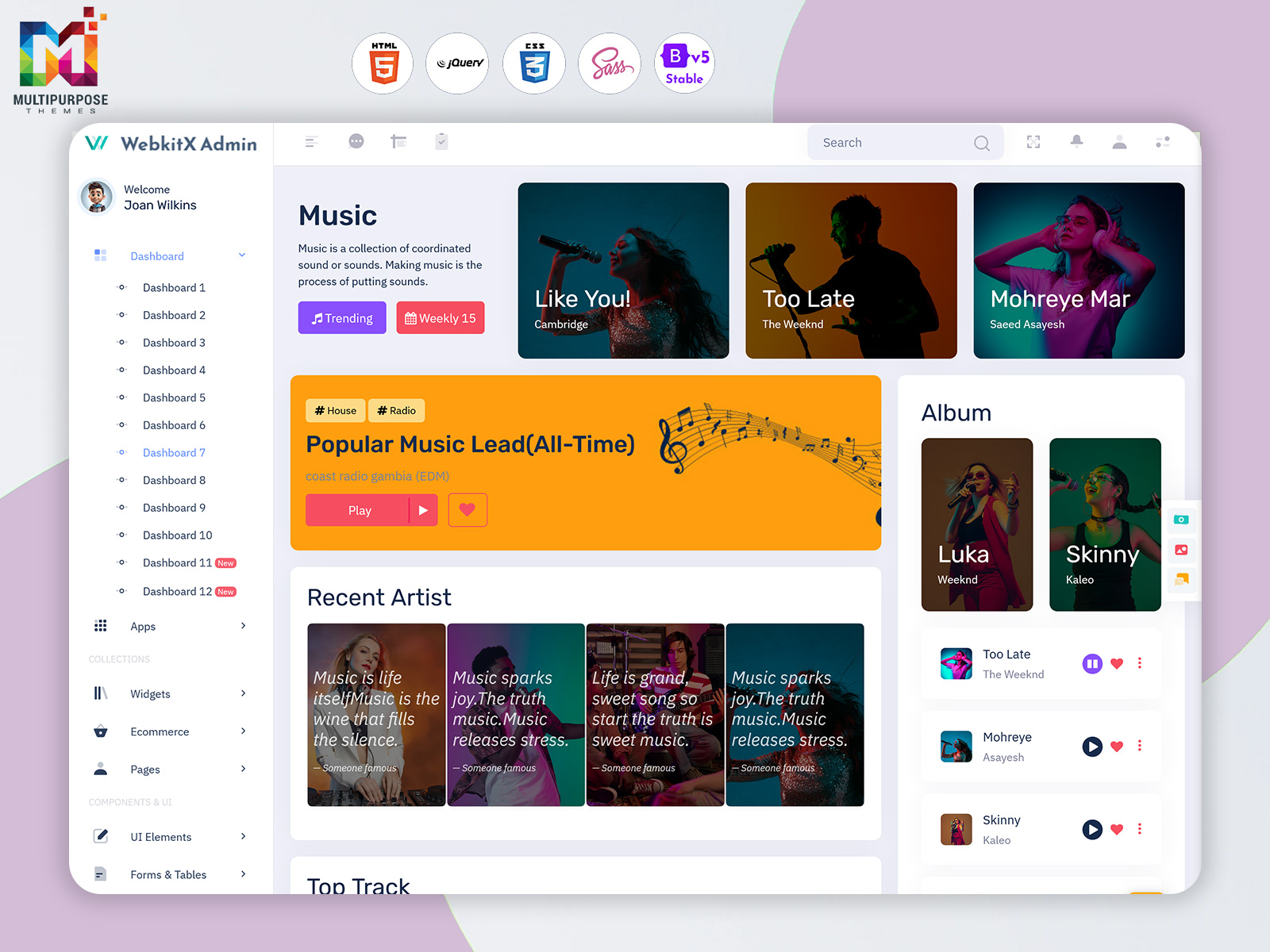
A Music Dashboard provides a centralized digital workspace where music-related information can be organized and presented in a clear format. Rather than making users move through several disconnected screens, a dashboard can bring important information into one accessible environment.
Watch Full Video
The purpose is not simply to display music records. A useful dashboard helps users understand what is happening within their music environment.
For example, a content manager may need to organize playlists, while an artist manager may want to review song activity. A label administrator could be interested in albums and releases, whereas a platform operator may need broader information about the entire music catalog.
These users have different responsibilities, so the dashboard should be flexible enough to support different workflows.
A Playlist Management Dashboard can focus on organizing and maintaining playlists, while a Music Library Dashboard can provide a broader view of available music content. Similarly, an Album Management System can help structure album-related information, and a Song Analytics Dashboard can provide a dedicated environment for reviewing song-related activity.
Together, these functions can create a more organized digital experience for modern music management.
What is a Music Dashboard?
A Music Dashboard is a digital interface designed to organize, monitor, and present information associated with songs, albums, artists, playlists, and other music-related activities. It provides users with a structured workspace where they can review information without relying entirely on separate files or disconnected applications.
Music management can involve many types of records.
A single song may belong to an album, appear in several playlists, have information about its artist, and generate activity across different periods. When a music catalog becomes larger, maintaining these relationships manually can become difficult.
A dashboard can provide a central environment for viewing this information.
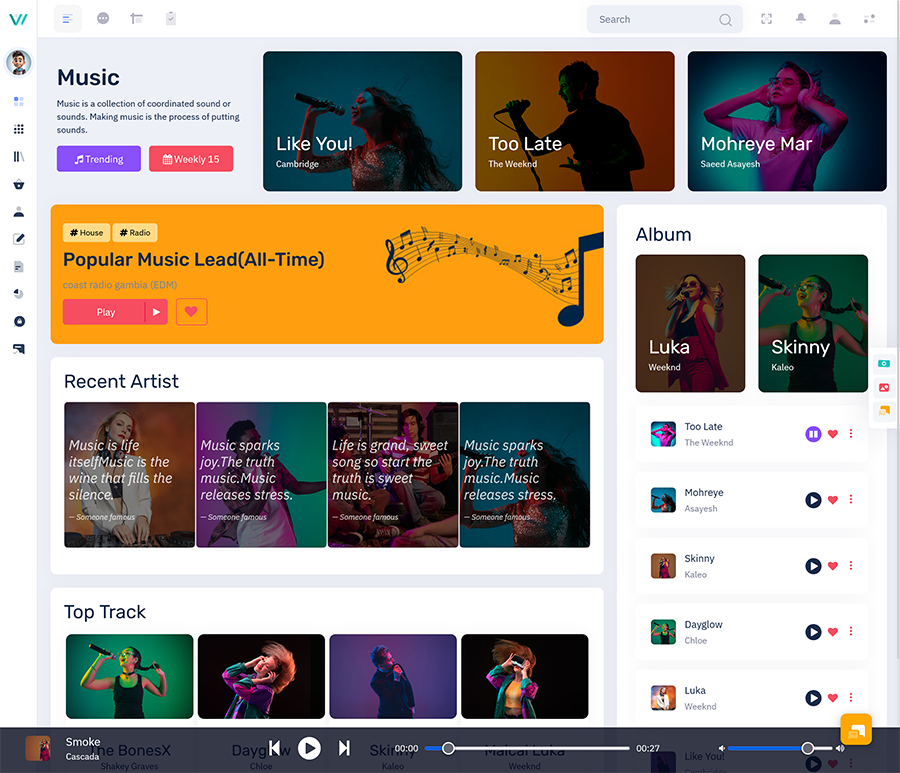
A Music Library Dashboard, for example, can organize a collection of music content into an interface where users can browse and review their available catalog. Instead of searching through multiple locations, users can have a more structured way to reach the information they need.
Playlist management has different requirements.
A Playlist Management Dashboard can help users work with playlists as organized collections rather than treating each playlist as an isolated list of songs. This can be useful for platforms, content teams, music applications, and businesses that regularly create or update playlists.
Albums also require their own organization.
An Album Management System can provide a dedicated structure for managing album-related records. It can connect information about releases and tracks within a suitable application environment.
Analytics adds another layer.
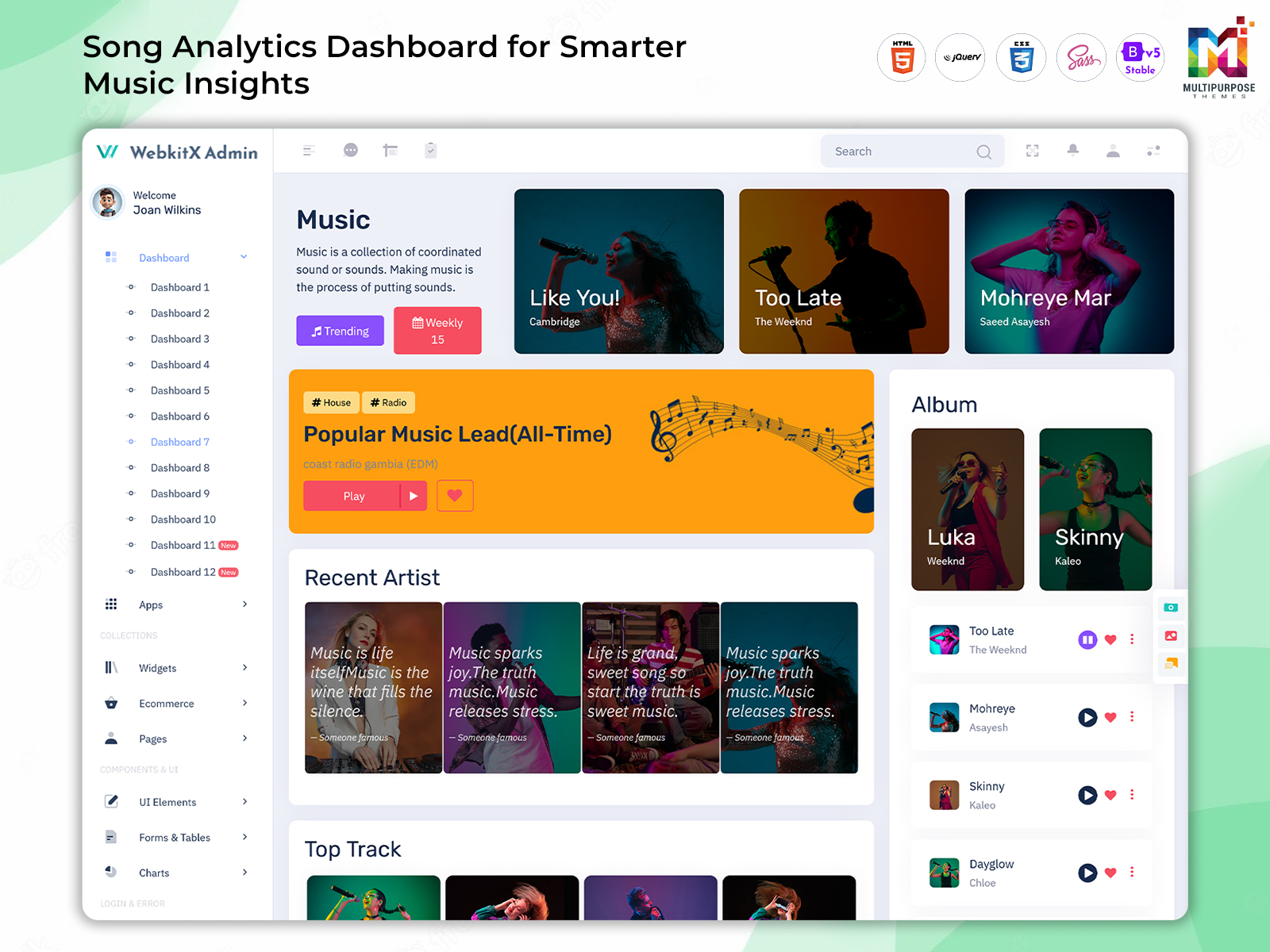
A Song Analytics Dashboard can help users understand song-related information through visual representations. Instead of looking at raw figures alone, users can review information in a format that makes changes and patterns easier to recognize.
For developers, these functions can be brought together through a customizable dashboard interface.
A Music Dashboard should also consider different user roles. An administrator may require broader access, while a content editor may only need music-management functions.
This makes permissions, navigation, and interface organization important parts of the overall dashboard experience.
VIEW DEMO BUY NOW
A Different Perspective on Music Dashboard
A music dashboard is often viewed simply as an administrative screen for managing songs.
However, its value can go beyond basic record management.
Music content has relationships.
A song may belong to an album. The same song can appear on multiple playlists. Different versions may exist for the same release. Listener activity can change over time. An artist may have several albums and many individual tracks.
When these relationships become larger, users need more than a simple list.
A well-organized Music Dashboard can provide context around the information being managed.
For example, a music manager may look at a particular song and then want to understand where it appears within the catalog. From there, they may need to review its album or playlist presence.
The dashboard can make this journey more structured.
The same idea applies to playlist management.
A Playlist Management Dashboard can help content teams organize playlists according to their purpose, audience, or application requirements. A playlist may be created for a particular mood, campaign, audience, event, or editorial objective.
Having an organized workspace makes these collections easier to maintain.
A Music Library Dashboard can take a broader approach by providing visibility into the overall catalog.
This can become particularly useful as the number of songs increases.
Instead of treating the dashboard as one giant screen, developers can create an interface where users begin with a clear overview and then move toward specific information.
This makes the experience less overwhelming.
A dashboard should answer practical questions quickly.
Where is the information?
What has changed?
Which content needs attention?
Which records should be reviewed?
Which trends deserve closer investigation?
These questions are more important than simply adding more charts or visual elements.
VIEW DEMO BUY NOW
Features of Music Dashboard
1. Organized Music Catalog
A Music Library Dashboard can present a structured view of available music content. This makes it easier for authorized users to browse a growing catalog, locate relevant records, and maintain better visibility without depending on scattered files or disconnected music-management screens.
2. Playlist Management
A Playlist Management Dashboard can provide a dedicated environment for handling playlists. Users can work with playlist information through a consistent interface, making regular content organization more convenient for music platforms, editors, businesses, and other digital music applications.
3. Album Organization
An Album Management System can bring album-related information into a structured workspace. This can help users maintain clearer relationships between releases and their associated tracks while giving administrators a more practical way to work with album records.
4. Song Activity Analysis
A Song Analytics Dashboard can transform song-related information into a visual format that is easier to review. Users can examine available activity data and identify meaningful changes without relying entirely on lengthy numerical reports.
5. Artist Information Management
A music dashboard can provide an organized area for artist-related records. Keeping artist information within the broader music environment can help users maintain connections between artists, albums, songs, and other catalog information.
6. Searchable Music Information
A dashboard can make large music collections easier to navigate by providing a structured search experience. Users can locate relevant records more efficiently instead of manually moving through long lists whenever they need information about a particular piece of content.
7. Responsive Dashboard Interface
A Music Dashboard can be designed to work across different screen sizes. Responsive behavior allows users to access important music-management information from suitable devices while maintaining a consistent interface that remains practical for everyday administrative tasks.
Music Dashboard for Playlist Management
Playlists have become an important part of digital music experiences.
They can be created for different audiences, purposes, and listening situations. Some may be editorial, while others can be user-generated or created around specific themes.
Managing many playlists can therefore become a separate task within a music platform.
A Playlist Management Dashboard can provide a focused workspace for this responsibility.
Content managers can use the interface to understand which playlists exist and work with their associated information.
For businesses operating digital music applications, this can make playlist administration more organized.
A playlist may also change over time.
Songs can be added, removed, reordered, or replaced according to the requirements of the platform.
Having a dedicated dashboard environment can make these activities easier to coordinate.
The design should also avoid making simple actions unnecessarily complicated.
If a content manager regularly updates playlists, frequently used actions should be easy to find.
Good dashboard design considers the user’s routine rather than simply displaying every possible function.
Music Dashboard for Artists and Music Teams
Artists and their teams often need to manage several types of information at the same time.
They may be working on new releases, organizing existing songs, preparing playlists, and reviewing available activity information.
A Music Dashboard can provide a central environment for these responsibilities.
An artist manager may begin with an overview before moving toward individual songs or albums.
A content manager may have a different starting point.
The dashboard can be structured so that different users reach the information relevant to their responsibilities.
This makes role-based access useful.
Not every user needs administrative control over the entire music catalog.
Some users may only need to view analytics, while others may be responsible for maintaining content.
A flexible dashboard can accommodate these differences when the application’s permissions system supports them.
This creates a cleaner experience and can reduce accidental changes to information that users do not need to manage.
Customization in a Music Dashboard
At Multipurpose Themes, we create flexible and customizable dashboard templates designed to support different types of music applications and business requirements. We understand that every music platform has its own workflow, audience, branding, and functionality, which is why our themes are built with customization in mind.
Our Music Dashboard provides a structured foundation that can be adapted according to the specific needs of a project. Whether you are building a platform for independent artists, managing a large music catalog, working with playlists, or presenting music analytics, our dashboard layouts can be customized to fit different use cases.
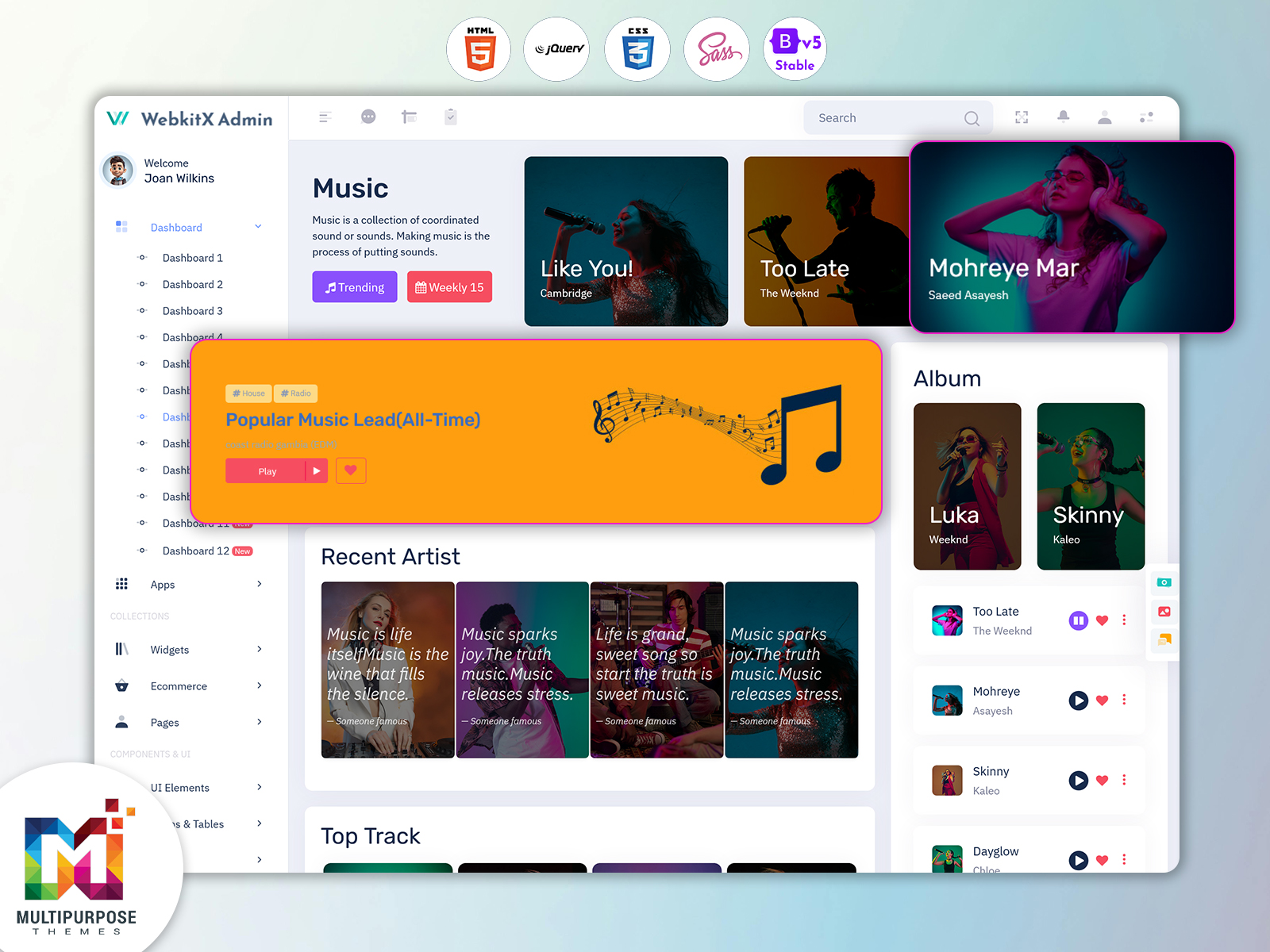
We offer reusable UI components and organized layouts that make it easier to build sections such as music libraries, artist profiles, playlists, albums, streaming statistics, and other music-related records. For example, a Music Library Dashboard can be customized to focus on organizing songs and artists, while an Album Management System can include dedicated screens for managing albums, tracks, and related information.
Our themes also allow developers to customize elements such as colors, typography, navigation, forms, tables, cards, and other interface components to match their project’s branding and requirements. This flexibility helps businesses create a consistent user experience without having to design every dashboard component from the beginning.
At Multipurpose Themes, our aim is to provide ready-to-use and adaptable dashboard solutions that simplify the UI development process. Our Music Dashboard Templates give developers a strong starting point while leaving room for customization based on the application’s technology, features, user roles, and workflow.
With a customizable approach, our music dashboard themes can be adapted to different project requirements while maintaining a clean, responsive, and organized interface.
Benefits of Music Dashboard
1. Centralizes Music Information
A Music Dashboard brings important music-related information into a structured environment. This can make it easier for users to locate songs, albums, playlists, and other records without depending on multiple disconnected sources during routine management activities.
2. Simplifies Catalog Organization
A Music Library Dashboard can provide a clearer way to work with growing music collections. Users can review catalog information through an organized interface, helping them maintain better visibility as the number of songs and releases increases.
3. Makes Playlist Administration Easier
A Playlist Management Dashboard gives content teams a dedicated environment for handling playlists. This can make regular playlist maintenance more convenient and provide a consistent workspace for managing collections that change over time.
4. Supports Album Management
An Album Management System can organize release-related information within a structured interface. This helps administrators maintain clearer relationships between albums and their associated tracks while creating a more consistent approach to managing catalog records.
5. Improves Analytics Understanding
A Song Analytics Dashboard can present available song activity in a visual format. This can help users recognize changes and compare information more easily than when working only with raw numerical records or lengthy reports.
6. Reduces Administrative Effort
A centralized music interface can reduce unnecessary searching between separate information sources. Users can start from an organized overview and move toward specific records, helping routine catalog and content-management activities become more efficient.
7. Supports Different User Roles
A flexible dashboard can be adapted for administrators, content managers, artists, analysts, or other authorized users. Presenting information according to responsibilities can make the interface more relevant and prevent users from being overwhelmed by functions they do not require.
Why a Music Dashboard Can Matter as a Music Business Grows
Growth changes the way music information needs to be managed.
A small catalog can often be handled with simple tools.
A larger catalog requires stronger organization.
As more songs, albums, playlists, users, and activity records are added, the need for a central interface becomes more apparent.
A Music Dashboard can provide that interface.
The value is not limited to administrative convenience.
A well-organized dashboard can help teams create a more consistent way of working with music information.
A Music Library Dashboard can provide catalog visibility.
A Playlist Management Dashboard can support content organization.
An Album Management System can structure release information.
A Song Analytics Dashboard can provide a clearer view of available song activity.
These areas can work together to create a connected digital environment.
The dashboard can also become a foundation for future improvements.
As the application’s requirements change, developers can add or modify sections instead of rebuilding the entire interface from the beginning.
This makes a flexible dashboard useful for businesses that expect their music operations to grow.
Create Your Music Dashboard with Multipurpose Themes
At Multipurpose Themes, we provide modern, responsive, and customizable dashboard templates that help developers build interfaces for different web applications and business requirements. Our Music Dashboard Template is designed as a flexible UI foundation for projects involving music libraries, artists, albums, playlists, streaming information, and music-related analytics. With reusable dashboard components, responsive layouts, organized navigation, tables, cards, charts, and other interface elements, developers can adapt the design to their application’s specific workflow and branding. Whether you are developing a music streaming platform, artist management system, playlist administration panel, or music analytics interface, our templates provide a ready-to-customize starting point that can help simplify the frontend development process. With Multipurpose Themes, you can build and customize a music-focused dashboard while keeping the interface structured, responsive, and user-friendly.
Conclusion
A modern music platform can involve a large amount of information, from individual songs and albums to playlists, artists, and activity data.
A Music Dashboard can bring these areas into a more organized digital workspace, helping users find and understand information without unnecessary complexity.
A Music Library Dashboard can support catalog organization, while a Playlist Management Dashboard can make playlist administration more structured. An Album Management System can provide a suitable environment for release-related records, and a Song Analytics Dashboard can help users review available song activity through meaningful visual presentation.
For developers, the right dashboard structure can provide a strong foundation for building a music-related web application.
The most important consideration should not be how many elements can fit on one screen.
It should be whether the interface helps users complete their responsibilities efficiently.
When music information is organized around real workflows, different users can work more comfortably and teams can maintain a clearer understanding of their digital catalog.
As music businesses and platforms continue to expand, an adaptable and user-focused dashboard can become an important part of managing that growth.
VIEW DEMO BUY NOW
Frequently Asked Questions
1. What is a Music Dashboard used for?
A Multi Purpose Themes Music Dashboard is used to organize and present information related to songs, albums, artists, playlists, and music activity. Its exact purpose depends on the application, but it can provide administrators, content teams, artists, and managers with a centralized workspace for handling relevant information.
2. What is a Playlist Management Dashboard?
A Playlist Management Dashboard is an interface designed to help users organize and manage playlist-related information. It can be useful for music platforms, content teams, and other applications where playlists need to be created, maintained, reviewed, or updated regularly.
3. Can a Music Library Dashboard handle a large catalog?
A Multi Purpose Themes Music Library Dashboard can be designed to support large collections, but its actual capacity depends on the application’s database, architecture, search functionality, hosting environment, and implementation. The interface should also remain easy to navigate as the catalog becomes larger.
4. What is an Album Management System?
An Album Management System is a software environment for organizing album-related information. Depending on the application, it can connect albums with artists, tracks, release information, artwork, and other records required for managing a digital music catalog.
5. What does a Song Analytics Dashboard show?
A Song Analytics Dashboard can present available information about song activity through charts, figures, tables, or other visual elements. The exact data depends on the underlying application and may include different measurements related to song performance or user activity.
6. Can a Music Dashboard be customized for a music application?
Yes. A Multi Purpose Themes Music Dashboard can be customized according to the application’s users, branding, workflows, required screens, technology, and data structure. Developers can adapt the interface to create a more suitable environment for artists, music businesses, platforms, administrators, or content teams.
7. Can a dashboard template be used to build a music management application?
Yes. A dashboard template can provide a ready-made interface foundation for a music management application. Developers still need to implement the application’s functionality, database, authentication, integrations, and business logic. Multi Purpose Themes can be considered as one source for dashboard templates when developing different web application interfaces.

Related Posts


This Post Has 0 Comments