

What is an HRM Dashboard? An HRM dashboard is a centralized digital workspace that helps…

HRM Dashboard Management Template for Smart Employee Management
Reading Time: 7 minutes
Introduction to HRM Dashboard
Managing employees becomes difficult when information is spread across spreadsheets, emails, and paperwork. An HRM Software Dashboard helps organizations bring everything together in one place, making day-to-day workforce management much easier. From tracking employee records to monitoring attendance and payroll activities, businesses can access important information without switching between multiple systems.
Watch Full Video
A modern HR Dashboard provides a clear overview of workforce performance through charts, reports, and real-time updates. Companies use an HRMS Dashboard to monitor employee growth, recruitment activities, leave requests, and departmental performance from a single screen. Whether it is a startup or a large enterprise, an HRM Dashboard simplifies human resource operations and improves visibility across teams.
Today, many organizations prefer an HRMS Dashboard Template because it offers flexibility, scalability, and a user-friendly experience. It helps HR teams spend less time on manual tasks and more time focusing on employee engagement and business development.
Why Businesses Use an HRM Dashboard
As businesses grow, managing employees manually becomes more challenging. HR teams often spend hours maintaining attendance records, processing leave requests, updating employee information, and preparing reports. An HRM Dashboard helps reduce this workload by organizing everything in a centralized system.
Businesses use an HR Dashboard to gain quick access to workforce data and make faster decisions. Instead of relying on paperwork or multiple spreadsheets, managers can review employee activities, hiring progress, and organizational updates from a single interface. This improves coordination between departments and minimizes the chances of errors.
An HRMS Dashboard also helps companies maintain consistency in their HR processes. From onboarding new employees to monitoring staff performance, every important detail is available in one place. As a result, organizations can save time, improve productivity, and create a more efficient work environment while ensuring their HR operations remain organized and easy to manage.
Why an HRM Dashboard Is the Perfect Choice for HR Management
Managing human resources requires accurate information, proper coordination, and quick access to employee data. Traditional methods like maintaining files, updating spreadsheets, and handling multiple records manually can take valuable time and may increase the chances of mistakes. An HRM Management Dashboard provides a smarter way to organize these activities through a single platform.
An HR Dashboard helps HR professionals monitor employee details, attendance records, payroll information, recruitment updates, and daily workforce activities more efficiently. It gives managers a clear view of important HR operations without spending hours collecting data from different sources.
For companies looking for a ready-to-use solution, an HRMS Dashboard Template can be a practical choice. HRM Dashboard provides a structured layout with essential modules required for modern HR management. Businesses can also explore an HR management system Bootstrap template free download option to understand dashboard functionality and design before implementation.
With better data visibility and reduced manual work, an HRM Dashboard allows HR teams to focus more on employee engagement, planning, and improving workplace productivity.
How HRM Dashboard Helps Solve Modern HR Problems and Reduce Manual Work
Modern organizations handle a large amount of employee-related information every day. Managing attendance, salary records, recruitment updates, project assignments, and employee performance manually can become time-consuming as the workforce grows. An HRM Dashboard helps solve these challenges by bringing essential HR activities into one organized system.
With an HRMS Dashboard, HR teams can reduce repetitive tasks such as maintaining employee records, preparing reports, and tracking daily workforce activities. Automated data management helps save time and allows HR professionals to focus on more important responsibilities like employee development and workplace improvement.
An HR Dashboard also improves communication between HR departments and employees by providing quick access to important information. Managers can easily review attendance reports, leave status, recruitment progress, and other workforce details without depending on manual documentation.
By reducing paperwork and improving accuracy, an HRM Management Dashboard supports smoother HR operations. It helps businesses create a more efficient work environment where decisions are based on updated information rather than manual calculations.
Key Features of HRM Dashboard
1. Total Employee Chart
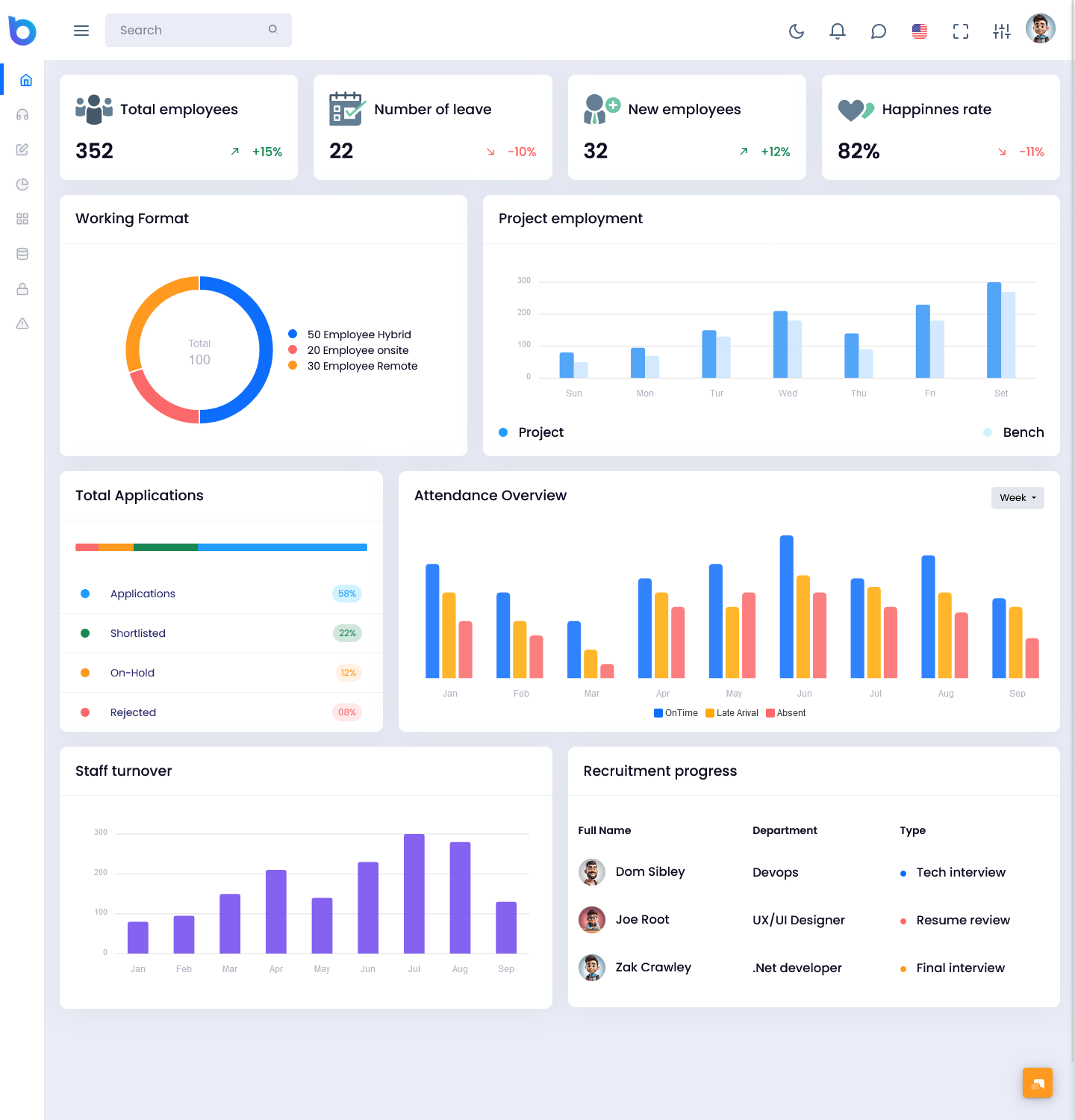
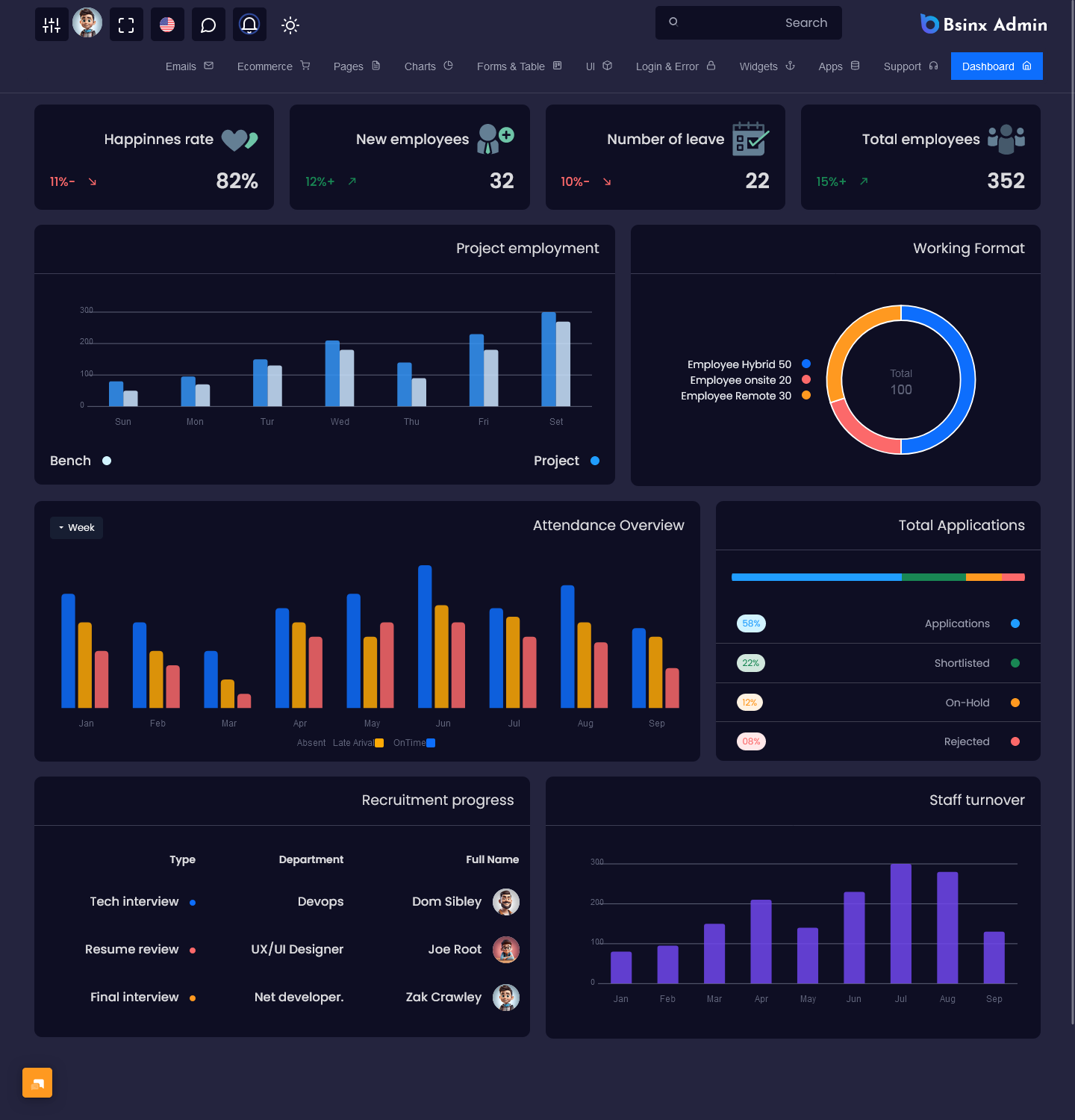
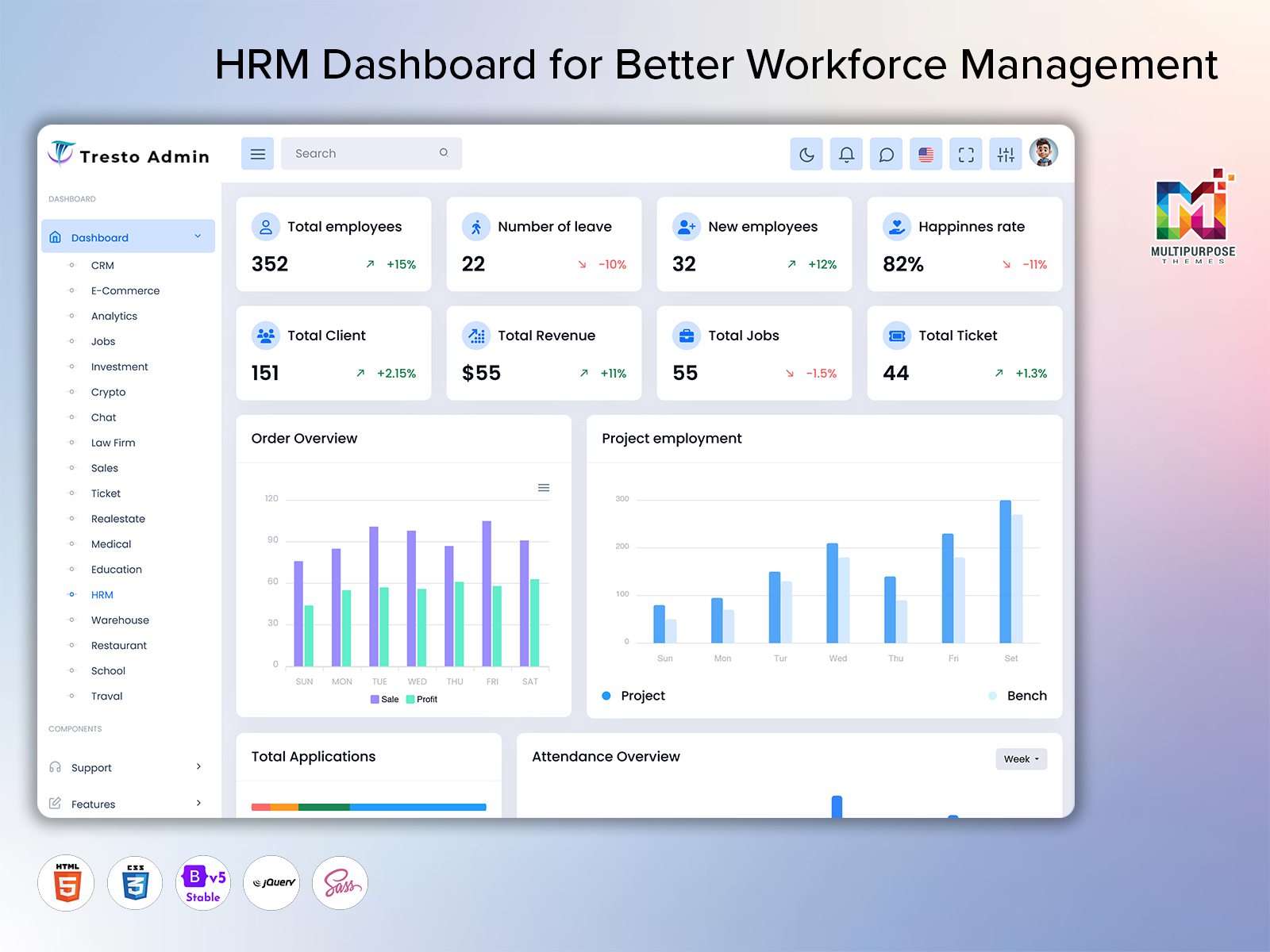
The Total Employee Chart provides a complete overview of the workforce by displaying the number of employees working in the organization. HR teams can quickly understand employee strength, department distribution, and workforce growth through simple visual reports.
2. Total Client Overview
This feature helps businesses monitor client-related information connected with employee projects and services. It provides better visibility into client assignments and helps HR teams understand workforce involvement across different client requirements.
3. Total Revenue Tracking
The revenue section helps managers view business income and understand how employee efforts contribute to overall performance. It provides useful insights for planning resources and evaluating business progress.
4. Jobs Management
The Jobs section allows HR teams to manage available positions, job openings, and hiring requirements. It helps maintain a clear view of ongoing recruitment activities and upcoming workforce needs.
5. New Employee Records
The New Employee module helps HR departments track recently joined employees. It provides quick access to onboarding details, joining information, and employee records for better workforce management.
6. Order Overview Chart
The Order Overview Chart displays business order information through easy-to-understand reports. It helps organizations analyze order performance and understand how different teams contribute to business activities.
7. Salary Management
Salary Management helps HR teams organize payroll-related information, including salary details, payment records, and employee compensation data. It reduces manual calculations and improves payroll accuracy.
8. Leave Management
The Leave section allows HR professionals to monitor employee leave requests, approved leaves, pending applications, and overall leave patterns. This helps maintain proper workforce availability.
9. Project Employment Tracking
This feature helps managers understand which employees are assigned to different projects. It improves resource planning and ensures that workforce distribution matches business requirements.
10. Top Applications Monitoring
The Top Applications section provides information about job applications and recruitment responses. HR teams can identify popular job openings and track candidate interest more effectively.
11. Attendance Overview
Attendance Overview gives a clear picture of employee attendance, working hours, absences, and daily participation. It helps HR teams maintain accurate attendance records and improve workforce discipline.
12. Staff Turnover Analysis
Staff Turnover reports help organizations understand employee retention patterns. HR teams can analyze workforce changes and identify areas where employee satisfaction improvements may be required.
13. Recruitment Process Management
The Recruitment Process module helps manage hiring activities from job posting to candidate selection. HR teams can track applications, interviews, and hiring progress through a structured workflow.
Benefits of HRM Dashboard
1. Saves Time and Reduces Manual Work
An HRM Dashboard reduces the need for maintaining multiple files, spreadsheets, and manual records. HR teams can manage employee information, attendance, payroll, and reports from one place, helping them complete daily tasks faster.
2. Better Employee Data Management
Managing employee records becomes easier with an HR Dashboard. Important information such as employee profiles, salary details, attendance history, and project assignments can be accessed quickly whenever required.
3. Improves HR Decision-Making
An HRMS Dashboard provides clear reports and workforce insights that help managers make better decisions. HR professionals can analyze employee performance, recruitment progress, and organizational trends using accurate data.
4. Increases Workplace Productivity
By automating repetitive HR activities, employees and HR teams can focus on more important responsibilities. Less time spent on administrative tasks helps improve overall workplace productivity.
5. Simplifies Payroll and Salary Management
Salary-related activities become more organized with dedicated payroll modules. HR teams can manage compensation records, payment details, and salary information with fewer errors.
6. Enhances Recruitment Management
An HRM Management Dashboard helps businesses track job openings, applications, interviews, and hiring progress. This makes the recruitment process more structured and efficient.
7. Improves Attendance Monitoring
The dashboard provides accurate attendance reports, helping HR teams monitor working hours, leaves, and employee availability without manual tracking.
8. Supports Better Resource Planning
Businesses can easily understand employee involvement in different projects and departments. This helps managers allocate resources effectively according to business requirements.
9. Provides Real-Time Workforce Insights
An HRMS Dashboard Template displays updated workforce information through charts and reports. Managers can quickly review important metrics and respond to changing business needs.
10. Creates a More Organized HR System
A well-designed HR Dashboard brings different HR activities together in one platform. It creates a smooth workflow, improves coordination, and helps businesses maintain a structured employee management process.
Conclusion
An HRM Dashboard has become an important solution for businesses that want to manage their workforce in a smarter and more organized way. Handling employee records, attendance, payroll, recruitment, and project details manually can be challenging, especially as organizations continue to grow. A well-designed HR Dashboard simplifies these tasks by bringing all essential HR activities into one easy-to-manage platform.
With features like employee tracking, salary management, recruitment monitoring, attendance reports, and workforce analytics, an HRMS Dashboard helps HR teams save time and improve accuracy. It reduces manual efforts and allows businesses to focus more on employee engagement and productivity.
For companies looking for a flexible solution, an HRMS Dashboard Template provides a ready structure that can be adapted according to different business needs. By choosing the right HRM Management Dashboard, organizations can build an efficient HR process, improve decision-making, and create a better workplace management system.
FAQs
1. What is an HRM Dashboard?
An HRM Dashboard is a digital platform that helps businesses manage employee-related activities from one place. It provides important information about employees, attendance, salary records, recruitment, projects, and workforce performance through organized reports and charts. An HR Dashboard helps HR teams reduce manual work and manage daily operations more efficiently.
2. Why is an HRM Dashboard used?
An HRM Dashboard is used to simplify human resource management processes and improve workflow efficiency. It helps businesses manage employee records, monitor attendance, handle payroll activities, track recruitment progress, and analyze workforce data without depending on manual methods. It saves time, reduces errors, and helps HR teams make better decisions.
3. Which type of businesses can use an HRM Dashboard?
An HRM Dashboard can be used by businesses of all sizes, including startups, small companies, corporate organizations, agencies, IT companies, educational institutions, healthcare organizations, and large enterprises. Any organization that manages employees and wants to improve HR operations can benefit from an HRMS Dashboard.
4. Which one is the best HRM Template for HR Management?
The best HRM Template depends on business requirements, available features, customization options, and ease of use. A good HRMS Dashboard Template should include essential modules like employee management, attendance tracking, payroll, recruitment, and reporting features. Businesses should choose a template that matches their workflow and future growth plans.
5. Which company offers HRM Management Dashboard?
Many companies provide HRM Management Dashboard solutions with different features and designs. MultiPurpose Themes offers professionally designed HRM Dashboard Templates that help businesses manage employee activities with modern layouts, responsive designs, and useful management modules.
6. Is an HRM Dashboard customizable or not?
Yes, an HRM Dashboard can be customized according to specific business requirements. Organizations can modify dashboard layouts, modules, reports, colors, and data sections based on their workflow. A flexible HRMS Dashboard Template allows businesses to create a personalized HR management experience.
7. Why choose only MultiPurpose Themes for an HRM Dashboard Template?
MultiPurpose Themes provides professionally designed HRM Dashboard Templates with modern UI layouts, responsive designs, and practical features for workforce management. Their templates help businesses save development time by providing ready-made structures that can be customized according to different HR requirements. With user-friendly designs and organized components. MultiPurpose Themes helps organizations manage HR operations more effectively.

Related Posts


This Post Has 0 Comments