

What is a CRM Dashboard? A CRM Dashboard is a centralized interface that helps businesses…
CRM Dashboard Management System
Reading Time: 7 minutes
What is CRM Dashboard?
A CRM Dashboard is a centralized interface that helps businesses monitor customer interactions, sales activities, and operational performance from a single screen. It presents important business data in an easy-to-understand format, allowing teams to track progress without reviewing multiple reports. A CRM Software Dashboard combines customer information, performance metrics, and Dashboard Analytics to support faster and smarter decision-making.
Watch Full Video
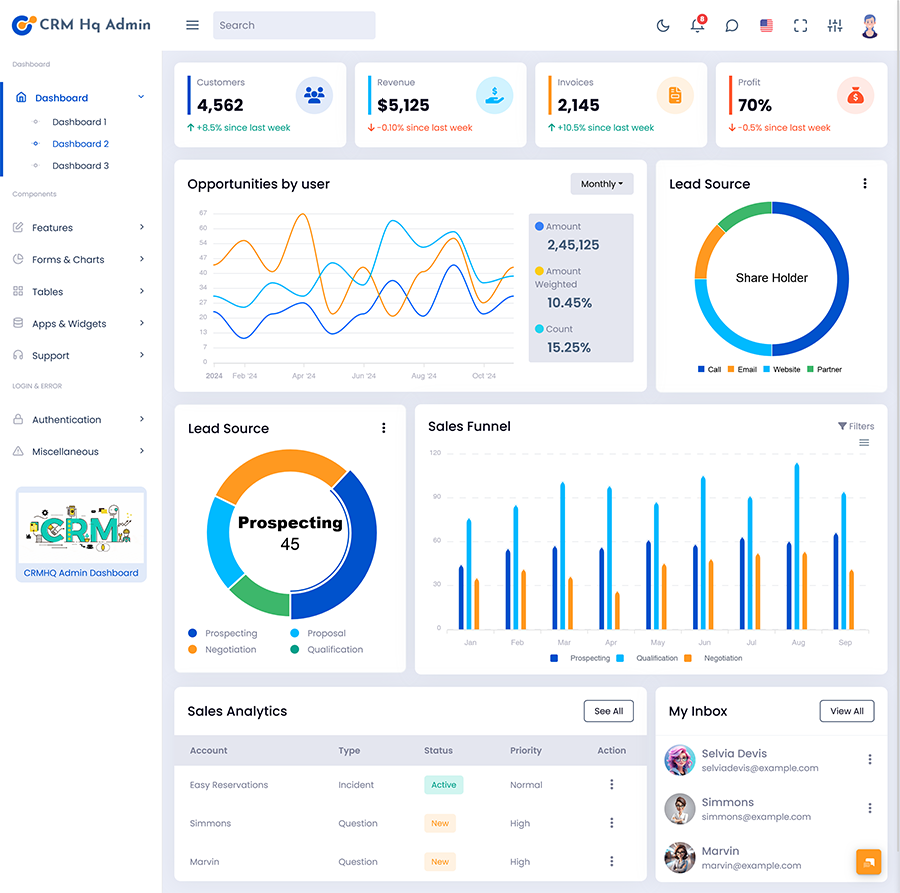
Modern CRM Dashboards include Analytical Charts, visual reports, and customizable widgets that improve visibility across departments. A CRM Admin can use the system to manage users, assign tasks, and monitor ongoing operations through an organized Dashboard Layout. Many businesses prefer a CRM Dashboard Template or CRM Admin Template to quickly deploy a professional solution with an intuitive CRM UI UX.
With the support of a CRM UI Framework and a Smart Sales Admin Panel, organizations can efficiently manage relationships, improve productivity, and maintain complete control over daily business activities.
Key Features of a CRM Dashboard
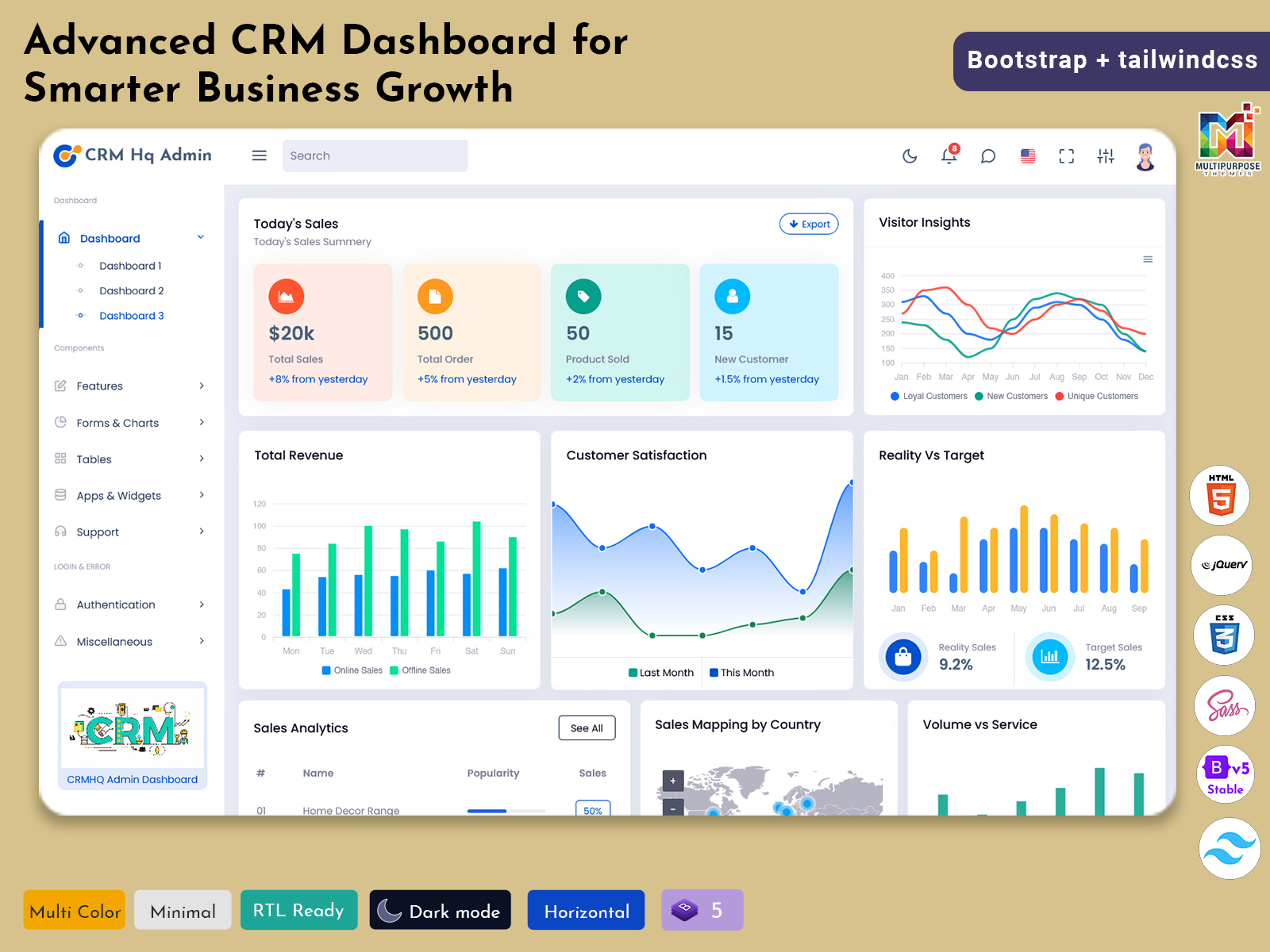
1. Total Sales Chart Analytics
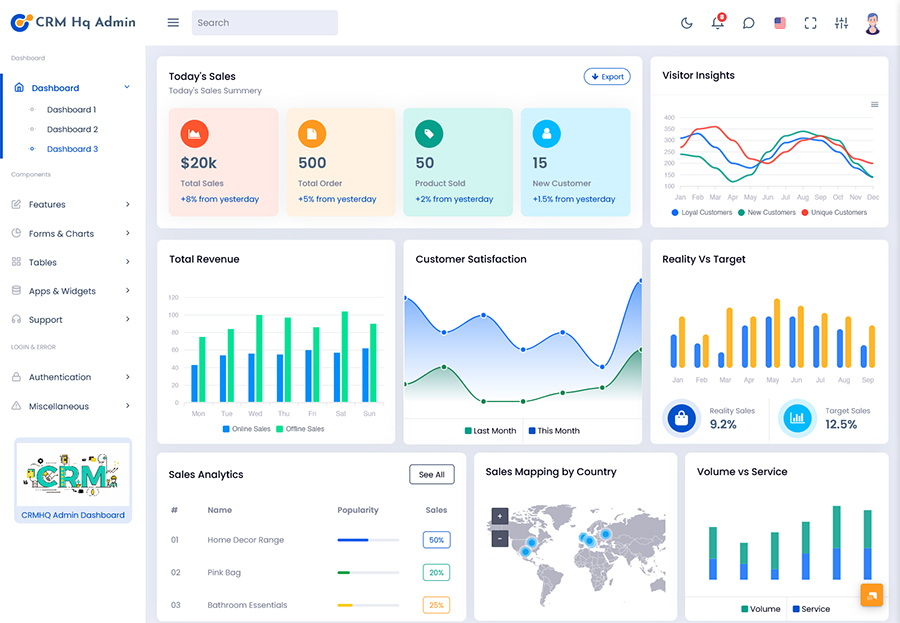
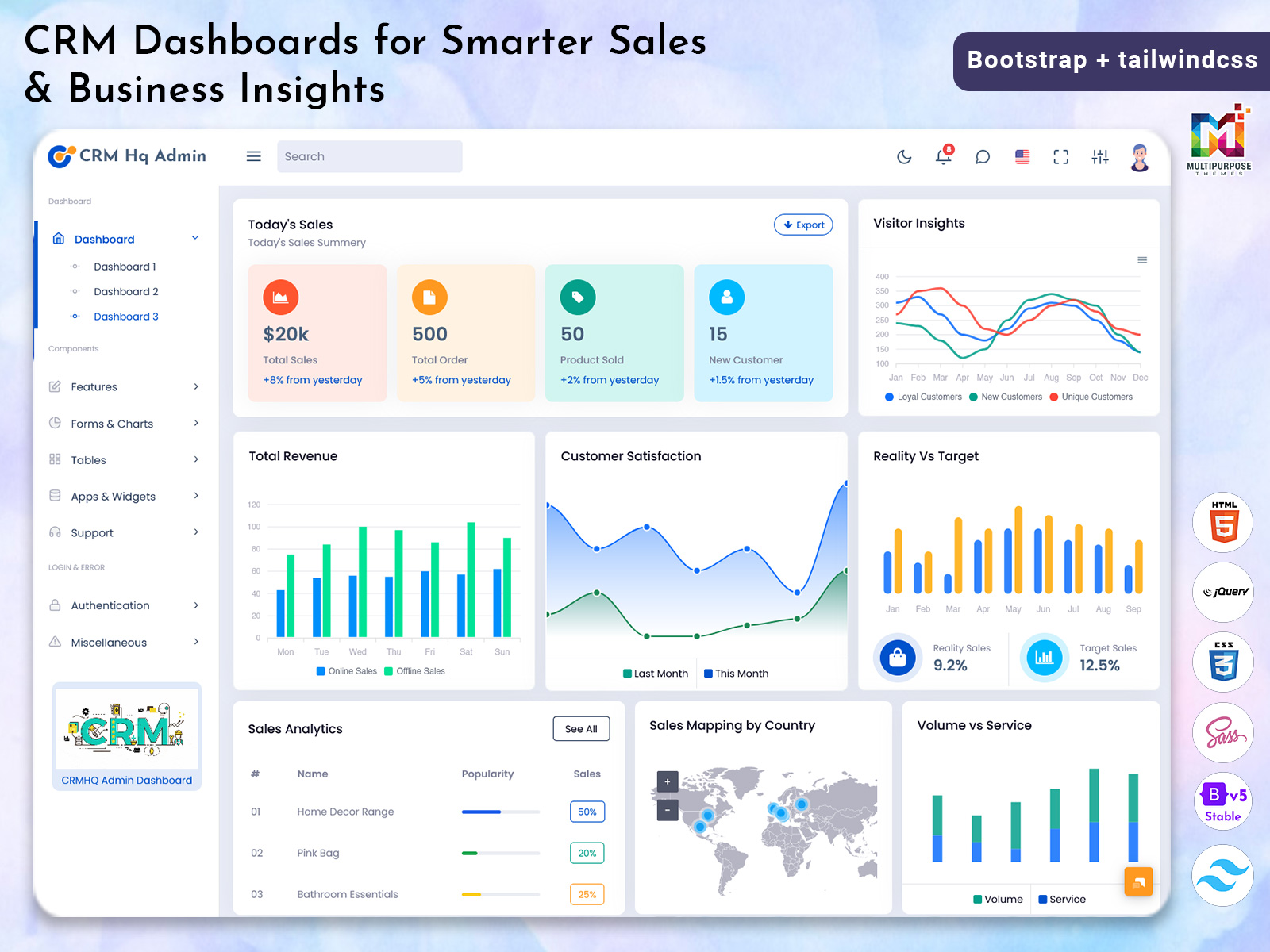
This feature of CRM dashboard shows daily, weekly, monthly, and yearly sales data using analytical charts, helping teams understand overall business growth and identIfy sales patterns.
2. Total Revenue Monitoring
The CRM Dashboard provides a dedicated revenue section that shows earnings generated over time, making financial tracking easier for management.
3. Customer Satisfaction Score
Businesses can track customer experience through ratings, feedback, and service performance indicators available within the CRM software dashboard.
4. Reality vs Target Comparison
This feature compares actual results against predefined goals, allowing organizations to evaluate team performance and improve planning.
5. Sales Analytics
A sales dashboard offers detailed insights into conversions, new opportunities , and account performance through advanced dashboard analytics.
6. Sales by Mapping Country
Interactive maps help businesses to visualize regional performance and identify markets contributing the highest revenue.
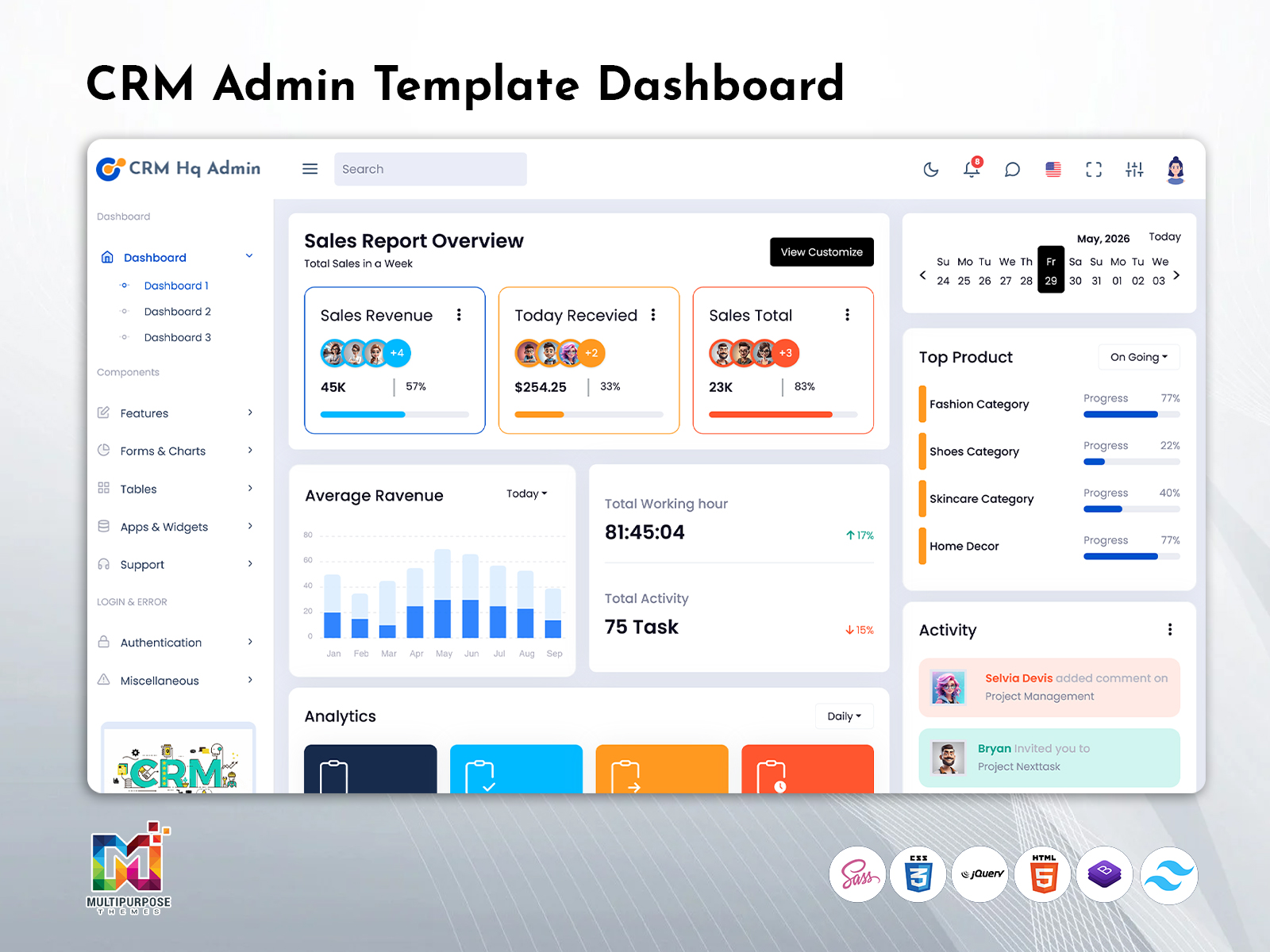
7. Top Products Analysis
This section highlights the best-selling products or services of the organization. It also helps companies to understand customer preferences.
8. Working Hour Tracking
Managers can analysis employee attendance, productivity, and working patterns directly from the HRM Dashboard.
9. Total Activity Management
The CRM Admin can track meetings, calls, emails, and assigned tasks from a centralized Dashboard Layout. No need to use different platforms.
10. Sales Funnel Visualization
The Smart Sales Admin Panel shows every stage of the sales pipeline, from lead generation to successful conversion.
11. Task Analytics
The CRM Admin Template includes status widgets showing Total, Complete, Working On, and Pending tasks, ensuring better workflow management across teams.
Why Businesses Should Use a CRM Dashboard
Businesses generate large amounts of customer and operational data every day. Managing this information manually can lead to delays, missed opportunities, and poor coordination. A CRM Dashboard helps organizations bring everything together in one place, making it easier to access important information whenever needed. From tracking customer inquiries to monitoring departmental activities, it simplifies business management and improves overall efficiency.
Well structured CRM dashboard template leads to make faster decisions based on real-time information rather than assumptions. Teams can collaborate more effectively, analysis objectives, and identify areas that require attention. Whether it is a startup, an agency, or a large enterprise, having a centralized CRM admin system helps to maintain continuously across operations. By providing instant visibility into business performance, a CRM software dashboard supports better planning, stronger customer relationships, and sustainable business growth over time.
How Does a CRM Dashboard Work?
A CRM Dashboard works by collecting information from different business activities and displaying it in a centralized interface. Whenever a customer submits an inquiry, a sales representative updates a lead, or an employee completes a task, the system automatically records and processes that information. This allows users to access up-to-date insights without manually creating reports.
The CRM Admin manages permissions, user roles, and access levels to ensure data remains organized and secure. Through a CRM UI Framework, information is presented using tables, widgets, and visual elements that enhance the overall CRM UI UX experience. Teams can quickly review performance indicators, monitor ongoing assignments, and evaluate operational progress through a structured Dashboard Layout.
Additionally, Dashboard Analytics continuously updates metrics across departments, enabling businesses to maintain transparency and respond to changing conditions efficiently. As a result, organizations can improve coordination, streamline processes, and make informed decisions with greater confidence.
Benefits of a CRM Dashboard
1. Improved Decision-Making
A CRM Dashboard provides real-time insights that help management teams make informed business decisions quickly and confidently.
2. Better Customer Management
Organizations can maintain customer records, communication history, and service requests in one place for easier relationship management.
3. Increased Team Productivity
By automating routine tracking activities, employees can focus more on their responsibilities and complete tasks efficiently.
4. Enhanced Sales Visibility
A Sales Admin Dashboard gives businesses a complete view of opportunities, conversions, and ongoing deals across the sales pipeline.
5. Faster Performance Tracking
Managers can review progress through Dashboard Analytics and identify areas that require immediate attention.
6. Improved Collaboration
Different departments can work together using shared information, reducing communication gaps and operational delays.
7. Accurate Business Reporting
Analytical Charts help organizations generate clear and reliable reports without spending hours compiling data manually.
8. Higher Customer Retention
Understanding customer preferences and behavior enables businesses to deliver better experiences and build long-term relationships.
9. Efficient Resource Management
Features like Working Hour tracking and activity monitoring help optimize workforce utilization and improve operational efficiency.
10. Scalable Business Operations
A CRM Dashboard Template can easily adapt to growing business requirements, making it suitable for organizations of all sizes.
Business Performance Tracking with the Help of CRM Analytics Dashboard
An Analytics CRM dashboard plays an main role in measuring and understanding the overall business performance. It provides a centralized view of key performance indicators, allowing organizations to evaluate progress across sales, engagement of customer, and workforce activities. Instead of relying on scattered reports, businesses can access all essential metrics from a single interface.
With the use of dashboard analytics, companies can monitor revenue trends, conversion rates, levels of customer satisfaction, and task completion status in real time. The sales dashboard helps to identify high-performing products and regions, while the HRM dashboard offers insights into employee productivity and working hours. Managers can also review reality vs target reports t determine whether business objectives are being achieved.
By continuously tracking performance through a CRM Software Dashboard, organizations can identify opportunities, resolve challenges proactively, and make strategic decisions that support long-term success and sustainable growth.
Conclusion
A CRM analytic dashboard has become an essential tool for organizations who are looking to improve efficiency. strengthen customer relationships, and monitor business activities effectively. From sales tracking and revenue monitoring to employee management and analysis of performance. It also provides everything needed in a single platform. Features such as dashboard analytics, analytical charts, and customizable modules help businesses gain valuable insights and respond quickly to changing requirements.
Whether implemented by a startup, a growing company, or a large enterprise, a CRM Dashboard Template offers flexibility and scalability to support future expansion. By investing in a well-designed CRM Software Dashboard, organizations can streamline operations, enhance collaboration, and create a more data-driven environment that contributes to consistent and measurable business success.
FAQs
1. What is a CRM Admin Dashboard and how does it work?
A CRM Admin Dashboard is a centralized platform that helps administrators manage customer data, sales activities, team performance, and business operations from one place. It displays important information through reports, Analytical Charts, and Dashboard Analytics, making it easier to monitor daily activities. MultiPurpose Themes provides professionally designed dashboard solutions that help businesses manage information with a clean and organized interface.
2. Which types of businesses can use a CRM Dashboard?
A CRM Dashboard can be used by startups, small businesses, agencies, service providers, sales teams, and large organizations. Any company that wants to manage customer relationships, track sales performance, and improve workflow can benefit from this solution. MultiPurpose Themes CRM Dashboard solutions are designed to support different business requirements with flexible layouts and useful management features.
3. How does a CRM Dashboard help businesses grow?
A CRM Dashboard helps businesses grow by providing clear insights into customer behavior, sales performance, revenue trends, and team productivity. It helps companies identify opportunities, improve decision-making, and build stronger customer relationships. With the help of MultiPurpose Themes dashboard designs, businesses can access important analytics and manage operations more efficiently.
4. What features should a CRM Dashboard include?
A complete CRM Dashboard should include features such as Total Sales Chart Analytics, Total Revenue Tracking, Customer Satisfaction Reports, Reality vs Target Comparison, Sales Analytics, Sales by Country Mapping, Top Products Analysis, Working Hour Monitoring, Total Activity Tracking, Sales Funnel, and task status analytics. MultiPurpose Themes offers dashboard designs with modern features that help businesses monitor and manage their performance effectively.
5. How can I choose the right CRM Dashboard for my business?
To choose the right CRM Dashboard, businesses should consider important factors such as required features, customization options, user experience, scalability, and reporting capabilities. A good dashboard should match business goals and provide simple navigation. MultiPurpose Themes provides structured CRM Dashboard solutions with flexible designs suitable for different business needs.
6. Who can use a CRM Dashboard?
A CRM Dashboard can be used by sales managers, marketing teams, customer support teams, business owners, administrators, and management professionals. It helps different departments access required information and improve coordination. MultiPurpose Themes CRM Dashboard solutions are created to support multiple users with an easy-to-understand interface.
7. Is a CRM Dashboard customizable according to business requirements?
Yes, a CRM dashboard can be customized according to specific business requirements. Organizations can modify layouts, modules, reports, charts and data display based on their workflow requirements. MultiPurpose Themes offers customizable dashboard templates that allow businesses to create a more personalized management experience.
8. Do I need a developer to set up and customize a CRM Dashboard?
The requirement for a developer depends on the level of customization needed. Ready-made CRM Dashboard templates can be used easily. However, advanced may require technical support. MultiPurpose Themes offers professionally developed dashboard solutions that reduce development effort and help businesses immediately implement an effective CRM management system.

Related Posts


This Post Has 0 Comments