

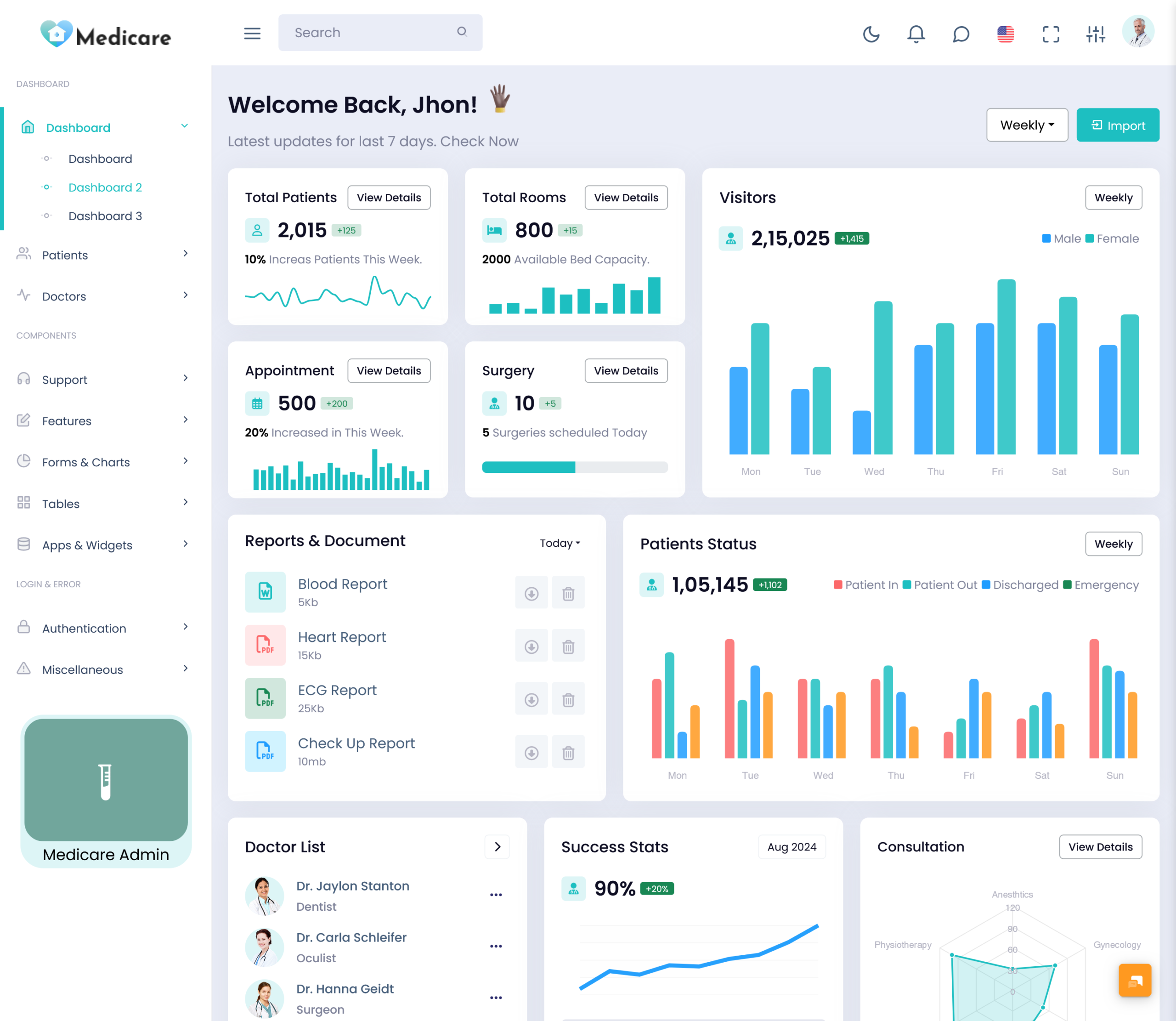
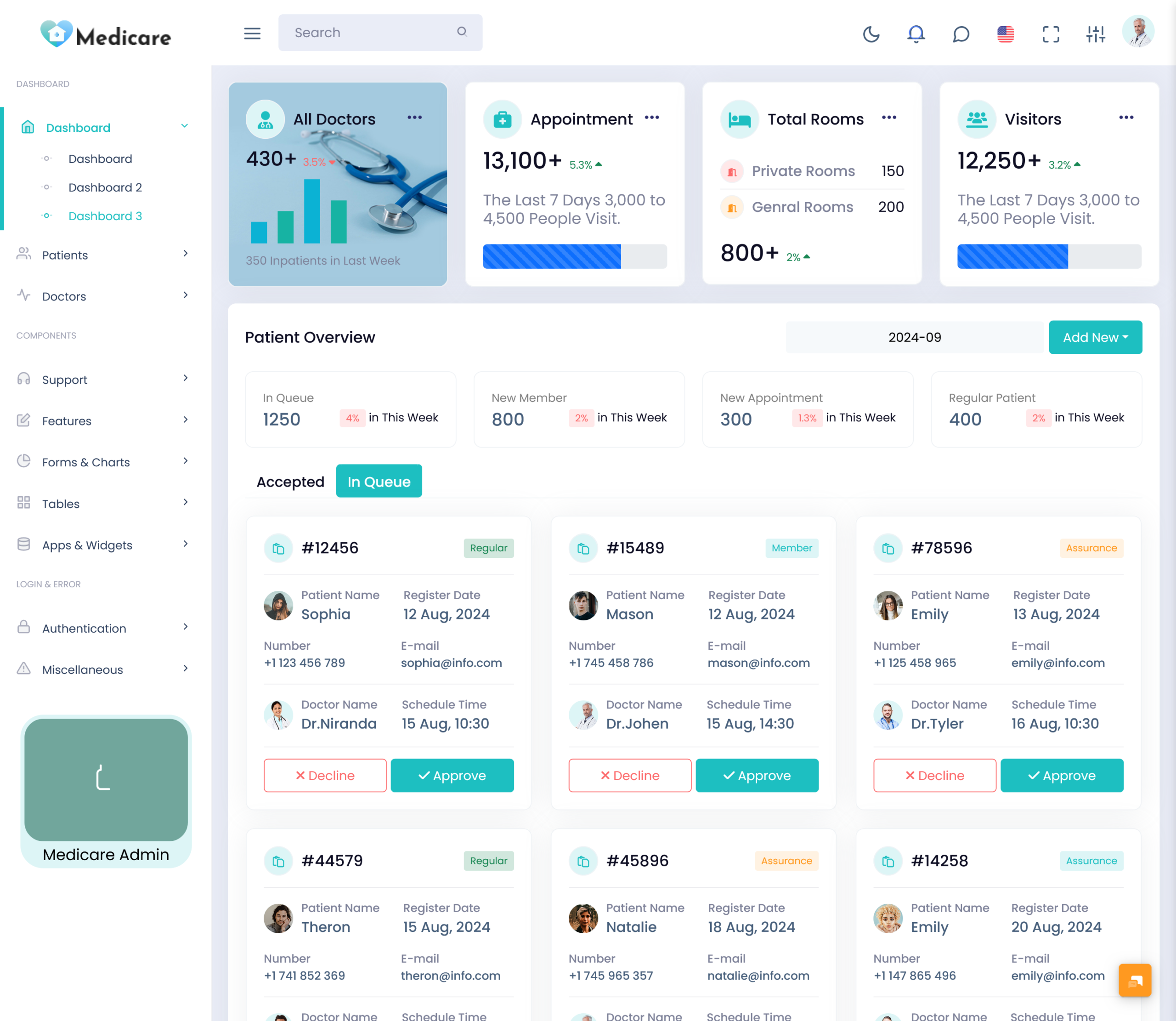
A Hospital Dashboard provides a digital workspace where important hospital information can be arranged according…
Digital Health Platform Based on Patient Dashboard Template 2026
Reading Time: 6 minutes
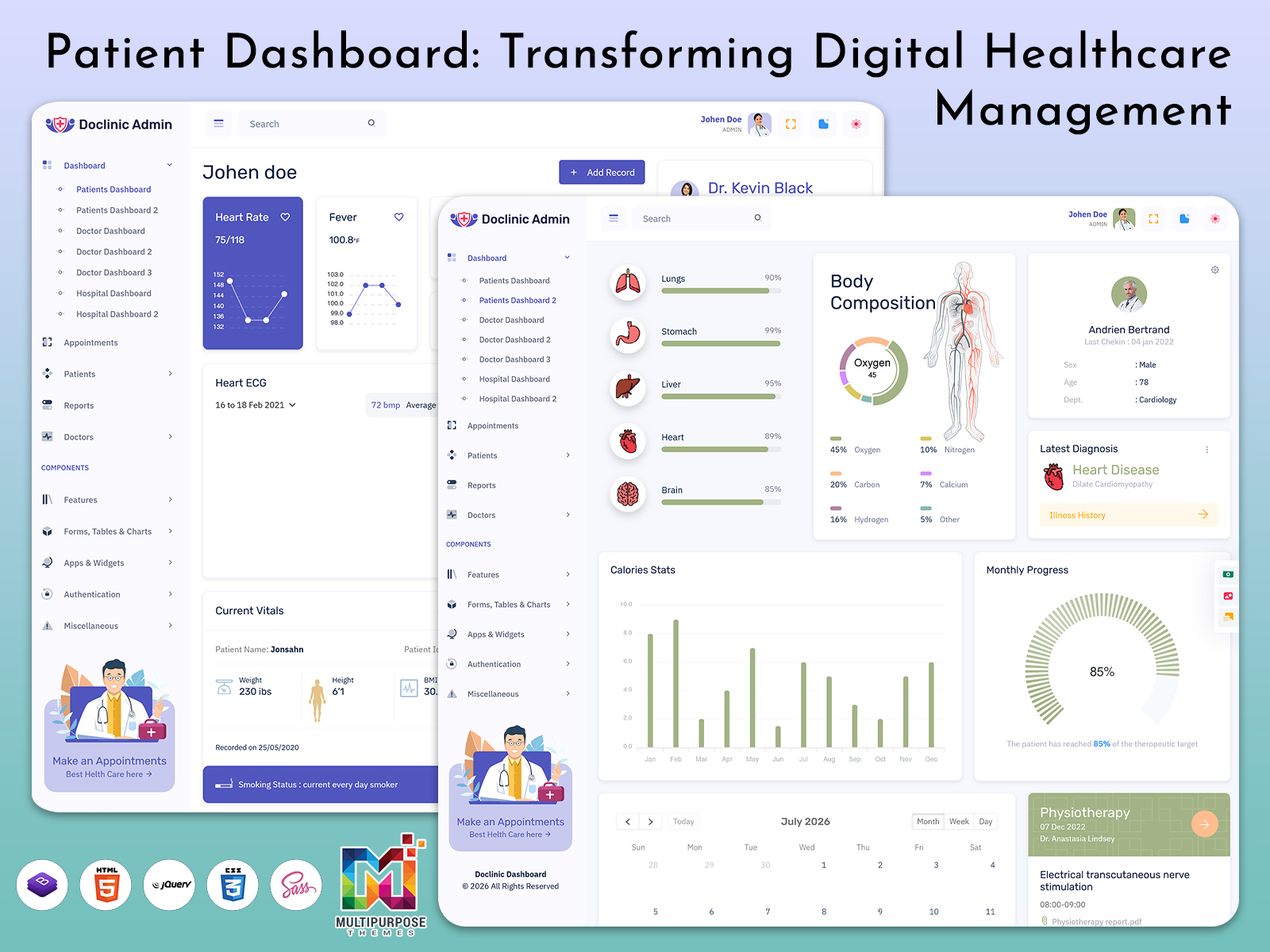
A modern Patient Dashboard Template plays a key role in building an efficient digital healthcare environment where hospitals and clinics can manage information in a structured way. It helps in organizing Patient Data in a clear system, allowing doctors and administrators to access important details without delay. With a well-designed Dashboard UI, healthcare teams can improve daily operations and reduce manual work while handling complex medical workflows.
Watch Full Video
In today’s Hospital Admin Dashboard systems, managing Patients Records and monitoring Patients Dashboards has become more simplified and accurate. A smart Patient Dashboard supports real-time updates, making the Patient Dashboard Patient Report Page more effective for clinical decision-making. It also improves coordination between departments by centralizing Hospital Patients Page data, ensuring smooth access to Patient Report Dashboard insights whenever needed.
Billing & Due Tracking in Hospital Dashboard Template
Billing and financial tracking become much easier when a Patient Dashboard Template is used in a hospital system. It helps administrators manage Patient Data in a structured way, where every payment record and due amount is clearly organized. With a strong Dashboard UI, hospitals can reduce confusion in billing operations and maintain transparency in daily financial activities.
In a Hospital Admin Dashboard, the billing section connects directly with Patients Records and ensures that all transactions are updated in real time. The system supports accurate tracking through the Patient Dashboard Patient Report Page, where pending dues, completed payments, and billing history are displayed in one place. This makes the Hospital Patients Page more efficient for both staff and patients, improving overall workflow management.
VIEW DEMO BUY NOW
Features
1. Centralized Patient Data Management
A Patient Dashboard Template helps organize Patient Data in one unified system. It allows doctors and admin staff to quickly access Patient Dashboard details without switching between multiple tools, improving speed and accuracy in daily hospital work.
2. Real Time Patients Records Access
With integrated Patients Records handling, the Hospital Admin Dashboard ensures all medical history and updates are available instantly. This improves decision-making in critical situations and supports better treatment planning through structured data flow.
3. Smart Dashboard UI for Medical Operations
A modern Dashboard UI improves usability by making navigation simple and clean. It enhances the Doctor Dashboard experience, allowing quick access to reports, charts, and Patient Report Dashboard sections with minimal effort.
4. Organized Patients List Dashboard System
The Patients List Dashboard helps hospitals manage large volumes of patient information efficiently. It simplifies filtering, searching, and monitoring of Hospital Patients Page data for better administrative control.
5. Advanced Hospital Reporting Structure
The system includes a powerful Patient Dashboard Patient Report Page that converts raw Patient Data into meaningful insights. It supports Hospital Dashboard Template functionality by presenting clear reports for doctors and admin teams.
Medical Charts in Patients Charts Dashboard Template
Medical Charts in a Patients Charts Dashboard Template help visualize Patient Data in a simple and structured way. Doctors can quickly understand health conditions through graphs, trends, and summaries without going through long Patients Records. This improves clarity inside the Patient Dashboard Template and supports faster decision-making in daily clinical work.
In a Hospital Dashboard Template system, these charts are directly connected with the Patient Dashboard Patient Report Page, allowing real-time updates of health progress. The Dashboard UI makes it easier to compare past and current data from the Hospital Patients Page, helping medical teams track improvements or risks more efficiently. It also strengthens the overall Hospital Admin Dashboard by turning complex data into clear visual insights.
Patient Report Dashboard for Medical Data Insights
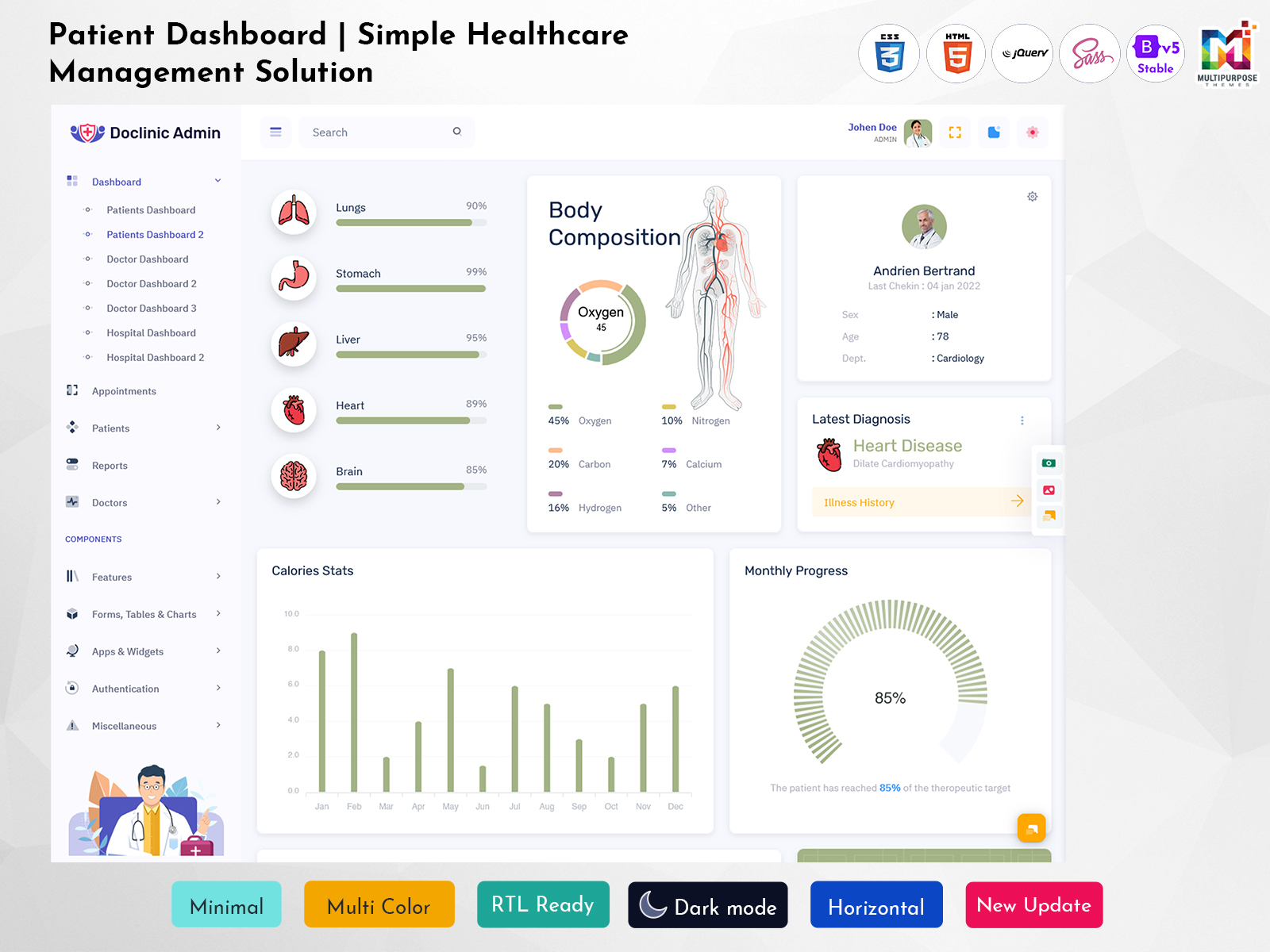
The Patient Report Dashboard for Medical Data Insights helps hospitals transform raw Patient Data into clear and meaningful reports. It brings together Patients Records, treatment history, and ongoing updates into a single structured view. Using a Patient Dashboard Template, doctors and admin teams can easily analyze reports without confusion and improve decision-making speed in daily healthcare operations.
In a Hospital Admin Dashboard environment, the Patient Report Dashboard connects directly with the Patient Dashboard Patient Report Page to provide real-time visibility of patient conditions. It improves the usability of the Dashboard UI by organizing data from the Hospital Patients Page into charts, summaries, and performance indicators. This ensures better monitoring and supports accurate clinical evaluation within the Hospital Dashboard Template system.
VIEW DEMO BUY NOW
Advantages
1. Improved Patient Data Organization
A Patient Dashboard Template helps hospitals manage Patient Data in a structured and easy-to-access format. It reduces confusion and ensures that all Patient Dashboard information is stored in a single system for quick reference.
2. Faster Access to Patients Records
With a Hospital Dashboard Template, doctors and staff can instantly access Patients Records without delay. This improves efficiency in emergency situations and supports better treatment planning through organized data flow.
3. Better Clinical Decision Support
The Dashboard UI and Patient Dashboard Patient Report Page provide clear insights that help doctors make accurate decisions. It reduces manual effort and improves the quality of analysis in the Doctor Dashboard environment.
4. Efficient Hospital Workflow Management
A Hospital Admin Dashboard streamlines daily operations by connecting the Hospital Patients Page with reporting and tracking systems. It improves coordination between departments and reduces administrative workload.
5. Real Time Medical Monitoring System
Using a Doctor Dashboard Template, hospitals can monitor Patient Data in real time. This ensures timely updates in the Patients Charts Dashboard Template and helps maintain accurate medical reporting.
Doctor UI Kit in Doctor Admin Template Design System
The Doctor UI Kit in a Doctor Admin Template Design System provides a clean and structured interface for managing Patient Data in hospitals and clinics. It helps developers and healthcare teams build a smooth Dashboard UI where doctors can easily navigate through Patients Records, reports, and treatment details. This improves usability and creates a more efficient working environment inside the Patient Dashboard Template system.
In a Hospital Dashboard Template setup, the Doctor UI Kit connects directly with the Doctor Dashboard and Patient Dashboard Patient Report Page to ensure seamless interaction between data modules. It enhances the experience of the Hospital Admin Dashboard by offering reusable components for Hospital Patients Page, charts, and reporting tools. This leads to better design consistency and improved workflow across the entire healthcare platform.
Hospital Software Dashboard for Patient Management System
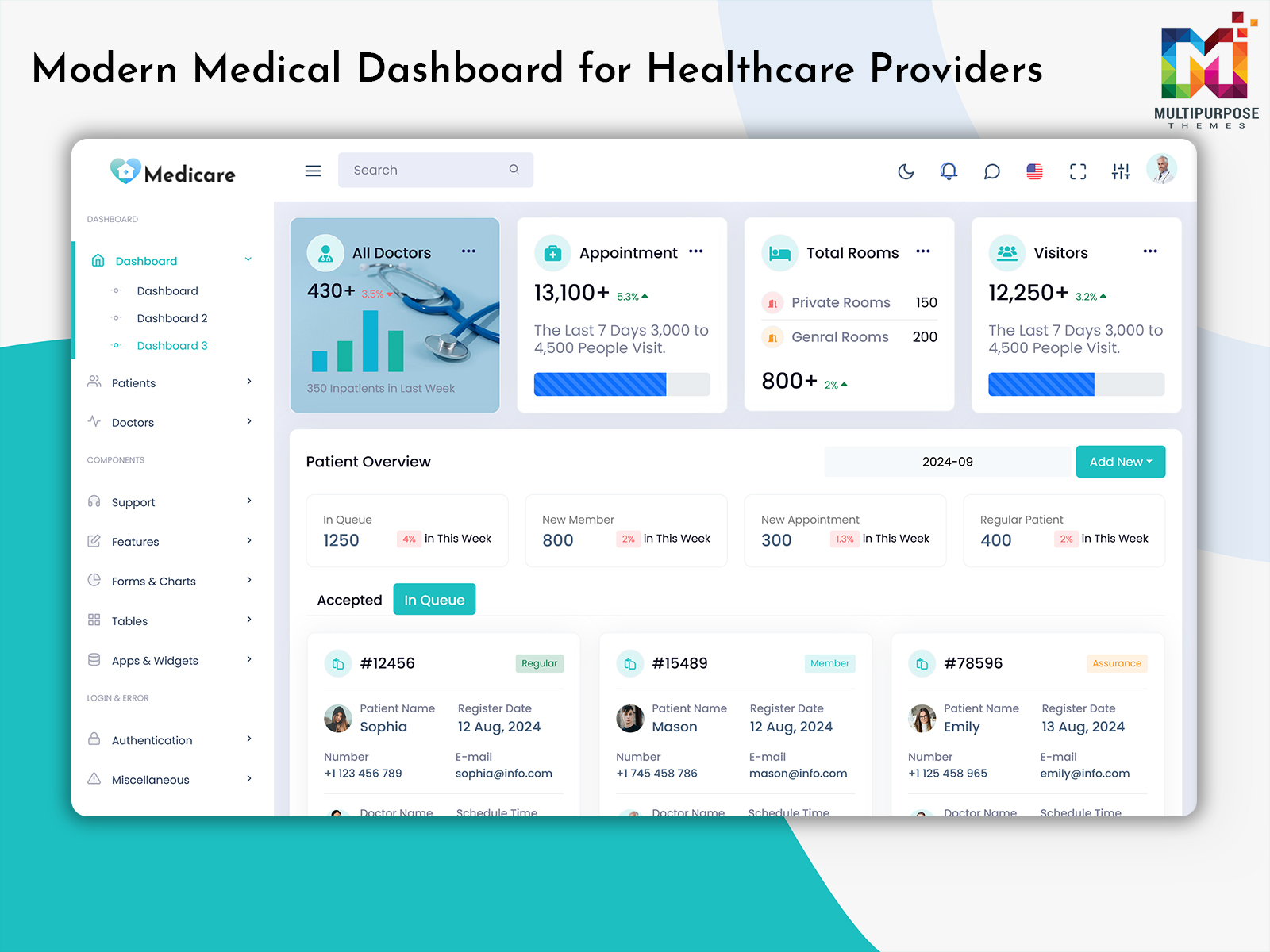
A Hospital Software Dashboard for Patient Management System helps healthcare institutions handle Patient Data in a structured and efficient way. It brings together Patients Records, reports, and daily updates into a single platform, making it easier for doctors and admin staff to access important information. With a well-designed Patient Dashboard Template, hospitals can reduce manual effort and improve accuracy in routine operations.
In a Hospital Admin Dashboard environment, this system improves coordination between departments by centralizing the Hospital Patients Page and Patient Dashboard Patient Report Page. The Dashboard UI supports real-time updates, allowing quick access to patient status, treatment progress, and billing details. It also enhances the performance of the Doctor Dashboard by providing a clear and organized view of medical insights and hospital workflows.
Conclusion
A modern Patient Dashboard Template plays an important role in building an efficient digital healthcare system where hospitals can manage Patient Data, Patients Records, and reporting in a structured way. It improves the overall workflow of the Hospital Admin Dashboard by bringing all medical and administrative information into a single, easy-to-use Dashboard UI. This helps doctors and staff save time and focus more on patient care instead of manual data handling.
With integrated tools like the Patient Dashboard, Patient Report Page, Hospital Patients Page, and Patients Charts Dashboard Template, healthcare organizations can achieve better accuracy and real-time monitoring. The Doctor Dashboard and Doctor Admin Template further enhance clinical efficiency by providing clear insights and organized reporting systems. Overall, this Hospital Dashboard Template approach supports smarter decision-making and improves healthcare management at every level.
FAQs
1. What is a Patient Dashboard Template used for?
It is used to manage Patient Data, Patients Records, and medical reports in a structured Dashboard UI for hospitals and clinics.
2. How does a Hospital Admin Dashboard help hospitals?
It simplifies hospital operations by organizing Hospital Patients Page, billing, reports, and clinical workflows in one system.
3. What is the role of a Doctor Dashboard Template?
A Doctor Dashboard Template helps doctors view Patient Dashboard Patient Report Page, treatment history, and real-time updates easily.
4. Can the system manage Patients Records efficiently?
Yes, it stores and organizes Patients Records in a centralized format for quick access and better decision-making.
5. How does Dashboard UI improve healthcare systems?
A clean Dashboard UI improves navigation, reduces complexity, and enhances usability for doctors and admin staff.
6. What information is shown in Patient Data dashboards?
It includes diagnosis details, treatment updates, reports, charts, and hospital visit history.
7. Is this system useful for large hospitals?
Yes, the Hospital Dashboard Template is designed to handle large-scale Patient Data and multi-department workflows efficiently.

Related Posts



This Post Has 0 Comments