Pharmacies and pharmacists have things to do including handling orders, suppliers, sales and keeping records.…

Pharma Management Dashboard – Inventory, Sales, Reports & Analytics
Reading Time: 4 minutes
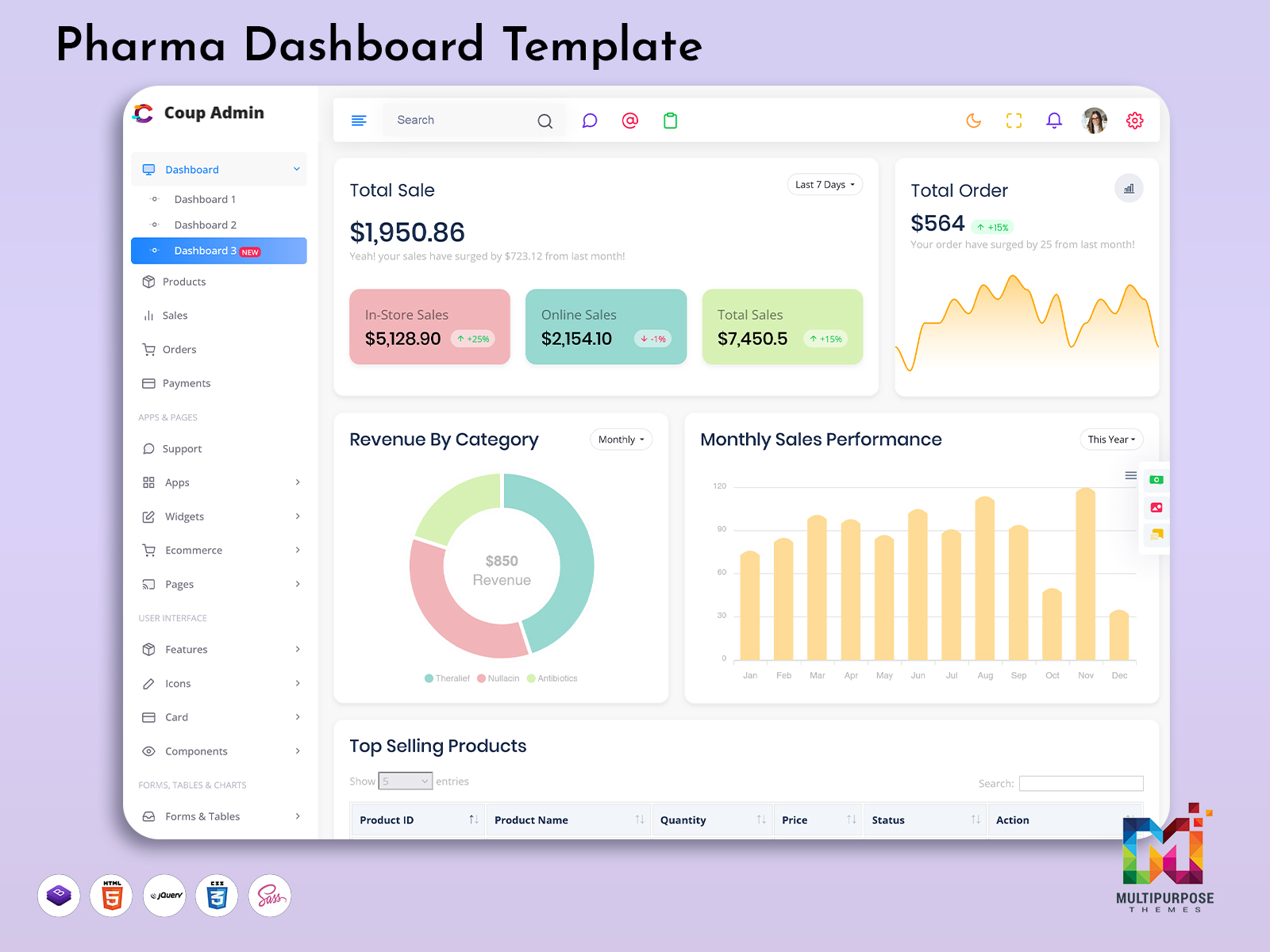
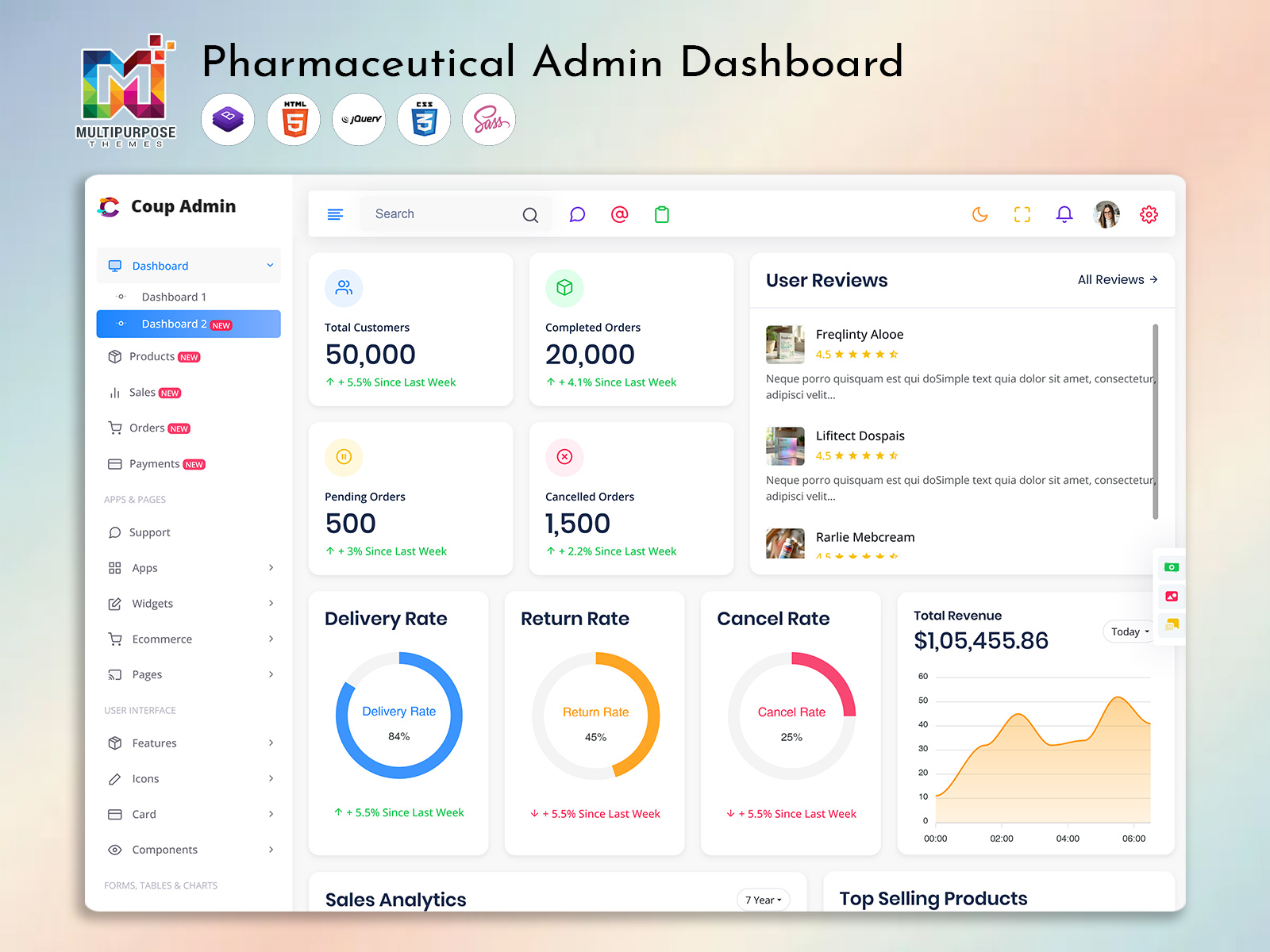
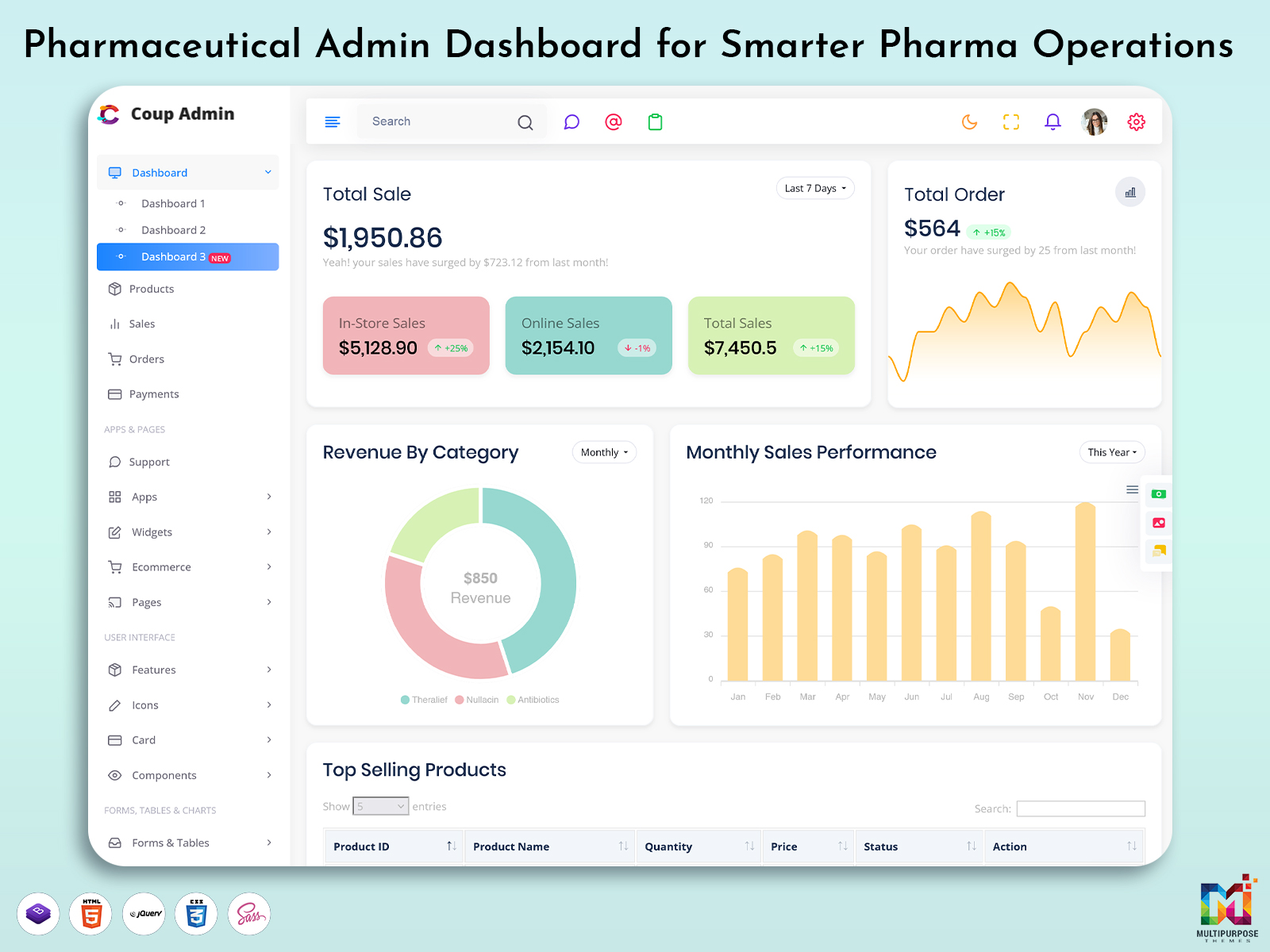
A Pharma Management Dashboard is a panel created to handle pharmaceutical operations from one system. It helps companies keep track of medicines, suppliers, inventory, sales and compliance information in a way.
Pharma Dashboard – Watch Video
Key Benefits of a Pharma Management Dashboard
A Pharma Management Dashboard helps bring important business information together and makes daily operations easier to monitor.
1. Centralized Data
Manage medicine details, suppliers, inventory, sales, and orders from one place instead of switching between different tools.
2. Better Inventory Visibility
Review stock levels, batch details, and expiry dates to help teams keep inventory records organized.
3. Simplified Daily Operations
Organized dashboard sections help users move between tasks and find the information they need more easily.
4. Data-Based Decisions
Reports and analytics help businesses review sales activity, stock movement, and operational trends.
What Does This Pharmaceutical Management Dashboard Offer?
Here is what you usually find in a Pharmaceutical Admin Management Dashboard:
1. Inventory Overview
Keep track of medicine stock levels batch numbers and expiration dates.
2. Supplier & Purchase Management
Handle vendors, purchase orders and history of supplies.
3. Sales & Distribution Tracking
Keep an eye on sales results orders. How deliveries are going.
4. Reports & Analytics
See sales trends, movement of stock and alerts through charts.
5. Responsive & Customizable UI
Works well on all devices. Can be changed to fit company needs.
Important Modules in a Pharma Dashboard
A Pharma Dashboard can include different modules depending on the needs of the business.
- Dashboard Overview: Displays summaries of inventory, sales, orders, and alerts.
- Medicine Management: Organizes medicine names, categories, batch numbers, and expiry dates.
- Purchase Management: Tracks suppliers, purchase orders, and supply history.
- Sales Management: Provides access to sales records, orders, and distribution information.
- Reports & Analytics: Presents business information through charts, tables, and reports.
- User Management: Helps organize access for staff members with different responsibilities.
Where Is a Pharma Management Dashboard Useful?
This Pharma Dashboard is used in places such as:
- Pharmaceutical companies
- Medical distributors and big sellers
- Pharma startups and software platforms
- Hospitals that manage their own pharmacy data
It helps lower mistakes made by hand and makes work easier and faster.
How to Choose the Right Pharma Management Dashboard
Before choosing a Pharma Management Dashboard, consider how it will support your business operations.
1. Identify Your Requirements
List the features your team needs, such as inventory tracking, supplier management, sales reports, and purchase orders.
2. Review the Interface
Choose a dashboard with clear navigation, readable tables, and an organized layout so users can find information efficiently.
3. Check Customization Options
Make sure the dashboard can be adapted to your company’s workflow, branding, and required modules.
4. Consider Device Compatibility
A responsive interface can help users access dashboard information across desktop, tablet, and mobile screens.
5. Plan for Future Needs
Consider whether the dashboard structure can support additional features as your business grows.
Who Should Use This Dashboard?
A Pharma Management Dashboard is best for:
- Pharma business owners
- People who manage operations and stock
- Software developers making pharma tools
- Groups that design healthcare admin panels
If your business deals with medicines, suppliers or pharma data this Pharmacy Dashboard is a choice.
Common Challenges a Pharma Dashboard Can Help Address
Pharmaceutical businesses may need to manage large amounts of operational information. A dashboard can help organize these activities.
- Scattered Records: Centralized information makes records easier to find.
- Inventory Tracking: Stock views help teams review available quantities and expiry information.
- Order Monitoring: Order lists and status indicators help users follow order progress.
- Supplier Coordination: Supplier records and purchase histories keep relevant information together.
- Manual Reporting: Reports and charts make operational data easier to review.
Why Choose a Video-Based Dashboard Demo?
Seeing a real Pharma Admin Dashboard demo helps people learn about the features faster than reading text. When combined with easy to understand content it gives a way to learn and builds more trust in the product.
Conclusion
A Pharma Management Dashboard provides a centralized way to view and manage pharmaceutical information, including inventory, suppliers, sales, and reports. By choosing useful modules and a clear, customizable interface, businesses and developers can create dashboard applications that support organized workflows and informed decisions.
👉 Call, to Action
Would you like to see this Pharma Management Dashboard working?
👉 Watch the demo and join our YouTube channel for more admin dashboard and UI template videos.
Frequently Asked Questions
1. What is a Pharma Management Dashboard?
A Pharma Management Dashboard is an administrative interface that helps manage pharmaceutical operations, including inventory, suppliers, sales, orders, and reports.
2. What features does a Pharma Management Dashboard include?
Common features include inventory tracking, supplier and purchase management, sales and distribution tracking, reports, analytics, and a responsive interface.
3. Who can use a Pharma Management Dashboard?
Pharma business owners, operations managers, inventory teams, software developers, and healthcare organizations can use or develop dashboards for pharmaceutical operations.
4. How does a Pharma Dashboard help with inventory management?
It helps users review medicine stock levels, batch numbers, and expiration dates in one place.
5. Can a Pharma Management Dashboard track sales and distribution?
Yes. Depending on its features, it can help users monitor sales records, orders, and delivery progress.
6. Why are reports and analytics important in a Pharma Dashboard?
Reports and analytics help users review sales trends, stock movement, and other operational information to support business decisions.
7. Can a Pharma Management Dashboard be customized?
Yes. A dashboard can be adapted to match a company’s workflow, branding, and required features.
8. Is a Pharma Management Dashboard suitable for pharmaceutical distributors?
Yes. It can help distributors organize supplier information, purchase orders, inventory, sales, and distribution records.
9. Why should a Pharma Dashboard have a responsive design?
A responsive design helps users access dashboard information on desktops, tablets, and mobile devices.
10. How can I choose the right Pharma Management Dashboard?
Consider your required features, ease of use, customization options, device compatibility, and ability to support future business needs.

Related Posts