Pharmacies and pharmacists have things to do including handling orders, suppliers, sales and keeping records.…
Advanced Pharmaceutical Dashboard – Modern Pharma Admin Dashboard UI
Reading Time: 6 minutes
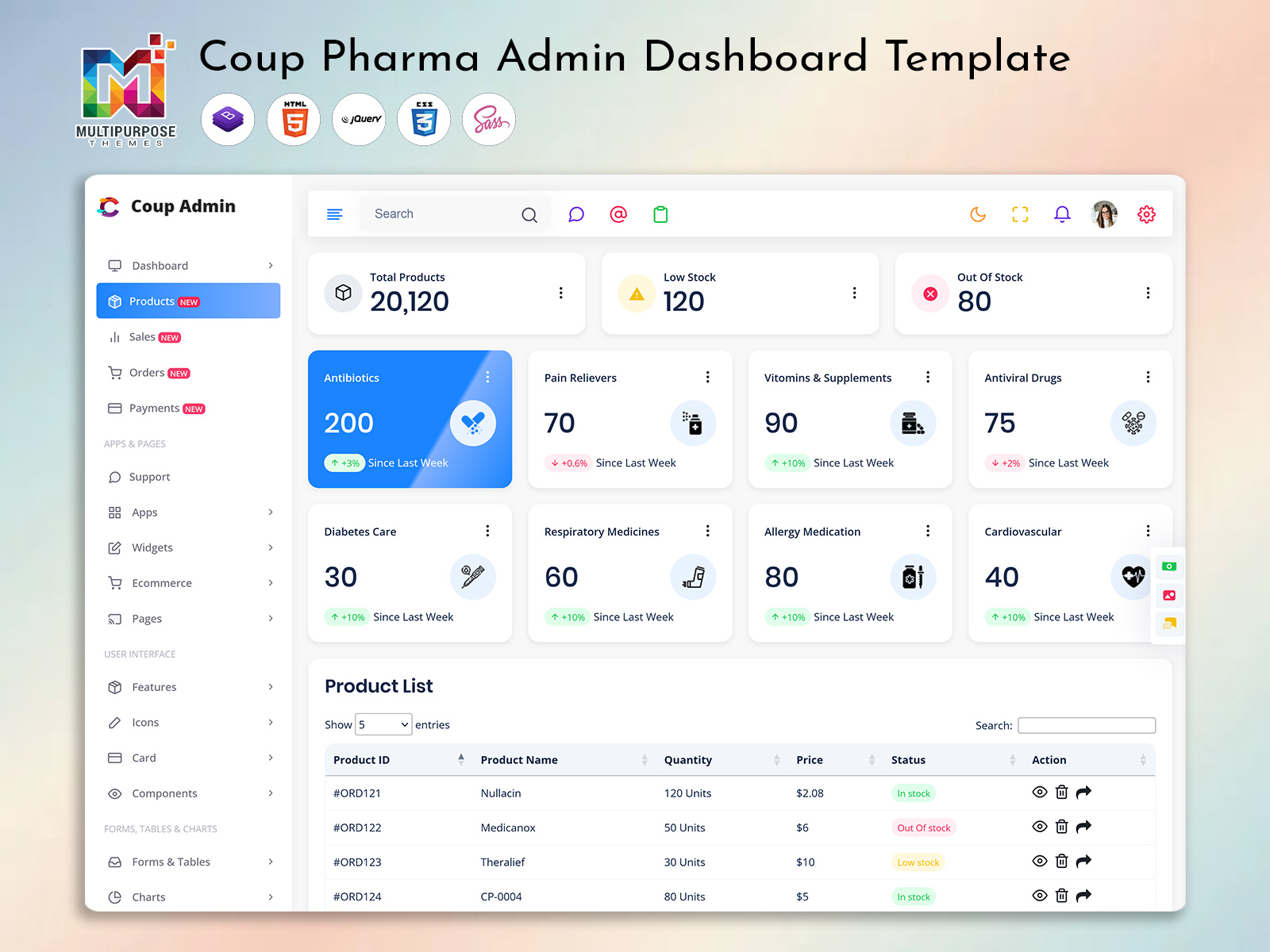
Pharmaceutical Dashboard is now live and included within the Pharma Admin Template. Designed to allow users to make better decisions and make their everyday tasks easier, the Pharmaceutical Dashboard provides a design, real-time data and high performance solution to help you view and manage your data within the pharmaceutical sector.
Watch Full Video
To help your business be as efficient, transparent and have real-time reporting, it’s essential to know how your sales are performing, your stock levels, prescription flow, suppliers, inventory. Understanding how your healthcare is running is more important than ever. With the Pharmaceutical Dashboard, groups can manage all of this from one screen with a clean and comprehensive set of tools.
The Pharmaceutical Dashboard provides a quick and easy to build system for developers, agencies, hospitals, pharmacies and distributors. Whether you’re building pharmacy management tools, prescription tracking, medical ERP, billing or a pharma analytics platform – the Pharmaceutical Dashboard Template has fast and powerful features.
Check out our New Pharma Dashboard – Coup Admin
BUY NOW DEMO
What is the New Pharmaceutical Dashboard?
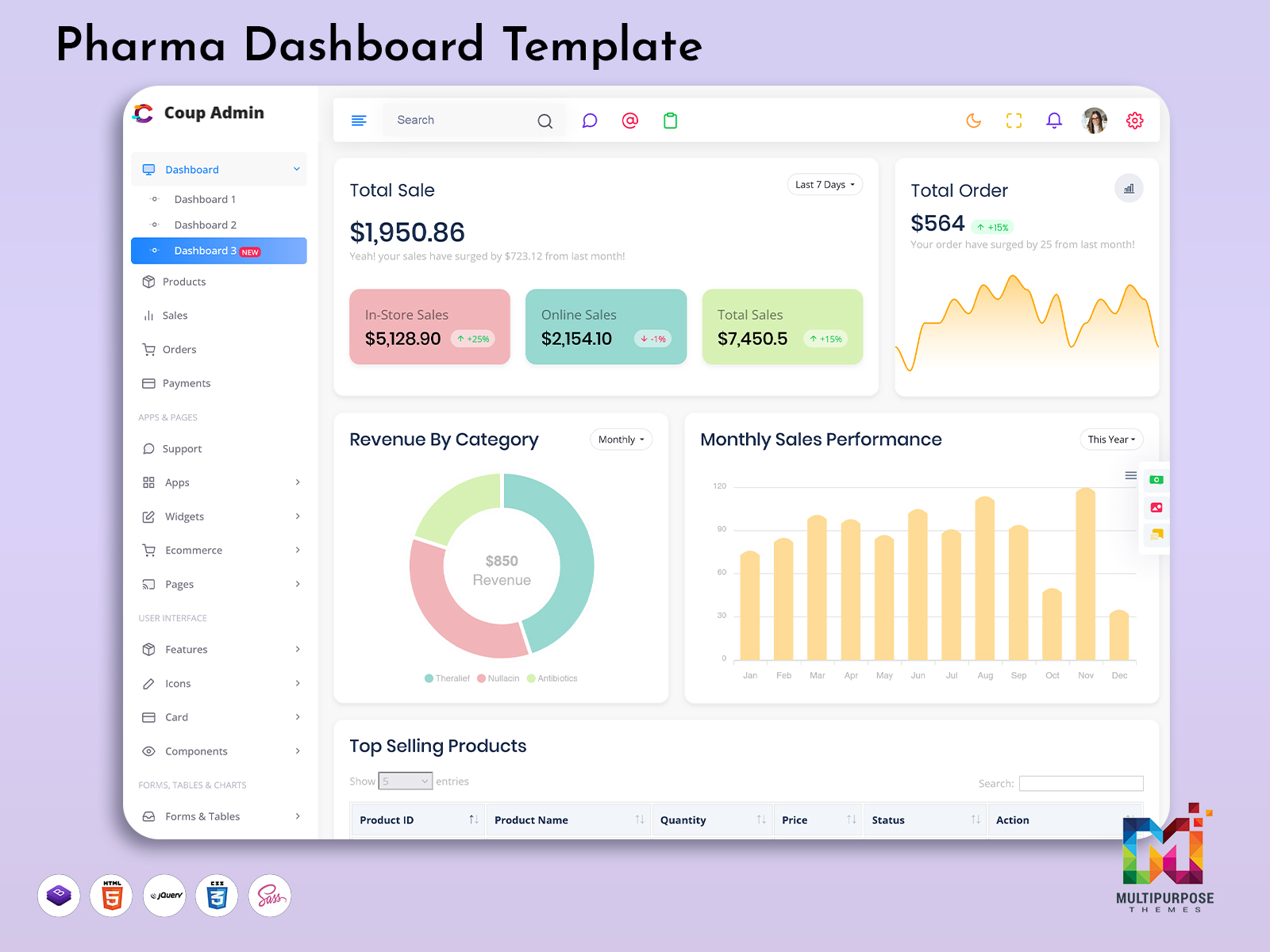
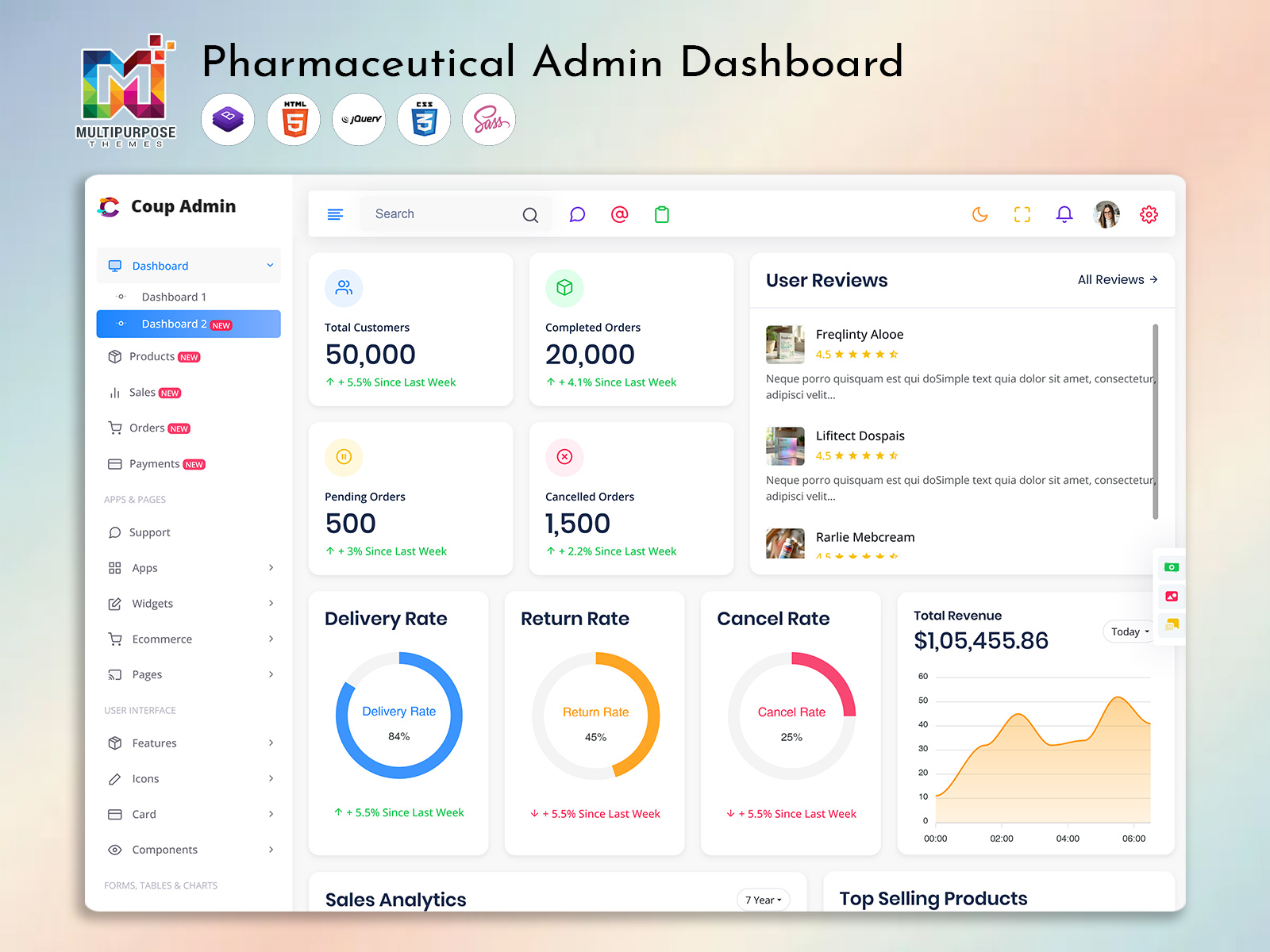
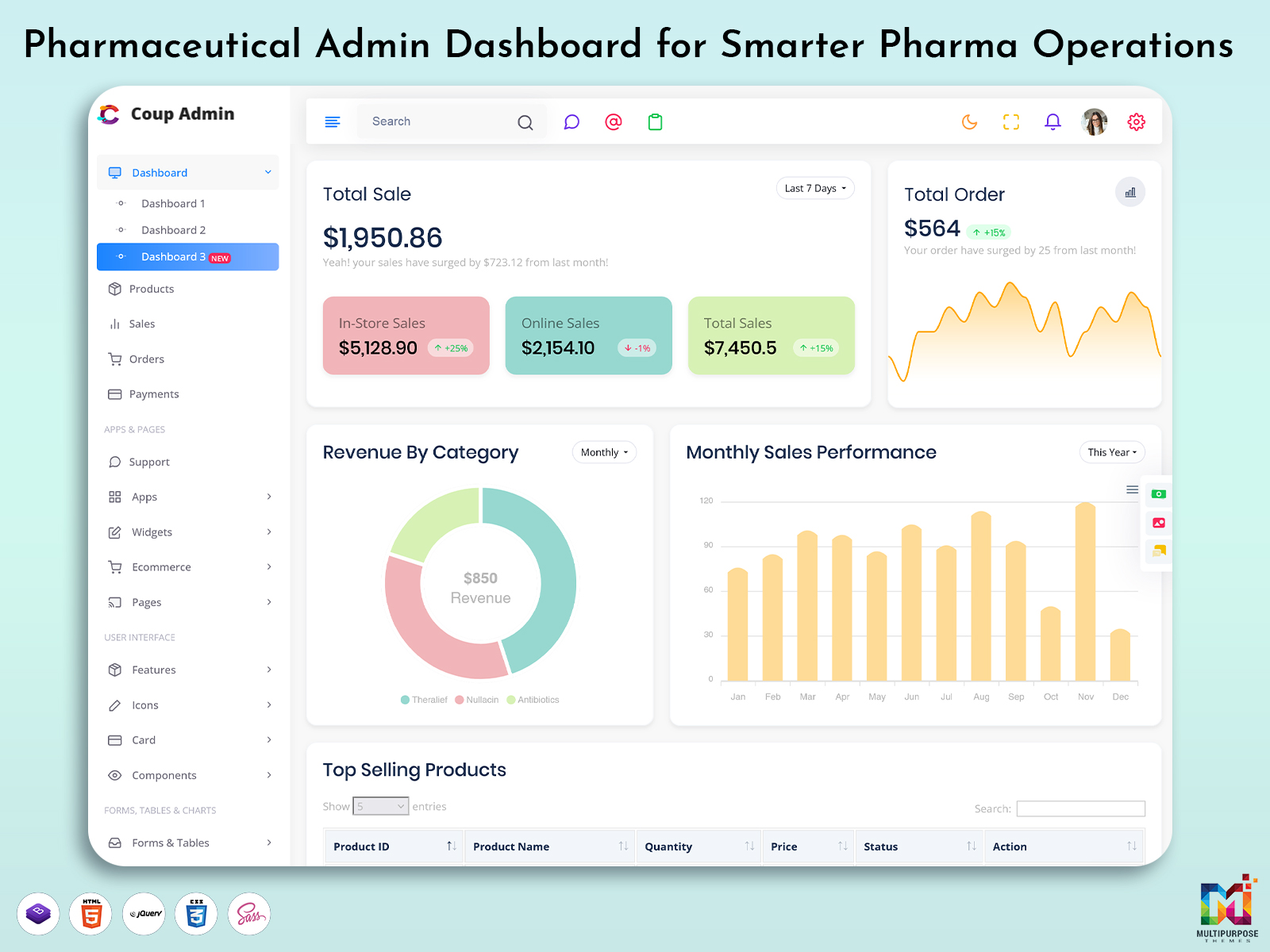
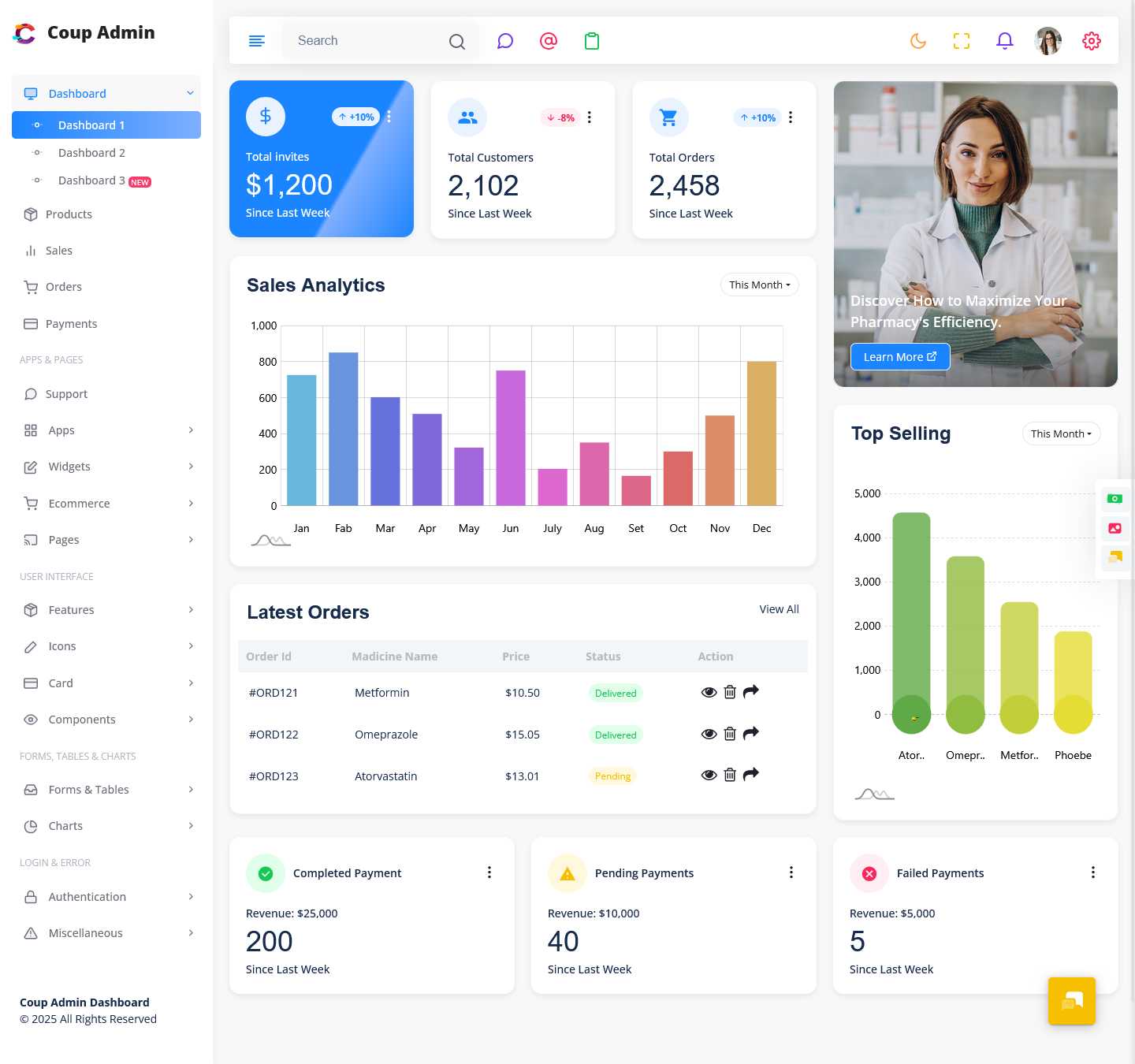
The Pharmaceutical Dashboard has been designed to provide a clear and easy to use back-end system. Giving users a dashboard to view key data such as stock reports, sales charts, suppliers, billing status, staff performance and daily metrics in real-time. The Pharmaceutical Dashboard provides an easy to use base for developers to build large healthcare applications, CRMs and pharmacy systems with minimal coding.
We wanted to create a modern, smooth dashboard that allows users to make quick decisions based on data. Using simple graphs, clean widgets and interactive elements, the Pharmaceutical Dashboard provides easy to use tools to help manage your drug groups, prescriptions, purchase reports and profit. With the Pharmaceutical Dashboard you can easily manage all key tasks.
Top Features of New Upgraded Pharma Dashboard Template
1. Advanced Stock & Inventory Analytics
Inventory is an essential part of the pharmaceutical sector. Keeping track of your stock can cause issues with money and time. With the Pharmaceutical Dashboard you can easily manage your inventory with clear views. This allows groups to monitor their stock, low stock alerts, expiry dates, batch information, supplier status and purchase reports. The Pharmaceutical Dashboard provides quick insights into your usage trends, fast moving items, seasonal requirements and medicine charts. This allows leaders to make good plans and avoid stock shortages or over purchasing. With clear views into how many items they have and how they’re moving, pharmacies and wholesale chains can operate more efficiently with zero waste and increased earnings.
2. Sales & Revenue Performance
Understanding how your sales are performing is essential, to knowing how your business is growing and how your earnings are increasing. The Pharmaceutical Dashboard offers views of sales through interactive charts, regional comparisons, revenue breakdowns and trend graphs. Users can see how customers they have which medicines are selling the most, weekly or monthly revenue and annual growth. This helps managers and owners make plans and accurate predictions. With reports and real-time tracking organisations can understand how to shape their strategy and identify opportunities to increase sales. With clear and organised charts everyone can make data driven decisions.
3. Prescription, Patient & Billing Management
The Pharmaceutical Dashboard provides tools to help hospitals and pharmacies manage patient data, prescription processes and billing. Hospitals and pharmacy shops can manage patient files, medicine history, doctor notes and invoicing. This increases the accuracy of the data. The clear forms, fast searching, prescription tracking and auto calculations will reduce any errors caused by typing. With login functionality users can easily manage detailed health records. This increases customer service and reduces waiting times. This makes managing healthcare easier for both retail and hospital pharmacies.
4. Data. Modern UI Elements
A powerful admin system should provide easy to understand data. The Pharma Dashboard Template provides quality charts, graph widgets, tables, progress bars and data filters. Users can manage reports with custom filters, sorting tools and exporting. The Pharma Dashboard Template can be used for stock analytics, hospital operation reports, medicine usage and performance analytics. The modern UI elements provide a clear and easy to use interface to identify insights. The Pharma Dashboard Template has been built with over 400 UI elements and 150 widgets providing flexibility and powerful control to allow for quick system building and smooth operation.
5. Light / Dark Mode, RTL & Responsive
The Pharma Dashboard Template has been designed to be used globally. With the option to switch between light and dark themes this makes using the system comfortable and accessible in areas such as pharmacies, hospitals or offices. The RTL layout ensures the interface is friendly for speakers and Middle-Eastern users. The responsive design means it can be viewed on desktop, mobile and tablet. This is essential for managers and field staff. Whether users are viewing data on their phone or stock performance on their computer, the Pharma Dashboard Template will adapt to provide a smooth experience. This flexibility is key for pharma businesses.
Explore Other Dashboards
Dashboard: 1
BUY NOW DEMO
Dashboard: 2
BUY NOW DEMO
Dashboard: 3
BUY NOW DEMO
Easy to Use, Modular & Scalable Code
The Pharma Admin Dashboard has a highly modular, scalable and easy to customise system. This allows developers to integrate with third party tools, APIs, ERP systems, CRM systems, billing software and database structures easily. The code has been designed to the standards meaning any changes can be made quickly and easily. With over 1200 pages, 90 plugins and powerful reusable elements the development time is greatly reduced. Rather than building everything from scratch developers can make simple changes to pre-built sections. The Pharma Admin Dashboard is stable and fast. It can also be scaled for long term use making it a great option for production apps.
Who Can Use This New Pharmaceutical Dashboard?
The Pharma Dashboard Template can be used by industries, organisations, service providers and development agencies within the pharmaceutical and health care industry.
Industries & Agencies That Can Benefit
- Pharmaceutical companies & manufacturing units
- Hospital administration & healthcare ERP development
- Medical equipment suppliers & distributors
- Pharmacy chain management companies
- Clinical laboratories & diagnostic centres
- Pharmacy billing system providers
- Healthcare software development agencies
- Medical wholesaler & logistics companies
- Research & life sciences data analytics
- Medical CRM & patient management platforms
The Pharma Dashboard Template is perfect for any business wanting full control, clear visualisations, real-time reporting and automatic tracking within the medicine and health care industry.
Conclusion
The Pharma Dashboard Template helps to improve pharmacy processes. With processing, clean charts, responsive design and intelligent analytics this will help to increase efficiency, accuracy and planning. With UI elements, scalable code and real-time data, developers can quickly build robust systems.
Whether you want to call it the Pharma Admin Dashboard, Pharma Dashboard Template, Pharmaceutical Dashboard or Pharmacy Management Dashboard, the Pharma Dashboard Template provides a professional and intelligent solution within the pharmaceutical industry.
This update has now been added to the Pharma Admin Template and can help improve your development process and transform your health care applications.
VIEW DEMO BUY NOW
FAQs
1. What is the new Pharmaceutical Dashboard?
The new Pharmaceutical Dashboard is a redesigned analytics and management screen. The Pharma Dashboard Template provides a view of pharmacy processes, stock levels, sales performance, billing processes and overall business data. This allows users to simplify complex data, make decisions and complete daily tasks quicker.
2. Why was the Pharma Admin Dashboard upgraded?
The Pharma Admin Dashboard has been upgraded to increase performance, speed and ease of use. The Pharma Dashboard Template now includes UI elements, real-time reporting, responsive design and intelligent visual elements. This provides a clear management base within healthcare and pharmacy.
3. Who can use this Pharma Admin Dashboard?
The Pharma Admin Dashboard can be used by pharmacies, hospitals, medical shops, pharmaceutical companies, wholesale distributors, clinical laboratories and software agencies developing healthcare programs. Any organisation managing drug stock, records, financial statements or supply chains can benefit from this upgraded solution.
4. Does the Pharma Admin Dashboard have stock tracking?
Yes! The Pharma Admin Dashboard has stock management tools. This allows users to keep track of drug stock levels, re-order points, expiry dates, batch information, supplier data and purchase statistics. This increases accuracy of inventory.
5. Is the Pharma Dashboard Template responsive?
Yes! The Pharma Dashboard Template can be viewed on desktops, tablets and phones. Whether you’re viewing it at a pharmacy counter, hospital office or remote office it will be smooth and easy to use.
6. Does the Pharma Dashboard have Light & Dark mode & RTL language?
Yes! The Pharma Dashboard has Light & Dark themes and full RTL support. This makes the Pharma Dashboard easier to use within certain environments and is useful globally.
7. Can developers easily customise the Pharmacy Management Dashboard?
Yes! The Pharmacy Management Dashboard has been built with scalable code. This means developers can quickly customise the layout, UI elements, widgets, charts and functions.
8. What reports can the Pharma Dashboard provide?
The Pharma Dashboard provides data on sales performance, stock movement, batch expiry, purchases, supplier activity, patient prescription history and process insights. Users can view real time analytics with charts, tables and graphical widgets.
9. Is the Pharma Dashboard secure for medical records?
Yes! Security & access control are included within the Pharma Dashboard. The data is kept in secure modules. Authorised users can view specific sections.
10. Do I need to install the upgrade?
No! The upgrade has been built into the existing Pharma Admin Template. Current users can use the upgraded Pharma Admin Template instantly with no extra setup.
11. Can the Pharma Dashboard be used for multi-branch pharmacy management?
Yes! The Pharma Dashboard has been designed for chain operations. Users can view performance at outlets.
12. Can the Pharma Dashboard be used to build pharmacy billing or ERP software?
Definitely! The upgraded Pharma Dashboard Template can be used as a base for medical ERP systems, hospital management systems, billing software, CRM platforms and complete pharmacy automation systems.

Related Posts