Hiring has changed significantly with the growth of online recruitment. Companies don't depend only on…

Job Employment Dashboard – Features, Benefits & Use Cases
Reading Time: 6 minutes
Introduction
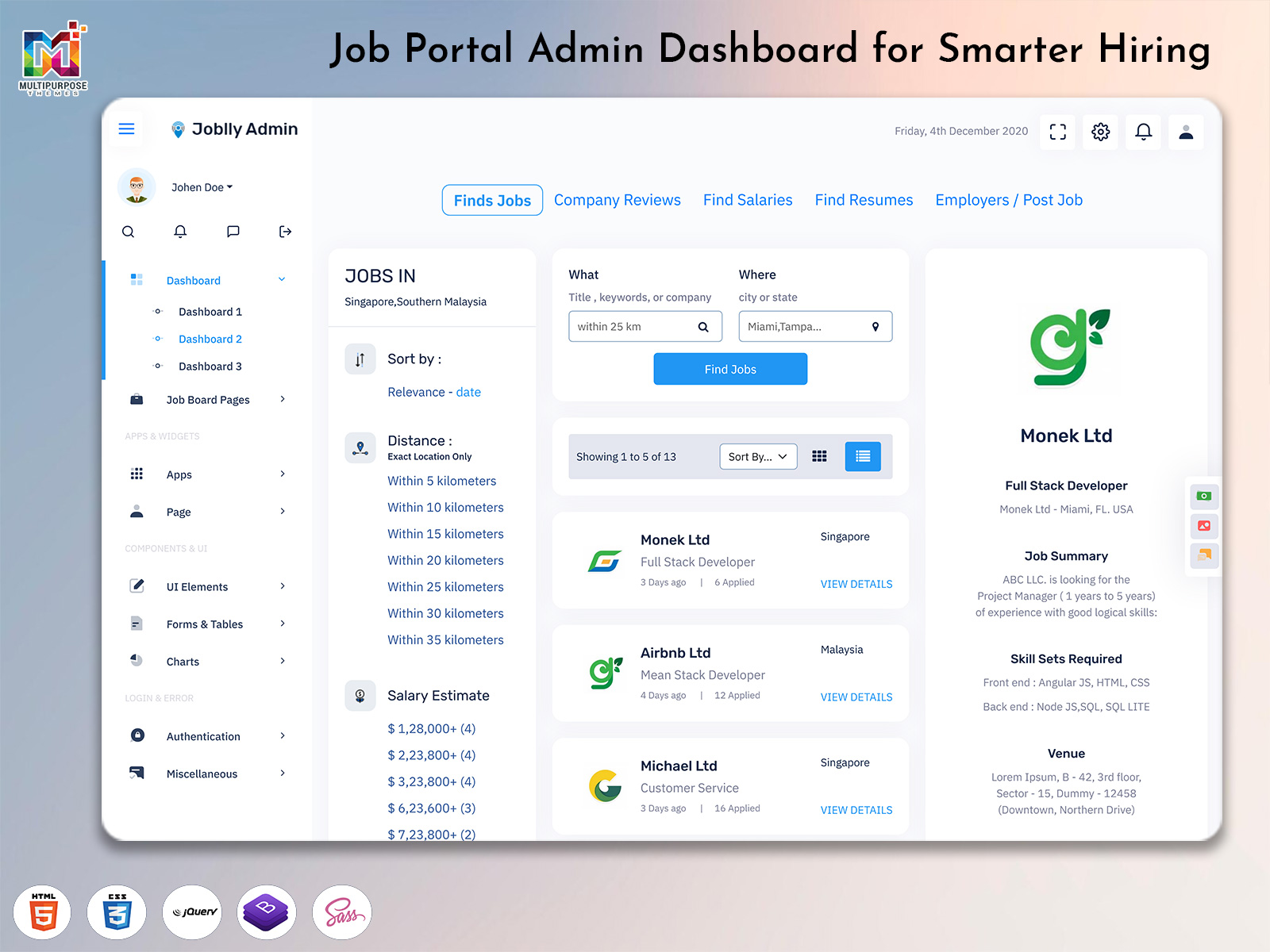
It can be difficult to manage all the applications you receive when looking to hire new staff. With a Job Employment Dashboard you can easily manage job posts, applications and candidates.
The dashboard provides an overview of the whole recruitment process for your recruiters and HR team.
Job Dashboard – Watch Video
What is a Job Employment Dashboard?
A Job Employment Dashboard is an online admin panel where you can manage your recruitment process. This allows your team to keep track of any vacancies, applications and shortlisted candidates while also keeping track of your hiring progress.
Rather than using emails and spreadsheets, everything is managed through the Job Employment Dashboard.
Key Features
1. Vacancy Management
Create, edit and manage all your job listings.
2. Application Management
View all applications, search for candidates and keep track.
3. Candidate Profiles
Store resumes, contact information and interview notes.
4. Hiring Management
Keep track of interviews, shortlisted candidates and selections.
5. User Management
Define user roles for your HR managers and recruiters.
6. Responsive Design
Use the dashboard on desktops, tablets and mobiles.
Where Can You Use A Job Application Dashboard Template?
This Admin Dashboard will help with your hiring process.
- Internal recruitment for your HR team.
- Recruitment agencies working with multiple clients.
- Startups wanting to create their first hiring system.
- Corporate teams with high hiring requirements.
Who Should Use A Job Board Dashboard Template?
This Job Bootstrap 5 Admin Dashboard is ideal for:
- HR professionals
- Recruiters and staffing agencies
- Business owners
- Job portal developers
- Companies hiring in volume.
If you need to hire as part of your business then this dashboard will help save time and improve efficiency.
Why Use An Up To Date Job Employment Dashboard?
This dashboard will help reduce the amount of work needed to hire new staff. It keeps your team organised, avoids missing any applications and makes hiring decisions.
The dashboard has an easy to use interface with a clear process meaning your recruiters can spend more time working with people.
Additional Features to Consider in a Job Employment Dashboard
A recruitment dashboard can include different sections depending on the needs of the business. These sections help recruiters manage the hiring process and find the information they need.
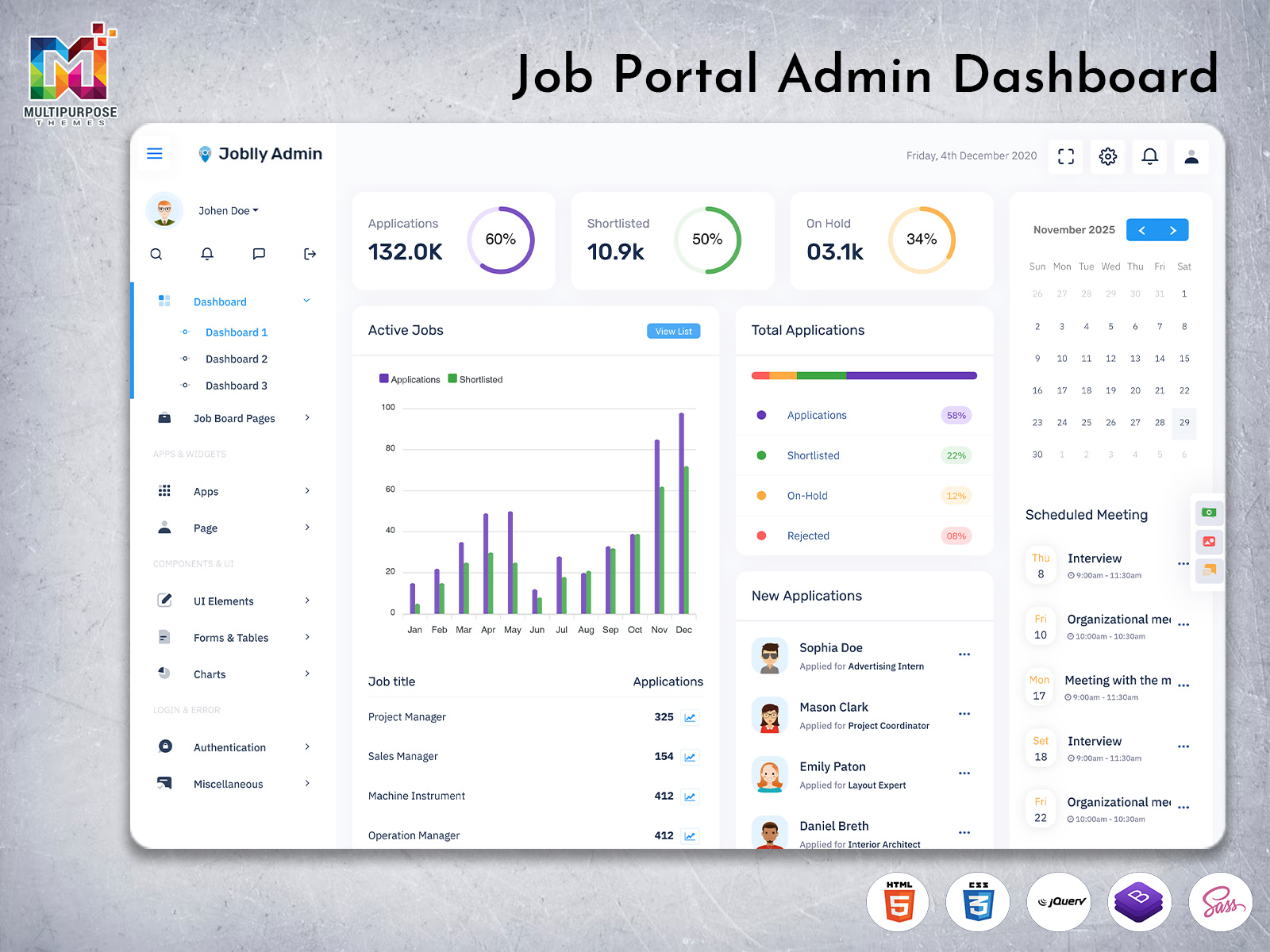
1. Recruitment Overview
A recruitment overview gives recruiters a quick view of the hiring activities. Instead of opening different sections, they can check important recruitment information from one screen.
The overview may include:
- Total job openings
- Total applications received
- Candidates shortlisted
- Interviews scheduled
- Positions filled
- Vacancies still open
These details help the HR team understand the current recruitment workload.
2. Candidate Status Tracking
Recruiters receive applications from candidates with different qualifications and experience. A candidate status section helps them track each application throughout the recruitment process.
Possible application statuses include:
- Application received
- Under review
- Shortlisted
- Interview scheduled
- Selected
- Rejected
- Hired
A clear status system helps recruiters understand which candidates need attention and what action should happen next.
3. Interview Scheduling
Managing interview schedules can become difficult when multiple recruiters and candidates are involved. An interview scheduling section can help the HR team organise interview dates and times.
Features may include:
- Interview date and time
- Candidate details
- Assigned interviewer
- Interview status
- Interview notes
- Next steps
This information helps recruiters keep track of upcoming interviews and follow-ups.
4. Job Category Management
Companies may recruit employees for different departments and job roles. Job category management helps organise vacancies so recruiters can find relevant listings more easily.
Categories may include:
- Marketing
- Sales
- Human Resources
- Information Technology
- Finance
- Operations
The categories will depend on the organisation and the type of recruitment it handles.
5. Search and Filter Options
When a dashboard contains many job listings and candidate profiles, finding specific information can take time. Search and filter options make it easier to locate the required records.
Recruiters may be able to filter information by:
- Job title
- Department
- Application status
- Candidate name
- Application date
- Interview date
These options help users work with large lists without manually checking every record.
6. Recruitment Reports
Recruitment reports help HR teams review hiring activities and understand how vacancies are progressing.
Depending on the available data, reports may include:
- Applications received during a selected period
- Number of candidates shortlisted
- Interviews completed
- Vacancies filled
- Open positions by department
- Candidate status summaries
These reports can help recruitment teams review their workload and plan their next hiring activities.
7. Notifications and Reminders
Recruiters need to keep track of interviews, application updates and pending tasks. Notifications and reminders can help users remember important activities.
A dashboard may include reminders for:
- Upcoming interviews
- Pending application reviews
- Follow-up calls
- Vacancies requiring attention
- Tasks assigned to recruiters
The availability of automatic notifications depends on the functionality connected to the dashboard.
Benefits of Using a Job Employment Dashboard
A Job Employment Dashboard can make recruitment information easier to organise and review. Its benefits depend on the features available and how the organisation uses the system.
1. Organised Recruitment Information
Job listings, candidate profiles and application statuses can be arranged in separate sections. This gives recruiters a clear place to find recruitment information.
2. Easier Application Tracking
Recruiters can check the status of applications and identify candidates who need further review. This helps the team follow the recruitment process more consistently.
3. Better Team Coordination
Recruiters and HR managers may work on different vacancies at the same time. Assigned tasks and shared recruitment information can help team members understand their responsibilities.
4. Clear View of Hiring Activities
A recruitment overview can show open positions, pending applications and scheduled interviews. This helps HR teams review ongoing activities from one place.
5. More Consistent Recruitment Processes
Using a structured process for reviewing applications, scheduling interviews and updating candidate statuses can help teams follow similar steps across different vacancies.
6. Easier Recruitment Planning
Reports and summaries can help managers review current hiring activities and identify vacancies that require additional attention.
How to Choose the Right Job Dashboard Template
Choosing a Job Dashboard Template depends on the type of recruitment system you want to build. Before selecting a template, consider the needs of your users and the features required for daily recruitment activities.
1. Check the Available UI Components
Look for a template that includes the interface components your project requires, such as:
- Dashboard cards
- Data tables
- Forms
- Charts
- Navigation menus
- Candidate profile layouts
- Calendar views
These components can provide a starting point for building a recruitment interface.
2. Look for a Clear Layout
Recruiters should be able to find job listings, applications and candidate information without navigating through confusing sections. A clear layout helps keep recruitment activities organised.
3. Check Responsive Design
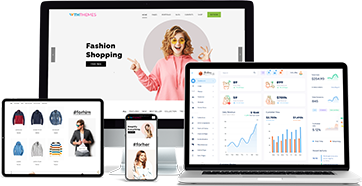
Recruitment teams may need to access information from desktops, tablets and mobile devices. Check how the dashboard layout adapts to different screen sizes.
4. Consider Customisation
Every organisation has its own recruitment process. A customisable template can help developers adjust the colours, layouts, tables and interface components to match project requirements.
5. Understand What Is Included
A dashboard UI template generally provides the interface design and layout. Features such as authentication, database connections, candidate data storage, notifications and application processing may require additional development.
Check the template documentation to understand what is included before choosing it for your project.
How a Job Bootstrap 5 Admin Dashboard Can Help Developers
A Job Bootstrap 5 Admin Dashboard can provide a starting point for developers building recruitment-related web applications.
Instead of creating every interface component from scratch, developers can begin with an existing layout and adapt it to their project.
Depending on the template, the interface may include:
- Dashboard overview sections
- Job listing tables
- Candidate information layouts
- Forms for managing vacancies
- Recruitment charts
- User management screens
- Responsive navigation
Developers should check the actual components and technical requirements of the selected template before integrating it into an application.
Conclusion
A Job Employment Dashboard provides an organised interface for managing job listings, applications, candidate profiles and hiring activities. It can help recruiters review applications, track interviews and understand the current recruitment workload.
Whether you are building an internal HR system, a recruitment platform or a job portal, choosing a suitable dashboard template can give your project a useful starting point.
Look for a clear layout, relevant UI components, responsive design and customisation options that match your project requirements.
Want to see how this Job Employment Dashboard works in real-time?
Watch the demo and subscribe to our YouTube channel for more Admin Dashboard and UI templates.
Frequently Asked Questions
1. What is a Job Employment Dashboard?
A Job Employment Dashboard is an admin interface for managing job listings, candidate applications, recruitment activities and hiring progress.
2. Who can use a Job Employment Dashboard?
HR professionals, recruiters, staffing agencies, business owners and developers building recruitment platforms can use a Job Employment Dashboard.
3. What is a Job Application Dashboard Template?
A Job Application Dashboard Template provides a user interface for displaying and managing job applications. Its available components depend on the selected template.
4. What is a Job Board Dashboard Template used for?
A Job Board Dashboard Template can provide interface layouts for job listings, candidate details, application records and other recruitment-related information.
5. Can a Job Employment Dashboard track candidate status?
Yes, if the application includes candidate status tracking. Common statuses may include application received, under review, shortlisted, interview scheduled, selected and hired.
6. Is a Job Bootstrap 5 Admin Dashboard a complete recruitment system?
Not necessarily. A dashboard template usually provides the interface and layout. Backend functionality, database connections, authentication and recruitment workflows may require additional development.
7. Can a Job Dashboard Template be customised?
Customisation depends on the template. Developers may be able to adjust layouts, colours, tables, forms and other UI components to suit their project requirements.
👉 Call to Action
Want to see how this Job Employment Dashboard works in real time?
👉 Watch the full demo and subscribe to our YouTube channel for more admin dashboard and UI template videos.

Related Posts