

Healthcare systems today generate a huge amount of data every single day. Hospitals, clinics, doctors,…

Next-Gen Medical Dashboard for Hospitals, Clinics & Healthcare Platforms
Reading Time: 7 minutes
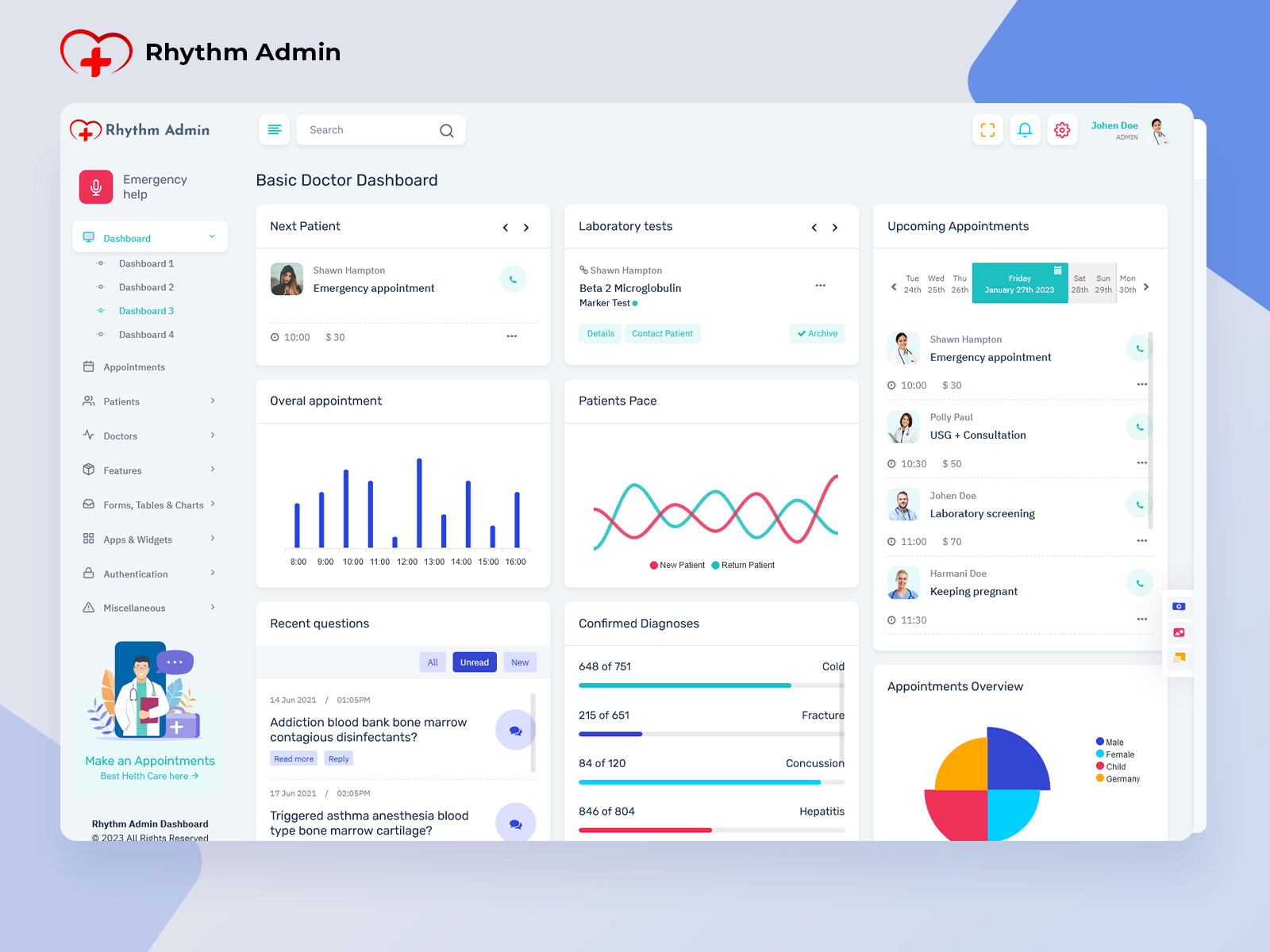
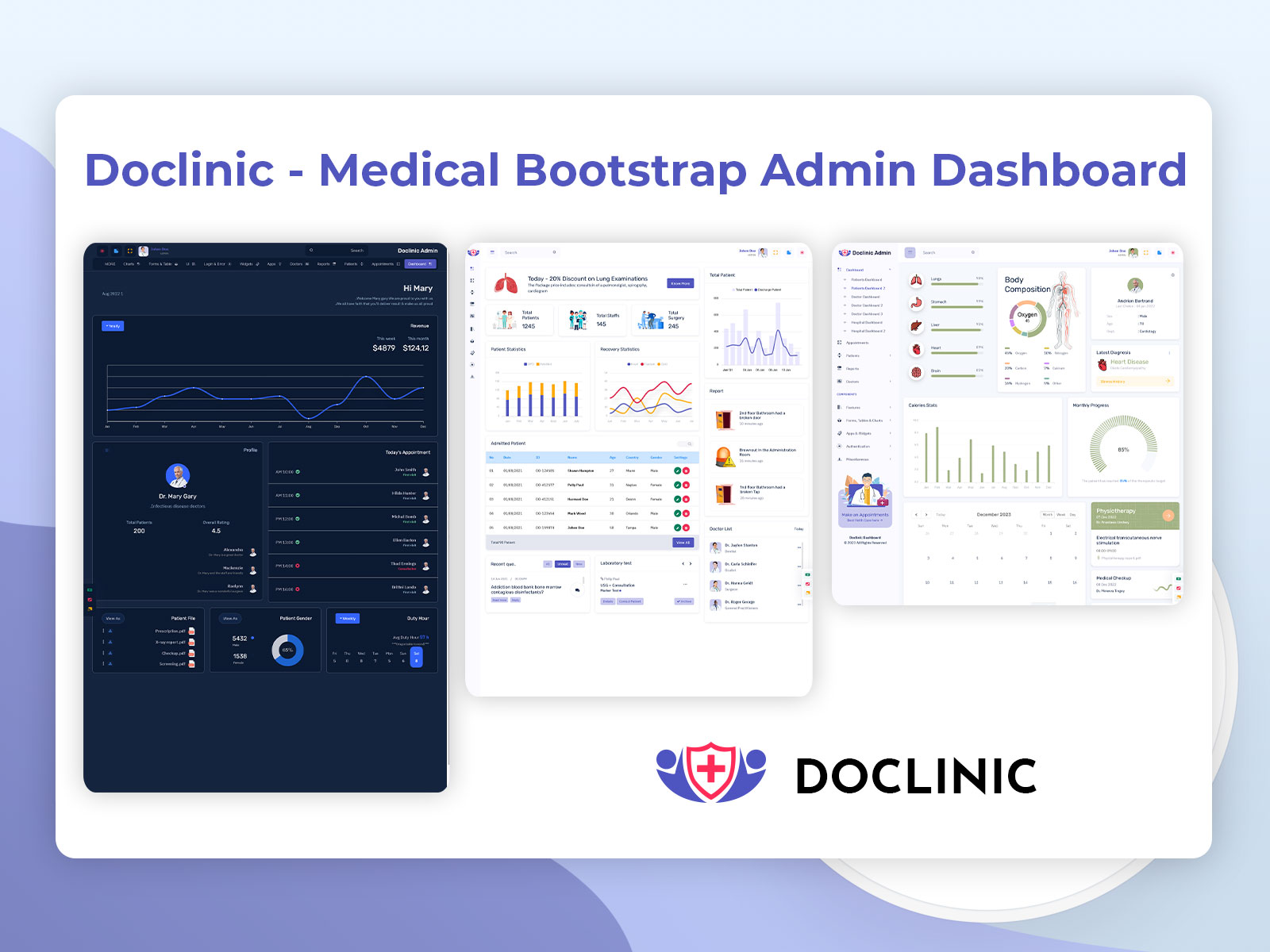
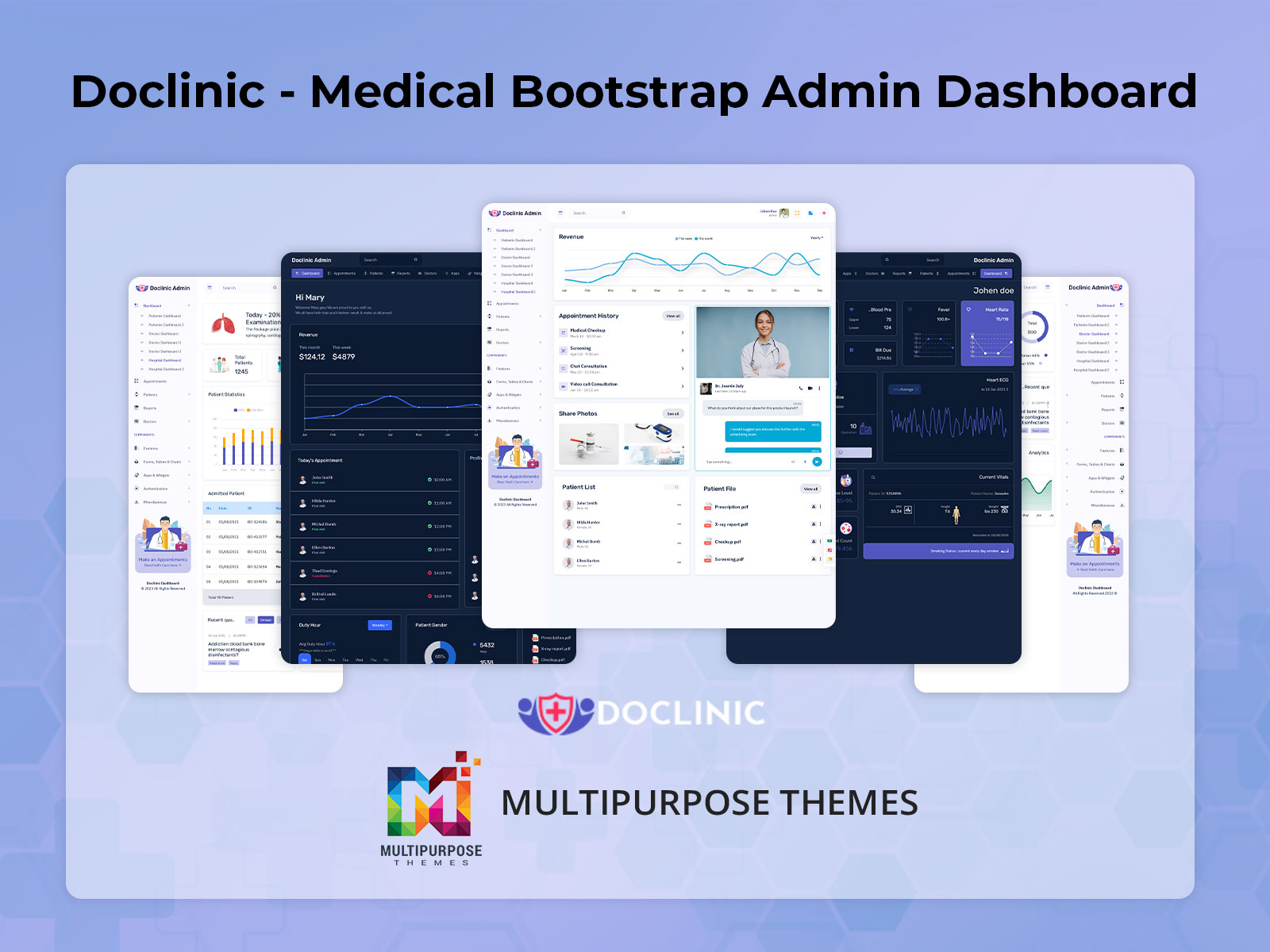
We are excited to introduce the addition of a brand-new Medical Dashboard in our existing admin template. The latest upgrade brings a fully-featured, modern Hospital Dashboard designed to simplify the management of hospitals, clinics, medical practices, and healthcare web applications. This new Doctor Dashboard is crafted to provide healthcare administrators, doctors, and staff an intuitive and responsive interface to monitor patients, appointments, billing, and performance metrics efficiently.
Our Patient Dashboard allows hospitals and clinics to provide patients with clear insights into their appointments, medical history, and treatment progress. The Medical UI Dashboard is designed for versatility, accommodating large hospitals, small clinics, and specialized medical facilities alike. With ready-made pages, UI components, and analytics widgets, Medicare Admin ensures smooth operations across all departments of a healthcare organization.
The new dashboard reflects the modern demands of healthcare technology, focusing on simplicity, accuracy, and accessibility. Administrators can track patient visits, monitor doctor performance, manage billing, and generate insightful reports with minimal effort. Whether you manage a small clinic or a multi-specialty hospital, our dashboard provides a centralized platform for all medical administration needs, enhancing operational efficiency and patient care.
Check out New Dashboard – Medicare Admin

BUY NOW DEMO
Features of the New Dashboard
1. Patient & Appointment Management
Our new Medical Dashboard allows administrators and doctors to manage patient records and appointments efficiently. Patients’ medical history, prescriptions, and upcoming appointments are easily accessible, ensuring accurate healthcare delivery. Doctors can view their daily schedule, upcoming patient visits, and patient details in one place. The dashboard also supports automated reminders and notifications for appointments, reducing missed consultations. Administrators can manage new patient registrations, schedule follow-ups, and track visit histories, streamlining hospital workflow. This feature ensures smooth communication between staff and patients, improves patient engagement, and saves time for medical teams by centralizing all patient-related data.
2. Billing & Revenue Tracking
The Hospital Dashboard includes a comprehensive billing and revenue management system. Administrators can generate invoices, track payments, and monitor overall revenue in real time. The dashboard provides detailed insights into service charges, consultation fees, lab tests, and other hospital revenue streams. Doctors and staff can quickly check pending payments, manage insurance claims, and issue receipts efficiently. With intuitive charts and analytics, hospitals can evaluate financial performance, identify trends, and make informed budgeting decisions. This feature minimizes errors in billing, improves transparency, and ensures smooth financial operations, allowing healthcare institutions to focus on patient care rather than administrative hassles.
3. Doctor & Staff Management
Managing doctors and staff is easy with the new Doctor Dashboard. Admins can add or remove staff members, assign roles, track attendance, and monitor work schedules. Profiles include detailed information on specialties, qualifications, and availability. Doctors can view assigned patients, upcoming appointments, and pending tasks, ensuring organized workflow. The dashboard also allows administrators to evaluate staff performance using metrics like patient feedback, consultation times, and attendance records. By centralizing staff management, Medicare Admin reduces administrative burdens, enhances coordination between departments, and ensures efficient allocation of resources. This feature improves hospital productivity and patient satisfaction.
4. Performance Analytics & Reports
The Medical UI Dashboard offers powerful analytics and reporting tools for administrators and medical staff. Users can track patient visits, doctor performance, treatment outcomes, and hospital efficiency using interactive charts and tables. Custom reports can be generated for revenue, appointments, patient demographics, and treatment success rates. This data-driven approach allows hospitals to identify areas for improvement, optimize workflows, and enhance overall service quality. Real-time dashboards help in monitoring key performance indicators (KPIs) effectively, supporting data-based decision-making. With advanced reporting, administrators can streamline operations, improve patient care, and maintain compliance with healthcare regulations.
5. Responsive & User-Friendly Design
Medicare Admin’s new dashboard is fully responsive and works seamlessly across desktops, tablets, and mobile devices. The Patient Dashboard provides a clean, intuitive interface for easy navigation and quick access to essential information. Color-coded sections, organized menus, and clear typography enhance usability for doctors, staff, and administrators. Quick search, filters, and sorting options allow users to find patients, appointments, or reports instantly. By combining a responsive design with user-friendly navigation, Medicare Admin ensures that all healthcare stakeholders can manage tasks efficiently, improve productivity, and maintain accurate patient records regardless of device or location.
Who Can Use This New Dashboard?
1. Hospitals
Large and multi-specialty hospitals can greatly benefit from the Medical Dashboard. It allows administrators to manage thousands of patients, doctor schedules, billing, and departmental analytics efficiently. The dashboard provides centralized access to appointments, patient history, and performance metrics for each doctor or department. Hospitals can generate comprehensive reports for management and compliance purposes. With advanced analytics, hospitals can track patient flow, optimize staff allocation, and ensure high-quality care. By using this dashboard, hospitals can improve operational efficiency, reduce administrative errors, and enhance the overall patient experience, making it easier to manage complex healthcare operations.
2. Clinics & Healthcare Centers
Clinics and small healthcare centers can streamline their operations using the Hospital Dashboard. Administrators can schedule appointments, manage patient records, and track billing and revenue from a single platform. Doctors can access patient medical history, treatment plans, and upcoming appointments quickly, improving consultation efficiency. The dashboard also allows clinics to maintain attendance records, staff schedules, and workflow metrics. With responsive design and real-time analytics, clinics can monitor performance, improve patient satisfaction, and reduce administrative workload. This dashboard is ideal for managing day-to-day operations efficiently, regardless of the clinic’s size or specialization.
3. Online Medical Platforms
Telemedicine and online medical platforms can utilize the Doctor Dashboard to manage virtual consultations, track patient interactions, and maintain digital records. Doctors can monitor upcoming online appointments, patient inquiries, and treatment updates in real time. Administrators can track patient registrations, subscription plans, and billing for virtual services. The dashboard supports multi-location management, allowing healthcare providers to oversee multiple online platforms seamlessly. Analytics tools help track patient engagement, treatment adherence, and platform usage, ensuring continuous improvement. This dashboard empowers digital healthcare providers to deliver high-quality care, streamline operations, and maintain accurate patient records.
4. Diagnostic & Pathology Labs
Diagnostic and pathology labs can use the Patient Dashboard to manage test appointments, sample tracking, and result generation. Lab administrators can schedule tests, assign technicians, and maintain patient reports in a centralized system. Doctors can view test results, track treatment progress, and communicate findings with patients efficiently. The dashboard provides analytics for lab performance, turnaround times, and revenue management. By using this dashboard, labs can reduce errors, improve reporting accuracy, and enhance customer satisfaction. Medicare Admin’s responsive design ensures that lab staff can access critical information from anywhere, improving workflow and operational efficiency.
5. Pharmacies & Healthcare Retail
Pharmacies and healthcare retail stores can benefit from the Medical UI Dashboard for inventory management, sales tracking, and customer monitoring. Administrators can manage stock levels, monitor product expiry, and generate purchase orders automatically. Sales and revenue data are tracked in real time, allowing for accurate forecasting and business analysis. The dashboard also enables customer tracking for repeat orders, prescriptions, and loyalty programs. By using this system, pharmacies can reduce manual errors, improve supply chain efficiency, and enhance customer service. The dashboard ensures that operational and financial data are well-organized and easily accessible.
6. Corporate Healthcare & Employee Wellness Programs
Corporates managing employee health programs can utilize the Hospital Dashboard to track wellness checkups, vaccination records, and preventive health initiatives. HR and medical staff can schedule employee consultations, monitor medical reports, and maintain compliance with workplace health standards. The dashboard provides analytics on employee health trends, absenteeism, and medical expenses, helping management optimize wellness programs. With centralized reporting and user-friendly design, corporates can ensure timely interventions, maintain employee health records efficiently, and improve overall productivity. The dashboard makes managing corporate healthcare programs streamlined, accurate, and proactive.
7. NGOs & Community Healthcare Programs
Nonprofits and NGOs running healthcare initiatives can leverage the Medical Dashboard to manage community health programs, track patient visits, and monitor project outcomes. Administrators can schedule mobile clinics, manage staff and volunteers, and maintain medical records digitally. Analytics provide insights into patient engagement, treatment success, and resource utilization. By centralizing program data, NGOs can create reports for donors, optimize resource allocation, and ensure transparency. The dashboard’s responsive design allows field staff to access information remotely, improving efficiency. Medicare Admin helps NGOs deliver healthcare services more effectively, with better tracking, reporting, and overall management of community programs.
Why Choose Us
Medicare Admin is more than a dashboard — it is a complete healthcare management solution. Unlike generic admin templates, our Medical UI Dashboard is specifically designed for hospitals, clinics, doctors, and healthcare platforms. With ready-to-use pages, customizable components, and responsive design, administrators can manage patients, appointments, billing, staff, and analytics effortlessly.
We focus on simplicity, clarity, and performance, providing advanced features such as patient tracking, doctor scheduling, billing management, and real-time reporting. The Hospital dashboard works seamlessly across all devices, ensuring accessibility for doctors, staff, and administrators anytime, anywhere. By choosing Medicare Admin, healthcare providers gain a reliable, modern, and scalable platform that streamlines hospital operations, improves patient care, and enhances efficiency. It reduces manual work, improves transparency, and helps institutions maintain high standards of healthcare delivery.
Conclusion
The new Medical Dashboard in our Medicare Admin template is a comprehensive solution for modern healthcare management. From patient and doctor management to appointment scheduling, billing, performance analytics, and reporting, every feature is thoughtfully designed for ease of use and efficiency. The Hospital Dashboard ensures that healthcare institutions can manage daily operations smoothly, reduce administrative workload, and improve patient satisfaction.
With features like real-time reporting, responsive design, and intuitive navigation, the dashboard supports hospitals, clinics, diagnostic labs, pharmacies, corporate wellness programs, and NGOs in delivering high-quality care. The Patient Dashboard provides clear insights into medical history, appointments, and treatments, enhancing communication and engagement. Medicare Admin is more than just a backend system — it is a powerful tool that simplifies healthcare administration, boosts productivity, and ensures reliable, data-driven decision-making across the medical ecosystem.
FAQs
Q1. What is new in the Medicare Admin Dashboard?
The new dashboard includes advanced features like patient management, doctor scheduling, billing, appointment tracking, performance analytics, and a responsive UI for all healthcare operations.
Q2. Can small clinics use this dashboard?
Yes, Medicare Admin is suitable for both small clinics and large hospitals, offering scalable solutions for managing patients, staff, appointments, and reporting efficiently.
Q3. Is the dashboard mobile-friendly?
Absolutely. The dashboard is fully responsive and works seamlessly on desktops, tablets, and mobile devices for doctors, administrators, and patients.
Q4. Can the dashboard track doctor performance?
Yes, the Doctor Dashboard provides metrics for patient consultations, appointment schedules, feedback, and overall performance analytics.
Q5. Does it support patient billing and revenue tracking?
Yes, the dashboard allows hospitals to generate invoices, track payments, manage insurance claims, and monitor revenue streams in real time.
Q6. Can pharmacies integrate with this dashboard?
Yes, pharmacies can track inventory, sales, and customer records while integrating seamlessly with hospital or clinic management data.
Q7. Is it suitable for online healthcare platforms?
Yes, telemedicine platforms can manage appointments, virtual consultations, patient records, and billing efficiently using the responsive dashboard.
Q8. Can NGOs use it for community healthcare projects?
Yes, NGOs can manage mobile clinics, volunteers, patient data, and program reporting to improve healthcare delivery and transparency.
Q9. What analytics features are available?
The dashboard offers charts, reports, KPIs, and visual insights for patient management, doctor performance, revenue, and operational efficiency.
Q10. Why choose Medicare Admin over other templates?
Medicare Admin is a healthcare-specific, responsive, feature-rich dashboard that simplifies hospital operations, improves patient care, and provides real-time insights for administrators and doctors.

Related Posts


This Post Has 0 Comments