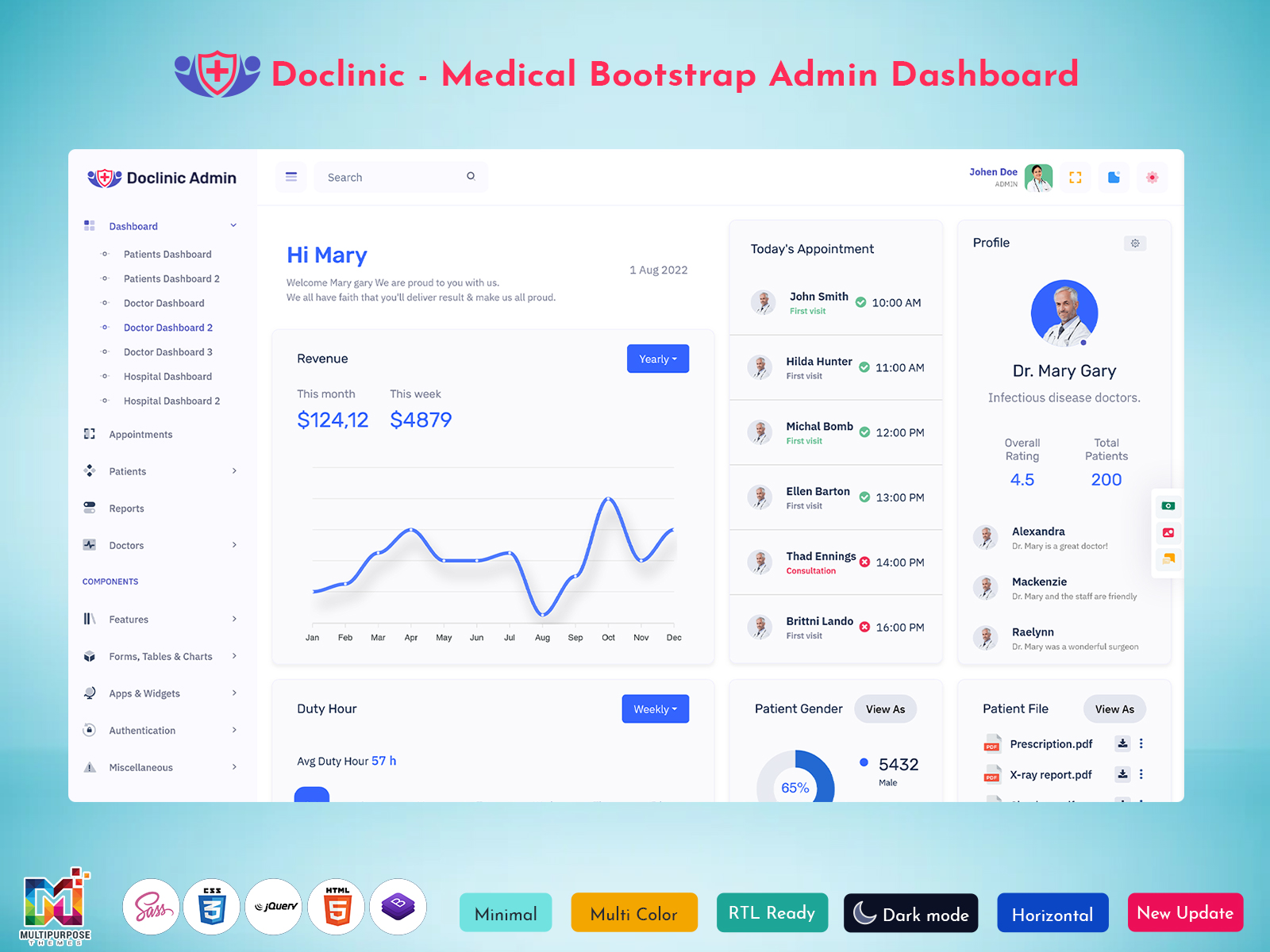
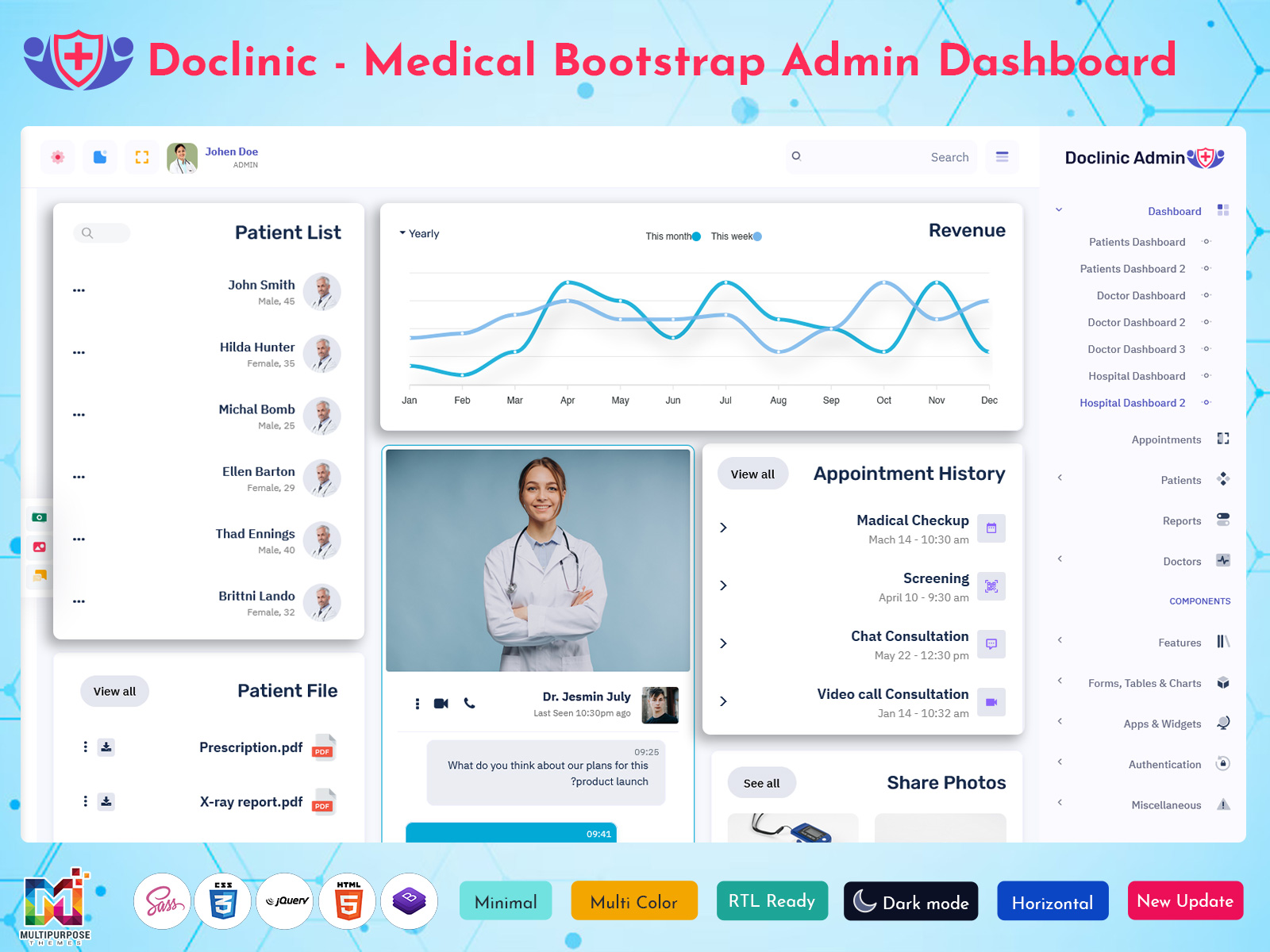
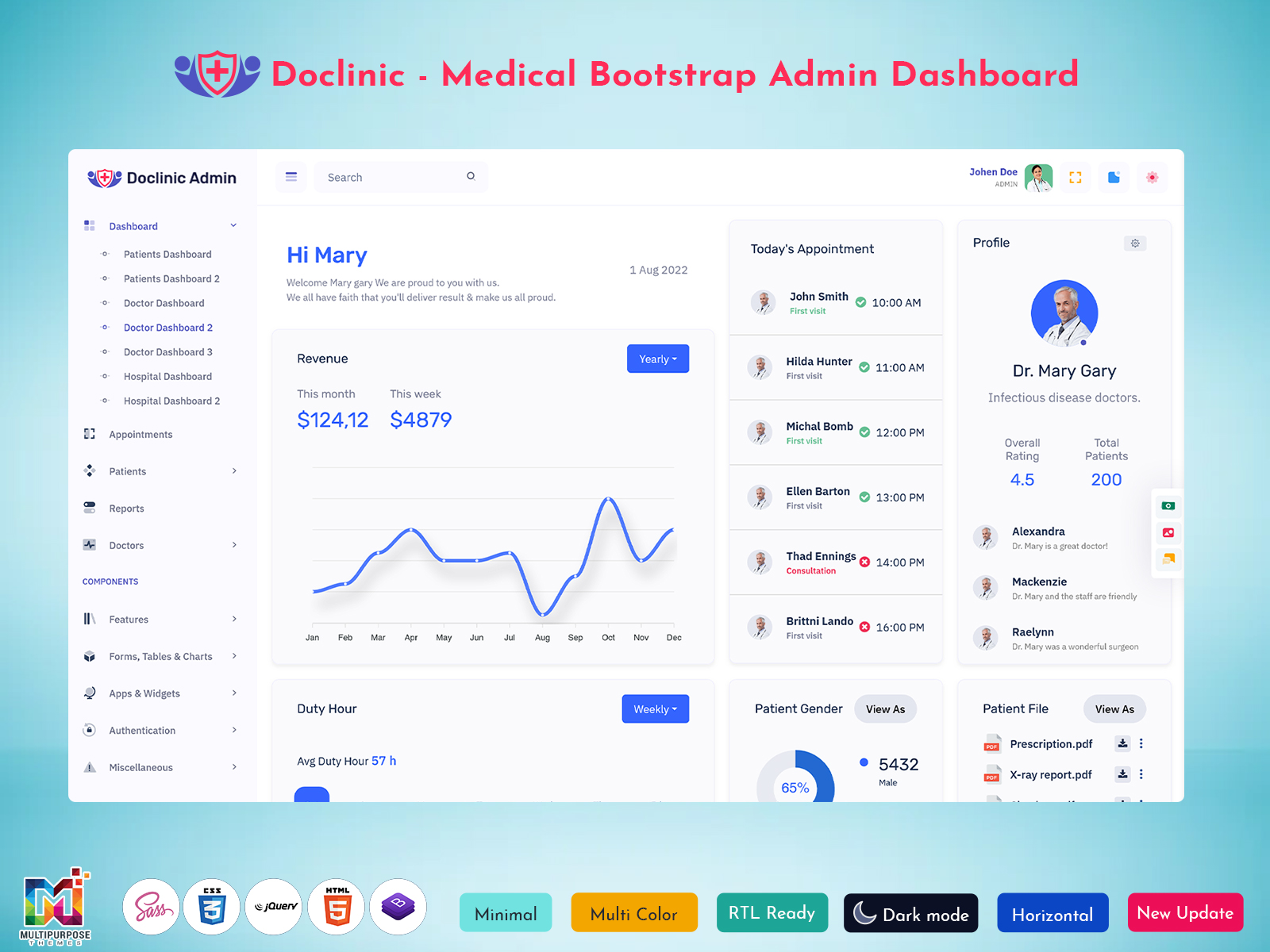
Healthcare applications often need to address several types of information and activities. Doctors may review…
35+ Doctor Software Dashboard Solutions for Healthcare Analytics in 2026
Reading Time: 11 minutes
The healthcare sector is adopting digital technology at a rapid pace, creating a need for platforms that simplify clinical workflows and improve operational visibility. A Doctor Software Dashboard brings patient information, scheduling tools, reporting functions, laboratory tracking, and performance metrics into one centralized environment. Healthcare providers can access important information quickly, helping them deliver better services while reducing administrative complexity.
Watch Full Video
Modern medical platforms are designed to support clinics, specialty centers, diagnostic facilities, and healthcare organizations through intelligent management tools. Features commonly found in a Medical Dashboard, Medical Admin Panel, Medical Dashboard Template, and Hospital and Medical Admin Dashboard help professionals organize consultations, review treatment histories, monitor activities, and analyze operational performance. With growing demand for digital healthcare solutions, businesses are increasingly adopting Doctor Dashboards Templates, Hospital and Medical Dashboard Design, and Doctor Dashboard Design systems to create efficient, data-driven healthcare environments.
Understand Doctor Software Dashboard
A Doctor Software Dashboard is a digital management solution designed to help healthcare professionals handle daily clinical activities through a structured and interactive interface. It combines patient information, scheduling tools, reporting sections, diagnostic updates, and performance tracking into one system. Instead of managing multiple applications, doctors and healthcare staff can access essential operational information from a centralized platform that improves efficiency and coordination.
Modern solutions are often developed using Doctor Templates, Doctor Dashboard, Doctor Web Design, and Medical Admin Template frameworks that support healthcare-specific requirements. These systems can display Medical Data Dashboard metrics, Medical Records, Medical Chart details, appointment statistics, laboratory information, and reporting modules through a well-organized layout. A Hospital and Medical Dashboard Template or Hospital and Medical Admin ui Kit helps create responsive healthcare platforms that simplify administrative tasks while providing quick access to important information. As healthcare organizations continue embracing digital technology, the demand for advanced Doctor Report Dashboard and Medical Dashboard solutions continues to grow across the industry.
Why Every Healthcare Practice Needs a Doctor Dashboard
Healthcare facilities handle a large volume of patient information, consultation schedules, laboratory activities, and administrative responsibilities every day. A Doctor Dashboard helps organize these operations through a centralized workspace where medical professionals can monitor important activities without switching between multiple systems. This improves workflow visibility and supports faster access to essential information during busy clinical hours.
A well-structured Doctor Dashboard Design enables healthcare teams to manage Medical Records, review Medical Data, monitor appointments, and access reporting tools from one location. Whether implemented through a Doctor Software Dashboard, Hospital and Medical Dashboard, or Medical Admin Panel, these solutions help reduce manual processes while improving operational accuracy. Healthcare organizations also benefit from Hospital and Medical Dashboard Design frameworks that support better coordination among doctors, administrators, laboratory staff, and support teams.
Modern healthcare applications built with Doctor Dashboards Templates, Doctor Ui Kit components, and Hospital and Medical Templates provide scalable solutions for practices of different sizes. From independent clinics to large healthcare institutions, these platforms improve resource utilization, enhance patient management, and support data-driven decision-making through organized Medical Charts, reporting modules, and performance tracking tools.
Patient Management Dashboard for New and Existing Medical Records
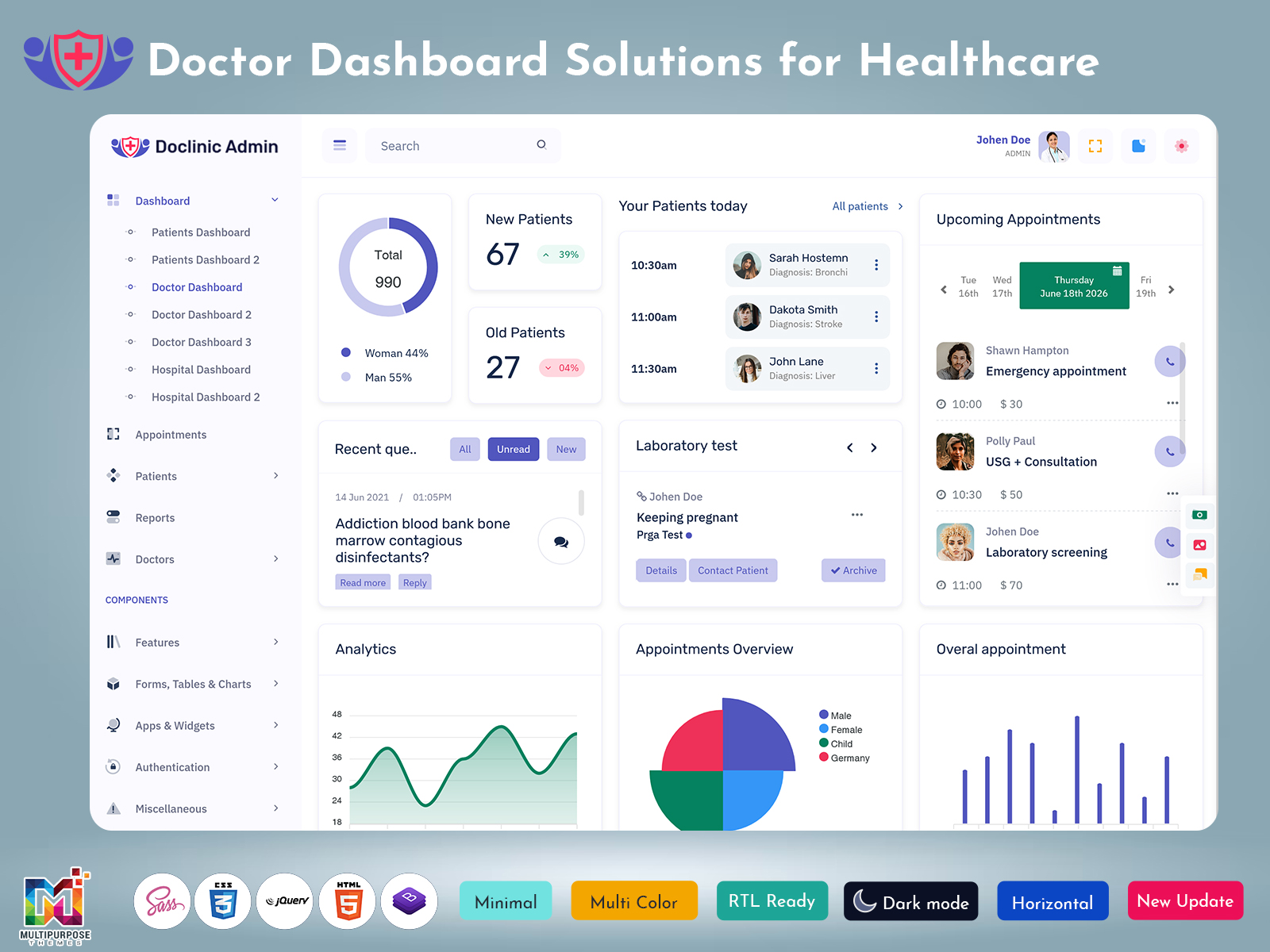
This section focuses on how a Doctor Dashboard helps healthcare professionals manage both newly registered patients and existing medical records from a single interface. New patient information, including personal details, consultation history, diagnosis records, and treatment plans, can be added quickly, ensuring smooth onboarding and accurate documentation.
At the same time, doctors can instantly access existing patient profiles, review previous visits, monitor ongoing treatments, check prescriptions, and track health progress. By combining new patient registration and historical record management in one centralized system, healthcare providers can improve efficiency, reduce administrative workload, and deliver more personalized patient care. This integrated approach enhances workflow management while ensuring important medical information remains organized, secure, and easily accessible.
Your Patients Today Section for Daily Consultation Planning
The Your Patients Today module helps doctors begin their day with a complete view of scheduled consultations and patient activities. Within a Doctor Software Dashboard, healthcare professionals can instantly review upcoming visits, treatment requirements, patient histories, and consultation priorities from a single screen. This organized approach reduces preparation time and allows practitioners to focus more on patient care rather than administrative tasks. Information displayed through a Medical Records Dashboard helps ensure that important clinical details remain easily accessible throughout the day.
Modern Doctor Dashboard Design platforms often combine appointment information with Medical Data Dashboard insights to create a more efficient workflow. Integrated Medical Charts, status indicators, and patient summaries allow healthcare providers to understand individual healthcare needs before consultations begin. Whether implemented through a Medical Dashboard Template, Hospital and Medical Dashboard, or Hospital and Medical Admin Dashboard, this feature supports better scheduling, improves productivity, and creates a smoother experience for both healthcare professionals and patients.
Upcoming Appointments Management for Organized Scheduling
Managing future consultations becomes much easier when healthcare providers have access to a dedicated appointment scheduling module. Within a Doctor Software Dashboard, the upcoming appointments section helps medical teams track consultation dates, visit timings, doctor availability, and patient booking information from a centralized interface. This organized structure minimizes scheduling conflicts and allows healthcare facilities to maintain a smooth flow of daily operations. Through a Doctor Dashboard, reception staff and medical professionals can quickly identify upcoming visits, prepare resources in advance, and ensure patients receive timely attention without unnecessary delays.
Modern healthcare platforms use Doctor Dashboard Design principles to create appointment management systems that are easy to navigate and highly efficient. Integrated with a Medical Dashboard, Medical Admin Panel, and Hospital and Medical Software Dashboard, this functionality improves coordination between departments while reducing administrative workload. Features available through Hospital and Medical Dashboard Template solutions often include calendar views, reminder systems, consultation tracking, and scheduling analytics. By utilizing Doctor Dashboards Templates and Hospital and Medical Admin ui Kit components, healthcare organizations can create reliable scheduling environments that improve operational efficiency and enhance the overall patient experience.
Essential Features of a Modern Doctor Dashboard Template
1. Patient Information Management System
A modern Doctor Software Dashboard includes a structured system to manage complete patient information in one place. It allows healthcare professionals to store personal details, medical history, diagnosis notes, and treatment plans in an organized format. Through a Medical Records Dashboard, doctors can quickly access patient history without switching between multiple systems. This improves decision-making speed and ensures continuity in treatment. A well-designed Medical Admin Panel also helps staff update and maintain records accurately, reducing errors and improving data consistency across the platform.
2. Appointment Scheduling and Tracking Module
Efficient scheduling is a core part of any Doctor Dashboard Design. This feature helps manage appointments, check doctor availability, and avoid booking conflicts. Integrated with Hospital and Medical Dashboard systems, it provides real-time updates for upcoming consultations and cancellations. Healthcare teams can track patient visits easily using a Medical Dashboard Template or Hospital and Medical Admin Dashboard. This improves daily workflow and ensures that patients are attended to on time, creating a more organized clinical environment.
3. Medical Data and Reporting Integration
A strong Doctor Dashboard includes a powerful Medical Data Dashboard that consolidates clinical information, test results, and performance reports. It allows doctors to analyze patient conditions through structured Medical Charts and detailed reports. A Doctor Report Page or Doctor Report Dashboard ensures that all diagnostic information is available in one place for quick review. This helps healthcare providers make accurate and timely decisions while improving overall treatment quality and reducing manual data handling.
4. Laboratory Test Monitoring System
Laboratory integration is essential in modern healthcare platforms. A Hospital and Medical Software Dashboard enables real-time tracking of lab tests, sample status, and report generation. Doctors can view results directly through the Medical Dashboard without delays, improving diagnosis speed. This system also ensures that all Medical Records are updated automatically once test results are completed. It helps reduce communication gaps between laboratories and healthcare professionals while improving efficiency in patient care management.
5. User-Friendly UI and Admin Control Panel
A successful Doctor Web Page or Doctor UI Kit focuses on delivering a simple and intuitive user experience. The interface is designed to make navigation easy for doctors, nurses, and administrative staff. A Hospital and Medical Admin ui Kit or Medical Admin Template provides flexible components for building responsive dashboards. With a clean Medical Admin interface, users can manage tasks, monitor analytics, and control system settings efficiently. This improves usability and ensures that healthcare professionals can focus more on patients rather than system complexity.
Laboratory Test Monitoring Through an Integrated Medical Interface
Laboratory monitoring plays a key role in modern healthcare systems where accuracy and speed are essential for patient diagnosis. A Doctor Software Dashboard provides a centralized view of all laboratory activities, allowing healthcare professionals to track test requests, sample status, and report availability in real time. Through a Medical Data Dashboard, doctors can quickly access lab results without waiting for manual updates, which helps improve clinical decision-making and reduces delays in treatment processes. This integration ensures that all diagnostic workflows remain connected within a single platform.
A well-structured Hospital and Medical Dashboard Design connects laboratory systems directly with patient records, making updates seamless and automatic. Using a Medical Records Dashboard, every test result is linked to the patient profile, ensuring complete and organized documentation. Features found in Doctor Dashboard Templates and Hospital and Medical Software Dashboard solutions also help maintain transparency between laboratories and medical staff. With support from Medical Charts and reporting modules, healthcare professionals can analyze results efficiently, improving diagnosis accuracy and enhancing overall patient care quality.
Overall Appointment Analytics for Healthcare Performance Tracking
Appointment analytics in a Doctor Software Dashboard helps healthcare organizations understand how effectively patient visits are being managed over time. It provides a clear overview of completed appointments, missed consultations, rescheduled visits, and doctor availability. By using a Medical Data Dashboard, clinics and hospitals can identify peak hours, patient flow patterns, and consultation trends. This helps administrators improve planning and ensure that healthcare resources are used efficiently without overloading staff or delaying patient care.
A well-structured Doctor Dashboard Design also supports deeper performance tracking through visual Medical Charts and reporting tools. Hospital and Medical Dashboard systems allow managers to compare appointment data across different departments and doctors, helping improve operational decisions. With the support of Doctor Dashboard Templates and Hospital and Medical Software Dashboard solutions, healthcare providers can monitor productivity, reduce waiting times, and enhance patient satisfaction. This analytical approach improves overall service quality and ensures better coordination within medical operations.
Benefits of Using a Doctor Web Application Dashboard
1. Improved Patient Management Efficiency
A Doctor Web Page powered by a Doctor Software Dashboard helps healthcare professionals manage patients in a more structured way. It centralizes Medical Records, Medical Data, and consultation details into a single system, reducing time spent on manual searching. Doctors can quickly access patient history, ongoing treatments, and previous reports through a Medical Records Dashboard. This improves workflow efficiency and allows better focus on patient care instead of administrative tasks.
2. Faster Clinical Decision Making
A well-designed Doctor Dashboard Design supports faster and more accurate medical decisions by providing real-time access to Medical Charts, lab results, and diagnostic summaries. Integrated Medical Data Dashboard systems ensure that all important information is available instantly. This reduces delays in diagnosis and treatment planning. With a Doctor Report Dashboard, healthcare providers can analyze reports quickly, leading to improved treatment outcomes and better patient satisfaction.
3. Better Coordination Across Medical Teams
Hospital and Medical Dashboard systems improve communication between doctors, nurses, and administrative staff. Shared access to Medical Admin Panel features ensures that everyone works with updated information. Hospital and Medical Software Dashboard solutions help synchronize appointment updates, lab reports, and patient records. This reduces miscommunication, improves teamwork, and ensures smoother hospital operations across departments.
4. Enhanced Data Security and Record Management
A Medical Admin Template or Hospital and Medical Admin ui Kit provides secure systems for storing sensitive patient data. Medical Records Dashboard solutions ensure that all patient information is safely organized and accessible only to authorized users. Encryption and controlled access features protect Medical Data while maintaining compliance with healthcare standards. This builds trust and ensures safe handling of critical medical information.
5. Streamlined Workflow and Operational Control
Using Doctor Dashboard Templates and Hospital and Medical Dashboard Design, healthcare facilities can streamline daily operations effectively. Appointment tracking, reporting, and patient monitoring become more organized and easy to manage. A Medical Dashboard Template improves task allocation and reduces operational confusion. With better workflow control, hospitals can improve efficiency, reduce waiting time, and deliver faster healthcare services.
Appointment Overview Dashboard for Efficient Patient Flow
An Appointment Overview system in a Doctor Software Dashboard helps healthcare providers view all scheduled, completed, and pending consultations in one organized layout. It improves visibility of daily clinical activities by presenting patient flow in a structured manner. Through a Medical Dashboard, doctors and administrators can quickly understand how many patients are expected, how many have been treated, and where delays might occur. This level of clarity supports better planning and ensures smoother hospital operations throughout the day.
A strong Doctor Dashboard Design integrates appointment overview features with Medical Records Dashboard and Medical Data Dashboard modules to improve coordination between departments. Hospital and Medical Dashboard solutions allow staff to track patient movement across consultation rooms, laboratories, and billing sections. Using Doctor Dashboards Templates and Hospital and Medical Admin Dashboard systems, healthcare organizations can reduce waiting time, balance workloads, and improve patient experience. This structured flow management ensures efficiency and better service delivery across all medical operations.
Lab Reports Dashboard for Accurate Medical Documentation
A Lab Reports system within a Doctor Software Dashboard helps healthcare professionals access, review, and manage diagnostic reports in a structured and efficient way. It centralizes all laboratory results such as blood tests, imaging reports, and pathology findings into one unified interface. Through a Medical Dashboard, doctors can quickly match lab results with patient history, making diagnosis faster and more reliable. This improves clinical accuracy and reduces delays in treatment decisions, especially in high-pressure healthcare environments.
A well-developed Doctor Dashboard Design ensures that lab reports are automatically linked with Medical Records Dashboard and Medical Data Dashboard modules. This integration allows seamless documentation where every test result is stored under the patient profile for future reference. Hospital and Medical Dashboard Template solutions also support secure report sharing between departments. With tools from Doctor Dashboards Templates and Hospital and Medical Software Dashboard systems, healthcare providers can maintain accurate Medical Charts, improve record transparency, and ensure better coordination across medical teams.
Conclusion
A Doctor Software Dashboard plays an important role in modern healthcare by bringing all essential clinical and administrative functions into one connected system. From patient management and appointment scheduling to lab reports and analytics, everything becomes easier to access and control. This improves the overall efficiency of healthcare operations and helps doctors focus more on patient care rather than manual work. A well-structured Medical Dashboard supports smoother workflows and better coordination across hospital departments.
With the help of Doctor Dashboard Design, Medical Records Dashboard, and Hospital and Medical Dashboard systems, healthcare organizations can manage data in a more organized and secure way. Features like Medical Data Dashboard, Medical Admin Panel, and Doctor Report Dashboard improve accuracy, reduce errors, and enhance decision-making. Modern Doctor Dashboards Templates and Hospital and Medical Software Dashboard solutions are becoming essential tools for clinics and hospitals aiming to deliver faster, smarter, and more reliable healthcare services.
FAQs
1. What is a doctor software dashboard used for in hospitals?
A doctor software dashboard is used to manage patient records, appointments, medical reports, and hospital operations in one system. It improves workflow using Medical Records Dashboard and Medical Data Dashboard, helping doctors make faster and more accurate healthcare decisions. You can explore similar designs at MultiPurpose Themes for modern solutions.
2. How does a medical dashboard help doctors in daily work?
A medical dashboard helps doctors access patient data, lab reports, and schedules in one place. It improves efficiency using Medical Admin Panel and Medical Dashboard Template systems, allowing faster treatment planning. Many ready-made healthcare designs are available at MultiPurpose Themes.
3. What features should a hospital dashboard include?
A hospital dashboard should include patient tracking, appointment management, analytics, and reporting tools. Features like Medical Charts, Medical Data Dashboard, and Doctor Report Dashboard improve hospital workflow. You can find professional templates at MultiPurpose Themes for healthcare systems.
4. Why is a doctor dashboard important for medical practices?
A doctor dashboard helps centralize patient data, reduce manual work, and improve accuracy in healthcare operations. Using Doctor Dashboard Design and Medical Admin Template improves efficiency. Many healthcare dashboard solutions are available at MultiPurpose Themes.
5. What is the difference between medical dashboard and hospital dashboard?
A medical dashboard focuses on patient records and reports, while a hospital dashboard manages overall operations. Both use Medical Records Dashboard and Medical Data Dashboard systems for better control. You can explore both types at MultiPurpose Themes.
6. How does a doctor dashboard improve patient care?
A doctor dashboard improves patient care by giving instant access to Medical Records and reports. It supports faster diagnosis and better treatment planning using Doctor Dashboard Templates. You can find advanced healthcare UI solutions at MultiPurpose Themes.
7. Where can I get doctor dashboard templates for healthcare applications?
You can find Doctor Dashboards Templates, Medical Admin Dashboard, and Hospital and Medical Dashboard Template designs at MultiPurpose Themes. These templates include Medical Charts, appointment tracking, and reporting tools for healthcare systems.
8. What is included in a medical data dashboard?
A medical data dashboard includes patient history, lab reports, charts, and analytics. It helps doctors analyze Medical Data Dashboard information quickly for better decision-making. You can explore such systems at MultiPurpose Themes.
9. How does a hospital dashboard improve workflow?
A hospital dashboard improves workflow by organizing appointments, patient records, and staff activities. It enhances coordination using Hospital and Medical Dashboard Design systems. Many such templates are available at MultiPurpose Themes.
10. Is a doctor dashboard useful for small clinics?
Yes, a doctor dashboard is very useful for small clinics because it simplifies patient management and reporting. Using Doctor Software Dashboard and Medical Admin Panel improves efficiency. You can explore solutions at MultiPurpose Themes.

Related Posts