

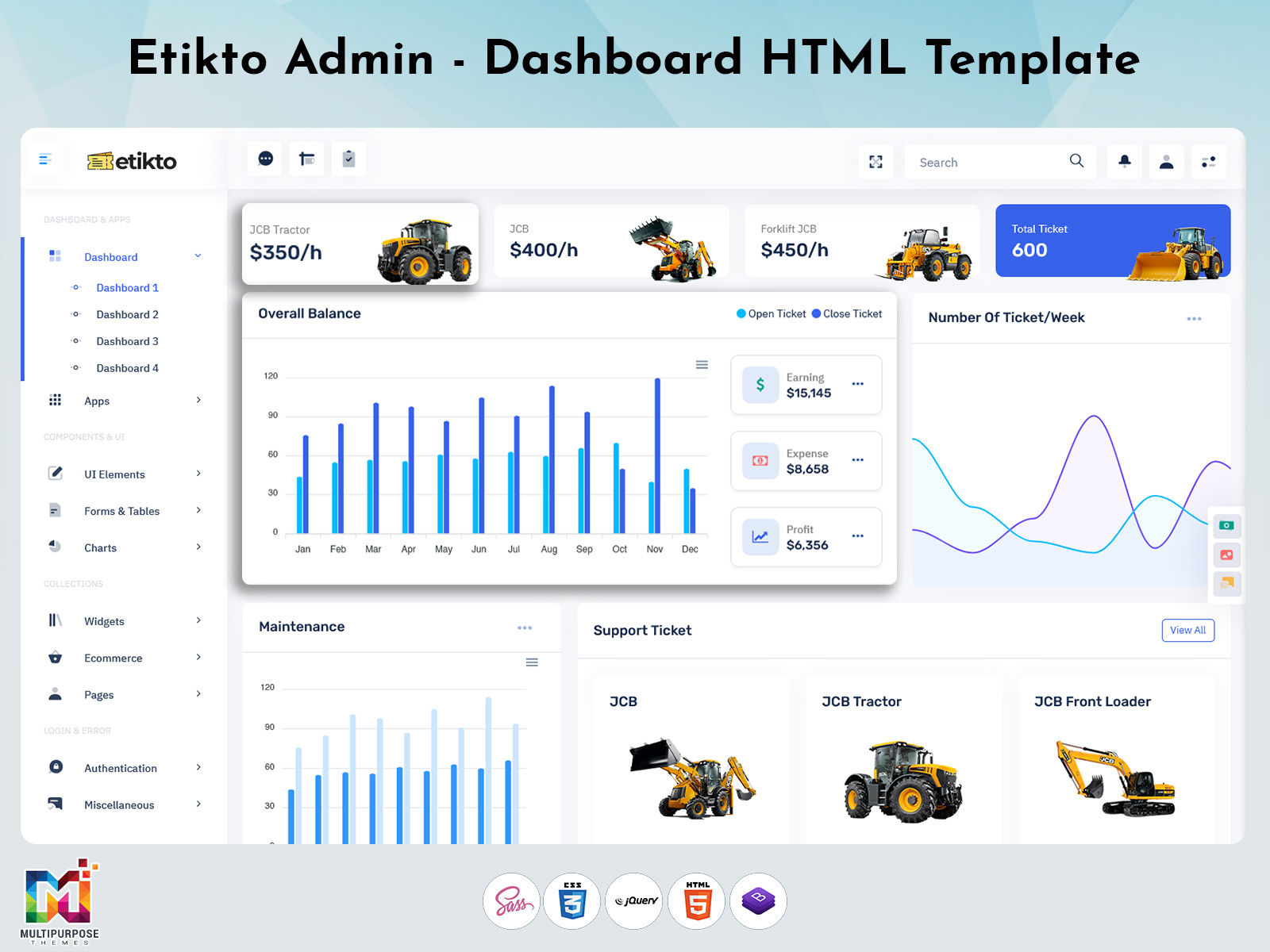
Support Ticket System – Features, Benefits & Best Practice
A Support Ticket System can help you manage customer queries, technical issues, requests and complaints. Support Tickets can help you manage issues and requests. A Support Ticket Dashboard can be created to help you get an overview.
Watch Full Video
What is a Support Ticket System?
A Support Ticket system can be used to help manage a customer request. Each request can be tracked with a ticket. This shows what the customer is concerned about, how important the request’s who it has been assigned to what the current status is and any conversations.
This helps your support team to see how far through the request is. Tickets can be created in ways depending on your Support Ticket System. This could be via email, webforms, live chat etc.
This helps managers see what their team are working on. It gives managers a view of what their team are working on.
Why are Support Tickets Important for Businesses?
Customer support is not just answering questions but tracking requests.
Support Tickets can help you organise your requests. They can help you keep track of:
- Organisation – All customer requests in one place.
- Assign Tickets – Assign tickets to an agent/department.
- Easier to Track – View tickets as new in progress pending or resolved.
- Better Communications – All communications are in one place.
- Know How Work – Managers can see how many requests they have.
- Follow Up – See what requests are pending.
Depending on how your Support Ticket System’s set up and how your support team use it.

VIEW DEMO BUY NOW
Main Features of a Support Ticket Dashboard
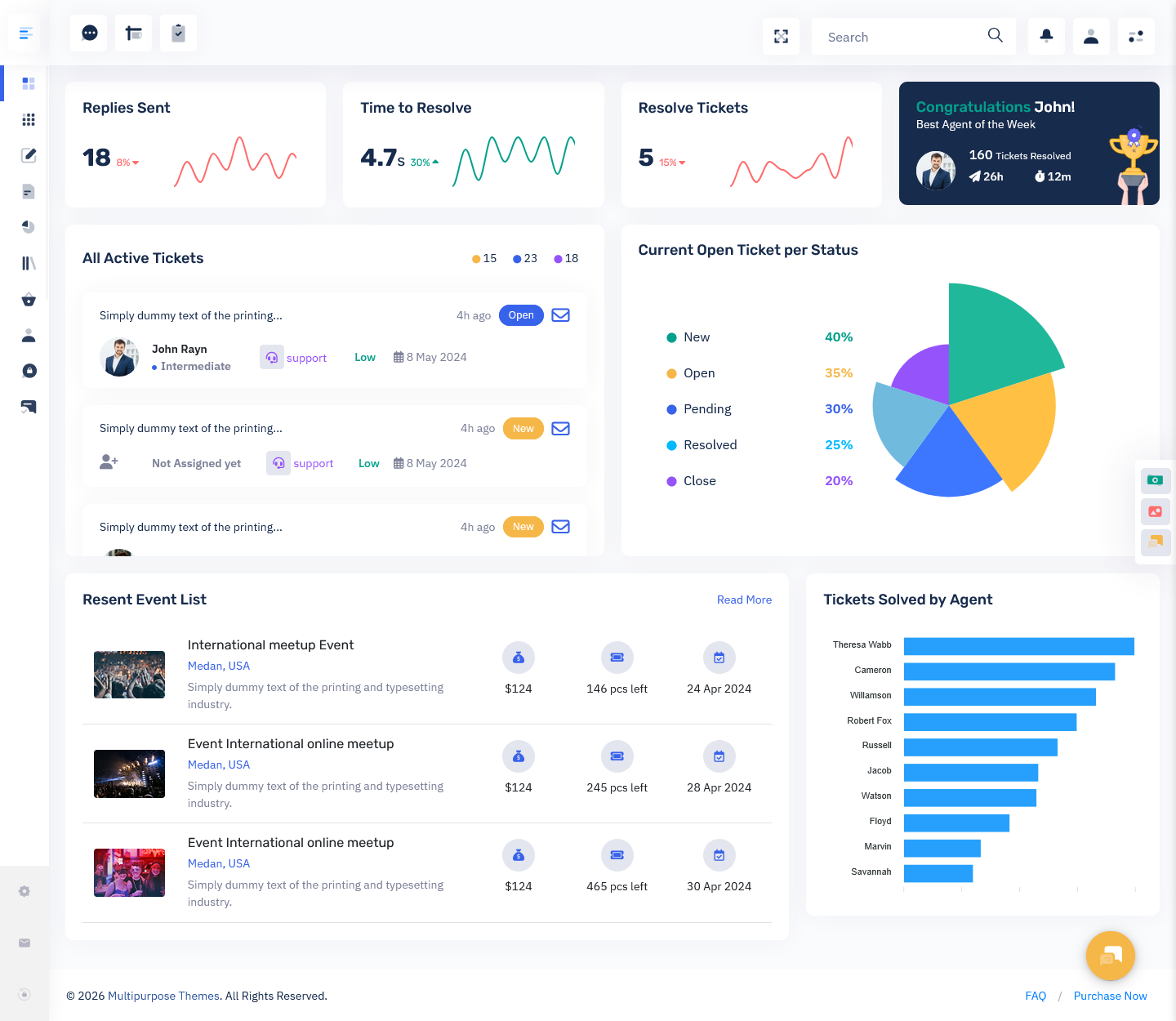
A Support Ticket Dashboard can be used to view your support information. It should help your agents manage requests and help managers see what is happening.
1. Ticket Management
Helps your support team manage customer issues.
2. Ticket Status
Shows what the status of your ticket is. This can be:
- New – A request has been. Needs to be addressed.
- Open – The support team are working on the request.
- In Progress – The issue is being looked into.
- Pending – Waiting for information.
- Resolved – A solution has been provided.
3. Ticket Assignment
Not all customer issues should be assigned to one person. Some may need knowledge others may be related to billing, account access or general product questions.
4. Priority
Some requests may need a priority. This helps your team know what issues need to be dealt with.
For example if a customer cannot access a service this may need to be prioritised over a product question.
Tickets can be set to medium, high or urgent. Having rules in place to decide what priority each request should be will help your agents.
5. Customer Info
Helps your support agents know the context of the request. Depending on your application and access you can add customer information, communications, related tickets and relevant account information.
6. Search, Filter & Sort
If you have support requests it can be difficult to find your tickets.
With search and filtering you can search tickets by status, priority, assigned to, date & customer information. Sorting will help you see what requests you have what issues you have or what tickets have been updated recently.
7. Notifications
Notify you when you have a ticket a customer has or a ticket needs to be followed up. You can also set reminders to know what needs to be done.
8. Reports
Helps managers know what is going on with support.
A Support Ticket Dashboard could show:
- How tickets you have.
- How many tickets are pending.
- How many tickets have been closed.
- Average response time.
- Resolution time.
- Tickets by category.
- Tickets by agent.
- Customer satisfaction (if collected).
This helps managers know what issues are coming up how work is divided across the team and where improvements can be made.
VIEW DEMO BUY NOW
Benefits of Using a Support Ticket Management System
A Support Ticket Management System can help you manage your customer requests.
1. More Organisation
Having everything in one place will help your agents manage requests. It would be easy to see what should be done.
2. Improved Team Collaboration
Sometimes support requests will need input from departments. Having a ticket will help you keep track of the issue updates & who it has been assigned to.
This helps team members know what has been completed.
3. Track Response & Resolution Times
The efficiency of the process of responding to questions by agents will be measured by companies. This helps teams know how they are doing.
Even if you do not guarantee responses with a ticketing system having an organised process will help with following up.
4. Improved Visibility for Managers
Managers can see what tickets they have what is pending how work is divided and performance reports.
This can help with making decisions on your staff.
5. Improved Customer Experience
The customer should have confidence that the inquiries from the customer have been taken into account. The process-oriented approach will help the customer to handle the inquiries from the customer.
Having follow ups will help give customers confidence.
Who Can Use a Support Ticket System?
Support ticket systems can help businesses and organisations manage requests, questions and technical issues.
1. IT Support Teams
IT teams can use tickets to manage software, hardware, access & internal technical support requests.
2. Ecommerce Businesses
E-commerce businesses may use tickets to aid in managing orders, shipping, returns, refunds and any product queries.
3. SaaS Companies
Software companies can use tickets to manage bug reports, account issues feature questions & technical support.
4. Customer Service Departments
The ticketing system can also be used by customer service teams to handle inquiries, complaints and service requests. I find the ticketing system very helpful when dealing with customer issues.
5. Educational Institutions
Schools, colleges & universities can use tickets to manage student enquiries, support & admin questions.
6. Internal Business Teams
Resources, finance & admin departments can use tickets to manage employee requests.
Choosing a Support Ticket Dashboard UI Template
Choosing a Support Ticket Dashboard UI Template depends on what type of application you’re creating, what your users need and what features you want.
1. Easy to Read
Your dashboard should be easy to read. You should be able to see your tickets, status, priority & action buttons.
This will help you easily see your requests.
2. Ticket Management
Look for components to help you manage your tickets. This should include a list of tickets, ticket details, status updates, assigned to & customer details.
Choose components that match your process.
3. Search, Filter & Sort
Search bars, filters & sorting will help you find your tickets. This will become more useful as your requests increase.
4. Reports
If your managers need to know how your support is going look for components to show how tickets you have ticket status summary, performance trends & workload.
These should be easy to understand.
5. Responsive
Support teams may use your application on desktops, laptops, tablets & mobiles. Having a design will help it adapt to screen sizes so users can easily see the information.
6. Secure
Support tickets may contain customer information account information & internal business communications. Your final application will need to have authentication, security & access. A UI Template will give you the interface. The security will depend on how it is set up.
7. Technical
Check if your dashboard template uses the framework, components & integrations you need. Think about how it will fit into your application & if there will be any work required on the backend.
A template will give you the UI. Features such as creating tickets, notifications, user authentication & data storage will usually need application logic or service integration.
Common Mistakes to Avoid
Even if your ticketing system is well designed if you do not consider how easy it will be to navigate for users it can be difficult to use.
1. Unclear Ticket Categories
Make sure your ticket categories have names so everything goes to the right people.
2. Incorrect Priority
Make sure your priority levels are clear so nothing feels too important.
3. No Ticket Assignment
Make sure you can assign tickets.
4. No Follow Up
Often you will want to know what tickets are pending. Make sure you have this.
5. Many Notifications
Be careful when setting up notifications so users know what is going on without too much information.
6. Complicated
Make sure you can easily find the actions you need. Don’t make it too complicated.
7. Not Enough Reporting
Track indicators so your team can see how work they have how long things are taking & what issues are coming up.
Often looking at these areas can help companies keep their support process consistent.
Conclusion
A Support Ticket System gives companies a way to manage customer questions, technical issues and service requests. Features such, as assigning Support Tickets viewing the status of a Support Ticket managing the priority of a Support Ticket, notifications and data can help teams tasks. See what needs to be resolved. Works well.
When choosing a Support Ticket Dashboard UI Template think about how easy to use it’s how it works on devices what reporting features it has, how it integrates with tools and how secure it is. Choosing the screen and process can help companies manage their Support Tickets consistently and provide support. I would recommend choosing.
VIEW DEMO BUY NOW
FAQ’s
1. What is a Support Ticket?
A Multipurpose Themes Support Ticket is a record of a customer or internal request. Support Ticket can be tracked from when it was originally sent until it has been resolved. Usually a Support Ticket will contain information about the issue, status, who is handling the Support Ticket & all communications. I find this helpful.
2. What is a Support Ticket Dashboard?
A Support Ticket Dashboard is a screen that shows you information about your Support Tickets. It will tell you how your Support Tickets are going, how important they are, who is handling them & what the reports are. This helps those working on support & those managing to see all the support in one place. I like the overview.
3. What is the difference between a Support Ticket & Support Tickets?
Multipurpose Themes Support Ticket is singular. Usually refers to one request. Support Tickets is plural. Refers, to requests or all the Support Tickets the team are handling. Simple.
4. What features should a Support Ticket System have?
Common features are creating a Support Ticket viewing the status of a Support Ticket assigning a Support Ticket managing the priority of a Support Ticket keeping a history of customers searching/filtering, notifications & reports. I have used these before.
5. Can I customise my Support Ticket Dashboard?
Yes you can customise your Support Ticket Dashboard to fit how your business works. Depending on the design and program your team may be able to customise the layout, tables, indicators, filters, charts and so on. Flexible.
6. How does a Support Ticket System help customer service teams?
A Multipurpose Themes Support Ticket System helps teams organise requests assign Support Tickets see how far through a Support Ticket is, keep a history of communications and see how support is performing. I can see the benefit.
7. Does a Support Ticket UI Template have any backend functionality?
Not always. A UI Template will usually just give you the look of the screen. Creating Support Tickets storing data, notifications ensuring users have access and integration with tools may require some backend work. I have seen this issue.



This Post Has 0 Comments